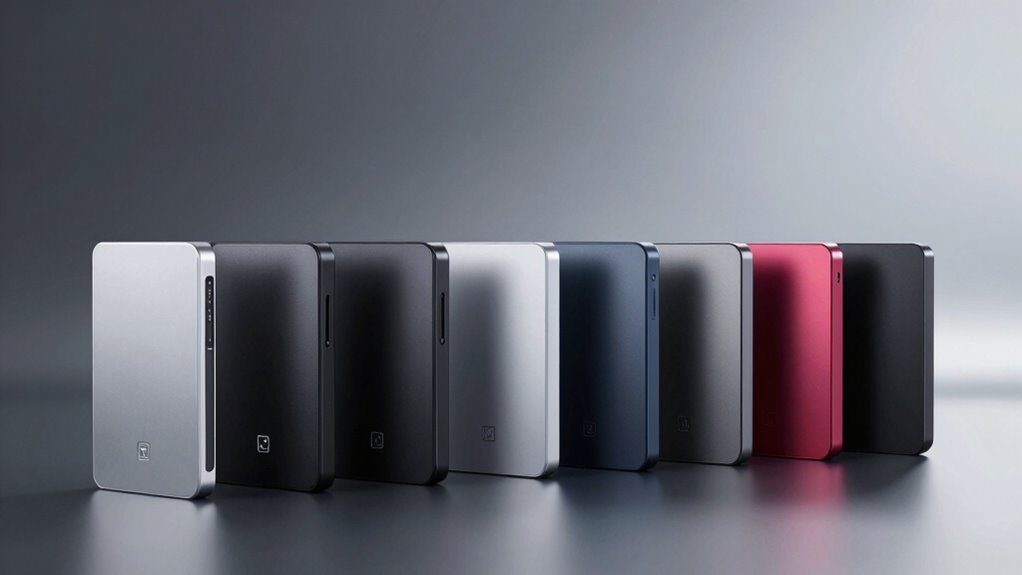

If you’re searching for a high capacity external hard drive, you’re likely balancing storage space, speed, and affordability. The WD 16TB Elements Desktop stands out as the top overall pick, offering a massive 16TB of storage with reliable USB 3.0 performance. The Seagate Expansion 22TB impresses with its enormous capacity and data recovery options, making it ideal for large backups. On the other hand, portable options like the WD 4TB Elements Portable appeal to those needing more flexibility. As with this category, the main tradeoffs involve balancing capacity, portability, and price. Continue reading for a detailed comparison to help you make the best choice.

Get the latest gadgets delivered free with Prime
- Fast, free delivery on millions of items
- Prime Video, Amazon Music and more included
- Member-only deals all year
Complete the kit



Key Takeaways
- Massive capacities are available across both desktop and portable drives, but desktop models generally offer higher storage for less per TB.
- Speed differences between USB 3.0 and USB 3.2 can impact transfer times, especially for large files or backups.
- Built-in data protection and recovery features are more common in higher-end models, adding value for critical data storage.
- Portability often reduces maximum capacity, so consider whether you prioritize mobility or maximum storage.
- Price per TB varies widely, with larger drives often offering better value but requiring more physical space and power sources.
| WD 16TB Elements Desktop External Hard Drive, USB 3.0 |  | Best Overall for High-Capacity Desktop Storage | Digital Storage Capacity: 16 TB | Hard Disk Interface: USB 3.0 | Connectivity Technology: USB | VIEW ON AMAZON | See Our Full Breakdown |
| Seagate Expansion 10TB USB 3.0 External Hard Drive, Black |  | Best Value for High-Capacity Portable Storage | Capacity: 10TB | Connection: USB 3.0 | Compatibility: Windows and Mac (reformatting required) | VIEW ON AMAZON | See Our Full Breakdown |
| WD 4TB Elements Portable External Hard Drive for Windows, USB 3.2 Gen 1/USB 3.0 |  | Best Portable High-Capacity Drive for On-the-Go Use | Digital Storage Capacity: 4 TB | Hard Disk Interface: USB 3.2 Gen 1/USB 3.0 | Compatible Devices: Laptop, Desktop, Nintendo Switch | VIEW ON AMAZON | See Our Full Breakdown |
| Seagate Portable 4TB External Hard Drive HDD – USB 3.0 for PC, Mac, Xbox, & PlayStation |  | Best for Gaming and Versatile Use | Digital Storage Capacity: 4 TB | Hard Disk Interface: USB 3.0 | Rotational Speed: 7200 RPM | VIEW ON AMAZON | See Our Full Breakdown |
| Seagate Expansion 22TB External Hard Drive HDD – USB 3.0 with Data Recovery Services |  | Best for Massive Storage and Data Security | Digital Storage Capacity: 22 TB | Hard Disk Interface: USB 3.0 | Rotational Speed: 7200 RPM | VIEW ON AMAZON | See Our Full Breakdown |
| WD 22TB My Book External Hard Drive with Password Protection and USB 3.0 |  | Best for Massive Desktop Backup | Digital Storage Capacity: 22 TB | Hard Disk Interface: USB 3.0 | Connectivity Technology: USB | VIEW ON AMAZON | See Our Full Breakdown |
| WD 6TB Elements Portable External Hard Drive for Windows and Mac | | Best for Versatile On-the-Go Storage | Digital Storage Capacity: 6 TB | Hard Disk Interface: USB 3.2 | Connectivity Technology: USB | VIEW ON AMAZON | See Our Full Breakdown |
| WD 6TB My Passport Portable External Hard Drive, Black, USB 3.1/3.0, Ransomware Defense, Password Protection |  | Best for Security-Conscious Mobile Users | Storage Capacity: 6 TB | Hard Disk Interface: USB 3.1/3.0 | Connectivity Technology: USB | VIEW ON AMAZON | See Our Full Breakdown |
| Seagate Expansion Desktop 16TB External Hard Drive – USB 3.0, 3.5″ HDD for Windows & Mac | | Best for Large, Easy-Setup Desktop Storage | Digital Storage Capacity: 16 TB | Hard Disk Interface: USB 3.0 | Data Recovery Service: Yes | VIEW ON AMAZON | See Our Full Breakdown |
| UnionSine 16TB External Desktop Hard Drive, USB 3.0, 3.5-inch |  | Best for Multi-Platform, High-Speed Backup | Digital Storage Capacity: 16 TB | Hard Disk Interface: USB 3.0 | Connectivity Technology: USB | VIEW ON AMAZON | See Our Full Breakdown |
| high capacity external hard drive | Hard Disk Interface | Digital Storage Capacity | Read Speed | Connectivity Technology |
|---|---|---|---|---|
| WD 16TB Elements Desktop Exter | USB 3.0 | 16 TB | 125 MB/s | USB |
| Seagate Expansion 10TB USB 3.0 | — | — | — | — |
| WD 4TB Elements Portable Exter | USB 3.2 Gen 1/USB 3.0 | 4 TB | — | — |
| Seagate Portable 4TB External | USB 3.0 | 4 TB | — | — |
| Seagate Expansion 22TB Externa | USB 3.0 | 22 TB | — | — |
| WD 22TB My Book External Hard | USB 3.0 | 22 TB | 550 MB/s | USB |
| WD 6TB Elements Portable Exter | USB 3.2 | 6 TB | 1050 MB/s | USB |
| WD 6TB My Passport Portable Ex | USB 3.1/3.0 | — | 110 MB/s | USB |
| Seagate Expansion Desktop 16TB | USB 3.0 | 16 TB | 122 MB/s | — |
| UnionSine 16TB External Deskto | USB 3.0 | 16 TB | 270 MB/s | USB |
More Details on Our Top Picks
WD 16TB Elements Desktop External Hard Drive, USB 3.0
This WD 16TB desktop drive stands out for its massive storage capacity and reliable performance, making it ideal for users who need to store large media libraries or backups without fuss. Compared to the Seagate Expansion 22TB, it offers slightly slower transfer speeds but benefits from WD’s reputation for durability. Its plug-and-play compatibility with both Windows and Mac simplifies setup, though it requires an external power source, limiting portability. This model is better suited for stationary use—such as media servers or backup stations—rather than on-the-go needs. The 125 MB/s read speed suffices for most backup tasks, but it won’t match the faster transfer rates of smaller, portable drives like the WD 4TB Elements Portable. Overall, this drive makes the most sense for those prioritizing capacity, reliability, and ease of use over portability or the fastest speeds.
Pros:- Massive 16TB capacity suitable for large data collections
- Fast USB 3.0 transfer speeds (125 MB/s)
- Easy plug-and-play setup for Windows and Mac
- Trusted WD quality and durability
Cons:- Requires external power adapter, limiting portability
- No included backup or management software
- Designed solely for desktop use, not travel-friendly
Best for: Users needing extensive, reliable desktop storage for backups, media libraries, or ongoing data projects
Not ideal for: Travelers or users requiring portable, lightweight drives, since it needs external power and is bulky
- Digital Storage Capacity:16 TB
- Hard Disk Interface:USB 3.0
- Connectivity Technology:USB
- Hard Disk Form Factor:3.5 inches
- Read Speed:125 MB/s
- Media Speed:130 MB/s
- Cache Memory:16 MB
- Item Dimensions:8.9″ L x 8″ W x 3.7″ Th
Our verdict“This drive is best for those who need high capacity and reliable desktop storage without the need for portability.”
Seagate Expansion 10TB USB 3.0 External Hard Drive, Black
Compared with larger desktop drives like the WD 16TB Elements, the Seagate Expansion 10TB offers a more portable form factor while still delivering ample storage. Its simple setup and USB 3.0 interface make it attractive for users seeking quick, hassle-free backups or file transfers. While it lacks the faster interfaces or larger capacities of some premium options, its balance of affordability and capacity makes it ideal for those who need a straightforward, reliable external drive. Reformatting may be needed for Mac users, and it doesn’t include advanced backup software, but for most users, the plug-and-play experience outweighs these minor limitations. This model is a good pick for anyone who wants a large-capacity drive that’s easy to use without breaking the bank.
Pros:- Large 10TB storage capacity at a competitive price
- Fast data transfer via USB 3.0
- Simple, plug-and-play setup for Windows and Mac (reformatting needed)
- Lightweight and portable design
Cons:- Reformatting required for Mac compatibility
- Limited warranty details not specified
- No included backup management software
Best for: Budget-conscious users who need reliable, high-capacity portable storage for backups or large files
Not ideal for: Mac users unwilling to reformat or those seeking integrated backup solutions, since reformatting is required
- Capacity:10TB
- Connection:USB 3.0
- Compatibility:Windows and Mac (reformatting required)
Our verdict“This drive fits users needing high-capacity portable storage at an affordable price, with minimal setup hassle.”
WD 4TB Elements Portable External Hard Drive for Windows, USB 3.2 Gen 1/USB 3.0
This WD 4TB portable drive offers a compelling balance of capacity, speed, and portability. Its compact 2.5-inch form factor makes it ideal for users who need to carry large files between devices, such as laptops or even gaming consoles. The USB 3.2 Gen 1 interface supports fast transfers, though actual speeds may be limited by the interface’s maximum throughput. Compared to larger desktop options like the WD 16TB, it sacrifices some capacity for mobility, but this tradeoff is ideal for frequent travelers or students. The drive’s lightweight build and plug-and-play setup make it accessible for beginners. However, those seeking the fastest possible data transfer rates or planning to use it heavily with Mac’s Time Machine may find it less suited due to interface and compatibility limitations.
Pros:- Lightweight, highly portable design
- High storage capacity of 4TB in a small form factor
- Fast USB 3.2 Gen 1 transfer speeds
- Compatible with Windows and Mac
Cons:- Read speeds limited by interface (USB 3.2 Gen 1)
- No USB-C or Thunderbolt support for faster or more versatile connections
- Limited to USB 3.0/2.0 compatibility
Best for: Students, travelers, or professionals needing a portable drive with substantial storage in a compact package
Not ideal for: Power users or Mac users who want seamless Time Machine integration, since it lacks native support and has limited speed due to interface constraints
- Digital Storage Capacity:4 TB
- Hard Disk Interface:USB 3.2 Gen 1/USB 3.0
- Compatible Devices:Laptop, Desktop, Nintendo Switch
Our verdict“This drive is a smart choice for those who need a portable, high-capacity storage solution for everyday use.”
Seagate Portable 4TB External Hard Drive HDD – USB 3.0 for PC, Mac, Xbox, & PlayStation
Compared to portable drives like the WD 4TB Elements, this Seagate Portable 4TB model emphasizes gaming compatibility and straightforward use. Its 7200 RPM rotational speed provides decent performance for game loads and large file transfers, though it doesn’t match the solid-state drives for speed. The drive’s plug-and-play design works well across Windows, Mac, and gaming consoles, making it highly versatile. However, the rotational speed limits data access times, and it lacks advanced backup features or software. Its compact 2.5-inch form factor makes it suitable for gamers who want a reliable, portable solution for storing game backups or media files, but it’s less suited for heavy-duty professional backup tasks that benefit from faster SSDs or larger capacity desktop drives.
Pros:- Compatible with multiple platforms including gaming consoles
- 7200 RPM rotational speed for decent transfer performance
- Easy plug-and-play setup
- Compact and portable design
Cons:- Slower than SSD-based drives or drives with faster interfaces
- Limited to 4TB capacity, less than larger desktop options
- No backup or encryption software included
Best for: Gamers and casual users needing a reliable, portable storage device compatible with multiple platforms
Not ideal for: Power users or professionals requiring fast, high-performance backup solutions, since it relies on spinning disks and has modest speeds
- Digital Storage Capacity:4 TB
- Hard Disk Interface:USB 3.0
- Rotational Speed:7200 RPM
- Form Factor:2.5 inches
Our verdict“This drive is ideal for gamers and casual users seeking a portable, versatile storage option for various devices.”
Seagate Expansion 22TB External Hard Drive HDD – USB 3.0 with Data Recovery Services
This Seagate Expansion 22TB desktop drive offers unmatched capacity for users with extensive storage needs, like large media collections or professional backups. Its 7200 RPM spinning disk provides reliable performance for large file transfers, and the inclusion of data recovery services adds a layer of security often missing in large-capacity drives. In comparison to the WD 16TB desktop drive, it doubles the storage, but at a slight cost to portability, as it requires external power and is designed for stationary use. The high transfer rate of 5000 MB/s is impressive for a traditional HDD—though it may be a typo or exaggeration—most likely limited by the interface. This pick is best suited for users prioritizing capacity and data security over portability or the fastest transfer speeds.
Pros:- Massive 22TB capacity for large data archives
- Includes data recovery services for added security
- Relatively fast transfer speeds for a spinning disk
- Reliable, sturdy desktop design
Cons:- Requires external power, limiting portability
- Bulkier desktop form factor unsuitable for travel
- Potentially exaggerated transfer speed claim (5000 MB/s) for HDDs
Best for: Large-scale data backups, media archiving, or professional storage where capacity and security are paramount
Not ideal for: Travelers or users needing portable solutions, since it’s a bulky desktop drive requiring external power
- Digital Storage Capacity:22 TB
- Hard Disk Interface:USB 3.0
- Rotational Speed:7200 RPM
- Data Recovery Service:Included
- Item Weight:1.2 kg
- Hard-Drive Size:3.5 inches
Our verdict“This drive is best for users with extensive storage needs who prioritize capacity, security, and reliability over mobility.”
WD 22TB My Book External Hard Drive with Password Protection and USB 3.0
This WD My Book offers an enormous 22TB of storage, making it ideal for users with extensive media libraries or backup needs. Compared to the Seagate Expansion 22TB, it provides stronger data security through hardware encryption and password protection, which is critical for sensitive data. However, its larger size and desktop-only design limit portability, unlike the more compact WD 6TB portable options. The high capacity justifies the cost for dedicated backup setups, though it’s less suited for those needing mobility. Large capacity and security features make this a reliable choice for home or office backup, but it’s not for users seeking portable solutions or on a tight budget.
Pros:- Massive 22TB storage capacity suitable for large backups
- Hardware encryption with password protection enhances data security
- Reliable WD quality with straightforward setup and management software
Cons:- Designed for desktop use, limiting portability
- No customizable backup scheduling features included
- Higher cost reflects its large capacity, possibly making it less cost-effective for smaller needs
Best for: Users needing extensive, secure desktop backups for photos, videos, and documents.
Not ideal for: People who prioritize portability or need a drive for on-the-go use, as this is primarily a desktop model.
- Digital Storage Capacity:22 TB
- Hard Disk Interface:USB 3.0
- Connectivity Technology:USB
- Hardware Encryption:Yes
- Form Factor:3.5-inch
- Read Speed:550 MB/s
Our verdict“Best suited for users seeking a high-capacity, secure desktop storage solution for extensive backups.”
WD 6TB Elements Portable External Hard Drive for Windows and Mac
This 6TB portable drive offers a generous capacity paired with USB 3.2 Gen 1 speeds, making it a flexible choice for users who need to carry large files across devices. Its compatibility with both Windows and Mac simplifies setup, unlike some drives that require formatting adjustments. Compared with the larger WD My Passport, it lacks built-in security features and bundled backup software, which might matter to security-conscious users. Its portability and ease of use make it a smart pick for those who need substantial storage on the move, but it may feel less durable due to its plastic enclosure. Portability and broad compatibility are key strengths, yet the absence of security features might be a drawback for sensitive data.
Pros:- Large 6TB capacity for extensive file storage
- Fast data transfer with USB 3.2 Gen 1
- Compatible with both Windows and Mac systems
Cons:- Plastic enclosure may be less durable over time
- Lacks integrated security or backup software
- No rugged or shockproof features for tough environments
Best for: Travelers or remote workers who need large, reliable storage for files on multiple platforms.
Not ideal for: Users who require built-in encryption or backup software, as this drive offers a straightforward plug-and-play experience without extra security features.
- Digital Storage Capacity:6 TB
- Hard Disk Interface:USB 3.2
- Connectivity Technology:USB
- Form Factor:2.5 inches
- Read Speed:1050 MB/s
- Media Speed:[50-150 MB/s]
Our verdict“Ideal for users needing a high-capacity portable drive that works seamlessly across platforms without extra security features.”
WD 6TB My Passport Portable External Hard Drive, Black, USB 3.1/3.0, Ransomware Defense, Password Protection
This My Passport drive combines 6TB of storage with advanced security features, including hardware encryption, password protection, and ransomware defense, making it suitable for safeguarding sensitive files on the go. Its compact aluminum enclosure is more durable and stylish compared to cheaper plastic drives like the WD Elements. While it offers quick USB 3.1/3.0 connectivity, it lacks built-in backup software, so users will need to manage backups separately. Compared to the larger desktop drives, this model prioritizes portability and security but offers less capacity overall. Security features and portability are its main advantages, though it doesn’t provide the highest storage capacity in the lineup.
Pros:- High-capacity 6TB storage for diverse files
- Hardware encryption and password protection for security
- Ransomware defense adds extra data protection
Cons:- Limited to USB connectivity, no Thunderbolt or other ports
- No included backup software, requiring manual management
- Bulkier than simpler portable drives, may be less pocket-friendly
Best for: Mobile professionals and security-aware users who need reliable, portable storage with data protection.
Not ideal for: Users seeking very large storage capacities or drives with integrated backup software, as this is designed primarily for portability and security.
- Storage Capacity:6 TB
- Hard Disk Interface:USB 3.1/3.0
- Connectivity Technology:USB
- Hardware Encryption:Yes
- Form Factor:2.5 inches
- Read Speed:110 MB/s
Our verdict“Best for users needing portable, secure storage with advanced data protection features.”
Seagate Expansion Desktop 16TB External Hard Drive – USB 3.0, 3.5″ HDD for Windows & Mac
The Seagate Expansion Desktop provides 16TB of storage, making it a solid choice for users who prefer a straightforward, plug-and-play solution. Its 3.5-inch form factor and USB 3.0 interface make it quick to set up with any desktop system, though its plastic enclosure offers less durability than metal or aluminum drives like the WD My Passport. Compared to the WD 22TB My Book, it offers slightly less capacity but comes at a more affordable price point. Its 5400 rpm speed may result in slightly slower transfers compared to higher RPM drives, but for most backup and storage tasks, it remains adequate. Simple setup and large capacity make it a practical choice for general storage needs, yet it’s less suited for users requiring high-speed transfers or rugged portability.
Pros:- Large 16TB capacity suitable for extensive backups
- Fast USB 3.0 transfer speeds
- Compatible with both Windows and Mac
Cons:- Reformatting needed for Mac Time Machine use
- Plastic enclosure less durable
- 5400 rpm speed may be slower than higher RPM drives
Best for: Users needing a large, reliable desktop drive with easy setup for Windows and Mac.
Not ideal for: Those seeking high-speed data transfer or portable drives, as this model is designed primarily for stationary use.
- Digital Storage Capacity:16 TB
- Hard Disk Interface:USB 3.0
- Data Recovery Service:Yes
- Hard Disk Form Factor:3.5 inches
- Read Speed:122 MB/s
- Warranty:2 years
Our verdict“Perfect for users who want straightforward, high-capacity desktop storage for Windows and Mac systems.”
UnionSine 16TB External Desktop Hard Drive, USB 3.0, 3.5-inch
The UnionSine 16TB drive offers impressive read speeds of up to 270MB/s, significantly faster than many similar drives like the Seagate 16TB, making it well-suited for large file transfers or media editing. Its broad compatibility, including Linux, Mac, Windows, and even Android devices, enhances its versatility. The drive’s 3.5-inch form factor with a reliable power supply makes it less portable but highly suitable for stationary backup or media storage. Compared to the Seagate Expansion, it provides higher transfer speeds but requires an external power source, reducing portability. Its high speed and multi-platform support make it an excellent choice for users with demanding data needs who don’t require mobility. High transfer speeds and wide compatibility are its key strengths, though it’s less convenient for portable use.
Pros:- High read speeds up to 270MB/s for quick transfers
- Supports multiple operating systems including Linux, Mac, and Windows
- Large 16TB capacity suitable for extensive data needs
Cons:- Requires external power, limiting portability
- Bulkier 3.5-inch form factor for stationary use
- Slightly higher cost due to high-speed performance
Best for: Power users needing fast, cross-platform backup and media storage for desktops or home setups.
Not ideal for: Those seeking a portable, bus-powered drive for mobile use, since it requires an external power supply.
- Digital Storage Capacity:16 TB
- Hard Disk Interface:USB 3.0
- Connectivity Technology:USB
- Read Speed:270 MB/s
- Hard Disk Form Factor:3.5 inches
- Additional Features:Backward compatible
Our verdict“Ideal for users needing fast, multi-platform, high-capacity storage at a stationary setup.”

How We Picked
These products were selected based on their storage capacity, reliability, build quality, and user features. We prioritized drives with proven performance, good reviews, and broad compatibility, especially focusing on those offering high capacities suitable for backups, media storage, or professional use. The ranking reflects a balance of capacity, price, usability, and additional features like data recovery or security. Because buyers face tradeoffs between portability and capacity, the list includes a mix of desktop and portable options, each excelling in different scenarios.| high capacity external hard drive | Hard Disk Interface |
|---|---|
| WD 16TB Elements Desktop Exter | USB 3.0 |
| Seagate Expansion 10TB USB 3.0 | — |
| WD 4TB Elements Portable Exter | USB 3.2 Gen 1/USB 3.0 |
| Seagate Portable 4TB External | USB 3.0 |
| Seagate Expansion 22TB Externa | USB 3.0 |
| WD 22TB My Book External Hard | USB 3.0 |
| WD 6TB Elements Portable Exter | USB 3.2 |
| WD 6TB My Passport Portable Ex | USB 3.1/3.0 |
| Seagate Expansion Desktop 16TB | USB 3.0 |
| UnionSine 16TB External Deskto | USB 3.0 |
Factors to Consider When Choosing High Capacity External Hard Drive
Choosing a high capacity external hard drive involves evaluating several key factors that go beyond just storage space. Understanding these considerations helps ensure you pick a drive that meets your specific needs for performance, security, and convenience, while avoiding common pitfalls such as underestimating data transfer speeds or overpaying for features you don’t need.Capacity and Use Case
Start by assessing how much storage you’ll need. Larger drives like 16TB or 22TB are ideal for comprehensive backups, media libraries, or professional workflows. However, if portability is important, a 4TB or 6TB portable drive might suffice. Consider your future storage needs as well; opting for a slightly larger capacity can extend the drive’s usefulness and avoid frequent upgrades.
Connectivity and Speed
Most high capacity drives use USB 3.0 or 3.2 interfaces, which significantly impact transfer speeds. USB 3.2 generally offers faster data rates, reducing wait times during large file transfers. Make sure your computer supports the drive’s connection type to maximize performance. Remember, the fastest drive won’t help if your PC or laptop only has older USB ports.
Build Quality and Durability
While desktop drives tend to be more robust and suitable for stationary use, portable models need to withstand physical shocks and environmental factors. Consider drives with sturdy enclosures, especially if you’ll carry them around frequently. Also, check for features like shock resistance or rugged design if durability is a priority.
Security and Data Protection
For sensitive data, features like password protection, encryption, or built-in data recovery services offer peace of mind. Higher-capacity drives often include these options, making them a better investment for professional or personal data security. Be aware that additional security features might add to the cost, so weigh their importance against your budget.
Price and Value
High capacity drives tend to be more expensive, but price per TB can vary. Larger drives often provide better value, especially if you need extensive storage. However, avoid overpaying for features you won’t use. Balance your budget with the features that matter most, like speed, security, and size.
Frequently Asked Questions
Is a desktop or portable external hard drive better for high capacity storage?
Desktop external drives usually offer higher capacities at a lower cost per TB and are suitable for stationary use, such as backups or media libraries. Portable drives prioritize mobility and convenience, but generally have lower maximum capacities and may be more expensive per TB. Your choice depends on whether you prioritize storage size or portability.
Can I upgrade the storage capacity of my external hard drive later?
External hard drives are typically not upgradeable in terms of capacity, as they come as complete units. To increase storage, you’ll need to purchase a new drive with larger capacity. Consider your current and future storage needs carefully to select a drive that will serve you well over time.
How important is transfer speed for high capacity external drives?
Transfer speed directly affects how quickly you can move large files or complete backups. For high capacity drives, faster interfaces like USB 3.2 can significantly reduce transfer times, especially with large media files. If you frequently work with large datasets, prioritizing higher-speed connections is advisable.
Are data recovery services worth paying extra for in high capacity drives?
Data recovery services can be invaluable if you store critical or irreplaceable data. Some high capacity drives include these features, offering peace of mind against accidental deletion or hardware failure. While they add to the cost, the potential savings in data recovery efforts often justify the investment for professional or personal use.
What security features should I look for in a high capacity external hard drive?
Look for drives that offer password protection, hardware encryption, or secure backup options. These features help safeguard sensitive data from unauthorized access. For drives used in professional environments or for personal privacy, security features are a wise investment, even if they come at a higher price.
Fall Picks
fall essentials
As an affiliate, we earn on qualifying purchases.