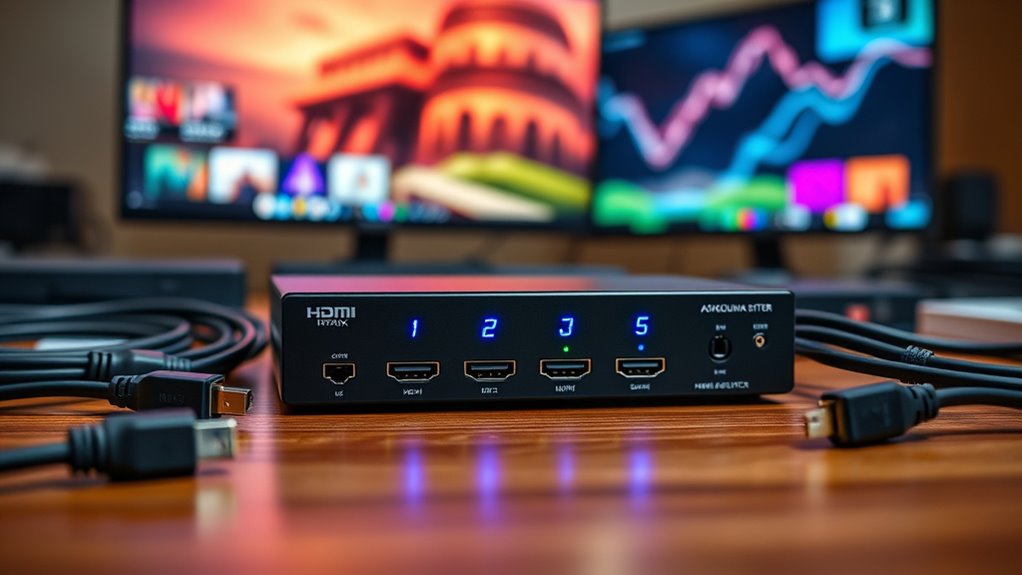

A 4×4 HDMI matrix switch routes any of four sources to any of four displays, making it useful when screens need independent content rather than one shared signal. My best overall pick is the OREI 4×4 HDMI Matrix Switch – 4K@60Hz with Downscale, HDR, HDCP 2.2, and EDID, a balanced choice for mixed 4K displays and sources. For long cable runs, the OREI HDMI Extender Matrix adds four receivers and CAT cable transmission; for newer equipment, the OREI 8K HDMI 2.1 Matrix offers a higher-bandwidth path. The main tradeoffs are resolution and refresh rate, control options, audio routing, and whether you need extension or video-wall features. Read on for the full breakdown and help matching a switch to your setup.

Get the latest gadgets delivered free with Prime
- Fast, free delivery on millions of items
- Prime Video, Amazon Music and more included
- Member-only deals all year
Complete the kit



Key Takeaways
- The best fit depends on the job: the standard OREI 4K@60Hz model is the balanced pick, while the extender matrix is better for remote displays and the HDMI 2.1 model targets newer high-bandwidth systems.
- 4K labels do not tell the whole story: several options are limited to 4K at 30Hz, while 4K@60Hz models suit smoother motion and many current media sources.
- Control varies as much as video: web, LAN, app, RS-232, IR, and remote control matter differently for a rack, a conference room, and a simple home setup.
- Special features add value only when they match the installation: video-wall layouts, quad multi-view, audio extraction, and CAT cable extension solve distinct problems rather than improving every setup.
- Compatibility planning is a recurring theme: source and display capabilities, HDCP, EDID, cable length, and audio format support should be checked together before choosing a matrix.
| 4K 4×4 HDMI Extender Matrix by OREI – UltraHD 4K @ 60Hz 4:4:4 Over Single CAT5e/6/7 Cable with HDR Switcher & IR Control, RS-232 – Up to 230 Ft – 1080P Downscale – 4 x Loop Out – 4 Receivers Included |  | Best for Long-Distance Distribution | Inputs: 4 HDMI | Outputs: 4 extended outputs with 4 local HDMI loop outputs | Maximum resolution: 4K at 60Hz, 4:4:4 | VIEW ON AMAZON | See Our Full Breakdown |
| OREI 4×4 HDMI Matrix with 2×2 Video Wall, 4K@60Hz and Web Control |  | Best for Video Walls and Network Control | Model: UHDS-404VW | HDMI inputs: 4 | HDMI outputs: 4 | VIEW ON AMAZON | See Our Full Breakdown |
| OREI 4×4 HDMI Matrix Switch 4K Downscale, ARC, Audio Extraction, HDCP 2.2 |  | Best for Audio Extraction | Model: UHD-404R | HDMI inputs: 4 | HDMI outputs: 4 | VIEW ON AMAZON | See Our Full Breakdown |
| OREI 4×4 HDMI Matrix Switch – 4K@60Hz with Downscale, HDR, HDCP 2.2, EDID |  | Best Straightforward 4K Matrix | HDMI inputs: 4 | HDMI outputs: 4 | Maximum resolution: 4K at 60Hz | VIEW ON AMAZON | See Our Full Breakdown |
| OREI 4×4 HDMI Matrix Switch with Quad Multi-Viewer |  | Best for Quad-View Monitoring | Model: HDS-404MV | HDMI inputs: 4 | HDMI outputs: 4 | VIEW ON AMAZON | See Our Full Breakdown |
| OREI 4×4 8K HDMI 2.1 Matrix Switch with Audio Extraction |  | Best for 8K and Gaming Setups | Inputs and outputs: 4 HDMI inputs, 4 HDMI outputs | Maximum resolution: 8K, with downscaling to 4K | Bandwidth: 48 Gbps | VIEW ON AMAZON | See Our Full Breakdown |
| Groza 4×4 HDMI Matrix Switch, 4K@30Hz with IR Remote |  | Best for Basic 4K Routing | Inputs and outputs: 4 HDMI inputs, 4 HDMI outputs | Maximum resolution: 3840 × 2160 at 30Hz | Supported standards: HDMI 1.4, HDCP 1.4, and 3D | VIEW ON AMAZON | See Our Full Breakdown |
| OREI 4×4 HDMI Matrix and Video Wall Controller, 4K at 30Hz |  | Best for Video Wall Layouts | Model: HDS-404VW | Inputs and outputs: 4 HDMI inputs, 4 HDMI outputs | Maximum resolution: 4K at 24, 25, or 30Hz | VIEW ON AMAZON | See Our Full Breakdown |
| Yinker 4×4 4K HDMI Matrix Switch |  | Best for Saved Routing Scenes | Inputs and outputs: 4 HDMI inputs, 4 HDMI outputs | Maximum resolution: 4K × 2K at 30Hz | Downscaling: 4K and 1080p | VIEW ON AMAZON | See Our Full Breakdown |
| MT-VIKI 4K HDMI Matrix Switch 4×4 with Audio Extraction + Web GUI + Remote |  | Best for Rack-Mounted AV Rooms | Inputs and outputs: 4 HDMI inputs, 4 HDMI outputs | Maximum resolution: 4K × 2K at 30Hz | Additional video support: 1080p, 3D video, and deep color | VIEW ON AMAZON | See Our Full Breakdown |
| PORTTA 4×4 HDMI Matrix Switch with Audio Extractor |  | Best for Flexible Audio Routing | Inputs: 4 HDMI | Outputs: 4 HDMI | Maximum resolution: 4K at 60Hz, 4:4:4 | VIEW ON AMAZON | See Our Full Breakdown |
| hdmi matrix switch 4×4 | Maximum resolution | Control | Bandwidth |
|---|---|---|---|
| 4K 4×4 HDMI Extender Matrix by | 4K at 60Hz, 4:4:4 | IR, RS-232, EDID management, and CEC | — |
| OREI 4×4 HDMI Matrix with 2×2 | 4K at 60Hz | Web GUI, IR, RS-232, TCP/IP | 18Gbps |
| OREI 4×4 HDMI Matrix Switch 4K | 4K at 60Hz | — | 18Gbps |
| OREI 4×4 HDMI Matrix Switch | 4K at 60Hz | — | 18Gbps |
| OREI 4×4 HDMI Matrix Switch wi | 4K at 30Hz; 1080p at 60Hz | IR remote, front-panel buttons, RS-232 | 10.2Gbps |
| OREI 4×4 8K HDMI 2.1 Matrix Sw | 8K, with downscaling to 4K | IR remote, front panel, and web GUI | 48 Gbps |
| Groza 4×4 HDMI Matrix Switch | 3840 × 2160 at 30Hz | IR remote and local buttons | — |
| OREI 4×4 HDMI Matrix and Video | 4K at 24, 25, or 30Hz | Front-panel buttons, IR remote, and RS-232 | — |
| Yinker 4×4 4K HDMI Matrix Swit | 4K × 2K at 30Hz | Panel buttons, IR remote, and RS-232 | — |
| MT-VIKI 4K HDMI Matrix Switch | 4K × 2K at 30Hz | Front-panel buttons, web GUI, RS-232, and LAN | — |
| PORTTA 4×4 HDMI Matrix Switch | 4K at 60Hz, 4:4:4 | — | 18 Gbps |
More Details on Our Top Picks
4K 4×4 HDMI Extender Matrix by OREI – UltraHD 4K @ 60Hz 4:4:4 Over Single CAT5e/6/7 Cable with HDR Switcher & IR Control, RS-232 – Up to 230 Ft – 1080P Downscale – 4 x Loop Out – 4 Receivers Included
For a 4×4 system spread across rooms, this OREI stands apart because it sends each output over CAT5e/6/7 cable up to 230 feet rather than relying on long HDMI runs. Its four local HDMI loop outputs also let a rack-side display mirror each source while remote screens receive the extended signal. The included receivers and power over CAT reduce the number of separate power supplies needed at display locations. Compared with OREI’s UHDS-404VW, which adds a 2×2 video wall and web control, this model prioritizes reach and source-side monitoring over advanced layouts. The tradeoff is a more involved installation: you need compatible network cable runs and receiver placement, and the listed package contents conflict on receiver quantity, so verify what is included before buying.
Pros:- Extends signals up to 230 feet over CAT5e/6/7 cable.
- Four HDMI loop outputs provide local source monitoring.
- Includes IR transport, RS-232, and EDID management for system control.
- Power over CAT can reduce power-adapter clutter at remote displays.
Cons:- Requires compatible CAT cable runs and separate receiver units at remote displays.
- Product details list both four and six included receivers, leaving package quantity unclear.
- Installation is more involved than a direct-HDMI matrix such as the OREI UHD-404R.
Best for: Installers or home-theater owners routing four HDMI sources to displays in separate rooms over structured CAT cable.
Not ideal for: Buyers with displays close to the matrix who want a simple direct-HDMI setup or need a clearly specified receiver package.
- Inputs:4 HDMI
- Outputs:4 extended outputs with 4 local HDMI loop outputs
- Maximum resolution:4K at 60Hz, 4:4:4
- Extension distance:Up to 230 feet over CAT5e/6/7
- Downscaling:4K to 1080p
- Video and copy protection:HDMI 2.0; HDCP 2.2/1.4
- Audio:Up to 7.1-channel pass-through, including LPCM, Dolby TrueHD, and DTS-HD Master Audio
- Control:IR, RS-232, EDID management, and CEC
Our verdict“Choose this model when long cable distances matter more than a simple installation or video-wall features.”
OREI 4×4 HDMI Matrix with 2×2 Video Wall, 4K@60Hz and Web Control
The UHDS-404VW earns its place for installations that need more than independent source routing: it can combine a source across four displays in a 2×2 video wall. Its web GUI and TCP/IP control also make it a stronger fit for managed conference rooms or signage systems than the remote-led OREI UHD-404R. It still handles four sources and four displays at 4K@60Hz, with RS-232 and IR available when network control is not the preferred route. That flexibility comes with a narrower purpose: buyers who only need straightforward switching may be paying in setup complexity for a wall mode they will rarely use. The AC adapter also means this is not a power-over-CAT solution like OREI’s long-distance extender matrix.
Pros:- Supports a 2×2 video-wall layout in addition to regular 4×4 routing.
- Web GUI and TCP/IP control suit managed AV systems.
- Offers IR and RS-232 as alternative control methods.
- Supports 4K at 60Hz with 18Gbps bandwidth.
Cons:- Video-wall and network features add setup complexity for basic switching needs.
- Uses an AC adapter and does not provide the CAT extension reach of OREI’s extender matrix.
- Does not list audio extraction outputs like the OREI UHD-404R.
Best for: Meeting-room, classroom, or digital-signage integrators who need a 2×2 display wall and network-based control.
Not ideal for: Home users who only need basic 4×4 routing, or installations that require long-distance CAT extension and remote receiver units.
- Model:UHDS-404VW
- HDMI inputs:4
- HDMI outputs:4
- Maximum resolution:4K at 60Hz
- Bandwidth:18Gbps
- Video wall:2×2
- Audio formats:PCM, DD, DD+, DTS, Dolby TrueHD, DTS-HD
- Control:Web GUI, IR, RS-232, TCP/IP
- Power:AC adapter
Our verdict“Pick the UHDS-404VW when a 2×2 wall and network control matter more than long-distance extension or audio extraction.”
OREI 4×4 HDMI Matrix Switch 4K Downscale, ARC, Audio Extraction, HDCP 2.2
The UHD-404R is the most compelling pick here when sound needs a route beyond HDMI. Its optical and 3.5mm audio outputs serve outputs A and B, while ARC on output A can return TV audio to those connections—useful for connecting an existing sound system without changing the 4×4 video layout. It also supports 4K@60Hz, HDR, and 18Gbps, bringing it closer to OREI’s UHDS-404VW on core video capability, though the VW model adds a video wall and network control instead. This model keeps its focus on direct HDMI routing and extracted audio; it does not list CAT extension or web control. Audio extraction is limited to two outputs, and ARC is only specified for output A, so multiroom audio plans need careful checking.
Pros:- Provides optical and 3.5mm audio extraction on outputs A and B.
- ARC on output A can return compatible TV audio to the extracted audio ports.
- Supports 4K at 60Hz, HDR, and 18Gbps bandwidth.
- Handles four sources and routes them independently to four displays.
Cons:- Audio extraction is specified only for outputs A and B.
- ARC support is limited to output A.
- Does not list web control or long-distance CAT extension.
Best for: Home-theater owners who need a 4×4 matrix plus optical or analog audio connections for a receiver, soundbar, or separate audio system.
Not ideal for: Installers who need a 2×2 video wall, network management, or extracted audio from all four outputs.
- Model:UHD-404R
- HDMI inputs:4
- HDMI outputs:4
- Maximum resolution:4K at 60Hz
- Bandwidth:18Gbps
- Video and copy protection:HDMI 2.0; HDCP 2.2
- Audio outputs:Optical S/PDIF and 3.5mm analog on outputs A and B
- ARC:Supported on output A
- Audio formats:LPCM, DTS, Dolby Digital, DTS-HD Master Audio, Dolby TrueHD
Our verdict“Choose the UHD-404R when audio extraction and ARC are more useful to your setup than video-wall or network-control features.”
OREI 4×4 HDMI Matrix Switch – 4K@60Hz with Downscale, HDR, HDCP 2.2, EDID
For mixed-resolution screens, this OREI makes the practical case for a conventional 4×4 matrix: it can route sources independently and downscale 4K to 1080p, helping a newer source serve both UHD and Full HD displays. Its 4K@60Hz support, HDR, and 18Gbps bandwidth give it a stronger resolution ceiling than the OREI HDS-404MV, which tops out at 4K@30Hz. The tradeoff is a more basic feature set than the UHD-404R: the listing does not specify dedicated optical or analog audio extraction, nor does it add a video-wall mode or network control like the UHDS-404VW. For buyers who want direct HDMI routing and mixed-display compatibility without specialized layouts, that simplicity may be a benefit; confirm any Dolby Vision or HDR-format needs against the exact source and display setup.
Pros:- Downscales 4K sources to support mixed 4K and 1080p display setups.
- Supports 4K at 60Hz, HDR, and 18Gbps bandwidth.
- Routes four sources independently to four displays.
- Supports up to 7.1-channel digital audio.
Cons:- Does not list dedicated optical or analog audio extraction.
- Lacks the video-wall mode and network control offered by the OREI UHDS-404VW.
- Does not provide the CAT-cable extension capability of OREI’s extender matrix.
Best for: Home-theater or small-business owners connecting four sources to a mix of 4K and 1080p displays through direct HDMI.
Not ideal for: Buyers who need CAT-cable extension, dedicated audio extraction, video-wall layouts, or web-based management.
- HDMI inputs:4
- HDMI outputs:4
- Maximum resolution:4K at 60Hz
- Bandwidth:18Gbps
- Downscaling:4K to 1080p
- Video support:HDR; HDMI 2.0a; HDCP 2.2
- Audio:Up to 7.1-channel digital audio, including Dolby Digital and DTS-HD Master Audio
- Control and setup:EDID management
- Power:AC adapter
Our verdict“Choose this model for conventional 4×4 routing when mixed 4K and 1080p displays are the main challenge.”
OREI 4×4 HDMI Matrix Switch with Quad Multi-Viewer
The HDS-404MV is the specialist choice for viewers who need to see several inputs at once: quad-view and picture-in-picture turn the matrix into a monitoring tool, not just a source router. That makes it a better match for a control desk or security-style setup than the standard OREI 4×4 with downscaling, which focuses on distributing full-screen sources. It also offers optical and stereo audio extraction plus IR, front-panel, and RS-232 control. The tradeoff is video headroom: its stated maximum is 4K at 30Hz with 10.2Gbps bandwidth, below the 4K@60Hz capability of the UHD-404R and UHDS-404VW. Seamless switching is limited to output A, so buyers expecting the same multi-view behavior or switching experience across all four outputs should check the operating modes carefully.
Pros:- Quad-view and picture-in-picture modes show multiple sources together.
- Includes optical and L/R stereo audio extraction.
- Offers IR remote, front-panel, and RS-232 control.
- Seamless switching is available on output A.
Cons:- Maximum resolution is 4K at 30Hz, below the 4K@60Hz OREI models in this group.
- Seamless switching is limited to output A.
- Its multi-view features are unnecessary for buyers who only need independent full-screen routing.
Best for: Control-room, security, or production users who want to monitor multiple HDMI sources simultaneously on a multi-view display.
Not ideal for: Buyers prioritizing 4K at 60Hz across their system or requiring seamless switching on every output.
- Model:HDS-404MV
- HDMI inputs:4
- HDMI outputs:4
- Maximum resolution:4K at 30Hz; 1080p at 60Hz
- Bandwidth:10.2Gbps
- Viewing modes:Quad-view and picture-in-picture
- Audio outputs:Optical S/PDIF and L/R stereo
- Audio formats:LPCM, AC3, DTS
- Control:IR remote, front-panel buttons, RS-232
Our verdict“Pick the HDS-404MV for simultaneous source monitoring, not for the highest refresh-rate 4K routing.”
OREI 4×4 8K HDMI 2.1 Matrix Switch with Audio Extraction
I’d put this OREI first for buyers who need a 4×4 matrix with current-generation video headroom. Its 48 Gbps bandwidth, 8K support, and 8K-to-4K downscaling give it a wider resolution range than the Groza and Yinker, both limited to 4K at 30Hz. Support for VRR, ALLM, HDR, and Dolby Vision also makes it a better match for newer consoles and displays. Audio can leave through optical or analog outputs, while web GUI, front-panel, and IR control suit different installation styles. The tradeoff is audio compatibility: it does not extract audio over HDMI and does not support Sonos ARC/eARC soundbars. It is also substantially larger and heavier than the Yinker, so I’d skip it for a compact shelf setup.
Pros:- Supports 8K with downscaling to 4K
- Includes HDR, Dolby Vision, VRR, and ALLM support
- Provides optical and analog audio extraction
- Offers IR, front-panel, and web GUI control plus EDID management
Cons:- Does not extract audio through HDMI or support Sonos ARC/eARC soundbars
- Its 17.5-inch width and 6.1-pound weight call for more installation space than the Yinker
- The stated warranty is one year
Best for: Home-theater and gaming setups pairing newer 8K-capable sources with multiple displays and optical or analog audio equipment.
Not ideal for: Buyers using Sonos ARC/eARC soundbars or needing HDMI audio extraction, and anyone seeking a small, lightweight switch.
- Inputs and outputs:4 HDMI inputs, 4 HDMI outputs
- Maximum resolution:8K, with downscaling to 4K
- Bandwidth:48 Gbps
- Video support:HDR, Dolby Vision, VRR, and ALLM
- Audio extraction:Optical or analog; no HDMI audio extraction
- Control:IR remote, front panel, and web GUI
- Dimensions and weight:8.25 × 17.5 × 2 inches; 6.1 pounds
- Warranty:1 year
Our verdict“Choose this OREI for 8K-ready routing and gaming features, provided your audio setup does not depend on HDMI extraction or Sonos ARC/eARC.”
Groza 4×4 HDMI Matrix Switch, 4K@30Hz with IR Remote
The Groza is a straightforward choice when the job is simply to connect four HDMI sources to four displays without advanced routing controls or newer video formats. Its IR remote and local buttons cover the basic ways a household or small display setup might switch inputs. Compared with the Yinker, it offers a similarly modest 4K-at-30Hz ceiling but lacks the listed EDID management and stored display scenes, so it is less flexible when setups change. A more significant limitation is that all connected displays use the lowest supported resolution; mixed-resolution screens may not deliver the output each can handle. Switching can also take about five seconds. I’d choose it over a feature-heavy matrix only when those limits fit the system and simple operation matters more than fine control.
Pros:- Routes four HDMI sources to four displays
- Supports resolutions up to 3840 × 2160 at 30Hz
- Includes both an IR remote and local buttons
- Supports 3D video
Cons:- All connected displays use the lowest supported resolution
- Switching can take about five seconds
- HDMI 1.4 and HDCP 1.4 support limit its fit for newer video systems
Best for: Buyers connecting up to four sources and displays in a straightforward setup where 4K at 30Hz is sufficient and basic remote or button control is enough.
Not ideal for: Mixed-resolution display systems, users who need saved routing presets, or anyone seeking high-refresh 4K, HDR, or advanced audio features.
- Inputs and outputs:4 HDMI inputs, 4 HDMI outputs
- Maximum resolution:3840 × 2160 at 30Hz
- Supported standards:HDMI 1.4, HDCP 1.4, and 3D
- Data rate:10.2 Gbps
- Control:IR remote and local buttons
- Resolution behavior:All connected displays use the lowest supported resolution
- Input voltage:5 V DC
- Warranty:6 months
Our verdict“Pick the Groza for basic four-source, four-display routing when its shared-resolution behavior and 30Hz 4K limit are acceptable.”
OREI 4×4 HDMI Matrix and Video Wall Controller, 4K at 30Hz
This OREI earns its place by adding video wall layouts to the usual four-input, four-output matrix function. It supports 2×2 arrangements as well as strip-style layouts, making it more suitable than the Yinker when several displays need to form one larger canvas. Front-panel, IR, and RS-232 control give it options for both basic operation and integrated AV systems. Its ceiling of 4K at 30Hz is similar to the Groza and Yinker, but its video-wall role is distinct. The compromises matter: HDR10 and Dolby Vision are unsupported, screen rotation is unavailable, and image mirroring requires RS-232 software. The RS-232 cable is not included. For ordinary independent routing, I’d favor the Yinker’s 16 saved scenes instead.
Pros:- Combines 4×4 source routing with video wall control
- Supports 2×2 and several horizontal or vertical display layouts
- Offers front-panel, IR remote, and RS-232 control
- Includes a one-year warranty
Cons:- Does not support HDR10 or Dolby Vision
- Screen rotation is unsupported, and image mirroring requires RS-232 software
- RS-232 cable is not included
Best for: Installers and venue operators building a 2×2 or other supported video wall from four HDMI sources and displays.
Not ideal for: Buyers who need HDR10 or Dolby Vision, rotated displays, easy mirroring without RS-232 software, or only conventional independent source switching.
- Model:HDS-404VW
- Inputs and outputs:4 HDMI inputs, 4 HDMI outputs
- Maximum resolution:4K at 24, 25, or 30Hz
- Video wall layouts:2×2, 1×2, 2×1, 1×3, 3×1, 1×4, and 4×1
- Control:Front-panel buttons, IR remote, and RS-232
- Supported audio:PCM/LPCM, DD, DD+, DTS, Dolby TrueHD, and DTS-HD Master Audio pass-through
- Unsupported video formats:HDR10 and Dolby Vision
- Warranty:1 year
Our verdict“Choose this OREI when video-wall layouts matter more than HDR support or simple, software-free mirroring.”
Yinker 4×4 4K HDMI Matrix Switch
I’d favor the Yinker when a 4×4 system needs repeatable routing rather than video-wall features. Its 16-scene memory lets users save and recall display configurations, while panel, IR, and RS-232 controls support both local use and integration. EDID management and 1080p downscaling add flexibility for mixed displays, a more useful control set than the Groza provides. Like the Groza and OREI video-wall model, though, it tops out at 4K at 30Hz; it is not the pick for high-refresh 4K or modern HDR requirements. It also cannot create a 2×2 video wall, unlike the OREI HDS-404VW. Its 10-inch body is relatively compact, but it cannot mount directly in a 1U rack cabinet.
Pros:- Stores and recalls up to 16 display scenes
- Provides panel, IR remote, and RS-232 control
- Includes EDID management and 1080p downscaling
- Supports independent or simultaneous routing to four displays
Cons:- Does not create a 2×2 video wall, unlike the OREI HDS-404VW
- Maximum resolution is 4K at 30Hz
- Cannot mount directly in a 1U rack cabinet
Best for: Small AV rooms or control setups that frequently recall preset routes across four sources and four displays.
Not ideal for: Video-wall installations, 4K-at-60Hz or HDR systems, and rack owners who require direct 1U mounting.
- Inputs and outputs:4 HDMI inputs, 4 HDMI outputs
- Maximum resolution:4K × 2K at 30Hz
- Downscaling:4K and 1080p
- HDMI and HDCP:HDMI 1.4B and HDCP 1.2
- Color support:36-bit, YUV/RGB 4:4:4
- Control:Panel buttons, IR remote, and RS-232
- EDID and scenes:Auto-scan and built-in EDID formats; memory for 16 display scenes
- Dimensions and warranty:10 × 3.9 × 1.3 inches; 1 year
Our verdict“Choose the Yinker for saved routing presets and flexible controls, but look elsewhere for video walls or higher-refresh 4K.”
MT-VIKI 4K HDMI Matrix Switch 4×4 with Audio Extraction + Web GUI + Remote
The MT-VIKI suits a fixed AV installation where rack mounting and multiple control paths matter more than advanced video formats. It routes four sources independently or simultaneously to four displays and provides front-panel, web GUI, RS-232, and LAN control. Rack ears are included, and its stated dimensions fit a standard 1U, 19-inch cabinet—a clearer installation fit than the Yinker, which cannot mount directly in a 1U rack. Audio extraction is available through a 3.5 mm output on OUT4 only, so the desired source must be assigned there; unlike the OREI 8K model, it does not list optical extraction. The 4K-at-30Hz ceiling also makes it less suited to high-refresh systems. This is a practical control-room choice, not a future-facing video upgrade.
Pros:- Routes four sources independently or simultaneously to four displays
- Offers front-panel, web GUI, RS-232, and LAN control
- Includes rack ears for standard 1U, 19-inch installation
- Provides 3.5 mm stereo extraction from OUT4
Cons:- Audio extraction works only when the source is assigned to OUT4
- Supports up to 4K at 30Hz rather than higher-refresh 4K
- Audio extraction is limited to 3.5 mm stereo, unlike the OREI 8K model’s optical or analog options
Best for: Conference rooms, churches, and other rack-based installations needing LAN or RS-232 control and stereo audio extraction from a designated output.
Not ideal for: Buyers needing audio extraction from any output, optical audio, 4K at 60Hz, 8K, or advanced HDR and gaming features.
- Inputs and outputs:4 HDMI inputs, 4 HDMI outputs
- Maximum resolution:4K × 2K at 30Hz
- Additional video support:1080p, 3D video, and deep color
- Audio extraction:3.5 mm stereo output through OUT4 only
- Control:Front-panel buttons, web GUI, RS-232, and LAN
- Switching delay:Approximately 2–3 seconds
- Dimensions and mounting:16.9 × 5.37 × 1.77 inches; rack ears included for 1U, 19-inch cabinet
- Included accessories:RS-232 cable, IR remote, rack ears and screws, power adapter, and user manual
Our verdict“Pick the MT-VIKI for rack-based systems that benefit from LAN or RS-232 control and can work within its OUT4-only stereo extraction.”
PORTTA 4×4 HDMI Matrix Switch with Audio Extractor
The PORTTA earns its place for buyers who want independent 4K routing and practical audio options without moving up to a more specialized matrix. Each of its four outputs can show a different input or share one, while Toslink and 3.5 mm outputs make it easier to feed a separate audio system. Compared with the OREI 4×4 8K HDMI 2.1 Matrix, this model is limited to HDMI 2.0 and 4K at 60Hz, but it adds useful 4K-to-1080p downscaling for mixed-resolution displays. Its 16 EDID modes can help resolve compatibility mismatches, though downscaling works only in splitter modes. ARC is restricted to Output A, and PC or laptop users need SST rather than MST, so this is less suitable for setups that depend on those features.
Pros:- Routes four HDMI sources independently to four displays, with shared-source operation also available.
- Supports 4K at 60Hz, 4:4:4, and HDR for detailed video from compatible sources.
- Toslink and 3.5 mm audio extraction support several multichannel formats.
- Offers 16 EDID modes and 4K-to-1080p downscaling in splitter modes.
Cons:- ARC is available only through Output A, limiting audio-return flexibility.
- 4K-to-1080p downscaling is limited to splitter modes rather than all matrix configurations.
- PC and laptop use is limited to SST mode; MST is not supported.
Best for: Home theater owners or small AV rooms routing several 4K sources to four displays while sending extracted audio to a receiver or powered speakers.
Not ideal for: Users building an 8K HDMI 2.1 system, relying on MST laptop output, or needing ARC on more than one display output.
- Inputs:4 HDMI
- Outputs:4 HDMI
- Maximum resolution:4K at 60Hz, 4:4:4
- Bandwidth:18 Gbps
- HDMI and HDCP support:HDMI 2.0; HDCP 2.3, 2.2, and 1.4
- Audio features:Audio extraction; ARC on Output A; Toslink and 3.5 mm outputs
- Supported audio formats:LPCM 2.0/5.1/7.1, DTS, DTS-HD Master Audio, TrueHD
- Additional features:16 EDID modes; 4K-to-1080p downscaling in splitter modes
- Included and warranty:IR remote, power adapter, user manual; 2-year warranty
Our verdict“Choose the PORTTA if you need a 4×4 4K matrix with flexible extracted audio, but skip it if your setup requires 8K, MST, or ARC on multiple outputs.”

How We Picked
I compared the 11 listed models as 4-input, 4-output routing solutions, prioritizing the factors that change day-to-day usefulness: supported resolution and refresh rate, HDR and HDCP handling, EDID controls, audio features, and the ways each unit can be operated. I also looked at whether a model solves a specific installation challenge, such as sending signals over CAT cable, arranging a video wall, viewing several inputs at once, or integrating with room-control systems.
The ranking favors capability that suits a broad range of 4×4 installations without treating every added feature as an automatic benefit. Models with 4K@60Hz support rank ahead of 4K@30Hz alternatives for general modern use, while specialist picks rise when their defining feature addresses a clear need. A 4K@30Hz switch may still be the better match for a basic display system, but buyers should not pay for features they will not use—or assume every 4×4 unit handles extension, audio, and control in the same way.
Factors to Consider When Choosing Hdmi Matrix Switch 4×4
Choose a matrix around the entire signal path, not just the switch’s headline resolution. These checks help separate a straightforward source-and-display router from a unit intended for a video wall, remote screens, or managed AV installation.
Match Resolution, Refresh Rate, and the Whole Signal Chain
Start with the highest format your sources and displays actually share, then check the matrix’s stated limits for that format. A 4K@60Hz switch is a safer fit for smooth desktop, sports, and gaming use than a 4K@30Hz model, but every connected device and cable must also support the target signal. Chroma subsampling, HDR, and color depth can affect bandwidth, so a resolution label alone is not a full compatibility check. Mixed displays may make downscaling useful if one screen cannot accept the source’s full format. Do not assume that a unit with 8K capability will improve an older 4K-only system. Match the switch to the weakest link in your chain and the content you plan to watch.
Decide Whether Displays Need Independent Sources
A matrix is useful when each output needs to select from multiple inputs; a simple splitter only sends one source to multiple screens. Write down which source must reach each display at the same time, since some installations need independent routing while others mostly mirror one feed. If viewers need to see several inputs on a single screen, look for an explicit multi-view feature rather than assuming ordinary matrix routing can combine images. Video-wall control is a different task again: it arranges an image across multiple panels and may have format or layout limits. Paying for wall or multi-view functions makes sense only if the viewing layout calls for them. This planning can prevent buying a capable switch that still cannot create the screen arrangement you want.
Choose Control for the People Running the System
For a small room, a handheld remote or front-panel controls may be all the operator needs. A shared meeting space or installed rack can benefit from web, LAN, app, or RS-232 control, especially when the matrix must respond to a room controller or be managed from another location. Check what the control method actually supports: a network port does not automatically mean a particular control platform is compatible. Consider who will switch inputs and whether they need clear, repeatable access without reaching the equipment. More control choices can add setup work and depend on network configuration. Prefer the simplest method that fits the installation, unless remote or automated operation is a real requirement.
Plan Audio Routing Before Choosing Extraction
Audio extraction and ARC address different signal needs, so verify the exact direction and format you need before selecting a model. Extraction can help feed separate audio equipment, while ARC relates to audio returned from a compatible display; neither feature guarantees compatibility with every receiver or sound system. Check whether the matrix supports the audio formats used by your sources and whether audio can be routed independently from video. A setup that sends one source to a display and another to a separate audio zone needs more careful planning than a basic TV connection. Read the product’s format and routing details rather than relying on a general “audio” label. If your system uses a receiver, soundbar, or distributed audio, map those connections before purchase.
Account for Cable Distance and Installation Space
Long HDMI runs can make an extender matrix with CAT cable and included receivers a better match than a conventional switch placed beside all displays. Check the supported distance at the resolution, refresh rate, and cable category you intend to use; a maximum distance should not be treated as a promise for every signal condition. Receivers add hardware at the display end, so include power, mounting, and access in the installation plan. For shorter runs, a standard matrix may be simpler and avoid extra endpoints. Also check rack dimensions, ventilation, and how the unit will be reached for troubleshooting. Choosing extension only when distance requires it keeps the system easier to install and maintain.
Treat EDID and HDCP as Compatibility Tools
EDID management and HDCP support help sources and displays agree on a usable video and audio format, particularly in mixed-display systems. They can address handshake problems, but they cannot make an incompatible display support a format beyond its capabilities. Before buying, note the HDCP versions used by protected-content sources and the limits of every screen in the system. If displays have different resolutions or audio capabilities, look for clear details on how the matrix handles those differences and whether downscaling is available. Avoid assuming that an EDID feature provides automatic fixes for every combination. A simple signal map can reveal compatibility gaps before equipment is installed.
Frequently Asked Questions
Will a 4×4 HDMI matrix let all four displays show different sources at once?
A conventional 4×4 matrix is designed to route its four inputs among its four outputs, so different screens can receive different connected sources when the model supports independent routing. That does not mean it can show multiple sources together on one display; that requires a multi-view feature. Check the routing table or product documentation for the number of simultaneous independent outputs. Also confirm that the sources can provide the content you need at the same time. If your goal is a single combined view, compare multi-view capability rather than relying on the 4×4 designation.
Should I choose a 4K@30Hz model or pay attention to 4K@60Hz?
Choose based on the content and displays, not the resolution label alone. A 4K@30Hz model may suit basic signage or a system where sources and screens are limited to that rate. For smoother motion, modern desktop use, and many current media devices, 4K@60Hz is generally the more flexible target. Confirm that the switch supports the needed HDR, color format, and HDCP details at that rate, since headline specifications can have conditions. The best choice is the least costly complexity that still matches every device in your signal chain.
When does an HDMI extender matrix make more sense than a standard 4×4 switch?
An extender matrix is a better candidate when displays are far from the source equipment and the installation calls for CAT cable runs with receivers at the screen end. It can reduce the need to run long HDMI cables, but it also adds receiver units, power needs, and more points to mount and troubleshoot. Check the supported distance for your specific cable type and video format rather than treating the maximum range as universal. For equipment located close together, a standard matrix may be simpler. Decide based on actual cable paths and display locations before choosing the product type.
Do I need EDID management if my four displays have different resolutions?
EDID controls can help a source select a format that works with a mixed set of displays, but the behavior depends on the matrix and the chosen settings. Some systems may need a shared format that every screen accepts, while others need downscaling or independent output handling. EDID cannot make a lower-capability display accept a signal it does not support. Check how the specific model handles mixed resolutions and whether settings can be changed easily by the person managing the system. If the screens differ, list their supported formats before buying rather than relying on a generic EDID claim.
Can I use a 4×4 matrix to create a video wall or show several sources on one screen?
Not every 4×4 matrix can do either job. A video wall controller arranges an image across multiple displays, while multi-view combines multiple inputs on a single screen; these functions are separate from ordinary source routing. Some models in this roundup add one of those features, but buyers should confirm the supported layouts, input combinations, and output limits for the exact unit. If the installation needs both functions, verify that they can operate in the intended configuration. For simple independent routing, these specialist capabilities may add setup complexity without helping.
Conclusion
My best overall choice is the OREI 4×4 HDMI Matrix Switch with 4K@60Hz, downscale, HDR, HDCP 2.2, and EDID for a balanced, modern setup. For best value, the Groza or Yinker may suit buyers seeking straightforward 4×4 routing, but compare their 4K limits and control needs with the OREI models before deciding. For a best premium or future-facing setup, choose the OREI 8K HDMI 2.1 matrix when connected equipment can use its higher-bandwidth capability. Beginners with a simple system should favor an uncomplicated model whose resolution and remote controls match their gear, rather than paying for network management or specialist layouts. For specific needs, pick the OREI extender matrix for distant displays, the quad multi-view model for combining inputs on screen, or a video-wall option for multi-panel layouts; the right fit comes down to the signal path and viewing arrangement you need.
Halloween Picks
halloween
As an affiliate, we earn on qualifying purchases.