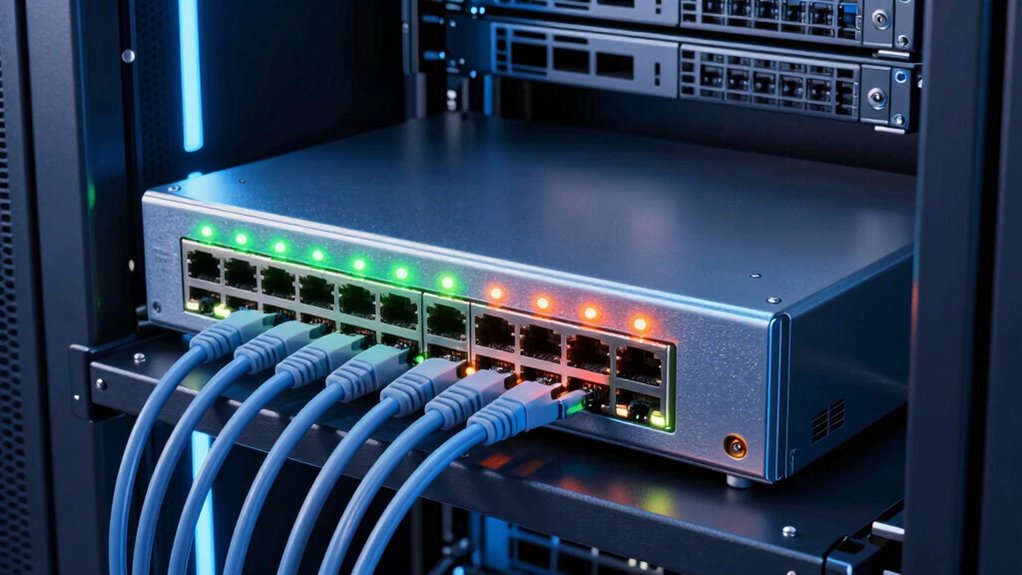

A 48-port PoE switch can power access points, cameras, and phones while connecting them on one network, but the right choice depends on more than port count. I’d make the TP-Link TL-SG3452P my best overall pick for its managed Layer 2+ capabilities and four SFP slots; the HPE Instant On 1930 stands out for smart-managed business networks, while the NETGEAR GS348PP suits buyers who prefer straightforward unmanaged operation. The main tradeoffs are PoE budget, management features, and uplink flexibility, as well as whether every port needs PoE. Read on for how these 13 options compare and which type of network each one fits best.

Get the latest gadgets delivered free with Prime
- Fast, free delivery on millions of items
- Prime Video, Amazon Music and more included
- Member-only deals all year
Complete the kit



Key Takeaways
The TP-Link TL-SG3452P leads this comparison for buyers who want extensive managed features and four SFP slots in a 48-port PoE+ switch.
Managed models such as the HPE Instant On 1930 and Zyxel GS1920-48HPV2 suit networks that need configuration and oversight; unmanaged models trade those controls for simpler setup.
Port counts can hide different layouts: the TP-Link Omada SG2452LP has 32 PoE+ ports, while several 50-port options pair 48 PoE+ ports with two SFP uplinks.
Some switches add ports beyond the 48-port brief: the NETGEAR GS752TXP, TP-Link Festa FS352GP, and NETGEAR GS348TPv2 each list 52 ports.
Unmanaged options such as the GS348PP can be a fit for simple deployments, but buyers needing VLANs or more network control should focus on the managed and smart-managed models.
| TP-Link TL-SG3452P 48-Port Gigabit L2+ Managed PoE+ Switch with 4 SFP Slots |  | Best Overall for Managed Networks | Ports: 48 Gigabit PoE+ RJ45 ports | Fiber slots: 4 Gigabit SFP | PoE standard: IEEE 802.3af/at | VIEW ON AMAZON | See Our Full Breakdown |
| Ubiquiti UniFi Pro 48-Port PoE+ Managed Switch |  | Best for 10G UniFi Uplinks | Ports: 48 Gigabit Ethernet RJ-45 | Uplinks: 4 SFP+ 10G | PoE standard: IEEE 802.3af/at | VIEW ON AMAZON | See Our Full Breakdown |
| NETGEAR GS348PP 48-Port Gigabit Ethernet Unmanaged PoE+ Switch |  | Best for Silent, Simple Installs | Ports: 48 Gigabit Ethernet | PoE+ ports: 24 | Total PoE budget: 380W | VIEW ON AMAZON | See Our Full Breakdown |
| Reidubo 50-Port Gigabit PoE+ Unmanaged Switch with 2 SFP Uplinks |  | Best for High PoE Capacity | Total ports: 50 | PoE ports: 48 Gigabit RJ45 | Uplink ports: 2 Gigabit SFP | VIEW ON AMAZON | See Our Full Breakdown |
| HPE Instant On 1930 48-Port Gigabit Smart-Managed Layer 2+ PoE Switch |  | Best for 10G Fiber and Simple Management | Ports: 48 Gigabit Ethernet | Uplinks: 4 SFP+ supporting 1G/10G | PoE: Class 4 | VIEW ON AMAZON | See Our Full Breakdown |
| TP-Link Omada SG2452LP 48-Port Gigabit Managed Switch with 32 PoE+ Ports |  | Best for Quiet Omada Networks | Port configuration: 32 PoE+ RJ45, 16 non-PoE Gigabit RJ45, 4 SFP slots; 52 total ports listed | PoE standard: IEEE 802.3af/at | Maximum PoE per port: 30W | VIEW ON AMAZON | See Our Full Breakdown |
| NETGEAR GS752TXP 52-Port PoE+ Gigabit Smart Managed Switch |  | Best for 10G Fiber Uplinks | Ethernet ports: 48 × 1Gbps | PoE ports: 48 × PoE+ | PoE power budget: 380W | VIEW ON AMAZON | See Our Full Breakdown |
| NICGIGA 50-Port Gigabit Unmanaged PoE+ Switch with 48 PoE+ Ports and 2 SFP Uplinks |  | Best Simple Plug-and-Play Pick | Total ports: 50 | PoE+ ports: 48 Gigabit RJ45 | Uplink ports: 2 Gigabit SFP | VIEW ON AMAZON | See Our Full Breakdown |
| GigaPlus 48-Port Gigabit PoE+ Unmanaged Switch with 2 Gigabit Uplinks and 2 SFP Ports |  | Best Stated High-Power Budget | PoE+ ports: 48 RJ45 | Uplink ports: 2 Gigabit | SFP ports: 2 Gigabit | VIEW ON AMAZON | See Our Full Breakdown |
| Zyxel 48-Port Network Ethernet Switch, Smart Managed PoE+, Model GS1920-48HPV2 |  | Best Managed Feature Set | Port configuration: 44 Gigabit PoE+ RJ45, 4 combo RJ-45/SFP, 2 dedicated SFP slots | Total PoE budget: 375W | Maximum PoE per port: 30W | VIEW ON AMAZON | See Our Full Breakdown |
| YuanLey 48-Port Gigabit PoE+ Unmanaged Switch with 2 SFP Uplinks |  | Best for High PoE Capacity Without Management | Ports: 48 Gigabit PoE+ RJ45 and 2 Gigabit SFP uplink ports | PoE standards: IEEE 802.3af/at | Total PoE budget: 800 W | VIEW ON AMAZON | See Our Full Breakdown |
| TP-Link Festa FS352GP 52-Port Gigabit Smart Managed PoE Switch |  | Best for Festa Cloud Management | Ports: 48 PoE+ Gigabit RJ45 and 4 Gigabit SFP | PoE standards: IEEE 802.3af/at | Maximum PoE output per port: 30 W | VIEW ON AMAZON | See Our Full Breakdown |
| NETGEAR GS348TPv2 52-Port Gigabit PoE+ Smart Managed Switch |  | Best for Flexible Managed Installation | Ethernet ports: 48 x 1G RJ45 PoE+ | SFP ports: 4 x 1G | PoE power budget: 380 W | VIEW ON AMAZON | See Our Full Breakdown |
| port poe switch | Management | Total PoE budget | Warranty |
|---|---|---|---|
| TP-Link TL-SG3452P 48-Port Gig | Omada SDN cloud, web, CLI, SNMP, RMON, and standalone mode | 384W | 5 years |
| Ubiquiti UniFi Pro 48-Port PoE | Managed Layer 2/3 through UniFi Network | — | — |
| NETGEAR GS348PP 48-Port Gigabi | — | 380W | 3-year limited hardware warranty |
| Reidubo 50-Port Gigabit PoE+ U | Unmanaged; includes QoS and watchdog monitoring | — | 1 year |
| HPE Instant On 1930 48-Port Gi | Mobile app and web browser | 370W | Lifetime |
| TP-Link Omada SG2452LP 48-Port | Omada Cloud, hardware or software controller, web GUI, CLI, SNMP | 230W | — |
| NETGEAR GS752TXP 52-Port PoE+ | — | — | Limited lifetime hardware warranty |
| NICGIGA 50-Port Gigabit Unmana | — | 400W | — |
| GigaPlus 48-Port Gigabit PoE+ | — | — | — |
| Zyxel 48-Port Network Ethernet | NebulaFlex cloud or local management | 375W | — |
| YuanLey 48-Port Gigabit PoE+ U | Unmanaged | 800 W | — |
| TP-Link Festa FS352GP 52-Port | Smart managed; Festa Cloud app or web interface | 384 W | 3 years |
| NETGEAR GS348TPv2 52-Port Giga | Smart managed; web interface, light CLI, and SNMP | — | NETGEAR limited 3-year hardware warranty |
More Details on Our Top Picks
TP-Link TL-SG3452P 48-Port Gigabit L2+ Managed PoE+ Switch with 4 SFP Slots
The TL-SG3452P is the most balanced pick here for a business that needs all 48 ports to provide PoE+ and wants room for network controls beyond basic switching. Its 384W PoE budget can serve a substantial mix of access points, cameras, and phones, while four Gigabit SFP slots give you fiber uplinks without giving up RJ45 ports. Compared with the NETGEAR GS348PP, it offers VLANs, access controls, static routing, and centralized management rather than plug-and-play simplicity. Omada SDN is useful when compatible devices and a controller are already part of your setup, but those requirements add complexity for a standalone installation. Its SFP slots are also Gigabit, not 10G, so the HPE Instant On 1930 is a stronger fit when faster fiber uplinks matter more than the TP-Link’s security and routing features.
Pros:- All 48 RJ45 ports support PoE+
- 384W total PoE budget
- Four Gigabit SFP slots for fiber connections
- VLAN, security, static routing, and Omada SDN management options
Cons:- Omada SDN features require compatible devices and a controller
- SFP uplinks are Gigabit rather than 10G
- Managed configuration offers more complexity than an unmanaged switch
Best for: Small and midsize businesses that need PoE+ on all 48 ports, segmented networks, and centralized Omada management.
Not ideal for: Buyers who want an unmanaged plug-and-play switch or need 10G fiber uplinks.
- Ports:48 Gigabit PoE+ RJ45 ports
- Fiber slots:4 Gigabit SFP
- PoE standard:IEEE 802.3af/at
- Maximum PoE per port:30W
- Total PoE budget:384W
- Management:Omada SDN cloud, web, CLI, SNMP, RMON, and standalone mode
- Network features:Layer 3 with static routing, VLANs, and security controls
- Warranty:5 years
Our verdict“Choose the TL-SG3452P for a 48-port PoE+ network that needs practical management and security features, but not 10G uplinks.”
Ubiquiti UniFi Pro 48-Port PoE+ Managed Switch
The UniFi Pro 48 suits a rack-based network where fast links to servers or other switches matter as much as having 48 Gigabit edge ports. Its four 10G SFP+ uplinks outpace the Gigabit SFP connections on the TP-Link TL-SG3452P and Reidubo, giving a network more capacity between switches without changing the client-facing ports. UniFi Network management is a natural match for organizations already using UniFi equipment, with VLANs, port mirroring, spanning tree, and 802.1X/RADIUS support among the listed capabilities. The tradeoff is that the supplied specifications do not state a total PoE budget, so I would not choose it for a deployment until that figure is confirmed against the planned device load. Buyers seeking straightforward high-power PoE should compare it with Reidubo’s stated 900W budget; buyers outside UniFi’s ecosystem may prefer a less ecosystem-dependent fit.
Pros:- Four 10G SFP+ uplinks
- 48 Gigabit Ethernet ports with 802.3af/at PoE support
- UniFi Network centralized management
- Supports VLANs, port mirroring, spanning tree, and 802.1X/RADIUS
Cons:- The supplied product data does not state total PoE budget or per-port power
- UniFi Network management is less compelling outside an existing UniFi setup
- Unlike the Reidubo, its listed uplinks are faster but the available data does not establish a high total PoE capacity
Best for: Network administrators running UniFi who need 48 PoE-capable Gigabit ports and 10G fiber uplinks in a rack.
Not ideal for: Buyers who need a clearly specified PoE power budget before planning a large camera or access-point deployment, or who do not use UniFi management.
- Ports:48 Gigabit Ethernet RJ-45
- Uplinks:4 SFP+ 10G
- PoE standard:IEEE 802.3af/at
- Switching capacity:176 Gbps
- Throughput:88 Mpps
- Management:Managed Layer 2/3 through UniFi Network
- Form factor:1U rack-mountable
- Power input:100–240 V AC, 50/60 Hz
Our verdict“Pick the UniFi Pro 48 when 10G uplinks and UniFi management lead your checklist, after verifying that its PoE budget fits your devices.”
NETGEAR GS348PP 48-Port Gigabit Ethernet Unmanaged PoE+ Switch
The GS348PP is the straightforward choice when a deployment needs many Ethernet connections but only half of them need PoE+. It has 24 PoE+ ports and a 380W budget, while the remaining ports can serve non-powered devices. That split can suit an office where cameras and access points share a switch with computers and printers, though it differs sharply from the TP-Link TL-SG3452P, which supplies PoE+ across all 48 ports and adds managed controls. NETGEAR’s fanless design is a practical advantage for quiet workspaces, and desktop or rack mounting leaves placement flexible. The compromise is a lack of configurable management: there are no listed VLAN or access-control tools. Compared with the Reidubo, this model has fewer PoE ports and less total PoE power, but its silent operation and simpler deployment can make more sense in an office that does not need PoE everywhere.
Pros:- 24 PoE+ ports with a 380W total budget
- Fanless operation avoids switch-fan noise
- Desktop or rack mounting
- Plug-and-play setup
Cons:- Only 24 of the 48 ports provide PoE+
- Unmanaged design lacks configurable network controls
- No SFP uplinks are listed
Best for: Small offices or quiet workspaces that need 24 PoE+ connections alongside 24 standard Ethernet ports and do not need network configuration.
Not ideal for: Installations requiring PoE+ on all 48 ports, VLAN segmentation, or managed security features.
- Ports:48 Gigabit Ethernet
- PoE+ ports:24
- Total PoE budget:380W
- Data transfer rate:1 Gbps
- Switch type:Unmanaged
- Mounting:Desktop or rack mount
- Cooling:Fanless
- Warranty:3-year limited hardware warranty
Our verdict“Choose the GS348PP for quiet, uncomplicated installations where 24 PoE+ ports are enough and management features are unnecessary.”
Reidubo 50-Port Gigabit PoE+ Unmanaged Switch with 2 SFP Uplinks
For a site powering a dense fleet of cameras, access points, or other PoE devices, the Reidubo’s headline advantage is its stated 900W total PoE budget across 48 PoE+ ports. That gives it a much larger stated power pool than the TP-Link TL-SG3452P’s 384W or the NETGEAR GS348PP’s 380W, while retaining Gigabit RJ45 connections and two SFP uplinks. Intelligent PoE detection, watchdog monitoring, and QoS add practical operating features, but they do not turn it into a managed switch: network settings remain outside the user’s control. Its desktop, wall, and rack mounting choices also offer more placement flexibility than the rack-focused Ubiquiti UniFi Pro 48. The tradeoffs are the unmanaged design, only two Gigabit SFP uplinks, and a one-year warranty. Buyers needing segmentation or 10G fiber should look elsewhere.
Pros:- 48 Gigabit PoE+ RJ45 ports
- 900W stated total PoE power budget
- Watchdog monitoring and QoS features
- Desktop, wall, and 19-inch rack mounting options
Cons:- Unmanaged switch provides no software configuration
- Two Gigabit SFP uplinks rather than 10G uplinks
- One-year warranty
Best for: Installers powering many PoE+ cameras or access points who need a large stated power budget and do not require configurable management.
Not ideal for: Businesses that need VLANs, detailed port controls, 10G uplinks, or a longer listed warranty.
- Total ports:50
- PoE ports:48 Gigabit RJ45
- Uplink ports:2 Gigabit SFP
- Total PoE power:900W
- Maximum PoE per port:30W
- PoE standards:IEEE 802.3af/at
- Management:Unmanaged; includes QoS and watchdog monitoring
- Mounting:Desktop, wall, or 19-inch rack
- Warranty:1 year
Our verdict“Choose the Reidubo when high stated PoE capacity and flexible mounting matter more than managed controls or faster uplinks.”
HPE Instant On 1930 48-Port Gigabit Smart-Managed Layer 2+ PoE Switch
The HPE Instant On 1930 combines 48 Gigabit ports for devices with four 1G/10G SFP+ uplinks, making it a useful middle ground for businesses that want faster fiber links without stepping into a more specialized enterprise switch. Its 370W Class 4 PoE budget is below the Reidubo’s stated 900W, but this HPE adds smart management through a mobile app or web interface—an advantage over both the Reidubo and NETGEAR GS348PP when a network needs basic oversight. The four SFP+ ports also outpace the TP-Link TL-SG3452P’s Gigabit SFP slots. Its tradeoff is a lower PoE budget than the Reidubo and less advanced listed routing detail than the TP-Link, so buyers should match the 370W pool to their powered-device load. This makes more sense for a managed business network than an all-out PoE deployment.
Pros:- Four SFP+ uplinks support 1G and 10G connections
- 48 Gigabit Ethernet ports
- 370W Class 4 PoE budget
- Mobile app and web-browser management
Cons:- PoE budget is substantially below the Reidubo’s stated 900W
- The supplied data does not detail routing features beyond Layer 2+
- Smart-managed features add setup compared with unmanaged options such as the NETGEAR GS348PP
Best for: Small and midsize businesses that want app or browser management, 48 Gigabit ports, and 10G-capable fiber uplinks.
Not ideal for: High-density PoE deployments that may exceed 370W, or buyers who need advanced routing features clearly specified.
- Ports:48 Gigabit Ethernet
- Uplinks:4 SFP+ supporting 1G/10G
- PoE:Class 4
- Total PoE budget:370W
- Switching layer:Layer 2+
- Management:Mobile app and web browser
- Maximum power:520W
- Warranty:Lifetime
Our verdict“Choose the HPE Instant On 1930 for a managed business network that needs 10G-capable uplinks and a moderate PoE budget.”
TP-Link Omada SG2452LP 48-Port Gigabit Managed Switch with 32 PoE+ Ports
I’d choose the SG2452LP when quiet operation and managed controls matter more than powering every connected device. Its 32 PoE+ ports suit a mixed network of cameras, access points, and ordinary wired clients, while the 16 non-PoE ports leave room for devices that do not need power. Fanless cooling makes it a more comfortable fit for a noise-sensitive office than the fan-cooled Zyxel GS1920-48HPV2.
The tradeoff is capacity: its 230W PoE budget is lower than the Zyxel’s 375W and far below the unmanaged GigaPlus GP-GS4822P’s stated 700W. Omada management, VLANs, static routing, and ACLs offer more control than those unmanaged choices, but this model’s port count is described inconsistently: the listing says 48 while its configuration totals 52. I’d verify the physical layout before buying.
Pros:- Fanless design avoids fan noise in quiet offices.
- Omada controller, web GUI, CLI, and SNMP provide flexible management paths.
- VLAN, static routing, ACL, and QoS support give administrators useful network controls.
- Four SFP slots provide options for fiber uplinks.
Cons:- The 230W total PoE budget is modest beside the Zyxel GS1920-48HPV2 and high-budget unmanaged options.
- Only 32 ports provide PoE+, despite the 48-port wording in the product title.
- The description lists 52 total ports while the title says 48, so buyers should confirm the port layout.
Best for: Small offices already using Omada that want quiet managed networking and need PoE on no more than 32 ports.
Not ideal for: Installers who need PoE on nearly all 48 network endpoints, a larger power reserve, or an unambiguous port layout.
- Port configuration:32 PoE+ RJ45, 16 non-PoE Gigabit RJ45, 4 SFP slots; 52 total ports listed
- PoE standard:IEEE 802.3af/at
- Maximum PoE per port:30W
- Total PoE budget:230W
- Switching capacity:104 Gbps
- Management:Omada Cloud, hardware or software controller, web GUI, CLI, SNMP
- Cooling:Fanless
- Dimensions:17.3 × 13 × 1.7 in
Our verdict“Choose the SG2452LP for a quiet Omada-managed network with a moderate PoE load, but not for powering almost every port.”
NETGEAR GS752TXP 52-Port PoE+ Gigabit Smart Managed Switch
The GS752TXP makes the most sense when a full set of powered Gigabit ports needs a faster path to the core network. It supplies 48 PoE+ ports and four 10G SFP+ uplinks, giving it a clear uplink advantage over the NICGIGA switch’s two 1G SFP connections. The 380W budget also gives an installer more headroom than the TP-Link SG2452LP, which has only 32 PoE+ ports and a 230W budget.
This is a smart-managed rather than fully specified enterprise-management option, so buyers should match its controls to their network needs instead of assuming it offers every advanced function. NETGEAR Insight is included for one year, which may shape a remote-management plan after that period. The listed plastic case material is another compromise beside metal-bodied options such as the NICGIGA and Zyxel. I’d favor it for uplink capacity, not for a premium chassis or long-term reliance on bundled cloud access.
Pros:- All 48 Gigabit Ethernet ports support PoE+.
- Four 10G SFP+ uplinks offer substantially more uplink bandwidth than 1G SFP alternatives.
- 380W PoE budget supports a larger powered-device load than the TP-Link SG2452LP.
- Supports desktop or rack mounting.
Cons:- The listed plastic case material is less substantial than the metal enclosures on the NICGIGA and Zyxel.
- NETGEAR Insight remote management is included for only one year.
- Smart-managed capability may not meet needs that call for deeper configuration controls.
Best for: Growing offices or camera deployments that need 48 PoE+ ports and 10G fiber uplinks for aggregation or network expansion.
Not ideal for: Buyers who need a metal enclosure, want to avoid cloud-management renewals, or require more advanced controls than smart management provides.
- Ethernet ports:48 × 1Gbps
- PoE ports:48 × PoE+
- PoE power budget:380W
- Uplink ports:4 × 10G SFP+
- Switch type:Smart managed
- Mounting:Desktop or rack mount
- Remote management:One year of NETGEAR Insight included
- Warranty:Limited lifetime hardware warranty
Our verdict“Pick the GS752TXP if 10G fiber uplinks and PoE on all 48 ports matter more than a metal chassis or bundled long-term cloud management.”
NICGIGA 50-Port Gigabit Unmanaged PoE+ Switch with 48 PoE+ Ports and 2 SFP Uplinks
For a network that needs broad PoE coverage without a configuration project, the NICGIGA 50-port switch is a straightforward alternative to managed models. It has 48 PoE+ ports, two 1G SFP uplinks, and a 400W budget, so it can serve a large camera or access-point installation without requiring an administrator to set VLANs or policies. Its metal chassis and desktop-or-rack mounting also make it more rack-ready than a barebones plastic alternative.
The simplicity is also its main limitation. Unlike the Zyxel GS1920-48HPV2 or NETGEAR GS752TXP, it offers no software configuration, so it cannot provide their managed controls for segmenting traffic or shaping network behavior. Its two Gigabit SFP uplinks are also less capable than the NETGEAR’s four 10G SFP+ ports. I’d shortlist it for a stable, conventional PoE deployment, but skip it if the network is likely to need detailed policy changes.
Pros:- 48 Gigabit PoE+ ports cover large powered-device installations.
- 400W PoE budget exceeds the TP-Link SG2452LP’s 230W allocation.
- Plug-and-play operation avoids managed-switch setup.
- Metal chassis supports desktop or rack installation.
Cons:- Unmanaged design provides no software configuration or managed VLAN controls.
- Two 1G SFP uplinks offer less capacity than the NETGEAR GS752TXP’s 10G SFP+ uplinks.
- Does not support passive PoE.
Best for: Installers building a straightforward camera, phone, or access-point network who want 48 PoE+ ports with no switch configuration.
Not ideal for: Administrators who need VLAN configuration, traffic controls, remote management, or 10G fiber uplinks.
- Total ports:50
- PoE+ ports:48 Gigabit RJ45
- Uplink ports:2 Gigabit SFP
- PoE standards:IEEE 802.3af/at; passive PoE not supported
- Maximum PoE per port:30W
- Total PoE budget:400W
- Switch type:Unmanaged
- Case and mounting:Metal; desktop or rack mount
Our verdict“Choose NICGIGA for a large, uncomplicated PoE deployment, but choose a managed model if you need network segmentation or tuning.”
GigaPlus 48-Port Gigabit PoE+ Unmanaged Switch with 2 Gigabit Uplinks and 2 SFP Ports
The GigaPlus GP-GS4822P stands out for its stated 700W PoE budget, the largest listed here. That makes it worth examining for dense installations where many PoE devices may draw power at once. It also pairs 48 PoE+ RJ45 ports with two Gigabit uplink ports and two Gigabit SFP ports, giving buyers more listed connection choices than the NICGIGA’s two SFP uplinks. The metal housing and 4 kV lightning protection suit a fixed installation.
Those advantages come without managed-switch flexibility. Its one-key VLAN mode is a limited isolation feature, not a replacement for the Zyxel GS1920-48HPV2’s managed VLAN, QoS, LACP, and ACL controls. The power figure is also a stated total budget, so I’d confirm the manufacturer’s per-port and aggregate power details against the planned devices before relying on it. With unmanaged operation and a large 48-port footprint, it is a poor fit for smaller networks or deployments that need precise policies.
Pros:- Stated 700W PoE budget is higher than the other switches in this batch.
- 48 PoE+ RJ45 ports can serve a dense powered-device installation.
- Two Gigabit uplinks and two Gigabit SFP ports provide multiple connection options.
- Metal housing and stated 4 kV lightning protection support fixed installations.
Cons:- Unmanaged operation limits configuration compared with the Zyxel GS1920-48HPV2.
- One-key VLAN mode does not provide the broader controls of a managed switch.
- Buyers should verify the 700W aggregate budget against device-level and per-port power needs.
Best for: Installers with many PoE cameras or access points who want a high stated aggregate power budget and simple operation.
Not ideal for: Small networks or administrators who need detailed VLAN, QoS, ACL, or remote-management controls.
- PoE+ ports:48 RJ45
- Uplink ports:2 Gigabit
- SFP ports:2 Gigabit
- PoE standard:IEEE 802.3af/at
- Power budget:700W stated
- Switch type:Unmanaged; one-key VLAN mode
- Data transfer rate:48 Gbps
- Housing and installation:Metal; desktop or rack
Our verdict“Consider the GigaPlus when a high stated PoE budget is the priority, but choose a managed switch for detailed network control.”
Zyxel 48-Port Network Ethernet Switch, Smart Managed PoE+, Model GS1920-48HPV2
The Zyxel GS1920-48HPV2 is the strongest fit here for buyers who need managed control across a large PoE network. It combines 44 PoE+ RJ45 ports with combo RJ-45/SFP ports and dedicated SFP slots, plus VLAN, QoS, LACP, and ACL support. That is a much broader toolkit than the unmanaged NICGIGA and GigaPlus switches, while its NebulaFlex cloud/local management gives administrators a choice of control style.
Its 375W PoE budget sits just below the NETGEAR GS752TXP’s 380W, and its 44 PoE ports mean four of the 48 ports are not listed as PoE RJ45. The 30W per-port ceiling may also rule it out for devices needing more power. Silent, temperature-controlled fans are a useful middle ground between the fanless TP-Link SG2452LP and less clearly specified cooling options, but managed features will take more effort to configure than plug-and-play switches.
Pros:- VLAN, QoS, LACP, and ACL features support more detailed network management than unmanaged alternatives.
- NebulaFlex supports cloud or local management.
- 375W PoE budget provides substantial aggregate power for a large installation.
- Temperature-controlled fans are specified to run as quietly as 26.5 dBA.
Cons:- Only 44 of the 48 listed ports are PoE+ RJ45 ports.
- The 30W per-port limit may not suit higher-power devices.
- Managed features present a steeper setup path than plug-and-play switches such as NICGIGA.
Best for: IT teams managing a busy office or surveillance network that needs segmentation, link aggregation, and local or cloud administration.
Not ideal for: Users who want a no-setup switch, need PoE on all 48 ports, or have devices exceeding 30W per port.
- Port configuration:44 Gigabit PoE+ RJ45, 4 combo RJ-45/SFP, 2 dedicated SFP slots
- Total PoE budget:375W
- Maximum PoE per port:30W
- Switching capacity:100 Gbps
- Forwarding rate:74 Mpps
- Management:NebulaFlex cloud or local management
- Layer 2 features:VLAN, QoS, LACP, ACL
- Cooling:Temperature-controlled fans; as low as 26.5 dBA
Our verdict“Choose the Zyxel for flexible management and strong Layer 2 controls, provided 44 PoE ports and a 30W per-port limit meet your needs.”
YuanLey 48-Port Gigabit PoE+ Unmanaged Switch with 2 SFP Uplinks
The YuanLey stands out for buyers who need to power many devices from one switch: its 800 W PoE budget is far above the TP-Link Festa FS352GP’s 384 W and the NETGEAR GS348TPv2’s 380 W. That headroom can help when a large camera or access-point deployment draws substantial power, though the available power still needs to be matched to each device’s requirements. Two Gigabit SFP uplinks add fiber connectivity, while plug-and-play operation avoids setup work. The tradeoff is fixed-function simplicity: unlike the Festa and NETGEAR, this YuanLey offers no VLAN, QoS, or other management controls, making it a poor fit for networks that need traffic segmentation or remote administration. It also has fewer SFP slots than either managed alternative and comes with a one-year warranty.
Pros:- 800 W shared PoE budget provides more capacity than the two managed switches in this group.
- 48 Gigabit PoE+ ports support a large set of powered devices.
- Plug-and-play setup requires no network configuration.
- Desktop or 19-inch rack mounting offers flexible placement.
Cons:- Unmanaged design provides no VLAN, QoS, or monitoring features.
- Two SFP uplinks offer fewer fiber connections than the four on the Festa and NETGEAR models.
- One-year warranty is shorter than the three-year warranties listed for the managed alternatives.
Best for: Small offices, warehouses, or camera installations that need 48 PoE+ ports and substantial shared power capacity but do not need configurable network controls.
Not ideal for: IT teams that need VLANs, QoS, monitoring, or remote configuration, or sites that need more than two SFP uplinks.
- Ports:48 Gigabit PoE+ RJ45 and 2 Gigabit SFP uplink ports
- PoE standards:IEEE 802.3af/at
- Total PoE budget:800 W
- Switching capacity:56 Gbps
- Management:Unmanaged
- Mounting:Desktop or 19-inch rack
- Operating temperature:-10°C to 55°C
- Protection:IP30; 4 kV lightning protection
Our verdict“Choose the YuanLey when high PoE capacity and simple installation matter more than network management or multiple fiber uplinks.”
TP-Link Festa FS352GP 52-Port Gigabit Smart Managed PoE Switch
The Festa FS352GP is the clearest fit here for buyers who want cloud-based management alongside a full set of 48 PoE+ ports. Its Festa app and web interface, plus zero-touch provisioning, give small-business teams a way to manage the switch without relying on a local-only setup. VLAN, ACL, static routing, and IGMP snooping add useful control compared with the plug-and-play YuanLey, which has a much larger 800 W power budget but no management features. The Festa’s 384 W budget is closer to the NETGEAR GS348TPv2’s 380 W, so it suits a moderate device load rather than a power-hungry deployment. Its four SFP slots also offer more fiber connections than the YuanLey’s two. The key limitation is platform fit: it requires Festa Cloud management and does not work with TP-Link Omada controllers.
Pros:- Cloud app and web management support remote administration and zero-touch provisioning.
- VLAN, ACL, static routing, and IGMP snooping provide more control than an unmanaged switch.
- Four Gigabit SFP slots allow up to four fiber uplinks.
- Rack-mountable metal case suits small-business network closets.
Cons:- Requires Festa Cloud management and is not compatible with TP-Link Omada controllers.
- 384 W PoE budget is less than half the YuanLey’s 800 W capacity.
- Three fans may be a poor match for quiet workspaces.
Best for: Small-business and home-office administrators who want cloud-managed VLAN and access controls across 48 PoE+ devices and can use the Festa platform.
Not ideal for: Organizations committed to Omada controllers, buyers who need local-only management, or installations whose powered devices exceed a 384 W shared budget.
- Ports:48 PoE+ Gigabit RJ45 and 4 Gigabit SFP
- PoE standards:IEEE 802.3af/at
- Maximum PoE output per port:30 W
- Total PoE budget:384 W
- Management:Smart managed; Festa Cloud app or web interface
- Network features:Static routing, VLAN, ACL, and IGMP snooping
- Cooling:3 fans
- Warranty:3 years
Our verdict“Pick the Festa FS352GP if its cloud-management platform fits your network and you need managed features more than unusually high PoE capacity.”
NETGEAR GS348TPv2 52-Port Gigabit PoE+ Smart Managed Switch
The GS348TPv2 makes sense for buyers who want managed network controls without committing to the Festa cloud platform. Its web interface, light CLI, and SNMP support give administrators several ways to handle VLANs, QoS, and static routing; by contrast, the TP-Link Festa FS352GP centers management on Festa Cloud and is incompatible with Omada controllers. Both provide four dedicated 1G SFP ports, while the YuanLey has only two and lacks management entirely. The NETGEAR’s 380 W PoE budget is suited to a sizeable but moderate-powered device mix, not the high-draw setup that may favor YuanLey’s 800 W capacity. Desktop or rack mounting helps with installation flexibility, though its full-size 48-port chassis can be excessive for smaller networks, and the listed 431 W maximum power draw is relevant when planning equipment power.
Pros:- Web, light CLI, and SNMP management offer multiple administration paths.
- VLAN, QoS, and static routing support traffic organization and control.
- Four dedicated Gigabit SFP ports provide fiber-uplink options.
- Supports either desktop or rack mounting.
Cons:- 380 W PoE budget is far below the YuanLey’s 800 W capacity.
- Large 48-port format may exceed the needs of smaller networks.
- Maximum listed power consumption is 431 W, which should be factored into power planning.
Best for: Small-business IT administrators who need 48 PoE+ ports, SNMP or CLI access, VLAN and QoS controls, and a choice of desktop or rack placement.
Not ideal for: Small sites with only a few powered devices, or high-demand deployments that need substantially more than a 380 W PoE budget.
- Ethernet ports:48 x 1G RJ45 PoE+
- SFP ports:4 x 1G
- PoE power budget:380 W
- Switching capacity:52 Gbps
- Management:Smart managed; web interface, light CLI, and SNMP
- Features:VLAN, QoS, and static routing
- Maximum power:431 W
- Mounting:Desktop or rack mount
- Warranty:NETGEAR limited 3-year hardware warranty
Our verdict“Choose the GS348TPv2 for a flexible, smart-managed 48-port network when its moderate PoE budget is sufficient.”

How We Picked
I compared each switch against the practical demands behind a 48-port PoE purchase: usable PoE port count, management features, uplink options, and port layout. I gave weight to how well the stated features support common business uses, such as powering cameras or access points, separating network traffic, and connecting to a faster network backbone. I also distinguished full managed and smart-managed products from unmanaged switches, since the right level of control can matter as much as the number of ports.
The ranking favors switches with a useful balance of capacity, control, and flexibility for the widest range of buyers. A model with fewer PoE ports can still make sense for a mixed wired-and-powered installation, while a high port count alone does not compensate for limited management when a network needs segmentation or remote oversight. I placed simpler unmanaged choices lower for general-purpose recommendations, not because they cannot serve a role, but because they fit a narrower set of needs. Where product names alone do not establish a specific capacity or feature, I avoid treating that detail as a proven advantage.
Factors to Consider When Choosing 48 Port Poe Switch
Before choosing a model, I’d map the switch to the devices and network it must support, rather than selecting by the biggest port number. These decisions can prevent common mismatches, such as buying more PoE ports than needed but too little power capacity, or choosing an unmanaged switch for a network that needs segmentation.
Count PoE Devices Separately From Total Ports
A 48-port switch does not always provide PoE on all 48 ports, so count powered devices separately from computers, printers, and other wired equipment. The Omada SG2452LP is a clear example in this roundup: it has 48 Gigabit ports but only 32 PoE+ ports. That layout can work well when a site has a predictable set of cameras or access points alongside many non-powered clients. Avoid assuming that a switch described as 48-port PoE powers every port; verify the port-level configuration before purchase. Leave room for future devices, but do not pay for a port arrangement that does not match the installation. A simple device list by location makes the difference easier to spot.
Match the PoE Budget to Device Demand
Port count tells you how many devices can connect, not how much power the switch can supply at once. Add up the power needs of the devices you expect to run simultaneously, then compare that total with the switch’s stated PoE budget and the limits on individual ports. Cameras with heaters, wireless access points, and other higher-draw devices may use more power than basic phones. A common mistake is to confirm PoE+ support and stop there; the total budget can still limit how many devices receive power together. Keep some headroom for startup demand and later additions rather than sizing to a theoretical minimum. If specifications do not state the total budget clearly, confirm it before deciding.
Choose Management for the Network You Actually Run
Unmanaged switches need less configuration, but they also provide fewer tools for separating or controlling traffic. That simplicity can suit a small, stable installation where devices only need basic connectivity. Smart-managed and managed models are a stronger fit when you need VLANs, monitoring, or control over how devices communicate. Do not buy management features just because they are available: someone should be able to configure and maintain them. On the other hand, picking unmanaged gear for a network that needs guest, camera, and office traffic separated can create avoidable limitations. Think about who will administer the network as well as what it needs to do.
Plan Uplinks and Network Growth
Uplinks connect the access switch to a router, core switch, or another part of the network, so their number and type shape how easily the installation can grow. Several switches here list SFP slots or SFP uplinks, while the TL-SG3452P specifies four SFP slots. Check whether the receiving equipment and fiber or copper modules you plan to use match those uplinks; an SFP port alone does not guarantee a particular connection speed. Also think about whether one uplink will carry traffic from dozens of active devices. A switch can have ample edge ports yet become a bottleneck if its upstream path is poorly planned. Leave room for both bandwidth and physical connection needs.
Decide Whether Extra Ports Are Useful
Some choices in this roundup list 50 or 52 ports rather than exactly 48, which may provide extra connections but can also affect rack planning and cable routing. First decide whether those additional ports represent useful capacity for your site or simply add hardware you will not use. Confirm the full port breakdown: a total may include uplinks or ports with different capabilities, not just extra standard access ports. If the switch will sit in a crowded rack, check its dimensions, mounting needs, cooling, and power requirements before ordering. Extra capacity is most useful when it avoids a second switch or gives room for planned expansion. It is less persuasive when the existing network has no realistic need for those connections.
Consider Installation, Support, and Ongoing Care
A switch becomes part of the network’s infrastructure, so account for more than its initial setup. Managed hardware may need configuration backups, firmware maintenance, and someone who can respond when a port or powered device fails. Unmanaged models reduce routine administration, but can offer fewer ways to diagnose network problems. Check warranty terms, documentation, and the support route available to your organization before committing. Also review noise, heat, power draw, and rack or shelf suitability for the place where it will operate. These factors can matter more over time than a small difference in listed port count.
Frequently Asked Questions
Do I need PoE on all 48 ports?
Not necessarily. Count the devices that actually need power, such as cameras, wireless access points, and VoIP phones, then compare that number with the switch’s PoE port count. The TP-Link Omada SG2452LP has 32 PoE+ ports despite offering 48 Gigabit ports, which may suit a mixed installation. Also check the total PoE budget, since enough PoE ports do not guarantee enough power for every device at once. If your powered-device count may grow, allow some spare capacity.
Is an unmanaged 48-port PoE switch suitable for a small business?
It can be suitable when the network needs straightforward wired connectivity and PoE, and does not require configurable traffic separation or detailed switch controls. A model such as the NETGEAR GS348PP represents the simpler unmanaged approach in this lineup. Before choosing that type, ask whether cameras, guest Wi-Fi, and office devices need to sit on separate network segments. If they do, look at managed or smart-managed options instead. Simplicity helps only when it does not block a requirement your network already has.
Should I choose a switch with SFP uplinks?
SFP uplinks are useful when your network backbone uses fiber or when you need compatible modular connections between switches. They are not automatically faster or better for every installation, so check the switch’s supported modules and the equipment at the other end. The TL-SG3452P lists four SFP slots, while several other options specify two SFP uplinks. Consider whether you need multiple paths, connections to separate network areas, or room for expansion. If your existing network uses standard Ethernet uplinks, confirm that the chosen model supports the connection method you plan to use.
What should I check before using a 48-port PoE switch for security cameras?
Start with the cameras’ power needs, the switch’s total PoE budget, and the number of ports that supply PoE. Then check whether your network needs VLAN separation, monitoring, or remote management for the camera system. Plan the uplink capacity as well, since multiple video streams can place a steady load on the path back to the recorder or server. Review cable distances and installation conditions for each camera location. A large port count alone does not confirm that the switch can power and carry traffic for the full system.
When is a 52-port model a better fit than a 48-port model?
A 52-port model can make sense when you have a near-full switch and want extra connections without adding another unit. It may also help when a site is expected to grow, provided the added ports have the capabilities you need. Check the port breakdown rather than treating the headline number as 52 identical PoE access ports. In this roundup, the NETGEAR GS752TXP, TP-Link Festa FS352GP, and NETGEAR GS348TPv2 are listed as 52-port options. Rack space, PoE capacity, and uplink design still matter more than a few extra ports if those added connections are not useful.
Conclusion
For the broadest mix of management and uplink flexibility, I’d choose the TP-Link TL-SG3452P as best overall. Buyers prioritizing an easy-to-understand managed business option should compare the HPE Instant On 1930, while the NETGEAR GS348PP is the better fit for a simpler unmanaged deployment. For a premium or feature-led choice, look first at managed models that match your administration needs, including the Ubiquiti UniFi Pro and TL-SG3452P, after confirming the exact capabilities required for your setup. Beginners who do not need VLANs or advanced controls can favor the unmanaged category; those new to switching but needing network controls should choose a smart-managed model they can support. For a mixed installation with fewer powered devices, the Omada SG2452LP may be a fit, while buyers seeking more than 48 listed ports can compare the three 52-port options. My final check would be port-level PoE, total power budget, uplink compatibility, and management needs—not the headline port count alone.
Halloween Picks

10ft Halloween Inflatable Archway – Pumpkin Skeleton Yard Décor

Gemmy 6-Foot Leatherface Animatronic Halloween Decoration

DomKom 6-Foot Halloween Inflatable Ghosts Roasting Marshmallows
As an affiliate, we earn on qualifying purchases.