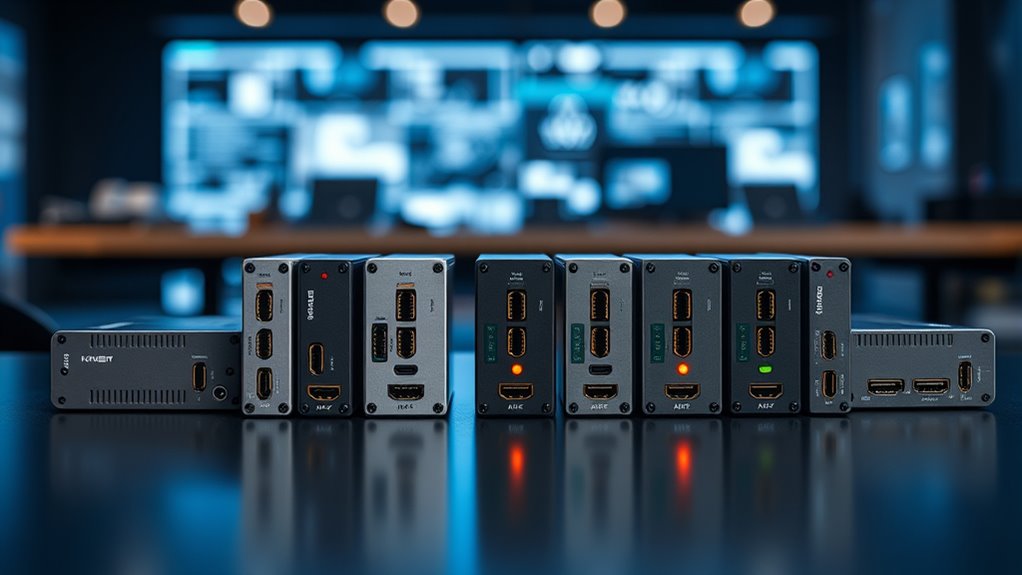
If you’re searching for a 4K HDMI capture card, start by checking whether you need 4K recording or simply 4K input and pass-through: those capabilities are not the same. My best overall pick is the Elgato 4K S for console-focused capture, while the UGREEN HDMI Capture Card with 4K Loop-Out is a flexible choice for recording at up to 1080p60 while viewing a 4K signal. The Elgato Cam Link 4K stands out for connecting a camera to a computer, though its role differs from a console capture device. The main tradeoffs are capture resolution, pass-through behavior, device compatibility, and how much setup flexibility you need. Read on for the full comparison and buying advice tailored to those differences.

Get the latest gadgets delivered free with Prime
- Fast, free delivery on millions of items
- Prime Video, Amazon Music and more included
- Member-only deals all year
Complete the kit



Key Takeaways
- 4K input does not guarantee 4K recording: several cards in this lineup accept a 4K signal but list recording output at up to 1080p60 or 2K30.
- The Elgato 4K S has the clearest console-focused role: its product positioning targets current gaming systems, while the Cam Link 4K is aimed at camera capture.
- Loop-out matters when you want to play on a separate display: the UGREEN loop-out and XIIXMASK pass-through options address this setup need, but pass-through should not be mistaken for capture resolution.
- USB 3.0 models offer a broad set of simpler capture choices: Guermok, Rybozen, and the generic 1080p60 card may suit basic workflows, but their listed capture capabilities are less ambitious than a dedicated 4K-recording device.
- Choose around your source and workflow, not the 4K label: camera streaming, console play, and straightforward screen capture have different connection and monitoring needs.
| UGREEN HDMI Capture Card with 4K Loop-Out, 2K@30Hz/1080P@60Hz Recording, USB 3.0 Type-C/A |  | Best for 4K Monitoring with Flexible USB Connections | Maximum capture resolution: 2K@30Hz or 1080p@60Hz | Maximum input and loop-out: 4K@30Hz | Interface: USB 3.0 Type-C and Type-A | VIEW ON AMAZON | See Our Full Breakdown |
| UGREEN HDMI Video Capture Card, 4K Input, 2K 30Hz and 1080p 60FPS Output |  | Best Value for Straightforward 1080p60 Capture | Input resolution: Up to 4K at 30Hz | Capture resolution: 2K at 30Hz or 1080p at 60fps | Data transfer speed: 5 Gbps | VIEW ON AMAZON | See Our Full Breakdown |
| Elgato Cam Link 4K HDMI Capture Card |  | Best for Camera-Based 4K Streaming | Capture resolution: Up to 1080p60 or 4K60 with compatible equipment | Video input: HDMI | Interface: USB 3.0 | VIEW ON AMAZON | See Our Full Breakdown |
| XIIXMASK USB 3.0 HDMI Capture Card with 4K Pass-Through |  | Best for 4K60 Console Pass-Through | HDMI input and pass-through: Up to 4K at 60Hz | Capture resolution: 1080p at 60fps or 1440p at 30fps | Interface: USB 3.0 with USB-A and USB-C connectivity | VIEW ON AMAZON | See Our Full Breakdown |
| 4K HDMI USB 3.0 Video Capture Card, 1080p 60fps |  | Best Compact Pick for Basic 1080p60 Capture | Capture resolution: 1080p at 60fps | HDMI input: Supports 4K | Passthrough: HDMI | VIEW ON AMAZON | See Our Full Breakdown |
| Guermok 4K HDMI to USB 3.0 Video Capture Card |  | Best Compact Budget-Setup Pick | HDMI input: Up to 4K at 30 Hz | Capture output: Up to 1080p at 60 fps or 2K at 30 Hz | Interfaces: HDMI, USB 3.0, USB-C | VIEW ON AMAZON | See Our Full Breakdown |
| Elgato 4K S Capture Card for PS5, Xbox Series X/S, and Switch 2 |  | Best for High-Frame-Rate 4K Gameplay | Capture resolution: Up to 4K60 | Passthrough modes: 1440p120 or 1080p240 | HDR: HDR10 capture on Windows | VIEW ON AMAZON | See Our Full Breakdown |
| Rybozen HDMI Video Capture Card, 1080p 60fps, USB 3.0 |  | Best for Passthrough and Mic Commentary | Video capture resolution: Up to 1080p at 60 fps | Supported HDMI input: Up to 4K at 60 Hz; no 4K at 120 or 144 Hz | Output: Up to 2K at 30 Hz | VIEW ON AMAZON | See Our Full Breakdown |
| hdmi capture card 4k | Capture resolution | Interface | Weight | Operating systems |
|---|---|---|---|---|
| UGREEN HDMI Capture Card with | — | USB 3.0 Type-C and Type-A | 88.2 g | — |
| UGREEN HDMI Video Capture Card | 2K at 30Hz or 1080p at 60fps | — | 50 g | Windows 7/8.1/10/11, macOS, Linux |
| Elgato Cam Link 4K HDMI Captur | Up to 1080p60 or 4K60 with compatible equipment | USB 3.0 | 20.14 g | — |
| XIIXMASK USB 3.0 HDMI Capture | 1080p at 60fps or 1440p at 30fps | USB 3.0 with USB-A and USB-C connectivity | 0.15 kg | Windows 7/8/8.1/10, macOS, Linux, Android, iPadOS 17+ |
| 4K HDMI USB 3.0 Video Capture | 1080p at 60fps | USB 3.0 | — | — |
| Guermok 4K HDMI to USB 3.0 Vid | — | — | — | Windows 10/11, macOS 10.15 or later, Linux, Android |
| Elgato 4K S Capture Card for P | Up to 4K60 | — | — | Windows 11, macOS 13 or later, iPadOS with USB-C |
| Rybozen HDMI Video Capture Car | — | — | — | — |
More Details on Our Top Picks
UGREEN HDMI Capture Card with 4K Loop-Out, 2K@30Hz/1080P@60Hz Recording, USB 3.0 Type-C/A
The standout here is the split between 4K@30Hz loop-out and capture that tops out at 2K@30Hz or 1080p@60Hz. That lets a console player monitor the incoming picture on a display while sending a lower-resolution feed to a computer; it does not make this a 4K recording card. Compared with the similar UGREEN HDMI Video Capture Card, this model specifies loop-out, so it suits setups where a separate screen matters. USB-C and USB-A connections also make it easier to match different host ports, and the aluminum casing is a practical touch for a small device. Skip it if you need 4K footage saved to your computer, or if your workflow depends on using an iPhone as the capture host.
Pros:- 4K@30Hz loop-out supports monitoring on a separate display
- Captures up to 2K@30Hz or 1080p@60Hz
- USB 3.0 Type-C and Type-A connections broaden host compatibility
- Aluminum casing and plug-and-play setup
Cons:- Does not record in 4K
- iPhone cannot serve as a data acquisition device due to UVC limitations
- Fire TV Stick is unsupported, and PS4/PS5 use requires HDCP to be turned off
Best for: Console streamers who want 4K pass-through monitoring, 1080p60 capture, and both USB-C and USB-A connection options.
Not ideal for: Creators who need 4K recordings, iPhone users seeking the phone as a capture host, or Fire TV Stick users.
- Maximum capture resolution:2K@30Hz or 1080p@60Hz
- Maximum input and loop-out:4K@30Hz
- Interface:USB 3.0 Type-C and Type-A
- Video formats:MJPEG, YUY2
- Compatibility:Windows 8.1/10/11, macOS, Linux, Android 5.0+, iOS 17
- Supported devices:PS4/PS5, Xbox Series X, Nintendo Switch, Meta Quest 3/2, DSLR cameras
- Material:Aluminum
- Weight:88.2 g
Our verdict“Choose this UGREEN when 4K monitor pass-through and flexible USB connections matter more than 4K recording.”
UGREEN HDMI Video Capture Card, 4K Input, 2K 30Hz and 1080p 60FPS Output
This UGREEN is a straightforward choice for converting an HDMI source into a computer or tablet capture feed: it accepts 4K input at 30Hz, then captures at 2K@30Hz or 1080p@60fps. The key distinction from the first UGREEN is that this product data does not specify loop-out, so I would not choose it when independent, low-latency display monitoring is part of the setup. Its USB-A and USB-C connections and driver-free operation make it more adaptable across hosts than a single-connection capture stick. The aluminum alloy casing is another useful practical detail. The tradeoff is a one-way HDMI-to-USB signal path, plus iPad support is limited to iPadOS 17 or later; some consoles also need HDCP disabled.
Pros:- Captures at 1080p60 or 2K30 from an HDMI source
- Accepts input up to 4K at 30Hz
- Includes USB-A and USB-C interfaces
- Driver-free support for Windows, macOS, and Linux
Cons:- HDMI signal flow is unidirectional from source to USB
- iPad compatibility requires iPadOS 17 or later
- Some consoles require HDCP to be turned off
Best for: Streamers and educators who want a simple HDMI-to-USB capture connection for a Windows or Mac computer, with capture up to 1080p60.
Not ideal for: Players who need specified HDMI loop-out for a separate monitor, or iPad users running an earlier version of iPadOS.
- Input resolution:Up to 4K at 30Hz
- Capture resolution:2K at 30Hz or 1080p at 60fps
- Data transfer speed:5 Gbps
- Interfaces:HDMI, USB 3.0, USB Type-C
- Operating systems:Windows 7/8.1/10/11, macOS, Linux
- iPad compatibility:iPadOS 17 or later
- Casing:Aluminum alloy
- Weight:50 g
Our verdict“Pick this UGREEN for flexible, direct HDMI capture, but choose the first UGREEN if specified 4K loop-out is a priority.”
Elgato Cam Link 4K HDMI Capture Card
Unlike the UGREEN cards, which focus on gaming-source capture with 4K input but lower-resolution recording, the Elgato Cam Link 4K is aimed at turning a camera’s HDMI output into a computer video source. With compatible equipment, it supports up to 4K60 capture, making it the clearest fit here for camera-led streams where image detail matters. Its low-latency feed works with tools such as OBS Studio, Zoom, and Discord, and its small USB 3.0 form suits a portable camera setup. The tradeoff is a narrower job description: it requires a camera or other device with HDMI output, and 4K60 depends on compatible equipment and the latest Cam Link 4K model. For console monitoring and pass-through, the XIIXMASK is a more relevant alternative.
Pros:- Supports capture up to 4K60 with compatible equipment
- Works with cameras, camcorders, action cameras, and iPhone
- Low-latency video and audio for streaming and calls
- Compatible with OBS Studio, Zoom, and Discord
Cons:- Requires a camera or other source with HDMI output
- 4K60 support depends on compatible equipment and the latest Cam Link 4K model
Best for: Video creators and presenters connecting a compatible DSLR, mirrorless camera, camcorder, or action camera to a PC, Mac, or USB-C iPad.
Not ideal for: Console players who need an HDMI pass-through path, or buyers without a camera or source that provides HDMI output.
- Capture resolution:Up to 1080p60 or 4K60 with compatible equipment
- Video input:HDMI
- Interface:USB 3.0
- Compatibility:PC, Mac, iPad with USB-C
- Supported source types:DSLR, mirrorless, camcorder, action camera, iPhone
- Compatible software:OBS Studio, Zoom, Discord
- Weight:20.14 g
- Dimensions:3.19 x 1.22 x 0.47 inches
Our verdict“Choose the Cam Link 4K for a compatible camera-to-computer workflow, not as a general-purpose console pass-through card.”
XIIXMASK USB 3.0 HDMI Capture Card with 4K Pass-Through
The XIIXMASK is the strongest fit in this group when 4K60 pass-through matters more than 4K recording. It sends the HDMI picture through to a display at up to 4K60 while capturing at 1080p60 or 1440p30, so a console can remain viewable at a high refresh-compatible resolution even though the computer receives a lower-resolution feed. That gives it a different role from the first UGREEN, whose specified loop-out tops out at 4K30, and from the Cam Link 4K, which targets camera capture rather than console pass-through. A 3.5 mm audio input can help with commentary setups, but party chat is not supported. Audio setup may also require restarting OBS.
Pros:- Passes through HDMI at up to 4K60
- Captures up to 1080p60 or 1440p30
- Offers USB-A and USB-C connectivity
- Includes a 3.5 mm microphone or headset input
Cons:- Capture resolution does not reach 4K
- Does not record party chat
- OBS may need a restart after audio setup
Best for: Console streamers who want 4K60 pass-through, a 1080p60 capture feed, and a 3.5 mm input for a microphone or headset.
Not ideal for: Creators who require 4K recordings, party-chat capture, or a setup that must work without audio troubleshooting.
- HDMI input and pass-through:Up to 4K at 60Hz
- Capture resolution:1080p at 60fps or 1440p at 30fps
- Interface:USB 3.0 with USB-A and USB-C connectivity
- Audio input:3.5 mm microphone or headset
- Operating systems:Windows 7/8/8.1/10, macOS, Linux, Android, iPadOS 17+
- Compatible devices:Laptop, PS4/PS5, Xbox, Switch 1/2, PC, Mac, camera
- Weight:0.15 kg
- Included cable:USB 3.0 to USB-A/USB-C
Our verdict“Choose the XIIXMASK if 4K60 display pass-through is central to your console setup and 1080p60 capture is sufficient.”
4K HDMI USB 3.0 Video Capture Card, 1080p 60fps
This compact card is a no-frills option for buyers who want 1080p60 capture without needing higher capture resolutions. It accepts a 4K HDMI source and includes passthrough, but the computer recording remains capped at 1080p60—a bigger limitation than the 2K30 capture offered by either UGREEN model. Compared with the XIIXMASK, it also lacks a listed microphone input and does not specify a 4K60 pass-through rate. Its appeal is simpler: USB 3.0 plug-and-play use with Windows or macOS, support for common streaming software, and a small listed footprint. That makes it suitable for a basic console or camera stream, but the USB 3.0 requirement and 1080p ceiling rule it out for higher-resolution workflows.
Pros:- Captures up to 1080p at 60fps
- Supports HDMI passthrough from a 4K source
- Works with OBS Studio, Streamlabs, and XSplit
- Compact form factor and plug-and-play setup
Cons:- Capture is limited to 1080p60
- Requires a USB 3.0 port
- Does not specify a 4K60 pass-through rate
Best for: New streamers using a Windows or Mac computer who need portable, straightforward 1080p60 capture from a console, PC, or camera.
Not ideal for: Creators seeking 2K or 4K recordings, users without a USB 3.0 port, or console players who specifically need 4K60 pass-through.
- Capture resolution:1080p at 60fps
- HDMI input:Supports 4K
- Passthrough:HDMI
- Interface:USB 3.0
- Compatible operating systems:Windows, macOS
- Compatible devices:PS5, PS4, Xbox, Nintendo Switch, PC, cameras
- Compatible software:OBS Studio, Streamlabs, XSplit
- Dimensions:1 x 1 x 2.7 inches
Our verdict“Pick this card for a compact, basic 1080p60 setup, but choose a UGREEN model for a higher specified capture ceiling.”
Guermok 4K HDMI to USB 3.0 Video Capture Card
The Guermok is a straightforward choice when the goal is to capture a 4K HDMI source without needing to record in 4K. It accepts input up to 4K at 30 Hz, then captures at 1080p60 or 2K30—a practical fit for standard livestreams and gameplay clips. Its compact, bus-powered design and included USB-A-to-USB-C adapter make it simpler to add to a small laptop setup than a larger passthrough unit like the Rybozen. The tradeoff is that Guermok has no HDMI loop-out, so it is not the right pick if you want to play on a separate display while capturing. It also needs capture software and a USB 3.0 connection for stable performance, and video decoding can add latency. Choose it for portable 1080p capture, not true 4K recording.
Pros:- Captures up to 1080p at 60 fps or 2K at 30 fps
- Accepts HDMI input up to 4K at 30 Hz
- Compact, plug-and-play design needs no external power
- Includes a USB-A-to-USB-C adapter and supports common streaming software
Cons:- Does not provide HDMI loop-out for playing on a separate display
- Requires capture software, and USB 3.0 is recommended for stable performance
- Video decoding can introduce latency
Best for: Laptop streamers and console owners who want a compact, bus-powered card for 1080p60 capture and occasional 4K30 input.
Not ideal for: Gamers who need HDMI passthrough to a monitor, or creators who require native 4K recording or minimal capture latency.
- HDMI input:Up to 4K at 30 Hz
- Capture output:Up to 1080p at 60 fps or 2K at 30 Hz
- Interfaces:HDMI, USB 3.0, USB-C
- Operating systems:Windows 10/11, macOS 10.15 or later, Linux, Android
- Minimum computer requirements:Windows 10/11 64-bit or macOS 10.15 or later; Intel Core i3 or AMD Ryzen 3 equivalent; 4 GB RAM; USB 3.0 port
- Included items:Capture card, USB 3.0-to-USB-C adapter, user manual
- Transmission direction:HDMI to USB
Our verdict“Choose the Guermok for compact, affordable-feeling 1080p60 capture from a 4K30 source, but skip it if you need passthrough or 4K recording.”
Elgato 4K S Capture Card for PS5, Xbox Series X/S, and Switch 2
Among these three, the Elgato 4K S is the clear fit for players who want 4K60 capture rather than simply feeding a 4K signal into a 1080p recorder. Its support for 1440p120 and 1080p240 passthrough, VRR, and near-zero-latency gameplay passthrough is aimed at keeping a responsive play experience while a computer records or streams. That makes it a more gaming-focused step up from the Guermok and Rybozen, both of which capture only up to 1080p. The tradeoffs are a stronger host-device requirement and the need for a USB 3.0 Type-C port. HDR10 capture is limited to Windows, so Mac and iPad users should not choose it expecting the same HDR workflow. For compatible setups, it is the most capable capture option in this group.
Pros:- Captures gameplay at up to 4K60
- Supports 1440p120 and 1080p240 passthrough with VRR
- Near-zero-latency passthrough suits responsive console play
- Compatible with Windows, Mac, and supported USB-C iPad devices
Cons:- HDR10 capture is limited to Windows
- Requires a USB 3.0 Type-C port and a capable host device
- More capability than necessary for buyers who only need 1080p capture
Best for: Console streamers and content creators with a compatible Windows PC who want 4K60 capture, high-refresh passthrough, and VRR support.
Not ideal for: Casual 1080p streamers, users without a USB 3.0 Type-C port, or Mac and iPad creators who need HDR10 capture.
- Capture resolution:Up to 4K60
- Passthrough modes:1440p120 or 1080p240
- HDR:HDR10 capture on Windows
- Hardware interface:USB 3.0 Type-C
- Audio input:3.5 mm analog
- Operating systems:Windows 11, macOS 13 or later, iPadOS with USB-C
- Minimum processor:Intel Core i5 8th generation or later, AMD Ryzen, or Apple M1 or better
- Minimum graphics:NVIDIA GeForce RTX 10-series or equivalent
- Weight and dimensions:0.09 kg; 0.67 x 4.41 x 2.83 inches
Our verdict“Pick the Elgato 4K S if you need 4K60 capture and high-refresh passthrough; the Guermok or Rybozen is a better match for basic 1080p streaming.”
Rybozen HDMI Video Capture Card, 1080p 60fps, USB 3.0
The Rybozen earns its place through the features that make a basic streaming setup easier to operate: HDMI loop-out lets gameplay continue on a display, while a 3.5 mm TRS microphone input provides a path for external commentary. It accepts HDMI signals up to 4K60, but records only up to 1080p60, so the 4K label describes input compatibility—not 4K capture. Compared with the Guermok, Rybozen adds passthrough and a mic connection; compared with the Elgato 4K S, it gives up 4K recording, high-refresh passthrough, and VRR. The card is a sensible plug-and-play option for a simple console or camera stream, though buyers should check their display needs: it does not support 4K at 120 or 144 Hz, and commentary requires a compatible TRS headset.
Pros:- HDMI loop-out allows gameplay to continue on a display while capturing
- Accepts HDMI input up to 4K at 60 Hz
- Captures up to 1080p at 60 fps and supports output up to 2K at 30 Hz
- 3.5 mm TRS microphone input supports external commentary
Cons:- Capture resolution is limited to 1080p
- Does not support 4K input at 120 or 144 Hz
- Microphone input requires a 3.5 mm TRS headset
Best for: New console streamers who want 1080p60 capture, HDMI loop-out to a gaming display, and a wired TRS microphone connection.
Not ideal for: Creators seeking 4K recording, high-refresh 4K passthrough, VRR, or commentary gear that does not use a 3.5 mm TRS connection.
- Video capture resolution:Up to 1080p at 60 fps
- Supported HDMI input:Up to 4K at 60 Hz; no 4K at 120 or 144 Hz
- Output:Up to 2K at 30 Hz
- Interfaces:HDMI, USB 3.0 Type-A, USB 3.0 Type-C, 3.5 mm audio
- Compatibility:Windows, Mac OS; Linux is also listed
- Audio:Optional capture; 3.5 mm TRS microphone input
- Special features:Plug and play, HDMI loop-out, passthrough
- Weight and dimensions:0.18 kg; 3 x 2 x 1 inches
Our verdict“Choose the Rybozen for straightforward 1080p streaming with display passthrough and wired mic commentary, not for 4K recording or high-refresh gaming.”

How We Picked
I compared these eight options by the details that change the buying decision: stated input resolution, recorded output limits, pass-through or loop-out, connection type, and the intended source device. I gave more weight to clearly described capabilities than to a broad 4K label, since accepting a 4K signal does not mean a card records it at 4K. I also considered whether the product’s stated use makes it a better fit for cameras, consoles, or basic USB capture.
The order reflects how clearly each card serves a distinct buyer need and how much information its listed specifications provide. The Elgato 4K S leads for console-focused capture, while the UGREEN loop-out model offers a practical balance for buyers who need a separate display and do not require 4K recording. Camera users have a dedicated option in the Cam Link 4K; lower-listed or less specifically positioned models can still suit straightforward workflows, but buyers should verify output limits and compatibility before choosing them.
| hdmi capture card 4k | Interface | Operating systems |
|---|---|---|
| UGREEN HDMI Capture Card with | USB 3.0 Type-C and Type-A | — |
| UGREEN HDMI Video Capture Card | — | Windows 7/8.1/10/11, macOS, Linux |
| Elgato Cam Link 4K HDMI Captur | USB 3.0 | — |
| XIIXMASK USB 3.0 HDMI Capture | USB 3.0 with USB-A and USB-C connectivity | Windows 7/8/8.1/10, macOS, Linux, Android, iPadOS 17+ |
| 4K HDMI USB 3.0 Video Capture | USB 3.0 | — |
| Guermok 4K HDMI to USB 3.0 Vid | — | Windows 10/11, macOS 10.15 or later, Linux, Android |
| Elgato 4K S Capture Card for P | — | Windows 11, macOS 13 or later, iPadOS with USB-C |
| Rybozen HDMI Video Capture Car | — | — |
Factors to Consider When Choosing Hdmi Capture Card 4k
Before choosing a card, match its signal path to what you want to do. A product page may describe 4K input, pass-through, and recording as separate features, and confusing them can lead to a card that accepts your source but does not produce the file or monitoring setup you expected.
Separate 4K Input, Pass-Through, and Recording
These three specifications describe different jobs: input is the signal the card can receive, pass-through sends a signal onward to a display, and recording is the resolution delivered to your computer or recording software. A card that lists 4K input and 1080p60 output may let you feed it a 4K source while capturing a lower-resolution stream. If you need 4K files, look for an explicit 4K capture or recording specification rather than inferring it from the product name. If you mainly want smooth gameplay on a monitor while recording a smaller stream, pass-through and capture can serve separate purposes. Check the supported frame rate at your target resolution too, because a resolution figure alone does not tell you how fluid the result will be.
Match the Card to Your Source Device
Console capture, camera streaming, and recording another HDMI device can call for different features, even when each source uses HDMI. Console users may value a pass-through connection and clear compatibility information for their system. Camera users should check whether the capture card fits their camera’s output modes and whether their computer software recognizes the device. Also confirm whether your source can output a clean HDMI signal if you plan to use a camera. Avoid assuming that a card marketed for gaming will be the most convenient option for a camera workflow, or that a camera-focused adapter is designed for console monitoring.
Plan Your Monitoring Setup Before Buying
Decide where you will watch the source while capturing it: on the computer preview, on a separate monitor, or both. A preview inside recording software can introduce delay, which may be distracting during play or live production. Loop-out or pass-through can send the signal to a display without relying on that preview, but you still need to check what resolutions and refresh rates the feature supports. Make sure your cables and display connections fit the planned route from source to capture card to screen. A compact USB capture device without a dedicated video output may be a better fit for desk-based camera streaming than for a low-latency console setup.
Check Computer Ports, Software, and Compatibility
USB 3.0 and USB-C describe connection options, but the connector shape alone does not confirm that a port can sustain the device’s required data rate. Check the card’s host requirements and your computer’s available ports, then confirm support for the operating system and capture software you plan to use. An adapter may solve a connector mismatch, but it cannot turn a slower port into a faster one. If the capture card will be used for live streaming, confirm that your chosen application can select it as a video source and that your system can encode the intended resolution. These checks can prevent a card from working at a lower mode than you expected.
Pay for the Capability You Will Actually Use
A higher-tier capture card makes sense when its added recording formats, frame-rate support, or workflow options match your setup. If your audience, software, or storage plan only calls for 1080p60, paying for 4K capture may not improve the final result. On the other hand, recording in 4K can preserve detail for later cropping or editing, so it may be worth prioritizing for production work. Consider the full system too: your computer, storage, display, and source device all affect whether a higher-resolution workflow is practical. Do not treat a 4K badge as a substitute for checking the exact recording modes.
Look Beyond the Headline Specification
Before making a final choice, check what the box includes, how the device is powered, and whether it needs a particular cable or adapter. A card that is easy to connect can be more useful than one with a broader spec list if you move between computers or record on location. For a fixed setup, build and cable placement may matter more than portability. Confirm the maker’s compatibility guidance and available support details, especially if the product description leaves recording modes or operating-system support unclear. When key specifications are missing, treat that uncertainty as a drawback rather than assuming the card will meet your target workflow.
Frequently Asked Questions
Does a 4K HDMI capture card always record video in 4K?
No. A card may accept a 4K HDMI signal or pass it through to a display while sending a lower-resolution feed to the computer. In this lineup, some products specify capture or output limits such as 1080p60 or 2K30 despite 4K input language. Check the recording resolution and frame rate separately from input and pass-through specifications. If you need 4K files, choose a model that explicitly states 4K recording support.
Should I choose pass-through if I capture console gameplay?
Pass-through is useful if you want to play on a separate screen instead of relying on the software preview, which can have noticeable delay. It is not automatically necessary for every setup: a camera streamer may capture directly to a computer and have no need for a second display. Confirm the pass-through resolution and refresh-rate support, since the feature’s presence alone does not describe the full signal quality. Also check whether your console, display, and capture card support the same output mode.
Is the Elgato Cam Link 4K a better choice than a console capture card?
It depends on the source. The Cam Link 4K is positioned for bringing an HDMI camera signal into a computer, while the Elgato 4K S is the more directly console-focused option in this selection. A camera user should check clean HDMI output and supported camera modes; a console user should prioritize capture modes and monitoring needs. Neither product is a universal upgrade over the other because their intended workflows differ. Match the device to the signal you plan to capture.
Can a USB-C capture card work with a computer that only has USB-A?
It may, if the card supports USB-A operation and you use a suitable cable or adapter, but the connector is only one part of compatibility. The computer’s port must also meet the device’s data-rate requirements for the capture mode you want. Check the product’s host-port guidance rather than assuming every adapter will preserve full performance. If you plan to record at higher resolutions or frame rates, confirm those modes work with your computer’s connection.
Is 1080p60 enough if my console outputs 4K?
For many live streams, 1080p60 can be a practical target because it offers smooth motion without requiring a 4K recording workflow. A 4K source may still be useful when a card supports pass-through to a 4K display, even if the captured file is lower resolution. Choose explicit 4K recording if you need higher-detail archives, editing flexibility, or 4K delivery. Your computer’s encoding capacity, storage space, and streaming platform also affect whether capturing at 4K is worthwhile.
Conclusion
For most console-focused buyers, my best overall choice is the Elgato 4K S, while the UGREEN HDMI Capture Card with 4K Loop-Out is the best value-style fit for a separate-display setup that records at a lower listed resolution. The Elgato Cam Link 4K is my pick for camera capture, and the simpler USB 3.0 options are worth considering for buyers who only need basic 1080p60 capture and have confirmed compatibility. Beginners should favor a clearly specified device that matches their source and software over the broadest 4K claim. If 4K recording itself is your priority, verify that exact feature before buying; input or pass-through alone will not provide it.
Halloween Picks
halloween
As an affiliate, we earn on qualifying purchases.