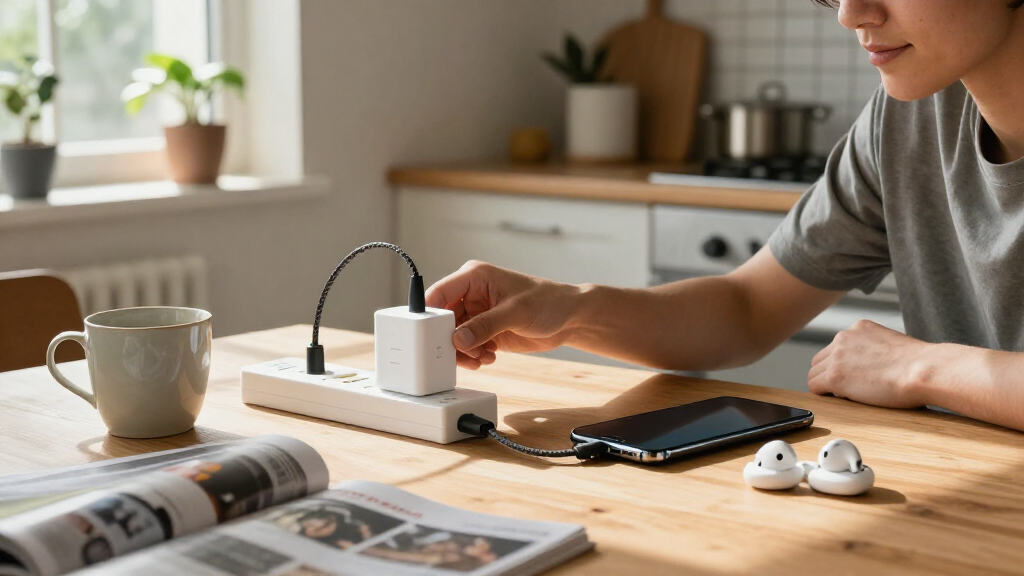
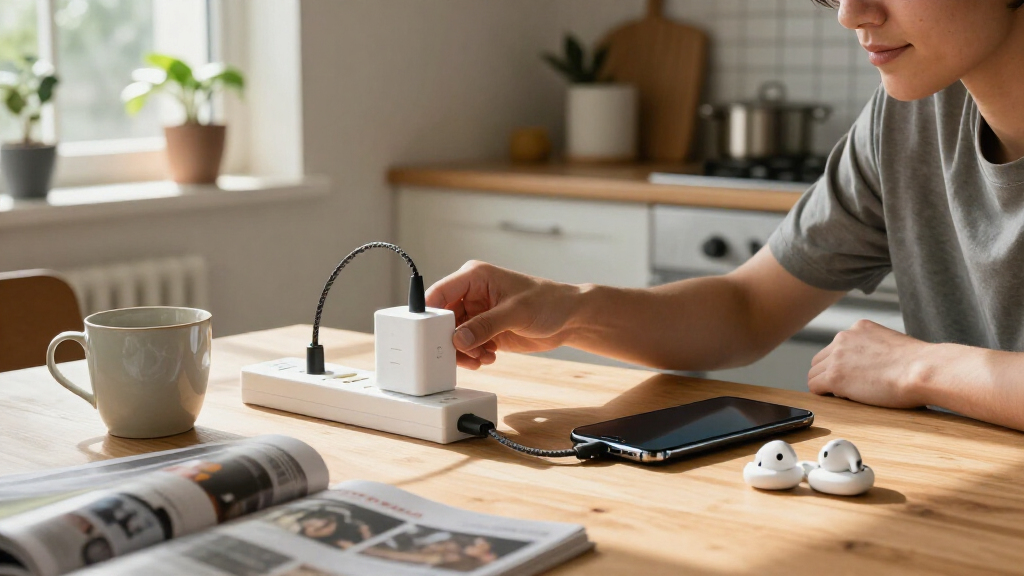
The best Belkin accessories depend on whether you need faster charging, a tidier desk, safer power for multiple devices, or gear for a specific device. My best overall pick is the Belkin Qi2 25W Foldable 2-in-1 Wireless Charging Station, which pairs strong phone charging with a compact foldable design. The 40W Dual-Port USB-C Wall Charger is a simpler choice for everyday charging, while the 12-Outlet Surge Protector suits a fixed home setup with many plugs. The main tradeoff is between versatile multi-device gear and smaller, more focused accessories that cost less space and setup effort. Read on for the full breakdown by use case, plus advice on choosing the right Belkin accessory for your devices.

Get the latest gadgets delivered free with Prime
- Fast, free delivery on millions of items
- Prime Video, Amazon Music and more included
- Member-only deals all year
Complete the kit



Key Takeaways
- The foldable Qi2 25W 2-in-1 station is the strongest all-rounder for a phone-and-watch setup, while the 3-in-1 stations make more sense when earbuds also need a dedicated charging spot.
- Belkin’s 40W dual-port charger favors simplicity; the 45W two-pack adds a second charger and cables for households or travel, but it is a bundle rather than a single compact upgrade.
- Surge protectors solve different layout problems: the 6-outlet model adds USB-C and USB-A charging, while the 12-outlet, 8-foot option prioritizes plug capacity and reach.
- The two 10,000mAh Switch 2 options target different play styles: the grip case supports handheld play, while the charging case focuses on carrying and protecting the console.
- Cable wattage matters only when the rest of the charging setup can use it; the 240W two-pack offers more headroom than the 100W cable, but many everyday devices will not need that capacity.
| Belkin AirTag Holder Keychain with Key Ring |  | Best for Keeping an AirTag Attached | Compatibility: Apple AirTag | Form factor: Case | Design: Open face with raised edges | VIEW LATEST PRICE | See Our Full Breakdown |
| Belkin Qi2 25W Foldable 2-in-1 Wireless Charging Station with USB-C |  | Best for Travel Charging | Wireless charging standard: Qi2 v2.2 MPP | Maximum iPhone wireless output: 25W | AirPods charging output: Up to 5W | VIEW LATEST PRICE | See Our Full Breakdown |
| Belkin 40W Dual-Port USB-C Wall Charger |  | Best Compact Everyday Charger | Connector type: USB Type-C | USB ports: 2 | Maximum power: 40W | VIEW LATEST PRICE | See Our Full Breakdown |
| Belkin Qi2 25W 3-in-1 Wireless Charging Station |  | Best Premium Apple Charging Dock | Charging configuration: iPhone or Qi2 device, Apple Watch, and AirPods | Phone charging power: Up to 25W; Qi2 v2.2 MPP and USB PD Sink certified | AirPods charging power: Up to 5W | VIEW LATEST PRICE | See Our Full Breakdown |
| Belkin Magnetic Leather Wallet with Kickstand for iPhone Duo |  | Best for Cards and Hands-Free Viewing | Compatibility: iPhone Duo, iPhone 18 Pro, iPhone 18 Pro Max, iPhone 17, iPhone 17 Pro, iPhone 17 Pro Max, iPhone Air, iPhone 16, iPhone 16 Plus, iPhone 16 Pro Max | Material: Genuine scratch-resistant leather | Card capacity: Up to 3 cards | VIEW LATEST PRICE | See Our Full Breakdown |
| Belkin 45W Compact USB-C Wall Charger, 2-Pack with USB-C Cables |  | Best Two-Pack Charger Set | Quantity: 2 chargers | Maximum output: 45W per charger | Port: 1 USB-C per charger | VIEW LATEST PRICE | See Our Full Breakdown |
| Belkin Qi2 25W 3-in-1 Magnetic Wireless Charging Station |  | Best Flexible Multi-Device Charging Stand | Phone wireless output: Up to 25W for Qi2 25W-certified devices | Earbud charging: 5W Qi pad | Smartwatch charging: USB-C holder for an official charger, not included | VIEW LATEST PRICE | See Our Full Breakdown |
| Belkin 6-Outlet Surge Protector with USB-C and USB-A Ports |  | Best Wall-Mount Surge Protector | AC outlets: 6 | USB ports: 1 USB-C PD and 1 USB-A | USB-C charging: 22.5W | VIEW LATEST PRICE | See Our Full Breakdown |
| Belkin 12-Outlet Surge Protector with 8-Foot Cord |  | Best for Multi-Device Setups | Number of outlets: 12 AC outlets | Cord length: 8 ft / 2.4 m | Surge protection: 3,940 joules | VIEW LATEST PRICE | See Our Full Breakdown |
| Belkin BoostCharge USB-C to USB-C Braided Cable, 100W, 6.6 ft |  | Best Durable Everyday USB-C Cable | Connector type: USB Type-C to USB Type-C | Cable length: 6.6 ft / 2 m | Maximum power: 100W; up to 5A/20V | VIEW LATEST PRICE | See Our Full Breakdown |
| Belkin Nintendo Switch 2 Charging Grip Case with 10,000mAh Power Bank |  | Best for Comfortable Handheld Play | Compatibility: Nintendo Switch 2 | Battery capacity: 10,000mAh | Maximum output: 30W | VIEW LATEST PRICE | See Our Full Breakdown |
| Belkin BoostCharge 20,000 mAh 3-Port Power Bank with USB-C to USB-A Cable |  | Best for Charging Several Devices | Battery capacity: 20,000mAh | Ports: 1 USB-C and 2 USB-A | USB-C output: 15W maximum | VIEW LATEST PRICE | See Our Full Breakdown |
| Belkin Charging Case Pro for Nintendo Switch 2 with 10,000mAh Power Bank |  | Best for Protected Switch 2 Travel | Compatibility: Nintendo Switch 2 | Power bank capacity: 10,000mAh | Maximum output: 30W | VIEW LATEST PRICE | See Our Full Breakdown |
| Belkin Magnetic Vent Mount Pro for MagSafe iPhones |  | Best for MagSafe Car Mounting | Compatible phone models: iPhone 12, 13, 14, and 15 series | Mounting type: Vehicle air vent | Adjustable: Yes | VIEW LATEST PRICE | See Our Full Breakdown |
| Belkin BoostCharge USB-C to USB-C Cable, 240W, 6.6 ft, 2-Pack |  | Best for High-Power USB-C Charging | Cable type: USB-C to USB-C | Power delivery: Up to 240W | Cable length: 6.6 ft (2 m) | VIEW LATEST PRICE | See Our Full Breakdown |
More Details on Our Top Picks
Belkin AirTag Holder Keychain with Key Ring
I’d choose this holder when the main job is keeping an Apple AirTag secured to something you carry, rather than adding charging or connectivity. Its twist-and-lock shell helps hold the tracker in place, while raised edges guard against everyday scuffs and the open face keeps its engraving visible. The included key ring can move between keys, bags, luggage, or a pet collar, giving it more placement options than the Belkin Magnetic Vent Mount Pro, which is built for a phone in a car. The tradeoff is limited protection: the AirTag face remains exposed, and this holder only fits Apple AirTag. Its hard PET construction favors a secure, simple attachment over soft cushioning. I also like the stated recycled content and plastic-free packaging, though neither changes its basic role as a purpose-built tracker holder.
Pros:- Twist-and-lock design helps keep the AirTag in place.
- Raised edges help guard against scuffs and scratches.
- Open-face design leaves the AirTag’s face and engraving visible.
- Key ring supports attachment to keys, bags, luggage, or pet collars.
Cons:- Fits Apple AirTag only.
- Leaves the AirTag face exposed to contact and scratches.
Best for: Apple users who want to attach an AirTag securely to keys, luggage, a bag, or a pet collar.
Not ideal for: People who need a holder for another tracker or full coverage over an AirTag’s exposed face.
- Compatibility:Apple AirTag
- Form factor:Case
- Design:Open face with raised edges
- Locking mechanism:Twist-and-lock
- Material:Polyethylene terephthalate (PET)
- Weight:7 g
- Recycled content:Minimum 72% post-consumer recycled content
- Packaging:100% plastic-free
Our verdict“Choose this if you need a straightforward, attachable AirTag holder and do not need full-face protection.”
Belkin Qi2 25W Foldable 2-in-1 Wireless Charging Station with USB-C
This is my travel pick for someone who wants a foldable phone-and-earbud charger without giving up a way to top up one more device. It charges a compatible iPhone at up to 25W and AirPods at up to 5W, while its extra USB-C port supplies up to 5W for a third device. That makes it more adaptable on a trip than the Belkin Qi2 25W 3-in-1 Wireless Charging Station, which adds an Apple Watch charging spot but is aimed at a fuller bedside setup. The stand adjusts up to 65 degrees for viewing, and the station can charge while folded. Belkin includes a 45W adapter and five-foot cable, so the core setup is in the box. The tradeoffs are that 25W iPhone charging requires iOS 26 or newer, strong magnets can make phone removal less easy, and some cases may interfere.
Pros:- Charges an iPhone and AirPods simultaneously, with an additional USB-C port for another device.
- Folds for packing and can charge while folded.
- Adjustable stand supports portrait or landscape viewing.
- Includes a 45W USB-C power supply and five-foot cable.
Cons:- 25W iPhone charging requires iOS 26 or newer.
- Strong magnets may make removing a phone harder.
- Some cases may interfere with charging.
Best for: Travelers who carry an iPhone and AirPods and want a compact charger with a low-power port for one extra device.
Not ideal for: Apple Watch owners seeking a single dock for all three devices, or buyers whose case interferes with magnetic wireless charging.
- Wireless charging standard:Qi2 v2.2 MPP
- Maximum iPhone wireless output:25W
- AirPods charging output:Up to 5W
- USB-C port output:5W
- Stand angle:Adjustable up to 65°
- Case compatibility:MagSafe cases up to 3 mm
- Included power supply:45W USB-C
- Cable:5-foot (1.5 m) USB-C to USB-C
- Warranty:2 years
Our verdict“Pick this foldable station for travel-friendly iPhone and AirPods charging, but choose the 3-in-1 dock if Apple Watch charging is a priority.”
Belkin 40W Dual-Port USB-C Wall Charger
I’d pick this wall charger for a bag or shared outlet when two USB-C devices need power and a folding plug matters more than a high total output. Its 40W is shared across two ports, so it suits everyday phone-and-accessory charging better than a single-device setup built around maximum output. USB-C Power Delivery 3.0 and PPS can adjust power for compatible devices, while the foldable prongs make the North American model easier to pack. Compared with the Belkin Qi2 25W Foldable 2-in-1 Wireless Charging Station, this charger gives up wireless charging and a viewing stand, but it is the simpler choice for wired devices. The key limitation is regional: foldable prongs are specified for US models only, and the listed plug is North American Type A. Buyers outside that setup should check plug compatibility before choosing it.
Pros:- Two USB-C ports can charge devices at the same time.
- USB-C Power Delivery 3.0 and PPS support compatible charging profiles.
- Compact, lightweight design suits travel.
- Foldable prongs make the US model easier to pack.
Cons:- The 40W maximum is shared when charging two devices.
- Foldable prongs are specified for US models only.
- North American Type A plug may not suit buyers in other regions.
Best for: North American travelers and everyday users who need one compact adapter to charge two USB-C devices.
Not ideal for: Buyers who need wireless charging, more than two ports, or foldable prongs on a non-US model.
- Connector type:USB Type-C
- USB ports:2
- Maximum power:40W
- Charging standards:USB-C Power Delivery 3.0 and PPS
- Plug type:Type A, 2-pin (North American)
- Prongs:Foldable (US models only)
- Frequency range:50–60 Hz
- Warranty:2-year limited warranty
Our verdict“Choose this for compact, two-device wired charging in North America; skip it if you need wireless charging or broader plug compatibility.”
Belkin Qi2 25W 3-in-1 Wireless Charging Station
This is the strongest fit in this group for an Apple user who wants one dock for an iPhone, Apple Watch, and AirPods. Magnetic alignment helps position the phone, and the adjustable stand reaches up to 65 degrees, so charging can double as a bedside viewing setup. Its ChillBoost active cooling adjusts fan operation by temperature and includes an on/off switch, a feature absent from the more travel-focused Belkin Qi2 25W Foldable 2-in-1 Wireless Charging Station. The tradeoff is a more specialized, three-device setup rather than a compact charger with an extra USB-C port. The included 45W adapter and five-foot cable help make it ready to set up, but the 25W phone rate requires iOS 26 or newer. A light fan hum and strong magnetic hold may also bother buyers who prefer silent operation or easy one-handed removal.
Pros:- Charges a phone, Apple Watch, and AirPods simultaneously.
- Magnetic alignment and adjustable viewing angle help position the phone.
- Temperature-adjusting cooling includes a fan on/off switch.
- Includes a 45W USB-C power supply and five-foot cable.
Cons:- 25W iPhone charging requires iOS 26 or newer.
- The cooling fan may produce a light hum.
- Strong magnets may make removing the phone harder.
Best for: Apple households with an iPhone, Apple Watch, and AirPods that want a dedicated shared charging spot.
Not ideal for: Travelers seeking a foldable charger, buyers without an Apple Watch, or anyone sensitive to a light fan hum.
- Charging configuration:iPhone or Qi2 device, Apple Watch, and AirPods
- Phone charging power:Up to 25W; Qi2 v2.2 MPP and USB PD Sink certified
- AirPods charging power:Up to 5W
- Cooling:ChillBoost temperature-adjusting fan with on/off switch
- Viewing angle:Adjustable up to 65 degrees
- Case compatibility:MagSafe cases up to 5 mm
- Power supply:45W USB-C
- Included cable:5 ft (1.5 m) USB-C to USB-C
- Warranty:2 years
Our verdict“Choose this as a dedicated three-device Apple charging dock; the foldable 2-in-1 is a better match for travel or fewer devices.”
Belkin Magnetic Leather Wallet with Kickstand for iPhone Duo
I’d choose this wallet for an iPhone owner who wants to carry a few cards and add a viewing stand without switching to a separate folio. Its magnetic attachment is designed to sit centered on iPhone Duo and clear the camera module, while compatibility extends to several other listed iPhone models. The adjustable kickstand adds a practical viewing option that the Belkin AirTag Holder Keychain does not offer, though that keychain is the better fit when the goal is attaching a tracker to luggage or keys. Genuine scratch-resistant leather, RFID-blocking materials, and capacity for up to three cards make this a focused everyday accessory rather than a high-capacity wallet. That limit is also its main compromise: anyone carrying several cards or cash may need another wallet. Belkin lists package dimensions, not the wallet’s own dimensions, so its exact bulk is unclear.
Pros:- Centered fit for iPhone Duo is designed to clear the camera module.
- Holds up to three cards.
- Integrated adjustable kickstand supports hands-free viewing.
- Uses genuine scratch-resistant leather and RFID-blocking materials.
Cons:- Card capacity is limited to three.
- The wallet’s own dimensions and weight are unspecified; listed measurements are for the package.
Best for: iPhone owners who carry up to three cards and want a magnetic wallet that doubles as an adjustable phone stand.
Not ideal for: People who need space for more than three cards, want a documented wallet weight or size, or do not own a listed compatible iPhone.
- Compatibility:iPhone Duo, iPhone 18 Pro, iPhone 18 Pro Max, iPhone 17, iPhone 17 Pro, iPhone 17 Pro Max, iPhone Air, iPhone 16, iPhone 16 Plus, iPhone 16 Pro Max
- Material:Genuine scratch-resistant leather
- Card capacity:Up to 3 cards
- Stand:Integrated adjustable kickstand
- Attachment:Magnetic
- RFID protection:RFID-blocking materials
- Package dimensions:4.1 x 4.1 x 1.2 inches
- Colors:Navy/Brown, Brown, Dark Grey
- Warranty:2-year coverage
Our verdict“Pick this if a small card carry and built-in viewing stand matter more than high wallet capacity.”
Belkin 45W Compact USB-C Wall Charger, 2-Pack with USB-C Cables
I’d pick this set for households or travel pairs that need a capable USB-C charger in more than one spot. Each compact adapter delivers up to 45W with USB PD 3.1 and PPS, enough for compatible phones and tablets and some laptops, while the included cables mean you can use both chargers straight away. Foldable prongs make the adapters easier to pack than a fixed-plug design, and the recycled-plastic housing and electrical protections add useful practical details.
Compared with Belkin’s 40W Dual-Port USB-C Wall Charger, these provide more output per adapter and two separate charging locations, but each has only one port. The main buying caveat is the listed CN/JP plug type: check that it suits your destination or adapter needs before ordering. I wouldn’t choose this pair if you need to charge two devices from one wall adapter.
Pros:- Two 45W USB-C chargers support compatible phones, tablets, and some laptops.
- USB PD 3.1 with PPS supports a range of compatible charging needs.
- Two 1 m USB-C cables are included.
- Foldable prongs and compact bodies are convenient for packing.
Cons:- Each charger has just one USB-C port.
- The listed CN/JP plug type may not suit every region without an adapter.
Best for: Traveling couples or households that want a separate fast USB-C charger and cable for two locations.
Not ideal for: Buyers who need multiple ports on one adapter or require a plug format other than the listed CN/JP type.
- Quantity:2 chargers
- Maximum output:45W per charger
- Port:1 USB-C per charger
- Charging standard:USB PD 3.1 with PPS
- Included cables:2 USB-C to USB-C cables, 1 m each
- Plug design:Foldable prongs; CN/JP plug
- Recycled material:At least 72% post-consumer recycled plastic in charger housing
- Protection and coverage:Over-voltage and surge protection; 2-year coverage
Our verdict“Choose this pair if you want two compact, capable single-port chargers, provided the listed plug type works for your outlets.”
Belkin Qi2 25W 3-in-1 Magnetic Wireless Charging Station
This station suits a bedside table or desk where I want a phone and earbuds charging together, plus a place for a smartwatch charger. Its standout feature is the stand-to-pad design: use the phone upright in portrait or landscape for viewing, or fold the station down when a flatter setup is preferable. It supports up to 25W Qi2 charging for certified devices, includes a 5W earbud pad, and comes with the 45W power supply and cable.
Compared with Belkin’s Qi2 25W Foldable 2-in-1 Wireless Charging Station, this adds a holder for an official smartwatch charger, but that charger is not included. That distinction matters: it’s a convenient three-device station only if you already own the compatible watch charger. Magnetic cases up to 3 mm are supported, though listed insert compatibility excludes Pixel Watch 4.
Pros:- Supports up to 25W wireless charging for Qi2 25W-certified devices.
- Stand and pad modes accommodate viewing or a flatter charging layout.
- Charges a phone and earbuds while providing a holder for a separate official smartwatch charger.
- Includes a 45W USB-C power supply, cable, and silicone inserts.
Cons:- The official smartwatch charger must be purchased separately.
- Listed silicone insert compatibility excludes Pixel Watch 4.
- Maximum phone output depends on having a Qi2 25W-certified device.
Best for: People with a Qi2-certified phone, wireless-charging earbuds, and an official smartwatch charger who want one flexible bedside setup.
Not ideal for: Buyers who expect a smartwatch charger in the box, or Pixel Watch 4 owners relying on the listed silicone insert compatibility.
- Phone wireless output:Up to 25W for Qi2 25W-certified devices
- Earbud charging:5W Qi pad
- Smartwatch charging:USB-C holder for an official charger, not included
- Modes:Stand and pad
- Case compatibility:Magnetic cases up to 3 mm
- Included power supply:45W USB-C
- Cable length:5 ft / 1.5 m
- Housing material:At least 85% post-consumer recycled plastic, excluding cable, power supply, and silicone components
Our verdict“Pick this over the 2-in-1 station if you own the separate smartwatch charger and want adjustable phone viewing with earbud charging.”
Belkin 6-Outlet Surge Protector with USB-C and USB-A Ports
I’d choose this for a wall outlet that needs to serve a small collection of electronics without adding a cord across the floor. It combines six AC outlets with USB-C PD and USB-A charging, while the direct-to-wall format keeps the setup close to the outlet. Its 1,680-joule surge rating, safety indicator, ETL certification, and stated electrical safeguards make it a more capable choice than a basic outlet extender.
Compared with Belkin’s 12-Outlet Surge Protector with 8-Foot Cord, this takes less floor and desk space but offers half as many AC outlets and less placement freedom because there is no power cable. The USB-C port is rated at 22.5W, so I’d treat it as a useful port for compatible phones and accessories rather than a replacement for a high-output laptop charger. Choose it when wall-mounted convenience matters more than outlet count.
Pros:- Provides six AC outlets plus USB-C PD and USB-A ports.
- 1,680 joules of surge protection with a safety indicator.
- Direct wall connection avoids a trailing power cable.
- ETL-certified and made with at least 72% post-consumer recycled content.
Cons:- No power cord limits placement to the wall outlet.
- USB-C output is 22.5W, which may be insufficient for some laptop charging needs.
- Offers fewer AC outlets than Belkin’s 12-outlet corded protector.
Best for: Apartment dwellers or desk users who want surge-protected AC outlets and basic USB charging directly at a wall outlet.
Not ideal for: Anyone needing more than six AC outlets, flexible placement away from the outlet, or high-output USB-C charging for a laptop.
- AC outlets:6
- USB ports:1 USB-C PD and 1 USB-A
- USB-C charging:22.5W
- Surge protection:1,680 joules
- Plug type:Type B, 3-pin
- Mounting:Wall-mountable; plugs directly into wall outlet
- Certification and warranty:ETL-certified; 2-year limited warranty
Our verdict“Choose this wall-mounted option when compact placement and USB charging matter more than a long cord or a larger outlet bank.”
Belkin 12-Outlet Surge Protector with 8-Foot Cord
For a home office or entertainment area with a crowded outlet list, I’d favor this strip over Belkin’s wall-mounted 6-Outlet Surge Protector. It gives you 12 AC outlets, widely spaced to make room for larger plugs, and an 8-foot cord that allows the strip to sit where the devices actually are. Its 3,940-joule surge rating, safety indicator, overload protection, and EMI/RFI filtering also make it the more capable choice for a larger cluster of electronics.
The tradeoff is that this is a substantial corded strip, not a compact wall adapter; its 13-by-4.13-inch body and 2-pound weight need a suitable surface or mounting spot. The flat angled plug and detachable cable-management clip help keep a tight setup orderly, but the 8-foot reach can still fall short if the outlet is distant. Its Type B plug is intended for North American outlets.
Pros:- Twelve widely spaced AC outlets fit multiple devices and larger plugs.
- 3,940-joule surge protection with overload protection and a safety indicator.
- Eight-foot cord and flat angled plug support more flexible placement.
- Cable-management clip and housing with at least 72% post-consumer recycled material.
Cons:- The 8-foot cord may not reach a distant outlet.
- The 13-by-4.13-inch, 2-pound body takes more space than a wall-mounted protector.
- Type B three-prong plug is designed for North American outlets.
Best for: Home-office and entertainment setups with many devices, bulky power adapters, and a nearby North American outlet.
Not ideal for: Minimal setups seeking a direct-to-wall accessory, or rooms where an 8-foot cord cannot reach the outlet.
- Number of outlets:12 AC outlets
- Cord length:8 ft / 2.4 m
- Surge protection:3,940 joules
- Plug type:Type B, 3-prong
- Dimensions:13 × 4.13 in
- Weight:2 lb
- Noise filtering:EMI/RFI filtering from 150 kHz–100 MHz, up to 75 dB
- Housing and warranty:At least 72% post-consumer recycled material; 2-year limited warranty
Our verdict“Choose this strip over Belkin’s six-outlet wall protector when you need a larger, corded bank of surge-protected AC outlets.”
Belkin BoostCharge USB-C to USB-C Braided Cable, 100W, 6.6 ft
This cable makes sense for someone who needs one dependable USB-C lead for charging a laptop, tablet, and phone, rather than a cable built for fast file transfers. Its 100W capacity supports compatible high-power devices, and the 6.6-foot length gives more reach than a short desk cable. Belkin also specifies a double-braided nylon exterior, metal cable head, and testing to withstand more than 25,000 bends, which target the wear points that matter in daily packing and plugging.
Compared with the Belkin BoostCharge 240W USB-C Cable 2-Pack, this single cable offers less maximum power and comes in a one-cable format, but 100W is enough for many compatible laptops. Its key compromise is USB 2.0 data at 480 Mbps; I wouldn’t pick it for large, frequent file transfers or high-speed peripherals. USB-IF certification and dual E-marker chips with over-temperature protection support its charging role.
Pros:- Supports up to 100W charging for compatible devices.
- Double-braided nylon construction is tested for more than 25,000 bends.
- 6.6-foot length offers extra reach over short charging leads.
- USB-IF certified, with dual E-marker chips and over-temperature protection.
Cons:- 480 Mbps USB 2.0 data speed is limited for large transfers.
- One cable is included, unlike the 240W two-pack alternative.
- Maximum charging power depends on the connected device and power adapter.
Best for: Laptop and tablet owners who want a longer, reinforced USB-C charging cable for everyday use and occasional travel.
Not ideal for: People who regularly transfer large files or need faster-than-USB-2.0 data speeds.
- Connector type:USB Type-C to USB Type-C
- Cable length:6.6 ft / 2 m
- Maximum power:100W; up to 5A/20V
- Data transfer speed:480 Mbps
- Cable standard:USB 2.0
- Materials:Double-braided nylon, PVC, and metal
- Safety:USB-IF certified; dual E-marker chips with over-temperature protection
- Coverage:2-year limited coverage
Our verdict“Choose this cable for durable 100W charging and added reach, but pick a faster-data option if file transfers are a priority.”
Belkin Nintendo Switch 2 Charging Grip Case with 10,000mAh Power Bank
I’d choose this grip when longer handheld sessions matter more than keeping the console slim. Its textured, ergonomic shape gives the Switch 2 a more secure feel, while the detachable magnetic 10,000mAh power bank adds up to 30W charging without giving up docking, kickstand play, or quick-release Joy-Cons. That flexibility sets it apart from the Charging Case Pro, which prioritizes carrying and protecting the console rather than improving its in-hand grip. The tradeoff is added bulk: this is less appealing if you mainly play at a desk or want the lightest travel setup. Actual charge delivered to the console can also vary by conditions, so capacity is not a guarantee of a fixed number of extra play hours. I also like that the housing uses recycled plastic, though that won’t offset the size for minimalists.
Pros:- Textured ergonomic grip supports a more secure hold during long sessions.
- Detachable 10,000mAh power bank provides up to 30W output.
- Supports docking, kickstand mode, and quick-release Joy-Cons without removing the grip.
- Product housing uses at least 72% post-consumer recycled plastic, excluding the cable.
Cons:- Power bank adds bulk compared with using the grip on its own.
- The usable charge delivered to the console varies with conditions.
Best for: Switch 2 players who spend extended stretches playing handheld and want a grip with a detachable backup battery.
Not ideal for: Players who prioritize a slim, lightweight console setup or mainly use the Switch 2 docked.
- Compatibility:Nintendo Switch 2
- Battery capacity:10,000mAh
- Maximum output:30W
- Connector:USB Type-C
- Charging cable:Integrated USB-C male PD cable
- Special features:Magnetic attachment, LED battery display, dock compatibility, kickstand mode, quick-release Joy-Cons
- Material:At least 72% post-consumer recycled plastic in product housing, excluding cable
- Warranty:2-year coverage
Our verdict“Choose this over the Charging Case Pro if comfortable handheld play matters more to you than a protective travel case.”
Belkin BoostCharge 20,000 mAh 3-Port Power Bank with USB-C to USB-A Cable
This is the practical choice when one battery needs to serve a phone, earbuds, and another USB device on the same outing. The 20,000mAh capacity and mix of one USB-C and two USB-A ports let it charge up to three devices at once, a broader multi-device setup than the Switch-focused Belkin grip and case batteries. The tradeoff is speed: USB-C output tops out at 15W, so I’d favor a higher-output charger when rapid charging a single device is the priority. Its included cable is only six inches long, which can make a phone awkward to use while connected unless the battery sits nearby. An LED status indicator and overcharge protection add straightforward utility, while plastic-free packaging is a welcome detail. This model is about shared capacity, not pocket-minimal size or fast charging.
Pros:- 20,000mAh capacity supports extended use between access to an outlet.
- Three ports allow charging up to three devices at once.
- Includes a USB-C to USB-A cable and has an LED status indicator.
- Overcharge protection and plastic-free packaging.
Cons:- USB-C output is limited to 15W maximum.
- The included cable is only six inches long.
Best for: Travelers and commuters who need one portable battery to top up several USB devices during the day.
Not ideal for: Buyers who want high-speed USB-C charging for a single phone or a long included cable for using a device while it charges.
- Battery capacity:20,000mAh
- Ports:1 USB-C and 2 USB-A
- USB-C output:15W maximum
- USB-A output:12W maximum per port
- Dimensions:160 x 78 x 22 mm
- Battery cell type:Lithium-ion
- Included cable:6-inch USB-C to USB-A
- Features:LED status indicator and overcharge protection
Our verdict“Pick this over the Switch 2 power-bank accessories if you need one battery for several everyday USB devices rather than a console-specific setup.”
Belkin Charging Case Pro for Nintendo Switch 2 with 10,000mAh Power Bank
I’d rank this above a basic carrying case for Switch 2 owners who want protection and charging in one travel setup. The hard shell, anti-scratch lining, and shock-absorbing materials help shield the console, while its removable 10,000mAh power bank can charge the device inside the case. Storage for 12 game cards, a battery status display, a kickstand groove, and a hidden AirTag compartment make it more travel-focused than the Charging Grip Case, which is built around comfort during handheld play. That protection comes with weight and fit limits: at 1.87 pounds, it is not a light carry, and additional grips or cases must be removed for a proper fit. The battery’s actual delivered charge varies with conditions, too. I’d choose it for organized transport, not for players seeking a slim case or an upgraded playing grip.
Pros:- Hard shell combines anti-scratch lining with shock-absorbing materials.
- Removable 10,000mAh power bank supports charging while the console is in the case.
- Holds up to 12 game cards and includes a hidden AirTag compartment.
- Kickstand groove supports tabletop play while charging.
Cons:- Additional grips or cases must be removed for a proper fit.
- The case and power bank weigh 1.87 pounds.
- Actual recharge capacity varies depending on conditions.
Best for: Switch 2 owners who travel with game cards and want a protective case that can charge the console while it is stored.
Not ideal for: Players who use an added grip or case, or anyone seeking a lightweight, minimal carry solution.
- Compatibility:Nintendo Switch 2
- Power bank capacity:10,000mAh
- Maximum output:30W
- Power bank ports:1 USB-A and 1 USB-C
- Case dimensions:11.69 × 6.1 × 2.52 in
- Weight:1.87 lb
- Game card storage:Up to 12 cards
- Coverage:2 years
Our verdict“Choose this over the Charging Grip Case when protected, organized travel matters more than a more comfortable handheld hold.”
Belkin Magnetic Vent Mount Pro for MagSafe iPhones
For drivers with a compatible iPhone, this mount makes one-handed placement and repositioning simpler than clamping a phone into a conventional holder. Its MagSafe magnets align the phone on the mount, and the adjustable ball joint lets me set portrait or landscape viewing. Compared with the roundup’s portable power banks, this is a vehicle-specific convenience accessory: it organizes where the phone sits rather than adding battery capacity. The vent clip and sturdy base are designed for air-vent mounting, so buyers who need a dashboard or windshield attachment should look elsewhere. It also does not include a charging cable or power supply; cable management keeps a separate cable tidy but does not provide power. The fit is aimed at iPhone 12 through 15 series models, making it a focused choice rather than a universal charging solution.
Pros:- MagSafe magnets support quick, aligned phone placement.
- Adjustable ball joint allows portrait or landscape positioning.
- Vent clip and base are designed for a sturdy vehicle attachment.
- Integrated cable management helps keep a separate charging cable organized.
Cons:- Charging cable and power supply are sold separately.
- Designed for vehicle air vents rather than dashboard or windshield mounting.
Best for: Drivers with an iPhone 12, 13, 14, or 15 series phone who want quick magnetic mounting and adjustable viewing.
Not ideal for: Drivers without a compatible MagSafe iPhone, or those who need a dashboard mount or included charging equipment.
- Compatible phone models:iPhone 12, 13, 14, and 15 series
- Mounting type:Vehicle air vent
- Adjustable:Yes
- Maximum weight capacity:8.46 ounces
- Dimensions:4 x 3 x 6 inches
- Item weight:160 g
- Color:Grey
- Water resistance:Not water resistant
Our verdict“Choose this over a portable power bank when your main need is convenient, adjustable iPhone placement in an air-vent-mounted car setup.”
Belkin BoostCharge USB-C to USB-C Cable, 240W, 6.6 ft, 2-Pack
I’d pick this two-pack for households that need durable USB-C cables with headroom for demanding devices. Support for up to 240W makes the cables suitable for compatible high-power USB-C charging, while the 6.6-foot length gives more reach than a short charging lead. The braided exterior is tested for over 100,000 bends, and the connectors for 20,000 plug-ins, which makes frequent plugging and packing a better fit for this pair than treating cables as disposable accessories. Compared with the BoostCharge 100W braided cable in this roundup, this model supports a higher stated power ceiling and comes as a two-pack. The tradeoff is data speed: USB 2.0 tops out at 480 Mbps, so it is not the pick for fast file transfers. High charging output also depends on a compatible charger and device.
Pros:- Supports up to 240W charging with compatible devices and chargers.
- Two 6.6-foot cables provide reach and a spare.
- Braided exterior tested for over 100,000 bends.
- USB-IF certified and supports device syncing.
Cons:- USB 2.0 data transfer is limited to 480 Mbps.
- The full 240W output requires compatible charging equipment and devices.
Best for: People with USB-C laptops, tablets, or phones who want two long, wear-resistant cables and may need high-power charging.
Not ideal for: Buyers whose main need is fast data transfer, or those with devices and chargers that do not use USB-C.
- Cable type:USB-C to USB-C
- Power delivery:Up to 240W
- Cable length:6.6 ft (2 m)
- Package quantity:2 cables
- Data transfer speed:Up to 480 Mbps (USB 2.0)
- Certification:USB-IF certified
- Durability:Tested for over 100,000 bends and 20,000 plug-ins
- Warranty:2-year coverage
Our verdict“Choose this over the 100W braided cable when you want a two-cable set with higher charging capacity and do not need faster-than-USB-2.0 data transfer.”
How We Picked
I compared the 15 accessories by the job they are meant to do, then ranked them by how clearly they meet that need, how many compatible devices or situations they serve, and the likely tradeoffs in size, setup, and portability. For chargers and power banks, I weighed port count and stated power capacity against whether the format suits a desk, bag, or shared household. For wireless stations, I considered device coverage and foldability; for surge protectors, I separated plug capacity from built-in USB charging.
The ranking gives priority to accessories with a useful balance of capability and everyday flexibility, rather than simply favoring the highest wattage or the most ports. More specialized picks rank well for their intended users but lower as general recommendations: Switch 2 cases are only relevant to that console, and a high-capacity cable can be more than a basic phone setup needs. I also considered the product’s role beside other Belkin options in this list, so readers can see when a cheaper, smaller, or more focused alternative is the better fit.
Factors to Consider When Choosing Best Belkin Accessories
Before choosing among Belkin accessories, start with the devices you own and where you expect to use the accessory. The biggest mismatches tend to come from buying capacity you cannot use, overlooking physical fit, or treating different accessory formats as interchangeable.
Match charging capacity to the device
A charger’s stated wattage is a ceiling, not a promise that every connected device will draw that much power. Check the charging requirements for your phone, tablet, or laptop, then compare them with the adapter and cable together. A higher-capacity cable can support future devices, but it will not make a low-wattage charger deliver more power. Multi-port adapters may also divide their available output when two devices are connected, so think about your usual charging combination. Avoid paying for capacity you are unlikely to use unless you want headroom for a device upgrade. For mixed-device households, flexible USB-C output can be more useful than choosing by one device’s maximum alone.
Choose a charging layout that fits your routine
Wireless stations are most useful when your devices have a regular home base and you value fewer separate cables. A foldable model is easier to pack, while a larger multi-device station can keep a phone, watch, and earbuds together on a nightstand. Check which devices the station is designed to charge before assuming every Qi-compatible product will fit or charge at the same rate. Also think about whether you need to use the phone while it charges, since stand angle and placement can affect comfort. If you only charge one device at a time, a wall adapter may take up less room and cost less effort to set up. The best format is the one you will actually keep in the spot where charging happens.
Plan for outlet spacing, cord reach, and room layout
Surge protectors are not interchangeable just because they connect to a wall outlet. Count the plugs you use now, allow room for bulky adapters, and decide whether USB charging ports would replace separate wall chargers in your setup. An outlet count that looks generous can still be awkward if adjacent plugs block one another. Cord length matters too: a longer cable can place the strip where devices are used, but extra cable may create clutter in a compact space. Check the strip’s intended placement and the equipment you plan to connect rather than choosing by outlet count alone. For a desk or entertainment center, layout can matter more than adding the maximum number of sockets.
Separate portable power from console protection
A power bank is most useful when its capacity and ports match the devices you carry, not simply when its capacity number is large. Think about how many devices need charging during an outing and whether you will charge them at the same time. A dedicated handheld-console accessory has a different job: it may combine power with a grip or protective carrying form, which adds bulk compared with a general-purpose bank. Check how the accessory fits your console and whether it suits play in hand, transport, or both. Avoid assuming a console-focused pack will be the most convenient charger for a phone as well. Buyers who need one battery for several device types should favor versatility; dedicated console users may value a fitted form more.
Buy cables for the full chain, not the biggest number
When selecting a USB-C cable, match its power rating to the charger and device, and check that the cable length works for your desk, bedside table, or travel bag. A 240W-rated cable provides more power headroom than a 100W cable, but the charger and device still determine the power delivered. Braided construction may suit frequent handling, while a two-pack is handy when you want a cable in more than one location. Do not confuse a cable’s power rating with data-transfer speed; check the product details for data capabilities if file transfer matters. A longer cable can make charging easier but may be harder to manage in a packed bag. Choose for compatibility and placement first, then use extra capacity as a future-proofing benefit.
Check physical compatibility before choosing a mount or case
Accessories that attach to a phone, car vent, or console depend on physical fit as much as charging performance. Confirm your phone model and magnetic charging compatibility before choosing a magnetic wallet or vent mount, and check that your vehicle’s vent style can support the mount. Wallets and kickstands add convenience, but they also add thickness and can change how the phone sits in a pocket or on a wireless charger. For console cases, verify the exact console generation and whether the case is meant for carrying, charging, or gameplay. A product designed around one device can be a poor fit for another even when the brand and accessory category match. Compatibility checks are especially useful before choosing a specialized Belkin accessory over a more general charger.
Frequently Asked Questions
Should I choose the 2-in-1 or a 3-in-1 Belkin wireless charging station?
Choose a 2-in-1 station if your regular setup is a phone and smartwatch, or if you want a smaller charging footprint. A 3-in-1 model is a better match when you also have compatible earbuds and want a single place for all three devices. The extra charging spot adds value only if you use it; otherwise, the larger format may take up space without changing your routine. Compare the station’s device compatibility and how you plan to position it before deciding. If travel matters, a foldable design may be more useful than another charging position.
Is the 45W two-pack a better buy than the 40W dual-port charger?
They suit different needs rather than one being an automatic upgrade over the other. The 40W charger is a straightforward pick if you need one dual-port adapter for everyday use. The 45W two-pack is more practical when you want chargers in separate rooms or a spare for travel, and its included cables can reduce the need to buy them separately. Check the output behavior across ports and the needs of your devices before choosing based on the wattage difference alone. If you only need one charging location, the extra unit may not add useful value.
Which Belkin surge protector makes more sense for a desk or entertainment center?
Start by counting the devices that need outlets and checking whether their plugs are bulky or spaced far apart. The 12-outlet model is suited to setups where plug capacity and an 8-foot cord are the main priorities. The 6-outlet model is more appealing when built-in USB-C and USB-A charging can reduce the number of separate adapters. A crowded desk may benefit more from the strip’s physical layout than its headline outlet count. Measure the distance to the wall outlet and the space available before settling on either format.
Do I need a 240W USB-C cable for everyday phone charging?
Usually, a phone-only setup does not need a cable rated for the highest possible USB-C power. The cable’s rating sets its supported power capacity, but the phone and charger control how much power is used. A higher-rated cable can make sense if you also charge power-hungry devices or want one cable that can serve future equipment. For everyday use, length, durability, and compatibility may matter more than maximum wattage. Check data-transfer needs separately, since a power rating does not tell you the cable’s data performance.
Should I get the Switch 2 charging grip case or the charging case?
Pick the grip case if you expect to play handheld and want a form designed to support that use while adding power. The charging case is a closer fit for buyers focused on carrying and protecting the console with a built-in battery. Both are specialized options, so neither is the right general-purpose power bank for a mixed-device bag. Check how each form affects portability and access to the console before choosing. If you mainly need backup power for phones and other USB devices, the 20,000mAh multi-port bank is a more versatile direction.
Conclusion
For most buyers, I would start with the Qi2 25W Foldable 2-in-1 Wireless Charging Station as the best overall choice: it balances everyday phone-and-watch charging with a format that can fold for travel. The 40W Dual-Port USB-C Wall Charger is my best value-style pick for a simple shared charging spot, while the Qi2 25W 3-in-1 Magnetic Wireless Charging Station is the best premium fit for buyers who want a dedicated place for three compatible devices. Beginners who want a straightforward upgrade can start with the BoostCharge 100W braided cable or the 40W wall charger, depending on whether they need a cable or adapter. For specific needs, choose the 12-outlet surge protector for a plug-heavy room, the 20,000mAh power bank for several portable devices, or a Switch 2 charging case or grip case for console-focused use. Match the pick to your setup, and skip extra capacity or features that your devices and routine will not use.