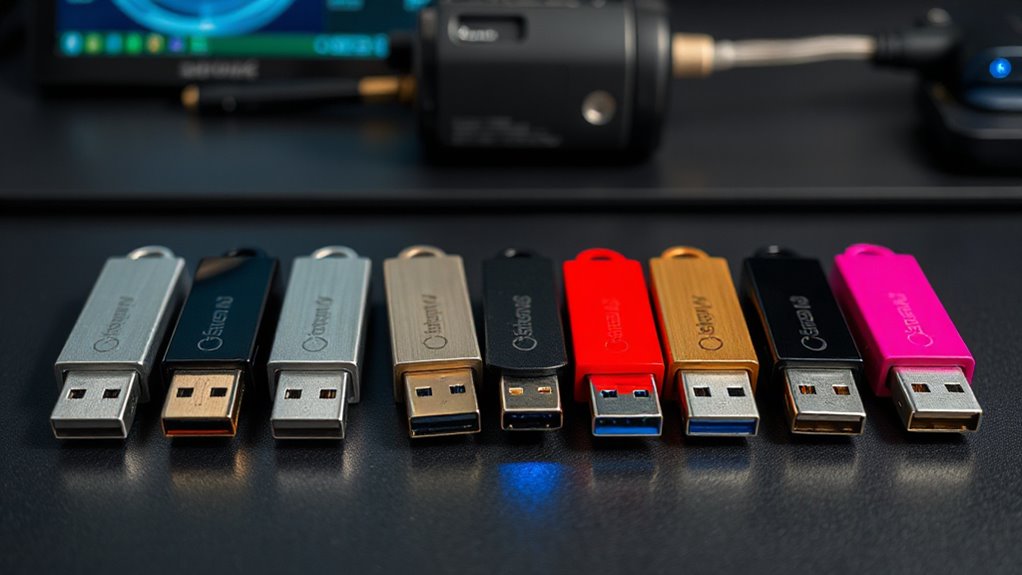

When searching for a hardware keystore USB, security and ease of use are key considerations. The Yubico YubiKey 5 NFC stands out as the best overall choice for its broad compatibility and robust security features, while the Kingston IronKey Keypad 200 16GB offers excellent encryption at a competitive price. For those prioritizing biometric security, the Thetis BIOFP Plus provides fingerprint authentication in a USB form factor. The main tradeoffs involve balancing security level, ease of setup, and price. Continue reading for a detailed breakdown to help you pick the right device for your needs.

Get the latest gadgets delivered free with Prime
- Fast, free delivery on millions of items
- Prime Video, Amazon Music and more included
- Member-only deals all year
Complete the kit



Key Takeaways
- The top picks balance security features such as encryption, biometric options, and multi-factor authentication with ease of use.
- Compatibility across devices and platforms was a decisive factor in ranking, with some devices supporting only specific protocols.
- Budget options like the Kingston IronKey 200 variants offer strong encryption but may lack biometric security, which premium options provide.
- Size and form factor varied, with compact designs favored for portability but sometimes limited in features.
- Price often correlates with security features; premium models generally include biometric or advanced encryption but come at higher costs.
| Kingston Ironkey Keypad 200 16GB Encrypted USB |  | Best Overall for High-Security Portable Data | Storage Capacity: 16GB | Encryption: XTS-AES 256-bit | Security Certification: FIPS 140-3 Level 3 (Pending) | VIEW ON AMAZON | See Our Full Breakdown |
| Thetis Nano-A FIDO2 Security Key Hardware Passkey Device with USB Type A, TOTP/HOTP, 2FA MFA |  | Best for Compact, Cross-Platform Passwordless Authentication | Size: 0.75 x 0.74 x 0.25 inches | Connectivity: USB Type A | Compatibility: Windows, Mac, iOS, Android, Linux | VIEW ON AMAZON | See Our Full Breakdown |
| Kingston IronKey Keypad 200 Type-A Hardware-encrypted USB Flash Drive 512GB |  | Best for Large Capacity, High-Security Data Storage | Capacity: 512GB | Encryption: XTS-AES 256-bit | Certification: FIPS 140-3 Level 3 (Pending) | VIEW ON AMAZON | See Our Full Breakdown |
| Yubico YubiKey 5 NFC – Multi-Factor Authentication Security Key |  | Best for Broad Account Compatibility and Ease of Use | Connectivity: USB-A, NFC | Supported protocols: FIDO2, WebAuthn, U2F, OTP, OATH-TOTP/HOTP, PIV, OpenPGP | Firmware version: 5.7 | VIEW ON AMAZON | See Our Full Breakdown |
| Kingston Ironkey Locker+ 50 G2 64GB Encrypted USB Drive |  | Best for Balanced Speed and Security for Moderate Data Needs | Capacity: 64GB | Encryption: XTS-AES 256-bit | Certification: FIPS 197 | VIEW ON AMAZON | See Our Full Breakdown |
| Kingston IronKey Vault Privacy 50 16GB Encrypted USB |  | Best for High-Security Data Storage | Capacity: 16GB | Encryption: XTS-AES 256-bit | TAA Compliant: Yes | VIEW ON AMAZON | See Our Full Breakdown |
| Thetis BIOFP Plus FIDO2 Fingerprint Security Key with USB Type-C |  | Best for Biometric Passwordless Authentication | Certification: FIDO2 | Authentication Method: Biometric fingerprint, hardware 2FA/MFA | Connectivity: USB Type-C | VIEW ON AMAZON | See Our Full Breakdown |
| FIDO2 U2F Security Key Passkey Two-Factor Authentication (2FA) USB-A Key PIN+Touch (Non-Biometric) TrustKey T110 |  | Best for Universal Online Account Security | Security Standards: FIDO2, U2F | Connectivity: USB-A | Features: PIN+Touch | VIEW ON AMAZON | See Our Full Breakdown |
| hardware keystore usb | Encryption | Connectivity | Compatibility |
|---|---|---|---|
| Kingston Ironkey Keypad 200 16 | XTS-AES 256-bit | — | — |
| Thetis Nano-A FIDO2 Security K | — | USB Type A | Windows, Mac, iOS, Android, Linux |
| Kingston IronKey Keypad 200 Ty | XTS-AES 256-bit | — | — |
| Yubico YubiKey 5 NFC | — | USB-A, NFC | Google, Microsoft, Apple, over 1000 accounts |
| Kingston Ironkey Locker+ 50 G2 | XTS-AES 256-bit | — | — |
| Kingston IronKey Vault Privacy | XTS-AES 256-bit | — | — |
| Thetis BIOFP Plus FIDO2 Finger | — | USB Type-C | Windows, macOS, Linux |
| FIDO2 U2F Security Key Passkey | — | USB-A | Windows, Mac OS, Linux, Chrome, Firefox, Edge |
More Details on Our Top Picks
Kingston Ironkey Keypad 200 16GB Encrypted USB
The Kingston Ironkey Keypad 200 stands out for its military-grade encryption and multi-PIN access, making it ideal for users who prioritize sensitive data protection on the go. Unlike the IronKey Locker+ 50 G2, which offers larger capacity but less advanced security features, this model emphasizes layered security with an alphanumeric keypad and multi-PIN options. While its 16GB capacity may limit storage for larger files, this tradeoff favors enhanced security over volume. The pending FIPS 140-3 Level 3 certification adds an extra layer of confidence, although the delay in certification might be a concern for some. Overall, this drive makes most sense for security-conscious professionals handling confidential information that requires multi-factor hardware protection.
Pros:- Military-grade encryption (XTS-AES 256-bit)
- Multi-PIN access for multiple users
- Protection against brute-force and BadUSB attacks
Cons:- Pending certification may delay full trust in security claims
- Limited to 16GB storage capacity
Best for: Security professionals needing portable, highly encrypted data storage with multi-PIN access.
Not ideal for: Users requiring large-capacity storage or budget-friendly options without advanced encryption features.
- Storage Capacity:16GB
- Encryption:XTS-AES 256-bit
- Security Certification:FIPS 140-3 Level 3 (Pending)
- Features:Alphanumeric keypad, Multi-PIN access, Brute force & BadUSB protection
Our verdict“This drive is ideal for users who need top-tier security and are willing to accept smaller storage capacity.”
Thetis Nano-A FIDO2 Security Key Hardware Passkey Device with USB Type A, TOTP/HOTP, 2FA MFA
The Thetis Nano-A offers a remarkably small form factor without sacrificing security, making it perfect for those who need a portable multi-factor authentication device. Compared to the Yubico YubiKey 5 NFC, which supports a broader array of protocols and accounts, the Nano-A focuses on FIDO2 and OTP functions, suitable for users primarily seeking passwordless login. Its tiny size—less than an inch—may be too small for users who prefer easier handling or tactile feedback, especially since it only supports USB-A ports. Compatibility across Windows, Mac, iOS, Android, and Linux ensures wide usability, but some services may not yet support passkeys, limiting its immediate utility. This pick makes most sense for frequent travelers or security-minded individuals favoring minimalism and cross-platform convenience.
Pros:- Ultra-compact and lightweight
- Supports passwordless FIDO2 login
- Wide device and OS compatibility
Cons:- Limited to USB-A, no USB-C support
- Some services may lack passkey support
Best for: Tech-savvy users requiring a portable, multi-platform security key for online account protection.
Not ideal for: Less technical users or those needing support for legacy systems or USB-C ports.
- Size:0.75 x 0.74 x 0.25 inches
- Connectivity:USB Type A
- Compatibility:Windows, Mac, iOS, Android, Linux
- Standards:FIDO, FIDO2, WebAuthn, CTAP2
- Slots:200 FIDO2 passkey, 50 OATH-TOTP
Our verdict“Ideal for users seeking a small, versatile security key for modern authentication needs on multiple devices.”
Kingston IronKey Keypad 200 Type-A Hardware-encrypted USB Flash Drive 512GB
The Kingston IronKey Keypad 200 Type-A offers a substantial 512GB of encrypted storage, making it suitable for users with larger data needs who also prioritize security. It surpasses the 16GB Ironkey Keypad 200 by providing much more space, but both share similar security features like multi-PIN access and hardware encryption—though the larger model’s added capacity comes with a potential tradeoff in cost and size. Its FIPS 140-3 Level 3 (pending) certification and read-only mode make it well-suited for secure data transfer and storage in sensitive environments, albeit with less focus on portability compared to smaller drives. This makes it a good fit for professionals needing secure, portable storage for substantial data sets, especially when security is paramount over size constraints.
Pros:- High-capacity (512GB)
- Hardware encryption (XTS-AES 256-bit)
- Multi-PIN and read-only modes
Cons:- Pending FIPS 140-3 certification may delay full compliance
- Bulkier and more expensive than smaller drives
Best for: Data administrators or security-focused users needing large, encrypted portable storage for sensitive files.
Not ideal for: Casual users or those seeking a budget-friendly, lightweight USB drive with minimal security features.
- Capacity:512GB
- Encryption:XTS-AES 256-bit
- Certification:FIPS 140-3 Level 3 (Pending)
- Features:Multi-PIN, Read-Only Mode, OS/device independent
Our verdict“Best suited for security-conscious users needing large encrypted storage that balances portability and high-level security.”
Yubico YubiKey 5 NFC – Multi-Factor Authentication Security Key
The YubiKey 5 NFC offers unmatched versatility with support for over 1000 online accounts, making it an excellent choice for users who want a single device for multiple services. Unlike the Kingston IronKey drives focused on local data encryption, the YubiKey excels at protecting online identities through multiple protocols like FIDO2, U2F, OTP, and PIV. Its NFC capability adds convenience for mobile device authentication, and no batteries or internet are needed for operation. However, the need to purchase a backup device and possible incompatibility with some legacy systems are notable tradeoffs. This security key makes the most sense for users seeking a simple, reliable way to secure a broad range of online accounts without worrying about local storage limitations.
Pros:- Supports over 1000 accounts
- No batteries or internet required
- Versatile USB-A and NFC connectivity
Cons:- Requires second device for backup security
- Compatibility issues with some legacy systems
Best for: Users needing a flexible, multi-account authentication device for online security across multiple platforms.
Not ideal for: Those who require encrypted local storage or prefer biometric hardware security features.
- Connectivity:USB-A, NFC
- Supported protocols:FIDO2, WebAuthn, U2F, OTP, OATH-TOTP/HOTP, PIV, OpenPGP
- Firmware version:5.7
- Compatibility:Google, Microsoft, Apple, over 1000 accounts
Our verdict“Great for users who want a universal, easy-to-use security key for online account protection and multi-factor authentication.”
Kingston Ironkey Locker+ 50 G2 64GB Encrypted USB Drive
The Kingston Ironkey Locker+ 50 G2 offers a solid combination of hardware encryption, FIPS 197 certification, and fast USB 3.2 Gen 1 speeds for everyday secure data transfers. Its 64GB capacity makes it suitable for users who need encrypted portable storage without the higher cost of larger drives like the 512GB IronKey Keypad 200. While lacking advanced multi-PIN features, it provides multi-password security and a robust read/write speed, making it practical for moderate security needs and quick data access. Unlike the 16GB Ironkey Keypad 200, this model balances security with speed and capacity, ideal for users who want reliable encryption in a portable form factor for daily use.
Pros:- Hardware encryption (FIPS 197)
- Fast USB 3.2 Gen 1 speeds
- Multi-password security
Cons:- Limited capacity at 64GB
- No advanced multi-PIN or biometric features
Best for: Business users or professionals needing secure, fast, portable storage for moderate data volumes.
Not ideal for: Users requiring extremely high security features or larger storage capacities.
- Capacity:64GB
- Encryption:XTS-AES 256-bit
- Certification:FIPS 197
- Speed:Read: 145MB/s, Write: 115MB/s
- USB Version:USB 3.2 Gen 1
Our verdict“Suitable for users seeking secure, quick, portable storage with a good balance of speed and encryption for everyday use.”
Kingston IronKey Vault Privacy 50 16GB Encrypted USB
The Kingston IronKey Vault Privacy 50 16GB stands out for its robust hardware encryption, making it ideal for users prioritizing data security over capacity. Compared to the TrustKey T110, it offers hardware-based AES 256-bit encryption, providing a higher level of protection against sophisticated threats. However, its limited 16GB capacity may be restrictive for users handling large files. Its write-protect feature adds an extra layer of safeguard, preventing accidental data modification. While it meets TAA compliance for government use, it lacks support for USB 3.0 or faster transfer speeds, which could slow down large file transfers. This pick makes the most sense for security-conscious professionals needing encryption for sensitive data, especially in regulated environments.
Pros:- High-level hardware AES 256-bit encryption for maximum security
- Multiple password and passphrase options for flexible access control
- Write-protect feature prevents accidental data modification
- TAA compliant suitable for government and regulated environments
Cons:- Limited to 16GB storage, which may be insufficient for large files
- No support for USB 3.0 or higher, potentially affecting transfer speeds
Best for: IT professionals and government agencies requiring encrypted storage for sensitive data
Not ideal for: Users needing large storage capacity or fast transfer speeds for frequent file transfers
- Capacity:16GB
- Encryption:XTS-AES 256-bit
- TAA Compliant:Yes
Our verdict“This drive is best suited for security-focused users who need reliable, encrypted storage for small to medium data sets.”
Thetis BIOFP Plus FIDO2 Fingerprint Security Key with USB Type-C
The Thetis BIOFP Plus excels in providing fast, hardware-backed biometric authentication with its high-accuracy fingerprint sensor, making it ideal for users seeking seamless, passwordless login. Compared with the TrustKey T110, which uses PIN+Touch, it offers a more modern biometric solution that reduces reliance on traditional passwords. Its durable aluminum construction ensures long-term durability, and the wired USB-C connection guarantees stable performance for desktop and laptop users. However, its lack of NFC limits wireless options, and it is primarily designed for wired use, making portability less convenient than wireless keys. Compatibility with Windows, macOS, and Linux broadens its appeal but requires support for FIDO2 services. This device makes sense for security-conscious users who want quick biometric access in a wired setup.
Pros:- High-accuracy biometric fingerprint sensor for fast, secure login
- Durable aluminum body for long-lasting use
- USB Type-C provides stable, wired connectivity
- Supports passwordless authentication, reducing credential theft risk
Cons:- No NFC or wireless support, limiting mobility
- Requires services to support FIDO2, which may not be universal
Best for: Corporate employees and high-security users prioritizing biometric login on desktops and laptops
Not ideal for: Mobile users or those seeking wireless or NFC-enabled security keys
- Certification:FIDO2
- Authentication Method:Biometric fingerprint, hardware 2FA/MFA
- Connectivity:USB Type-C
- Compatibility:Windows, macOS, Linux
- Material:Aluminum
- Battery:Battery-free
Our verdict“This biometric security key is perfect for users who prefer fast, hardware-backed authentication on wired devices with a focus on biometric security.”
FIDO2 U2F Security Key Passkey Two-Factor Authentication (2FA) USB-A Key PIN+Touch (Non-Biometric) TrustKey T110
The TrustKey T110 offers straightforward, strong security with its support for FIDO2 and U2F standards, making it suitable for users who want a simple yet effective 2FA solution. Its PIN+Touch feature allows quick, one-touch login, which is easier to use than biometric alternatives, especially on shared or multi-user devices. Compared with the Thetis BIOFP Plus, it lacks biometric features but compensates with broad compatibility across browsers and platforms. Its reliance on USB-A limits portability with newer devices that favor USB-C, and it doesn’t support wireless or biometric authentication, which could be a drawback for some users. Still, its compatibility with many services makes it a versatile security tool. This pick is ideal for users who need a reliable, plug-and-play second factor for online accounts.
Pros:- Supports FIDO2 and U2F standards for broad online compatibility
- Simple PIN+Touch operation for quick login
- Works with many popular browsers and platforms
- Plug-and-play without requiring batteries
Cons:- Lacks biometric security features for biometric authentication
- Limited to USB-A, reducing compatibility with newer devices
- No wireless or NFC options for mobility
Best for: Online users and IT departments seeking a widely compatible, easy-to-use 2FA device
Not ideal for: Mobile users or those requiring biometric or wireless two-factor solutions
- Security Standards:FIDO2, U2F
- Connectivity:USB-A
- Features:PIN+Touch
- Compatibility:Windows, Mac OS, Linux, Chrome, Firefox, Edge
Our verdict“This security key suits users who want a dependable, universal second factor for online services with minimal fuss.”

How We Picked
To evaluate these hardware keystore USB devices, I focused on key criteria that matter most to users: security strength, compatibility, ease of use, build quality, and value for money. Devices that supported multiple authentication protocols or offered advanced features like biometric access ranked higher. We also considered user convenience, such as plug-and-play setup and portability, along with the reputation of the manufacturer. The ranking reflects a balance between security, usability, and price, ensuring options for different user priorities and budgets.| hardware keystore usb | Connectivity | Compatibility |
|---|---|---|
| Kingston Ironkey Keypad 200 16 | — | — |
| Thetis Nano-A FIDO2 Security K | USB Type A | Windows, Mac, iOS, Android, Linux |
| Kingston IronKey Keypad 200 Ty | — | — |
| Yubico YubiKey 5 NFC | USB-A, NFC | Google, Microsoft, Apple, over 1000 accounts |
| Kingston Ironkey Locker+ 50 G2 | — | — |
| Kingston IronKey Vault Privacy | — | — |
| Thetis BIOFP Plus FIDO2 Finger | USB Type-C | Windows, macOS, Linux |
| FIDO2 U2F Security Key Passkey | USB-A | Windows, Mac OS, Linux, Chrome, Firefox, Edge |
Factors to Consider When Choosing Hardware Keystore Usb
Choosing the right hardware keystore USB involves understanding several factors beyond basic features. Security level and protocol support are foundational, but usability and device compatibility are equally important. Evaluating these aspects helps prevent costly mismatches. Additionally, consider the device’s physical size, durability, and whether biometric options or multi-factor authentication are necessary for your security needs. Recognizing common pitfalls, like buying a device with limited protocol support or poor build quality, saves time and money.Security Features and Protocol Support
Focus on the security protocols supported by the device, such as FIDO2, U2F, or OTP. The most versatile devices support multiple protocols, making them compatible across various platforms and services. Encryption strength and whether the device offers biometric options significantly impact security, especially for high-value accounts. Be cautious of devices with limited support or outdated security standards, which could expose you to vulnerabilities.
Compatibility and Ecosystem
Check if the keystore works seamlessly with your operating system and the services you use. Some devices are optimized for Windows, macOS, Linux, or mobile platforms, while others are more universal. Compatibility issues can lead to frustration or reduced security if workarounds are necessary. A device that supports both USB-A and USB-C can provide greater flexibility, especially if you use multiple device types.
Ease of Use and Setup
Intuitive setup and straightforward operation are vital, especially if you need to authenticate quickly or on the go. Devices with clear instructions, simple registration processes, and minimal maintenance requirements tend to deliver a better user experience. Be wary of devices requiring complex configurations or frequent updates, which can introduce convenience hurdles or security risks.
Size, Durability, and Portability
The physical design influences how easily you can carry and protect your keystore. Compact, rugged models are ideal for daily carry, but smaller devices may sacrifice some features or security options. Consider your environment—if you travel often or work outdoors, durability and resistance to elements are worth prioritizing. Larger models might include additional features but could be less convenient to carry daily.
Price and Value
Higher prices often reflect advanced security features like biometrics or encrypted storage, but this isn’t always necessary for every user. Evaluate your security needs versus your budget, and avoid overspending on features you won’t use. Conversely, investing in a reliable, secure device can prevent costly security breaches down the line. Balance features with cost to find the best value for your specific requirements.
Frequently Asked Questions
Can I use a hardware keystore USB on multiple devices?
Yes, most hardware keystore USB devices support multiple devices, provided they are compatible with the protocols supported. Many models are designed to work across Windows, macOS, Linux, and mobile platforms, making them versatile tools for various environments. However, check the specific device specifications to ensure compatibility with your devices and whether it requires additional drivers or software for use.
Is biometric security necessary on a hardware keystore USB?
Biometric security adds an extra layer of protection by requiring fingerprint authentication, which is harder to compromise than just a PIN or password. While not strictly necessary for all users, it is highly beneficial if you handle sensitive information or want quick, secure access. Keep in mind that biometric features might increase the device’s cost and could have compatibility limitations with some systems.
What is the difference between FIDO2 and U2F protocols?
FIDO2 and U2F are security protocols that enable two-factor authentication. U2F primarily supports second-factor authentication, while FIDO2 expands capabilities to enable passwordless logins. Devices supporting FIDO2 are generally more versatile and future-proof, compatible with a broader range of services and authentication methods. Choosing a device with FIDO2 support can provide greater flexibility and security in the long run.
Are cheaper hardware keystore USB devices secure enough?
Cheaper devices can offer solid encryption and basic security, but they might lack advanced features like biometric access or multi-protocol support. It’s essential to verify the device’s security certifications and supported standards. In some cases, spending a bit more on a reputable model can significantly improve security, especially if you are protecting sensitive or high-value accounts.
Should I prioritize size or security features?
Size and portability are important if you need to carry your device daily, but they shouldn’t compromise security. Compact devices are convenient but may lack certain features like biometric authentication or higher encryption levels. Balance your need for portability with security requirements—if you handle highly sensitive data, opting for a slightly larger, more feature-rich device might be worthwhile.
Conclusion
For general security and broad compatibility, Thetis Nano-A or Yubico YubiKey 5 NFC make excellent choices—ideal for most users seeking reliable protection with minimal fuss. If you prioritize maximum encryption and biometric access, the Thetis BIOFP Plus stands out, though at a higher price point. Budget-conscious buyers should consider the Kingston IronKey series for solid encryption without breaking the bank. Beginners should focus on devices that are easy to set up and use, while security professionals may opt for premium models with advanced features. Ultimately, select based on your specific security needs, device ecosystem, and budget constraints.
As an affiliate, we earn on qualifying purchases.Halloween Picks

Star Wars Yoda and R2-D2 Inflatable Halloween Decor, 6 ft with LEDs, Indoor/Outdoor

8.5 Foot Halloween Inflatable Haunted House Castle with Skeleton, Ghost & Skulls

15-Foot Halloween Pumpkin Inflatable with LED Lights and Air Blower