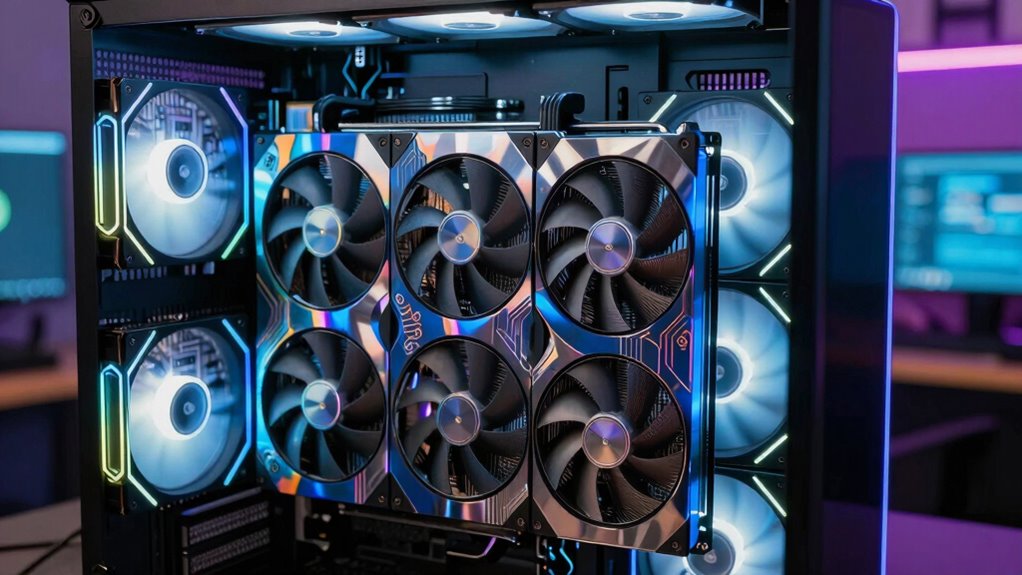

Upgrading the GPU in an older VR PC can dramatically improve your virtual reality experience without the need for a complete overhaul. The best options balance performance, compatibility, and value, but tradeoffs are inevitable—higher-end cards often cost more and may require additional upgrades like power supplies or cooling. The EVGA GeForce GTX 1660 Super stands out as an affordable, reliable choice for most users, while the ASUS Dual GeForce RTX 3050 offers significantly better performance for those willing to invest more. Meanwhile, older high-end cards like the GTX 1080 Ti still hold appeal for VR enthusiasts on a budget. Continue reading for a detailed breakdown of these options and what to consider for your upgrade.

Get the latest gadgets delivered free with Prime
- Fast, free delivery on millions of items
- Prime Video, Amazon Music and more included
- Member-only deals all year
Complete the kit



Key Takeaways
- The RTX 3050 offers a good balance of price and VR-ready performance, making it a top pick for mid-range upgrades.
- Older high-end cards like the GTX 1080 Ti still provide solid VR performance but may require power supply upgrades or compatibility checks.
- Renewed or refurbished cards can save money but may have limited warranties or unknown histories, so buyer caution is key.
- Performance gains vary significantly across these options; choosing the right GPU depends on your specific VR headset and desired quality settings.
- Power consumption and physical size are often overlooked but crucial considerations—ensure your existing case and power supply can handle the new GPU.
| EVGA GeForce GTX 1660 Super SC Ultra Gaming 6GB GDDR6 Graphics Card |  | Best Overall for Older VR PCs | Graphics Coprocessor: NVIDIA GeForce GTX1660 SUPER | RAM: 6 GB | Video Output Interface: DVI, DisplayPort, HDMI | VIEW ON AMAZON | See Our Full Breakdown |
| ASUS Dual GeForce RTX 3050 6GB GDDR6 OC Edition Gaming Graphics Card |  | Best for Ray-Tracing and AI-Enhanced VR | GPU: GeForce RTX 3050 | Memory: 6GB GDDR6 | Boost Clock: 1500 MHz (OC Mode) | VIEW ON AMAZON | See Our Full Breakdown |
| ASUS GeForce GTX 1080 Ti 11GB Turbo Edition VR Ready Graphics Card |  | Best for Maximum VR Performance | Graphics Coprocessor: NVIDIA GeForce GTX 1080 Ti | Memory: 11 GB GDDR5X | Video Output Interface: DisplayPort | VIEW ON AMAZON | See Our Full Breakdown |
| GPVHOSO RTX 2060 8GB Super Graphics Card 256-Bit GDDR6 |  | Best for Versatile VR and Multi-Monitor Setups | Memory: 8GB GDDR6 | Memory Interface: 256-bit | Boost Clock: up to 1650 MHz | VIEW ON AMAZON | See Our Full Breakdown |
| XFX Radeon RX 580 GTS XXX Edition 8GB GDDR5 Graphics Card |  | Best for Budget-Friendly VR and Gaming | GPU Model: RX 580 GTS XXX Edition | Memory: 8GB GDDR5 | Core Clock: 1386MHz OC | VIEW ON AMAZON | See Our Full Breakdown |
| ASUS Dual GeForce GTX 1070 8GB OC Graphics Card – PCIe, 4K, VR Ready (Renewed) |  | Best Overall for Older VR PCs | Graphics Coprocessor: NVIDIA GeForce GTX 1070 | RAM: 8 GB | GPU Clock Speed: 1797 MHz | VIEW ON AMAZON | See Our Full Breakdown |
| ASUS GeForce GTX 1660 Super Overclocked 6GB Dual-Fan Graphics Card (Renewed) |  | Best Value for VR Upgrades on a Budget | Model: DUAL-GTX1660S-O6G-EVO | Memory: 6GB GDDR5 | Cooling: Dual-Fan | VIEW ON AMAZON | See Our Full Breakdown |
| ASUS GeForce GTX 1660 Ti 6GB Phoenix Fan Overclocked Edition VR Ready Graphics Card |  | Best for Compact Builds with High Performance | Boost Clock: 1815 MHz | CUDA Cores: 1536 | Memory: 6GB GDDR6 | VIEW ON AMAZON | See Our Full Breakdown |
| gpu upgrade for an older vr pc | Memory |
|---|---|
| EVGA GeForce GTX 1660 Super SC | — |
| ASUS Dual GeForce RTX 3050 6GB | 6GB GDDR6 |
| ASUS GeForce GTX 1080 Ti 11GB | 11 GB GDDR5X |
| GPVHOSO RTX 2060 8GB Super Gra | 8GB GDDR6 |
| XFX Radeon RX 580 GTS XXX Edit | 8GB GDDR5 |
| ASUS Dual GeForce GTX 1070 8GB | — |
| ASUS GeForce GTX 1660 Super Ov | 6GB GDDR5 |
| ASUS GeForce GTX 1660 Ti 6GB P | 6GB GDDR6 |
More Details on Our Top Picks
EVGA GeForce GTX 1660 Super SC Ultra Gaming 6GB GDDR6 Graphics Card
This card stands out for delivering solid gaming and VR performance at a more accessible price point, especially compared to the GTX 1080 Ti which offers higher VR capabilities but at a much higher cost and power draw. The EVGA GTX 1660 Super is a great choice for upgrading an older VR setup without overhauling the entire system, thanks to its 6GB GDDR6 memory and support for high resolutions up to 8K. Its dual fans and all-metal backplate add durability, though noise might be noticeable under load, and it requires a PCI-Express x16 slot, which could limit compatibility with very old motherboards. Overall, this card offers a balanced mix of performance and affordability for those seeking a reliable VR upgrade while keeping costs in check.
Pros:- Solid gaming and VR performance with 6GB GDDR6 memory
- Efficient cooling with dual fans
- Durable all-metal backplate
Cons:- Potentially noisy under heavy load
- Requires a PCIe x16 slot which might limit compatibility
Best for: VR enthusiasts on a budget with a compatible PCIe slot looking to boost performance without major system changes
Not ideal for: Users with very limited case space or older motherboards lacking PCIe x16 slots or sufficient power supply
- Graphics Coprocessor:NVIDIA GeForce GTX1660 SUPER
- RAM:6 GB
- Video Output Interface:DVI, DisplayPort, HDMI
- Graphics RAM Type:GDDR6
- Memory Clock Speed:14000 MHz
- Number of Fans:2
- Display Resolution Maximum:7680×4320
- Item Dimensions:7.96″L x 1.54″W
Our verdict“This card offers the best balance of price, performance, and VR capability for older systems with modern PCIe slots.”
ASUS Dual GeForce RTX 3050 6GB GDDR6 OC Edition Gaming Graphics Card
This card excels with the NVIDIA Ampere architecture, providing significantly improved ray-tracing and AI features over older models like the GTX 1660 Super. Compared to the GTX 1080 Ti, the RTX 3050 offers more advanced visual effects, though the VRAM remains limited to 6GB, which might restrict performance in demanding titles or future-proofing. Its axial-tech fan design and compact 2-slot profile make it suitable for smaller cases and improved cooling, but OC mode can lead to increased noise and power consumption. If your priority is enhanced visuals and future-ready features in VR, this card makes a compelling upgrade, especially for systems with limited space.
Pros:- Enhanced ray-tracing and AI performance with Ampere architecture
- Compact 2-slot design for better compatibility
- Efficient axial-tech fan cooling
Cons:- Limited to 6GB VRAM, which may restrict future gaming performance
- OC mode can increase noise and power draw
Best for: Gamers who want to improve VR graphics quality and ray-tracing features in a compact setup
Not ideal for: High-end VR users or those needing more than 6GB VRAM for demanding applications
- GPU:GeForce RTX 3050
- Memory:6GB GDDR6
- Boost Clock:1500 MHz (OC Mode)
- Fan Design:Axial-tech
- Design:2-slot
- Durability:IP5X Dust Resistance
Our verdict“Ideal for gamers seeking advanced visual effects and a small form factor upgrade for VR systems.”
ASUS GeForce GTX 1080 Ti 11GB Turbo Edition VR Ready Graphics Card
The GTX 1080 Ti remains a powerhouse for VR, with 11GB of GDDR5X memory and a boost clock of 1582 MHz, offering more VR headroom than newer mid-range cards like the RTX 3050. Its support for 5K resolution makes it ideal for high-fidelity VR experiences, but its size and power requirements are considerable, making it less suitable for smaller cases or systems with limited power supplies. Compared to the GTX 1660 Super, it provides significantly better VR performance, but at a substantially higher cost and energy consumption. This card is best suited for users with a spacious case and ample power who want top-tier VR quality.
Pros:- High-performance 11GB GDDR5X memory for VR and high-res gaming
- Powerful boost clock at 1582 MHz
- Supports 5K HD resolution
Cons:- Requires a large case and substantial power supply
- Potentially overkill for casual VR use
Best for: Power users with existing high-end systems seeking maximum VR quality and high resolutions
Not ideal for: Budget-conscious or compact system builders who cannot accommodate its size and power needs
- Graphics Coprocessor:NVIDIA GeForce GTX 1080 Ti
- Memory:11 GB GDDR5X
- Video Output Interface:DisplayPort
- Graphics Ram Type:GDDR5X
- Memory Clock Speed:1582 MHz
- Number of Fans:2
- Display Maximum Resolution:7680×4320
Our verdict“Best for those with systems capable of supporting its size and power needs who want the highest VR fidelity possible.”
GPVHOSO RTX 2060 8GB Super Graphics Card 256-Bit GDDR6
The RTX 2060 Super offers a balanced mix of VR performance, ray tracing, and DLSS support, making it a versatile upgrade over older cards like the GTX 1660 Super. Its 8GB of GDDR6 memory and 256-bit interface provide a good foundation for smooth VR sessions and multi-monitor gaming. Compared with the GTX 1080 Ti, it’s less powerful but more power-efficient and with newer features. However, it can generate a good amount of heat and consumes more power, which may require a better cooling solution and sufficient wattage. This card suits users who want a flexible VR upgrade with some future-proofing for multi-display setups.
Pros:- Supports real-time ray tracing and DLSS
- 8GB GDDR6 memory for smooth VR and multi-monitor use
- VR ready with multiple display outputs
Cons:- High power consumption and heat output
- Requires compatible power supply and sufficient case cooling
Best for: VR gamers seeking a balance of performance, features, and multi-monitor flexibility
Not ideal for: High-end VR users who demand maximum performance or have limited power capacity
- Memory:8GB GDDR6
- Memory Interface:256-bit
- Boost Clock:up to 1650 MHz
- Architecture:Turing
- Supports:Ray tracing, DLSS, VR, multiple displays
Our verdict“A well-rounded choice for users wanting versatile VR performance with multi-monitor support.”
XFX Radeon RX 580 GTS XXX Edition 8GB GDDR5 Graphics Card
The RX 580 GTS XXX Edition offers 8GB of GDDR5 memory with Polaris architecture, making it a solid choice for upgrading older VR setups at a lower cost. While it lacks features like ray tracing found in newer Nvidia cards, it still supports VR with low latency and reliable performance, similar to the GTX 1660 Super but at a more affordable price. Its dual BIOS and advanced cooling technology help maintain stability under load, but the power requirement of 500W can be limiting for some systems, and its cooling noise may be noticeable during intense sessions. For those upgrading on a tight budget, it provides decent VR performance without major system modifications.
Pros:- Affordable 8GB GDDR5 memory for VR
- Dual BIOS for flexibility
- Effective cooling with advanced technology
Cons:- High power requirement of 500W minimum
- Cooling noise during extended use
Best for: Budget-conscious VR users with moderate performance needs and adequate power supplies
Not ideal for: High-end VR gamers or those seeking future-proof features like ray tracing
- GPU Model:RX 580 GTS XXX Edition
- Memory:8GB GDDR5
- Core Clock:1386MHz OC
- VR Ready:Yes
- Cooling Technology:Double Dissipation
- Power Requirement:500W minimum
Our verdict“A practical, budget-friendly upgrade for VR users with compatible power supplies and modest performance expectations.”
ASUS Dual GeForce GTX 1070 8GB OC Graphics Card – PCIe, 4K, VR Ready (Renewed)
The ASUS GTX 1070 stands out for its solid 8GB GDDR5 memory and reliable performance in VR and 4K gaming, making it a strong choice for upgrading older VR setups. Compared with the GTX 1660 Super options, it offers higher VRAM and better future-proofing, but the tradeoff is a higher power draw and potentially higher cost. This card’s dual-fan cooling ensures quieter operation during long VR sessions, and its 3840 x 2160 maximum resolution supports demanding applications. Since it’s refurbished, it offers good value, but the limited 90-day warranty and possible minor cosmetic imperfections mean it’s better suited for those comfortable with refurbished tech. If you want a proven performer that can handle demanding VR titles and 4K playback, this is an excellent pick.
Pros:- High-performance 8GB GDDR5 memory for demanding VR content
- Dual-fan cooling offers quieter operation during extended use
- Supports 4K resolution, ideal for high-resolution VR and gaming
Cons:- Refurbished status may lead to minor cosmetic issues
- Limited 90-day warranty could be a concern for long-term reliability
Best for: VR enthusiasts with older systems seeking high performance and future readiness
Not ideal for: Budget-conscious users needing a brand-new product with longer warranty coverage
- Graphics Coprocessor:NVIDIA GeForce GTX 1070
- RAM:8 GB
- GPU Clock Speed:1797 MHz
- Video Output Interface:HDMI
- Graphics RAM Type:GDDR5
- Display Maximum Resolution:3840 x 2160
Our verdict“This card is best suited for gamers who want a reliable, high-performance VR upgrade with solid future-proofing, despite shorter warranty and refurbished status.”
ASUS GeForce GTX 1660 Super Overclocked 6GB Dual-Fan Graphics Card (Renewed)
The ASUS GTX 1660 Super offers a compelling balance of price and performance, making it a smart choice for upgrading older VR PCs without breaking the bank. While it has less VRAM than the GTX 1070, its 6GB GDDR5 still handles most VR titles comfortably, especially at 1080p or moderate resolutions. Compared to the GTX 1660 Ti, it provides similar performance at a lower cost, but it lacks the slightly higher boost clock and CUDA core count of the Ti model. The dual-fan cooling ensures effective heat dissipation during VR gaming, though it may run louder under load. As a renewed product, it’s a good value, but limited warranty options mean it appeals most to budget-conscious users comfortable with potential minor issues. For those seeking a capable upgrade that won’t overextend the budget, this is a sensible choice.
Pros:- Cost-effective option with good performance for VR and gaming
- Dual-fan cooling maintains stable temperatures during extended use
- VR ready, suitable for immersive experiences at 1080p
Cons:- Less VRAM than higher-tier options, limiting future-proofing
- Renewed product may have limited warranty coverage
Best for: Casual VR gamers and budget-conscious PC owners seeking reliable performance
Not ideal for: Power users or those aiming for the highest possible VR performance with extensive future-proofing
- Model:DUAL-GTX1660S-O6G-EVO
- Memory:6GB GDDR5
- Cooling:Dual-Fan
- VR Ready:Yes
- Outputs:HDMI, DisplayPort, DVI
Our verdict“This card is well-suited for users wanting a budget-friendly VR upgrade that handles current titles comfortably, with some compromise on future-proofing.”
ASUS GeForce GTX 1660 Ti 6GB Phoenix Fan Overclocked Edition VR Ready Graphics Card
The ASUS GTX 1660 Ti offers a notable upgrade in GPU architecture with NVIDIA Turing cores and a boost clock of 1815 MHz, making it ideal for VR setups with limited space. Its compact form factor suits smaller cases that don’t accommodate larger cards like the GTX 1070, yet it still delivers robust performance comparable to higher-tier models. The 6GB GDDR6 memory enhances speed and efficiency over GDDR5 options, supporting multiple monitors and demanding VR titles. The Phoenix double-ball bearing fan ensures reliability and effective cooling, though the short size might restrict upgrade options if you plan to expand your setup later. As a renewed product, it’s a cost-effective way to add significant power to a compact VR PC, but the limited warranty and space constraints mean it’s best for users with specific size requirements.
Pros:- Powered by NVIDIA Turing architecture with high boost clock
- Compact form factor fits small cases easily
- Supports multi-monitor setups for versatile VR configurations
Cons:- Limited warranty due to renewal status
- Short design may limit upgrade options in the future
Best for: Owners of small or compact VR systems seeking a powerful, space-saving GPU upgrade
Not ideal for: Users with larger cases or those wanting maximum VR VRAM for future-proofing
- Boost Clock:1815 MHz
- CUDA Cores:1536
- Memory:6GB GDDR6
- Ports:HDMI 2.0B, DisplayPort 1.4, DVI-D
- Form Factor:Short
Our verdict“This GPU is ideal for small case owners who need a powerful, space-efficient VR upgrade without sacrificing performance.”
How We Picked
The products in this roundup were selected based on their compatibility with older VR PCs, performance in VR applications, and overall value. We prioritized GPUs that fit into mid-range budgets yet deliver noticeable improvements in VR clarity and smoothness. Additional factors included build quality, VR-specific features like VR Ready certification, and availability on the market in 2026. To rank these options, we balanced raw performance, price, power requirements, and user reviews, aiming to highlight choices suitable for various budgets and system configurations.Factors to Consider When Choosing Gpu Upgrade For An Older Vr Pc
Choosing the right GPU upgrade for an older VR PC involves more than just picking the latest model. Several factors influence compatibility, performance, and long-term value, especially when working with older hardware. Understanding these considerations helps avoid common pitfalls like bottlenecking or insufficient power, ensuring your investment provides a real upgrade in VR experience.Compatibility and System Limits
Before selecting a GPU, confirm your PC’s power supply wattage, available space, and PCIe slot compatibility. Older systems may lack the necessary power connectors or physical room, which can restrict your options. Upgrading the power supply might be necessary, adding to the overall cost. Neglecting these details can lead to a bottleneck, where the GPU cannot perform optimally due to system limitations.
Performance in VR Applications
VR gaming demands high frame rates and low latency. Look for GPUs labeled as VR Ready and check benchmarks for your specific VR headset. Even mid-range cards like the RTX 3050 can deliver smooth experiences if paired with the right CPU and RAM, but high-end models may be overkill for older systems and could cause compatibility issues or power strain.
Budget and Value
Budget constraints are a real consideration. While high-end GPUs promise better performance, they often come at a premium and may require additional upgrades. Refurbished or older models like the GTX 1080 Ti can offer excellent value but come with potential risks such as reduced lifespan or warranty limitations. Balancing cost against expected gains is key to a satisfying upgrade.
Future-Proofing and Longevity
Think about how long you want your upgrade to last. Investing in slightly more powerful hardware now can extend the lifespan of your VR setup, especially as VR titles become more demanding. However, overly expensive cards might be unnecessary if your current system is close to the hardware threshold, leading to wasted funds.
Physical Size and Cooling
Ensure that the new GPU fits comfortably inside your case and that your cooling system can handle increased heat output. Larger, more powerful cards often require better airflow, and poor cooling can throttle performance or reduce component lifespan. Measure your case’s dimensions and check the card’s size before purchase to avoid installation issues.
Frequently Asked Questions
Will upgrading my GPU improve VR performance if my CPU is older?
Upgrading the GPU can significantly enhance VR performance, but if your CPU is outdated or underpowered, it may bottleneck the GPU’s potential. For a balanced upgrade, consider evaluating your CPU’s capabilities and possibly upgrading it alongside the GPU. This ensures that your system can handle higher frame rates and smoother VR experiences without being limited by the processor.
Are refurbished or used GPUs a risky choice for VR upgrades?
Refurbished or used GPUs can be a smart way to save money, especially in a tight budget. However, they come with potential risks such as unknown usage history, reduced lifespan, or lack of warranty. For VR, where stability and performance are critical, buying from reputable sources and checking return policies is advisable. If you choose used, prioritize models with verified working condition and consider testing thoroughly before installing.
How do I know if my current power supply can support a new GPU?
Check your existing power supply’s wattage and available connectors against the GPU’s requirements. Most modern mid-range cards need around 450-550W with at least one 6- or 8-pin power connector. If your power supply is below this or lacks the necessary connections, an upgrade to a higher wattage, quality power supply is essential. Ignoring power capacity can lead to stability issues or hardware damage.
Is it worth spending more on a high-end GPU for VR now or waiting for newer models?
Investing in a higher-end GPU offers better performance and longer relevance, especially as VR titles evolve. However, if your system is significantly older, spending on an expensive card might not yield proportional benefits without additional upgrades. Sometimes, waiting for newer models can bring improvements in efficiency and features, but it risks delays and price hikes. Consider your current VR needs and future plans when deciding.
What’s the most important factor besides performance when choosing a GPU for an older VR PC?
Compatibility is arguably the most critical factor. Ensuring your system can physically accommodate the GPU, has adequate power, and supports the necessary connections prevents costly mistakes. Also, cooling capacity and case size play vital roles in maintaining stable operation. Overlooking these details can result in hardware conflicts or suboptimal performance, negating the benefits of an upgrade.
Conclusion
For most users seeking a reliable boost without breaking the bank, the EVGA GeForce GTX 1660 Super stands out as the best overall choice, offering solid VR performance at an accessible price. Those who want to maximize performance and future-proof their setup should consider the ASUS Dual GeForce RTX 3050, especially if their system can handle the power requirements. Budget-conscious buyers might opt for refurbished options like the GTX 1070 or GTX 1660 Ti, which deliver good VR results at a lower cost. Beginners or those with very limited space should focus on compact, VR-certified models, while enthusiasts aiming for the best experience should look at the high-end options, considering system compatibility first. Ultimately, matching your specific system constraints and VR needs will guide the best choice.
Halloween Picks
halloween
As an affiliate, we earn on qualifying purchases.