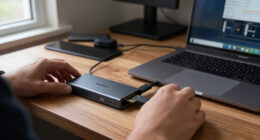
Choosing the right laptop power bank requires balancing high wattage output with portable form factors. My top pick, the Lvssci Portable Power Bank, stands out for its 100W AC outlet and versatile charging capabilities, making it ideal for users who need to charge multiple device types simultaneously. For those prioritizing slim design, the Baseus Blade offers excellent 100W PD charging in a form factor that slides easily into a laptop sleeve. The main tradeoff in this category is between battery capacity and portability; larger capacities often mean heavier bricks. Continue reading for my detailed breakdown of these twelve models to find the best fit for your travel or work setup.

Get the latest gadgets delivered free with Prime
- Fast, free delivery on millions of items
- Prime Video, Amazon Music and more included
- Member-only deals all year
Complete the kit



Key Takeaways
- The Lvssci and Paopaoyu models are the only picks with AC outlets, allowing you to charge laptops without carrying their proprietary power bricks.
- Baseus Blade and Mukiya demonstrate that 100W+ output does not require a bulky design, with both maintaining slim profiles suitable for laptop sleeves.
- Models with built-in cables, like the MOKiN and Mukiya, reduce bulk but introduce a single point of failure if the cable breaks.
- The AOHI model leads in raw power with 240W total output, making it the only option here capable of charging high-performance gaming laptops at full speed.
- Display quality varies widely; AsperX and WOXABHSL offer detailed TFT or digital displays for precise battery monitoring, unlike basic LED indicators.
| Lvssci Portable Power Bank with 100W AC Outlet and 65W PD Charging |  | Best for AC-Powered Devices | Battery capacity: 27,000mAh / 99.9Wh | Battery type: Lithium polymer | AC output: 110V, 100W | VIEW ON AMAZON | See Our Full Breakdown |
| Baseus Blade 100W 20,000mAh Portable Power Bank |  | Best for USB-C Laptop Charging | Battery capacity: 20,000mAh | Maximum USB-C PD output: 100W | Ports: 2 USB-C and 2 USB-A | VIEW ON AMAZON | See Our Full Breakdown |
| MOKiN 65W 20,000mAh Portable Charger with Built-In USB-C Cable |  | Best for Cable-Free Carry | Battery capacity: 20,000mAh | Maximum USB-C PD output: 65W | USB-A output: Up to 22.5W QC 3.0 | VIEW ON AMAZON | See Our Full Breakdown |
| Paopaoyu P5 Portable Power Bank with 100W AC Outlet |  | Best Lightweight AC-Outlet Pick | Battery capacity: 27,000mAh / 98Wh | Battery type: Lithium-ion | AC output: 100W, 110V | VIEW ON AMAZON | See Our Full Breakdown |
| TALIX 12,800mAh Laptop Power Bank with USB-C Cable |  | Best Compact High-Output Pick | Battery capacity: 12,800mAh | Battery energy: 46.08Wh | Maximum output power: 125W | VIEW ON AMAZON | See Our Full Breakdown |
| JUOVI 65W 20,000mAh Portable Laptop Power Bank |  | Best Multi-Device Hub | Capacity: 20,000 mAh | Max Output: 65W USB-C PD 3.0 | Ports: 2x USB-C, 2x USB-A | VIEW ON AMAZON | See Our Full Breakdown |
| INIU 25,000mAh 100W USB-C Power Bank |  | Best Balanced Power-to-Port Ratio | Capacity: 25,000 mAh | Max Output: 100W | Ports: 2x USB-C, 1x USB-A | VIEW ON AMAZON | See Our Full Breakdown |
| AOHI 240W 27,600mAh Laptop Power Bank with 140W PD 3.1 |  | Best High-Performance Powerhouse | Capacity: 27,600 mAh (99.36Wh) | Total Output: 240W | Max Single Port: 140W USB-C PD 3.1 | VIEW ON AMAZON | See Our Full Breakdown |
| JUOVI 65W 20,000mAh Portable Power Bank |  | Best Budget-Friendly Multi-Port | Capacity: 20,000 mAh | Max Output: 65W USB-C PD 3.0 | Ports: 2x USB-C, 2x USB-A | VIEW ON AMAZON | See Our Full Breakdown |
| AsperX 25,000mAh 140W USB-C Laptop Power Bank with TFT Display |  | Best Data-Rich Display | Capacity: 25,000 mAh (92.5Wh) | Max Single Output: 140W | Total Combined Output: 145W | VIEW ON AMAZON | See Our Full Breakdown |
| WOXABHSL 27,000mAh 120W Power Bank with Digital Display |  | Best for Maximum Capacity and High-Wattage Charging | Capacity: 27,000mAh (99.9Wh) | Max Output: 120W | Ports: 2 USB-C, 1 USB-A | VIEW ON AMAZON | See Our Full Breakdown |
| Mukiya 20,000mAh 130W Laptop Power Bank with Retractable USB-C Cable |  | Best for Convenience and Built-in Accessories | Capacity: 20,000mAh (74Wh) | Max USB-C Output: 100W | Total Output: 130W | VIEW ON AMAZON | See Our Full Breakdown |
| lappower bankspd | Ports | Capacity | Weight |
|---|---|---|---|
| Lvssci Portable Power Bank wit | USB-C, USB-B, USB-A; 3 ports total | — | — |
| Baseus Blade 100W 20,000mAh Po | 2 USB-C and 2 USB-A | — | — |
| MOKiN 65W 20,000mAh Portable C | 2 | — | About 350g |
| Paopaoyu P5 Portable Power Ban | — | — | — |
| TALIX 12,800mAh Laptop Power B | 2 USB-C and 1 USB-A | — | 0.7 lb (317g) |
| JUOVI 65W 20,000mAh Portable L | 2x USB-C, 2x USB-A | 20,000 mAh | — |
| INIU 25,000mAh 100W USB-C Powe | 2x USB-C, 1x USB-A | 25,000 mAh | ~14 oz (400g) |
| AOHI 240W 27,600mAh Laptop Pow | 2x USB-C, 1x USB-A | 27,600 mAh (99.36Wh) | — |
| JUOVI 65W 20,000mAh Portable P | 2x USB-C, 2x USB-A | 20,000 mAh | — |
| AsperX 25,000mAh 140W USB-C La | 3 Total (USB-C/A) | 25,000 mAh (92.5Wh) | 621g |
| WOXABHSL 27,000mAh 120W Power | 2 USB-C, 1 USB-A | 27,000mAh (99.9Wh) | 1.3 lbs |
| Mukiya 20,000mAh 130W Laptop P | — | 20,000mAh (74Wh) | 272.8g |
More Details on Our Top Picks
Lvssci Portable Power Bank with 100W AC Outlet and 65W PD Charging
The Lvssci P6 suits buyers who need to run a small device with a conventional plug, not just recharge USB electronics. Its 100W AC outlet sets it apart from the Baseus Blade, which offers higher USB-C output but no AC socket. The 65W bidirectional USB-C port can recharge the bank quickly and handle compatible USB-C devices, while the AC outlet gives you another option for gear that cannot charge over USB.
That flexibility comes with a clear limit: connected AC devices must stay within 100W, and the listed laptop charging route is the AC outlet. Compared with the Paopaoyu P5, it has the same AC-output ceiling and capacity class, with a carrying case included. I’d choose it for occasional AC use, but skip it if your main goal is direct, high-wattage USB-C laptop charging.
Pros:- 100W AC outlet supports compatible plug-in devices
- 65W bidirectional USB-C supports fast input and output
- Can charge multiple devices at once
- Includes a cooling fan, LED flashlight, and carrying case
Cons:- AC output is limited to devices drawing no more than 100W
- Laptop charging is available through the AC outlet rather than USB-C
- The listed port information does not clarify individual USB output levels
Best for: Travelers or field workers who need a power bank for a compatible device with a standard AC plug, alongside phones and other USB gear.
Not ideal for: Laptop users who want direct USB-C charging from the bank, or anyone whose AC device draws more than 100W.
- Battery capacity:27,000mAh / 99.9Wh
- Battery type:Lithium polymer
- AC output:110V, 100W
- Maximum USB-C PD output:65W
- Ports:USB-C, USB-B, USB-A; 3 ports total
- AC outlets:1
- Recharge time:1.5 hours
- Included items:Carrying case, USB-C charging cable, user manual
Our verdict“Choose the Lvssci P6 if you need a compact AC outlet for devices under 100W; choose the Baseus Blade for a USB-C-first laptop setup.”
Baseus Blade 100W 20,000mAh Portable Power Bank
The Baseus Blade is the strongest fit here for a USB-C laptop user who wants high output and several charging connections without carrying an AC-outlet bank. Its 100W USB-C PD output exceeds the 65W USB-C limit on the MOKiN and Lvssci, which can matter for compatible laptops that benefit from more power. Two USB-C and two USB-A ports also make it easier to keep a laptop and smaller devices connected.
The tradeoff is that its 20,000mAh capacity is below the 27,000mAh Lvssci and Paopaoyu models, and the product details do not give its dimensions or weight. Its digital display helps track remaining charge, but fast charging depends on device compatibility. I’d pick this over the AC-outlet options when USB-C performance is the priority; it is less suitable for gear that needs a standard wall-style plug.
Pros:- Up to 100W USB-C PD for compatible laptops
- Four ports: two USB-C and two USB-A
- Digital display shows remaining power
- Includes a 100W USB-C cable and stated safety protections
Cons:- No AC outlet for devices that require a standard plug
- 20,000mAh capacity is lower than the 27,000mAh AC-outlet models here
- Product details do not specify dimensions or weight
Best for: Laptop commuters who need up to 100W USB-C PD, multiple ports, and a screen showing remaining power.
Not ideal for: Buyers who need an AC outlet, want a documented compact size and weight, or prioritize the listed 27,000mAh capacity of the Lvssci or Paopaoyu.
- Battery capacity:20,000mAh
- Maximum USB-C PD output:100W
- Ports:2 USB-C and 2 USB-A
- Connector type:USB Type-C
- Battery cell type:Lithium polymer
- Special features:Digital display, low-current mode, slim design
- Included accessory:100W USB-C cable
- Warranty:24 months
Our verdict“Choose the Baseus Blade for a multiport, high-output USB-C laptop setup, but choose the Lvssci or Paopaoyu if you need AC power.”
MOKiN 65W 20,000mAh Portable Charger with Built-In USB-C Cable
The MOKiN 65W makes the most sense for buyers who want a laptop-capable power bank without packing a separate USB-C cable. Its built-in cable is the main distinction from the Baseus Blade, whose higher 100W output better suits compatible laptops needing more power but requires a cable. MOKiN supplies up to 65W over USB-C and supports up to three devices, with a display that gives a quick read on battery and charging status.
At about 350g and 20,000mAh, it is a practical middle ground rather than a high-capacity option: the Lvssci and Paopaoyu offer 27,000mAh and AC outlets, while this model is simpler for USB charging on the move. The 65W ceiling may be limiting for some laptops, and its listed two-port specification sits alongside a claim of charging three devices, so buyers should check the connection details before relying on simultaneous charging.
Pros:- Built-in USB-C cable reduces the need to pack a separate lead
- Up to 65W USB-C PD for compatible devices
- Digital display shows battery and charging details
- Compact listed dimensions and multiple safety protections
Cons:- 65W maximum USB-C output is below the Baseus Blade’s 100W
- About 350g may feel heavy for a small-capacity everyday carry
- Product data lists two ports while describing charging up to three devices at once
Best for: Commuters carrying a compatible USB-C laptop and phone who value an integrated cable and a clear charge display.
Not ideal for: Users with laptops that require more than 65W, or travelers who need an AC outlet or the larger listed capacity of the Lvssci and Paopaoyu.
- Battery capacity:20,000mAh
- Maximum USB-C PD output:65W
- USB-A output:Up to 22.5W QC 3.0
- Ports:2
- Built-in cable:USB-C
- Dimensions:3.2 × 7 × 11.4 cm
- Weight:About 350g
- Warranty:2 years
Our verdict“Pick the MOKiN if an integrated cable and 65W USB-C charging meet your needs; choose the Baseus Blade for higher USB-C output.”
Paopaoyu P5 Portable Power Bank with 100W AC Outlet
The Paopaoyu P5 is the more portable-looking choice among the AC-outlet banks in this group: the listing gives a 300g weight and dimensions, while the Lvssci P6 also includes an AC outlet but does not provide those measurements. It has the same 100W AC ceiling and a 27,000mAh-class capacity, plus four output ports for connecting more than one device. Its USB-C supports up to 65W input and output, with a stated recharge time of about 1.5 hours.
The key compromise is that a 100W AC limit rules out higher-draw equipment, and the product details do not estimate how long it will run any particular device. That makes it less predictable for planned AC use than a dedicated battery with published runtime guidance. I’d favor it over the Lvssci when the listed weight matters, but choose the Baseus Blade if you mainly need fast USB-C laptop charging.
Pros:- 100W AC outlet adds support for compatible plug-in devices
- 27,000mAh / 98Wh capacity and four output ports
- 65W USB-C input and output with about 1.5-hour recharge time
- Listed weight is 300g, with dimensions provided
Cons:- AC output cannot support devices drawing more than 100W
- No runtime estimates are provided for connected devices
- USB outputs are listed at 12W and 18W, below the Baseus Blade’s 100W USB-C output
Best for: Travelers who want an AC outlet for compatible devices under 100W and value a listed 300g weight and four output ports.
Not ideal for: People needing runtime estimates for AC equipment, devices over 100W, or laptop users who prefer direct USB-C charging above 65W.
- Battery capacity:27,000mAh / 98Wh
- Battery type:Lithium-ion
- AC output:100W, 110V
- USB-C input/output:65W
- USB outputs:12W and 18W
- Number of ports:4
- Recharge time:About 1.5 hours via USB-C
- Weight and dimensions:300g; 6.7 × 2.6 × 2.6 inches
Our verdict“Choose the Paopaoyu P5 if you want an AC outlet with a stated low weight; choose the Baseus Blade for higher-output USB-C laptop charging.”
TALIX 12,800mAh Laptop Power Bank with USB-C Cable
The TALIX 12,800mAh takes a different approach from the larger banks here: it prioritizes portability and single-device output over capacity. At 317g, it is lighter than the MOKiN at about 350g, and its USB-C PD output reaches 100W compared with MOKiN’s 65W. That makes the TALIX a more suitable match for a compatible laptop that needs higher USB-C power, provided the buyer accepts fewer stored watt-hours.
Its two USB-C ports and USB-A port can handle several devices, but the shared output falls to 20W when multiple ports are in use. Peak 100W or the stated 125W Moto-compatible output requires a single port, so those figures should not be read as multi-device performance. Compared with the 20,000mAh Baseus Blade, this is the smaller-capacity, lighter-carry option—not the better choice for long days away from an outlet.
Pros:- Up to 100W USB-C PD for compatible laptops
- 317g weight and compact listed dimensions
- Two USB-C ports and one USB-A port
- LED display, low-current mode, and graphene cooling
Cons:- 12,800mAh capacity is lower than the 20,000mAh Baseus Blade and MOKiN
- Shared output is limited to 20W when multiple ports are used
- Peak 100W or 125W output requires a single port and compatible device
Best for: Mobile professionals who need a relatively light bank with up to 100W USB-C PD for a compatible laptop and mostly charge one device at a time.
Not ideal for: Travelers prioritizing long runtimes, or anyone who expects full-speed charging across multiple ports at once.
- Battery capacity:12,800mAh
- Battery energy:46.08Wh
- Maximum output power:125W
- USB-C PD output:Up to 100W
- Ports:2 USB-C and 1 USB-A
- Dimensions:5.62 × 1.65 × 1.37 inches
- Weight:0.7 lb (317g)
- Features:LED display, low-current mode, graphene cooling
Our verdict“Choose the TALIX for a lighter carry and high single-port USB-C output; choose the Baseus Blade if capacity and multi-device charging matter more.”
JUOVI 65W 20,000mAh Portable Laptop Power Bank
This model distinguishes itself by offering four simultaneous output ports, a rarity in the 65W class. While the INIU 25,000mAh offers higher raw power, it limits you to three devices. The JUOVI is ideal for travelers who need to charge a laptop, a phone, a tablet, and a pair of earbuds all at once without juggling cables. The digital display provides precise battery monitoring, avoiding the guesswork of LED dots. However, the 65W maximum output means it cannot fast-charge high-performance workstations as quickly as the AOHI 240W unit. The included cable is also notably short, which may restrict movement if your devices are far apart.
Pros:- Four ports allow charging up to four devices at once
- Precise digital battery level display
- Low-current mode protects delicate electronics like smartwatches
Cons:- Output capped at 65W, limiting high-speed laptop charging
- Included USB-C cable is only 1 foot long
Best for: Travelers or students who need to charge multiple low-to-mid power devices (laptops, phones, accessories) simultaneously.
Not ideal for: Users with high-performance gaming laptops or workstations that require more than 65W for optimal charging speed.
- Capacity:20,000 mAh
- Max Output:65W USB-C PD 3.0
- Ports:2x USB-C, 2x USB-A
- Display:Digital Battery Percentage
- Battery Type:Lithium Polymer
- Included Cable:1 ft USB-C to USB-C
Our verdict“Choose this if you prioritize charging four devices simultaneously over raw wattage speed.”
INIU 25,000mAh 100W USB-C Power Bank
The INIU 25,000mAh hits a sweet spot between capacity and portability, delivering 100W output which is sufficient for most modern ultrabooks and tablets. Compared to the AsperX 140W model, it lacks the extreme peak speed but offers a more compact 14 oz footprint. The detachable cable design is a practical touch, allowing you to swap cables without losing a built-in cord. However, it only provides three ports, which is fewer than the JUOVI 4-port unit. If you frequently charge four devices at once, you will find this limiting. It is a solid all-rounder for those who want fast laptop charging without the bulk of 27,000mAh bricks.
Pros:- 100W output handles most laptops and tablets
- Detachable USB-C cable reduces wear and tear
- Lighter than high-capacity 27k mAh competitors
Cons:- Only three output ports
- Requires separate Lightning cable for iPhone 14 and older
Best for: Commuters and digital nomads who need fast 100W charging for a laptop and phone but want a lighter bag.
Not ideal for: Users who need to charge four or more devices simultaneously or require Lightning cables for older iPhones.
- Capacity:25,000 mAh
- Max Output:100W
- Ports:2x USB-C, 1x USB-A
- Weight:~14 oz (400g)
- Display:Digital Display
- Warranty:3 Years
Our verdict“A versatile pick for users who value fast charging and a detachable cable over maximum port count.”
AOHI 240W 27,600mAh Laptop Power Bank with 140W PD 3.1
This unit is engineered for speed, offering a staggering 240W total output and 140W per USB-C port. It can charge two high-draw laptops simultaneously, a capability that puts it far ahead of the INIU 100W model. The 99.36Wh battery is the maximum allowed on most flights, making it TSA-compliant despite its size. The fast recharge time (50% in 30 minutes with 140W input) is a critical advantage for professionals who need to top up between meetings. The tradeoff is physical bulk; at nearly 9 inches long, it is less pocketable than the JUOVI units. You also need a compatible 140W charger to unlock its rapid refill speeds.
Pros:- 240W total output supports dual laptop charging
- TSA-compliant 99.36Wh capacity
- Extremely fast recharge times with compatible chargers
Cons:- Large physical footprint (8.9 inches long)
- Requires specific 140W charger for optimal recharge speed
Best for: Power users, photographers, and engineers who need to charge two high-wattage laptops or drones quickly.
Not ideal for: Travelers with limited bag space or those who do not own a 140W USB-C charger for fast recharging.
- Capacity:27,600 mAh (99.36Wh)
- Total Output:240W
- Max Single Port:140W USB-C PD 3.1
- Ports:2x USB-C, 1x USB-A
- Dimensions:8.9 x 3.1 x 3.9 inches
- Cycle Life:>1,000 cycles
Our verdict“The definitive choice for professionals who need dual 140W charging and don’t mind the bulk.”
JUOVI 65W 20,000mAh Portable Power Bank
Functionally similar to its green sibling (Product 6), this black variant offers the same four-port architecture and 65W PD 3.0 capability. It stands out for its trickle-charging mode, which is essential for keeping small accessories like wireless earbuds alive without the power bank shutting off due to low draw. While it lacks the raw power of the AOHI 240W unit, it offers comparable utility for standard office setups. The digital display is a welcome feature at this tier, replacing vague LED indicators. However, like the other JUOVI model, it is limited to 65W, meaning large laptops will charge slowly. It is a cost-effective way to get multi-device charging without paying for premium wattage.
Pros:- Trickle-charging mode for small electronics
- Four ports for simultaneous charging
- Clear digital battery percentage display
Cons:- 65W cap limits charging speed for large laptops
- Charging speeds vary heavily by device compatibility
Best for: Students and office workers who need to charge a laptop and multiple small accessories on a budget.
Not ideal for: Users with power-hungry gaming laptops or those who need to charge devices faster than 65W allows.
- Capacity:20,000 mAh
- Max Output:65W USB-C PD 3.0
- Ports:2x USB-C, 2x USB-A
- Special Feature:Trickle-Charging Mode
- Battery Type:Lithium Polymer
- Included Cable:30 cm USB-C
Our verdict“A practical, multi-port option for standard devices, offering essential features without premium wattage costs.”
AsperX 25,000mAh 140W USB-C Laptop Power Bank with TFT Display
The AsperX differentiates itself with a TFT color display that shows not just battery percentage, but also real-time input/output wattage and estimated time remaining. This level of transparency is superior to the simple digital screens on the JUOVI models and the standard displays on the INIU. With 140W single-port output, it matches the peak performance of the AOHI unit for single-device charging. However, it weighs 621g, making it heavier than the 400g INIU. The 92.5Wh capacity is slightly lower than the AOHI’s 99.36Wh, but still flight-safe. It is an excellent choice for users who want to monitor exactly how much power their devices are consuming.
Pros:- TFT display shows detailed power metrics and time remaining
- 140W single-port output for fast laptop charging
- Carry-on friendly 92.5Wh capacity
Cons:- Heavier at 621g compared to lighter 100W alternatives
- Requires 5A cable for full-speed charging
Best for: Tech enthusiasts and data-conscious users who want to monitor real-time charging wattage and battery metrics.
Not ideal for: Users who prioritize the absolute lightest weight or need to charge two 140W devices simultaneously.
- Capacity:25,000 mAh (92.5Wh)
- Max Single Output:140W
- Total Combined Output:145W
- Display:TFT Color Screen
- Weight:621g
- Ports:3 Total (USB-C/A)
Our verdict“Ideal for users who demand detailed charging data and high single-port speeds in a carry-on compliant package.”
WOXABHSL 27,000mAh 120W Power Bank with Digital Display
This model stands out for its massive 27,000mAh capacity combined with 120W output, making it a powerhouse for users who need to charge multiple high-draw devices without frequent recharging. Compared to the Mukiya B815, which offers 20,000mAh, the WOXABHSL provides significantly more juice, ideal for long trips or heavy workflows. The digital display offers precise battery percentage readings, removing the guesswork often found in simpler LED indicators. However, this capacity comes with a physical cost; at 1.3 lbs, it is noticeably heavier than competitors like the Baseus Blade, making it less ideal for ultra-light carry. While it hits the 99.9Wh limit for airline travel, the sheer volume means you are carrying a dense brick rather than a slim accessory. It is a robust choice for those prioritizing runtime over portability.
Pros:- Delivers 120W output sufficient for fast-charging most modern laptops
- 27,000mAh capacity allows for multiple full charges of phones and tablets
- Digital display provides accurate, real-time battery status and charging wattage
- Three ports enable simultaneous charging of different device types
Cons:- Heavier and bulkier than 20,000mAh competitors, adding noticeable weight to bags
- Lacks built-in cables, requiring users to carry separate charging cords
Best for: Frequent travelers and digital nomads who need to charge laptops, tablets, and phones simultaneously and prioritize total runtime over weight.
Not ideal for: Minimalists or commuters who carry small bags, as the 1.3 lb weight and bulky dimensions add unnecessary bulk to a daily carry.
- Capacity:27,000mAh (99.9Wh)
- Max Output:120W
- Ports:2 USB-C, 1 USB-A
- Weight:1.3 lbs
- Dimensions:6.14 x 2.02 x 2.03 inches
- Display:Digital LED
- Airline Safe:Yes (99.9Wh)
Our verdict“Choose this if you need maximum endurance and high-speed charging for multiple devices and don’t mind the extra weight.”
Mukiya 20,000mAh 130W Laptop Power Bank with Retractable USB-C Cable
This option makes the most sense for users who value convenience and organization. The inclusion of a retractable USB-C cable and a built-in phone stand distinguishes it from traditional power banks like the WOXABHSL, which require separate accessories. While the 100W USB-C output is slightly lower than the 120W offered by higher-wattage models, it remains sufficient for most ultrabooks and tablets. The color TFT display adds a premium feel compared to basic numeric displays. However, the 20,000mAh capacity means less total runtime than the 27,000mAh alternatives, so you may need to recharge more often during extended off-grid usage. The retractable cable is a brilliant space-saver, but if it fails or wears out, you lose that primary connection point. It is a well-thought-out tool for organized packs.
Pros:- Built-in retractable USB-C cable eliminates the need to carry extra cords
- Integrated phone stand doubles as a media viewing solution
- 100W USB-C output supports fast charging for most laptops and tablets
- Color TFT display provides clear visual feedback on charging status
Cons:- Lower 20,000mAh capacity compared to high-end 27,000mAh competitors
- Reliance on the built-in cable means a single point of failure for connection
Best for: Students and office workers who want a tidy desk setup with a phone stand and don’t want to carry loose cables.
Not ideal for: Power users who need to charge multiple laptops simultaneously or require more than 20,000mAh of total energy storage.
- Capacity:20,000mAh (74Wh)
- Max USB-C Output:100W
- Total Output:130W
- Built-in Cable:Retractable USB-C (27.56 in)
- Display:Color TFT
- Weight:272.8g
- Dimensions:4.72 x 1.97 x 1.97 inches
- Warranty:24 Months
Our verdict“Pick this if you want an all-in-one charging station with a stand and cable, prioritizing convenience over maximum battery life.”

How We Picked
I evaluated these twelve power banks based on their ability to charge modern laptops efficiently. The primary criterion was Power Delivery (PD) wattage, specifically whether the unit could sustain 65W or 100W output, which is necessary for most ultrabooks and many gaming laptops. I also weighed capacity-to-weight ratios, penalizing models that felt unnecessarily heavy for their mAh rating.
Port selection and versatility played a major role in the ranking. I prioritized units with multiple USB-C ports that can share power without dropping the laptop’s charging speed significantly. Additionally, I looked for features that reduce travel friction, such as integrated cables, AC outlets, or detailed displays, giving higher ranks to models that solve specific pain points for mobile professionals.
Factors to Consider When Choosing Lappower Bankspd
Selecting a power bank for a laptop is more complex than choosing one for a phone. Laptops require higher voltage and sustained power, which few standard chargers provide. Here are the critical factors to weigh before buying.
Output Wattage vs. Laptop Requirements
Not all laptops charge at the same speed, and a power bank must match or exceed your device’s input requirements. Most modern ultrabooks accept 65W PD, while gaming laptops or large workstations often need 100W or more. If you buy a 65W bank for a 100W laptop, it may charge slowly or only work when the laptop is asleep. Always check your laptop’s original charger wattage; if it is 100W, aim for a power bank with at least 100W PD output to maintain performance during active use.
The Tradeoff Between Capacity and Portability
There is a direct correlation between battery capacity (measured in mAh) and physical size. A 20,000mAh bank is typically slim enough for a laptop sleeve, while 27,000mAh+ models often resemble small bricks. If you travel light, prioritize a lower capacity that fits your bag over a massive bank that sits unused. However, if you work remotely without access to outlets, the extra weight of a 25,000mAh unit is a necessary burden. Decide whether weight or runtime is your primary constraint before selecting a model.
Integrated Cables: Convenience vs. Reliability
Some models, like the MOKiN and Mukiya, feature built-in cables. This eliminates the need to carry separate USB-C wires, which is a genuine convenience for minimalists. The risk is that if the integrated cable frays or breaks, the entire power bank becomes less useful for that device. For frequent travelers who lose cables, built-ins are great. For those who value long-term durability, a model with standard ports and high-quality separate cables offers more flexibility and repairability.
Port Distribution and Simultaneous Charging
Many power banks advertise high total wattage, but that power is often shared across ports. If you plug in a laptop and a phone, the laptop’s charging speed may drop from 100W to 45W or less. Look for reviews or specs that detail simultaneous charging behavior. If you frequently charge multiple devices at once, prioritize models with dedicated high-wattage USB-C ports that maintain full speed even when other ports are in use.
Pass-Through Charging Efficiency
Pass-through charging allows you to use the power bank while it is being recharged itself. This is useful at airports or cafes with limited outlets. However, not all models support this, and those that do may run hotter or charge the bank itself more slowly. If you plan to use this feature, verify that the model explicitly supports pass-through charging without throttling the output to your laptop, as heat generation can sometimes trigger safety shutdowns in cheaper units.
Frequently Asked Questions
Can a 20,000mAh power bank fully charge a laptop?
A 20,000mAh power bank typically holds around 74Wh of energy after accounting for conversion efficiency losses. Most modern ultrabooks have batteries between 50Wh and 75Wh. Therefore, a 20,000mAh unit will usually provide one full charge or slightly less for a standard laptop. For larger gaming laptops with 90Wh+ batteries, it will only provide a partial top-up. If you need two full charges, look for models with 25,000mAh or higher capacity.
Is 65W enough for a gaming laptop?
For most gaming laptops, 65W is insufficient for full-performance gaming. It may sustain the laptop while it is in sleep mode or performing light tasks, but during heavy gaming, the battery will likely drain even while plugged in. Gaming laptops often require 100W PD or proprietary barrel connectors for full power. If you have a gaming laptop, the AOHI or AsperX models with 100W+ output are better suited, though some high-end rigs still require their original AC bricks.
Why do some power banks have AC outlets?
Models like the Lvssci and Paopaoyu include AC outlets to allow charging of devices that do not support USB-C PD, such as older laptops with barrel jacks or cameras. This feature adds significant bulk and weight, making the unit less portable. However, it eliminates the need to carry the laptop’s heavy wall adapter. This is ideal for business travelers who need to charge a mixed bag of electronics and prefer one large hub over multiple small chargers.
Do built-in cables slow down charging?
Generally, no, provided the cable is rated for the correct amperage. High-quality integrated cables on models like Mukiya are designed to handle 100W+ PD standards. However, if the cable is thin or poorly shielded, it may introduce resistance that triggers the power bank to reduce output for safety. Always check if the integrated cable is labeled as supporting 5A/100W or higher. If it is a generic USB-C cable, it may limit speeds to 60W regardless of the bank’s capability.
How long do these power banks take to recharge?
Recharge times vary based on capacity and input wattage. A 20,000mAh model with 60W input may take 1.5 to 2 hours to fill. Larger 25,000mAh+ models can take 3 to 4 hours even with fast charging. Some premium units support bidirectional 100W charging, which significantly reduces downtime. If you need quick turnaround between uses, look for models with high-input wattage specs, not just high output.
Conclusion
My recommendation for the Best Overall is the Lvssci Portable Power Bank due to its unique combination of AC outlets and high-wattage USB-C ports, offering unmatched versatility for mixed-device users. For those who need a slim profile that fits in a laptop sleeve, the Baseus Blade is the Best Premium choice, delivering reliable 100W PD without bulk. If you want convenience and hate carrying extra cables, the Mukiya is the Best Value with its retractable cable and solid power output. Beginners should start with the MOKiN for its straightforward 65W performance and integrated design, while power users with high-demand laptops should prioritize the AOHI for its massive 240W capacity.