

A fiber HDMI extender sends video beyond the usual reach of copper HDMI, but the right pick depends on resolution, distance, and whether you need KVM or control signals. My best overall choice is the OREI Fiber Optic HDMI Extender, 4K@60Hz, 10 km, which pairs modern 4K refresh support with substantial reach. For computer control over fiber, the Elenzk 4K@60Hz HDMI KVM Fiber Extender adds KVM and a 20 km stated range, while the AV Access 4K HDMI over Fiber Extender is a more restrained option for runs up to 1,000 feet. The main tradeoffs are distance versus resolution, single-purpose video versus added control features, and the flexibility of SFP designs versus simpler matched transmitter-receiver kits. Read on for the full comparison and guidance on matching an extender to your source, display, and cable route.

Get the latest gadgets delivered free with Prime
- Fast, free delivery on millions of items
- Prime Video, Amazon Music and more included
- Member-only deals all year
Complete the kit



Key Takeaways
- 4K at 60Hz is a useful dividing line: the OREI 10 km model and several KVM options specify 4K@60Hz, while the Mini LC model is listed for 4K@30Hz and the long-range 1080p IP model prioritizes distance over resolution.
- Maximum distance does not tell the whole story: several products claim 10–20 km, but the AV Access model’s 1,000-foot reach may better match a building run without paying for an unused long-haul specification.
- KVM changes the job of the extender: the Elenzk 20 km HDMI KVM and OREI 10 km HDMI KVM suit remote computer operation; basic video-only kits avoid extra features when control is not needed.
- SFP and SFP+ designs ask more of the buyer: Hereta’s SFP model, the Mini LC converter, and 10Gtek’s SFP+ unit offer a modular approach, but fiber type, connector, and module compatibility need checking before purchase.
- Not every product carries HDMI video: the OREI DisplayPort KVM model is for DisplayPort sources, so it is a fit for a different signal chain rather than a substitute for an HDMI extender.
| Hereta 4K HDMI Fiber Optic Extender with RS232 and Stereo Audio, 20 km |  | Best Overall for Long-Run 4K and Control | Maximum distance: 20 km | Video support: Up to 4K at 60 Hz, YUV 4:2:0 | Data rate: Up to 10.2 Gbps | VIEW ON AMAZON | See Our Full Breakdown |
| HDMI Extender Over IP Optical Fiber with IR, Transmitter and Receiver, Up to 12.4 Miles/20KM, 1080p 60Hz, RS232, Black |  | Best for 1080p Control-System Runs | Maximum distance: 12.4 miles / 20 km | Maximum resolution and refresh rate: 1080p at 60 Hz | Signal method: HDMI over IP optical fiber | VIEW ON AMAZON | See Our Full Breakdown |
| 4K 30Hz HDMI Over Fiber Optic Converter with KVM and 10G SFP Module |  | Best for Remote KVM Access | Maximum resolution: 3840 x 2160 at 30 Hz | Full HD support: 1920 x 1080 at 60 Hz | Maximum distance: 10 km | VIEW ON AMAZON | See Our Full Breakdown |
| Hereta 4K HDMI Fiber Extender with SFP Module |  | Best Compact 4K30 Pick | Maximum resolution and refresh rate: Up to 4K at 30 Hz | Data rate: Up to 10.3 Gbps | Maximum distance: 20 km over single-mode fiber | VIEW ON AMAZON | See Our Full Breakdown |
| Zhpuostd 4K 60Hz HDMI Fiber Optic Converter with RS232 |  | Best for Flexible Fiber and USB-C Power | Maximum resolution and refresh rate: 4K x 2K at 60 Hz, 4:2:0 | Maximum bandwidth: 10.2 Gbps | Distance on OM3 multimode fiber: Up to 0.2 miles | VIEW ON AMAZON | See Our Full Breakdown |
| Elenzk 4K HDMI Fiber Extender, 300 m |  | Best for Existing OM3 Runs | Maximum resolution: 4K (3840 × 2160) at 30 Hz | Maximum distance: 300 m over OM3 multimode fiber | Fiber wavelength: 850 nm | VIEW ON AMAZON | See Our Full Breakdown |
| Mini 4K HDMI to LC Fiber Extender 10.3Gbps Video Converter with SFP Module, Up to 20km, Supports 4K@30Hz |  | Best for Single-Mode Reach | Maximum resolution: 4K × 2K at 30 Hz | Maximum distance: 20 km; up to 80 km with replacement modules | Transmission rate: 10.3 Gbps | VIEW ON AMAZON | See Our Full Breakdown |
| OREI Fiber Optic HDMI Extender, 4K@60Hz, 10 km |  | Best for 4K60 Video-Only Links | Maximum resolution: 4K at 60 Hz | Maximum single-mode range: 10 km | Maximum OM4 multimode range: 300 m | VIEW ON AMAZON | See Our Full Breakdown |
| Elenzk 4K@60Hz HDMI KVM Fiber Extender 20km with LC SMSF SFP Module |  | Best for Feature-Rich Control Rooms | Maximum resolution: 4096 × 2160 at 60 Hz | Transmission distance: 20 km | Supported interfaces: RS232, Ethernet 10/100M, 3.5 mm audio, IR, EDID | VIEW ON AMAZON | See Our Full Breakdown |
| OREI 4K HDMI KVM Extender over Fiber Optic, 10 km |  | Best for Remote Keyboard and Mouse | Maximum resolution: 4K at 60 Hz | Maximum single-mode range: 10 km | Maximum OM4 multimode range: 300 m | VIEW ON AMAZON | See Our Full Breakdown |
| 10Gtek HDMI to Optical Fiber Extender Converter with SFP+ Slot, 10km Range, Supports 4K and 3D Video |  | Best for Flexible SFP+ Links | HDMI support: HDMI 1.4a | Video support: 4Kx2K and 3D | Maximum range: Up to 10 km | VIEW ON AMAZON | See Our Full Breakdown |
| OREI 4K HDMI over Fiber Optic Extender, 10 km |  | Best for Feature-Rich 4K Installations | Maximum transmission distance: 10 km (6 miles) | Maximum video resolution: 4K at 60 Hz | Bandwidth: 18 Gbps | VIEW ON AMAZON | See Our Full Breakdown |
| AV Access 4K HDMI over Fiber Extender, 1000 ft |  | Best for High-Quality 4K Over a Moderate Run | Maximum transmission distance: 1000 ft (300 m) | Maximum video resolution: 4K at 60 Hz, 4:4:4 | HDR support: Yes | VIEW ON AMAZON | See Our Full Breakdown |
| OREI 4K@60Hz DisplayPort KVM Extender Over Fiber Optic Balun HDR HDR10 |  | Best for DisplayPort KVM Workstations | Connector type: DisplayPort | Cable type: Fiber optic | Maximum transmission distance: Up to 10 km | VIEW ON AMAZON | See Our Full Breakdown |
More Details on Our Top Picks
Hereta 4K HDMI Fiber Optic Extender with RS232 and Stereo Audio, 20 km
I’d put the Hereta first for buyers who need long-distance 4K plus control signals in one fiber link. It carries HDMI, stereo audio, and RS232 for up to 20 km, while its uncompressed transmission avoids added delay—useful for control rooms and installations where responsiveness matters. Its 4K ceiling is 60 Hz at YUV 4:2:0, not full-chroma 4K, so text-heavy desktop use may be better served by a model with different video requirements. Compared with the Hereta HDMI-TSC, this unit supports a higher stated 4K refresh rate and RS232, while the HDMI-TSC is limited to 4K at 30 Hz and focuses on embedded audio. The tradeoff is the required single-mode fiber and the chroma limitation.
Pros:- Carries HDMI, stereo audio, and RS232 over one link
- Supports transmission up to 20 km on single-mode fiber
- Uncompressed video transmission with no added delay
- Hot-plug support and resistance to EMI/RFI
Cons:- 4K at 60 Hz is limited to YUV 4:2:0
- Requires single-mode fiber rather than a direct copper HDMI run
Best for: AV integrators and control-room operators who need 4K at 60 Hz, stereo audio, and RS232 across a long single-mode fiber run.
Not ideal for: Users who need 4K 60 Hz with full chroma, or who do not have single-mode fiber infrastructure.
- Maximum distance:20 km
- Video support:Up to 4K at 60 Hz, YUV 4:2:0
- Data rate:Up to 10.2 Gbps
- Supported signals:HDMI, RS232, stereo audio
- HDMI and content protection:HDMI 1.4a, HDCP 1.2
- Fiber:Single-mode, single fiber
- Power input:5 V DC
- Dimensions:2.87 x 1.73 x 0.69 inches
Our verdict“Choose this Hereta when long reach, RS232, and 4K at 60 Hz matter more than full-chroma video.”
HDMI Extender Over IP Optical Fiber with IR, Transmitter and Receiver, Up to 12.4 Miles/20KM, 1080p 60Hz, RS232, Black
This model makes the most sense when 1080p is sufficient and remote control features matter more than 4K. Alongside video up to 20 km, it supports IR, EDID, LPCM audio, and RS232 pass-through, giving system installers several ways to manage a distant source or display. That makes it a more control-oriented choice than the Zhpuostd 4K 60Hz converter, which adds higher-resolution video and stereo audio but does not list IR support. The tradeoff is clear: this unit stops at 1080p at 60 Hz, so it is a poor fit for a new 4K display chain. Its optical-fiber-over-IP setup also calls for suitable infrastructure and more configuration than a simple point-to-point HDMI connection.
Pros:- Supports video transmission up to 20 km
- Includes IR and RS232 pass-through for remote control
- EDID support helps coordinate source and display settings
- Supports LPCM audio
Cons:- Resolution is limited to 1080p at 60 Hz
- Requires optical fiber infrastructure
- Setup may be challenging for users unfamiliar with fiber-over-IP systems
Best for: Installers extending 1080p sources to remote displays who need IR and RS232 control alongside EDID and LPCM support.
Not ideal for: Buyers building a 4K system or users without optical-fiber networking experience and compatible fiber infrastructure.
- Maximum distance:12.4 miles / 20 km
- Maximum resolution and refresh rate:1080p at 60 Hz
- Signal method:HDMI over IP optical fiber
- Control support:IR and RS232 pass-through
- EDID:Supported
- Audio:LPCM
- Color:Black
Our verdict“Pick this extender for long 1080p runs where IR and RS232 control are more important than 4K support.”
4K 30Hz HDMI Over Fiber Optic Converter with KVM and 10G SFP Module
I’d choose this converter when the fiber link needs to carry keyboard and mouse control as well as video. KVM support lets an operator manage a remote computer without placing the workstation beside the display, and the included pair of 10 Gbps SFP optical transceivers reduces the need to source those modules separately. Its 10 km reach is shorter than the 20 km Hereta options, but may be ample for a campus or facility run. The main compromise is video refresh rate: it supports 4K at 30 Hz, while the Hereta 4K Fiber Optic Extender with RS232 and Stereo Audio supports 4K at 60 Hz with 4:2:0 chroma. This pick favors remote operation over smoother 4K motion or broader signal passthrough.
Pros:- KVM support enables remote keyboard and mouse operation
- Includes two 10 Gbps SFP optical transceivers
- Supports uncompressed, lossless signal transmission
- Plug-and-play design avoids adjustment steps
Cons:- 4K refresh rate is limited to 30 Hz
- Maximum stated distance is 10 km, less than the 20 km Hereta models
- Requires single-mode LC fiber
Best for: IT teams and control-room operators who need remote keyboard-and-mouse access to a computer located up to 10 km from its display.
Not ideal for: Buyers who need 4K at 60 Hz, RS232 or audio passthrough, or a system beyond the stated 10 km range.
- Maximum resolution:3840 x 2160 at 30 Hz
- Full HD support:1920 x 1080 at 60 Hz
- Maximum distance:10 km
- Fiber type and connector:Single-mode LC fiber
- Optical modules:Two 10 Gbps SFP transceivers
- Signal type:Uncompressed, lossless
- Function:KVM support
Our verdict“Choose this model when remote KVM control is the priority and 4K at 30 Hz is enough.”
Hereta 4K HDMI Fiber Extender with SFP Module
The HDMI-TSC is a straightforward choice for buyers who want compact hardware and long fiber reach without needing RS232 or a higher 4K refresh rate. It sends uncompressed HDMI 1.4a video with embedded audio at up to 4K at 30 Hz, reaching as far as 20 km over single-mode fiber. Hereta’s other model in this batch is a better match for 4K at 60 Hz and RS232, but its 4K signal is specified as 4:2:0; this HDMI-TSC instead keeps the decision simpler for installations where 4K30 video and embedded audio meet the display’s needs. Its included transmitter, receiver, power adapters, and micro USB cables help make it a more complete point-to-point package. The limits are the 30 Hz ceiling and fiber dependency.
Pros:- Supports transmission up to 20 km over single-mode fiber
- Uncompressed HDMI video with embedded audio
- Compact aluminum housing
- Includes transmitter, receiver, power adapters, and micro USB cables
Cons:- 4K refresh rate is limited to 30 Hz
- Requires compatible single-mode optical fiber
Best for: Installers needing a compact transmitter-receiver set for 4K at 30 Hz with embedded audio over a long single-mode fiber run.
Not ideal for: Users who need 4K at 60 Hz, RS232 passthrough, or an installation without compatible single-mode fiber.
- Maximum resolution and refresh rate:Up to 4K at 30 Hz
- Data rate:Up to 10.3 Gbps
- Maximum distance:20 km over single-mode fiber
- Connectors:HDMI and LC
- Input voltage:5 V DC
- Dimensions:3 x 1 x 0.7 inches
- Weight:0.1 kg
- Included components:Two micro USB cables, two power adapters, receiver, transmitter, user manual
Our verdict“Choose the HDMI-TSC for a compact, long-range 4K30 link when RS232 and 60 Hz video are unnecessary.”
Zhpuostd 4K 60Hz HDMI Fiber Optic Converter with RS232
This Zhpuostd is a flexible alternative for buyers who want 4K at 60 Hz with stereo audio and bidirectional RS232, but may need to use either multimode or single-mode fiber. Its stated reach is up to 0.2 miles on OM3 multimode fiber or 12.4 miles on single-mode fiber, giving it more cabling options than the single-mode-only Hereta 20 km model. USB-C 5 V power and dynamic EDID management can simplify integration, though a separate power source is still required. As with the Hereta, its 4K 60 Hz support is limited to 4:2:0 chroma, so it is not the right fit for buyers requiring full-chroma 4K. The listed reach also falls short of the 20 km options in this roundup.
Pros:- Supports 4K at 60 Hz over fiber
- Carries 3.5 mm stereo audio and bidirectional RS232
- Supports both OM3 multimode and single-mode fiber
- USB-C 5 V input and dynamic EDID management aid system integration
Cons:- 4K at 60 Hz is limited to 4:2:0 chroma
- Single-mode reach is up to 12.4 miles, shorter than the 20 km Hereta options
- Requires a separate 5 V power source
Best for: AV installers who need 4K at 60 Hz, stereo audio, and bidirectional RS232 with the option to use OM3 multimode or single-mode fiber.
Not ideal for: Users needing full-chroma 4K, a 20 km run, or a setup with no separate 5 V power source.
- Maximum resolution and refresh rate:4K x 2K at 60 Hz, 4:2:0
- Maximum bandwidth:10.2 Gbps
- Distance on OM3 multimode fiber:Up to 0.2 miles
- Distance on single-mode fiber:Up to 12.4 miles
- Supported signals:HDMI, 3.5 mm stereo audio, bidirectional RS232
- Power input:5 V DC via USB Type-C
- Model:ZP-MHRA4K
- Certifications:CE, FCC, RoHS
Our verdict“Choose this converter for 4K60 with audio and RS232 when multimode fiber support and USB-C power fit your installation.”
Elenzk 4K HDMI Fiber Extender, 300 m
I’d choose the Elenzk EK-Mini-4K when a site already has OM3 multimode fiber and needs an uncomplicated way to carry uncompressed HDMI over a run of up to 300 m. USB power avoids a separate power brick, while the small 129 g unit is easier to place than a heavier installation-oriented KVM system such as the Elenzk 4K@60Hz HDMI KVM Fiber Extender. Its main limitation is the video ceiling: 4K stops at 30 Hz, and the HDMI 1.4a/HDCP 1.2 combination lacks the newer format support found in the OREI Fiber Optic HDMI Extender. That makes it a reasonable fit for signage or other fixed displays, but a weaker choice for smooth desktop motion or HDR-heavy home theater. It also depends on OM3 fiber, so it is not the flexible pick for single-mode infrastructure.
Pros:- Carries uncompressed HDMI over OM3 multimode fiber up to 300 m.
- Supports resolution up to 4K at 30 Hz.
- USB-powered design avoids a separate power adapter.
- Lightweight 129 g unit is simple to position.
Cons:- 4K is limited to 30 Hz, which is less suitable for smooth desktop use and fast-moving content.
- Requires OM3 multimode fiber rather than single-mode cable.
- HDMI 1.4a and HDCP 1.2 do not offer the newer format support listed for the OREI 4K@60Hz model.
Best for: AV installers or facility teams with an existing OM3 multimode run up to 300 m and a 4K display that can operate at 30 Hz.
Not ideal for: Buyers who need 4K at 60 Hz, HDR, or compatibility with single-mode fiber; this model is limited to 4K at 30 Hz over OM3.
- Maximum resolution:4K (3840 × 2160) at 30 Hz
- Maximum distance:300 m over OM3 multimode fiber
- Fiber wavelength:850 nm
- HDMI standard:HDMI 1.4a
- HDCP:1.2
- Transmission:Uncompressed
- Power:USB
- Weight:129 g
Our verdict“Pick this Elenzk for an existing OM3 installation and straightforward 4K30 extension, but choose a 4K60 option if motion or HDR support matters.”
Mini 4K HDMI to LC Fiber Extender 10.3Gbps Video Converter with SFP Module, Up to 20km, Supports 4K@30Hz
This mini converter suits installations where single-mode fiber distance matters more than a high refresh rate. It supports uncompressed 4K at 30 Hz over a stated 20 km, with replacement SFP modules listed as an option for extending the reach up to 80 km. Compared with the Elenzk 4K HDMI Fiber Extender, 300 m, its single-mode design targets much longer links; unlike the OREI Fiber Optic HDMI Extender, it does not reach 4K at 60 Hz or advertise HDR formats. The 10.3 Gbps rate and HDMI 1.4a/HDCP 1.2 fit a basic long-distance video link, not a newer high-bandwidth display chain. USB-C power and the need to match SFP modules to the intended distance add setup checks, so I’d favor it for a technically planned link rather than a casual plug-in replacement.
Pros:- Supports uncompressed 4K at 30 Hz over single-mode fiber up to 20 km.
- Replacement SFP modules can extend the stated reach up to 80 km.
- 10.3 Gbps transmission rate is specified for the HDMI link.
- USB-C 5 V power and plug-and-play installation suit planned AV deployments.
Cons:- Limited to 4K at 30 Hz and HDMI 1.4a, unlike the 4K60 OREI models.
- Longer distances require compatible replacement SFP modules.
- USB-C power may require a suitable supply or port at the installation point.
Best for: Broadcast, conference, or facility teams extending a 4K30 source across an existing single-mode fiber route measured in kilometers.
Not ideal for: Home theater or workstation buyers who need 4K at 60 Hz, HDR, or a simple short cable replacement without selecting compatible SFP modules.
- Maximum resolution:4K × 2K at 30 Hz
- Maximum distance:20 km; up to 80 km with replacement modules
- Transmission rate:10.3 Gbps
- HDMI standard:HDMI 1.4a
- HDCP:1.2
- Power input:USB-C, 5 V DC
- Operating temperature:-10°C to 50°C
- Fiber connector:LC
Our verdict“Choose this converter for long single-mode runs carrying 4K30, not for installations that need 4K60 or HDR.”
OREI Fiber Optic HDMI Extender, 4K@60Hz, 10 km
The OREI Fiber Optic HDMI Extender is the strongest fit here for carrying a modern, uncompressed video signal without adding KVM control features. Its 4K at 60 Hz, 18 Gbps bandwidth, HDR support, and 7.1-channel audio make it a clear step up from the 4K30 Elenzk and Mini LC models when the display chain needs smoother motion and richer formats. It reaches up to 10 km on single-mode fiber, or 300 m over OM4 multimode, giving installers two cable types to work with. That range is shorter than the Mini converter’s stated 20 km single-mode reach, but OREI offers broader video-format support. The tradeoff is that fiber cable is not listed among the included items, and there is no USB KVM extension for controlling a remote computer.
Pros:- Supports uncompressed 4K at 60 Hz with up to 18 Gbps bandwidth.
- HDR format support includes HDR, HDR10+, HLG, and Dolby Vision.
- Carries up to 7.1-channel audio, including DTS-HD and Dolby TrueHD.
- Supports up to 10 km over single-mode or 300 m over OM4 multimode fiber.
Cons:- Fiber cable is not listed among the included components.
- Maximum single-mode range is shorter than the Mini LC converter’s stated 20 km.
- Does not include KVM or USB control features offered by the Elenzk KVM model.
Best for: AV teams connecting 4K60 HDR sources to distant displays over single-mode or OM4 fiber, without needing remote keyboard and mouse control.
Not ideal for: Buyers who need USB KVM, a run longer than 10 km on single-mode fiber, or an all-in-one package that includes the fiber cable.
- Maximum resolution:4K at 60 Hz
- Maximum single-mode range:10 km
- Maximum OM4 multimode range:300 m
- Bandwidth:18 Gbps
- HDMI standard:HDMI 2.0a
- HDCP:2.2
- Color format:YUV 4:4:4
- Audio support:Up to 7.1-channel; DTS-HD and Dolby TrueHD
- HDR support:HDR, HDR10+, HLG, Dolby Vision
Our verdict“Choose this OREI when 4K60, HDR, and multichannel audio matter more than KVM control or the longest available single-mode reach.”
Elenzk 4K@60Hz HDMI KVM Fiber Extender 20km with LC SMSF SFP Module
For a control room or industrial AV rack, this Elenzk KVM extender offers more than a long HDMI path: it combines 4K at 60 Hz over a stated 20 km with USB control, Ethernet, RS232, audio, IR, and EDID interfaces. That range and control mix distinguish it from the OREI 4K HDMI KVM Extender over Fiber Optic, which lists a 10 km single-mode reach and USB 1.1 KVM; they also make this Elenzk more involved than the video-only OREI Fiber Optic HDMI Extender. The metal IP40 housing, DIN-rail mounting, and broad operating-temperature range point toward fixed technical installations rather than living-room use. The tradeoff is setup complexity: buyers need suitable fiber infrastructure and should be comfortable planning multiple control connections. The supplied specifications do not state bandwidth, HDMI version, or HDCP level, so I would verify compatibility for a specific signal chain.
Pros:- Supports resolutions up to 4096 × 2160 at 60 Hz over a stated 20 km.
- Provides RS232, Ethernet, audio, IR, and EDID interfaces alongside USB control.
- Metal IP40 housing and DIN-rail mounting suit fixed technical installations.
- Operating range of -25°C to +55°C supports a wider range of installation environments.
Cons:- Requires fiber infrastructure and a more involved configuration than the video-only OREI extender.
- HDMI version, HDCP level, and bandwidth are not specified in the supplied product data.
- The range of interfaces may be unnecessary for ordinary home or conference-room display links.
Best for: AV integrators and control-room teams that need 4K60 video plus several remote control interfaces over a long single-mode fiber link.
Not ideal for: First-time buyers or simple display installations; the extensive interfaces and DIN-rail format add setup work, and key video compatibility details are not specified.
- Maximum resolution:4096 × 2160 at 60 Hz
- Transmission distance:20 km
- Supported interfaces:RS232, Ethernet 10/100M, 3.5 mm audio, IR, EDID
- USB support:USB-B input, dual USB-A outputs
- Housing:IP40 metal
- Operating temperature:-25°C to +55°C
- Mounting:DIN-rail
- Fiber connector:LC
Our verdict“Choose this Elenzk for a planned control-room link that needs 4K60 and several remote interfaces, but verify format compatibility before installation.”
OREI 4K HDMI KVM Extender over Fiber Optic, 10 km
I’d shortlist this OREI when the remote screen also needs a keyboard and mouse, rather than choosing a video-only extender and adding separate control hardware. It carries uncompressed 4K at 60 Hz with HDR formats and 7.1-channel audio, while USB 1.1 KVM extends basic peripheral control across up to 10 km of single-mode fiber. The transmitter’s HDMI loop-out is a practical difference from the OREI video-only model: a local monitor can remain connected at the source end while the remote display receives the extended signal. Compared with the 20 km Elenzk KVM, this model has half the stated single-mode reach and fewer listed control interfaces, but its HDMI 2.0a, HDCP 2.2, and included mounting hardware give buyers a clearly specified 4K60 package. USB 1.1 is the limit, and fiber cable is not included.
Pros:- Extends uncompressed 4K at 60 Hz with up to 18 Gbps bandwidth.
- USB 1.1 KVM supports remote keyboard and mouse control.
- Transmitter HDMI loop-out allows a local display at the source.
- Supports HDR formats, Dolby Vision, and up to 7.1-channel audio.
Cons:- USB extension is limited to USB 1.1, not suited to high-speed peripherals.
- Single-mode range is 10 km, below the Elenzk KVM’s stated 20 km.
- Fiber cable is not listed among the included items.
Best for: Conference-room and AV installers who need remote 4K60 video, basic keyboard-and-mouse control, and a local source-side monitor.
Not ideal for: Users who need high-speed USB peripherals, more than 10 km of single-mode reach, or a fiber cable bundled with the extender.
- Maximum resolution:4K at 60 Hz
- Maximum single-mode range:10 km
- Maximum OM4 multimode range:300 m
- Bandwidth:18 Gbps
- HDMI standard:HDMI 2.0a
- Copy protection:HDCP 2.2
- USB extension:USB 1.1 KVM
- Supported audio:DTS-HD, Dolby TrueHD, 7.1-channel digital audio
- Included items:Transmitter, receiver, USB cable, two power adapters, two brackets, user manual
Our verdict“Choose this OREI for a well-specified 4K60 link with basic remote keyboard-and-mouse control and a useful local HDMI loop-out.”
10Gtek HDMI to Optical Fiber Extender Converter with SFP+ Slot, 10km Range, Supports 4K and 3D Video
The 10Gtek stands out for buyers who want an HDMI-to-fiber link with a stated 10 km reach and an SFP+ slot. It includes two LR transceivers, so the main optical modules are in the box rather than a separate compatibility hunt. Its HDMI 1.4a support covers 4K and 3D, with uncompressed audio and no delay. Compared with the AV Access 4K HDMI over Fiber Extender, this is aimed more at very long runs than at a specified 4K/60Hz, 4:4:4 signal over 300 m. The tradeoff is the older HDMI standard and a one-way use restriction: the product data forbids reverse operation. Buyers also need to match the SFP+ hardware and fiber path to their installation.
Pros:- Stated transmission range reaches up to 10 km
- Includes two SFP+ LR transceivers
- Supports 4Kx2K and 3D video under HDMI 1.4a
- Carries uncompressed audio without delay
Cons:- HDMI 1.4a is a less capable fit than the OREI HDMI 2.0a extender for newer 4K/60Hz HDR systems
- Reverse operation is forbidden
- Requires compatible SFP+ modules and fiber cabling
Best for: Installers extending an HDMI 1.4a source over a long fiber run who want included LR SFP+ transceivers and support for 3D video.
Not ideal for: Home theater buyers needing HDMI 2.0a, HDR, or confirmed 4K at 60 Hz, or anyone who needs the connection to work in reverse.
- HDMI support:HDMI 1.4a
- Video support:4Kx2K and 3D
- Maximum range:Up to 10 km
- Maximum data rate:10 Gb/s
- Optical interface:SFP+ slot
- Included transceivers:2 SFP+ LR
Our verdict“Choose the 10Gtek for a long, one-way HDMI 1.4a run with included LR optics, but skip it if your source chain needs newer HDMI features.”
OREI 4K HDMI over Fiber Optic Extender, 10 km
For installations where control and audio routing matter as much as distance, the OREI 4K HDMI over Fiber Optic Extender offers the broadest feature set in this group. It carries 4K at 60 Hz with HDR formats over a stated 10 km, and adds HDCP 2.2, two-way IR, CEC, audio extraction, and ARC output. That makes it a more versatile fit for a managed AV setup than the 10Gtek HDMI to Optical Fiber Extender, whose HDMI 1.4a feature set is narrower. Against the AV Access, OREI prioritizes a much longer listed reach and audio functions over a shorter 1000 ft distance. The practical catch is that fiber cable is not listed as included, and its supplied power adapters have US plugs, which may complicate use elsewhere.
Pros:- Supports 4K at 60 Hz, HDR formats, and HDCP 2.2
- Stated fiber transmission distance reaches 10 km
- Two-way IR and CEC support help integrate remote control
- Audio extraction and ARC output provide flexible audio routing
Cons:- Fiber optic cable is not listed among the included components
- Supplied power adapters have US plugs
- More control and audio features may be unnecessary for a simple point-to-point link
Best for: AV installers connecting a 4K/60Hz HDR source over a very long fiber route while retaining IR, CEC, and audio extraction options.
Not ideal for: Buyers seeking a complete cable-and-extender package, or international users who do not have a suitable plug adapter or converter.
- Maximum transmission distance:10 km (6 miles)
- Maximum video resolution:4K at 60 Hz
- Bandwidth:18 Gbps
- HDMI support:HDMI 2.0a
- HDCP support:HDCP 2.2
- Control features:Two-way IR and CEC
- Audio features:Audio extraction, ARC output, and up to 7.1-channel digital audio
- Included components:Transmitter, receiver, 2 power adapters, IR kit, 2 Phoenix connectors, and manual
Our verdict“Pick this OREI when long-range 4K/60Hz, HDR, and AV control features justify sourcing fiber separately.”
AV Access 4K HDMI over Fiber Extender, 1000 ft
The AV Access is the clearest fit when the run is measured in hundreds of feet rather than kilometers and image format takes priority. It supports 4K at 60 Hz with 4:4:4 color and HDR over up to 1000 ft, and includes two 10 Gbps SFP+ optical modules. Bidirectional IR and RS232 pass-through also suit rooms where equipment needs to be controlled from the display end. Compared with the OREI 4K HDMI over Fiber Optic Extender, AV Access lists a much shorter reach, but its specified 4:4:4 format makes its picture capabilities explicit for demanding 4K setups. The tradeoff is that the fiber cable itself is still required, and its 300 m ceiling rules it out for campus-scale or other ultra-long routes.
Pros:- Supports 4K at 60 Hz with 4:4:4 color and HDR
- Includes two 10 Gbps SFP+ optical modules
- Bidirectional IR and RS232 pass-through support system control
- Fiber link is described as immune to EMI/RFI interference
Cons:- Maximum listed distance is 1000 ft, well below the 10 km OREI and 10Gtek options
- Optical fiber cabling is required and not listed among the included modules
- Requires planning for the correct fiber connection alongside the SFP+ modules
Best for: Home theater and AV installers running up to 1000 ft who need specified 4K/60Hz 4:4:4, HDR, and IR or RS232 control pass-through.
Not ideal for: Users planning multi-kilometer links or anyone expecting the extender kit to include the fiber cable.
- Maximum transmission distance:1000 ft (300 m)
- Maximum video resolution:4K at 60 Hz, 4:4:4
- HDR support:Yes
- Audio support:Up to 7.1-channel PCM, Dolby, and DTS-HD
- Control pass-through:Bidirectional IR and RS232
- Included optical modules:2 × 10 Gbps SFP+
- Input voltage:12 V
Our verdict“Choose AV Access for a sub-1000-ft installation where 4K/60Hz 4:4:4 and control pass-through matter more than maximum reach.”
OREI 4K@60Hz DisplayPort KVM Extender Over Fiber Optic Balun HDR HDR10
This OREI is the specialist pick because it extends DisplayPort and USB KVM signals, not HDMI. Its stated 4K at 60 Hz support, HDR features, and up-to-10-km fiber reach suit remote PC operation in professional AV, broadcasting, or digital-signage layouts. That makes it a different tool from the HDMI-focused AV Access and the HDMI 2.0a OREI 4K HDMI over Fiber Optic Extender; neither should be treated as a direct replacement for a DisplayPort KVM link. The key tradeoff is compatibility: sources and displays need DisplayPort, and the available product data does not detail the KVM USB specifications or fiber connector requirements. It also requires fiber cabling, so casual users with a straightforward HDMI setup are better served elsewhere.
Pros:- Designed to extend DisplayPort video and USB KVM signals
- Supports 4K at 60 Hz with HDR features, including HDR10 in the title
- Stated transmission reach is up to 10 km
- Transmitter, receiver, power adapters, and manual are listed as included
Cons:- Does not serve as a standard HDMI extender
- Requires a separate fiber optic cable
- Product details do not specify the USB KVM capabilities or fiber connector type
Best for: Professional users who need to operate a desktop or laptop remotely over fiber while extending DisplayPort video and USB KVM signals.
Not ideal for: HDMI-only home theater owners, or buyers who need detailed USB KVM and fiber-connector specifications before selecting equipment.
- Connector type:DisplayPort
- Cable type:Fiber optic
- Maximum transmission distance:Up to 10 km
- Video resolution:4K at 60 Hz
- Special features:KVM, HDR, HDR10, and multiroom
- Data transfer rate:18 gigabits per second
- Compatible devices:Desktop, laptop, and PC
- Warranty:1 year
Our verdict“Choose this OREI only for a DisplayPort-based remote workstation or professional KVM link, not for an HDMI source.”
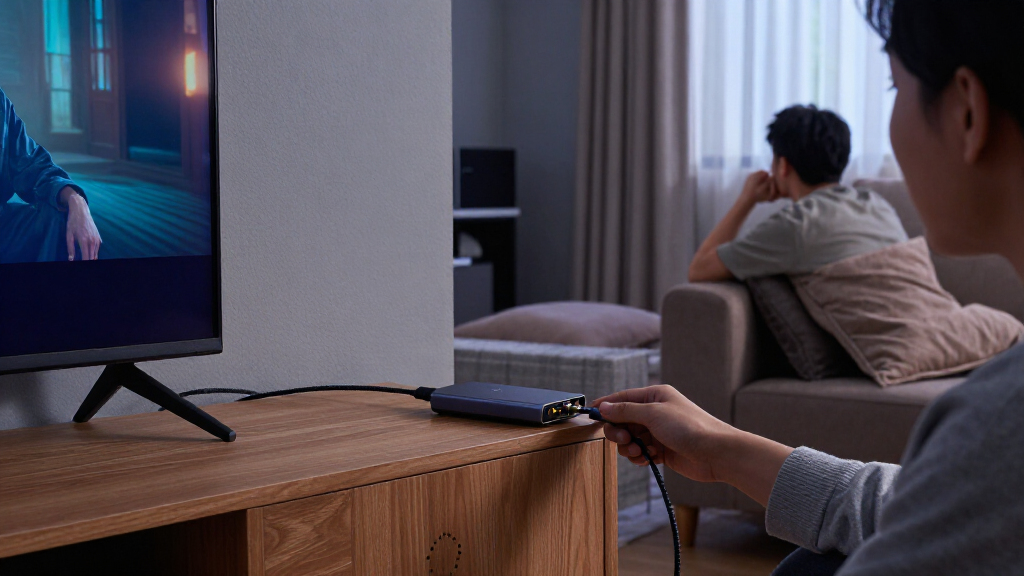
How We Picked
I compared the 14 listed products by the factors that determine whether a fiber HDMI link will work in a real installation: supported resolution and refresh rate, stated reach, signal type, and added control functions. I also looked at the hardware approach—matched extender kits versus converter designs with SFP or SFP+ slots—because modularity can add flexibility but also puts more responsibility on the buyer to confirm the optical parts and fiber match.
The ranking favors a clear fit for common long-distance 4K installations, then separates options by distinct needs such as KVM, shorter building runs, modular fiber, and 1080p long-haul links. A stated 20 km range does not automatically outrank a 10 km model: resolution, included functions, and the chance of avoiding unnecessary complexity matter just as much. I treat the DisplayPort product as a specialized alternative, not as an HDMI pick, and call out listings whose stated specifications leave buyers with more compatibility checks to make.
Factors to Consider When Choosing Fiber Hdmi Extender
Before choosing by range alone, I would map the complete signal path from source to display and decide which parts need to travel with the video. These checks can prevent a long-range extender from becoming an expensive mismatch.
Match Resolution and Refresh Rate to the Source
Start with the format your source actually outputs, not just the display’s headline resolution. A model listed for 4K at 30Hz may suit signage, presentations, or slower-paced content, but it can feel limiting for desktop work or video that benefits from smoother motion. For those uses, look for an explicit 4K@60Hz specification and confirm that the source, display, and extender all support the same format. Do not assume that a general “4K” label means 60Hz. If the product listing omits details such as color format or other signal limits, check with the manufacturer before designing around a demanding source. Paying for a higher refresh rate makes little sense if the source never produces it, but buying below your actual need can force a replacement.
Choose a Range That Fits the Installed Route
Measure the planned cable route, including detours through conduit, racks, and patch panels, rather than using the straight-line distance between rooms. A 20 km rating is far beyond many homes and offices, while a shorter specification can be more appropriate for a campus room or building connection. Range claims also depend on the optical components and fiber type, so the number alone does not guarantee a working link. Leave room for routing changes and service loops, but do not treat maximum reach as a quality score. For a run that sits well below the extender’s limit, prioritize the format and features you need instead. The AV Access listing’s 1,000-foot reach, for example, illustrates how a moderate-distance product can serve a different installation class from the 10–20 km models.
Decide Whether You Need KVM, IR, or Serial Control
Video-only extenders are simpler when the display is the only remote endpoint. A KVM feature can carry keyboard and mouse control along with video, which is useful when a computer sits in a secure rack or equipment room. IR and RS232 support address different control setups: IR may suit remote-control commands, while RS232 is commonly used for device control in integrated AV systems. Check which signals the product actually transports and whether the required cables or accessories are part of the package. Extra control features can add setup work and may be wasted if your installation already has another control path. Choose the smallest feature set that meets the system design, not the longest list of acronyms.
Check Fiber Type, Connectors, and Optical Modules
Fiber extenders are not automatically interchangeable just because they use optical cable. Confirm whether the unit expects single-mode or multimode fiber, which connector it uses, and whether its optical module is included or must be supplied separately. SFP and SFP+ slots can make a system more modular, but they also introduce compatibility choices that a fixed transmitter-receiver pair may avoid. Match the module’s wavelength and reach to the fiber plant and to the extender specifications. A connector mismatch may call for a suitable patch lead, while a fiber-type mismatch can prevent the link from working as intended. Before buying, write down the source and destination connector details and verify every part of the planned path.
Treat HDMI and DisplayPort as Different Signal Paths
A product with “KVM” in its name may still be designed for DisplayPort rather than HDMI, as with the OREI DisplayPort model in this roundup. Check the source output and display input before comparing feature lists; the connector type determines whether the product belongs in your setup at all. Adapters can sometimes convert between formats, but they may add compatibility limits and should not be assumed to preserve every signal feature. Also check whether the extender is a transmitter-and-receiver pair or a converter intended to work with separately selected optical hardware. Buying for the wrong interface can leave an otherwise capable device unusable. Keep HDMI and DisplayPort options in separate shortlist groups unless your signal chain explicitly includes conversion.
Balance Simplicity Against Upgrade Flexibility
A matched kit is often the easier choice when you want a defined transmitter and receiver with fewer component decisions. A modular SFP design can be more appealing when you need to fit an existing fiber network or retain the ability to change optical modules, but it calls for more careful compatibility checks. Ask whether the kit includes the optical modules, power supplies, and any control accessories needed for operation. Think about who will troubleshoot the system later: a fixed pair may be easier for a general AV team, while a configurable design may suit a network-aware installer. Paying for modularity is worthwhile when it solves a real infrastructure or future-change problem. If no such need exists, simplicity can reduce setup risk.
Frequently Asked Questions
Is a 20 km fiber HDMI extender a better choice than a 10 km model?
Not by itself. A longer stated reach matters only if your route needs it, and the two products may differ more in resolution, control features, or optical setup than in practical usefulness. For a shorter building run, an extender with explicit 4K@60Hz support may be a better match than a long-range option listed for 1080p. Check the required fiber type and module compatibility as well as the distance claim. Choose the model whose verified signal format and installation requirements fit your route.
Can I use an extender listed as 4K if I need 4K at 60Hz?
Do not rely on the word “4K” alone. Listings in this roundup distinguish between products specifying 4K@30Hz and those explicitly stating 4K@60Hz, and that difference affects motion smoothness and desktop use. Confirm the exact supported refresh rate for the signal format you plan to send. Also check that the source and display support that same format across the full connection. If the listing does not make the limit clear, get confirmation before buying.
Should I choose an HDMI KVM extender or a video-only extender?
Choose KVM when you need to operate a computer located away from its keyboard, mouse, and display, such as in a rack or controlled equipment area. If the endpoint only needs to show video, a video-only unit can keep the setup simpler. Check what the KVM function carries and whether its required USB connections are supported for your peripherals. Do not assume that every KVM model uses HDMI: the OREI DisplayPort KVM option in this lineup serves a different source interface. Match the model to both your control needs and your computer’s output.
What should I verify before buying an SFP or SFP+ fiber HDMI extender?
Confirm whether the optical module is included, then match its fiber type, connector, wavelength, and reach to the cable route. SFP and SFP+ refer to module formats, not a promise that any module will work in any extender. Check whether the product expects a particular module or supports third-party choices. Also confirm the video format independently; a modular optical connection does not guarantee a specific HDMI resolution or refresh rate. If you already have installed fiber, compare its specifications with the extender documentation before ordering.
Can the OREI DisplayPort KVM extender replace an HDMI fiber extender?
Only if your source and display path is designed for DisplayPort or includes a suitable conversion stage. The OREI DisplayPort KVM model is not a direct HDMI product, even though it shares the broader purpose of extending video and control over fiber. Adapters may introduce format or compatibility constraints, so verify supported resolutions and refresh rates across the whole chain. If your source outputs HDMI, an HDMI-specific model is the more direct choice. Keep interface type as an early filter rather than deciding from distance or KVM features alone.
Conclusion
For most buyers seeking a long-distance 4K HDMI link, I would start with the OREI 4K@60Hz, 10 km extender as the best overall balance of stated format and reach. The AV Access 1,000-foot model is the best value fit when that distance meets the installation, while the Elenzk 4K@60Hz HDMI KVM 20 km is my premium-style pick for buyers who need remote computer control and extended reach. Beginners should favor a matched, clearly specified HDMI kit over an SFP design that requires module selection. For specialized needs, choose the 1080p IP model when its long-range format suits the job, a modular SFP or SFP+ converter when it matches existing fiber infrastructure, or the OREI DisplayPort KVM only for a DisplayPort signal chain. Match the interface, refresh rate, and fiber details first; range comes after those requirements.