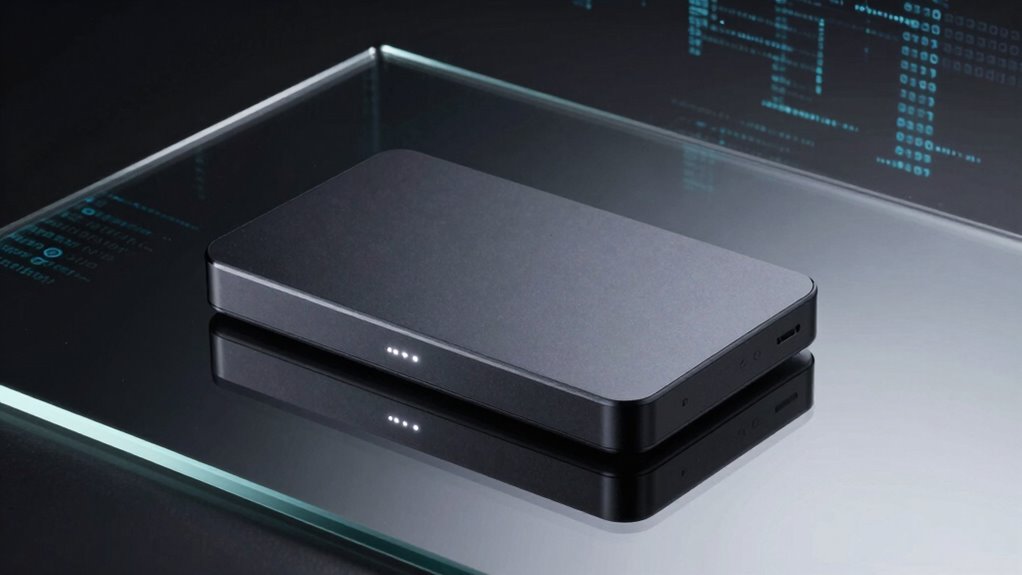

If you’re searching for an encrypted external SSD, you’re prioritizing data security alongside portability. The Samsung T9 Portable SSD stands out for its fast performance and sleek design, making it ideal for frequent travelers. The Apricorn Aegis Padlock offers hardware encryption with a rugged build, suited for those needing maximum security. However, many options involve tradeoffs between speed, ease of use, and price. Keep reading for a detailed comparison to find the best encrypted external SSD for your needs.

Get the latest gadgets delivered free with Prime
- Fast, free delivery on millions of items
- Prime Video, Amazon Music and more included
- Member-only deals all year
Complete the kit



Key Takeaways
- Hardware encryption options tend to offer more secure, tamper-proof protection compared to software-based solutions.
- Speed varies significantly, with some drives reaching up to 2000MB/s, but high speed often comes with a higher price tag.
- User-friendly features like touchscreens and quick access PINs can improve everyday usability but may introduce additional points of failure.
- Build quality and durability are key for portable drives, especially if you often travel or work outdoors.
- Pricing reflects security features, speed, and brand reputation—be prepared to pay more for top-tier encryption without sacrificing performance.
| Samsung T9 Portable SSD 1TB USB 3.2 Gen 2×2 External SSD |  | Best Overall for High-Speed, Secure Portable Storage | Capacity: 1TB | Transfer Speed: up to 2000 MB/s | Interface: USB 3.2 Gen 2×2 | VIEW ON AMAZON | See Our Full Breakdown |
| Lexar ES3 1TB Portable SSD Silver, USB 3.2 Gen 2, Up to 1050MB/s |  | Best Value for Speed and Security in a Compact Design | Storage Capacity: 1TB | Read Speed: 1050 MB/s | Write Speed: 1000 MB/s | VIEW ON AMAZON | See Our Full Breakdown |
| SanDisk 1TB Extreme Portable SSD |  | Best for Durability and Secure High-Speed Backup | Capacity: 1TB | Transfer Speed: up to 2000MB/s | Water Resistance: IP65 | VIEW ON AMAZON | See Our Full Breakdown |
| Apricorn 1TB Aegis Padlock USB 3.0 Hardware Encrypted External Hard Drive |  | Best for High-Security Physical Data Storage | Capacity: 1TB | Interface: USB 3.0 | Encryption: Hardware AES | VIEW ON AMAZON | See Our Full Breakdown |
| Samsung T7 Portable SSD 1TB Titan Gray, USB 3.2 Gen 2, Up to 1,050MB/s |  | Best for Everyday High-Speed Portable Storage | Capacity: 1TB | Max Read Speed: 1050MB/s | Max Write Speed: 1000MB/s | VIEW ON AMAZON | See Our Full Breakdown |
| 1TB Touchscreen Encrypted External SSD Hard Drive, Up to 2000MB/s |  | Best for Real-Time Monitoring and High-Speed Secure Transfers | Storage Capacity: 1 TB | Hard Disk Interface: USB 3.2 Gen 2×2 | Connectivity Technology: USB | VIEW ON AMAZON | See Our Full Breakdown |
| Kingston IronKey Vault Privacy 80 960GB External SSD with Touch Screen and Encryption |  | Best for FIPS 197-Certified Security with Multi-Password Management | Digital Storage Capacity: 960 GB | Hard Disk Interface: USB 1.1 | Connectivity Technology: USB | VIEW ON AMAZON | See Our Full Breakdown |
More Details on Our Top Picks
Samsung T9 Portable SSD 1TB USB 3.2 Gen 2×2 External SSD
The Samsung T9 Portable SSD stands out for its incredible transfer speeds of up to 2,000 MB/s, making it a top choice for creators handling large media files. Unlike the SanDisk Extreme, which offers durability and water resistance, the T9 emphasizes raw speed, but this depends heavily on host device support and cable quality. Its broad compatibility includes smartphones, gaming consoles, and desktops, adding versatile utility. The tradeoff is that maximum performance requires specific USB 3.2 Gen 2×2 ports, limiting speed on older or less capable systems. This drive is best suited for professionals who need fast, secure transfer of large projects and can ensure their device supports its high-speed interface.
Pros:- Blazing fast transfer speeds of up to 2,000 MB/s
- Effective thermal management prevents overheating during intensive use
- Wide compatibility including smartphones, gaming consoles, and desktops
- Supports encryption and firmware updates for security and reliability
Cons:- Maximum speeds depend heavily on host device and cable quality
- Limited capacity options in the 1TB model compared to larger drives
Best for: Creative professionals and heavy data users who demand top transfer speeds and encryption on portable drives
Not ideal for: Casual users with older laptops or devices lacking USB 3.2 Gen 2×2 support, where speeds won’t reach their peak
- Capacity:1TB
- Transfer Speed:up to 2000 MB/s
- Interface:USB 3.2 Gen 2×2
- Compatibility:Desktop, camera, gaming console, iPhone
- Thermal Management:Dynamic Thermal Guard
- Supported Video:iPhone 15 Pro Res 4K at 60fps
Our verdict“This drive is ideal for high-performance users who need rapid, secure data transfer on compatible systems.”
Lexar ES3 1TB Portable SSD Silver, USB 3.2 Gen 2, Up to 1050MB/s
The Lexar ES3 offers a balanced mix of speed, security, and portability, with transfer rates up to 1050MB/s, comparable to the Samsung T7 but at a more accessible price point. Unlike the SanDisk Extreme, which prioritizes durability, the Lexar focuses on versatility and encryption, including 256-bit AES. Its sleek, lightweight build makes it perfect for on-the-go professionals, but performance can drop if the host device isn’t supporting USB 3.2 Gen 2, which can limit its speed. This drive is well-suited for users needing fast, encrypted data transfer without the premium cost of top-tier models, especially when portability and security matter most.
Pros:- Fast transfer speeds up to 1050MB/s
- Compact, lightweight design for portability
- Includes 256-bit AES encryption for data security
- Wide compatibility with smartphones, laptops, and gaming consoles
Cons:- Performance may be limited without USB 3.2 Gen 2 support
- Not compatible with older iPhone models like iPhone 14 and earlier
Best for: Business travelers and mobile professionals seeking secure, fast storage in a small footprint
Not ideal for: Users with older devices or systems lacking USB 3.2 Gen 2 support, where speeds won’t be optimal
- Storage Capacity:1TB
- Read Speed:1050 MB/s
- Write Speed:1000 MB/s
- Form Factor:2.5-inch
- Weight:45 g
- Dimensions:3.96″ L x 1.97″ W x 0.41″ Th
Our verdict“A smart choice for mobile professionals who want fast, secure storage without sacrificing portability.”
SanDisk 1TB Extreme Portable SSD
The SanDisk Extreme Portable SSD combines high transfer speeds of up to 2000MB/s with rugged durability, including IP65 water and dust resistance and drop protection up to 3 meters. Compared with the Samsung T9, which emphasizes speed, the SanDisk adds physical resilience, making it better suited for outdoor or rough environments. Its AES encryption enhances security, but performance may fluctuate based on device compatibility and real-world usage, especially since some features require software downloads. This drive excels for users who need fast, secure backup in challenging environments, though it sacrifices some of the pure speed potential of the Samsung T9.
Pros:- High transfer speeds up to 2000MB/s
- Excellent durability with IP65 water and dust resistance
- Drop protection up to 3 meters
- 256-bit AES encryption for security
Cons:- Performance may vary depending on device and usage
- Requires software download for encryption features
Best for: Photographers, videographers, or outdoor professionals needing durability and fast transfer speeds
Not ideal for: Indoor users or those with stable environments who don’t require rugged features, where simpler drives could suffice
- Capacity:1TB
- Transfer Speed:up to 2000MB/s
- Water Resistance:IP65
- Drop Protection:Up to 3 meters
- Encryption:256-bit AES
- Dimensions:Pocket-sized
Our verdict“Best suited for outdoor professionals or those needing ruggedness combined with high-speed data transfer.”
Apricorn 1TB Aegis Padlock USB 3.0 Hardware Encrypted External Hard Drive
The Apricorn Aegis Padlock prioritizes security with hardware-based encryption, a rugged epoxy-sealed body, and a drive reset feature for complete data control. Unlike the SSDs in this roundup, it uses a traditional hard drive, which generally offers slower speeds but this tradeoff is offset by its physical security features—ideal for sensitive data. It connects via USB 3.0, providing decent transfer rates for its class, but it can’t match the speed of SSD options like the Samsung T7 or Lexar ES3. This drive makes sense for those who need bulletproof physical security and encryption, but it sacrifices speed and capacity compared to solid-state options.
Pros:- Hardware encryption for strong data protection
- Rugged, epoxy-sealed design resists physical attacks
- No software needed—plug and play compatibility
- Includes a physical reset and brute-force self-destruct features
Cons:- Limited storage capacity relative to SSDs
- Slower data transfer speeds compared to SSD options
- Requires physical connection, not wireless
Best for: Security-conscious professionals needing physically secure storage for sensitive data
Not ideal for: Fast-paced workflows or those requiring quick data transfer, since HDD speeds are slower than SSDs
- Capacity:1TB
- Interface:USB 3.0
- Encryption:Hardware AES
- Additional Features:Self-destruct, reset
- Design:Epoxy-sealed rugged body
Our verdict“Best for users prioritizing physical security and hardware encryption over speed and capacity.”
Samsung T7 Portable SSD 1TB Titan Gray, USB 3.2 Gen 2, Up to 1,050MB/s
The Samsung T7 offers a reliable combination of speed, durability, and broad device compatibility, with transfer speeds up to 1050 MB/s. Compared to the Samsung T9, the T7 is more widely compatible with existing systems lacking advanced USB 3.2 Gen 2×2 ports, though it doesn’t reach the same raw speed for large files. Its shock-resistant design withstands drops up to 6 feet, making it a solid choice for daily use. The main tradeoff is that for maximum speeds, a compatible USB 3.2 Gen 2 connection is necessary, and this pick may carry a higher cost relative to similar non-encrypted drives. This drive is perfect for users who want high-speed, on-the-go storage with reliable security features for everyday tasks.
Pros:- Fast transfer speeds up to 1050MB/s
- Shock-resistant with drop protection up to 6 feet
- Compatible across multiple platforms including PC, Mac, Android
- Compact and portable for frequent travel
Cons:- Performance depends on host device support for USB 3.2 Gen 2
- Price can be higher compared to basic external drives
Best for: Mobile professionals and students needing reliable, fast, and portable storage with some security features
Not ideal for: Users with older computers or devices without USB 3.2 Gen 2 support, where speeds won’t fully materialize
- Capacity:1TB
- Max Read Speed:1050MB/s
- Max Write Speed:1000MB/s
- Drop Resistance:Up to 6 feet
- Compatibility:PC, Mac, Android
- Color:Titan Gray
Our verdict“A dependable, high-speed choice for everyday portable storage with broad device compatibility.”
1TB Touchscreen Encrypted External SSD Hard Drive, Up to 2000MB/s
This 1TB SSD stands out for its innovative built-in touchscreen, which allows users to monitor transfer speeds, temperature, and capacity without needing external software. Compared with the Kingston IronKey Vault, which emphasizes hardware encryption and brute-force protection, this model combines high-performance speeds up to 2000MB/s with a user-friendly interface, making it ideal for creative workflows that demand fast, secure data handling. While its advanced features may seem excessive for casual users, the magnetic zinc alloy housing offers durability, and the real-time monitoring enhances workflow visibility. However, the lack of detailed warranty info and potential complexity for non-technical users are notable drawbacks, and the device’s price remains unspecified. This pick is best suited for professionals who need both speed and on-the-fly device status updates, such as video editors or data scientists requiring rapid, secure data transfer with minimal interruption.
Pros:- Blazing transfer speeds up to 2000MB/s for rapid data movement
- Built-in touchscreen for real-time performance and temperature monitoring
- Hardware encryption and password protection for robust security
- Durable zinc alloy housing with magnetic mounting capability
Cons:- Limited warranty information may cause hesitation for some buyers
- Complex interface could overwhelm users unfamiliar with advanced tech
- Price and availability are not specified, which could impact purchase decisions
Best for: Creative professionals and data analysts who value real-time device status and high transfer speeds in secure workflows
Not ideal for: Casual users or those seeking a straightforward, plug-and-play encrypted drive without advanced features or monitoring needs
- Storage Capacity:1 TB
- Hard Disk Interface:USB 3.2 Gen 2×2
- Connectivity Technology:USB
- Transfer Speed:2000 MB/s
- Hardware Encryption:Yes
- Dimensions:Not specified
- Weight:52 g
- Warranty:Not specified
Our verdict“This drive is ideal for tech-savvy professionals needing fast, monitored, and secure data transfers in demanding environments.”
Kingston IronKey Vault Privacy 80 960GB External SSD with Touch Screen and Encryption
Compared to the 1TB Touchscreen SSD, the Kingston IronKey Vault prioritizes security with FIPS 197 certification and XTS-AES 256-bit encryption, making it a top choice for sensitive data storage. Its integrated touch-screen facilitates multi-password management and enhances security against brute-force and malware attacks, which the Touchscreen Encrypted SSD lacks. However, its USB 1.1 interface results in slower transfer speeds around 250MB/s, which is significantly less than the high-speed performance of the touchscreen drive. Its larger physical size also reduces portability, making it less convenient for on-the-go use. Despite these drawbacks, the robust encryption features make it highly suitable for business or personal use where data security outweighs transfer speed. This device suits users with strict security needs who prefer certified encryption and multi-password control over raw speed.
Pros:- FIPS 197 certification ensures compliance with strict security standards
- Touch-screen interface simplifies multi-password management
- Protection against brute-force, malware, and unauthorized access
- Hardware-encrypted with XTS-AES 256-bit security
Cons:- USB 1.1 interface limits data transfer speeds, impacting large file transfers
- Bulkier design reduces portability and convenience for travel
- Limited compatibility details could restrict use with some devices
Best for: Business users or security-conscious individuals needing certified encryption and multi-layer password management
Not ideal for: Users who require rapid data transfer or a highly portable device, due to its slower USB 1.1 interface and larger size
- Digital Storage Capacity:960 GB
- Hard Disk Interface:USB 1.1
- Connectivity Technology:USB
- Read Speed:250 MB/s
- Media Speed:250 MB/s
- Cache Memory Installed Size:256 MB
- Data Transfer Rate:250 MB/s
- Hardware Connectivity:USB 3.2 Gen 1
- Weight:285 g
Our verdict“Ideal for security-focused users who prioritize certified encryption and multi-password management over transfer speed and size.”

How We Picked
In selecting these products, I prioritized drives that explicitly feature hardware encryption, as this provides the most secure and tamper-resistant protection. Performance metrics such as read/write speeds were a key factor, especially for users needing fast data transfer. Ease of use, including setup, access methods, and compatibility, influenced rankings, alongside build quality and durability for portable use. Cost was also considered, balancing affordability against security features and performance. Drives that combine high security with reliable usability earned higher positions in this list, while those with notable tradeoffs or limited features were ranked lower.Factors to Consider When Choosing Encrypted External Ssd
Choosing an encrypted external SSD involves weighing several factors beyond just security features. Understanding your specific needs can help you select the right balance of speed, usability, and price. Here are key considerations that will help clarify your options:Type of Encryption
Hardware encryption offers superior security because it encrypts data at the drive level, making it resistant to tampering or hacking attempts. Software encryption, while easier to implement, can be less secure and vulnerable if the device is compromised. Consider your threat model: for sensitive, high-stakes data, hardware encryption is the preferred choice, though it may come at a higher cost.
Speed and Performance
Fast transfer speeds reduce waiting times and improve productivity, especially when handling large files. Drives with speeds over 1,000MB/s are well-suited for professionals working with high-resolution media or large datasets. However, higher speeds often mean a higher price, so evaluate whether your typical workflow justifies the premium.
Ease of Use
Features like biometric access, touchscreens, or PIN codes can streamline daily use but may add complexity or potential points of failure. Simpler drives with minimal security features might appeal to casual users who prioritize plug-and-play functionality. Consider how much security convenience you need versus the potential hassle of managing additional access methods.
Build Quality and Durability
If you frequently travel or work outdoors, a rugged, shock-resistant drive can prevent data loss from drops or environmental exposure. Some encrypted drives are designed with military-grade durability, but these often come at a premium. Assess your environment and choose a drive that balances protection with portability.
Price and Value
Premium encryption features and high-speed performance come at higher costs. However, not all users need top-tier security or blazing speeds. Look for a drive that offers the best value for your specific risk level and workflow. Be wary of very cheap options with minimal security features—they may not truly protect sensitive data.
Frequently Asked Questions
Is hardware encryption always better than software encryption?
In most cases, hardware encryption provides stronger, tamper-resistant protection because it encrypts data at the device level, independent of the host system. It is less vulnerable to hacking or malware that could compromise software-based encryption. However, hardware solutions tend to be more expensive and may limit compatibility with certain devices. For highly sensitive data, hardware encryption offers peace of mind, but for casual use, software encryption might suffice.
Can I use an encrypted external SSD with any operating system?
Most encrypted drives are compatible with common operating systems like Windows, macOS, and Linux, but the encryption method can influence compatibility. Drives with hardware encryption usually come with dedicated software or hardware interfaces. Some are designed for cross-platform use without additional software, while others may require specific apps or drivers. Always check the manufacturer’s compatibility list to avoid issues when switching between systems.
Does encryption slow down data transfer speeds?
Encryption can introduce some overhead, but with modern hardware encryption implementations, this impact is often minimal. High-quality encrypted drives, especially those with hardware encryption, maintain fast transfer speeds—many exceeding 1,000MB/s. Cheaper or older drives with software encryption may experience more noticeable slowdowns, so consider your speed requirements when choosing a device.
Are touchscreen encrypted SSDs more secure than traditional models?
Touchscreen models can improve usability by offering quick access and management features, but they do not inherently provide better security. In fact, touchscreens may introduce additional attack vectors, such as screen scraping or physical damage. For maximum security, focus on encryption strength and physical build quality, regardless of whether the drive has a touchscreen.
What should I do if I forget my encryption password or PIN?
If you forget your password or PIN, most encrypted drives do not offer recovery options to prevent unauthorized access. This means you could lose access to your data permanently. It’s essential to choose a strong but memorable password and keep backups of encrypted data elsewhere. Some premium drives offer emergency reset features, but these are less common and often involve additional security tradeoffs.
Conclusion
The best overall pick for most users is the Samsung T9 Portable SSD, combining speed, portability, and robust encryption at a reasonable price. For those prioritizing maximum security, the Apricorn Aegis Padlock offers hardware encryption with rugged design, making it ideal for highly sensitive data. Beginners or less tech-savvy users might prefer drives with simple interfaces like the SanDisk Extreme Portable SSD. If you need a drive with the fastest speeds and advanced features, the 1TB Touchscreen Encrypted SSD makes a compelling choice. Match your decision to your daily needs, security concerns, and budget to find the right encrypted external SSD for 2026.