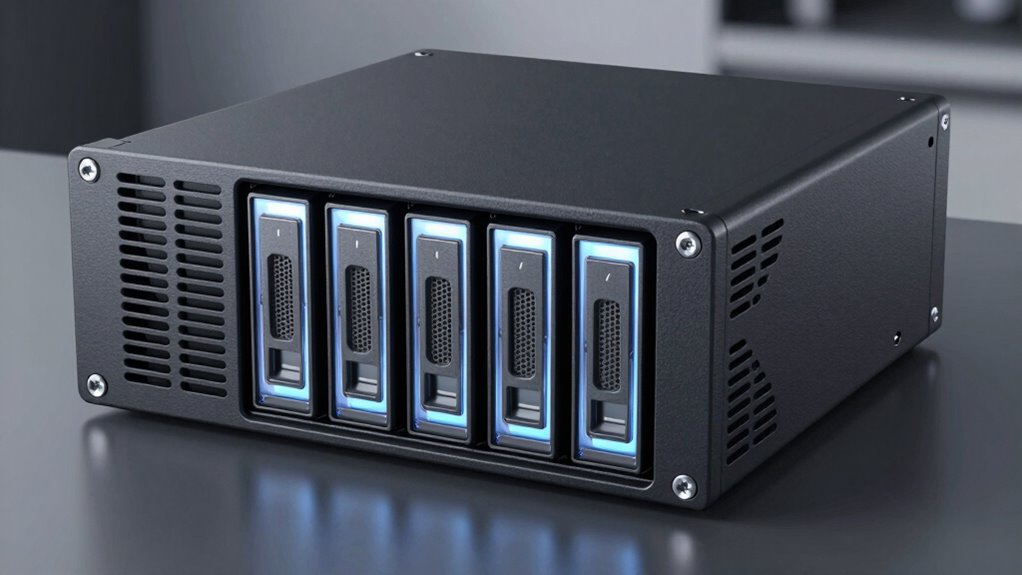

A 4-bay RAID enclosure adds multi-drive storage to a computer or NAS, but the right pick depends on whether you value speed, simple setup, or rack mounting. I rank the QNAP TR-004 as the best overall for its hardware RAID and direct-attached design. The OWC Mercury Elite Pro Quad stands out for a more premium USB-C setup, while the QNAP TR-004U suits buyers who need a rackmount unit. The main tradeoffs are RAID flexibility, connection speed, drive swapping, and how much setup the enclosure expects from you. Read on for the full comparison and advice on matching an enclosure to your drives and workflow.

Get the latest gadgets delivered free with Prime
- Fast, free delivery on millions of items
- Prime Video, Amazon Music and more included
- Member-only deals all year
Complete the kit



Key Takeaways
- QNAP TR-004 is the clearest all-rounder: hardware RAID and direct-attached use make it a practical fit when you want an enclosure that does not depend on a NAS.
- The rackmount options serve a different job: the QNAP TR-004U favors organized rack installations, while desktop enclosures make more sense for a nearby workstation.
- Fast advertised connections are not the whole story: the ORICO 20 Gbps model can appeal to speed-focused buyers, but host-port support and drive performance still shape real transfers.
- Drive capacity and included disks are separate questions: several choices are diskless, so buyers need to budget for four compatible SATA drives and decide how to configure them.
- Convenience varies as much as performance: hot-swap access on the SilverStone TS434U suits frequent drive changes, while aluminum desktop models prioritize a simpler compact setup.
| MAIWO 4-Bay RAID Enclosure for 3.5-Inch SATA Hard Drives |  | Best for Flexible RAID Modes | Drive bays: 4 | Drive compatibility: 3.5-inch SATA I/II/III hard drives | RAID modes: Normal, RAID 0, 1, 3, 5, 10, Clone, JBOD | VIEW ON AMAZON | See Our Full Breakdown |
| QNAP TR-004U-US 1U 4-Bay Hard Drive Enclosure |  | Best for Rack-Mount QNAP Expansion | Drive bays: 4 | Supported drives: 2.5-inch and 3.5-inch SATA | Interface: USB 3.2 Gen 1 Type-C | VIEW ON AMAZON | See Our Full Breakdown |
| ORICO 4-Bay RAID Hard Drive Enclosure, 88TB |  | Best for Built-In Power and Cooling | Drive bays: 4 | Supported drive size: 3.5-inch SATA | Maximum capacity: 88TB total; up to 22TB per drive | VIEW ON AMAZON | See Our Full Breakdown |
| SilverStone TS434U 4-Bay USB-C SATA Hot-Swap Hard Drive Enclosure |  | Best for Fast Hot-Swap Access | Model: SST-TS434UB | Drive bays: 4 | Supported drives: 2.5-inch or 3.5-inch SATA I/II/III HDDs or SSDs | VIEW ON AMAZON | See Our Full Breakdown |
| OWC Mercury Elite Pro Quad USB-C RAID Storage Enclosure, 0TB |  | Best for Mac and Thunderbolt Workflows | Drive bays: 4 | Supported drives: 2.5-inch and 3.5-inch SATA | Listed storage capacity: 48TB | VIEW ON AMAZON | See Our Full Breakdown |
| QNAP TR-004 4-Bay USB-C Direct Attached Storage Enclosure with Hardware RAID (Diskless) |  | Best for QNAP NAS Expansion | Drive bays: 4 | Drive compatibility: 3.5-inch SATA drives; screws included for 2.5-inch drives | Included drives: None; diskless | VIEW ON AMAZON | See Our Full Breakdown |
| ORICO 4-Bay 20 Gbps RAID Hard Drive Enclosure |  | Best for High-Capacity, High-Bandwidth Setups | Drive bays: 4 | Drive compatibility: 2.5-inch and 3.5-inch SATA drives | Maximum capacity: 104 TB total; up to 26 TB per drive | VIEW ON AMAZON | See Our Full Breakdown |
| CENMATE 4-Bay Aluminum RAID Hard Drive Enclosure |  | Best for Multiple Connection Options | Drive bays: 4 | Drive compatibility: 2.5-inch and 3.5-inch SATA HDDs and SSDs | Maximum capacity: 80 TB total; up to 20 TB per drive | VIEW ON AMAZON | See Our Full Breakdown |
| bay raid enclosure | Drive bays | RAID modes | Interface | Drive compatibility |
|---|---|---|---|---|
| MAIWO 4-Bay RAID Enclosure for | 4 | Normal, RAID 0, 1, 3, 5, 10, Clone, JBOD | USB-A/USB-C 3.1 | 3.5-inch SATA I/II/III hard drives |
| QNAP TR-004U-US 1U 4-Bay Hard | 4 | RAID 0, 1, 5, 10, JBOD, individual disks | USB 3.2 Gen 1 Type-C | — |
| ORICO 4-Bay RAID Hard Drive En | 4 | RAID 0, 1, 3, 5, 10, JBOD, Clone, Clear | USB 3.0 | — |
| SilverStone TS434U 4-Bay USB-C | 4 | — | USB 3.2 Gen 2, USB Type-C | — |
| OWC Mercury Elite Pro Quad USB | 4 | — | — | — |
| QNAP TR-004 4-Bay USB-C Direct | 4 | RAID 0, RAID 1, RAID 5, JBOD, individual disks | USB Type-C | 3.5-inch SATA drives; screws included for 2.5-inch drives |
| ORICO 4-Bay 20 Gbps RAID Hard | 4 | RAID 0, RAID 1, RAID 5, RAID 10, JBOD, Normal | USB 3.2 Gen 2×2; up to 20 Gbps, depending on host connection | 2.5-inch and 3.5-inch SATA drives |
| CENMATE 4-Bay Aluminum RAID Ha | 4 | RAID 0, 1, 3, 5, 10, Clone, Large, Normal | — | 2.5-inch and 3.5-inch SATA HDDs and SSDs |
More Details on Our Top Picks
MAIWO 4-Bay RAID Enclosure for 3.5-Inch SATA Hard Drives
The MAIWO stands out for buyers who want a broad choice of hardware RAID layouts in a four-drive enclosure. Its modes include RAID 3 and Clone alongside RAID 0, 1, 5, 10, and JBOD, giving it more configuration options than the SilverStone TS434U, whose listed strengths focus on hot-swap access and faster USB connectivity rather than RAID modes. Support for up to 96TB also gives a large-drive setup room to grow, while two switch-controlled fans let owners choose when to add active cooling.
The tradeoff is a 5Gbps USB connection, which is less suited to high-throughput workflows than the SilverStone’s 10Gbps link. It also accepts 3.5-inch SATA drives only, unlike the QNAP TR-004U-US and OWC Mercury Elite Pro Quad, which support 2.5-inch drives as well. I would shortlist it for capacity and RAID flexibility, not compact SSD use or maximum transfer speed.
Pros:- Offers RAID 0, 1, 3, 5, 10, Clone, and JBOD modes
- Supports up to 96TB across four drives
- Two switch-controlled fans provide adjustable active cooling
- Includes both USB-A-to-USB-C and USB-C-to-USB-C cables
Cons:- Supports 3.5-inch SATA drives only
- 5Gbps interface is slower than the SilverStone TS434U’s 10Gbps connection
Best for: Desktop storage buyers building a large 3.5-inch SATA array who want several RAID modes, including RAID 3 and Clone.
Not ideal for: People mixing 2.5-inch SSDs with hard drives or moving large files over a faster-than-5Gbps connection.
- Drive bays:4
- Drive compatibility:3.5-inch SATA I/II/III hard drives
- RAID modes:Normal, RAID 0, 1, 3, 5, 10, Clone, JBOD
- Maximum capacity:96TB
- Interface:USB-A/USB-C 3.1
- Transfer speed:Up to 5Gbps
- Cooling:Two switch-controlled fans
- Casing:Aluminum
Our verdict“Choose the MAIWO if your priority is a large 3.5-inch array with varied RAID options rather than faster USB throughput or mixed drive sizes.”
QNAP TR-004U-US 1U 4-Bay Hard Drive Enclosure
The QNAP TR-004U-US is the clear rack-focused pick here: its 1U form factor suits a structured equipment setup better than desktop enclosures such as the ORICO 4-Bay RAID Hard Drive Enclosure. It accepts both 2.5-inch and 3.5-inch SATA drives, and its hardware RAID modes include RAID 0, 1, 5, and 10, plus JBOD and individual-disk operation. That makes it a practical match for adding direct-attached storage to a QNAP NAS or connecting an array to a Windows, macOS, or Linux computer.
This is not a self-contained network storage device: it needs a separate USB connection to a host, and its USB 3.2 Gen 1 Type-C interface is not the faster 10Gbps option offered by the SilverStone TS434U. The listed maximum capacity depends on the installed drives, so capacity planning is up to the buyer. I would favor it for rack organization and QNAP expansion, but skip it for a desktop-first setup that values higher link speed.
Pros:- Rack-mountable 1U design fits a server rack
- Accepts both 2.5-inch and 3.5-inch SATA drives
- Hardware RAID includes RAID 0, 1, 5, and 10
- Works with QNAP NAS and Windows, macOS, and Linux hosts
Cons:- Requires a separate USB connection to a host device
- USB 3.2 Gen 1 is slower than the 10Gbps link on the SilverStone TS434U
- Maximum capacity depends on the drives installed
Best for: QNAP NAS owners and small-office administrators who need a four-drive, 1U direct-attached expansion unit.
Not ideal for: Buyers seeking a standalone network storage device or prioritizing a 10Gbps USB connection.
- Drive bays:4
- Supported drives:2.5-inch and 3.5-inch SATA
- Interface:USB 3.2 Gen 1 Type-C
- RAID modes:RAID 0, 1, 5, 10, JBOD, individual disks
- Form factor:1U
- Mounting type:Rack mount
- Compatible devices:Windows, macOS, Linux, QNAP NAS
- Warranty:2 years
Our verdict“Pick the QNAP TR-004U-US when rack mounting and QNAP NAS expansion matter more than desktop flexibility or faster USB throughput.”
ORICO 4-Bay RAID Hard Drive Enclosure, 88TB
The ORICO pairs a large four-drive capacity with a built-in 150W power supply and an 80mm cooling fan, a useful combination for a desktop array built around 3.5-inch hard drives. Its eight listed modes cover RAID 0, 1, 3, 5, and 10, along with JBOD, Clone, and Clear. That is broader than the QNAP TR-004U-US‘s listed hardware RAID choices, though QNAP has the advantage of a rack-mountable 1U design and support for 2.5-inch drives.
ORICO specifies 88TB total capacity, with drives up to 22TB each, so buyers can plan around a stated per-drive limit. The compromise is a 3.5-inch-only design and USB 3.0 performance listed up to 235MB/s, which makes it less compelling for speed-sensitive editing than the SilverStone TS434U and its 10Gbps interface. Its one-year warranty is also relatively short. I would choose it for a powered, cooled hard-drive array, not mixed-size SSD setups or fast transfers.
Pros:- Supports eight modes, including RAID 3, Clone, and Clear
- Allows up to 88TB total with drives up to 22TB each
- Built-in 150W power supply avoids a separate external power brick
- Aluminum enclosure includes an 80mm cooling fan
Cons:- Supports 3.5-inch SATA drives only
- USB 3.0 transfer rate is listed up to 235MB/s
- One-year warranty is shorter than the QNAP TR-004U-US’s two-year warranty
Best for: Desktop users assembling a high-capacity 3.5-inch SATA array who value onboard power and active cooling.
Not ideal for: Buyers who need 2.5-inch drive support, faster USB performance, or rack mounting.
- Drive bays:4
- Supported drive size:3.5-inch SATA
- Maximum capacity:88TB total; up to 22TB per drive
- RAID modes:RAID 0, 1, 3, 5, 10, JBOD, Clone, Clear
- Interface:USB 3.0
- Maximum transfer rate:235MB/s
- Cooling:80mm fan
- Power supply:Built-in 150W
Our verdict“Choose the ORICO for a cooled, self-powered 3.5-inch hard-drive array, but look elsewhere if faster transfers or 2.5-inch drive support are priorities.”
SilverStone TS434U 4-Bay USB-C SATA Hot-Swap Hard Drive Enclosure
The SilverStone TS434U is the speed-and-access pick in this group. Its 10Gbps USB-C connection is faster on paper than the 5Gbps MAIWO and the USB 3.0 ORICO, while hot-swap support makes drive changes more convenient for workflows that rotate disks. It also accepts both 2.5-inch and 3.5-inch SATA HDDs or SSDs, giving it more drive-format flexibility than those two 3.5-inch-only enclosures. A magnetic front door and sleep mode add practical touches for a desktop setup.
The key limitation is that the supplied information does not list RAID modes, so I would not pick it when a specific RAID configuration is the deciding factor; the MAIWO and ORICO spell out broader mode sets. It also needs a separate USB-C connection to the host, and its one-year limited warranty is shorter than the QNAP TR-004U-US’s two-year coverage. This is a better fit for fast, swappable storage than a buyer seeking a documented RAID feature set.
Pros:- USB 3.2 Gen 2 Type-C interface supports up to 10Gbps
- Hot-swap support simplifies drive replacement
- Accepts four 2.5-inch or 3.5-inch SATA HDDs or SSDs
- Includes sleep mode and a magnetic front door
Cons:- RAID modes are not specified in the supplied product information
- Requires a separate USB-C connection to the host
- One-year limited warranty is shorter than the QNAP TR-004U-US’s two-year warranty
Best for: Video and project-file users who need a fast USB-C enclosure with hot-swap access and support for both HDDs and SSDs.
Not ideal for: Buyers who require specified hardware RAID modes, or whose computer lacks a suitable USB-C connection.
- Model:SST-TS434UB
- Drive bays:4
- Supported drives:2.5-inch or 3.5-inch SATA I/II/III HDDs or SSDs
- Interface:USB 3.2 Gen 2, USB Type-C
- Maximum data transfer rate:10Gbps
- Hot-swap:Supported
- Dimensions:6.9 × 8.3 × 6.3 inches
- Weight:7.5 pounds
Our verdict“Choose the SilverStone TS434U for fast USB-C access and hot-swappable mixed drive sizes, not when a defined RAID mode is essential.”
OWC Mercury Elite Pro Quad USB-C RAID Storage Enclosure, 0TB
The OWC Mercury Elite Pro Quad suits buyers who want a four-bay enclosure for a USB-C or Thunderbolt 3 Mac or Windows computer, with support for both 2.5-inch and 3.5-inch SATA drives. Its listed transfer figures reach up to 1014MB/s in the item highlights, while the description gives a lower figure of up to 947MB/s. That makes it a higher-throughput-oriented choice than the QNAP TR-004U-US, whose USB 3.2 Gen 1 link is slower on paper, and more suitable for mixed drive formats than the 3.5-inch-only MAIWO.
The main catch is that this model uses software RAID, and the RAID software is not included, so buyers need to plan for that extra setup. The discrepancy between the two published speed figures also makes the exact peak less clear. Its listed capacity is 48TB, below the MAIWO’s 96TB and ORICO’s 88TB, and the one-year warranty is limited. I would choose it for a compatible computer and flexible drive bays, not for turnkey RAID or maximum stated capacity.
Pros:- Supports both 2.5-inch and 3.5-inch SATA drives
- Compatible with USB-C and Thunderbolt 3-equipped Mac and Windows computers
- Supports software RAID
- Published speed claims are higher than the QNAP TR-004U-US’s USB 3.2 Gen 1 interface
Cons:- RAID software is not included
- Listed transfer speeds differ between the item highlights and description
- Listed 48TB capacity is lower than the MAIWO’s 96TB and ORICO’s 88TB
Best for: Mac or Windows creators with USB-C or Thunderbolt 3 computers who want four mixed-size SATA drive bays and are comfortable arranging software RAID.
Not ideal for: Buyers who want included RAID software, a clearly stated single transfer-speed figure, or capacity above the listed 48TB.
- Drive bays:4
- Supported drives:2.5-inch and 3.5-inch SATA
- Listed storage capacity:48TB
- USB interface:USB 3.2, 10Gb/s
- Compatibility:Mac and Windows computers with USB-C or Thunderbolt 3
- Transfer speed:Up to 1014MB/s in item highlights; up to 947MB/s in description
- Software RAID:Supported; software not included
- Warranty:1 year
Our verdict“Pick the OWC for a USB-C or Thunderbolt 3 workstation that needs flexible drive sizes and software RAID, provided you can supply the RAID software.”
QNAP TR-004 4-Bay USB-C Direct Attached Storage Enclosure with Hardware RAID (Diskless)
The QNAP TR-004 is the clearest pick here for buyers who want a four-bay DAS that can also expand a compatible QNAP NAS. Its RAID 0, 1, and 5 options give more flexibility than a basic multi-drive enclosure, while individual-disk mode suits users who prefer separate volumes. USB Type-C works with Windows, macOS, and Linux, so it can also serve as stand-alone external storage. Compared with the CENMATE 4-Bay Aluminum RAID Hard Drive Enclosure, it offers a simpler USB-centered setup but fewer RAID modes and no eSATA connection. The tradeoff is that it ships without drives, and NAS compatibility has limits: enclosure storage pools cannot be combined with pools on the connected NAS. Check your QNAP model before choosing it for expansion.
Pros:- Supports RAID 0, RAID 1, RAID 5, JBOD, and individual-disk mode
- Works with Windows, macOS, and Linux over USB Type-C
- Can function as external storage or expand compatible QNAP NAS capacity
- Lockable drive bays add a layer of physical security
Cons:- Diskless package requires buying drives separately
- Some QNAP NAS models are incompatible
- Enclosure storage pools cannot be combined with pools on the connected NAS
Best for: QNAP NAS owners who have confirmed compatibility and want a separate four-drive expansion unit, or desktop users who need USB-connected RAID storage across common operating systems.
Not ideal for: Buyers who need eSATA, hot swapping, or a broad range of RAID modes, and QNAP owners who expect the enclosure’s storage pools to merge with their NAS pools.
- Drive bays:4
- Drive compatibility:3.5-inch SATA drives; screws included for 2.5-inch drives
- Included drives:None; diskless
- RAID modes:RAID 0, RAID 1, RAID 5, JBOD, individual disks
- Interface:USB Type-C
- Data transfer rate:5 Gbit/s
- Operating system compatibility:Windows, macOS, Linux
- Weight:4.1 lb
Our verdict“Choose the TR-004 if QNAP NAS compatibility or USB-based RAID flexibility matters more than eSATA and a wider set of RAID modes.”
ORICO 4-Bay 20 Gbps RAID Hard Drive Enclosure
The ORICO 4-Bay 20 Gbps stands out for buyers building a high-capacity DAS around large SATA drives: it supports up to 104 TB total, hot swapping, and six modes including RAID 10. That breadth makes it more adaptable than the QNAP TR-004, which focuses on a smaller set of RAID options and QNAP expansion. Its headline bandwidth needs careful interpretation, though: reaching 20 Gbps requires a compatible USB4 port, while Thunderbolt connections are described as limited to about 10 Gbps. The enclosure also erases drive contents when changing or configuring RAID modes, so plan the setup before loading valuable data. A built-in fan and 150 W supply support multi-drive operation, but the fan’s stated 45 dB may be noticeable in a quiet workspace.
Pros:- Supports up to 104 TB across four drives, with up to 26 TB per drive
- Offers six modes, including RAID 5 and RAID 10
- Hot swapping allows drive changes without treating every swap as a full teardown
- Built-in fan and 150 W power supply support multi-drive operation
Cons:- The full 20 Gbps rate depends on a compatible USB4 port
- Thunderbolt connections are described as limited to around 10 Gbps
- Changing or configuring RAID modes erases drive contents
Best for: Desktop storage builders who need room for four high-capacity SATA drives, want hot swapping and several RAID choices, and have a compatible USB4 connection.
Not ideal for: Noise-sensitive users or anyone counting on 20 Gbps through a connection that does not support the required USB4 link; skip it if you need to change RAID modes without erasing data.
- Drive bays:4
- Drive compatibility:2.5-inch and 3.5-inch SATA drives
- Maximum capacity:104 TB total; up to 26 TB per drive
- RAID modes:RAID 0, RAID 1, RAID 5, RAID 10, JBOD, Normal
- Interface:USB 3.2 Gen 2×2; up to 20 Gbps, depending on host connection
- Cooling:Built-in 45 dB fan
- Power supply:150 W
- Operating system compatibility:Windows, macOS, Linux
Our verdict“Pick the ORICO if capacity, hot swapping, and broad RAID choices lead your priorities and your computer can make use of its USB4-dependent bandwidth.”
CENMATE 4-Bay Aluminum RAID Hard Drive Enclosure
The CENMATE 4-Bay is the most flexible choice here for buyers who want both USB 3.0 and eSATA, along with eight drive and RAID modes. RAID 3 and Clone give it options that the QNAP TR-004 does not offer, while support for both HDDs and SSDs lets buyers mix capacity and drive type according to their setup. Its 80 TB maximum is lower than the ORICO enclosure’s 104 TB, and its 5 Gbps USB ceiling makes it less suited to bandwidth-focused builds. There are practical caveats: hot swapping is not supported, and accessing multiple bays over eSATA depends on RAID support from the computer. The built-in fans help manage heat, but their stated 40–50 dB range may be distracting near a desk.
Pros:- Supports four 2.5-inch or 3.5-inch SATA HDDs and SSDs
- Provides eight modes, including RAID 3, Clone, and Large
- Includes both USB 3.0 and eSATA connections
- Aluminum-alloy enclosure has built-in cooling fans
Cons:- Hot swapping is not supported
- The stated USB data rate is limited to 5 Gbps
- eSATA access to multiple bays requires RAID support on the computer
Best for: Users who need USB and eSATA connection choices, want more configuration modes than the QNAP TR-004 offers, and do not require hot-swappable drives.
Not ideal for: People who routinely replace drives while the enclosure is running, need the ORICO’s higher stated capacity, or work in a quiet room where fan noise is unwelcome.
- Drive bays:4
- Drive compatibility:2.5-inch and 3.5-inch SATA HDDs and SSDs
- Maximum capacity:80 TB total; up to 20 TB per drive
- RAID modes:RAID 0, 1, 3, 5, 10, Clone, Large, Normal
- Interfaces:USB 3.0, eSATA
- Maximum data transfer rate:5 Gbps
- Cooling:Built-in 2-inch fans; approximately 40–50 dB
- Hot swapping:Not supported
- Product type:Direct-attached storage; not a NAS
Our verdict“Choose the CENMATE if USB and eSATA flexibility plus a broad set of modes matter more than hot swapping, quieter cooling, or higher capacity.”

How We Picked
I compared these eight enclosures around the decisions that matter in a four-drive setup: RAID control and usability, connection type and stated bandwidth, drive access, form factor, and the flexibility to use the unit with a computer or a larger storage workflow. A four-bay enclosure is only useful if its host connection fits the computer and its RAID options suit the buyer’s priorities for capacity, speed, or data protection. I also treated diskless status as a practical planning factor rather than a flaw: it gives drive choice, but adds setup and compatibility work.
The QNAP TR-004 ranks first because it pairs hardware RAID with straightforward direct-attached storage, a useful balance for many buyers. The OWC earns a premium-oriented place for shoppers prioritizing its USB-C storage platform, while the rackmount QNAP and hot-swap SilverStone rank higher for specific installation needs than for general desktop use. The two ORICO models and the MAIWO and CENMATE options remain relevant for buyers focused on connection speed, capacity-oriented positioning, or a simpler aluminum enclosure, but their appeal depends more heavily on matching the feature set to the host and workload.
| bay raid enclosure | RAID modes | Interface |
|---|---|---|
| MAIWO 4-Bay RAID Enclosure for | Normal, RAID 0, 1, 3, 5, 10, Clone, JBOD | USB-A/USB-C 3.1 |
| QNAP TR-004U-US 1U 4-Bay Hard | RAID 0, 1, 5, 10, JBOD, individual disks | USB 3.2 Gen 1 Type-C |
| ORICO 4-Bay RAID Hard Drive En | RAID 0, 1, 3, 5, 10, JBOD, Clone, Clear | USB 3.0 |
| SilverStone TS434U 4-Bay USB-C | — | USB 3.2 Gen 2, USB Type-C |
| OWC Mercury Elite Pro Quad USB | — | — |
| QNAP TR-004 4-Bay USB-C Direct | RAID 0, RAID 1, RAID 5, JBOD, individual disks | USB Type-C |
| ORICO 4-Bay 20 Gbps RAID Hard | RAID 0, RAID 1, RAID 5, RAID 10, JBOD, Normal | USB 3.2 Gen 2×2; up to 20 Gbps, depending on host connection |
| CENMATE 4-Bay Aluminum RAID Ha | RAID 0, 1, 3, 5, 10, Clone, Large, Normal | — |
Factors to Consider When Choosing 4 Bay Raid Enclosure
Choosing among four-bay enclosures starts with the system around the enclosure, not the number of drive slots. I would check how the unit connects, who manages RAID, and what happens if a drive fails before comparing headline speed or maximum capacity. These broader checks can prevent a capable enclosure from becoming an awkward fit.
Choose RAID for the job, not just the label
RAID modes trade usable capacity against performance and resilience, and not every four-bay enclosure offers the same controls. A striped setup can use more of the combined capacity but may leave files at risk if a drive fails; mirrored or parity-based arrangements reserve space for redundancy. Check whether RAID is configured in the enclosure, through software, or through a host device, since that affects setup and portability. Do not treat RAID as a backup: accidental deletion, malware, or enclosure failure can still put data at risk. For important files, keep a separate backup on another device or service. Pick an enclosure whose RAID options and recovery process you can actually manage.
Match the connection to your computer
USB-C describes a connector shape, not a guaranteed transfer rate or feature set. Compare the enclosure’s supported connection standard with the ports on the computer, dock, or hub you will use, and check whether a cable or adapter could limit the link. A 20 Gbps claim only helps when the host and cable support the same bandwidth. Mechanical hard drives can also become the bottleneck, so a faster interface may matter more with SSDs or several drives working together. Avoid buying on interface speed alone if your workflow mostly handles single-file copies to hard disks. A direct connection to the host usually makes performance easier to reason about than adding an unverified hub to the chain.
Plan for drive compatibility and capacity
Confirm whether the enclosure takes 3.5-inch SATA drives, 2.5-inch drives, or both before ordering disks. Check the maker’s stated per-drive and total capacity limits rather than assuming that any four large drives will work. Also account for usable space: RAID redundancy and formatting reduce the space available for files. Diskless products give you control over drive selection, but you take on the work of sourcing matching drives and checking compatibility. Mixing drives of different sizes or speeds can complicate a RAID set and may limit how efficiently it uses capacity. Leave headroom for future growth instead of filling every bay with the largest drives you can buy today.
Decide how often you need to swap drives
Hot-swap bays help when a workflow involves replacing drives or moving storage sets regularly, but they are not a substitute for a safe shutdown and clear drive-management procedure. If the enclosure will stay in place with the same disks for years, tool-free access may matter less than sturdy trays, cooling, and a predictable connection. Frequent swaps also make labeling drives and documenting the RAID layout more valuable. Avoid pulling a drive simply because an alert appears; first check the enclosure’s status indicators and the array’s documented recovery steps. Buyers who share storage duties should favor controls and indicators that are easy for everyone to understand. The right access style depends on how the enclosure will be maintained, not just how quickly a tray opens.
Choose a form factor that fits the installation
A rackmount enclosure can keep storage tidy alongside other equipment, but it needs suitable rack space and may be less convenient beside a desktop. Desktop units are easier to place near a workstation, though they still need room for cables, airflow, and drive access. Measure the available space and check where the power and data cables exit before choosing a chassis. Consider fan noise and heat if the unit will sit in a quiet office or enclosed cabinet; four drives can produce more heat than a single external disk. Do not assume a compact enclosure can be tucked into a tight space without affecting cooling. Buy for the location where it will run, not just the space it occupies in a product photo.
Know when premium features earn their place
Paying more for a more capable enclosure makes sense when its specific features solve a recurring problem, such as rack integration, faster host connectivity, or convenient drive replacement. Those features add little value if the host computer cannot use them or the drives are the limiting factor. A basic workflow of archiving and occasional file access may be better served by a simpler enclosure plus a separate backup plan. Before choosing a premium model, list the task it must improve and check that the rest of the system can take advantage of it. Keep some of the budget for quality drives, backup storage, and a suitable cable. The best value is the setup that fits the workload without paying for unused capability.
Frequently Asked Questions
Should I choose hardware RAID or manage the drives with software?
Hardware RAID can make an enclosure easier to use as a direct-attached storage unit because the enclosure handles the array configuration. Software-managed storage can offer more flexibility, but its setup and recovery depend on the host operating system and your own familiarity. Before choosing, check which RAID modes are supported and what happens if you connect the drives to another computer. Keep a record of the array configuration and do not assume that disks can be moved freely between different controllers. Whichever method you choose, maintain an independent backup of important files.
Can I use a 4-bay enclosure with only one or two drives installed?
Many enclosures can operate with fewer than four drives, but available RAID modes and usable capacity may depend on the number installed. Confirm the product’s instructions before building an array, since some configurations require a particular number of drives. If you plan to add disks later, check whether the chosen RAID setup supports expansion; do not assume you can grow an existing array without rebuilding it. A staged purchase can also leave you with drives of different sizes or ages, which may limit the final setup. Decide on the intended array first, then buy drives that fit that plan.
Will a 20 Gbps enclosure make my hard drives transfer files faster?
Not automatically. The host port, cable, enclosure controller, and drives all contribute to the final transfer rate, and spinning hard drives often limit performance before a fast interface does. A higher-bandwidth connection can be more useful with SSDs or workloads that access multiple drives at once. Check the computer’s port specifications and use a cable rated for the connection you intend to use. If your work is mostly occasional backups to hard disks, reliability and RAID usability may matter more than the fastest interface claim.
Is RAID enough to protect my files if one drive fails?
RAID protection depends on the mode and the number of drive failures it can tolerate, and some modes offer no drive-failure protection. Even a redundant array does not protect against accidental deletion, theft, power damage, or a problem affecting the whole enclosure. Treat RAID as a way to keep storage available through certain drive failures, not as a backup. Keep another copy of valuable data on a separate device or in a separate location. Check the enclosure’s warning and rebuild process before relying on an array for important work.
Is a rackmount enclosure a good choice for a home workstation?
It can be a good fit if you already have a rack or want storage grouped with other rack equipment. For a desk, a desktop enclosure is usually easier to place and access, while rackmount gear may need extra space, suitable mounting hardware, and attention to airflow and noise. Measure the rack depth and check the unit’s cable layout before buying. Also think about drive access: a rack location can make replacing a disk less convenient if the enclosure is hard to reach. Choose rackmount for installation needs, not simply because it sounds more professional.
Conclusion
For most buyers, I recommend the QNAP TR-004 as the best overall, thanks to its hardware RAID and direct-attached approach. The ORICO 4-Bay RAID Enclosure is the best value-oriented pick for buyers who want a straightforward desktop array and have checked its connection and drive requirements. For a best premium choice, consider the OWC Mercury Elite Pro Quad; for beginners who want a clear hardware-RAID starting point, the TR-004 is also the easiest recommendation in this group. Choose the QNAP TR-004U for rack installations, the SilverStone TS434U when frequent drive access matters, or the ORICO 20 Gbps model when your host and workload can use its faster connection. The MAIWO and CENMATE are alternatives for shoppers drawn to their particular enclosure formats, but I would compare their RAID controls and host compatibility carefully before deciding.