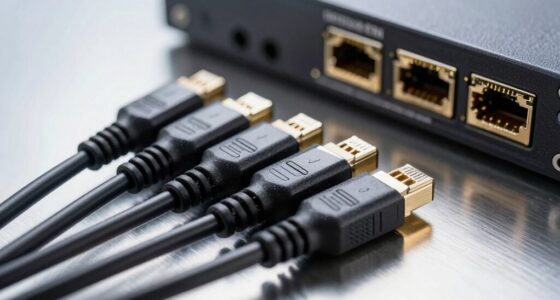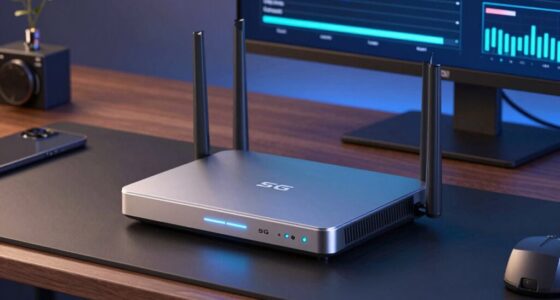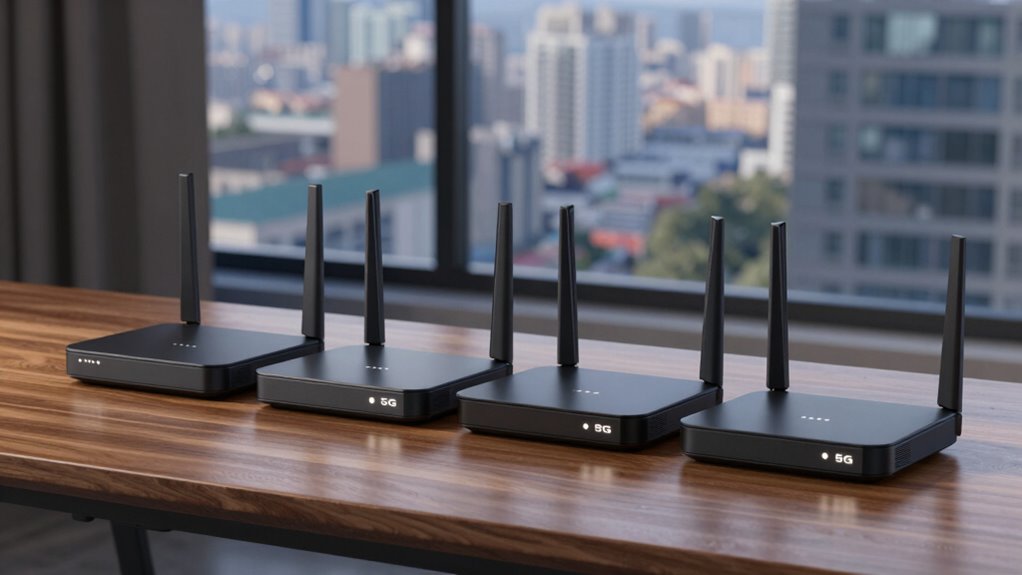

A dual-SIM 5G router can keep a connection available when one carrier has weak coverage or an outage, but models differ in how they handle SIM switching, Wi-Fi, and deployment. My best overall pick is the GL.iNet GL-X3000 Spitz AX for its balance of cellular connectivity and Wi-Fi 6 features. The Cudy P5 is a strong alternative for buyers who want a straightforward dual-SIM router, while the Teltonika RUTM50 is better suited to industrial networks that need failover and remote management. The main tradeoffs are consumer-friendly setup versus advanced control, and a home or travel design versus rugged, purpose-built hardware. Read on for the full comparison and guidance on choosing the right fit.

Get the latest gadgets delivered free with Prime
- Fast, free delivery on millions of items
- Prime Video, Amazon Music and more included
- Member-only deals all year
Complete the kit



Key Takeaways
- The GL.iNet GL-X3000 Spitz AX leads for general-purpose use because it pairs 5G connectivity with Wi-Fi 6 features, while industrial options prioritize network control and deployment needs.
- Dual SIM does not automatically mean seamless backup. Check whether the router supports automatic failover, how it selects a carrier, and whether switching behavior suits your uptime needs.
- The Cudy P5 is the clearest consumer-oriented dual-SIM alternative in this lineup; the Teltonika RUTM50 and LINOVISION model target more specialized industrial installations.
- The GL-E5800 NA MUDI 7 stands apart for travel with a compact format, tri-band Wi-Fi 7, and eSIM support, but its role differs from a fixed home or industrial router.
- Not every router listed is a dual-SIM 5G product. The TP-Link Archer AX55 is a conventional Wi-Fi router without built-in 5G cellular service, so it needs a separate internet source.
| GL.iNet GL-X3000 Spitz AX 5G Cellular Wi-Fi 6 Router |  | Best Overall for Dual-SIM Flexibility | Cellular connectivity: 5G NR, LTE, UMTS, WCDMA | SIM slots: 2 | Wi-Fi: Dual-band Wi-Fi 6, 2.4 GHz and 5 GHz | VIEW ON AMAZON | See Our Full Breakdown |
| RM520N AX3000 WiFi 6 5G Cellular Router with SIM Card Slot |  | Best for High-Capacity 5G Networks | Modem chipset: Qualcomm SDX62 | 5G speed: Up to 3.4 Gbps | Wi-Fi standard: Wi-Fi 6 (802.11ax) | VIEW ON AMAZON | See Our Full Breakdown |
| GL.iNet GL-E5800 NA MUDI 7 5G Tri-Band Wi-Fi 7 Travel Router with eSIM |  | Best Premium Travel Router | Processor: Qualcomm Dragonwing MBB Gen 3 (X72) | 5G download speed: Up to 4.67 Gbps | SIM support: eSIM and dual nano-SIM with dual standby | VIEW ON AMAZON | See Our Full Breakdown |
| Inseego Wavemaker FX3100 5G Indoor Wi-Fi Router, GSM Unlocked, White |  | Best for Straightforward Indoor 5G | Cellular network: 5G and LTE | Wi-Fi: Dual-band Wi-Fi 6 | Maximum connected devices: 64 | VIEW ON AMAZON | See Our Full Breakdown |
| TP-Link Archer AX55 Dual-Band AX3000 Wi-Fi 6 Router |  | Best Wi-Fi-Only Alternative | Wi-Fi standard: Wi-Fi 6 | 5 GHz Wi-Fi speed: 2402 Mbps | 2.4 GHz Wi-Fi speed: 574 Mbps | VIEW ON AMAZON | See Our Full Breakdown |
| Hitron D60 5G Cellular Wi-Fi 6 Router |  | Best for Carrier-Certified Home Failover | Cellular: 5G SA/NSA and 4G LTE | SIM support: Nano SIM and eSIM | Wi-Fi: Wi-Fi 6, dual-band 2.4 GHz and 5 GHz | VIEW ON AMAZON | See Our Full Breakdown |
| Cudy P5 5G AX3000 Wi-Fi 6 Router with Dual SIM |  | Best Value for Flexible Dual-SIM Networking | 5G modem: Qualcomm X62, up to 3.4 Gbps | SIM slots: 2 Nano SIM | Wi-Fi: Wi-Fi 6 AX3000; 2402 Mbps at 5 GHz and 574 Mbps at 2.4 GHz | VIEW ON AMAZON | See Our Full Breakdown |
| Teltonika RUTM50 5G Industrial Router with Dual SIM Failover, Wi-Fi, Gigabit Ethernet, VPN, and RMS |  | Best for Industrial Remote Management | Cellular: 5G and 4G LTE | SIM features: Dual SIM failover and load balancing | Wi-Fi: Dual-band; supplied data lists 802.11ac and Wi-Fi 6 | VIEW ON AMAZON | See Our Full Breakdown |
| LINOVISION Industrial 5G Cellular Router with Dual SIM Failover and GPS |  | Best for Harsh Environments and GNSS | Cellular: 5G SA/NSA and 4G LTE Cat 19/18 | Maximum download speed: 3.4 Gbps on 5G; 1.6 Gbps on 4G LTE | SIM: Dual SIM with automatic failover | VIEW ON AMAZON | See Our Full Breakdown |
| dual sim 5g router | Wi-Fi |
|---|---|
| GL.iNet GL-X3000 Spitz AX 5G C | Dual-band Wi-Fi 6, 2.4 GHz and 5 GHz |
| RM520N AX3000 WiFi 6 5G Cellul | — |
| GL.iNet GL-E5800 NA MUDI 7 5G | — |
| Inseego Wavemaker FX3100 5G In | Dual-band Wi-Fi 6 |
| TP-Link Archer AX55 Dual-Band | — |
| Hitron D60 5G Cellular Wi-Fi 6 | Wi-Fi 6, dual-band 2.4 GHz and 5 GHz |
| Cudy P5 5G AX3000 Wi-Fi 6 Rout | Wi-Fi 6 AX3000; 2402 Mbps at 5 GHz and 574 Mbps at 2.4 GHz |
| Teltonika RUTM50 5G Industrial | Dual-band; supplied data lists 802.11ac and Wi-Fi 6 |
| LINOVISION Industrial 5G Cellu | Wi-Fi 5 (802.11ac/b/g/n) |
More Details on Our Top Picks
GL.iNet GL-X3000 Spitz AX 5G Cellular Wi-Fi 6 Router
The GL-X3000 Spitz AX is my best overall pick for buyers who want dual-SIM connectivity to work alongside other internet sources. Its two SIM slots and automatic network failover can help keep a home, office, or RV connected when one provider drops out, while Ethernet, repeater, and tethering WAN options add flexibility beyond cellular alone. Six detachable antennas and OpenWrt-based firmware suit buyers who want room to adjust coverage and network settings. Compared with the RM520N, it gives more clearly specified VPN speeds and security options, while the RM520N lists a faster cellular peak and more connected users. The tradeoff is that this is a more hands-on router: its physical eSIM card is separate, regional cellular restrictions apply, and its configurable firmware may take work to set up.
Pros:- Two SIM slots with automatic failover between cellular providers
- Supports Ethernet, repeater, cellular, and tethering WAN connections
- OpenVPN and WireGuard support with DNS encryption options
- Six detachable antennas and customizable OpenWrt-based firmware
Cons:- Physical eSIM card must be purchased separately
- Cellular functionality is restricted in some regions
- OpenWrt configuration and real-world speeds may require attention to setup and network conditions
Best for: Home, small-office, and RV users who want two cellular providers, automatic failover, and the option to use Ethernet or tethering as backup WAN.
Not ideal for: Buyers who want a simple plug-and-play setup or rely on a region where this model’s cellular feature is restricted.
- Cellular connectivity:5G NR, LTE, UMTS, WCDMA
- SIM slots:2
- Wi-Fi:Dual-band Wi-Fi 6, 2.4 GHz and 5 GHz
- Maximum Wi-Fi data rate:3000 Mbps
- Antennas:6 detachable
- VPN support:OpenVPN up to 150 Mbps; WireGuard up to 300 Mbps
- WAN options:Ethernet, repeater, cellular, tethering
- LAN port bandwidth:1000 Mbps
Our verdict“Choose the Spitz AX if you want a configurable dual-SIM router with multiple backup WAN paths rather than the RM520N’s higher listed cellular peak speed.”
RM520N AX3000 WiFi 6 5G Cellular Router with SIM Card Slot
The RM520N is the strongest fit here for buyers prioritizing a high listed 5G ceiling and many simultaneous connections. Its Qualcomm SDX62 modem is rated for up to 3.4 Gbps, and its stated capacity of 128 users exceeds the 64-device limit listed for the Inseego Wavemaker FX3100. Nine detachable antennas, including separate cellular and Wi-Fi antennas, give signal placement more flexibility than the Spitz AX’s six-antenna setup. It also lists a 10 Gbps LAN port and WireGuard and Zerotier support. That breadth comes with a setup tradeoff: the product data describes advanced networking features but does not promise a beginner-focused configuration experience. You will also need a separate 5G SIM and data plan, and the headline cellular speed depends on network conditions.
Pros:- Qualcomm SDX62 modem with a listed 5G speed of up to 3.4 Gbps
- Supports up to 128 simultaneous connections
- Nine detachable antennas, with separate cellular and Wi-Fi antenna groups
- 10 Gbps LAN port and support for WireGuard and Zerotier
Cons:- Requires a separate 5G SIM card and data plan
- Advanced features may make setup challenging for non-technical buyers
- The listed peak speed depends on cellular network conditions and configuration
Best for: Technically confident households, small offices, or temporary work sites that need cellular internet for many devices and value extensive antenna options.
Not ideal for: First-time router buyers seeking guided setup, or anyone expecting 3.4 Gbps cellular speeds regardless of carrier coverage and plan.
- Modem chipset:Qualcomm SDX62
- 5G speed:Up to 3.4 Gbps
- Wi-Fi standard:Wi-Fi 6 (802.11ax)
- Wi-Fi speeds:574 Mbps at 2.4 GHz; 2402 Mbps at 5 GHz
- Antennas:9 detachable: 4 cellular 5 dBi and 5 Wi-Fi 5 dBi
- Maximum users:128 simultaneous connections
- VPN support:PPTP, L2TP, GRE, WireGuard, Zerotier
- LAN port bandwidth:10 Gbps
Our verdict“Pick the RM520N if high listed 5G throughput and capacity for up to 128 devices matter more than the Spitz AX’s more fully specified dual-SIM failover details.”
GL.iNet GL-E5800 NA MUDI 7 5G Tri-Band Wi-Fi 7 Travel Router with eSIM
For travel, the MUDI 7 brings the most versatile SIM arrangement in this group: eSIM plus dual nano-SIM dual standby. That can reduce dependence on a single carrier or a single physical SIM, while its 5380 mAh battery, touchscreen, and compact travel design make it more suitable for moving between locations than the fixed indoor Inseego FX3100. Tri-band Wi-Fi 7, a 2.5 Gbps WAN/LAN port, and fast USB-C add headroom for demanding portable setups. Its listed 5G download ceiling is also higher than the RM520N’s, though cellular conditions determine actual performance. The tradeoff is complexity: three SIM paths and multiple WAN options offer flexibility but may be more than casual travelers need, and battery life is listed as up to 13.5 hours rather than unlimited mobile operation.
Pros:- Combines eSIM with dual nano-SIM dual standby
- Tri-band Wi-Fi 7 includes the 6 GHz band
- 5380 mAh battery with up to 13.5 hours of stated use and 30 W USB-C charging
- 2.5 Gbps WAN/LAN port and 10 Gbps USB-C
Cons:- Complex SIM and WAN features may take time to configure
- Battery operation is limited by the stated runtime and usage conditions
- Portable premium features may be unnecessary for fixed-location users
Best for: Frequent travelers and mobile professionals who need battery-powered 5G, flexible SIM choices, and newer Wi-Fi 7 client support.
Not ideal for: Buyers who need a fixed home router with a simple setup, or travelers who do not need battery power, eSIM, or multiple SIM options.
- Processor:Qualcomm Dragonwing MBB Gen 3 (X72)
- 5G download speed:Up to 4.67 Gbps
- SIM support:eSIM and dual nano-SIM with dual standby
- Wi-Fi bands:2.4 GHz, 5 GHz, 6 GHz
- Wi-Fi speeds:688 Mbps at 2.4 GHz; 2882 Mbps at 5 GHz; 5765 Mbps at 6 GHz
- Ethernet:2.5 Gbps WAN/LAN
- Battery:5380 mAh; up to 13.5 hours
- VPN speeds:OpenVPN up to 700 Mbps; WireGuard up to 600 Mbps
Our verdict“Choose the MUDI 7 over the indoor FX3100 if you need a portable, battery-powered dual-SIM-and-eSIM 5G setup with Wi-Fi 7.”
Inseego Wavemaker FX3100 5G Indoor Wi-Fi Router, GSM Unlocked, White
The Inseego Wavemaker FX3100 is the indoor-focused pick for buyers who want 5G or LTE service feeding a household without a portable-router feature set. Its dual-band Wi-Fi 6 supports up to 64 connected devices, and two WAN/LAN Ethernet ports plus USB-C tethering offer useful connection options. App-based guided setup and remote management give it a more approachable angle than the feature-dense GL-X3000 Spitz AX, whose OpenWrt-based firmware is aimed at buyers comfortable with customization. The key limitation for this roundup is that the supplied product data does not list dual SIM support or automatic SIM failover, so I would not choose it when switching between two cellular providers is the central requirement. It is also designed for indoor use and requires compatible cellular service.
Pros:- Supports 5G and LTE cellular connectivity
- Dual-band Wi-Fi 6 supports up to 64 connected devices
- Two WAN/LAN Ethernet ports and USB-C tethering
- App offers guided setup and remote router management
Cons:- Dual-SIM support and SIM failover are not listed in the supplied specifications
- Designed for indoor use rather than mobile or outdoor deployment
- Requires compatible cellular service for 5G or LTE access
Best for: Households or small offices seeking an indoor 5G/LTE router with Wi-Fi 6, app-based management, and Ethernet or USB-C connection options.
Not ideal for: Buyers who specifically need two SIM slots, automatic failover between cellular providers, or a router for travel and outdoor placement.
- Cellular network:5G and LTE
- Wi-Fi:Dual-band Wi-Fi 6
- Maximum connected devices:64
- Ethernet ports:2 WAN/LAN
- USB:USB-C tethering
- Wireless standards:802.11ac, 802.11ax, 802.11b, 802.11g, 802.11n
- Security:WPA, WPA2, WPA3
- Management:Inseego Mobile app with guided setup and remote management
Our verdict“Choose the FX3100 for app-managed indoor 5G, but pick the Spitz AX if dual-SIM failover is a firm requirement.”
TP-Link Archer AX55 Dual-Band AX3000 Wi-Fi 6 Router
The TP-Link Archer AX55 is the outlier here: it is a Wi-Fi 6 router, not a dual-SIM 5G router. Its role is useful for buyers comparing cellular equipment with a conventional home network, or for those who already have a separate modem or internet service and only need Wi-Fi. The listed 2402 Mbps on 5 GHz and 574 Mbps on 2.4 GHz, along with MU-MIMO, OFDMA, and beamforming, are aimed at sharing a wired connection among multiple devices. Compared with the cellular-ready Inseego FX3100, it has no listed 5G or LTE modem, SIM slot, or cellular failover. That omission is decisive if mobile broadband is required. It also needs a modem for most ISP connections, so it should not be mistaken for a cellular backup solution.
Pros:- Dual-band Wi-Fi 6 with listed speeds of 2402 Mbps at 5 GHz and 574 Mbps at 2.4 GHz
- MU-MIMO and OFDMA support multi-device network traffic
- Four high-gain external antennas with beamforming
- USB 3.0 port and HomeShield security service
Cons:- No 5G or LTE modem or SIM slot is listed
- Requires a modem for most internet service providers
- Setup may be challenging for non-technical users
Best for: Households with existing wired broadband or a separate modem that need a Wi-Fi 6 router but do not need cellular service or SIM failover.
Not ideal for: Anyone shopping specifically for a dual-SIM 5G router, cellular backup, or a router with an integrated cellular modem.
- Wi-Fi standard:Wi-Fi 6
- 5 GHz Wi-Fi speed:2402 Mbps
- 2.4 GHz Wi-Fi speed:574 Mbps
- Antennas:4 high-gain external antennas
- USB:USB 3.0
- Multi-device features:MU-MIMO, OFDMA, beamforming, Target Wake Time
- Security:HomeShield security service
- Compatibility:Works with all major ISPs
Our verdict“Choose the Archer AX55 only if you need Wi-Fi for an existing wired connection; for dual-SIM 5G, the FX3100 or Spitz AX is a better fit.”
Hitron D60 5G Cellular Wi-Fi 6 Router
The Hitron D60 is a straightforward choice for a home or small office that needs cellular backup without giving up everyday Wi-Fi 6. Its Nano SIM and eSIM support offer more setup flexibility than the Cudy P5, which uses two Nano SIM slots, while carrier certification for T-Mobile, AT&T, and US Cellular gives buyers a defined path to service. Cellular failover can keep a connection available when the primary link drops, though the supplied details do not describe dual-SIM failover between two carriers. The D60 also supports mesh, making it more adaptable to broader indoor coverage than a basic cellular gateway. Its main tradeoffs are the three-month limited warranty and a single listed gigabit LAN port, which make it less compelling for long-term or wired-heavy deployments than the Cudy P5 or Teltonika RUTM50.
Pros:- Supports 5G SA/NSA and 4G LTE for cellular connectivity across network generations.
- Nano SIM and eSIM support provide two ways to activate cellular service.
- Cellular failover and mesh support suit backup internet and wider indoor coverage.
- Certified for T-Mobile, AT&T, and US Cellular.
Cons:- The listed limited warranty is only three months.
- Requires a Nano SIM or eSIM service plan from a supported carrier.
- One listed gigabit LAN port is less suited to wired-heavy setups than the Cudy P5 or Teltonika RUTM50.
Best for: Households or small offices seeking a carrier-certified 5G backup connection, with eSIM as an alternative to a physical Nano SIM.
Not ideal for: Buyers who need dual physical SIM failover, several wired LAN connections, or a longer stated warranty.
- Cellular:5G SA/NSA and 4G LTE
- SIM support:Nano SIM and eSIM
- Wi-Fi:Wi-Fi 6, dual-band 2.4 GHz and 5 GHz
- Maximum 5G download speed:3.4 Gbps
- Maximum Wi-Fi speed:5.4 Gbps
- LAN:1 gigabit LAN port
- Failover and mesh:Cellular failover; mesh support
- Security:WPA3
- Certified carriers:T-Mobile, AT&T, and US Cellular
Our verdict“Choose the D60 for carrier-certified home 5G failover and eSIM flexibility, but skip it if dual-SIM redundancy or multiple wired ports matter most.”
Cudy P5 5G AX3000 Wi-Fi 6 Router with Dual SIM
The Cudy P5 earns its place by combining two Nano SIM slots with configurable WAN and cellular failover, so it can keep a connection available across wired internet and two cellular options. That gives it a more flexible backup setup than the Hitron D60, which lists cellular failover but not dual-SIM switching. Its four detachable cellular antennas also make antenna upgrades possible when a router must sit where reception is weak; the Teltonika RUTM50 has more antennas, but they are fixed. For home users, AX3000 Wi-Fi 6, mesh support, and app management cover common networking needs. The tradeoff is that its wireless speed tier is below the D60’s listed maximum, and cellular results still depend on carrier coverage and antenna placement. Its broad VPN support adds useful options, though the feature set may take more setup than a basic home router.
Pros:- Two Nano SIM slots work with WAN, Cellular 1, and Cellular 2 failover options.
- Detachable SMA cellular antennas allow replacement or upgrades for site-specific reception needs.
- Four gigabit Ethernet ports support wired devices and a configurable WAN/LAN connection.
- Includes mesh support and several VPN protocols, including WireGuard, OpenVPN, and IPsec.
Cons:- Cellular performance varies with carrier coverage and signal conditions.
- AX3000 Wi-Fi is a lower listed speed tier than the Hitron D60.
- The four cellular antennas can require repositioning or upgrades in weak-signal locations.
Best for: Homes, workshops, and remote sites that need two physical SIMs, wired WAN backup, and the option to upgrade cellular antennas.
Not ideal for: Buyers seeking the simplest plug-and-play setup, eSIM activation, or the highest listed Wi-Fi speed in this group.
- 5G modem:Qualcomm X62, up to 3.4 Gbps
- SIM slots:2 Nano SIM
- Wi-Fi:Wi-Fi 6 AX3000; 2402 Mbps at 5 GHz and 574 Mbps at 2.4 GHz
- Ethernet:4 gigabit ports: 1 configurable WAN/LAN and 3 LAN
- Cellular antennas:4 detachable SMA antennas
- Failover:WAN, Cellular 1, and Cellular 2
- VPN protocols:WireGuard, OpenVPN, IPsec, Zerotier, PPTP, and L2TP
- Mesh:Cudy Mesh support
- Warranty:2 years
Our verdict“Pick the Cudy P5 when dual physical SIMs, several failover paths, and replaceable antennas matter more than simpler setup or a higher listed Wi-Fi ceiling.”
Teltonika RUTM50 5G Industrial Router with Dual SIM Failover, Wi-Fi, Gigabit Ethernet, VPN, and RMS
The Teltonika RUTM50 is aimed at deployments where remote administration and wired networking matter more than home-router convenience. Its dual-SIM failover and load balancing help keep a site connected, while Teltonika RMS remote management gives administrators a way to monitor and configure units away from the installation. Five gigabit Ethernet ports, RutOS, and VPN options including WireGuard and IPsec make it a stronger fit for equipment rooms or distributed sites than the consumer-oriented Hitron D60. There is a specification ambiguity buyers should resolve before purchase: the supplied data lists both 802.11ac and Wi-Fi 6, while also describing dual-band operation. Its seven antennas are fixed, unlike the Cudy P5’s detachable cellular antennas, so placement flexibility is more limited. This industrial feature set may be unnecessary for a household seeking simple 5G backup.
Pros:- Dual-SIM failover and load balancing support resilient site connectivity.
- Five gigabit Ethernet ports suit wired equipment and local network connections.
- Teltonika RMS enables remote monitoring and configuration.
- RutOS, firewall features, and OpenVPN, IPsec, and WireGuard support enterprise-style network controls.
Cons:- The supplied specifications conflict by listing both 802.11ac and Wi-Fi 6.
- Fixed antennas limit repositioning and replacement options compared with the Cudy P5.
- Its industrial management features may add complexity for buyers who only need home internet backup.
Best for: IT teams and site operators managing remote locations that need dual-SIM redundancy, multiple wired connections, VPNs, and centralized monitoring.
Not ideal for: Home users who want a simple consumer setup, or installers who need detachable antennas and clearly specified Wi-Fi generation.
- Cellular:5G and 4G LTE
- SIM features:Dual SIM failover and load balancing
- Wi-Fi:Dual-band; supplied data lists 802.11ac and Wi-Fi 6
- Ethernet:5 ports, 10/100/1000 Mbps
- Antennas:7 fixed antennas
- Operating system:RutOS, OpenWrt-based Linux
- VPN protocols:OpenVPN, IPsec, and WireGuard
- Remote management:Teltonika RMS
- Warranty:2 years
Our verdict“Choose the RUTM50 for remotely managed industrial or distributed sites, but verify its Wi-Fi specification and antenna requirements before buying.”
LINOVISION Industrial 5G Cellular Router with Dual SIM Failover and GPS
The LINOVISION is the more specialized pick for installations exposed to temperature swings, variable power, or a need for location data. Its 9–50 V DC input range and stated operating range from -40°C to 75°C suit equipment cabinets and field deployments better than the indoor-oriented Hitron D60. Five gigabit ports, DI/DO, USB-A, and multi-constellation GNSS provide connection and positioning options that the D60 does not list. Dual-SIM automatic failover and a suite of VPN and firewall features make it a capable cellular gateway, but its Wi-Fi 5 is behind the D60 and Cudy P5’s Wi-Fi 6. Fixed antennas also restrict installation adjustments. This is a purpose-built industrial choice, not the best fit for buyers prioritizing modern wireless speeds or flexible antenna placement.
Pros:- Dual-SIM automatic failover supports continued connectivity when one carrier connection fails.
- Five gigabit Ethernet ports plus DI, DO, and USB-A support varied industrial connections.
- Multi-constellation GNSS supports GPS, GLONASS, BeiDou, Galileo, and QZSS.
- Aluminum housing, 9–50 V DC input, and -40°C to 75°C operating range suit demanding installations.
Cons:- Wi-Fi 5 is older than the Wi-Fi 6 offered by the Hitron D60 and Cudy P5.
- Fixed antennas limit placement and upgrade options.
- The industrial interfaces and environmental ratings may be unnecessary for ordinary home networking.
Best for: Industrial integrators and field operators needing dual-SIM 5G, GNSS location support, multiple wired interfaces, and operation across wide voltage and temperature ranges.
Not ideal for: Home users prioritizing Wi-Fi 6, or installers who need detachable antennas to tune reception at the site.
- Cellular:5G SA/NSA and 4G LTE Cat 19/18
- Maximum download speed:3.4 Gbps on 5G; 1.6 Gbps on 4G LTE
- SIM:Dual SIM with automatic failover
- Ethernet:5 gigabit ports: 1 configurable WAN/LAN and 4 LAN
- Other ports:1 DI, 1 DO, and 1 USB-A
- Wi-Fi:Wi-Fi 5 (802.11ac/b/g/n)
- GNSS:GPS, GLONASS, BeiDou, Galileo, and QZSS
- Operating range:9–50 V DC; -40°C to 75°C
- Housing:Aluminum
Our verdict“Choose LINOVISION for rugged, GNSS-aware industrial networking, but look to the Hitron D60 or Cudy P5 if Wi-Fi 6 is a priority.”

How We Picked
I ranked these options by how well they match the specific needs behind a dual-SIM 5G router: cellular capability, SIM configuration and failover, Wi-Fi performance, connection options, and suitability for the intended setting. I also weighed usability and management features, since a router built for a home or trip should not be judged by the same standards as hardware meant for an industrial site. Product names and feature claims can vary by region, so buyers should confirm the exact model and carrier compatibility before choosing.
Fit for purpose drives the ranking. The GL-X3000 earns the top position as a balanced general-use option, while the Cudy P5 offers a simpler dual-SIM alternative and the MUDI 7 suits mobile use. The RUTM50 and LINOVISION earn attention for industrial requirements, not as the default choice for a typical household. Models without built-in cellular service or a clearly stated dual-SIM role rank lower for this search, even if they may work well in a different network setup.
| dual sim 5g router | Wi-Fi |
|---|---|
| GL.iNet GL-X3000 Spitz AX 5G C | Dual-band Wi-Fi 6, 2.4 GHz and 5 GHz |
| RM520N AX3000 WiFi 6 5G Cellul | — |
| GL.iNet GL-E5800 NA MUDI 7 5G | — |
| Inseego Wavemaker FX3100 5G In | Dual-band Wi-Fi 6 |
| TP-Link Archer AX55 Dual-Band | — |
| Hitron D60 5G Cellular Wi-Fi 6 | Wi-Fi 6, dual-band 2.4 GHz and 5 GHz |
| Cudy P5 5G AX3000 Wi-Fi 6 Rout | Wi-Fi 6 AX3000; 2402 Mbps at 5 GHz and 574 Mbps at 2.4 GHz |
| Teltonika RUTM50 5G Industrial | Dual-band; supplied data lists 802.11ac and Wi-Fi 6 |
| LINOVISION Industrial 5G Cellu | Wi-Fi 5 (802.11ac/b/g/n) |
Factors to Consider When Choosing Dual Sim 5g Router
Choosing a dual-SIM 5G router is less about counting SIM slots and more about matching its connection behavior to the way you use the internet. I would check carrier support and failover before comparing Wi-Fi labels, then narrow the field by where the router will live and who will manage it.
Check carrier bands and SIM compatibility first
A router can support 5G yet still be a poor match for a particular carrier or region. Before buying, compare the router’s supported cellular bands with the bands used where it will operate, and verify whether the carrier permits the device on its network. Also confirm whether both SIM slots accept the same SIM type and whether the model supports the carrier’s required provisioning. A second SIM from the same network may provide little benefit if the problem is a local tower outage. For travel or multi-region use, compatibility deserves more attention than a headline speed figure.
Decide what dual SIM needs to do
Two SIM slots can serve different purposes: automatic backup, manual carrier selection, or access to separate data plans. These behaviors are not interchangeable, so look for explicit documentation on failover triggers, return-to-primary behavior, and whether switching requires a reboot or user action. A brief outage may be tolerable for casual browsing but disruptive for payment systems, cameras, or remote equipment. Ask whether the router can monitor connection health rather than only detecting that a cellular link is present. If uptime matters, plan for testing the switchover with both SIMs before relying on it.
Match the router to its location
A travel router, indoor home router, and industrial unit solve different installation problems. For mobile use, size, power options, and setup convenience may matter more than advanced management tools. A fixed home setup may benefit more from Wi-Fi coverage, Ethernet ports, and external antenna support. Industrial or remote deployments can call for rugged construction, mounting options, stable power, and remote administration. Buying industrial features for a simple home connection can add configuration burden, while choosing a compact travel model for a permanent site may leave installation needs unmet.
Treat Wi-Fi and cellular as separate performance questions
5G describes the router’s cellular backhaul; Wi-Fi describes how it shares that connection with devices nearby. A newer Wi-Fi generation may improve local capacity or device handling, but it cannot fix weak cellular reception or a congested carrier network. Consider how many devices will connect, whether they need wired Ethernet, and how far the signal must reach. For a large building, router placement or a separate access point may matter more than choosing a higher Wi-Fi tier. Check whether the listed Wi-Fi features are available on the exact regional model.
Budget time for setup and ongoing management
Advanced controls can help maintain a business or remote network, but they may take more effort to configure than a consumer router. Review the setup process, monitoring tools, firmware support, and any dependence on a cloud management service. For a household or occasional travel connection, a clear interface can be more useful than a long list of network functions. For several remote sites, centralized monitoring may save time and help identify carrier or hardware issues. Account for SIM plan administration and firmware maintenance as part of ownership, not just the initial installation.
Know when a non-cellular router is the wrong category
A standard Wi-Fi router does not become a 5G router simply because it can share a connection from another device. The TP-Link Archer AX55, for example, is a conventional Wi-Fi router and does not provide built-in 5G cellular service or dual SIM. It may suit buyers who already have a modem or another internet source, but it does not meet the central need of direct dual-SIM cellular access. Check the product’s cellular modem and SIM specifications rather than relying on Wi-Fi speed names. This simple category check can prevent buying an otherwise capable router that cannot perform the job.
Frequently Asked Questions
Will any two SIM cards work in a dual-SIM 5G router?
No. The router must support the cellular bands and network requirements used by the carriers, and each carrier may have rules for activating a SIM in a router. Some plans restrict hotspot or router use, while others require a particular APN or device registration. Check the router’s regional variant and carrier compatibility before purchasing. If you plan to use two networks, verify both separately rather than assuming support for one guarantees support for the other.
Does a dual-SIM router keep both mobile connections active at once?
Not necessarily. Many dual-SIM designs use one connection at a time and switch to the second SIM when the primary link fails or is unavailable. Others may allow manual selection or use the second SIM for a different purpose, depending on the model. Read the manufacturer’s description of failover and link behavior, not just the SIM-slot count. If both links must operate simultaneously, confirm that capability explicitly before buying.
Can SIM failover keep a video call or work session uninterrupted?
Failover can restore internet access, but it does not guarantee that an active call or session will continue without interruption. Switching carriers may change the router’s public IP address, and the cellular link may take time to reconnect. The result depends on the router’s failover behavior, the service being used, and the strength of both networks. For work that cannot tolerate a brief interruption, test the actual applications and SIM plans before deployment. A backup link reduces risk but should not be treated as identical to a seamless wired backup.
Should I choose a travel router or an industrial dual-SIM router?
Choose based on installation and management needs rather than assuming one category is universally better. A travel model such as the GL-E5800 NA MUDI 7 is aimed at portability and mobile connectivity, while the Teltonika RUTM50 and LINOVISION router are positioned for industrial deployments and network management. Industrial hardware may offer capabilities that matter for remote sites, but can involve more setup than a casual user wants. A travel-focused design may be easier to carry but not suited to fixed mounting or demanding operating conditions. Compare power, mounting, management, and carrier support against the place you will use it.
Is the TP-Link Archer AX55 a substitute for a dual-SIM 5G router?
No, not on its own. The Archer AX55 is a Wi-Fi router, not a router with a built-in 5G modem and dual SIM slots. It may distribute a connection supplied by a separate modem or other internet source, but that does not make it a direct cellular backup router. If you already own compatible cellular equipment, check whether the devices can be connected and configured together. Otherwise, choose a model that explicitly includes 5G cellular service and the SIM functionality you need.
Conclusion
For most buyers seeking one device for cellular internet and home or small-office Wi-Fi, I recommend the GL.iNet GL-X3000 Spitz AX as the best overall. The Cudy P5 is my best value-style pick for shoppers who want a more direct dual-SIM consumer option, while the GL-E5800 NA MUDI 7 is best for travel and mobile use. Beginners should favor a consumer-oriented model with setup and management they can comfortably handle; before buying, confirm carrier compatibility and how failover works. For premium or industrial needs, I would look first at the Teltonika RUTM50 for managed deployments, or the LINOVISION model when its industrial and GPS features match the installation. Skip the Archer AX55 if you need built-in 5G and dual SIM, since it belongs to a different router category.
Evergreen bestsellers Picks

Ninja Foodi Power Blender & Processor System, 7 Functions, Silver, SS401

Vitamix Propel Series 510 Professional-Grade Blender, 48 oz, Slate

Ninja CREAMi 7-in-1 Ice Cream Maker, NC299AMZ
As an affiliate, we earn on qualifying purchases.