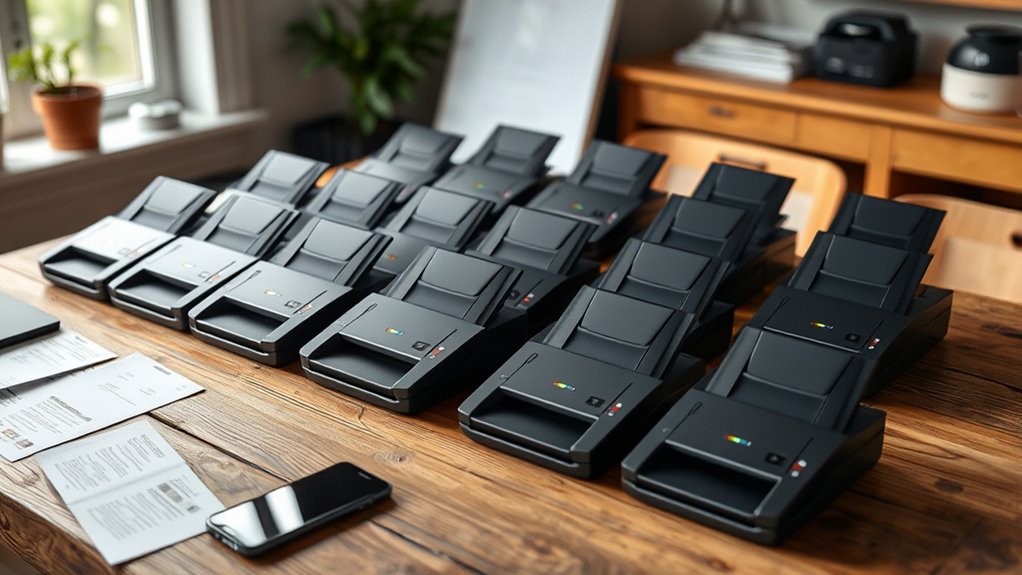
Portable document scanners range from compact sheet-fed models for stacks of paperwork to handheld wands for occasional pages on the move. I rank the Epson WorkForce ES-C220 as the best overall pick because its duplex scanning and 20-page automatic document feeder suit recurring office batches. The Brother DS-740D is a strong compact alternative with duplex scanning, while the Canon imageFORMULA R10 suits buyers who want a portable feeder-based workflow. The main tradeoff is between faster, more consistent feeding and smaller, simpler devices that need more manual handling. Read on for the full breakdown and a guide to choosing the right scanner for your documents.

Get the latest gadgets delivered free with Prime
- Fast, free delivery on millions of items
- Prime Video, Amazon Music and more included
- Member-only deals all year
Complete the kit



Key Takeaways
- The ES-C220 leads for regular batches: Its 20-page feeder and duplex scanning give it a stronger fit for recurring paperwork than single-sheet or handheld models.
- Duplex capability varies among compact scanners: The Brother DS-740D scans both sides, while the DS-640 is a simpler single-sided option.
- Handheld models prioritize independence from a feeder: The AOZBZ, MUNBYN, ANNCARY, and similar wand-style picks suit occasional scanning, but each page requires careful manual movement.
- Portable does not always mean battery-powered: Several compact sheet-fed options rely on a USB connection, so check your intended workspace and power access.
- The LiDE 300 is a different kind of portable pick: Its flatbed design suits books, receipts, and delicate pages better than feeding loose stacks.
| Epson WorkForce ES-C220 Compact Duplex Document Scanner with 20-Page ADF |  | Best for Fast Batch Scanning | Scanner type: Duplex document scanner | Scan speed: Up to 30 ppm / 60 ipm | Automatic document feeder: 20 pages | VIEW ON AMAZON | See Our Full Breakdown |
| Canon imageFORMULA R10 Portable Duplex Document Scanner |  | Best for Plug-and-Scan Simplicity | Scanning speed: Up to 12 pages per minute | Automatic document feeder: 20 sheets | Scanning: Duplex; color, black-and-white, and grayscale | VIEW ON AMAZON | See Our Full Breakdown |
| Plustek Mobile Scanner S410 Plus Portable Sheet-Fed Document Scanner |  | Best for Lightweight OCR Work | Scanner type: Portable sheet-fed document scanner | Power: USB bus-powered | Weight: Less than 1 lb | VIEW ON AMAZON | See Our Full Breakdown |
| Canon CanoScan LiDE 300 Scanner |  | Best for Occasional Document and Image Scans | Scanner type: Document scanner | Connectivity: USB | Scanning feature: Auto Scan Mode | VIEW ON AMAZON | See Our Full Breakdown |
| Brother DS-740D Duplex Compact Mobile Document Scanner |  | Best for Cross-Platform Mobile Duplex Scanning | Scan speed: Up to 16 pages per minute | Scanning: Single- and double-sided in one pass | Power: Micro USB 3.0 connection | VIEW ON AMAZON | See Our Full Breakdown |
| AOZBZ Portable A4 Document Scanner, 900 DPI, with 16GB SD Card |  | Best for High-Resolution Handheld Scans | Scanner type: Handheld document scanner | Resolution modes: 300, 600, and 900 dpi | Color depth: 24 bits per pixel | VIEW ON AMAZON | See Our Full Breakdown |
| Brother DS-640 Compact Mobile Document Scanner |  | Best for Computer-Based Mobile Work | Model: DS-640 | Scan speed: Up to 16 pages per minute | Weight: Approximately 1.5 lb | VIEW ON AMAZON | See Our Full Breakdown |
| MUNBYN Portable Handheld Scanner, 900 DPI, A4, 16 GB SD Card, Black |  | Best for Occasional Book and Photo Capture | Maximum document size: A4 | Maximum resolution: 900 dpi | Scan time: About 3–5 seconds | VIEW ON AMAZON | See Our Full Breakdown |
| AOZBZ Portable Handheld Document Scanner with 16GB SD Card |  | Best for Simple Standalone File Capture | Connection: USB 2.0 | Resolution: 300, 600, or 900 dpi | File formats: JPEG and PDF | VIEW ON AMAZON | See Our Full Breakdown |
| ScanSnap iX1300 Wireless or USB Double-Sided Color Document Scanner, Black |  | Best for High-Volume Portable Desk Scanning | Connectivity: USB and Wi-Fi | Scanning: Double-sided color scanning | Scan speed: Up to 30 pages per minute | VIEW ON AMAZON | See Our Full Breakdown |
| MUNBYN Portable Handheld Scanner, 900 DPI, A4, 16 GB SD Card, Silver |  | Best for Standalone Handheld Scanning | Resolution: 900 DPI | Format: A4 | Storage: 16 GB SD card included | VIEW ON AMAZON | See Our Full Breakdown |
| ANNCARY Portable Handheld Document Scanner, 900 DPI |  | Best for Flexible File Formats | Scanner type: Book, document, insurance card, photo, and receipt | Connection: USB | Resolution: 300, 600, or 900 DPI | VIEW ON AMAZON | See Our Full Breakdown |
| HPPS100 Portable USB Document and Photo Scanner |  | Best for Faster USB-Powered Scanning | Scanner type: Portable, sheet-fed, one-sided (simplex) | Scanning speed: Up to 15 pages per minute | Maximum resolution: 1200 dpi | VIEW ON AMAZON | See Our Full Breakdown |
| Epson WorkForce ES-50 Compact Mobile Document Scanner |  | Best for Searchable Documents on the Go | Scanner type: Portable, single-sheet-fed document scanner | Scanning speed: As fast as 5.5 seconds per page | Maximum document size: 8.5 × 72 inches | VIEW ON AMAZON | See Our Full Breakdown |
| Portable A4 Handheld Scanner with 16GB MicroSD Card |  | Best for Battery-Powered A4 Scans | Document size: A4 | Resolution: 300, 600, or 900 dpi | File formats: JPEG and PDF | VIEW ON AMAZON | See Our Full Breakdown |
| document scanners portable | Power |
|---|---|
| Epson WorkForce ES-C220 Compac | — |
| Canon imageFORMULA R10 Portabl | — |
| Plustek Mobile Scanner S410 Pl | USB bus-powered |
| Canon CanoScan LiDE 300 Scanne | — |
| Brother DS-740D Duplex Compact | Micro USB 3.0 connection |
| AOZBZ Portable A4 Document Sca | Two AA batteries, not included |
| Brother DS-640 Compact Mobile | Micro USB 3.0 cable |
| MUNBYN Portable Handheld Scann | Two AA batteries, not included |
| AOZBZ Portable Handheld Docume | — |
| ScanSnap iX1300 Wireless or US | — |
| MUNBYN Portable Handheld Scann | 2 AA alkaline batteries, not included |
| ANNCARY Portable Handheld Docu | — |
| HPPS100 Portable USB Document | — |
| Epson WorkForce ES-50 Compact | USB-powered; no batteries or external power supply required |
| Portable A4 Handheld Scanner w | 2 AA batteries, not included |
More Details on Our Top Picks
Epson WorkForce ES-C220 Compact Duplex Document Scanner with 20-Page ADF
The Epson WorkForce ES-C220 is the strongest fit here when portable scanning means moving a compact desktop unit between workspaces and processing stacks quickly. Its 30 ppm duplex speed and 20-page feeder can cut the time spent digitizing two-sided paperwork compared with the slower Canon imageFORMULA R10. Automatic cropping, blank-page deletion, and skew correction also reduce cleanup after a batch. That speed and paper handling make it less of a grab-and-go choice than the sub-one-pound Plustek S410 Plus, though; the Epson is better suited to a desk or a mobile office setup with room for a feeder. Cards and passports need an optional carrier sheet, and getting started requires an internet connection to download its software.
Pros:- Scans both sides in one pass at up to 30 ppm
- 20-page automatic feeder handles small batches
- Automatic image adjustments can reduce manual cleanup
- Supports long documents up to 120 inches
Cons:- Cards and passports require an optional carrier sheet
- Software download and installation require internet access
- Less suited to pocketable travel than the sub-one-pound Plustek S410 Plus
Best for: Mobile office workers who regularly scan two-sided paperwork in batches and can carry a compact feeder-style scanner.
Not ideal for: Travelers who need the lightest possible scanner or frequently scan cards and passports without a carrier sheet.
- Scanner type:Duplex document scanner
- Scan speed:Up to 30 ppm / 60 ipm
- Automatic document feeder:20 pages
- Maximum document size:8.5 × 120 inches
- Software:Epson ScanSmart
- Special features:Automatic cropping, blank-page deletion, background removal, dirt detection, skew correction, and staple protection
- Portability:Compact and lightweight
Our verdict“Choose the ES-C220 if batch speed and automatic cleanup matter more than carrying the smallest scanner.”
Canon imageFORMULA R10 Portable Duplex Document Scanner
The Canon imageFORMULA R10 suits people who want a portable feeder scanner without a separate power adapter or a software installation process. It draws power over USB, and its built-in software works with Windows and Mac, making it easier to set up than the Brother DS-740D, whose bundled software and drivers require an internet download. The 20-sheet feeder and duplex capture handle receipts, business cards, and legal documents, but its 12 ppm speed is a more measured pace than the Epson ES-C220’s 30 ppm. Canon suggests a daily volume of 500 scans, so it fits occasional paperwork and moderate office use better than relentless high-volume batches. It is not intended for photo paper scanning.
Pros:- USB power avoids carrying a separate power adapter
- Built-in software works without installation
- 20-sheet feeder supports batch scanning
- Duplex scanning handles both sides in one pass
Cons:- Up to 12 ppm is slower than the Epson ES-C220
- Suggested daily volume is 500 scans
- Not intended for scanning photographs on photo paper
Best for: Windows or Mac users who need a USB-powered feeder scanner for receipts, forms, and occasional two-sided batches.
Not ideal for: People scanning large daily volumes, photo prints, or documents where faster throughput is a priority.
- Scanning speed:Up to 12 pages per minute
- Automatic document feeder:20 sheets
- Scanning:Duplex; color, black-and-white, and grayscale
- Power source:USB
- Compatibility:Windows and Mac
- Suggested daily volume:500 scans
- Power consumption:2.5 W or less; 0.7 W in energy-saving mode
- Energy certification:ENERGY STAR
Our verdict“Pick the R10 for straightforward, USB-powered document scanning when setup ease matters more than speed.”
Plustek Mobile Scanner S410 Plus Portable Sheet-Fed Document Scanner
At less than one pound, the Plustek S410 Plus is the easiest option here to pack for a workday away from a fixed desk. Its USB bus power keeps the kit simple, while included OCR software can turn scans into searchable PDFs or editable Excel and Word files. That makes it a better match for someone who needs to reuse information from receipts, IDs, and invoices than the Canon CanoScan LiDE 300, whose listed features focus on USB scanning and automatic item detection. The tradeoff is a narrower setup: Plustek specifies Windows 7 through 11 and requires a computer for power and saving. Compared with the Epson ES-C220, it gives up a listed automatic feeder and high-speed duplex workflow in favor of lighter carry weight.
Pros:- Weighs less than one pound
- Runs from USB without a separate power source
- OCR supports searchable PDF, Excel, and Word output
- Handles documents, receipts, business cards, and plastic ID cards
Cons:- Requires a computer for power and saving scans
- Specified operating systems are Windows 7, 8, 10, and 11
- No automatic document feeder or duplex speed is listed
Best for: Field workers who carry a laptop and need lightweight scanning with searchable or editable document output.
Not ideal for: Mac users, people who need standalone operation, or anyone processing frequent two-sided batches.
- Scanner type:Portable sheet-fed document scanner
- Power:USB bus-powered
- Weight:Less than 1 lb
- Supported paper:Letter and Legal documents, business cards, plastic ID cards, invoices, and receipts
- Features:Automatic button-free scanning; OCR software
- Output formats:Searchable PDF, Excel, and Word
- Save destinations:Local computer, FTP, and shared folder
- Operating systems:Windows 7, 8, 10, and 11
Our verdict“Choose the S410 Plus when low carry weight and OCR matter more than feeder-based batch scanning.”
Canon CanoScan LiDE 300 Scanner
The Canon CanoScan LiDE 300 takes the simplest approach in this group: connect over USB, place an item on the scanner, and let Auto Scan Mode detect what it is. That makes it a reasonable pick for someone who occasionally digitizes paperwork and images from a desk, rather than feeding stacks like the Epson ES-C220 or carrying a sub-one-pound sheet-fed Plustek S410 Plus between appointments. Its ability to scan images gives it broader use than a document-only workflow, but the supplied product details do not list a feeder, duplex capture, speed, weight, or a separate power arrangement. Buyers who need to scan many pages on the move should favor one of the feeder models; the LiDE 300 is better framed as a basic USB-connected option for intermittent use.
Pros:- Auto Scan Mode detects the type of item being scanned
- Digitizes both documents and images
- USB connectivity provides a straightforward connection
Cons:- No automatic document feeder is listed
- Duplex scanning and scan speed are not specified
- The listed USB connection makes it less suited to untethered mobile scanning than USB-powered feeder models
Best for: Desk-based users who occasionally scan individual documents and images and value automatic item detection.
Not ideal for: Commuters and office workers who need a portable feeder, duplex scanning, or documented batch speed.
- Scanner type:Document scanner
- Connectivity:USB
- Scanning feature:Auto Scan Mode
- Supported item types:Documents and images
- Automatic document feeder:Not specified
- Duplex scanning:Not specified
Our verdict“Choose the LiDE 300 for occasional single-item scans at a desk, not for mobile batch work.”
Brother DS-740D Duplex Compact Mobile Document Scanner
The Brother DS-740D balances mobile size with useful two-sided scanning, capturing both sides in one pass at up to 16 ppm. Its USB-powered design avoids a separate outlet, and listed support for Windows, Mac, and Linux gives it wider platform coverage than the Windows-only Plustek S410 Plus. For steady batch work, though, it lacks the stated 20-page feeder of the Epson ES-C220 and Canon R10, so it is better suited to documents scanned a few at a time. Brother includes OCR and tools for sending scans to files, email, and cloud services, but software and drivers need an internet download. Image rotation is also limited to PC, a drawback for Mac and Linux users who need that adjustment.
Pros:- Scans single- and double-sided documents in one pass
- USB-powered for use without a separate outlet
- Windows, Mac, and Linux compatibility is listed
- Included OCR and desktop software support file, email, and cloud workflows
Cons:- Bundled software and drivers require an internet download
- Image rotation is available on PC only
- No automatic feeder capacity is listed for batch loading
Best for: Windows, Mac, or Linux users who need a compact USB-powered scanner for occasional duplex paperwork.
Not ideal for: People who scan large stacks at once or rely on image rotation from a Mac or Linux computer.
- Scan speed:Up to 16 pages per minute
- Scanning:Single- and double-sided in one pass
- Power:Micro USB 3.0 connection
- Connectivity:USB
- Compatible operating systems:Windows, Mac, and Linux
- Supported drivers:TWAIN/WIA for PC, ICA for Mac, SANE
- Included software:Brother iPrint&Scan desktop app, document management, and OCR
- Warranty:One-year limited warranty
Our verdict“Pick the DS-740D for compact duplex scanning across operating systems when you can feed documents individually.”
AOZBZ Portable A4 Document Scanner, 900 DPI, with 16GB SD Card
For travelers who want to capture documents without carrying a sheet-fed scanner, this 0.31-pound handheld AOZBZ is especially easy to pack. Its 300, 600, and 900 dpi settings let you choose between faster, practical copies and more detailed captures of small text or photos. Files save as JPEG or PDF to the included 16GB card, so scanning does not depend on an open laptop; USB is available for transferring files later. Compared with the Brother DS-640, this model is lighter and stores scans on its own, while the Brother offers a stated page-per-minute rate and computer-powered operation. The tradeoff is manual scanning: you guide it across each page, and its two AA batteries are not included. Compatibility details also focus on older Windows versions, so modern-device support may need checking.
Pros:- Three resolution settings up to 900 dpi
- Saves scans as JPEG or PDF
- Very light at about 0.31 lb
- Includes a 16GB SD card
Cons:- Manual movement across each page can make consistent scans difficult
- Two AA batteries are required and not included
- Listed minimum system requirement is Windows 2000, with limited current compatibility detail
Best for: Travelers and researchers who need lightweight, standalone capture of occasional A4 pages, receipts, or photos.
Not ideal for: People digitizing large stacks or needing predictable modern computer compatibility, since each page is scanned by hand and OS support details are limited.
- Scanner type:Handheld document scanner
- Resolution modes:300, 600, and 900 dpi
- Color depth:24 bits per pixel
- File formats:JPEG and PDF
- Storage:Includes 16GB SD card; supports microSD cards up to 32GB
- Connections:Wireless scanning and USB cable
- Weight:About 0.31 lb
- Power:Two AA batteries, not included
Our verdict“Choose this AOZBZ for lightweight, high-resolution handheld capture with onboard storage, provided you are comfortable guiding each scan and supplying batteries.”
Brother DS-640 Compact Mobile Document Scanner
The Brother DS-640 suits someone who wants a compact scanner that feeds pages through a computer-based workflow rather than manually sweeping a wand across them. Its stated rate of up to 16 pages per minute applies to color and black-and-white documents, making recurring paperwork more manageable than with the handheld AOZBZ or MUNBYN models. It draws power through its Micro USB 3.0 cable, so a laptop can serve as both host and power source; the cost of that convenience is that it cannot scan independently. Support for Windows, Mac, and Linux, along with OCR and cloud destinations, gives it a more connected office role than the SD-card handhelds. At about 1.5 pounds, it is portable, though heavier than the AOZBZ wand. Image rotation is PC-only, which may matter to Mac users.
Pros:- Scans color and black-and-white documents at up to 16 pages per minute
- Powered through the included Micro USB 3.0 cable
- Supports Windows, Mac, and Linux
- Supports OCR and destinations including cloud services and email
Cons:- Must remain connected to a computer for power
- At approximately 1.5 lb, it is heavier than the handheld wand scanners
- Image rotation is available on PC only
Best for: Mobile professionals who routinely scan paperwork to a laptop and want computer-based OCR and file destinations.
Not ideal for: People who need standalone scanning away from a computer or want the lightest option for a pocket or small bag.
- Model:DS-640
- Scan speed:Up to 16 pages per minute
- Weight:Approximately 1.5 lb
- Power:Micro USB 3.0 cable
- Operating systems:Windows, Mac, and Linux
- PC drivers:TWAIN and WIA
- Mac and Linux drivers:ICA for Mac; SANE
- Scanning destinations:Computers, networks, cloud services, and email
Our verdict“Pick the DS-640 for laptop-powered, repeat document scanning and OCR; skip it if you need to scan without a computer.”
MUNBYN Portable Handheld Scanner, 900 DPI, A4, 16 GB SD Card, Black
This MUNBYN is aimed at readers and travelers who want to scan book pages or photos in place, without feeding them through a machine. It handles media up to A4 and saves to an included 16GB SD card; its listed 3–5-second scan time makes sense for isolated pages, but does not translate into fast batch work. The 0.66-pound body remains easy to carry, although it is more than twice the weight of the 0.31-pound AOZBZ handheld scanner. Both handheld options need AA batteries and careful movement, but this model’s description specifically cautions that smooth scanning takes practice. USB is for transferring files to a computer, and no driver is required. That simplicity is useful on the road, though buyers seeking consistent, unattended multi-page scanning should look instead at the Brother DS-640.
Pros:- Can capture book pages and photos without feeding or folding them
- Supports documents up to A4
- Includes a 16GB SD card
- No driver required for the described scanning workflow
Cons:- Manual movement takes practice for smooth scans
- Two AA batteries are not included
- USB is described for file transfer, not computer-powered scanning
Best for: Readers, students, and travelers who occasionally need to digitize bound pages, photos, or individual A4 documents.
Not ideal for: People scanning many pages at a time or anyone who needs consistently aligned results without practicing a manual scanning pass.
- Maximum document size:A4
- Maximum resolution:900 dpi
- Scan time:About 3–5 seconds
- Storage:Includes 16GB SD card
- Connectivity:USB
- Length:9.5 in
- Weight:0.66 lb
- Power:Two AA batteries, not included
Our verdict“Choose this MUNBYN for occasional handheld capture of books and photos, but use a sheet-fed model such as the Brother DS-640 for regular document batches.”
AOZBZ Portable Handheld Document Scanner with 16GB SD Card
This AOZBZ keeps the handheld formula straightforward: move it over a page, save a JPEG or PDF to the included 16GB card, then transfer files over USB 2.0. Three settings—300, 600, and 900 dpi—give occasional users a choice between practical document copies and finer detail. At 170 g and 10 inches long, it is a small travel option, and its listed compatibility includes older Windows versions and Mac OS 10.4 or later. The newer AOZBZ B0CKLJ9BQH shares the resolution choices and onboard storage, but is listed at a lower weight and includes wireless scanning; this model’s clearer advantage is its stated CIS sensor and USB 2.0 connection. Like the MUNBYN handheld, it depends on a steady manual pass, so it is a poor fit for high-volume work or users expecting automatic page feeding.
Pros:- Three selectable resolutions up to 900 dpi
- Saves scans as JPEG or PDF
- Includes a 16GB card and supports plug-and-play operation
- Compact 170 g handheld design
Cons:- Requires manually guiding the scanner over each page
- Supports microSD cards only up to 32GB
- Compatibility listing emphasizes older Windows and Mac versions
Best for: Occasional travelers who want to save individual documents directly to a memory card and transfer them later by USB.
Not ideal for: Office users with frequent multi-page jobs, or buyers who need automatic feeding, duplex scanning, or broad current OS documentation.
- Connection:USB 2.0
- Resolution:300, 600, or 900 dpi
- File formats:JPEG and PDF
- Storage:Includes 16GB SD card; supports microSD cards up to 32GB
- Optical sensor:CIS
- Dimensions:10 × 1 × 1 inches
- Weight:170 g
- Compatibility:Windows XP, Windows 7, Vista, and Mac OS 10.4 or later
Our verdict“This AOZBZ makes sense for occasional card-based document capture, while frequent scanning calls for a page-fed option such as the Brother DS-640.”
ScanSnap iX1300 Wireless or USB Double-Sided Color Document Scanner, Black
The ScanSnap iX1300 is the lineup’s choice for buyers who value speed and automation more than pocketable size. Unlike the handheld AOZBZ and MUNBYN scanners, it scans both sides at once at up to 30 pages per minute and can remove blank pages or straighten images automatically. That means less time correcting files after a stack of paperwork. Its USB and Wi-Fi connections support computers, mobile devices, and cloud services, while ScanSnap Home allows scanning without a computer. The compact design handles more than loose sheets, including photos, thick items, and plastic cards, giving it broader desk-side use than the Brother DS-640. The tradeoff is that it remains a desk scanner rather than a wand you can carry and operate anywhere; its listing also gives no weight or dimensions for comparing travel burden.
Pros:- Duplex color scanning at up to 30 pages per minute
- Wi-Fi and USB support computer, mobile, and cloud workflows
- Automatic deskew, color optimization, and blank-page removal
- Handles documents, photos, thick items, and plastic cards
Cons:- Less suitable for handheld scanning away from a desk than the wand-style models
- Listed specifications do not provide weight or dimensions for travel comparison
Best for: Home-office users and mobile professionals who can carry a compact desk scanner and need fast duplex capture of mixed media.
Not ideal for: Travelers who need a lightweight handheld scanner for occasional pages away from a desk, or buyers who need to compare exact carry weight from the listed specifications.
- Connectivity:USB and Wi-Fi
- Scanning:Double-sided color scanning
- Scan speed:Up to 30 pages per minute
- Supported media:Documents, photos, thick items, and plastic cards
- Compatibility:Mac, PC, mobile devices, Chromebook, and cloud services
- Software:ScanSnap Home
- Image processing:Automatic deskew and color optimization
- Blank-page handling:Automatic blank-page removal
Our verdict“Choose the iX1300 when portable means a compact scanner you can move between workspaces and fast duplex automation matters more than handheld use.”
MUNBYN Portable Handheld Scanner, 900 DPI, A4, 16 GB SD Card, Silver
The MUNBYN Silver suits readers who want to capture a page without feeding it through a scanner or connecting to a computer first. Its included 16 GB SD card stores scans on the device, and the 900 DPI setting gives photo and document details room to show. At 0.44 lbs, it is easier to carry than a sheet-fed option such as the Epson WorkForce ES-50, which instead offers searchable PDFs through OCR. The tradeoff is manual control: you move this scanner across each page, so steady speed takes practice, and two AA batteries are required but not included. It makes more sense for occasional scans away from a desk than for quickly processing a stack of paperwork.
Pros:- Included 16 GB SD card stores scans without an immediate computer connection
- 900 DPI resolution supports detailed captures of documents and photos
- Light 0.44 lb handheld design is easy to carry
- USB transfer works with Mac, Windows, and Linux systems listed in the specs
Cons:- Manual movement requires practice to keep scans even and clear
- Two AA batteries are required and not included
- No stated OCR or automatic sheet feeding for searchable batch workflows
Best for: Travelers and field workers who want to scan individual pages directly to included removable storage
Not ideal for: People scanning frequent batches or who need searchable PDFs and automatic page handling
- Resolution:900 DPI
- Format:A4
- Storage:16 GB SD card included
- Length:10 inches
- Weight:0.44 lbs
- Power:2 AA alkaline batteries, not included
- Transfer:USB cable
- Compatibility:Mac, Windows 7/8/10/XP, and Linux
Our verdict“Choose the MUNBYN Silver for lightweight, occasional scans saved to its included card, and pick the Epson ES-50 for faster page feeding and OCR.”
ANNCARY Portable Handheld Document Scanner, 900 DPI
The ANNCARY handheld scanner gives occasional scanners useful choices before capture: select 300, 600, or 900 DPI and save as JPG or PDF. That flexibility makes it easier to reserve higher detail for photos while keeping ordinary notes compact. Like the MUNBYN Portable Handheld Scanner, it depends on a careful hand rather than automatic feeding, but ANNCARY specifies a wider range of document types and makes clear that it supports both Windows and Mac without driver installation. Its main catch is storage: a Micro SD card is required and is not listed as included. Buyers who already have a card may value this straightforward setup; those who want bundled storage can favor the MUNBYN instead. This is for one-off captures, not high-volume paperwork.
Pros:- Three resolution settings let users balance detail and file size
- Saves scans in both JPG and PDF formats
- Works with Windows and Mac without additional drivers
- Supports books, documents, cards, receipts, and photos
Cons:- Micro SD card is required and not specified as included
- Manual scanning speed can make consistent results harder to achieve
- No stated OCR or automatic feeder for batch work
Best for: Mac or Windows users who already own a Micro SD card and want selectable resolution and JPG/PDF output
Not ideal for: Buyers who need included storage, automated page feeding, or rapid scanning of document stacks
- Scanner type:Book, document, insurance card, photo, and receipt
- Connection:USB
- Resolution:300, 600, or 900 DPI
- Color depth:24 bits per pixel
- Optical sensor:CIS
- File formats:JPG and PDF
- Supported storage:Micro SD card up to 32 GB
- Compatibility:Windows and Mac OS
- Dimensions:0.98 × 10.04 × 0.98 inches
Our verdict“Pick ANNCARY if you have a Micro SD card and want resolution and file-format choices in a handheld scanner.”
HPPS100 Portable USB Document and Photo Scanner
The HPPS100 is the strongest fit here for someone who wants a compact scanner to handle more than the occasional single page. Its sheet-fed design scans up to 15 pages per minute and accepts paper from small cards up to legal-size sheets, while HP WorkScan adds size detection and image cleanup. Compared with the handheld ANNCARY, it removes the need to guide a device across every page, though it does require a USB connection and scans only one side at a time. Its 1200 dpi ceiling is high, but the key buying advantage is a more orderly desk workflow, not merely resolution. Choose it for receipts, photos, and everyday documents near a computer; skip it if you need duplex capture or untethered operation.
Pros:- Scans up to 15 pages per minute for quicker document handling
- Supports paper sizes from 2 × 2.9 to 8.5 × 14 inches
- HP WorkScan includes auto-scan, size detection, editing, and image cleanup
- Handles color and black-and-white scans at up to 1200 dpi
Cons:- Simplex scanning captures only one side at a time
- USB connection limits where it can be placed
- Requires a computer connection rather than standalone battery operation
Best for: Home-office users who want a compact USB scanner for mixed documents, photos, receipts, and business cards
Not ideal for: People who need wireless placement, battery operation, or automatic two-sided scanning
- Scanner type:Portable, sheet-fed, one-sided (simplex)
- Scanning speed:Up to 15 pages per minute
- Maximum resolution:1200 dpi
- Supported paper sizes:2 × 2.9 to 8.5 × 14 inches
- Power and connection:USB 2.0
- Compatible operating systems:Windows and macOS
- Software:HP WorkScan
- Output formats:PDF, JPG, and other file formats
Our verdict“Choose the HPPS100 for faster, software-assisted single-sided scanning at a USB-connected desk.”
Epson WorkForce ES-50 Compact Mobile Document Scanner
The Epson WorkForce ES-50 stands apart from the handheld models because it pairs a small, single-sheet feeder with OCR software. ScanSmart can turn pages into searchable PDFs or editable Word and Excel files, which is useful when receipts and forms need to be found or reused later. Epson lists a page time as fast as 5.5 seconds and support for long documents up to 72 inches. Compared with the HPPS100, it lacks a stated pages-per-minute figure and takes sheets one at a time, but its OCR output and long-page handling better serve mobile document work. The compromise is the USB-powered design: operation depends on a computer connection, and individual feeding slows down stacks. Choose it for organized files, not bulk throughput.
Pros:- OCR creates searchable PDFs and editable Word and Excel files
- Handles long documents up to 8.5 × 72 inches
- Scans a page in as little as 5.5 seconds
- USB power and ScanSmart support mobile computer-based workflows
Cons:- Single-sheet feeding requires placing pages one at a time
- USB-powered operation requires a connected computer
- No duplex scanning is specified
Best for: Mobile professionals who scan receipts, forms, or long documents and need searchable or editable digital files
Not ideal for: Users who scan large batches, need cordless operation, or want automatic duplex scanning
- Scanner type:Portable, single-sheet-fed document scanner
- Scanning speed:As fast as 5.5 seconds per page
- Maximum document size:8.5 × 72 inches
- Connectivity:USB 2.0
- Power:USB-powered; no batteries or external power supply required
- Compatibility:Windows and Mac
- Software:Epson ScanSmart
- OCR:Nuance OCR for searchable PDFs and editable Word and Excel files
Our verdict“Choose the ES-50 when searchable, editable files matter more than batch speed or cordless use.”
Portable A4 Handheld Scanner with 16GB MicroSD Card
This Portable A4 Handheld Scanner is a practical fit for someone who wants the flexibility of standalone storage without buying a card separately: a 16 GB MicroSD card is included, and files can be saved as JPEG or PDF. Its 300, 600, and 900 dpi choices mirror the ANNCARY’s resolution range, while the included card gives it an advantage over that model for a ready-to-scan setup. Like the MUNBYN Silver, it relies on AA batteries and a manual sweep across the page, so neither matches the steadier pace of the sheet-fed Epson ES-50. Two batteries are not included, and consistent scans take hand control. This pick suits occasional A4 capture away from a desk, rather than repeated batches or searchable-document workflows.
Pros:- Includes a 16 GB MicroSD card for standalone file storage
- Three resolution settings support different document and image needs
- Saves files as JPEG or PDF
- USB connection supports file transfer to compatible computers or phones
Cons:- Two AA batteries are required and not included
- Manual movement over each page requires a steady hand
- Listed compatibility covers older Windows versions and Mac OS 10.4 or later
Best for: Travelers who need occasional A4 scans saved as JPEG or PDF to included removable storage
Not ideal for: People who need OCR, automatic feeding, duplex scans, or consistent results from frequent scanning
- Document size:A4
- Resolution:300, 600, or 900 dpi
- File formats:JPEG and PDF
- Storage:16 GB MicroSD card included; supports up to 32 GB
- Power:2 AA batteries, not included
- Compatibility:Windows XP/7/Vista; Mac OS 10.4 or later
- Connection:USB
Our verdict“Choose this handheld model for occasional battery-powered A4 scans with a card included, provided you are comfortable scanning manually.”

How We Picked
I compared these 15 options by how well their design matches common portable scanning jobs: processing loose pages, capturing both sides, handling varied originals, and fitting into a travel or desk setup. Feed style, duplex support, feeder capacity where listed, connection requirements, and the amount of manual work each scan demands shaped the rankings. I gave more weight to features that reduce friction during repeated document capture than to headline resolution claims alone.
The ES-C220 ranks first because its automatic feeder and duplex scanning combine batch handling with fewer page turns. Feeder-based alternatives such as the Canon R10 and Brother DS-740D follow for buyers whose priorities favor portable feeding or compact two-sided capture. Flatbed and handheld models rank lower for routine stacks, but earn a place for specific originals, simple occasional use, or a preference for manual control. Similar handheld listings offer overlapping use cases, so I distinguish them by stated bundle and model details rather than treating them as proven performance equivalents.
Factors to Consider When Choosing Document Scanners Portable
Before choosing a portable scanner, start with the documents you actually need to capture and where you will scan them. A small body can still require frequent page feeding, a flatbed takes more space than a wand, and some portable models depend on a computer connection. These factors help you choose a workflow that stays practical after the first few scans.
Match the Feed Style to Your Originals
A document feeder is convenient when you scan loose sheets in batches, but it depends on pages being reasonably flat and feedable. A flatbed lets you place a book page, fragile receipt, or irregular original on the glass without pulling it through rollers. Handheld scanners avoid a feed slot, which can help with a page that cannot be separated from a folder or surface, but they require a steady pass across each page. Buyers often focus on body size and overlook how much manual handling their document mix needs. Think about your least convenient original, not only the most common sheet. If you mostly scan standard office paper, a feeder is usually the more efficient fit; for mixed media, a flatbed or wand may be more adaptable.
Decide Whether Duplex Scanning Saves You Time
Duplex scanning captures both sides of a page in one pass, which can matter more than raw resolution when invoices, forms, or notes use both sides. For single-sided receipts and one-page letters, duplex hardware may add little to your routine. Consider the share of two-sided pages in a typical batch, then account for the extra time and attention needed to flip pages on a simplex scanner. A common mistake is to buy a compact model for its footprint and later discover that every two-sided stack needs manual sorting. Duplex is most useful when you scan recurring two-sided paperwork; if those pages are occasional, a simpler scanner can still be a sensible choice.
Estimate Batch Size Before Choosing an Feeder
An automatic document feeder can reduce hands-on work, but capacity matters only if your typical stack uses it. A listed 20-page feeder, like the one on the ES-C220, can handle a modest batch without requiring a page to be placed individually; larger projects may still need multiple loads. For a handful of forms at a time, a compact single-sheet scanner may take up less room without creating much extra effort. Do not assume that a feeder makes every original suitable for automatic scanning: thin, damaged, folded, or unusually sized sheets may call for another method. Estimate the number and condition of pages you scan in one session. That gives you a more useful measure of convenience than a maximum resolution figure.
Check Power and Connection Needs for Your Work Location
Portable scanners vary in how they connect and draw power, so confirm that the setup fits the places where you intend to scan. A USB-connected model can make sense at a laptop or desk, while wireless capability may help when the scanner and computer do not share a convenient cable route. Wireless support does not by itself mean a device operates without an external power source. Buyers who travel should check the stated power and connection requirements before relying on a scanner away from a regular workstation. Also consider whether your device supports the operating system and software you plan to use. A scanner that fits in a bag but cannot connect conveniently at your destination may see little use.
Choose Resolution for the Job, Not the Biggest Number
Text recognition and readable records usually depend on a clear, straight scan as much as on a high resolution setting. Higher resolution can help preserve fine detail in photographs or small print, but it can also create larger files and slower transfers. Handheld models advertising high DPI still depend on a controlled pass to avoid skew and uneven capture. For routine searchable paperwork, prioritize consistent alignment, document handling, and software support before chasing the largest listed number. If you also scan photos or detailed artwork, check whether the scanner and its software suit those materials. Let the most demanding item you regularly scan guide your settings, rather than scanning every page at the highest option.
Factor in Setup, Software, and Ongoing Handling
The scanner is only one part of the workflow: drivers, scan destinations, file naming, and searchable PDF support affect how quickly captured pages become useful records. A feeder can save time during capture, while software that sorts or sends files cleanly can save time afterward. Handheld models with memory cards may reduce dependence on an immediate computer connection, but they add steps for reviewing and transferring files. Before buying, check which software and file formats are supported and whether the scanner fits your existing computer setup. Also think about keeping feed rollers and the scanning surface clean, especially if you handle dusty receipts or frequent batches. A slightly larger device can be the more portable choice in practice if its workflow is reliable and simple to repeat.
Frequently Asked Questions
Is a handheld scanner a good substitute for an automatic document feeder?
It can work for occasional pages, pages that are awkward to feed, or situations where you want a scanner that does not depend on an automatic feeder. Each scan requires a steady manual pass, though, so a handheld unit is slower for a pile of forms and may produce less consistent alignment. For repeated office batches, a feeder-based model such as the ES-C220 or Canon R10 is better suited to reducing page-by-page effort. Choose a wand when flexibility matters more than batch speed.
Should I choose duplex scanning if I mostly scan receipts and forms?
Choose duplex if the backs of your forms often contain notes, terms, or other records you need to keep. For receipts or documents that are almost always printed on one side, duplex may not change your day-to-day workflow much. A simplex model can be a practical fit if space and straightforward operation matter more than capturing both sides in one pass. Look at a representative stack before deciding, since occasional two-sided pages can add substantial manual work when they arrive in volume.
Can I scan books and delicate documents with a portable scanner?
A flatbed design, such as the Canon CanoScan LiDE 300, is generally the better fit for book pages and originals you do not want to pull through a feeder. It lets you position the page on a glass surface, though scanning a bound book may still require careful placement near the spine. Sheet-fed scanners suit loose, sturdy pages and may not accept a bound or fragile original. Handheld scanners can capture some surfaces, but keeping the scanner straight across a page takes practice. Match the scanner to the original you need to preserve.
Will a portable document scanner work when I am away from my computer?
That depends on the specific model’s power, connection, and storage options. Many compact scanners connect through USB and are designed to work with a computer, while some handheld units in this roundup include a memory card for storing captures. Wireless capability can simplify the connection but does not automatically mean the scanner is self-powered. Check the manufacturer’s requirements for power, compatible devices, and file transfer before planning to scan on a trip. If computer-free capture matters, treat onboard storage and power as required features.
Is a high-DPI handheld scanner the best choice for scanning photos?
Not by itself. A high listed resolution may capture fine detail, but photo results also depend on stable movement, even lighting, color handling, and the software used to process the scan. Handheld movement can make it harder to keep a pass consistent than placing a photo on a flatbed. If photographs are a regular part of your workload, check that the scanner supports the image quality and workflow you need, rather than choosing by DPI alone. For mostly text records, simpler settings and reliable alignment are usually more useful.
Conclusion
For a single scanner that handles recurring paperwork, I recommend the Epson WorkForce ES-C220 as best overall for its duplex capture and 20-page feeder. The best value for compact two-sided scanning is the Brother DS-740D, while buyers who want a portable feeder-based alternative should compare it with the Canon imageFORMULA R10. For beginners scanning loose documents occasionally, the Brother DS-640 offers a simpler compact sheet-fed route, provided single-sided scanning meets their needs. The Canon CanoScan LiDE 300 is my pick for books and delicate originals, and a handheld model makes most sense for people who need flexible, occasional capture without relying on a feeder. Choose by how you handle pages and batches each week, and the right tradeoff becomes clear.
Fall Picks
fall essentials
As an affiliate, we earn on qualifying purchases.