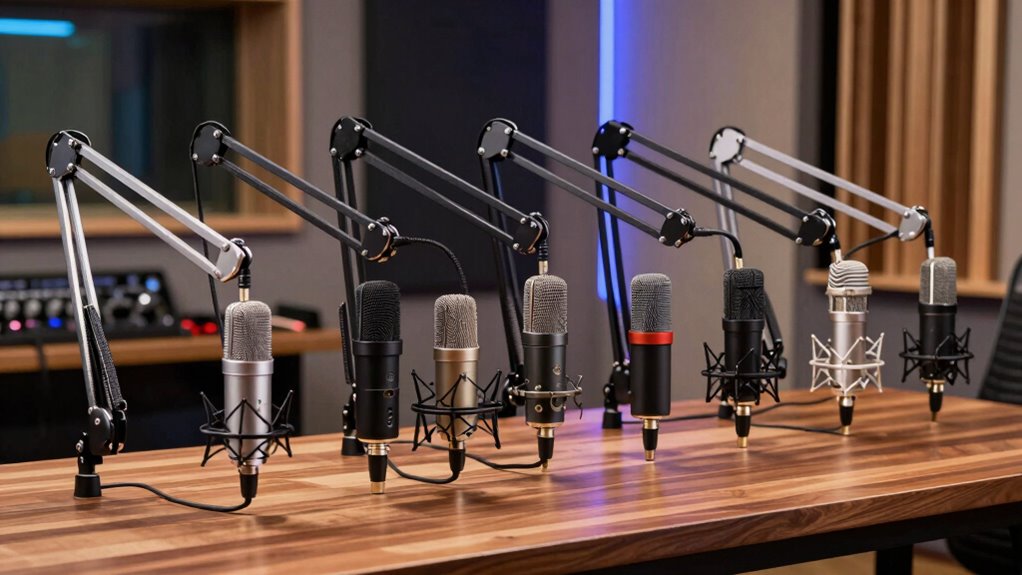

The best boom arms for USB microphones keep your mic steady, close to your voice, and out of the way when you need desk space. My best overall pick is the InnoGear MU-LP26 for a low-profile setup, while the FIFINE BM88 is another strong option for keeping the arm below your line of sight. The InnoGear Adjustable Microphone Boom Arm with Cable Management suits buyers who want a more orderly cable run. The main tradeoffs are low-profile placement versus a traditional scissor-arm reach, plus mic compatibility, clamp fit, and how much adjustment you need. Read on for the full breakdown and a guide to matching an arm to your microphone and desk.

Get the latest gadgets delivered free with Prime
- Fast, free delivery on millions of items
- Prime Video, Amazon Music and more included
- Member-only deals all year
Complete the kit



Key Takeaways
- Low-profile placement is the clearest differentiator: the InnoGear MU-LP26 and FIFINE BM88 are the leading options if you want the arm to sit below your face and screen.
- Cable routing separates convenience picks from basic supports: the InnoGear arm with cable management is the most direct fit for buyers who want a tidier path from mic to desk.
- USB microphone compatibility is not universal: the Audio-Technica model and SUNMON option for Rode NT-USB microphones call for closer attention to the exact mic and mounting hardware.
- Traditional scissor arms suit broader positioning needs: the FIFINE CS1 and adjustable InnoGear models are worth a look when reach and repositioning matter more than a low visual profile.
- Lightweight-mic support is a distinct use case: the TODI arm is aimed at lighter microphones, so buyers with heavier USB models should check load and mount compatibility before choosing it.
| InnoGear MU-LP26 Low-Profile Microphone Boom Arm, Black |  | Best Overall Low-Profile Pick | Brand and model: InnoGear MU-LP26 | Material: Alloy steel | Maximum reach: 25.6 inches | VIEW ON AMAZON | See Our Full Breakdown |
| FIFINE CS1 Scissor Microphone Boom Arm Stand |  | Best for Beginners | Brand and model: FIFINE CS1 | Material: Metal | Color: Black | VIEW ON AMAZON | See Our Full Breakdown |
| InnoGear Adjustable Microphone Boom Arm with Cable Management, Black |  | Best for Long Reach | Brand and model: InnoGear MU-PSA28 | Material: Thickened steel | Maximum horizontal reach: 32.3 inches | VIEW ON AMAZON | See Our Full Breakdown |
| FIFINE BM88 Low-Profile Microphone Boom Arm Stand |  | Best for Cable Management | Brand and model: FIFINE BM88 | Material: Metal | Maximum extension: 29 inches | VIEW ON AMAZON | See Our Full Breakdown |
| TODI Adjustable Microphone Boom Arm for Lightweight Mics |  | Best for Lightweight Mics | Brand and model: TODI TDMS02BKUS | Material: Metal | Maximum extension: 29 inches | VIEW ON AMAZON | See Our Full Breakdown |
| SUNMON Adjustable Boom Arm for Rode NT-USB Microphones |  | Best for Rode USB Mic Owners | Material: Steel | Maximum extension: 26.8 inches (68 cm) | Maximum load: 3.1 lb (1.4 kg) | VIEW ON AMAZON | See Our Full Breakdown |
| InnoGear Adjustable Boom Arm Microphone Stand, Black |  | Best for Flexible Positioning and Storage | Model: MU01 | Material: Steel | Maximum load: 3.3 lb (1.5 kg) | VIEW ON AMAZON | See Our Full Breakdown |
| Audio-Technica Boom Arm for USB Microphones |  | Best Brand-Matched Pick for Audio-Technica Setups | Model: P11998 | Base type: Clamp | Materials: Aluminum and plastic | VIEW ON AMAZON | See Our Full Breakdown |
| boom arms for usb microphone | Material | Brand and model | Warranty |
|---|---|---|---|
| InnoGear MU-LP26 Low-Profile M | Alloy steel | InnoGear MU-LP26 | 12 months |
| FIFINE CS1 Scissor Microphone | Metal | FIFINE CS1 | 1 year |
| InnoGear Adjustable Microphone | Thickened steel | InnoGear MU-PSA28 | — |
| FIFINE BM88 Low-Profile Microp | Metal | FIFINE BM88 | One year |
| TODI Adjustable Microphone Boo | Metal | TODI TDMS02BKUS | Lifetime |
| SUNMON Adjustable Boom Arm for | Steel | — | — |
| InnoGear Adjustable Boom Arm M | Steel | — | — |
| Audio-Technica Boom Arm for US | — | — | — |
More Details on Our Top Picks
InnoGear MU-LP26 Low-Profile Microphone Boom Arm, Black
The InnoGear MU-LP26 is a strong fit for USB-mic users who want an arm that stays below the monitor rather than crossing the screen. Its 25.6-inch reach, 250° vertical adjustment, and full horizontal rotation give it more positioning freedom than the folding FIFINE CS1, while its low-profile shape suits a permanent desk setup. The 3.3-pound capacity covers many common USB microphones, and the included thread adapters make it less dependent on a particular mount standard. A padded clamp that doubles as a headphone hook also makes good use of desk space. The main limit is the clamp: it fits desks only up to 2.75 inches thick, so buyers with deeper desktops should look at another mounting option. It is also less suited to heavier microphones than the InnoGear MU-PSA28, which supports up to 3.5 pounds.
Pros:- Low-profile arm can sit beneath a monitor and keep the screen area clear
- 250° vertical adjustment and 360° horizontal rotation support varied mic placement
- Supports microphones up to 3.3 pounds and includes two thread adapters
- Padded clamp protects the desk and can double as a headphone hook
Cons:- Clamp accommodates desks only up to 2.75 inches thick
- Lower weight capacity than the InnoGear MU-PSA28
Best for: USB-microphone owners who want a low-profile arm with flexible positioning and a desk no thicker than 2.75 inches
Not ideal for: People with thick desks or microphones heavier than 3.3 pounds; the clamp fit and load rating may rule it out
- Brand and model:InnoGear MU-LP26
- Material:Alloy steel
- Maximum reach:25.6 inches
- Vertical adjustment:250°
- Horizontal rotation:360°
- Weight capacity:3.3 lbs (1.5 kg)
- Maximum desk thickness:2.75 inches
- Adapters:3/8-inch to 5/8-inch and 3/8-inch to 1/4-inch
- Warranty:12 months
Our verdict“Choose the MU-LP26 for a flexible, monitor-friendly setup if your desk fits its clamp and your microphone stays within its 3.3-pound limit.”
FIFINE CS1 Scissor Microphone Boom Arm Stand
The FIFINE CS1 keeps the setup simple: a metal scissor arm, a desk clamp, and an adapter for moving between 5/8-inch and 3/8-inch mounts. Its folding design is useful for first-time streamers or remote workers who need to clear the desk after calls, unlike the low-profile FIFINE BM88, which is built to stay mounted and positioned around a workspace. The CS1 offers 180° up-and-down adjustment, enough for basic placement, but it does not provide the broad range of movement listed for the BM88 or InnoGear MU-LP26. Its clamp includes an anti-scratch pad and locking knob, though it fits desks only up to 2 inches thick. The microphone is not included, so buyers need a compatible mic and mount of their own.
Pros:- Metal construction with elastic springs
- Folds for storage and portability
- Anti-scratch clamp pad and locking knob help secure the desk mount
- Included adapter supports compatible 3/8-inch microphone mounts
Cons:- Clamp fits desks only up to 2 inches thick
- Limited to 180° up-and-down adjustment compared with the broader movement of the FIFINE BM88
- Microphone is not included
Best for: New streamers and remote workers with a compatible USB microphone who want a basic arm they can fold away between sessions
Not ideal for: People with desks thicker than 2 inches or those who need low-profile positioning and wider adjustment than its 180° vertical movement
- Brand and model:FIFINE CS1
- Material:Metal
- Color:Black
- Maximum desk thickness:2 inches
- Adjustment:180° up and down
- Included adapter:5/8-inch to 3/8-inch
- Microphone included:No
- Warranty:1 year
Our verdict“Pick the CS1 for a straightforward, fold-away starter arm if your desk fits the clamp and your mic already has a compatible mount.”
InnoGear Adjustable Microphone Boom Arm with Cable Management, Black
When a USB microphone needs to sit well away from the desk edge, the InnoGear MU-PSA28 has the most reach-focused setup in this group: a 14-inch arm paired with a 6.3-inch riser, with stated horizontal and vertical reach of up to 32.3 and 37.4 inches. That makes it more adaptable to a tall monitor or a seating position that does not line up neatly with the clamp. Its internal cable channels also keep the mic lead managed as the arm moves, a useful distinction from the FIFINE CS1’s simpler folding design. The 3.5-pound load capacity is the highest specified here, but the desk clamp still fits only up to 2 inches thick. A shock mount is not included, and its larger reach may be unnecessary for a compact desk where the low-profile BM88 or MU-LP26 is easier to place.
Pros:- Long reach with an included 6.3-inch extension riser
- Internal cable channels help keep the microphone lead organized
- Supports microphones up to 3.5 pounds
- Rotatable base and adjustable joints provide flexible positioning
Cons:- Clamp fits desks only up to 2 inches thick
- Shock mount is not included
- Long reach can be more arm than compact desk setups need
Best for: USB-mic users with a tall monitor, a set-back seating position, or a heavier microphone within the 3.5-pound limit
Not ideal for: People with desks thicker than 2 inches, those seeking a low-profile compact arm, or buyers who need a shock mount included
- Brand and model:InnoGear MU-PSA28
- Material:Thickened steel
- Maximum horizontal reach:32.3 inches
- Maximum vertical reach:37.4 inches
- Arm length:14 inches
- Extension riser length:6.3 inches
- Maximum load capacity:3.5 lb
- Desk clamp capacity:Desks up to 2 inches thick
- Connector:5/8-inch metal connector
Our verdict“Choose the MU-PSA28 when reach and cable routing matter more than a compact low-profile footprint.”
FIFINE BM88 Low-Profile Microphone Boom Arm Stand
The FIFINE BM88 is the low-profile choice for buyers who want a tidy, adaptable USB-mic station. Its hidden cable management keeps the microphone lead close to the arm, while the included adapters cover 1/4-inch, 3/8-inch, and 5/8-inch threads—more mounting options than the InnoGear MU-LP26 lists. With up to 29 inches of extension and 220° vertical plus 360° horizontal adjustment, it can reach across a desk without the more extensive riser setup of the InnoGear MU-PSA28. The all-metal build and rotatable ball head add positioning flexibility, but the section nearest the C-clamp cannot be adjusted vertically, which limits how the arm can be raised at its base. It also requires a desk between 0.8 and 2.4 inches thick, and the microphone is not included.
Pros:- Low-profile shape helps keep the monitor view clear
- Hidden cable management keeps the mic lead close to the arm
- Adapters support 1/4-inch, 3/8-inch, and 5/8-inch threads
- Offers 29-inch extension with 220° vertical and 360° horizontal adjustment
Cons:- Section near the C-clamp cannot be adjusted vertically
- Clamp fits desks only 0.8–2.4 inches thick
- Microphone is not included
Best for: USB-mic owners who want a low-profile arm, concealed cable routing, and adapters for several common thread sizes
Not ideal for: People whose desk is outside the 0.8–2.4-inch clamp range or who need vertical adjustment right at the clamp
- Brand and model:FIFINE BM88
- Material:Metal
- Maximum extension:29 inches
- Vertical adjustment:220°
- Horizontal adjustment:360°
- Desk thickness compatibility:0.8–2.4 inches
- Compatible thread sizes:1/4 inch, 3/8 inch, and 5/8 inch
- Included components:Boom arm, desk clamp, rotatable ball head, Allen wrench, user manual, and thread adapters
- Warranty:One year
Our verdict“Choose the BM88 for a tidy low-profile setup with broad thread compatibility, provided its clamp range suits your desk.”
TODI Adjustable Microphone Boom Arm for Lightweight Mics
The TODI TDMS02BKUS is aimed at a narrower use case than the InnoGear MU-PSA28: it supports microphones up to 3 pounds and focuses on a compact arm that folds away, rather than a long-reach setup for heavier gear. Its 360° rotating base helps reposition a USB mic around a desk, while built-in cable management keeps the lead from becoming an extra loose strand across the workspace. The 3/8-inch and 5/8-inch threads cover common mount formats, but not 1/4-inch threads; the FIFINE BM88 is the more flexible pick for buyers who need that smaller thread size. The listing describes the arm as all-metal and includes a desk clamp and hex wrench, but gives no desk-thickness limit or detailed adjustment range. Its lifetime warranty is a notable stated coverage term, though the 3-pound capacity rules out heavier microphones.
Pros:- Compact, fold-away design helps free desk space
- 360° base rotation supports flexible positioning
- Built-in cable management keeps the mic lead organized
- Includes both 3/8-inch and 5/8-inch mount threads
Cons:- 3-pound capacity is lower than the InnoGear MU-PSA28’s 3.5-pound limit
- Does not support 1/4-inch microphone threads
- Desk-thickness compatibility and detailed adjustment range are not specified
Best for: Owners of lightweight USB microphones up to 3 pounds who want a compact arm with cable management and common 3/8-inch or 5/8-inch mounting threads
Not ideal for: People with heavier microphones or models requiring 1/4-inch threads; the InnoGear MU-PSA28 carries more weight and the FIFINE BM88 supports more thread sizes
- Brand and model:TODI TDMS02BKUS
- Material:Metal
- Maximum extension:29 inches
- Microphone weight capacity:3 lb
- Mount threads:3/8 inch and 5/8 inch
- Base rotation:360°
- Included accessories:Desk clamp and hex wrench
- Warranty:Lifetime
Our verdict“Choose the TODI for a compact, cable-managed setup with a lightweight mic, but skip it if your microphone needs 1/4-inch threads or exceeds 3 pounds.”
SUNMON Adjustable Boom Arm for Rode NT-USB Microphones
The SUNMON makes the most sense for owners of the Rode NT-USB family who want a steel arm with enough reach to bring a mic into speaking position. Its 26.8-inch extension and 3.1-pound capacity suit many USB microphones, while the included cable sleeve keeps the cable closer to the arm instead of hanging across the desk. Compared with the broadly compatible InnoGear MU01, this model foregrounds Rode compatibility and includes a cable sleeve, but the MU01 offers more specified movement angles and a higher stated load limit. There is also a setup wrinkle: the microphone’s base and adapter must be removed before mounting. Buyers should check their mic’s mounting arrangement before choosing it, and note that the microphone itself is not included.
Pros:- Listed as compatible with several Rode USB microphone models
- Extends up to 26.8 inches for flexible mic placement
- Steel construction supports microphones up to 3.1 pounds
- Includes a cable sleeve, desk clamp, and 3/8-inch to 5/8-inch adapter
Cons:- Microphone base and adapter must be removed before mounting
- Desk clamp accommodates desks only up to 1.8 inches thick
- Microphone is not included
Best for: Rode NT-USB, NT-USB+, NT-USB Mini, or XCM-50 owners who want a steel desk arm with cable routing included.
Not ideal for: Owners who need to mount a microphone without removing its base and adapter, or whose desk is thicker than 1.8 inches.
- Material:Steel
- Maximum extension:26.8 inches (68 cm)
- Maximum load:3.1 lb (1.4 kg)
- Maximum desk thickness:1.8 inches (4.6 cm)
- Adapter:3/8-inch to 5/8-inch
- Included components:Boom arm, desk clamp, cable sleeve, screw adapter
- Microphone included:No
Our verdict“Choose the SUNMON if you own a listed Rode USB mic and want a long-reach steel arm with a cable sleeve in the package.”
InnoGear Adjustable Boom Arm Microphone Stand, Black
The InnoGear MU01 is a practical pick for USB mic users who regularly change their setup or need the arm to fold away. Its 360-degree base rotation, 135-degree back-and-forth movement, and 180-degree up-and-down movement offer more clearly specified positioning than the SUNMON, whose supplied details focus on reach and Rode compatibility. The folding design also helps reclaim desk space between sessions. It supports up to 3.3 pounds and includes a standard microphone clip and adapter, but a shock mount is not included. That matters if your microphone needs one for mounting or vibration isolation. The clamp also requires a flat, non-slanted desk edge, so it is less suitable for desks with beveled sides than a setup with a straightforward clamping surface.
Pros:- 360-degree base rotation plus specified vertical and horizontal movement
- Folds away for more compact storage
- Supports microphones up to 3.3 pounds
- Includes a standard microphone clip and 5/8-inch to 3/8-inch adapter
Cons:- Clamp requires a flat, non-slanted desk edge
- Shock mount is not included
- Desk clamp supports edges only up to 2 inches thick
Best for: USB microphone owners who want multiple movement angles, a fold-away arm, and compatibility across brands such as Blue, HyperX, Shure, and Fifine.
Not ideal for: People with beveled or slanted desk edges, or buyers whose microphone setup requires a shock mount that is not supplied.
- Model:MU01
- Material:Steel
- Maximum load:3.3 lb (1.5 kg)
- Desk clamp capacity:Up to 2 inches thick
- Base rotation:360 degrees
- Arm movement:135 degrees back and forth; 180 degrees up and down
- Adapter:5/8-inch to 3/8-inch
- Included accessories:Standard microphone clip and adapter; shock mount not included
Our verdict“Pick the InnoGear MU01 if adjustable positioning and fold-away storage matter more than a bundled shock mount or a Rode-specific fit.”
Audio-Technica Boom Arm for USB Microphones
The Audio-Technica P11998 is the brand-matched option here for buyers building an Audio-Technica USB recording or streaming setup. Its clamp-mounted design attaches to a desk rather than taking up a separate stand footprint, and its aluminum-and-plastic body keeps the stated weight to 1.9 pounds. Compared with the InnoGear MU01, this model provides fewer published details: its maximum height is listed as 2.5 feet, but no load capacity, clamp thickness, adapter, or joint movement range is supplied. That makes fit checking more important, especially for heavier USB microphones or desks with unusual edges. The SUNMON and MU01 publish clearer load and clamp limits, so they are easier to match against a specific setup; the Audio-Technica is a simpler choice when brand alignment is the priority.
Pros:- Clamp base mounts to a desk without requiring a freestanding stand footprint
- Aluminum-and-plastic construction
- Listed for USB microphone recording and streaming setups
- Stated weight is 1.9 pounds
Cons:- Maximum microphone load is not specified
- Desk clamp capacity and mounting adapter details are not provided
- Published positioning information is limited to a maximum height
Best for: Audio-Technica USB microphone owners who want a clamp-mounted arm for a recording or streaming desk and prefer a matching brand.
Not ideal for: Buyers needing a published weight limit, desk-thickness range, adapter details, or movement specifications before confirming microphone fit.
- Model:P11998
- Base type:Clamp
- Materials:Aluminum and plastic
- Finish:Matte black
- Maximum height:2.5 feet
- Weight:1.9 pounds
- Dimensions:16 x 5.2 x 2.3 inches
- Unit count:1
Our verdict“Choose the Audio-Technica P11998 for a brand-matched clamp arm, but favor the InnoGear or SUNMON if you need clearer fit and load specifications.”

How We Picked
I ranked these arms around the practical problems USB-mic owners face: placing the capsule near the mouth without blocking a screen, keeping the mic stable, reaching a useful position from the desk edge, and managing the cable. I also weighed how clearly each product’s stated design fits a particular setup, including low-profile use, lightweight microphones, and model-specific mounting.
The ranking favors options with a clear everyday advantage for common desk setups, then distinguishes specialist picks from more general-purpose arms. A low-profile arm ranks well for compact visual placement, while a traditional adjustable arm makes more sense when reach is the priority. I treated compatibility as a real limitation: a model aimed at a specific microphone or weight range is less versatile than a broad-use option, even if it may suit that intended setup well. Buyers should confirm their mic’s mount and desk thickness before choosing any arm.
| boom arms for usb microphone | Brand and model | Material |
|---|---|---|
| InnoGear MU-LP26 Low-Profile M | InnoGear MU-LP26 | Alloy steel |
| FIFINE CS1 Scissor Microphone | FIFINE CS1 | Metal |
| InnoGear Adjustable Microphone | InnoGear MU-PSA28 | Thickened steel |
| FIFINE BM88 Low-Profile Microp | FIFINE BM88 | Metal |
| TODI Adjustable Microphone Boo | TODI TDMS02BKUS | Metal |
| SUNMON Adjustable Boom Arm for | — | Steel |
| InnoGear Adjustable Boom Arm M | — | Steel |
| Audio-Technica Boom Arm for US | — | — |
Factors to Consider When Choosing Boom Arms For Usb Microphones
Choosing an arm is less about collecting adjustment points and more about matching the hardware to your desk routine. These checks can help you avoid a setup that technically fits but puts the mic in the wrong place or makes daily adjustments frustrating.
Match the Arm Shape to Your Screen and Speaking Position
A low-profile arm can keep hardware below a monitor’s sightline, but it may require a different route around desk objects than a conventional scissor arm. Start by marking where your mouth is when seated and where the mic needs to sit for speaking. Then check whether the arm can reach that point from a practical clamp position without crossing your keyboard or blocking a display. Buyers who move between sitting and standing should map both positions before selecting a fixed-height or low-profile design. A common mistake is choosing by appearance alone and finding that the arm cannot reach the speaking position comfortably. Prioritize usable placement over the number of joints.
Check the Mic’s Mount, Weight, and Included Adapter Needs
USB microphones vary in weight and in how they attach: some use a threaded mount, while others depend on a yoke, shock mount, or manufacturer-specific hardware. Confirm the arm’s stated capacity and the thread or adapter required by your mic, rather than assuming that “microphone boom arm” means universal fit. A lightweight-mic arm may be a poor match for a larger USB model even if the mounting thread appears compatible. Added shock mounts can also change the load and balance. If the mic’s own stand or mount is proprietary, check whether the arm listing names that model or whether a separate adapter is needed. This small check can prevent an unstable or incomplete setup.
Measure Desk Thickness and Clamp Clearance
Desk clamps need a suitable edge and enough clearance underneath to tighten securely. Measure the desk where the arm will attach, especially if it has a thick apron, cable tray, beveled edge, or a frame close to the surface. Also check how much space the clamp occupies below the desk; a compatible top thickness does not guarantee an unobstructed fit. Avoid placing the clamp where it presses against a fragile finish or interferes with drawers and monitor mounts. If you use a glass or unusually thin desktop, verify that the mounting method is appropriate for that surface before attaching a loaded arm. A few measurements are more useful than relying on a product photo.
Decide How Much Reach and Repositioning You Actually Need
Longer reach is useful when the mic must swing in from the side or move between several work positions, but extra joints can take up more space and introduce more points to adjust. A compact arm may be easier to keep out of the way if the mic stays near one speaking position. Think about whether you will fold the arm away after each session or leave it set up. Frequent repositioning makes smooth, predictable movement more valuable than a minimal footprint. Buyers often overestimate how much reach they need and end up with an arm that crowds the desk. Measure the route from clamp to mic position before choosing a longer design.
Plan Cable Routing Before You Buy
A clean cable path can reduce snagging when the arm moves, but cable clips or channels only help if they suit the cable and the arm’s range of motion. Check whether the USB cable has enough slack to follow the arm through its full movement without pulling at the microphone port. Keep the cable away from tight bends and moving joints, where repeated motion can wear it down. Built-in cable management may reduce desk clutter, while a separate tie or clip gives more flexibility if you change cables often. Do not route the cable so tightly that the arm’s position is limited. A tidy setup should still allow free movement.
Balance Build and Convenience Against Your Setup Needs
Paying more can make sense when the arm will be adjusted often, support a heavier microphone, or remain visible in a permanent workspace. For a fixed, lightweight setup, a simpler arm may do the job without features you will rarely use. Look at the parts that bear the load—the clamp, joints, and mic connection—rather than judging build by finish alone. If you record at a shared desk, quick adjustment and easy stowing may matter more than a polished appearance. If the arm is dedicated to one microphone, a model-specific option can be sensible, but it offers less flexibility if your gear changes. Choose for the setup you expect to keep, not a hypothetical future rig.
Frequently Asked Questions
Will any of these boom arms fit my USB microphone?
No single arm should be treated as a guaranteed fit for every USB microphone. Check the mic’s mounting thread, included yoke or shock mount, and the arm’s stated compatibility before ordering. The SUNMON option is specifically named for Rode NT-USB microphones, while the Audio-Technica arm is positioned for that brand’s USB microphones. For the other arms, confirm the required adapter and supported load rather than relying on the product category alone. If the microphone uses a proprietary mount, contact the manufacturer or check its accessory guidance.
Should I choose a low-profile arm or a traditional scissor arm?
Choose a low-profile style if keeping the arm below your screen or out of your direct sightline is a priority. A traditional scissor arm may make more sense when you need to bring the mic in from farther away or adjust its position frequently. The InnoGear MU-LP26 and FIFINE BM88 stand out for low-profile setups, while the FIFINE CS1 and adjustable InnoGear models represent more conventional positioning choices. Measure the route from the desk edge to your speaking position before deciding. The right shape is the one that reaches your mic position without obstructing your daily work.
Can I attach a boom arm to a thick desk or one with a cable tray?
Possibly, but desk thickness and underside clearance both matter. Measure the desktop at the intended clamp point and inspect for an apron, tray, frame, or drawer that could block the clamp. Compare those measurements with the arm’s clamp range and installation requirements. A desk edge that looks accessible from above may be unusable underneath. If the clamp cannot sit flat and tighten securely, choose another mounting point or a compatible mounting solution rather than forcing it.
Is cable management worth prioritizing for a USB microphone arm?
It is useful if your cable hangs across the desk, catches during arm movement, or makes the setup feel cluttered. The InnoGear model with cable management is the clearest match in this roundup for buyers who want routing built into the arm. Still, cable channels do not replace proper slack: leave enough length for the arm to move without tugging on the USB port. If you frequently swap microphones or cables, simple removable ties may be easier to change. Choose tidy routing that does not restrict motion.
Which type of arm should I choose if I might change microphones later?
Favor a general-purpose adjustable arm and verify its supported weight and mount connection before buying. Model-specific options, such as an arm named for Rode NT-USB microphones, may suit a current setup but can be less flexible after a gear change. Also account for the possibility that a new mic will need a different adapter or shock mount, which adds weight and changes the fit. If you expect to upgrade, keep the arm’s compatibility and load range in view alongside its reach. A broadly compatible mount is more useful than a design tailored to a microphone you may replace.
Conclusion
For most desk setups, I would start with the InnoGear MU-LP26 as the best overall, particularly when a low-profile position is the priority. The TODI arm is my best value-style pick for lightweight microphones, provided its weight range and mount suit your mic; beginners who want a straightforward traditional layout can compare the FIFINE CS1 with the adjustable InnoGear arm. For a more tailored purchase, the Audio-Technica arm is the best premium-leaning choice for compatible Audio-Technica USB microphones, while the SUNMON is the specific-fit option for Rode NT-USB owners. If clean cable routing matters most, choose the InnoGear model with cable management; if you want the arm below the screen, compare the MU-LP26 and BM88. Check the desk clamp, mic mount, and supported load before settling on any one model.
Halloween Picks
halloween
As an affiliate, we earn on qualifying purchases.