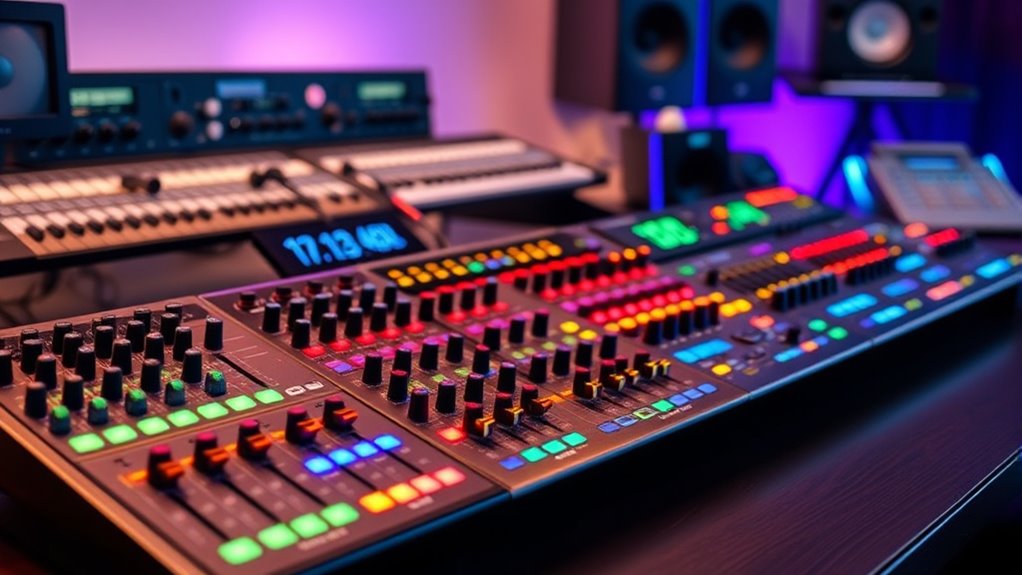
The best USB audio mixer overall in this roundup is the Behringer XENYX X1204USB, a versatile choice for buyers who need several inputs and hands-on mixing controls. For a compact desktop setup, the Audio-Technica AT-UMX3 is a focused alternative, while the ALTO TrueMix 500 suits buyers seeking a small mixer with USB connectivity. The main tradeoff is between more channels and routing flexibility versus a simpler, smaller setup that takes less desk space. Bluetooth, onboard playback, and gaming controls also serve different needs, so a feature list alone can point you toward the wrong model. Read on for the full comparison and a guide to choosing the right USB mixer for your workflow.

Get the latest gadgets delivered free with Prime
- Fast, free delivery on millions of items
- Prime Video, Amazon Music and more included
- Member-only deals all year
Complete the kit



Key Takeaways
- The Behringer XENYX X1204USB leads for flexible multi-source setups: its larger input count makes it a stronger fit for several microphones and instruments than compact desktop mixers.
- USB connection does not mean the same workflow on every model: some mixers focus on recording or streaming, while others add USB playback, Bluetooth, or gaming-oriented controls.
- Small mixers trade expansion for simplicity: the XENYX 302USB, Rockville RockMix 2BT, and Audio-Technica AT-UMX3 make more sense for compact setups than growing multi-mic rigs.
- There are distinct picks for specialized jobs: the FIFINE Ampligame SC3W targets gaming and voice chat, while the Kaschun 4-Channel DJ mixer emphasizes DJ-style playback features.
- Channel count should match actual sources, not hoped-for future features: the 1204-series Behringer options and Rockville LINE8 offer more room for connected gear, while several Aveek and BOMGE models keep the setup smaller and more approachable.
| K-mxerpro 8-Channel Audio Mixer with USB, Bluetooth, and 48V Phantom Power |  | Best for Flexible Live Setups | Channels: 8 | Inputs: XLR and 1/4-inch | Connectivity: USB, Bluetooth, AUX | VIEW ON AMAZON | See Our Full Breakdown |
| Behringer XENYX X1204USB 12-Input Mixer with USB Interface and Mic Preamps |  | Best for Home Recording and Larger Setups | Model: X1204USB | Channels: 12 | Mic preamps: 4 XENYX | VIEW ON AMAZON | See Our Full Breakdown |
| Pyle PMX406ST 6-Channel Studio Mixer with Bluetooth, USB Audio Interface, and DSP Effects |  | Best Compact Mixer for Instrument Players | Model: PMX406ST | Channels: 6 | Inputs: 2 XLR/mic/line combo inputs with Hi-Z switching | VIEW ON AMAZON | See Our Full Breakdown |
| Aveek 5-Channel Audio Mixer with USB Recording |  | Best for USB and Standalone Recording Options | Channels: 5 | Inputs: 3 XLR, 1/4-inch, RCA, USB, Bluetooth | Outputs: RCA and 1/4-inch main outputs | VIEW ON AMAZON | See Our Full Breakdown |
| Rockville RockMix 2BT 2-Channel USB Interface Mixer with Bluetooth |  | Best Compact Mixer for Two-Source Setups | Channels: 2 | Audio inputs: XLR, 1/4-inch TRS combo, 3.5mm mic input, Bluetooth | Connectivity: USB, Bluetooth 5.0, auxiliary, RCA | VIEW ON AMAZON | See Our Full Breakdown |
| FIFINE Ampligame SC3W Gaming Audio Mixer with Individual Faders and Volume Control | 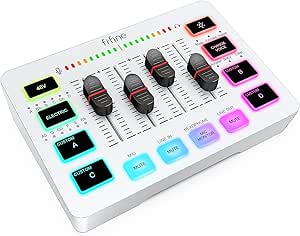 | Best for Gaming and Dual-PC Streaming | Channels: 4 | Microphone input: XLR | Phantom power: 48V | VIEW ON AMAZON | See Our Full Breakdown |
| Behringer XENYX 1204USB 12-Input 2/2-Bus Mixer with USB Audio Interface |  | Best for Larger Analog Setups | Model: 1204USB | Inputs: 12-input product title; supplied channel spec lists 4 | Bus configuration: 2/2-bus | VIEW ON AMAZON | See Our Full Breakdown |
| Behringer XENYX 302USB 5-Input Audio Mixer with USB Interface |  | Best Compact USB Mixer | Model: 302USB | Inputs: 5-input mixer | Connectivity: USB | VIEW ON AMAZON | See Our Full Breakdown |
| Aveek 4-Channel Audio Mixer with Bluetooth and USB Recording |  | Best for Built-In Playback and Effects | Channels: 4 | Inputs: XLR and RCA | Computer connection: USB-C direct PC recording | VIEW ON AMAZON | See Our Full Breakdown |
| Audio-Technica AT-UMX3 USB Desktop Audio Mixer |  | Best for Simple, High-Resolution Desktop Recording | Channels: 2 | Microphone input: 1 XLR or 1/4-inch input | Line inputs: 2 | VIEW ON AMAZON | See Our Full Breakdown |
| Kaschun 4-Channel DJ Audio Mixer, Bluetooth Sound Board with USB MP3 Input |  | Best Compact Pick | Channels: 4 | Connectivity: Bluetooth, USB | Inputs: XLR, 6.35 mm | VIEW ON AMAZON | See Our Full Breakdown |
| ALTO TrueMix 500 Audio Mixer with USB Interface |  | Best for Straightforward Live and Streaming Setups | Channels: 5 | Connectivity: Computer, microphone, speakers, smartphone, keyboard, headphones, electric guitar | Inputs: XLR, TRS, RCA, line-level instrument | VIEW ON AMAZON | See Our Full Breakdown |
| Rockville LINE8 USB 8-Channel Mic/Line Mixer with USB-C Recording Interface |  | Best for Multi-Source USB Recording | Channels: 8 | Connectivity: USB-C, ¼-inch TRS, headphone out, stereo out | Recording format: 16-bit / 48kHz | VIEW ON AMAZON | See Our Full Breakdown |
| BOMGE BM-05 5-Channel Audio Mixer with USB, Bluetooth, and 48V Phantom Power |  | Best for Built-In Effects and Wireless Playback | Channels: 5 | Inputs: 3 XLR mic/line, 1 stereo 6.35 mm, 1 stereo RCA | Outputs: Stereo 6.35 mm main, stereo RCA | VIEW ON AMAZON | See Our Full Breakdown |
| Behringer XENYX 802S 8-Input Analog Mixer with USB Streaming Interface |  | Best for PC and Gaming Audio Mixing | Inputs: 8 | Connectivity: USB | Audio input: USB | VIEW ON AMAZON | See Our Full Breakdown |
| audio mixers usb | Channels | Dimensions | Inputs | Connectivity |
|---|---|---|---|---|
| K-mxerpro 8-Channel Audio Mixe | 8 | — | XLR and 1/4-inch | USB, Bluetooth, AUX |
| Behringer XENYX X1204USB 12-In | 12 | 15.45 x 14.35 x 5.9 inches | — | USB |
| Pyle PMX406ST 6-Channel Studio | 6 | 9 x 8 x 2.4 inches | 2 XLR/mic/line combo inputs with Hi-Z switching | Bluetooth, USB, auxiliary |
| Aveek 5-Channel Audio Mixer wi | 5 | 8.27 x 8.27 x 2.56 inches | 3 XLR, 1/4-inch, RCA, USB, Bluetooth | — |
| Rockville RockMix 2BT 2-Channe | 2 | 5 x 4 x 2 inches | — | USB, Bluetooth 5.0, auxiliary, RCA |
| FIFINE Ampligame SC3W Gaming A | 4 | — | — | — |
| Behringer XENYX 1204USB 12-Inp | — | 14.55 × 15.55 × 6 inches | 12-input product title; supplied channel spec lists 4 | USB and auxiliary |
| Behringer XENYX 302USB 5-Input | — | 5.4 × 4.5 × 1.8 inches | 5-input mixer | USB |
| Aveek 4-Channel Audio Mixer wi | 4 | 10.5 × 7 × 3.15 inches | XLR and RCA | — |
| Audio-Technica AT-UMX3 USB Des | 2 | 5.2 × 5 × 1.7 inches | — | — |
| Kaschun 4-Channel DJ Audio Mix | 4 | 7.87 × 6.7 × 1.57 in | XLR, 6.35 mm | Bluetooth, USB |
| ALTO TrueMix 500 Audio Mixer w | 5 | 7.6 × 6.3 × 2.6 in | XLR, TRS, RCA, line-level instrument | Computer, microphone, speakers, smartphone, keyboard, headphones, electric guitar |
| Rockville LINE8 USB 8-Channel | 8 | — | — | USB-C, ¼-inch TRS, headphone out, stereo out |
| BOMGE BM-05 5-Channel Audio Mi | 5 | — | 3 XLR mic/line, 1 stereo 6.35 mm, 1 stereo RCA | — |
| Behringer XENYX 802S 8-Input A | — | 19.69 × 19.69 × 11.02 in | 8 | USB |
More Details on Our Top Picks
K-mxerpro 8-Channel Audio Mixer with USB, Bluetooth, and 48V Phantom Power
The K-mxerpro is a strong fit when a USB mixer needs to handle several sources without giving up convenient playback options. Its eight channels, XLR and 1/4-inch inputs, and 48V phantom power suit small live groups or podcast panels, while USB recording and Bluetooth streaming cover computer audio and wireless music. The 3-band EQ and reverb and delay effects add basic shaping without requiring separate gear. Compared with the six-channel Pyle PMX406ST, it leaves more room for additional sources; the Pyle, however, specifies Hi-Z switching and a dedicated control room output. The tradeoff here is a corded power requirement and limited published detail about computer-software support. Choose it for input flexibility, not if portability or a clearly specified recording workflow is your priority.
Pros:- Eight channels accommodate more simultaneous sources than the six-channel Pyle PMX406ST
- USB recording and playback pair with Bluetooth and AUX connectivity
- 48V phantom power supports compatible condenser microphones
- 3-band EQ, reverb, delay, and headphone monitoring provide useful hands-on control
Cons:- Corded power limits placement away from an outlet
- Product information does not specify software update support
- No dimensions or weight are provided to judge transport needs
Best for: Small bands, event hosts, and podcast groups that need several mic or instrument inputs plus USB recording and Bluetooth playback
Not ideal for: Mobile creators who need battery operation, or computer-focused producers seeking clearly documented software and recording support
- Channels:8
- Inputs:XLR and 1/4-inch
- Connectivity:USB, Bluetooth, AUX
- Phantom power:48V
- Audio controls:3-band EQ, gain controls, channel faders
- Effects:Reverb and delay
- Power source:Corded electric
- Warranty:1 year
Our verdict“Choose the K-mxerpro if you need eight inputs and built-in effects with USB and Bluetooth, but skip it if portable power or detailed software documentation matters most.”
Behringer XENYX X1204USB 12-Input Mixer with USB Interface and Mic Preamps
The XENYX X1204USB is the most studio-oriented choice in this group, pairing a 12-input analog layout with four XENYX mic preamps, one-knob compressors, and British-style EQ. Those controls can help shape and manage voices at the mixer, rather than leaving every adjustment to recording software. Its built-in stereo USB interface connects the mixer to a computer for home recording, and the stated XLR output suits a more involved sound system. Compared with the K-mxerpro, it offers more inputs and a stronger emphasis on mic processing, but it lacks the K-mxerpro’s listed Bluetooth playback and built-in reverb and delay. This is a larger, corded unit, not a grab-and-go option; the listed software bundle also does not replace the need to check compatibility with your setup.
Pros:- Twelve inputs provide more room for sources than the other mixers in this batch
- Four XENYX mic preamps and one-knob compressors offer hands-on vocal control
- Stereo USB interface supports direct computer connection
- Includes recording software and 150 plug-ins, according to the product information
Cons:- Requires corded power and is less suited to mobile setups
- No Bluetooth connectivity is listed
- Product information does not specify software update support
Best for: Home-recording musicians and small venues that need multiple microphone inputs, hands-on compression, and direct computer connectivity
Not ideal for: Streamers or mobile performers who prioritize Bluetooth playback, compact size, or battery-powered operation
- Model:X1204USB
- Channels:12
- Mic preamps:4 XENYX
- Connectivity:USB
- Output connector:XLR
- Dimensions:15.45 x 14.35 x 5.9 inches
- Weight:5.8 pounds
- Power source:Corded electric
Our verdict“Pick the X1204USB for a computer-connected recording setup that benefits from extra inputs and onboard mic processing, not for a compact wireless mixer.”
Pyle PMX406ST 6-Channel Studio Mixer with Bluetooth, USB Audio Interface, and DSP Effects
The PMX406ST combines a desktop-friendly footprint with features aimed at recording instruments as well as microphones. Its two XLR/mic/line combo inputs have independent 48V phantom power and Hi-Z switching, so compatible condenser mics and direct instrument connections have a clear place in the setup. A USB interface, Bluetooth, and an MP3 player add playback and computer-recording options, while the dedicated control room output supports a separate monitoring path. Compared with the five-channel Aveek, the Pyle adds per-channel 3-band EQ and Hi-Z switching; the Aveek instead lists USB-drive recording and a smaller channel count. Six channels still limit larger bands, and its corded supply makes it less flexible away from a desk or outlet. The feature set is broad, but the buyer should confirm how its USB recording fits their software workflow.
Pros:- Compact 9 x 8 x 2.4-inch footprint suits desktop setups
- Hi-Z switching supports direct instrument connections
- Independent +48V phantom power is specified for channels 1 and 2
- USB, Bluetooth, MP3 playback, DSP effects, and control room output cover varied studio tasks
Cons:- Six channels may not accommodate larger ensembles
- Corded electric power limits use away from an outlet
- Software update support is not specified
Best for: Home-studio musicians and podcasters who need a compact mixer with instrument-friendly inputs, phantom power, and separate monitoring
Not ideal for: Larger bands needing more than six channels, or users who need a battery-powered mixer for remote sessions
- Model:PMX406ST
- Channels:6
- Inputs:2 XLR/mic/line combo inputs with Hi-Z switching
- Connectivity:Bluetooth, USB, auxiliary
- Phantom power:+48V, independent on channels 1 and 2
- EQ:3-band per channel
- Effects:DSP reverb and delay
- Dimensions:9 x 8 x 2.4 inches
Our verdict“Choose the PMX406ST for a compact USB mixer that handles instruments and monitoring well, but look to a higher-channel model for larger groups.”
Aveek 5-Channel Audio Mixer with USB Recording
The Aveek stands apart by listing both computer-connected USB recording and USB-drive recording, giving users more than one way to capture a session. Its five-channel layout accepts microphones, instruments, and stereo sources, with 48V phantom power, two-band EQ, echo and delay effects, and a headphone monitor output. Bluetooth adds wireless playback, though the product data says Bluetooth, USB, and the 4/5-channel functions cannot all be used at once. That limitation matters more than the feature list suggests if you expect to route several sources simultaneously. Compared with the Pyle PMX406ST, the Aveek offers USB-drive recording but has two-band rather than three-band EQ and no listed Hi-Z switching or control room output. Its compact square body works well on a desk, but the main outputs are intended for active speakers or amplifiers.
Pros:- Supports USB recording and playback plus recording to a USB drive
- Accepts microphone, instrument, RCA, and Bluetooth sources
- 48V phantom power supports compatible condenser microphones
- Compact 8.27-inch square footprint includes headphone monitoring
Cons:- Bluetooth, USB, and 4/5-channel functions cannot be used simultaneously
- Main outputs are designed for active speakers or amplifiers
- Two-band EQ provides less frequency control than the Pyle PMX406ST’s three-band EQ
Best for: Solo podcasters and small creators who want a compact mixer with USB computer recording and USB-drive recording options
Not ideal for: Users who need Bluetooth, USB, and all channel functions active at the same time, or who want passive-speaker outputs
- Channels:5
- Inputs:3 XLR, 1/4-inch, RCA, USB, Bluetooth
- Outputs:RCA and 1/4-inch main outputs
- Phantom power:48V
- EQ:Two-band
- Headphone output:3.5mm
- Bluetooth range:15 feet
- Dimensions:8.27 x 8.27 x 2.56 inches
Our verdict“Choose the Aveek if USB-drive recording is useful in a small setup, but avoid it when simultaneous routing flexibility or broader EQ control is a priority.”
Rockville RockMix 2BT 2-Channel USB Interface Mixer with Bluetooth
The RockMix 2BT is the most portable option here, built around a two-channel layout rather than the multi-mic capacity of the K-mxerpro or Behringer X1204USB. For a solo creator or a host with one guest, its XLR/1/4-inch combo input, separate level and pan controls, and built-in USB interface cover straightforward recording without a large desk mixer. Bluetooth 5.0 adds wireless playback or remote guest audio, while +48V phantom power supports a compatible condenser mic. Its metal chassis and 5 x 4 x 2-inch dimensions make it easier to carry than the larger models. The tradeoff is firm: only two channels and no onboard recording storage, so capturing audio depends on an external device. Power-bank operation is listed, but the product data also identifies corded electric power, so check the intended power arrangement before buying.
Pros:- Very compact 5 x 4 x 2-inch metal-bodied design
- USB interface supports direct recording to Mac or PC
- Bluetooth 5.0 provides wireless audio connectivity
- +48V phantom power, pan controls, and independent channel levels support basic recording adjustments
Cons:- Two channels restrict larger or multi-mic setups
- No built-in recording storage; recording relies on an external device
- Power-bank operation is described, but the listed power source is corded electric
Best for: Solo podcasters, interview hosts, and traveling creators who need two inputs, computer recording, and a small mixer
Not ideal for: Bands, panel shows, or multi-microphone sessions that need more than two channels or recording without an external device
- Channels:2
- Audio inputs:XLR, 1/4-inch TRS combo, 3.5mm mic input, Bluetooth
- Connectivity:USB, Bluetooth 5.0, auxiliary, RCA
- Phantom power:+48V
- Audio controls:2-band EQ, pan, independent channel level knobs
- Outputs:3.5mm headphone and RCA
- Dimensions:5 x 4 x 2 inches
- Weight:16 ounces
Our verdict“Pick the RockMix 2BT for portable two-source recording with Bluetooth, but choose a larger mixer if you need several microphones or onboard recording storage.”
FIFINE Ampligame SC3W Gaming Audio Mixer with Individual Faders and Volume Control
The FIFINE Ampligame SC3W is geared toward gaming and streaming setups where quick, separate control of several audio sources matters more than a large analog input section. Its individual faders make it easier to adjust levels on the fly, while the XLR input with 48V phantom power accommodates a condenser microphone without a separate power supply. Real-time monitoring and mute buttons also suit live sessions, and dual-PC support is a useful distinction from the simpler desktop workflow of the Audio-Technica AT-UMX3. The tradeoff is less clarity about its connection options: the supplied details mention multiple audio ports but do not specify their types. RGB lighting and voice change features add gaming-oriented flexibility, but buyers focused on straightforward recording may prefer a less specialized mixer.
Pros:- Individual faders allow separate, quick level adjustments across audio sources.
- Built-in 48V phantom power supports condenser microphones.
- Real-time monitoring and mute buttons suit live streaming and gaming.
- Dual-PC support accommodates more involved streaming setups.
Cons:- The provided product details do not identify specific port types, making compatibility harder to verify.
- Gaming-focused RGB lighting and voice-change features may add little for conventional recording.
- The stated four-channel capacity offers less input flexibility than larger mixers such as the Behringer XENYX 1204USB.
Best for: PC gamers and livestreamers who want hands-on level controls, an XLR mic input, and support for a dual-PC setup.
Not ideal for: Musicians or podcasters who need clearly documented USB and line-input connections before choosing a recording mixer.
- Channels:4
- Microphone input:XLR
- Phantom power:48V
- Audio controls:Individual faders and mute buttons
- Monitoring:Real-time monitoring
- Additional features:RGB lighting and voice change
- Setup support:Dual-PC support
Our verdict“Choose the SC3W for gaming and dual-PC streaming when direct fader control matters more than fully specified connection options.”
Behringer XENYX 1204USB 12-Input 2/2-Bus Mixer with USB Audio Interface
The Behringer XENYX 1204USB is the more expandable choice here for a workspace that needs multiple analog connections alongside USB computer audio. Its XENYX mic preamps, compressors, and British-style three-band EQ give users more hands-on shaping than the compact Behringer XENYX 302USB, which is aimed at a smaller desk setup. That added control suits multi-source recording or mixing, while the stated low-noise, high-headroom design is intended to handle stronger input signals cleanly. There is a data mismatch to check before buying: the title says 12 inputs, but the supplied channel spec lists four. The unit is also considerably larger than the 302USB, so it makes less sense where desk space or a minimal setup is the priority.
Pros:- XENYX microphone preamps and onboard compressors provide more input shaping than a minimal USB mixer.
- Three-band British-style EQ supports hands-on tone adjustment.
- USB connectivity allows use with a computer as an audio interface.
- Low-noise, high-headroom design is specified for handling stronger signals.
Cons:- The product title and supplied channel-count spec conflict, so the input configuration needs verification.
- Its 14.55 × 15.55-inch footprint is less suited to compact desks than the XENYX 302USB.
- The supplied information does not specify current software update support.
Best for: Home recording creators and small production setups that need an analog mixer with mic preamps, EQ, compression, and USB connectivity.
Not ideal for: Traveling podcasters or desk users who need a compact mixer, or buyers who require confirmed channel-count details before purchase.
- Model:1204USB
- Inputs:12-input product title; supplied channel spec lists 4
- Bus configuration:2/2-bus
- Connectivity:USB and auxiliary
- Microphone features:XENYX microphone preamps and compressors
- Equalizer:British-style 3-band EQ
- Maximum input level:30 dBu
- Dimensions:14.55 × 15.55 × 6 inches
- Weight:8.4 pounds
Our verdict“Pick the 1204USB when you want a larger, feature-rich analog mixer with USB, but verify its input count before committing.”
Behringer XENYX 302USB 5-Input Audio Mixer with USB Interface
For a small desk or straightforward computer recording setup, the XENYX 302USB keeps the mixer-and-interface arrangement compact: it measures 5.4 × 4.5 inches and weighs under a pound. Its USB audio interface sends mixer audio to a computer, while the phantom-powered XENYX mic preamp supports compatible microphones. Compared with the larger XENYX 1204USB, this model gives up extensive input capacity and onboard processing in exchange for a smaller footprint and simpler setup. USB or adapter power can help fit different desktop arrangements. The provided data does not list a detailed port layout or specific input assignments, so buyers should confirm that their equipment will connect as needed. This is a focused option for compactness, not a substitute for a larger production mixer.
Pros:- Small 5.4 × 4.5-inch body fits tight desktop setups.
- Built-in USB audio interface connects the mixer to a computer.
- Phantom-powered XENYX microphone preamp supports compatible microphones.
- Can run on USB or an included adapter.
Cons:- Its compact five-input configuration is less suited to multi-microphone sessions than larger mixers.
- The supplied specs do not detail the full port layout or input assignments.
- The listed two-band EQ offers less tone-shaping range than the XENYX 1204USB’s three-band EQ.
Best for: Solo streamers, remote presenters, and home creators who need a small USB-connected mixer with a microphone preamp.
Not ideal for: Groups recording several microphones or instruments at once, since its compact five-input format offers less room to grow than the XENYX 1204USB.
- Model:302USB
- Inputs:5-input mixer
- Connectivity:USB
- Microphone preamp:Phantom-powered XENYX preamp
- Equalizer:Two-band British-style EQ
- Power:USB or included adapter
- Dimensions:5.4 × 4.5 × 1.8 inches
- Weight:13.44 ounces
Our verdict“Choose the XENYX 302USB when desk space and a simple computer connection matter more than extensive inputs or controls.”
Aveek 4-Channel Audio Mixer with Bluetooth and USB Recording
The Aveek 4-Channel Mixer combines computer recording with several ways to bring audio into a session: USB-C recording, USB-drive playback and recording, and Bluetooth music playback. Its 99 DSP effects, three-band EQ, and headphone monitoring make it a flexible pick for podcasts, broadcasts, and casual music production. Unlike the gaming-focused FIFINE Ampligame SC3W, it emphasizes playback and onboard effects rather than dual-PC streaming controls. Two channels have 48V phantom power, useful for compatible condenser mics, while XLR and RCA inputs broaden its connection options. Bluetooth has a notable limit: it is for playback, not sending audio to an output device, and output compatibility is restricted to active devices. Buyers seeking a simple, driver-free computer mixer may prefer the Audio-Technica AT-UMX3.
Pros:- Supports direct PC recording through USB-C and recording to a USB drive.
- Bluetooth and USB-drive playback provide multiple ways to add backing audio.
- 99 DSP effects, three-band EQ, and headphone monitoring support on-device adjustments.
- 48V phantom power is available on channels 1 and 2.
Cons:- Bluetooth is for playback and cannot connect to an output device.
- Bluetooth output compatibility is limited to active devices.
- At 10.5 × 7 inches and 1.3 kg, it is less compact than the Audio-Technica AT-UMX3.
Best for: Podcasters and small livestream teams who want onboard effects, USB recording, and Bluetooth or USB-drive playback in one mixer.
Not ideal for: Users who need Bluetooth to transmit audio to passive speakers or who want a compact, minimal desktop interface.
- Channels:4
- Inputs:XLR and RCA
- Computer connection:USB-C direct PC recording
- Other connectivity:Bluetooth and USB drive
- Phantom power:48V on channels 1 and 2
- DSP effects:99
- Equalizer:3-band
- Dimensions:10.5 × 7 × 3.15 inches
- Weight:1.3 kg
Our verdict“Choose the Aveek when you want playback options and onboard effects alongside USB recording, and its Bluetooth limits fit your setup.”
Audio-Technica AT-UMX3 USB Desktop Audio Mixer
The Audio-Technica AT-UMX3 is the clearest fit for creators who want a compact USB desktop mixer without a complicated setup. It connects to a computer or mobile device without special drivers and uses loopback to combine microphone or instrument audio with computer sound, which is useful for streams, calls, and screen-based content. Its stated 24-bit/192 kHz conversion capability sets it apart from the more playback- and effects-oriented Aveek 4-Channel Mixer, though those figures alone do not determine recording quality. The compact 5.2-inch footprint is easy to place beside a computer, but the mixer has just one microphone input. That makes it a stronger solo-creator tool than a choice for interviews requiring multiple mics or group recording.
Pros:- Connects to computers and mobile devices without special drivers.
- Loopback combines microphone or instrument inputs with computer audio.
- Supports audio conversion up to 24-bit/192 kHz.
- Compact body includes microphone and line-input options for desktop use.
Cons:- Only one microphone input limits multi-person recording.
- Its two-channel format provides less input capacity than the four-channel Aveek mixer.
- The stated corded-electric power specification may be less convenient for some mobile setups.
Best for: Solo podcasters, livestreamers, and desktop creators who need driver-free USB operation and loopback for combining a mic with computer audio.
Not ideal for: Interviewers and small groups who need two or more microphone inputs on the mixer.
- Channels:2
- Microphone input:1 XLR or 1/4-inch input
- Line inputs:2
- USB connectivity:USB-C input; USB Type-B output connector listed
- Loopback:Mixes microphone and instrument inputs with computer audio
- Maximum conversion specification:24-bit/192 kHz
- Dimensions:5.2 × 5 × 1.7 inches
- Weight:12 ounces
- Warranty:2 years
Our verdict“Pick the AT-UMX3 for a compact solo-creator setup where loopback and simple USB connection matter more than multiple mic inputs.”
Kaschun 4-Channel DJ Audio Mixer, Bluetooth Sound Board with USB MP3 Input
The Kaschun puts USB recording and playback in a particularly small 4-channel package, making it a practical choice when a mixer needs to travel between a desk, rehearsal, or streaming setup. Its USB audio interface supports plug-and-play recording, while the separate USB playback and Bluetooth input let you bring in backing audio without routing another device through an input channel. XLR connectivity and 48V phantom power also leave room for a condenser mic. Compared with the five-channel ALTO TrueMix 500, the Kaschun saves space and adds wireless input, but offers fewer channels and lacks the ALTO’s two-band EQ. Its main compromise is simplicity: there are no built-in EQ controls or effects, and Bluetooth is an input only, not a way to send audio to wireless speakers.
Pros:- USB interface supports plug-and-play recording and USB flash-drive MP3 playback.
- Bluetooth input provides a simple way to add music from a phone or tablet.
- 48V phantom power supports condenser microphones.
- Compact 0.61 kg body is easy to carry between locations.
Cons:- No built-in EQ or effects for shaping sound at the mixer.
- Bluetooth is input-only, so it cannot send audio to Bluetooth speakers.
- Four channels provide less room for sources than the ALTO TrueMix 500 or Rockville LINE8 USB.
Best for: Mobile podcasters, solo streamers, and musicians who need USB recording, a condenser-mic input, and wireless backing audio in a backpack-friendly mixer.
Not ideal for: Users who need per-channel tone shaping, onboard effects, Bluetooth audio output, or room to expand beyond a small four-channel setup.
- Channels:4
- Connectivity:Bluetooth, USB
- Inputs:XLR, 6.35 mm
- Output connectors:3.5 mm headphone jack, USB, XLR / ¼-inch / RCA
- Phantom power:48 V
- Noise level:62 dB
- Dimensions:7.87 × 6.7 × 1.57 in
- Weight:0.61 kg
Our verdict“Choose the Kaschun for a portable USB mixer with Bluetooth input and phantom power, but skip it if onboard sound shaping or more channels matter.”
ALTO TrueMix 500 Audio Mixer with USB Interface
The ALTO TrueMix 500 is the more control-focused alternative to the compact Kaschun: it gives each of its five channels two-band EQ, so you can adjust tone at the mixer rather than relying entirely on software. Its USB connection is designed for plug-and-play use with Mac and Windows, and the XLR input with phantom power supports a condenser mic for podcasting or streaming. High-headroom circuitry is aimed at keeping levels cleaner when sources get loud. Compared with the BOMGE BM-05, the ALTO trades Bluetooth and built-in echo or delay for a simpler, more direct mixing surface. That makes it a better fit for users who want basic hands-on EQ, but a weaker choice if wireless music input or effects are part of the plan. Its five channels also limit larger multi-mic or instrument rigs.
Pros:- Two-band EQ on all channels allows basic tone adjustments at the mixer.
- USB interface provides plug-and-play connectivity with Mac and Windows.
- XLR input with phantom power supports condenser microphones.
- High-headroom circuitry is designed to reduce noise and clipping.
Cons:- Five channels may be restrictive for multi-mic or multi-instrument sessions.
- No built-in effects or processing beyond EQ.
- Requires corded external power.
Best for: Streamers, podcasters, and small-setup performers who want hands-on EQ and USB recording without Bluetooth or effects.
Not ideal for: Musicians or hosts who need more than five channels, wireless playback, built-in effects, or a mixer that operates without external power.
- Channels:5
- Connectivity:Computer, microphone, speakers, smartphone, keyboard, headphones, electric guitar
- Inputs:XLR, TRS, RCA, line-level instrument
- Output connectors:TRS, RCA, USB Type B
- EQ:Two-band EQ on all channels
- Phantom power:Supported on XLR input
- Power:18 V DC, corded
- Dimensions:7.6 × 6.3 × 2.6 in
- Weight:0.9 kg
Our verdict“Pick the ALTO TrueMix 500 for straightforward USB mixing with per-channel EQ; choose the BOMGE BM-05 instead if Bluetooth and onboard effects are priorities.”
Rockville LINE8 USB 8-Channel Mic/Line Mixer with USB-C Recording Interface
For a compact setup with several microphones or instruments, the Rockville LINE8 USB stands out for pairing eight channels with a USB-C recording interface. The listed 16-bit/48kHz format gives a clear picture of its intended role: direct computer recording for podcasts, live work, and practical project setups, rather than a high-resolution studio centerpiece. Its mono or stereo channel configurations can help accommodate different source types without forcing every input into the same arrangement. Compared with the Behringer XENYX 802S, the Rockville specifies USB-C and a 16-bit/48kHz interface, while both offer eight-channel mixing. Its steel housing and low stated noise figures add appeal for portable use. The tradeoff is that 16-bit recording may not suit buyers seeking more recording headroom or higher-resolution capture, and the supplied data does not list onboard EQ or effects.
Pros:- Eight channels provide more source capacity than the Kaschun or ALTO TrueMix 500.
- USB-C interface records directly to a computer at 16-bit/48kHz.
- Mono or stereo channel configurations support varied source setups.
- Steel housing combines a portable form with a durable enclosure.
Cons:- 16-bit recording may not meet the needs of users seeking higher-resolution studio capture.
- Product data does not specify onboard EQ or effects.
- USB power or a 5 V adapter may require planning around the recording setup.
Best for: Small podcast teams, rehearsal rooms, and performers who need eight inputs and direct USB-C recording in a portable mixer.
Not ideal for: Studio users seeking higher-resolution recording, or buyers who need clearly specified built-in EQ and effects for shaping channels.
- Channels:8
- Connectivity:USB-C, ¼-inch TRS, headphone out, stereo out
- Recording format:16-bit / 48kHz
- Frequency response:4 Hz–80 kHz
- THD+N:< 0.005%
- Signal-to-noise ratio:-100.2 dBA
- Power:USB or 5 V adapter
- Material:Steel housing
- Dimensions and weight:7.1 × 8.1 × 5.2 in; 2.2 lb
Our verdict“Choose the LINE8 USB when eight sources and USB-C recording matter more than higher-resolution capture or specified onboard processing.”
BOMGE BM-05 5-Channel Audio Mixer with USB, Bluetooth, and 48V Phantom Power
The BOMGE BM-05 suits buyers who want more than a USB connection: it combines USB recording, USB playback, Bluetooth input, 48V phantom power, and echo and delay effects in a five-channel mixer. That mix can simplify a compact streaming or performance rig, especially when you want to add music wirelessly or shape a vocal without reaching for separate processing. Compared with the ALTO TrueMix 500, the BOMGE adds Bluetooth and effects, while the ALTO offers two-band EQ on every channel and a more direct control focus. The BM-05’s versatility comes with a notable limitation: its Bluetooth, USB, and channel functions cannot all operate at once. The listed Bluetooth range is also short, and mobile recording may require an OTG adapter, so it is less convenient for phone-centered setups than the connectivity list first suggests.
Pros:- USB sound card supports recording to computers and mobile devices.
- Bluetooth and USB playback offer multiple ways to bring in backing audio.
- 48V phantom power supports condenser microphones on XLR inputs.
- Echo, delay, and two-band EQ add basic onboard sound shaping.
Cons:- Bluetooth, USB, and channel functions cannot all be used simultaneously.
- Bluetooth range is listed at approximately 1.5 feet.
- Mobile phone data transfer requires an OTG adapter.
Best for: Solo streamers, karaoke hosts, and small performers who want USB recording, wireless music input, phantom power, and simple vocal effects in one mixer.
Not ideal for: Users who need Bluetooth, USB, and other channel functions simultaneously, or mobile creators who want a phone connection without an OTG adapter.
- Channels:5
- Inputs:3 XLR mic/line, 1 stereo 6.35 mm, 1 stereo RCA
- Outputs:Stereo 6.35 mm main, stereo RCA
- USB connectivity:USB-B recording; USB-A playback/recording
- Wireless connectivity:Bluetooth
- Phantom power:48 V on XLR inputs
- Effects and EQ:Echo, delay, two-band EQ
- Headphone output:3.5 mm
Our verdict“Choose the BM-05 for a compact mixer with effects and multiple playback options, provided its connection limits fit your workflow.”
Behringer XENYX 802S 8-Input Analog Mixer with USB Streaming Interface
The Behringer XENYX 802S is the lineup’s clearest fit for buyers who want to blend computer or gaming audio with other sources before sending a stream. Its stereo USB interface connects a computer or mobile device, while eight-channel analog mixing offers more room than the four-channel Kaschun for microphones and other inputs. This is a practical routing-focused alternative to the Rockville LINE8 USB: both list eight channels, but the Rockville specifies USB-C recording at 16-bit/48kHz, while the 802S is presented around stereo USB streaming and PC-audio integration. The XENYX’s unpowered design means it needs an external power source, and the supplied product data does not detail recording resolution or software support. Buyers seeking those specifics, or clearly documented onboard effects, may prefer a better-specified option.
Pros:- Eight-channel analog mixing accommodates multiple sources.
- Stereo USB interface connects a computer or mobile device.
- Designed to blend PC or gaming audio into a streaming output.
- XLR, TRS, and RCA outputs support varied connection setups.
Cons:- Listed as an unpowered mixer, so it requires an external power source.
- Recording resolution and sample rate are not specified in the supplied product data.
- Software update support information is not provided.
Best for: PC and gaming streamers, podcasters, and home creators who want to combine computer audio with several analog sources.
Not ideal for: Buyers who need a self-powered mixer, documented high-resolution recording specifications, or detailed onboard processing features.
- Inputs:8
- Connectivity:USB
- Audio input:USB
- Output connectors:XLR, TRS, RCA
- Power:Unpowered mixer; corded-electric power listed
- Model:XENYX 802S
- Dimensions:19.69 × 19.69 × 11.02 in
- Weight:1.6 kg
Our verdict“Pick the XENYX 802S for routing computer or gaming audio alongside analog sources, but choose the Rockville LINE8 USB if documented USB-C recording specs matter more.”

How We Picked
I compared these USB audio mixers by the needs they serve: recording and streaming, connecting multiple microphones or instruments, desktop voice and gaming, and playback or DJ use. The ranking favors useful input capacity, practical control access, a clear USB role, and flexibility without making setup needlessly complex. A mixer earns a higher place when its feature set can serve more than one common workflow; specialized options can still rank well when their controls fit a particular job.
I also weighed size, connectivity, and tradeoffs rather than treating channel count as the only measure of value. Larger models such as the Behringer XENYX X1204USB and XENYX 1204USB suit more involved setups, while compact choices such as the XENYX 302USB and RockMix 2BT prioritize a smaller footprint. Bluetooth, phantom power, effects, and individual faders matter only when they match the buyer’s equipment and routine. I ranked each option by its fit for USB-connected use, not by feature count alone.
Factors to Consider When Choosing Audio Mixers Usb
Before choosing among these USB mixer options, decide what the USB connection needs to do in your setup. A mixer can send audio to a computer, play computer audio back, or support a broader streaming workflow; those uses are not interchangeable. These factors help narrow the choices before channel count or extra features take over the decision.
Match Input Count to Your Real Setup
Count the sources you expect to connect at the same time: microphones, instruments, playback devices, and any other audio feeds. Leave a little room for a source you use regularly, but avoid buying a larger board solely for a vague future setup; extra channels can add controls you never touch. Also check what the listed channel count represents, since stereo inputs and microphone inputs may not be equivalent. A compact mixer can be the better choice when your sources stay fixed and few. A larger model earns its footprint when you need separate level control for multiple live sources. This is a more useful decision than comparing headline channel numbers alone.
Confirm What USB Does
Look for a clear description of the USB signal path: does the mixer send its mix to a computer, return computer audio to the mixer, or offer both? Buyers sometimes assume that any USB port makes a mixer a flexible multitrack recording interface, but that capability depends on the design. If you need separate recorded tracks for later editing, verify that the specific model supports that workflow rather than assuming a stereo USB output will do it. For a live stream or simple recording, a mixed feed may be all you need. Consider how you will monitor computer audio alongside microphones, since that affects routing and day-to-day usability. Check operating-system and connection requirements before buying.
Choose Controls for Your Workflow
Physical faders and knobs help when you adjust several sources during a session, while a simpler control layout can make a desktop setup easier to learn. Gaming and voice-chat use often benefits from quick, separate control of a microphone and playback, rather than a larger bank of channels. DJ playback calls for convenient handling of music sources and monitoring, which is a different priority from microphone preamps for recording. Think about which adjustments you make in real time and how quickly you need to reach them. Extra effects or buttons are useful only when they save a step you actually perform. A focused control layout can beat a feature-heavy mixer that slows down your routine.
Check Microphone and Instrument Needs
If you use condenser microphones, confirm that the mixer provides phantom power and that it can be applied in a way that suits your connected equipment. Do not treat phantom power as a general sound-quality upgrade; it is a compatibility feature for particular microphones. Instrument players should check whether the available inputs suit their instrument or whether they need a separate preamp or direct box. Also think about how many microphone inputs are available, not just how many total sources the mixer can accept. Choosing the wrong input type can lead to extra adapters or gear. A smaller mixer with the right inputs may be a better fit than a larger one with the wrong connection mix.
Balance Portability Against Expansion
A compact mixer can simplify a desk, travel kit, or single-person streaming station, but fewer inputs may limit later changes. A larger unit takes up more space and can make a simple setup feel busy, yet it may avoid a replacement when you add microphones or instruments. Consider where the mixer will live, whether you need to move it often, and how much desk space its controls require. USB-C is a connector choice, not a guarantee of better audio or broader compatibility, so check the computer connection and included cable requirements. Buyers who value portability should prioritize the whole setup’s footprint, not just the mixer’s dimensions. Expansion is worth paying for only when you can name the sources you expect to add.
Treat Bluetooth and Built-In Effects as Optional
Bluetooth and USB playback can make it easy to add background music or reference audio, but they do not replace the wired inputs needed for microphones and instruments. Wireless playback can also introduce latency, so it may be a poor choice for monitoring or tightly timed performance. Built-in effects can simplify a basic vocal or streaming setup, though they may offer less control than dedicated software or external processing. Before choosing a mixer for these extras, decide whether you need them during live use or only occasionally. Extra functions can add convenience, but they should not outrank the core USB routing and input requirements. A simpler model may serve better when your computer already handles playback and effects.
Frequently Asked Questions
Can I record separate microphone tracks through any of these USB mixers?
No. A USB connection does not by itself mean that each input is recorded as a separate track; some mixers send a combined stereo mix to the computer. If you need to edit each microphone independently, confirm the model’s USB recording architecture and supported software before choosing it. A stereo mix can work well for a live stream or a finished simple recording, but it limits post-production changes. Decide whether separate tracks are a firm requirement rather than assuming they come with the USB label.
Should I choose a mixer with more channels than I currently use?
A modest amount of spare capacity can help if you already expect to add another microphone or instrument. Buying a substantially larger mixer without a defined need can take up desk space and leave you managing controls you rarely use. Count simultaneous sources, including computer or playback audio where relevant, and check whether stereo inputs consume channels differently from mono sources. If your setup is unlikely to change, a smaller model may be easier to operate. Choose extra channels for a named future use, not just as a general precaution.
Is Bluetooth a good replacement for a wired audio input?
Bluetooth is handy for casual music playback or adding a reference track, but it is not a universal replacement for a wired connection. Wireless playback may add delay, which can interfere with live monitoring or performance timing. It also does not change the mixer’s microphone-input capacity or USB recording behavior. For a live instrument or a source that needs reliable timing, a wired input is the safer choice. Treat Bluetooth as a convenience feature rather than the main reason to select a mixer.
Do I need phantom power for my microphone?
Phantom power is needed by many condenser microphones, but not by every microphone. Check the microphone’s power requirements before choosing a mixer, and confirm that the mixer’s phantom-power arrangement suits the equipment you plan to connect. A dynamic microphone generally does not need phantom power, so its presence alone should not decide your purchase. If you use multiple microphone types, read the connection guidance for both the microphones and mixer. Getting this match right can prevent an avoidable compatibility problem.
Which kind of USB mixer is better for gaming or streaming: compact or full-size?
Choose based on the controls and sources you need during a session, not on size alone. A compact desktop model can be easier to place and operate when you mainly adjust a microphone and computer audio. A larger mixer can make more sense when several microphones or instruments need independent controls. Gaming-focused controls may suit voice chat better than a conventional mixer, while recording setups may need more input flexibility. Before buying, confirm how the unit routes microphone and computer audio to your streaming software.
Conclusion
For the broadest range of recording and live-input needs, I’d choose the Behringer XENYX X1204USB as best overall; its larger input capacity makes it more adaptable than the compact desktop options. The Behringer XENYX 302USB is my value-oriented pick for buyers who want a smaller, simpler mixer and do not need many sources. For beginners, the Aveek 4-Channel Audio Mixer is a sensible place to start if its input and USB workflow match the setup; buyers seeking a more focused desktop option should compare the Audio-Technica AT-UMX3. There is no clear premium winner based on price or status here, so I’d reserve that label for the larger, more capable Behringer 1204-series choices when their extra inputs and routing fit a real need. For gaming, pick the FIFINE Ampligame SC3W; for DJ-style playback, look at the Kaschun 4-Channel DJ mixer. Match USB routing and source count to your actual workflow, and the right choice becomes much clearer.
Halloween Picks
halloween
As an affiliate, we earn on qualifying purchases.