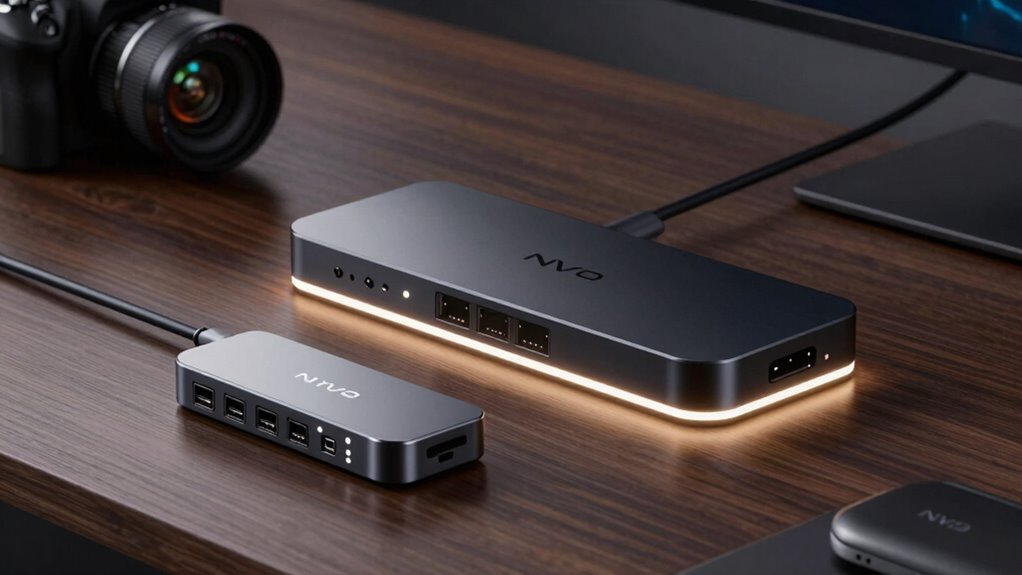

If you’re searching for an NVME cloning dock, you’re likely looking for a fast, reliable way to duplicate or upgrade your SSDs without hassle. The ICY BOX TripleBay stands out as the best overall pick thanks to its versatility and speed, while the StarTech 20Gbps Cloner Dock offers top-tier transfer rates. For those prioritizing affordability, the Sabrent USB-C Dock provides offline cloning capabilities at a lower price point. The main tradeoffs in this category usually revolve around speed, compatibility, and ease of use. Keep reading for a detailed breakdown of these options to help you choose the best fit for your needs.

Get the latest gadgets delivered free with Prime
- Fast, free delivery on millions of items
- Prime Video, Amazon Music and more included
- Member-only deals all year
Complete the kit



Key Takeaways
- High transfer speeds (up to 40Gbps) are common among premium docks, but often come at a higher cost.
- Offline cloning features are a significant convenience for users who prefer not to connect to a PC during duplication.
- Build quality and cooling solutions vary, impacting long-term reliability especially during prolonged cloning tasks.
- Dual-bay docks offer more flexibility for simultaneous cloning and storage expansion, but might be bulkier or more expensive.
- Compatibility with both NVMe and SATA SSDs is essential for versatility, yet some docks favor one over the other.
| M.2 NVMe & SATA SSD/HDD Hard Drive Docking Station, ICY BOX USB-C 10Gbps NVMe Cloner & Reader, TripleBay |  | Best Overall for Versatility and Speed | Drive Bays: 3 | Supported Drive Types: M.2 NVMe, 2.5″ SATA SSD, 3.5″ HDD | Cloning: Offline, one-touch | VIEW ON AMAZON | See Our Full Breakdown |
| UGREEN 20Gbps Cloner, M.2 Dual Bay NVMe Enclosure |  | Best for High-Speed Dual NVMe Cloning and Backup | Maximum Drive Capacity: 8TB per SSD | Supported Interface: NVMe M-Key and B+M-Key | Cloning: One-click offline | VIEW ON AMAZON | See Our Full Breakdown |
| StarTech 1m M.2 NVMe SSD Duplicator/Cloner Dock, USB-C 3.2 20Gbps |  | Best for Sector-Level Cloning Without a PC | Connection: USB 3.2 Gen2x2 (20Gbps) | Duplication Speed: 90GB/min | Compatibility: All PCIe M.2, supports 4Kn sectors | VIEW ON AMAZON | See Our Full Breakdown |
| ACASIS 20Gbps M.2 NVMe SSD Cloner & Docking Station, Dual-Bay Duplicator |  | Best for Efficient, High-Speed NVMe Duplication | Hardware Interface: USB Type C | Memory Storage Capacity: Up to 8TB | Supported Devices: NVMe SSDs | VIEW ON AMAZON | See Our Full Breakdown |
| Rosewill Cloner Dual Bay M.2 Enclosure and Cloner |  | Best for Dual NVMe Cloning with Smart Data Protection | Supported SSDs: M Key and B+M Key NVMe SSDs | Interface: USB 3.2 Gen 2×2 | Speed: Up to 20Gbps | VIEW ON AMAZON | See Our Full Breakdown |
| M.2 NVMe & SATA Hard Drive Docking Station with Offline Cloning and Cooling Fan |  | Best All-in-One Support for Multiple Drive Types | Drive Compatibility: 2.5″/3.5″ SATA HDDs and M.2 NVMe SSDs | Interface: USB-C 3.2 Gen 2 | Cooling Fan: 80mm foldable cooling fan | VIEW ON AMAZON | See Our Full Breakdown |
| Dual-Bay M.2 SSD Cloner Dock for PC Storage Upgrade Tool-Free 16TB |  | Best for Seamless System Migrations and Storage Expansion | Supported Drives: M-Key NVMe and B+M Key SATA M.2 SSDs, 2230/2242/2260/2280/22110 | Data Transfer Speed: Up to 10Gbps | Power Input: Type C | VIEW ON AMAZON | See Our Full Breakdown |
| SABRENT Dual-Bay USB-C 10Gbps M.2 NVMe SSD Cloner Dock |  | Best for Simple Offline NVMe Cloning | Supported Drive Types: PCIe NVMe M.2 SSDs (2230, 2242, 2260, 2280) | Connectivity: USB-C 3.2 up to 10Gbps | Power Supply: 5V/4A power adapter | VIEW ON AMAZON | See Our Full Breakdown |
| WAVLINK M.2 SSD Cloner, Dual NVMe Enclosure with 40Gbps USB4, Supports Offline Cloning and Active Cooling, Up to 8TB per Drive |  | Best for High-Speed Portable Cloning and Data Migration | Transfer Speed: 40Gbps | Read Speed: 3300MB/s | Write Speed: 3000MB/s | VIEW ON AMAZON | See Our Full Breakdown |
| WAVLINK M.2 SSD Cloner, 20Gbps NVMe Dual-Bay Enclosure with Offline Clone Support |  | Best for High-Speed Data Duplication on a Budget | Supported Drive Types: NVMe M.2 SSDs | Connectivity: USB 3.2 Gen 2, 20Gbps | Cloning Method: Offline | VIEW ON AMAZON | See Our Full Breakdown |
| Dual-Bay M.2 SSD Cloner Dock 10Gbps NVMe SATA Reader Quad Cooling |  | Best Overall for Versatile High-Speed Cloning and Storage | Transfer Speed: 10Gbps | Supported Protocols: NVMe, SATA | Supported Sizes: 2230, 2242, 2260, 2280, 22110 | VIEW ON AMAZON | See Our Full Breakdown |
| Dual-Bay M.2 SSD Cloner Docking Station 20Gbps Offline Duplicator |  | Best for Fast Offline Cloning with Broad Compatibility | Cloning Speed: 20Gbps | Supported Drives: NVMe M.2 and SATA M.2 | Form Factors Supported: 2230, 2242, 2260, 2280, 22110 | VIEW ON AMAZON | See Our Full Breakdown |
| MAIWO M.2 NVMe SSD Cloner for M-Key 22110 2280 2260 2242 2230mm |  | Best Standalone NVMe Cloner for Large Data Migrations | Transfer Speed: up to 1250MB/s | Supported SSD Sizes: 2230, 2242, 2260, 2280, 22110 | Maximum Capacity per Bay: 8TB | VIEW ON AMAZON | See Our Full Breakdown |
| Sabrent USB-C M.2 NVMe & SATA SSD/HDD Dock with Offline Clone |  | Best for Versatile Multi-Drive Support with Cloning Flexibility | Hardware Interface: USB Type C | Memory Storage Capacity: 20 TB | Supported Devices: NVMe, SATA 2.5″/3.5″ | VIEW ON AMAZON | See Our Full Breakdown |
More Details on Our Top Picks
M.2 NVMe & SATA SSD/HDD Hard Drive Docking Station, ICY BOX USB-C 10Gbps NVMe Cloner & Reader, TripleBay
This triple-bay docking station excels in offering a versatile solution for managing multiple drives simultaneously, supporting both NVMe and SATA SSDs, as well as HDDs. Its support for offline, one-touch cloning makes quick data migration straightforward, especially compared to the StarTech duplicator, which lacks drive versatility. The high transfer speed of up to 10 Gbps ensures rapid data transfer, but the absence of advanced cloning features like sector-by-sector duplication limits its use for more complex backups. Its triple bay design makes it ideal for users who need to clone or transfer data across multiple drives without connecting to a PC, unlike the more specialized single-drive options. However, it relies solely on USB connections and doesn’t include cloning software, which may restrict some workflows.
Pros:- Supports offline, one-touch cloning for quick data migration
- High-speed USB 3.2 Gen 2 transfer rates up to 10 Gbps
- Versatile triple-bay design supports multiple drive types simultaneously
- Tool-free drive swapping for convenience
Cons:- No included advanced cloning software or sector-by-sector options
- Limited connectivity options—only USB-C and USB-A, may require adapters
Best for: Professional IT technicians and small business users needing versatile, multi-drive cloning and data management
Not ideal for: Casual users or those requiring advanced cloning features or software support
- Drive Bays:3
- Supported Drive Types:M.2 NVMe, 2.5″ SATA SSD, 3.5″ HDD
- Cloning:Offline, one-touch
- Transfer Speed:Up to 10 Gbps
- Connectivity:USB-C, USB-A
- Compatibility:Windows, macOS
Our verdict“This dock is best suited for professionals needing flexible, multi-drive offline cloning with high-speed data transfer.”
UGREEN 20Gbps Cloner, M.2 Dual Bay NVMe Enclosure
This enclosure stands out for supporting two high-capacity NVMe drives up to 8TB each, with blazing fast transfer speeds of 20Gbps, making it ideal for quick backups and large data transfers. Compared to the ICY BOX TripleBay, it is more focused on high-speed cloning of two drives at once, but it doesn’t support SATA SSDs or HDDs, limiting flexibility. Its open aluminum design ensures excellent heat dissipation, which is critical during prolonged transfer or cloning tasks. One-click offline cloning simplifies drive duplication without a computer, yet it requires both drives to be NVMe and of equal or larger capacity—limiting some use cases. Its straightforward tool-free setup makes it accessible for users handling large NVMe drives regularly.
Pros:- Supports dual NVMe SSDs with high capacities up to 8TB each
- Ultra-fast data transfer speeds of 20Gbps
- Excellent heat dissipation due to aluminum design
- One-click offline cloning without a computer
Cons:- Cloning requires both drives to be NVMe and of equal or larger size
- Does not support SATA SSDs or HDDs
Best for: Power users and IT professionals needing rapid, dual NVMe drive cloning and backup
Not ideal for: Users with mixed drive types or those requiring support for SATA SSDs or HDDs
- Maximum Drive Capacity:8TB per SSD
- Supported Interface:NVMe M-Key and B+M-Key
- Cloning:One-click offline
- Transmission Speed:20Gbps
- Material:Aluminum
- Heat Dissipation:360° open design
Our verdict“Ideal for users needing rapid duplication of dual high-capacity NVMe SSDs with minimal fuss.”
StarTech 1m M.2 NVMe SSD Duplicator/Cloner Dock, USB-C 3.2 20Gbps
This compact duplicator offers sector-by-sector cloning speeds up to 90GB per minute, making it perfect for quick, precise backups of M.2 NVMe drives. Unlike the other dual-bay enclosures, it operates independently from a computer, making it highly suitable for IT support, hardware upgrades, or data recovery tasks. Its active cooling and LED indicators enhance usability and drive safety during intense cloning sessions. However, it is limited exclusively to M.2 NVMe SSDs and doesn’t support SATA SSDs or HDDs, which might restrict users with mixed drive collections. The device’s focus on sector-by-sector duplication means it may lack some software-level features, but it compensates with speed and simplicity for dedicated cloning jobs.
Pros:- Fast sector-by-sector duplication at 90GB/min
- No computer needed, standalone operation
- Active and passive cooling for drive safety
- Supports drives with pre-installed heat sinks
Cons:- Limited to M.2 NVMe SSDs only, no SATA support
- Lacks advanced software features, focusing on pure hardware cloning
Best for: IT professionals and data techs needing fast, standalone sector cloning of M.2 NVMe drives
Not ideal for: Users seeking support for SATA drives or multi-drive management
- Connection:USB 3.2 Gen2x2 (20Gbps)
- Duplication Speed:90GB/min
- Compatibility:All PCIe M.2, supports 4Kn sectors
- Form Factor:Toaster-style top-loading
- Cooling:Active and passive
- Drive Support:M.2 NVMe SSDs
Our verdict“This duplicator excels where high-speed, sector-level cloning of M.2 NVMe drives is required without reliance on a PC.”
ACASIS 20Gbps M.2 NVMe SSD Cloner & Docking Station, Dual-Bay Duplicator
The ACASIS dual-bay NVMe SSD duplicator emphasizes high-speed, offline cloning, supporting drives up to 8TB. Its aluminum enclosure ensures good heat management during intensive operations, making it suitable for IT support or large data migrations. Compared to the Rosewill Cloner, it offers similar transfer speeds of 20Gbps but with a more compact form factor and straightforward plug-and-play setup. That said, its data transfer rate listed as 10 MB/s appears to be a misprint; it likely supports the full 20Gbps. The device only supports NVMe SSDs, eliminating SATA or HDD options, and cloning features like SMART monitoring only work when connected to a PC. Its simple design makes it accessible but limits some advanced backup capabilities.
Pros:- Supports high-speed data transfer up to 20Gbps
- Efficient heat dissipation via aluminum case
- Plug-and-play setup with no computer needed
- Supports SSDs up to 8TB
Cons:- Supports only NVMe SSDs, no SATA or HDDs
- Cloning features like SMART monitoring require connection to a PC
Best for: IT technicians and professionals requiring fast, offline NVMe SSD duplication on-the-go
Not ideal for: Users needing support for SATA SSDs or those seeking comprehensive software features
- Hardware Interface:USB Type C
- Memory Storage Capacity:Up to 8TB
- Supported Devices:NVMe SSDs
- Data Transfer Rate:Up to 20Gbps
- Material:Aluminum
- Cloning:Offline, sector-by-sector
Our verdict“This enclosure is ideal for fast, standalone NVMe SSD cloning where simplicity and speed are priorities.”
Rosewill Cloner Dual Bay M.2 Enclosure and Cloner
The Rosewill Cloner combines a dual-bay NVMe enclosure with a one-click cloning function, making it a solid choice for quick data duplication tasks. Its support for both M Key and B+M Key NVMe SSDs provides flexibility for various drive types, and its impressive transfer speeds of up to 20Gbps make large file transfers efficient. Compared with the UGREEN enclosure, it includes a dedicated cloning button, streamlining the process for users who prioritize ease of use. However, it requires an external power supply, which adds to setup complexity and limits portability. Its focus on NVMe drives means it’s not suitable for SATA SSDs or HDDs, restricting its adaptability for mixed drive environments.
Pros:- Supports both M Key and B+M Key NVMe SSDs
- Fast transfer speeds up to 20Gbps
- Includes one-click cloning button for simplicity
- Smart data protection with S.M.A.R.T and TRIM
Cons:- Requires external power supply, reducing portability
- Limited to NVMe SSDs only, no SATA support
Best for: Power users and small businesses needing fast, reliable dual NVMe cloning with added data protection features
Not ideal for: Casual users or those with mixed drive types requiring SATA or HDD support
- Supported SSDs:M Key and B+M Key NVMe SSDs
- Interface:USB 3.2 Gen 2×2
- Speed:Up to 20Gbps
- Cloning:One-Click SSD Cloner
- Connectivity:USB-C and USB-A
- Power:12V/2A adapter
Our verdict“This device is designed for users needing quick, reliable NVMe drive duplication with added protection features.”
M.2 NVMe & SATA Hard Drive Docking Station with Offline Cloning and Cooling Fan
This docking station stands out for its versatility, supporting both M.2 NVMe and SATA drives, unlike the SABRENT Dual-Bay USB-C 10Gbps M.2 NVMe SSD Cloner Dock which supports only NVMe SSDs. Its integrated cooling fan and high data transfer speeds up to 10Gbps make it suitable for intensive cloning tasks, but it doesn’t support reverse cloning from NVMe to SATA or smaller SATA SSDs. Compared to simpler single-drive options, this model offers more flexibility, though it requires larger target drives for cloning. Its support for multiple drive types makes it ideal for users managing diverse storage configurations, especially in professional or backup environments.
Pros:- Supports both M.2 NVMe and SATA drives, offering broad compatibility
- Fast data transfer speeds up to 10Gbps for quick cloning
- Built-in high-performance cooling fan to prevent overheating during heavy use
- One-touch offline cloning simplifies data transfer without software
Cons:- Does not support reverse cloning from NVMe to SATA HDDs
- Limited compatibility with older or smaller SATA SSDs (not supporting mSATA/NGFF)
Best for: Tech enthusiasts or professionals needing a multi-drive cloning station with heat management.
Not ideal for: Casual users who only clone a single NVMe drive occasionally, as its feature set may be more than they need.
- Drive Compatibility:2.5″/3.5″ SATA HDDs and M.2 NVMe SSDs
- Interface:USB-C 3.2 Gen 2
- Cooling Fan:80mm foldable cooling fan
- Cloning:One-touch offline cloning
- Max Data Transfer Speed:10Gbps
- Supported Drives:M-Key/B+M Key NVMe, 2.5″/3.5″ SATA drives
Our verdict“This dock is best suited for users with diverse drive types who need efficient, heat-managed cloning solutions.”
Dual-Bay M.2 SSD Cloner Dock for PC Storage Upgrade Tool-Free 16TB
This dual-bay cloner is ideal for users aiming to upgrade or migrate entire systems, supporting sector-level cloning at up to 10Gbps. Unlike the Sabrent Dual-Bay USB-C 10Gbps M.2 NVMe SSD Cloner Dock, which is limited to NVMe drives, this model supports both NVMe and SATA M.2 SSDs, broadening its application scope. Its tool-free design and 360° vertical cooling make on-site maintenance straightforward, though it doesn’t support M.2 SATA AHCI B-Key SSDs. Best suited for IT professionals or advanced users managing multiple drives and system updates, but less ideal for those needing simple, single-drive cloning or SATA-only support.
Pros:- Supports high-speed data transfer up to 10Gbps with NVMe and SATA M.2 SSDs
- Tool-free design for quick and easy drive swaps
- Effective 360° vertical cooling to sustain performance during prolonged use
- Supports up to 16TB total storage capacity
Cons:- Lacks support for M.2 SATA AHCI B-Key SSDs, limiting some SATA options
- Designed primarily for cloning and storage expansion, not general external drive use
Best for: IT specialists or power users performing frequent, large-scale storage migrations.
Not ideal for: Casual users or those with only SATA drives, as it lacks support for SATA-only M.2 drives and broader compatibility.
- Supported Drives:M-Key NVMe and B+M Key SATA M.2 SSDs, 2230/2242/2260/2280/22110
- Data Transfer Speed:Up to 10Gbps
- Power Input:Type C
- Cooling:360° vertical cooling
- Maximum Storage:16TB
- Compatibility:Windows, Mac OS, Linux, Android, Steam Deck, ROG Ally, PS5
Our verdict“This dock is best for professionals needing efficient, tool-free cloning and storage upgrades across multiple drive types.”
SABRENT Dual-Bay USB-C 10Gbps M.2 NVMe SSD Cloner Dock
This dock shines in scenarios where offline cloning of NVMe drives is needed without a computer, supporting drives in 2230 to 2280 sizes. It offers simultaneous read/write capabilities and built-in cooling, making it faster and more efficient than single-drive options like the ICY BOX USB-C NVMe Cloner. However, it exclusively supports NVMe M.2 SSDs, leaving out SATA options, and the fan runs continuously, which could be noisy during extended use. It’s an excellent choice for users who prioritize straightforward cloning of NVMe SSDs in dual configuration but aren’t concerned with SATA support or ultra-quiet operation.
Pros:- Supports offline cloning without needing a computer or additional software
- Simultaneous read/write for dual NVMe SSDs speeds up data transfer
- Built-in cooling fan with aluminum body to avoid thermal throttling
- Tool-free installation for convenience
Cons:- Supports only NVMe M.2 SSDs, not SATA or 2.5″ drives
- Fan runs constantly, potentially creating noise during long cloning sessions
Best for: Tech-savvy users needing quick, offline NVMe drive duplication with minimal fuss.
Not ideal for: Users with SATA drives or those seeking a multi-purpose external drive, as it only supports NVMe SSDs.
- Supported Drive Types:PCIe NVMe M.2 SSDs (2230, 2242, 2260, 2280)
- Connectivity:USB-C 3.2 up to 10Gbps
- Power Supply:5V/4A power adapter
- Cooling:Built-in aluminum fan
- Cloning Method:Offline, no computer needed
- Supported Drive Sizes:2230-2280
Our verdict“This dock is ideal for NVMe users who need fast, reliable offline cloning in a simple, dual-bay setup.”
WAVLINK M.2 SSD Cloner, Dual NVMe Enclosure with 40Gbps USB4, Supports Offline Cloning and Active Cooling, Up to 8TB per Drive
This enclosure offers exceptionally fast data transfer speeds up to 40Gbps with USB4, surpassing the others for on-the-go cloning and storage. Its active cooling and support for dual NVMe drives make it more suitable for demanding tasks than the Dual-Bay M.2 SSD Cloner for PC, which is limited to 20Gbps and primarily stationary. However, it’s limited to NVMe SSDs only and requires a robust power supply, which could be less convenient for portable use. This pick makes the most sense for professionals or power users who need rapid cloning and large capacity in a portable form factor but are okay with a higher price and more complex setup.
Pros:- Supports blazing-fast transfer speeds up to 40Gbps with USB4
- Active cooling ensures sustained performance during intensive tasks
- Supports dual NVMe drives up to 8TB each for extensive storage
- Compact and portable, ideal for on-the-go data migration
Cons:- Limited to NVMe SSDs, no SATA support
- Higher cost and complexity compared to simpler docks
- Requires robust power supply and more setup effort
Best for: Mobile professionals or advanced users needing ultra-fast cloning with active cooling for large NVMe drives.
Not ideal for: Casual or budget-conscious users, since its high speed and active cooling come at a premium price and complexity.
- Transfer Speed:40Gbps
- Read Speed:3300MB/s
- Write Speed:3000MB/s
- Supported Sizes:2230, 2242, 2260, 2280
- Maximum Capacity:8TB per drive
- Connectivity:USB4
Our verdict“This enclosure is perfect for high-speed, portable cloning of NVMe drives by demanding users who prioritize speed and active cooling.”
WAVLINK M.2 SSD Cloner, 20Gbps NVMe Dual-Bay Enclosure with Offline Clone Support
This enclosure offers reliable offline cloning with transfer speeds up to 20Gbps, suitable for users needing quick duplication of NVMe drives without the expense of ultra-fast USB4 models. It supports a range of M.2 sizes and features a durable metal enclosure with status LEDs, similar in function to the Sabrent Dual-Bay NVMe Cloner but at a more accessible price point. However, its support is limited to NVMe SSDs, and it requires a separate power supply. It’s a solid choice for users who want fast cloning without the premium cost of USB4 or active cooling systems, although it’s less suited for those cloning SATA drives or needing maximum speed.
Pros:- Supports NVMe SSDs with transfer speeds up to 20Gbps
- Offline cloning without needing a computer or software
- Durable metal enclosure with heat vents for cooling
- Status LEDs for easy operation monitoring
Cons:- Limited to NVMe M.2 SSDs, no SATA support
- Requires separate power supply, reducing portability
- Cloning speed depends on drive data size, not always maximum
Best for: Budget-conscious professionals or hobbyists performing frequent NVMe drive duplications with moderate speed needs.
Not ideal for: Users aiming for the highest transfer speeds or cloning SATA drives, as it only supports NVMe SSDs and has a slower interface.
- Supported Drive Types:NVMe M.2 SSDs
- Connectivity:USB 3.2 Gen 2, 20Gbps
- Cloning Method:Offline
- Cooling:Metal enclosure with heat vents
- Supported Sizes:2230/2242/2260/2280
- Additional Features:Status LEDs
Our verdict“This dock offers a cost-effective, fast offline cloning solution for NVMe drives, suitable for those on a budget but needing reliable performance.”
Dual-Bay M.2 SSD Cloner Dock 10Gbps NVMe SATA Reader Quad Cooling
This dual-bay M.2 SSD cloner stands out for its impressive combination of speed, thermal management, and protocol support. With 10Gbps transfer speeds via USB 3.2 Gen 2, it outperforms many competitors like the Sabrent dock, especially in thermal efficiency thanks to its quad-layer ventilation. Its support for a wide range of M.2 sizes and formats makes it flexible for various drive types, but it falls short in cross-protocol cloning—unable to clone across NVMe and SATA drives in one operation. The tool-free, hot-swappable design simplifies setup, yet the absence of bundled software or firmware updates may hinder advanced users seeking automation or troubleshooting.
Best For: Content creators and IT professionals needing fast, reliable data migration across multiple drive types.
Not Ideal For: Users who require simultaneous cross-protocol cloning or integrated software solutions.
- High-speed 10Gbps data transfer with USB 3.2 Gen 2
- Effective quad-layer thermal architecture prevents throttling
- Supports a broad array of M.2 sizes and formats
- Tool-free, hot-swappable design for quick deployment
- Cross-protocol copying is unsupported
- Only one drive recognized if different protocols are connected simultaneously
- No included software or automatic firmware updates
Verdict: This dock is ideal for users who prioritize speed and thermal efficiency in a versatile, high-capacity cloning solution.
Pros:- High-speed 10Gbps data transfer with USB 3.2 Gen 2
- Effective quad-layer thermal architecture prevents throttling
- Supports a wide range of M.2 sizes and formats
- Tool-free, hot-swappable design for quick deployment
Cons:- Cross-protocol copying is unsupported
- Only one drive recognized if different protocols are connected simultaneously
Best for: Content creators and IT professionals needing fast, reliable data migration across multiple drive types.
Not ideal for: Users who require simultaneous cross-protocol cloning or integrated software solutions.
- Transfer Speed:10Gbps
- Supported Protocols:NVMe, SATA
- Supported Sizes:2230, 2242, 2260, 2280, 22110
- Thermal Architecture:Quad-layer with ventilation and airflow
- Capacity Expansion:Up to 16TB (8TB per slot)
- Power Supply:Type-C DC input
Our verdict“This dock is ideal for users who prioritize speed and thermal efficiency in a versatile, high-capacity cloning solution.”
Dual-Bay M.2 SSD Cloner Docking Station 20Gbps Offline Duplicator
This dual-bay M.2 SSD cloning station excels in rapid, offline duplication with speeds up to 20Gbps, surpassing the 10Gbps options like Sabrent in cloning speed. It supports all M.2 sizes and both NVMe and SATA drives, making it more versatile than the MAIWO standalone clone, which only supports NVMe. Its tool-free, portable design is perfect for on-site repairs and quick backups, but users should note that NVMe and SATA drives cannot be cloned together simultaneously, and high-performance SSDs may need external power for sustained operation. Compatibility with multiple OS makes it ideal for diverse environments, yet it does require external power for high-performance drives.
Best For: IT professionals and field technicians needing fast, reliable offline cloning on the go.
Not Ideal For: Users who want simultaneous cloning of NVMe and SATA drives or do not have external power sources available.
- High-speed 20Gbps cloning speeds for NVMe drives
- Supports all M.2 sizes and both NVMe and SATA drives
- Tool-free, portable design for field use
- Supports multiple OS including Windows, Mac, Linux, Android
- Cannot clone NVMe and SATA drives simultaneously
- Requires external power for sustained high-speed cloning
Verdict: This station is best suited for professionals needing quick, offline drive duplication in the field, with speed and versatility as priorities.
Pros:- Fast 20Gbps cloning speeds for NVMe drives
- Supports all M.2 sizes and both NVMe and SATA drives
- Tool-free, portable design suitable for on-site use
- Compatible with multiple operating systems
Cons:- Cannot clone NVMe and SATA drives simultaneously
- Requires external power for high-performance SSDs during intensive tasks
Best for: IT professionals and field technicians needing fast, reliable offline cloning on the go.
Not ideal for: Users who require simultaneous NVMe and SATA drive cloning or lack access to external power sources.
- Cloning Speed:20Gbps
- Supported Drives:NVMe M.2 and SATA M.2
- Form Factors Supported:2230, 2242, 2260, 2280, 22110
- Maximum Capacity:16TB total (8TB per slot)
- Power Options:USB-C, DC adapter, or power bank
- Cooling Design:Side ventilation cutouts
Our verdict“This docking station offers rapid offline clone capabilities ideal for professional field use, with broad drive support and high speed.”
MAIWO M.2 NVMe SSD Cloner for M-Key 22110 2280 2260 2242 2230mm
The MAIWO M.2 NVMe SSD Cloner offers a straightforward, standalone cloning experience, making it a top choice for those who prefer a device that doesn’t require a computer. Its high-speed transfer rate of up to 1250MB/s ensures quick duplication of large NVMe drives—outperforming many USB-based clones in raw speed. Its open-air, 360-degree thermal design helps maintain performance during extended use, but it is limited to NVMe SSDs only, which narrows its versatility compared to multi-protocol docks like the B0GVH9WPZ3. Users must have compatible M-Key NVMe drives, and it lacks advanced features like software automation or firmware updates.
Best For: Data migration specialists and power users needing fast, standalone NVMe cloning without a PC.
Not Ideal For: Those working with SATA drives or seeking multi-protocol support or integrated management tools.
- High-speed data transfer up to 1250MB/s
- Supports multiple NVMe SSD sizes and large capacities
- Standalone device, no PC required
- Effective thermal management with open-air design
- Limited to NVMe SSDs, not compatible with SATA
- Requires compatible M-Key NVMe SSDs to function
Verdict: This device is perfect for NVMe drive enthusiasts seeking quick, independent cloning with excellent thermal handling.
Pros:- High-speed data transfer up to 1250MB/s
- Supports multiple NVMe SSD sizes and large capacities
- Standalone operation without needing a computer
- Open-air thermal management for extended use
Cons:- Limited to NVMe SSDs, no support for SATA
- Requires compatible M-Key NVMe SSDs to operate
Best for: Data migration specialists and advanced users needing fast, standalone NVMe cloning.
Not ideal for: Users working with SATA SSDs or those who prefer multi-protocol devices with software features.
- Transfer Speed:up to 1250MB/s
- Supported SSD Sizes:2230, 2242, 2260, 2280, 22110
- Maximum Capacity per Bay:8TB
- Total Capacity:16TB
- Connectivity:USB 3.2 Gen 2
- Thermal Management:360-degree open-air design
Our verdict“Ideal for NVMe power users who want quick, independent cloning with robust thermal management.”
Sabrent USB-C M.2 NVMe & SATA SSD/HDD Dock with Offline Clone
The Sabrent DS-UNHC dock offers extensive support for both NVMe and SATA drives, including 2.5″ and 3.5″ formats, making it more flexible than dedicated NVMe-only solutions like the MAIWO. Its offline clone feature and high 10Gbps transfer rate provide a reliable, easy-to-use option for quick backups and data transfers. The inclusion of all necessary cables and a power adapter enhances convenience, but the need for external power when using 3.5″ drives can add complexity. While it supports large total capacities up to 20TB, users aiming for high-speed cloning of multiple drives simultaneously might find its capacity limit restrictive, and it may need additional patches for older Windows systems.
Best For: Small to medium-sized businesses and power users needing flexible drive support and offline cloning.
Not Ideal For: Users requiring simultaneous multi-drive cloning or working within environments with limited external power options.
- Supports NVMe and SATA drives simultaneously
- High data transfer rate up to 10Gbps
- Includes all necessary cables and power supplies
- Plug-and-play with hot-swappable drives
- Requires external power for 3.5″ drives
- Limited to 20TB total capacity
Verdict: This dock provides flexible, fast cloning for users managing multiple drive types and sizes, with a focus on ease of use.
Pros:- Supports both NVMe and SATA drives concurrently
- High-speed data transfer up to 10Gbps
- Complete with cables and power adapter for convenience
- Hot-swappable, plug-and-play operation
Cons:- Requires external power for 3.5″ drives
- Limited to 20TB total capacity
Best for: Small to medium-sized businesses and advanced users needing flexible, offline drive duplication.
Not ideal for: Those who want simultaneous multi-protocol cloning or do not have reliable external power sources for 3.5″ drives.
- Hardware Interface:USB Type C
- Memory Storage Capacity:20 TB
- Supported Devices:NVMe, SATA 2.5″/3.5″
- Data Transfer Rate:10Gbps
- Supported Drive Types:M.2 PCIe NVMe, SATA
- Enclosure Material:ABS
Our verdict“A flexible, high-speed cloning dock best suited for users who handle diverse drives and prioritize straightforward operation.”

How We Picked
To evaluate these NVME cloning docks, I focused on key factors that matter most to users: transfer speed, ease of use, build quality, compatibility, and additional features like offline cloning and cooling. Products were ranked based on their ability to deliver reliable, fast cloning with minimal setup, as well as their value for money. I also considered the versatility of each dock, including support for multiple drive sizes and types. Docks that excelled in speed but lacked user-friendly features or had reliability issues were rated lower, ensuring that the top picks balance performance with practical usability.Factors to Consider When Choosing Nvme Cloning Dock
Choosing the right NVME cloning dock involves understanding several important factors that go beyond just speed. It’s essential to consider compatibility with your SSDs, the cloning process itself, and how much control you want during duplication. Additional features like offline cloning, cooling solutions, and size can influence your overall experience. Making an informed decision means balancing these factors against your budget and specific needs, avoiding common pitfalls like buying a dock that only supports one SSD type or lacks sufficient speed for large data sets.Speed and Transfer Rate
Transfer speed is often the primary consideration. Docks supporting Thunderbolt 3/4 or USB 3.2 Gen 2×2 and above can facilitate faster cloning, especially for larger drives. However, faster speeds usually come with a higher price and sometimes increased noise or heat. For most users, a balance between speed and reliability is key—very high transfer rates are beneficial for large data sets but may be overkill for simple backups or small files. Consider your typical data size and workflow to choose accordingly.
Compatibility and Drive Support
Ensure the dock supports your specific SSD form factors and interfaces—most commonly M.2 NVMe and SATA. Some docks are limited to NVMe, while others support both NVMe and SATA drives, offering more flexibility. Double-check supported drive sizes, such as 2280, 2260, or smaller, to avoid compatibility issues. A dock that doesn’t support your drive types can lead to frustrating returns or upgrades later on, so verify compatibility before purchase.
Ease of Use and Cloning Features
Look for docks that offer straightforward cloning processes, ideally with offline cloning options that do not require connection to a PC. User-friendly interfaces, clear LED indicators, and minimal setup steps can save significant time. Some models include dedicated cloning buttons or software, which can streamline the process. Beware of docks that require complex configurations or lack clear instructions, as this can turn a simple task into a frustrating experience.
Cooling and Build Quality
Cloning large drives or performing multiple operations can generate heat, which may affect the longevity of your SSDs and the dock itself. Docks with active cooling fans or heat sinks tend to be more reliable over prolonged use. Additionally, sturdy construction and quality materials contribute to durability, especially if you plan to move or use the dock frequently. Low-cost docks often cut corners here, leading to overheating or breakage over time.
Price and Additional Features
While price often correlates with features, it’s worth considering what added capabilities are worth paying for. Offline cloning, multi-drive support, or support for large capacities can justify a higher price. Conversely, if you only need basic cloning for small drives, a more affordable model might suffice. Be cautious of models that promise too much but lack the necessary build quality or performance in practice. Finding a balance between cost and features tailored to your needs is key.
Frequently Asked Questions
Can I clone drives of different sizes using an NVME cloning dock?
Yes, most cloning docks support drives of different sizes, but it depends on the cloning software. Many docks include software that can handle resizing and partition adjustments during the cloning process. However, it’s important to verify whether the dock and software support this feature, especially if you plan to clone a smaller drive onto a larger one. Check the specifications and user reviews to confirm compatibility for this common need.
Is offline cloning safer than cloning via a PC?
Offline cloning is generally considered safer because it minimizes the risk of interruptions from system errors or malware infections during the duplication process. It also reduces the load on your computer, making the procedure more stable and predictable. Many users prefer offline cloning for sensitive or large data transfers, as it often simplifies the process and reduces potential complications. Just ensure the dock’s software or hardware supports offline cloning for your drive types.
What should I prioritize: speed or features like cooling and multi-drive support?
This depends on your specific workflow. If speed is critical, especially for large data migrations or frequent cloning, prioritize docks with high transfer rates and minimal bottlenecks. For prolonged use or heavier workloads, features like active cooling and multi-drive support can improve reliability and convenience. Balancing these aspects based on your typical usage will lead to a more satisfying purchase, rather than focusing solely on either speed or extra features.
Are there compatibility issues with certain SSD brands or models?
Compatibility issues are relatively rare but can occur, especially with older or less common SSDs. Most docks are designed to support standard M.2 NVMe and SATA drives, which encompass the majority of popular SSD brands. However, checking the dock’s supported specifications—including drive length, interface, and firmware requirements—can prevent incompatibilities. Reading user reviews for reports of specific brand issues can also provide valuable insights before buying.
How important is build quality when choosing an NVME cloning dock?
Build quality is often overlooked but plays a vital role in the long-term reliability and durability of your docking station. A well-constructed dock with quality materials and effective cooling can prevent overheating, reduce wear and tear, and withstand frequent use or transport. Cheaper models may save money upfront but could lead to failures or damage over time, especially during intensive cloning tasks. Investing in a higher-quality dock can save money and frustration in the long run.
Conclusion
For most users, the ICY BOX TripleBay offers a balanced mix of speed, versatility, and ease of use, making it the best overall choice. Those seeking the best value might opt for the Sabrent USB-C Dock, which provides efficient offline cloning at a more accessible price. If you prefer premium features and maximum performance, the StarTech 20Gbps Cloner Dock stands out. Beginners or casual users should consider docks with straightforward interfaces and reliable software, while professionals needing multi-drive support and cooling should look toward higher-end models. Ultimately, your choice depends on your specific cloning needs and budget constraints.
Halloween Picks

Pumpkin Halloween Fog Machine with 12-Color LED Lights, Bluetooth Speaker, and Remote

Thuodo 8 FT Tall Halloween Inflatable Three-Headed Dragon with LEDs

8.5 Foot Halloween Inflatable Haunted House Castle with Skeleton, Ghost & Skulls
As an affiliate, we earn on qualifying purchases.