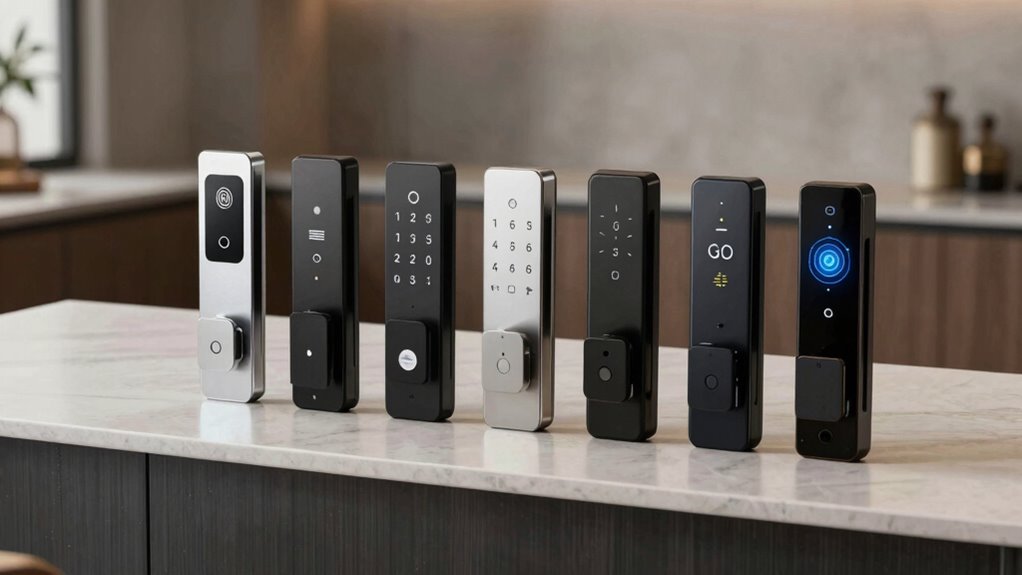

The best smart lock accessories add a useful way to enter, connect, or protect your lock without replacing the whole system. I rank the Nuki Keypad 2 NFC with Fingerprint as the best overall for its combination of keypad, NFC, and fingerprint entry; the Level Smart Keypad is a simpler choice for compatible Level locks, while the Yale Wi-Fi Smart Module suits owners seeking connected features for supported Assure locks and levers. The main tradeoff is choosing between broader access options and an accessory that works only with a specific lock family. I also weigh whether each item adds a new entry method, improves connectivity, or mainly protects or supplements an existing setup. Read on for the full breakdown and a guide to matching an accessory to your lock and household.

Get the latest gadgets delivered free with Prime
- Fast, free delivery on millions of items
- Prime Video, Amazon Music and more included
- Member-only deals all year
Complete the kit



Key Takeaways
- Nuki Keypad 2 NFC with Fingerprint offers the broadest range of listed entry methods, making it the most versatile pick for households with different access preferences.
- The two Level Smart Keypads serve the same lock family in different finishes; choose between black and white based on the installation rather than expecting different functionality.
- Yale Wi-Fi Smart Module adds connectivity to compatible Assure locks and levers, but it is not a universal upgrade for other smart locks.
- Yamiry RFID Key Fobs are a straightforward option for fob-based access, though their usefulness depends on compatibility with the reader and lock already in place.
- Lockly Touchscreen Cover addresses protection rather than access or connectivity, so it is a more specialized purchase than the keypad and module options.
| Lockly Touchscreen Cover for Smart Locks, Black |  | Best for Screen Protection | Brand: Lockly | Model number: PGA730 | Material: Plastic | VIEW ON AMAZON | See Our Full Breakdown |
| Level Smart Keypad for Level Smart Locks, Matte Black |  | Best for Shared Code Access | Brand: Level | Connectivity: Bluetooth | Compatible devices: Level Lock Pro, Level Lock+, Level Lock Touch Edition, Level Lock, and Level Bolt | VIEW ON AMAZON | See Our Full Breakdown |
| Yamiry RFID Key Fobs for Smart Locks, 4-Pack, White |  | Best Simple Tap-to-Access Set | Brand: Yamiry | Model: YM-SL-W | Quantity: 4 key fobs | VIEW ON AMAZON | See Our Full Breakdown |
| Nuki Keypad 2 NFC with Fingerprint |  | Best for Multiple Unlock Methods | Brand: NUKI | Model number: 221198 | Unlock methods: NFC, fingerprint, and entry code | VIEW ON AMAZON | See Our Full Breakdown |
| Yale Wi-Fi Smart Module for Assure Locks and Levers |  | Best for Remote Yale Lock Control | Brand: Yale Security | Model: R-AYR-MOD-WF1-USA | Compatibility: Yale Assure Locks and Levers, Gen 1 or 2 | VIEW ON AMAZON | See Our Full Breakdown |
| Level Smart Keypad for Level Smart Locks, White |  | Best for Shared, Code-Based Access | Brand: Level | Model: C-K11U | Compatibility: Level Lock, Level Lock Touch Edition, Level Bolt | VIEW ON AMAZON | See Our Full Breakdown |
| smart lock accessorie | Brand | Compatibility | Dimensions | Connectivity |
|---|---|---|---|---|
| Lockly Touchscreen Cover for S | Lockly | Lockly smart locks; specific models not listed | 2.56 x 2.01 x 0.24 inches | — |
| Level Smart Keypad for Level S | Level | — | 4.87 x 2.04 x 0.67 inches | Bluetooth |
| Yamiry RFID Key Fobs for Smart | Yamiry | Yamiry smart locks and other devices supporting 13.56 MHz cards | 5 x 2 x 0.2 inches | — |
| Nuki Keypad 2 NFC with Fingerp | NUKI | Compatible Nuki Smart Lock required; wallet use requires a Matter hub and NFC-capable smartphone | — | Bluetooth |
| Yale Wi-Fi Smart Module for As | Yale Security | Yale Assure Locks and Levers, Gen 1 or 2 | 0.25 x 2 x 1 inches | 2.4 GHz Wi-Fi |
| Level Smart Keypad for Level S | Level | Level Lock, Level Lock Touch Edition, Level Bolt | — | Bluetooth |
More Details on Our Top Picks
Lockly Touchscreen Cover for Smart Locks, Black
This is the most narrowly focused accessory in the lineup: a compact plastic cover intended to protect a compatible Lockly smart-lock touchscreen. Compared with the Level Smart Keypad, which adds a separate way to enter a home, this cover protects an existing access point rather than changing how anyone unlocks the door. Its small footprint and black finish suit buyers who want a low-profile addition without extra codes, batteries, or connectivity. The tradeoff is limited versatility: the supplied details name Lockly smart locks but do not identify specific compatible models, so I would check the fit before buying. It also provides no added entry method or remote access. Choose it for basic touchscreen protection, not for expanding lock functionality.
Pros:- Designed to protect a compatible Lockly touchscreen
- Compact dimensions suit a low-profile installation
- Simple black finish
- Adds protection without requiring connectivity or batteries
Cons:- Compatibility details do not specify supported Lockly models
- Does not add an entry method or smart-lock features
Best for: Lockly smart-lock owners who want a small, simple cover for a compatible touchscreen and have confirmed the fit.
Not ideal for: Buyers seeking keyless entry options, remote control, or clearly documented compatibility with a particular Lockly lock model.
- Brand:Lockly
- Model number:PGA730
- Material:Plastic
- Color:Black
- Compatibility:Lockly smart locks; specific models not listed
- Dimensions:2.56 x 2.01 x 0.24 inches
- Included quantity:1 cover
Our verdict“Choose this cover if protecting a confirmed-compatible Lockly touchscreen is your priority, and skip it if you need added access features.”
Level Smart Keypad for Level Smart Locks, Matte Black
The Level keypad is the strongest pick here for households that need multiple personalized entry codes without relying on a phone at the door. It stores up to 50 customizable codes, including time-limited access, and can sit up to 30 feet from a compatible Level lock. That makes it more useful for visitors or scheduled access than the Yamiry RFID fobs, which offer simple tap access but depend on compatible readers. The keypad is also rated IP65 and includes mounting options, giving it a more weather-ready setup than the Nuki Keypad 2 NFC’s IP54 rating. Its limits are clear: it works only with specified Level locks and bolts, and remote management requires Level Connect. Pick it for code-based sharing, not cross-brand flexibility.
Pros:- Stores up to 50 customizable access codes
- Codes can have time limits and expiration dates
- IP65 weather resistance and an outdoor operating range from -4°F to +140°F
- Wireless mounting options and batteries rated for up to two years
Cons:- Works only with the listed compatible Level locks and bolts
- Remote management requires Level Connect
Best for: Households with a compatible Level lock that need separate, schedulable codes for family, guests, or service providers.
Not ideal for: Owners of non-Level locks, or buyers who need remote code management without Level Connect.
- Brand:Level
- Connectivity:Bluetooth
- Compatible devices:Level Lock Pro, Level Lock+, Level Lock Touch Edition, Level Lock, and Level Bolt
- Maximum stored codes:50
- Placement range:Up to 30 feet from the lock
- Weather resistance:IP65
- Battery life:Up to 2 years
- Dimensions:4.87 x 2.04 x 0.67 inches
Our verdict“Choose the Level keypad for durable, scheduled code access if you own a compatible lock and can accept the Level ecosystem requirements.”
Yamiry RFID Key Fobs for Smart Locks, 4-Pack, White
These four fobs offer a straightforward way to give several people a physical token for a compatible Yamiry smart lock. Their appeal is simplicity: unlike the Level Smart Keypad, they do not ask users to remember or enter codes, and the set supplies multiple fobs for different household members. The tradeoff is that access depends on the lock or reader accepting 13.56 MHz cards; the stated frequency alone does not confirm compatibility with every other brand. The listing also gives little detail about how fobs are enrolled or managed, so buyers should check their lock’s instructions first. This set makes sense for owners who want basic tap access and can verify support, but it lacks the code controls and user-specific access options of the Level and Nuki keypads.
Pros:- Includes four fobs for sharing among multiple users
- Designed for Yamiry smart locks
- Uses 13.56 MHz RFID
- Small fob format offers a physical alternative to entering a code
Cons:- Compatibility with other brands depends on support for 13.56 MHz cards
- Product details do not explain enrollment or access-management features
Best for: Yamiry smart-lock owners who want to give several household members a simple physical fob for entry.
Not ideal for: Buyers who need confirmed cross-brand compatibility, time-limited guest access, or keypad-based entry options.
- Brand:Yamiry
- Model:YM-SL-W
- Quantity:4 key fobs
- Frequency:13.56 MHz
- Compatibility:Yamiry smart locks and other devices supporting 13.56 MHz cards
- Material:ABS plastic
- Color:White
- Dimensions:5 x 2 x 0.2 inches
Our verdict“Choose this set for simple fob access with a compatible Yamiry lock, but verify reader support before using it with another system.”
Nuki Keypad 2 NFC with Fingerprint
The Nuki keypad offers the broadest choice of ways to enter among these access accessories: users can choose fingerprints, entry codes, or NFC. It supports up to 20 fingerprints and 200 individual codes, giving it more capacity for varied users than the Level Smart Keypad’s 50-code limit. Locally stored access data with end-to-end encryption is another differentiator for buyers who prefer access details kept on the device. Its feature range comes with setup dependencies, though: a compatible Nuki Smart Lock is required, and wallet-based entry needs both a Matter hub and an NFC-capable smartphone. The IP54 rating is also lower than the Level keypad’s IP65 rating. I would choose Nuki for flexible entry methods, not if weather exposure or broad lock compatibility is the main concern.
Pros:- Supports fingerprints, entry codes, and NFC
- Capacity for up to 20 fingerprints and 200 individual codes
- Locally stored access data with end-to-end encryption
- Installs without wiring using adhesive strips or screws
Cons:- Requires a compatible Nuki Smart Lock
- Wallet-based entry needs a Matter hub and NFC-capable smartphone
- IP54 weather resistance is below the Level keypad’s IP65 rating
Best for: Nuki Smart Lock owners who want household members to choose between fingerprints, individual codes, and supported wallet-based NFC access.
Not ideal for: Owners without a compatible Nuki Smart Lock, or buyers who need wallet entry but lack a Matter hub and NFC-capable smartphone.
- Brand:NUKI
- Model number:221198
- Unlock methods:NFC, fingerprint, and entry code
- Access capacity:Up to 35 Tap to Unlock keys, 20 fingerprints, and 200 individual codes
- Compatibility:Compatible Nuki Smart Lock required; wallet use requires a Matter hub and NFC-capable smartphone
- Connectivity:Bluetooth
- Weather resistance:IP54
- Battery life:Up to 12 months
- Dimensions and weight:5 x 1 x 1 inches; 3.2 ounces
Our verdict“Choose Nuki for varied, locally managed entry methods if you already have a compatible lock and meet the wallet-access requirements.”
Yale Wi-Fi Smart Module for Assure Locks and Levers
Unlike the Level and Nuki keypads, this Yale module does not add a keypad or physical credential; it adds Wi-Fi control to a compatible Yale Assure lock or lever. Through the Yale Access app, owners can remotely lock or unlock, share access, view entry activity, and use auto-unlock and relock features. Its no-hub setup is a practical distinction for buyers who want remote access without adding a separate bridge. The tradeoff is narrow compatibility: it is specified for Yale Assure Locks and Levers from Gen 1 or 2, and it requires a 2.4 GHz Wi-Fi network. That makes it less suitable than the Level keypad for adding an outdoor code-entry point, but more relevant to existing Yale owners focused on app-based control.
Pros:- Adds remote lock and unlock through the Yale Access app
- Works without an additional hub or Connect
- Supports access sharing and viewing entry activity
- Includes auto-unlock and relock features
Cons:- Compatible only with Yale Assure Locks and Levers, Gen 1 or 2
- Requires a 2.4 GHz Wi-Fi network
- Specified for use in the U.S. and Canada
Best for: Owners of a Yale Assure Lock or Lever Gen 1 or 2 who want remote app control and entry activity without an additional hub.
Not ideal for: Owners of other lock brands or Yale users who lack a 2.4 GHz Wi-Fi network or want a physical keypad for entry.
- Brand:Yale Security
- Model:R-AYR-MOD-WF1-USA
- Compatibility:Yale Assure Locks and Levers, Gen 1 or 2
- Connectivity:2.4 GHz Wi-Fi
- App:Yale Access
- Material and color:Plastic; black
- Dimensions:0.25 x 2 x 1 inches
- Weight:1.6 ounces
- Warranty:1-year limited
Our verdict“Choose this module if you own a supported Yale Assure lock and want app-based remote control rather than keypad entry.”
Level Smart Keypad for Level Smart Locks, White
I’d choose this keypad when several people need entry without sharing a phone or carrying a physical key. It supports up to 50 visitor codes, with time limits and expiration dates managed in the Level app, making it more adaptable for guests or recurring service access than the Yamiry RFID Key Fobs, which rely on carrying a fob. The keypad can sit up to 30 feet from the lock, and its wireless, no-wiring installation offers more placement flexibility than a wired add-on. An IP65 weather-resistant build and backlight also suit an outdoor entrance. The main limitation is its narrow compatibility: it works with specified Level locks and Bolt, not other brands. Remote code management also requires Level Connect, so buyers without that accessory should expect a more limited setup.
Pros:- Supports up to 50 customizable visitor codes with time limits and expiration dates.
- Wireless installation and a range of up to 30 feet allow flexible placement.
- IP65 weather resistance suits exposed entry points.
- LED backlight helps users enter codes in low light.
Cons:- Compatible only with Level Lock, Level Lock Touch Edition, and Level Bolt.
- Remote management of codes requires Level Connect.
- Bluetooth connectivity and the stated range may not suit every entry layout.
Best for: Households with compatible Level locks that need separate, time-limited codes for guests, cleaners, or other visitors.
Not ideal for: Owners of non-Level locks, or buyers who need remote code management but do not have Level Connect.
- Brand:Level
- Model:C-K11U
- Compatibility:Level Lock, Level Lock Touch Edition, Level Bolt
- Wireless range:Up to 30 ft
- Code capacity:Up to 50 codes
- Connectivity:Bluetooth
- Weather resistance:IP65
- Backlight:LED
- Battery life:Up to 2 years
Our verdict“Choose this keypad for flexible, code-based access at a compatible Level lock, but skip it if you need cross-brand support or remote management without Level Connect.”

How We Picked
I ranked these smart lock accessories by the practical job each one does: adding a convenient entry method, extending connectivity, providing fob access, or protecting a lock interface. I also weighed compatibility, ease of understanding for a household, and whether an accessory expands what an existing lock can do or mainly serves a narrow need. Products with several access methods or a clear role for a supported lock received stronger placement than options whose value depends on a more specific setup.
The ranking reflects the differences among these six products, not a claim that any accessory works with every lock. The Nuki Keypad 2 NFC with Fingerprint leads for its range of entry methods; the Level keypad is a more focused choice for Level owners, and the Yale module is specifically for compatible Assure models. The RFID fobs and Lockly cover fill distinct needs, while the two Level finishes are treated as one functional choice rather than separate feature tiers.
| smart lock accessorie | Brand | Compatibility | Weather resistance | Battery life |
|---|---|---|---|---|
| Lockly Touchscreen Cover for S | Lockly | Lockly smart locks; specific models not listed | — | — |
| Level Smart Keypad for Level S | Level | — | IP65 | Up to 2 years |
| Yamiry RFID Key Fobs for Smart | Yamiry | Yamiry smart locks and other devices supporting 13.56 MHz cards | — | — |
| Nuki Keypad 2 NFC with Fingerp | NUKI | Compatible Nuki Smart Lock required; wallet use requires a Matter hub and NFC-capable smartphone | IP54 | Up to 12 months |
| Yale Wi-Fi Smart Module for As | Yale Security | Yale Assure Locks and Levers, Gen 1 or 2 | — | — |
| Level Smart Keypad for Level S | Level | Level Lock, Level Lock Touch Edition, Level Bolt | IP65 | Up to 2 years |
Factors to Consider When Choosing Smart Lock Accessories
Before choosing an accessory, I would start with the lock already on the door, then identify the problem I want to solve. An extra way to unlock, remote connectivity, and physical protection are different jobs; buying for the wrong one can leave a perfectly good accessory unused.
Start With Exact Lock Compatibility
Accessory names can sound universal even when the hardware is designed for one lock family. Check the exact lock model and generation, not just the brand, and confirm whether the accessory requires a particular hub, app, or firmware. A keypad that matches a brand may still be incompatible with an older model or a different product line. For shared households, compatibility also includes how the accessory pairs and how access codes or credentials are managed. The common mistake is buying first and checking the installation details later; verify the manufacturer’s compatibility list before choosing.
Choose the Entry Method People Will Actually Use
Keypads, fingerprints, NFC, and RFID fobs solve different access problems. A keypad can work for visitors who do not carry a credential, while a fob may suit someone who prefers a tap and does not want to memorize a code. Fingerprint access can reduce steps for regular users, but it may not be the right fit for every household member or guest. Think through who needs access, how often they arrive with their hands full, and whether temporary visitors need a simple option. More methods can add flexibility, but they can also mean more setup and more access credentials to manage.
Separate Local Entry From Remote Connectivity
A keypad or fob can add a way to unlock at the door without giving the lock internet access. A Wi-Fi module serves a different purpose: it may enable remote functions on a compatible lock, subject to the supported system and its setup requirements. Do not assume that an accessory described as smart will add remote control, alerts, or app features on its own. If the main goal is remote access, check the required network equipment and which functions the module actually enables. If guests only need a door-side entry method, a connectivity add-on may solve the wrong problem.
Account for Household Access and Credential Management
Every added access method creates a small management task: codes may need changing, fobs may need tracking, and fingerprints or NFC credentials may need enrollment. Consider how easily you can remove access when a guest, contractor, or household member no longer needs it. A set of multiple fobs can be convenient for distributing credentials, but only if the lock supports them and you can keep track of which one belongs to whom. For rentals or frequent visitors, favor systems with clear ways to grant and revoke access. A simple setup may be more useful than a feature-rich one that nobody maintains.
Check Installation, Placement, and Everyday Exposure
Before buying, check whether an accessory mounts beside the door, attaches to the lock, or installs inside the lock’s housing. Placement affects convenience: a keypad should be reachable, while a fob needs to be available when someone arrives. Exterior accessories also face weather, dirt, and repeated handling, so review the maker’s installation and care guidance for the specific product. A touchscreen cover may address surface exposure, but it does not add an entry method or improve the lock’s connectivity. Match the accessory to the physical conditions at the door rather than assuming every add-on is equally suited to every installation.
Pay for a Specific Benefit, Not a Longer Feature List
A higher-feature accessory makes sense when its extra functions solve a real household need, such as offering more than one way to enter. If the requirement is simply a second access method for a compatible lock, a focused keypad or fob may be enough. Likewise, a connectivity module is useful only if its supported remote features matter to you. Avoid treating protection, access, and connectivity accessories as interchangeable upgrades; they address separate priorities. Write down the one limitation you want to fix, then choose the accessory that addresses it with the least extra setup.
Frequently Asked Questions
Can I use a smart lock keypad with a lock from another brand?
Do not assume cross-brand compatibility. Many keypads pair only with particular lock models or a specific account and app ecosystem, even when their functions sound similar. Check the accessory’s official compatibility list against the exact lock model and generation before ordering. Also confirm whether pairing requires a hub, a particular firmware version, or an additional setup step. If compatibility is unclear, choosing an accessory made for your lock family is the safer path.
Should I choose a keypad, fingerprint reader, or RFID fob for family access?
Choose based on how each person prefers to enter and how often access needs to change. A keypad is easy to explain to visitors and does not require them to carry a credential, while fingerprint access can be convenient for regular users who prefer not to enter a code. RFID fobs can suit people who like tap access, but they must be carried and kept track of. For a household with varied needs, multiple methods can help, though they add enrollment and access-management tasks. Check that the selected methods are supported by your existing lock.
Does a Wi-Fi smart lock module add remote control to any smart lock?
No. A module is generally built for particular lock models, and its available features depend on that system. The Yale Wi-Fi Smart Module in this roundup is specified for compatible Assure locks and levers, not as a universal smart-lock adapter. Before buying, verify the model and check whether the remote functions you want are supported in your setup. Also look for any network or app requirements, since connectivity accessories may need more than installation alone.
Are RFID key fobs a good choice if I often give temporary access to visitors?
They can be convenient if the lock supports the fobs and offers a straightforward way to manage credentials. A fob is a physical item, so you will need to hand it over and retrieve it, or have a process for disabling it if it goes missing. For short visits, a temporary code may be easier when your lock supports one. Check how credentials are added and removed before choosing fobs as your main guest-access method. The right option depends on whether you value tap entry or easier short-term access changes.
What should I check before buying a cover for a smart lock touchscreen?
Confirm that the cover is designed for your specific lock and screen shape, then check how it attaches and whether it interferes with normal use. A cover is a protection accessory, not a replacement for a keypad, connectivity module, or other entry feature. Review any guidance on cleaning, outdoor placement, and access to the screen’s controls. If your actual problem is a lack of convenient entry options, a cover will not address it. Buy one when protecting the interface is the priority.
Conclusion
For the best overall, I recommend the Nuki Keypad 2 NFC with Fingerprint because its range of entry methods gives it the broadest role in this lineup. The Level Smart Keypad is my best value-style choice for owners of compatible Level locks who want a focused keypad option; select black or white to suit the door, since the finishes do not signal different functionality. For a premium-style upgrade centered on connectivity, look at the Yale Wi-Fi Smart Module if your lock is a supported Assure model. Beginners who already own a compatible Level lock may find the keypad the clearest add-on to understand, while buyers seeking fob access should check the Yamiry RFID Key Fobs against their reader. Choose the Lockly Touchscreen Cover only when protecting the touchscreen is the specific need. The right pick is the one that matches your lock and fixes the access or protection gap you actually have.
Halloween Picks

Pumpkin Halloween Fog Machine with 12-Color LED Lights, Bluetooth Speaker, and Remote

Star Wars Yoda and R2-D2 Inflatable Halloween Decor, 6 ft with LEDs, Indoor/Outdoor

Gemmy 5.4 ft The Nun Animatronic Halloween Decoration
As an affiliate, we earn on qualifying purchases.