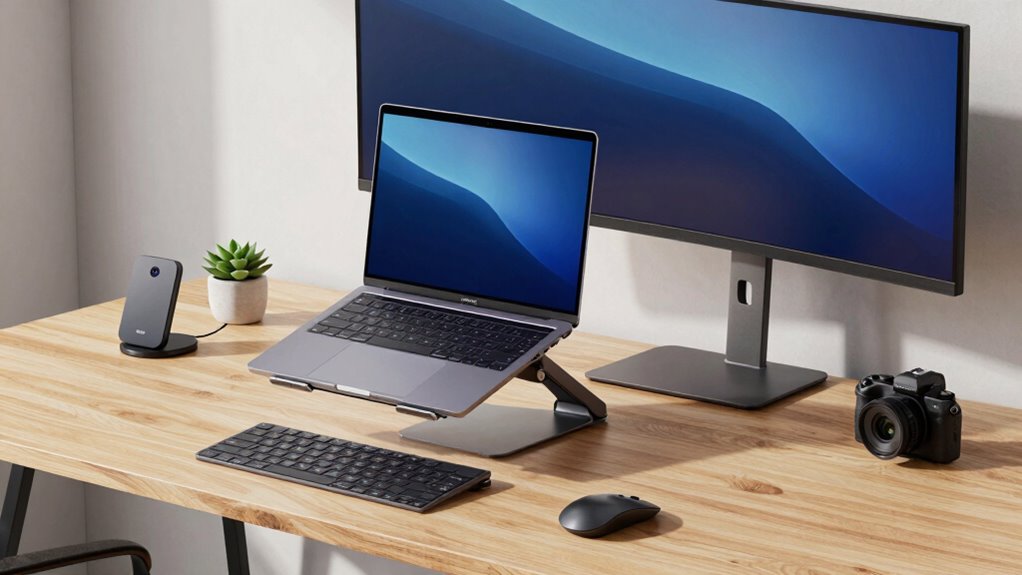

Choosing dual laptop desk setup gear starts with deciding whether both computers need to be open and usable at once. My top pick for an active multi-screen workstation is the WALI Adjustable Dual Monitor and Laptop Stand, which holds two monitors plus a laptop and offers broad positioning. For a simpler, freestanding way to lift devices and reclaim desk space, the suptek Double-Deck Metal Monitor Stand Riser is more adaptable, while the LOXP Dual-Slot Vertical Stand is my space-saving choice when the laptops can stay closed.

Get the latest gadgets delivered free with Prime
- Fast, free delivery on millions of items
- Prime Video, Amazon Music and more included
- Member-only deals all year
Those options solve different problems, and that distinction matters more than a feature checklist. Desk-mounted arms free up the surface but depend on compatible clamp or grommet mounting. Riser and bracket stands avoid desk-edge installation but occupy more of the work surface. A vertical holder takes up little room, yet it is storage rather than a ready-to-use dual-screen arrangement. I rank these five by how clearly they support a practical two-laptop setup, how adjustable or space-efficient they are, and the limits a buyer should check before committing.
Complete the kit



Key Takeaways
- WALI is the strongest pick for two monitors plus one laptop, provided your desk supports a clamp or grommet mount.
- suptek offers the most flexible freestanding riser arrangement: one or two tiers, vented platforms, and a stated 20 kg maximum load.
- VIVO provides a similar triple-screen mount to WALI but has narrower stated laptop and monitor size limits and a lower listed per-monitor capacity.
- LOXP stores two devices upright in a compact footprint, but it does not position them for simultaneous open-screen work.
- Pyle is the portable, adjustable bracket option; check the equipment fit and assembled dimensions, which are reported inconsistently.
| WALI Adjustable Dual Monitor and Laptop Stand for Screens up to 32 Inches |  | Best Overall for an Active Multi-Screen Desk | Monitor capacity: Two monitors, up to 32 inches | Monitor weight limit: 19.8 lb per arm | Laptop capacity: Up to 17 inches and 17.6 lb | VIEW ON AMAZON | See Our Full Breakdown |
| suptek Double-Deck Metal Monitor Stand Riser |  | Best Freestanding Adjustable Riser | Material: Metal | Configuration: Single or double tier | Maximum load: 20 kg | VIEW ON AMAZON | See Our Full Breakdown |
| VIVO Dual Monitor and Laptop Mount for 13–27-Inch Screens and 10–15.6-Inch Laptops |  | Best for Compact Triple-Screen Setups | Monitor compatibility: 13–27 inches | Monitor weight limit: 15.4 lb per monitor | Laptop compatibility: 10–15.6 inches, up to 9.9 lb | VIEW ON AMAZON | See Our Full Breakdown |
| LOXP Adjustable Dual-Slot Wooden and Aluminum Vertical Laptop Stand |  | Best Compact Storage for Two Devices | Capacity: Two devices | Supported thickness: 0.55–1.65 inches (14–42 mm) | Maximum laptop size: Up to 17.3 inches | VIEW ON AMAZON | See Our Full Breakdown |
| Pyle PLPTS38 Adjustable Dual Laptop Stand, Black |  | Best Portable Adjustable Bracket Stand | Material: Alloy steel | Maximum load: 33 lb | Unit weight: 5.6 lb | VIEW ON AMAZON | See Our Full Breakdown |
| dual laptop desk setup gear | Adjustment | Material |
|---|---|---|
| WALI Adjustable Dual Monitor a | Tilt, swivel, and 360-degree rotation for monitor arms and laptop tray | — |
| suptek Double-Deck Metal Monit | — | Metal |
| VIVO Dual Monitor and Laptop M | Tilt +90° to -45°, 180° swivel, 360° rotation | Alloy steel |
| LOXP Adjustable Dual-Slot Wood | — | — |
| Pyle PLPTS38 Adjustable Dual L | Adjustable height and brackets | Alloy steel |
More Details on Our Top Picks
WALI Adjustable Dual Monitor and Laptop Stand for Screens up to 32 Inches
The WALI earns my top position because it handles the most demanding version of a dual-laptop desk setup: two external monitors plus one laptop. If both laptops are part of the workday, one can sit on the tray while the second connects to a monitor or is swapped in as needed. Its broad adjustment range makes it easier to arrange screens around different tasks than a fixed riser like the suptek.
Compared with the VIVO mount, WALI supports monitors up to 32 inches and lists 19.8 lb per monitor arm, versus VIVO’s 13–27-inch range and 15.4 lb per monitor. The laptop tray also supports devices up to 17 inches and 17.6 lb, giving this pick more stated headroom. Both require a suitable desk attachment, though WALI includes C-clamp and grommet options and has the longer listed warranty.
The tradeoff is installation dependence: this is not a stand I can place anywhere on the desktop. My desk must work with the clamp or grommet limits, and I need to verify monitor VESA compatibility before buying. It also makes more sense for a carefully arranged workstation than for someone who wants an easy-to-move, no-install riser.
Pros:- Supports two monitors up to 32 inches and one laptop up to 17 inches.
- Multiple tilt, swivel, rotation, and extension adjustments help tailor screen placement.
- Includes C-clamp and grommet mounting hardware.
- Lists a 10-year warranty.
Cons:- Requires a desk compatible with its clamp or grommet mounting limits.
- Monitor arms require compatible 75 x 75 mm or 100 x 100 mm VESA patterns.
Best for: People who want two external displays and a laptop arranged on an adjustable, desk-mounted workstation.
Not ideal for: Buyers with desks that cannot accept the included clamp or grommet mounts, or anyone seeking a portable freestanding stand.
- Monitor capacity:Two monitors, up to 32 inches
- Monitor weight limit:19.8 lb per arm
- Laptop capacity:Up to 17 inches and 17.6 lb
- VESA compatibility:75 x 75 mm and 100 x 100 mm
- Mounting options:C-clamp or grommet
- Desk thickness limits:3.15 inches for C-clamp; 1.6 inches for grommet
- Adjustment:Tilt, swivel, and 360-degree rotation for monitor arms and laptop tray
- Warranty:10 years
Our verdict“I rank WALI first for buyers who want the broadest stated fit and flexible positioning in a desk-mounted multi-screen setup.”
suptek Double-Deck Metal Monitor Stand Riser
For buyers who would rather avoid mounting hardware, the suptek is the most flexible freestanding choice here. It can be assembled as a single or double tier, so I can use the upper level for a screen and the lower tier for a laptop or accessories, or build it in a simpler arrangement. Its vented platforms and raised clearance also address two everyday desk concerns: device airflow and clutter underneath.
That modularity gives it an advantage over the LOXP, which stores two devices upright but does not raise them into a working position. It is also less specialized than the Pyle bracket stand: suptek is designed as a stable platform for a range of equipment, while Pyle emphasizes adjustable brackets and portability. The stated 20 kg maximum load is useful for weighing the setup as a whole, but buyers should still check how their particular devices sit across the platforms.
The compromise is that it needs assembly, and a two-tier riser takes up more visible desk space than a clamp-mounted arm. It also does not provide the independent articulation of WALI or VIVO. I would choose it for a stable, straightforward workstation rather than for frequent screen repositioning.
Pros:- Can be assembled in single- or double-tier configurations.
- Vented platforms support airflow around devices.
- Stated maximum load is 20 kg.
- Rubber pads help limit slipping and desk scratches.
Cons:- Requires assembly before use.
- Does not offer the independent positioning range of an articulated arm mount.
Best for: People who want a no-clamp riser that can be configured around a laptop, monitor, and desk accessories.
Not ideal for: Buyers who need articulated screen positioning or want to minimize the footprint of gear sitting on the desktop.
- Material:Metal
- Configuration:Single or double tier
- Maximum load:20 kg
- Maximum height:160 mm
- Platform:Vented
- Finish:Polished
- Desk protection:Rubber pads
Our verdict“I recommend suptek to buyers who value a configurable, freestanding platform more than arm-style adjustability.”
VIVO Dual Monitor and Laptop Mount for 13–27-Inch Screens and 10–15.6-Inch Laptops
VIVO is the more size-specific alternative to the WALI: it holds two monitors and one laptop on an articulating mount, but its stated compatibility is aimed at smaller displays and laptops. That can suit a desk built around compact monitors, especially when freeing the area below the screens matters more than supporting larger panels. The ventilated laptop tray and protective rubber tabs add practical contact points without turning this into a freestanding desktop platform.
Compared with WALI, VIVO lists a lower monitor weight capacity and a laptop ceiling of 15.6 inches and 9.9 lb. Those limits make it a less flexible choice for buyers with larger work laptops or heavier monitors. Its tilt, swivel, and rotation support still offer much more positioning than the suptek riser, but the supplied details list a three-year warranty rather than WALI’s ten-year term.
Desk fit deserves a careful check: the included C-clamp works with desks up to 3.2 inches thick, while the optional grommet mount is limited to 1.6 inches. I would skip this model if either laptop or display is outside its listed size or weight range; a compact footprint cannot make up for a poor fit.
Pros:- Supports two monitors and one laptop in a single mounted setup.
- Tilt, swivel, rotation, and height adjustment help position screens.
- Ventilated laptop tray includes protective rubber tabs.
- Includes a padded C-clamp mounting option.
Cons:- Monitor and laptop size and weight limits are narrower than WALI’s stated capacities.
- Grommet mounting supports desks only up to 1.6 inches thick.
Best for: People with smaller monitors and laptops who want an articulated two-monitor-and-laptop arrangement.
Not ideal for: Owners of monitors above 27 inches, laptops above 15.6 inches, or devices exceeding its stated weight limits.
- Monitor compatibility:13–27 inches
- Monitor weight limit:15.4 lb per monitor
- Laptop compatibility:10–15.6 inches, up to 9.9 lb
- VESA compatibility:75 x 75 mm or 100 x 100 mm
- Adjustment:Tilt +90° to -45°, 180° swivel, 360° rotation
- Desk mounting:C-clamp up to 3.2 inches; optional grommet up to 1.6 inches
- Material:Alloy steel
- Warranty:3 years
Our verdict“I would choose VIVO over WALI when the devices fit its smaller capacity range and a compact articulated setup is the priority.”
LOXP Adjustable Dual-Slot Wooden and Aluminum Vertical Laptop Stand
The LOXP solves a different dual-laptop problem: it keeps two devices upright and out of the way rather than holding them open for simultaneous work. That makes it the smallest and most decor-friendly option in this group, with walnut wood, aluminum, silicone-lined slots, and a non-slip base. If I use one laptop at a time or connect both to external displays, storing the computers vertically can release useful desk area.
Unlike the suptek, LOXP does not raise screens or create a second platform for accessories. And unlike WALI or VIVO, it cannot position an open laptop alongside mounted monitors. Its usefulness depends on device thickness: the adjustable slots accept devices from 0.55 to 1.65 inches, and the stated maximum laptop size is 17.3 inches. I would check the closed laptop dimensions before relying on that fit.
The modest tabletop footprint is a real strength, but the stand still occupies desk space and is not a mounting solution. It is best understood as organized storage, not a full workstation riser. Buyers who need both laptops open at once should choose an articulated mount or a tiered platform instead.
Pros:- Holds two devices upright to clear more of the desk surface.
- Adjustable slots accept a range of device thicknesses.
- Silicone lining and a non-slip base help protect devices and stabilize the stand.
- Walnut wood and aluminum give it a distinct home-office finish.
Cons:- Stores devices rather than positioning their screens for active dual-laptop use.
- Fit depends on each device falling within the stated thickness range.
Best for: People who alternate between two laptops or connect them to external screens and want tidy upright storage.
Not ideal for: Anyone who needs two open laptops positioned at usable screen height at the same time.
- Capacity:Two devices
- Supported thickness:0.55–1.65 inches (14–42 mm)
- Maximum laptop size:Up to 17.3 inches
- Compatible devices:Laptops, tablets, e-readers, and portable monitors
- Materials:Walnut wood and aluminum alloy
- Protection:Silicone-lined slots and non-slip base
- Dimensions:5.91 x 4.72 x 1.97 inches
- Mounting type:Tabletop
Our verdict“I recommend LOXP when desk organization matters more than keeping both laptops open and visible.”
Pyle PLPTS38 Adjustable Dual Laptop Stand, Black
The Pyle PLPTS38 suits a buyer who needs to carry or reconfigure equipment more than one who wants a polished permanent workstation. Its two adjustable trays and anti-slip prongs can accommodate laptops, mixers, turntables, and other audio equipment, giving it a broader equipment role than the laptop-focused vertical LOXP. It can also be assembled or taken apart for transport, unlike the heavier desk-mounted WALI and VIVO arms.
Its 33 lb stated maximum load is a useful general capacity figure, but it does not replace checking whether each device fits the adjustable bracket widths. The top and bottom brackets have different ranges, so placement is not interchangeable. Compared with suptek, Pyle offers adjustable brackets and portability rather than a broad, vented platform; compared with WALI, it avoids desk mounting but does not list monitor VESA support or articulated screen arms.
The listed assembled dimensions are reported as inconsistent, which makes planning a tight desk or travel case less predictable. Assembly is also required. I would favor it for portable equipment setups and skip it if precise dimensions, an uncluttered permanent desk, or monitor-arm positioning are the main goals.
Pros:- Adjustable height and brackets accommodate different equipment.
- Anti-slip prongs help keep devices in place.
- Can be assembled or disassembled for transport.
- Steel construction has a stated maximum load of 33 lb.
Cons:- Requires assembly.
- Published assembled dimensions are inconsistent, complicating space planning.
Best for: People who need a portable, adjustable stand for two laptops or a mix of laptop and audio equipment.
Not ideal for: Buyers who need a compact permanent workstation, precise published dimensions, or VESA-mounted monitor positioning.
- Material:Alloy steel
- Maximum load:33 lb
- Unit weight:5.6 lb
- Top bracket width:9.4–11.4 inches
- Bottom bracket width:11.4–13.4 inches
- Adjustment:Adjustable height and brackets
- Mounting type:Portable bracket stand
- Assembled dimensions:Listed as 14 x 26.4 x 13.4 inches; dimensions vary in source
Our verdict“I would pick Pyle for a movable equipment stand, not as my first choice for a fixed, highly organized laptop workstation.”

How We Picked
I ranked these products by their usefulness in a two-laptop desk setup, not by treating every stand as if it performed the same job. The key distinction is whether a product lets me use both computers at once, raises equipment to create a more organized work area, or simply stores devices upright when they are not in use. That is why the WALI and VIVO articulated mounts lead the active-screen category, while the LOXP is judged primarily on footprint and device storage.
I also compared fit and installation requirements. Stated laptop and monitor size and weight limits matter because a mount that cannot safely support the devices is not a useful upgrade. Desk compatibility matters just as much: WALI and VIVO rely on clamp or grommet attachment, while the suptek, LOXP, and Pyle sit on the desk. Finally, I weighed adjustment, ventilation, portability, materials, and the practical tradeoffs in each description. I do not assume unlisted features or claim hands-on testing; the rankings reflect the supplied specifications and the role each product can fill.
| dual laptop desk setup gear | Adjustment | Material |
|---|---|---|
| WALI Adjustable Dual Monitor a | Tilt, swivel, and 360-degree rotation for monitor arms and laptop tray | — |
| suptek Double-Deck Metal Monit | — | Metal |
| VIVO Dual Monitor and Laptop M | Tilt +90° to -45°, 180° swivel, 360° rotation | Alloy steel |
| LOXP Adjustable Dual-Slot Wood | — | — |
| Pyle PLPTS38 Adjustable Dual L | Adjustable height and brackets | Alloy steel |
Factors to Consider When Choosing Dual Laptop Desk Setup Gear
Before choosing a stand, I would decide whether I need two computers open at the same time, two devices stored neatly, or a flexible surface for a mix of equipment. That choice separates the five products more clearly than their shared use of the word dual.Decide whether you need active screens or device storage
If both laptops need to remain open and visible, prioritize an adjustable mount or a platform with room for your devices. WALI and VIVO are intended for a three-screen arrangement with two monitors and one laptop; they are the most workstation-oriented picks here. The suptek can create a raised tiered surface, although it does not offer articulated arms. LOXP is for closed-device storage, while Pyle is an adjustable equipment stand rather than a dedicated display mount.
Check device fit before buying
Compare each laptop’s size and weight with the stand’s listed limits, and check monitor dimensions, weight, and VESA pattern for an arm mount. WALI has more generous stated monitor and laptop limits than VIVO, while VIVO is explicitly aimed at smaller displays and laptops. LOXP instead depends on closed-device thickness, with a stated range of 0.55 to 1.65 inches. Pyle lists bracket-width ranges, so measure the parts of each device that will rest on its trays.
Match the mount to the desk
A desk-mounted arm can free surface area, but only if the desk edge or grommet hole works with its hardware. WALI lists C-clamp compatibility up to 3.15 inches and grommet compatibility up to 1.6 inches; VIVO lists up to 3.2 inches for its C-clamp and up to 1.6 inches for the optional grommet. The suptek, LOXP, and Pyle sit on the desktop instead, so they avoid clamp limits but use some of the available surface.
Choose adjustment or simplicity
Articulating arms make screen placement easier to change, which is useful when switching between typing, video calls, and focused viewing. WALI offers the broadest stated capacity and adjustment mix; VIVO is a more size-limited alternative. A riser is simpler but fixes devices to its platform, while the LOXP keeps devices upright and the Pyle adjusts its brackets and height. I would pay attention to the kind of movement I actually need rather than assuming more adjustment is always better.
Account for assembly, ventilation, and portability
Freestanding stands may be easier to move than desk-mounted arms, but assembly can be part of the setup. suptek requires assembly and offers vented platforms; Pyle also requires assembly but can be disassembled for transport. VIVO’s laptop tray is ventilated, and the LOXP emphasizes lined slots and a stable base rather than airflow. If a laptop will stay closed in a holder, focus on secure fit and storage; if it will run on a tray, ventilation and placement deserve closer attention.
Frequently Asked Questions
Which option is best if I want both laptops open at once?
For an adjustable workstation, I would start with WALI or VIVO, but both are described as supporting two monitors and one laptop rather than two laptops on trays. Check your exact arrangement and device fit before buying. The suptek’s two-tier platform can offer more flexible surface placement, while LOXP is intended to store devices upright rather than hold them open.
Do WALI and VIVO need a special desk?
Both need a desk that can accept their mounting hardware. WALI includes C-clamp and grommet options, with different thickness limits for each; VIVO includes a C-clamp and lists an optional grommet fit. Check the desk edge, thickness, and any grommet opening against the product specifications before choosing a mounted arm.
Can the LOXP stand replace a laptop riser?
No. LOXP holds two devices upright to save desktop space, so it is suited to storage or to laptops connected to external screens. It does not raise open laptops into a working screen position like a riser or articulated mount. Choose suptek or a mounted arm if the goal is to position screens for active use.
Which product is easiest to move between locations?
Pyle is the clearest portable option in this group because it can be assembled or disassembled for transport and weighs 5.6 lb. The suptek and LOXP also sit on the desktop rather than attaching to it, but their descriptions do not present them as transport-focused stands. WALI and VIVO are desk-mounted solutions, making them better suited to a more fixed workstation.
What should I verify before ordering a monitor arm?
Check the monitor’s VESA pattern, size, and weight, then compare those details with the arm’s stated limits. Also confirm the desk works with the clamp or grommet mount and that the planned screen positions have enough clearance. WALI supports larger stated monitors than VIVO, but neither should be chosen without checking the fit of every device in the setup.
Conclusion
My recommendations depend on how the desk will be used. Choose WALI if you want the most flexible mounted setup and your monitors, laptop, and desk fit its specifications. Pick VIVO for a similar articulated arrangement with smaller, lighter devices. For a freestanding workstation, suptek offers the most configurable tiered surface. Choose LOXP when compact upright storage matters more than open screens, or Pyle when portability and adjustable equipment brackets take priority. The best fit is the one that matches both your device dimensions and whether you need active screens, a raised platform, or tidy storage.
Halloween Picks

Kalolary 12ft Halloween Witch Haunted House Inflatable Archway

ELAMAS 11ft Animatronic Flying Witch Halloween Decoration

Pumpkin Halloween Fog Machine with 12-Color LED Lights, Bluetooth Speaker, and Remote
As an affiliate, we earn on qualifying purchases.