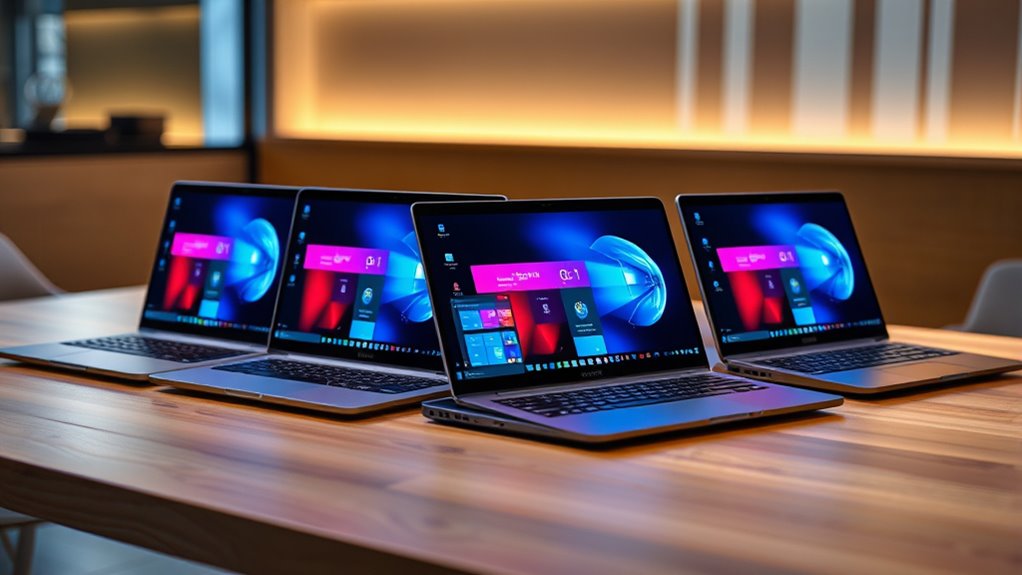

Choosing an ARM Windows laptop means weighing portability, screen size and app compatibility alongside familiar laptop specs. I would start with the Lenovo Yoga Slim 7x for its sharp OLED touchscreen, light build and 1TB SSD, or the Lenovo IdeaPad Slim 3X if you want a larger touch display and more everyday connections. The Surface Laptop 2024 offers the most compact screen size here, though its 256GB SSD gives you less room than either Lenovo.

Get the latest gadgets delivered free with Prime
- Fast, free delivery on millions of items
- Prime Video, Amazon Music and more included
- Member-only deals all year
The two HP OmniBook 3 configurations share a large, non-touch screen, 16GB memory and 512GB storage; their main listed distinction is Windows 11 Home versus Pro. Across all five, the central tradeoff is clear: these Snapdragon-powered Windows laptops bring efficient ARM designs and useful portability, while software compatibility still depends on the apps and accessories you need. I rank them by how well their particular mix of display, storage, connectivity and everyday usability fits a distinct buyer.
Complete the kit



Key Takeaways
- The Lenovo Yoga Slim 7x combines the lineup’s sharpest listed display, a 90Hz OLED touchscreen, with a 1TB SSD in a 2.82-pound chassis.
- The Lenovo IdeaPad Slim 3X offers a larger 15.3-inch touchscreen, 1TB storage, Wi-Fi 7 and a fingerprint reader for everyday work and study.
- The Surface Laptop 2024 is the compact pick, but its listed 256GB SSD is the smallest drive among these five options.
- Both HP OmniBook 3 models share a 16-inch non-touch screen, 512GB SSD, USB hub and similar ports; choose between them by Windows 11 Home or Pro.
- All five use Snapdragon ARM processors, so buyers should check compatibility for essential Windows apps, peripherals and games before choosing.


| arm windows laptop | Processor | Memory | Storage | Display |
|---|---|---|---|---|
| Lenovo Yoga Slim 7x 14.5-inch | Snapdragon X Elite X1E-78-100, 3.40 GHz | 16GB LPDDR5X, soldered | 1TB PCIe Gen4 SSD | 14.5-inch 3K OLED touchscreen, 2944 × 1840, 90Hz |
| Lenovo IdeaPad Slim 3X 15.3 In | Qualcomm Snapdragon X, 2.97 GHz | 16GB LPDDR5X | 1TB SSD | 15.3-inch IPS touchscreen, 1920 × 1200, 60Hz |
| Microsoft Surface Laptop 2024 | Snapdragon X Elite, 12-core | 16GB | 256GB SSD | 13.8-inch touchscreen |
| HP OmniBook 3 16-Inch WUXGA La | Qualcomm Snapdragon X X1-26-100, 8 cores, up to 2.98 GHz | 16GB DDR5, 8448 MHz | 512GB SSD | 16-inch WUXGA, 1920 × 1200, 16:10, non-touch |
| HP OmniBook 3 16-inch WUXGA La | Qualcomm Snapdragon X X1-26-100 | 16GB DDR5 | 512GB SSD | 16-inch WUXGA LED, 1920 × 1200, 16:10, non-touch |
More Details on Our Top Picks
Lenovo Yoga Slim 7x 14.5-inch OLED Laptop, Snapdragon X Elite, 16GB RAM, 1TB SSD
The Yoga Slim 7x is my top pick because it makes the strongest all-around case in this group for a buyer who wants a polished screen and enough storage for a broad mix of work. Its 14.5-inch 3K OLED touchscreen has more resolution and a faster 90Hz refresh rate than the WUXGA screens on the IdeaPad and both HP OmniBooks. That makes fine text and detailed visuals a better fit for extended reading or creative tasks, while touch adds a second way to navigate Windows.
Its 2.82-pound weight also gives it a portability advantage over the 3.65-pound HP models. The 1TB SSD doubles the listed capacity of the HPs and far exceeds the Surface Laptop’s 256GB. Three USB-C ports support USB4, but buyers who regularly connect older USB-A devices or HDMI displays may need adapters; the IdeaPad and HP models have more familiar built-in connections.
The tradeoff is the soldered 16GB memory, which limits future upgrades, and its Windows 11 Home ARM setup calls for checking required apps and accessories. I would choose it over the IdeaPad for the higher-resolution OLED and lighter build, but the IdeaPad is a more practical fit for shoppers who want a larger screen, fingerprint reader and broader everyday connectivity.
Pros:- 14.5-inch 3K OLED touchscreen with 90Hz refresh rate
- Light listed weight of 2.82 pounds
- 1TB SSD provides the largest storage tier in this group, tied with the IdeaPad
- Three USB4 USB-C ports and Wi-Fi 7
Cons:- 16GB memory is soldered and cannot be upgraded
- USB-C-only port selection may require adapters for older accessories
- Windows 11 Home runs on ARM, so app compatibility should be checked
Best for: Buyers who want a light premium-feeling daily laptop with a high-resolution OLED touchscreen and 1TB of storage.
Not ideal for: People who need upgradeable memory, built-in USB-A or HDMI ports, or confirmed compatibility with specialized Windows software.
- Processor:Snapdragon X Elite X1E-78-100, 3.40 GHz
- Memory:16GB LPDDR5X, soldered
- Storage:1TB PCIe Gen4 SSD
- Display:14.5-inch 3K OLED touchscreen, 2944 × 1840, 90Hz
- Ports:3 × USB-C USB4, up to 40Gbps
- Wireless:Wi-Fi 7, Bluetooth 5.4
- Battery:70Wh
- Weight:2.82 lbs
- Operating system:Windows 11 Home 64-bit ARM
Our verdict“I recommend the Yoga Slim 7x for buyers who value a vivid, sharp touchscreen and light carry weight more than built-in legacy ports or memory upgrades.”
Lenovo IdeaPad Slim 3X 15.3 Inch Touchscreen Laptop with Snapdragon X Processor, 16GB RAM, 1TB SSD, Windows 11 Home, Luna Grey
The IdeaPad Slim 3X is the more practical large-screen Lenovo. Its 15.3-inch, 1920 × 1200 touchscreen gives you more room than the Yoga Slim 7x, and the 1TB SSD matches that higher-ranked model’s storage. For a student or home user managing documents, browser tabs and downloaded media, that combination can be more useful than OLED sharpness alone.
It also includes a fingerprint reader, backlit keyboard and webcam privacy shutter, features the listed HP OmniBook configurations lack. Wi-Fi 7 and Bluetooth 5.4 are current wireless standards in this lineup. The supplied details identify a 60Wh battery and describe all-day use, but provide no standardized runtime conditions, so I would treat that phrasing as a claim rather than a guarantee.
Compared with the Yoga, the IdeaPad’s display is lower resolution and listed at 60Hz, and it weighs more than the Yoga’s 2.82 pounds. The Surface is smaller still, but has much less storage. The IdeaPad’s integrated graphics also make it a poor choice for demanding gaming or graphics workloads. I see it as the straightforward everyday pick when screen area, storage and built-in security details matter more than premium display specs.
Pros:- 15.3-inch WUXGA touchscreen offers a broad workspace
- 1TB SSD and 16GB LPDDR5X memory
- Fingerprint reader, backlit keyboard and webcam privacy shutter
- Wi-Fi 7 and Bluetooth 5.4
Cons:- 60Hz IPS display is less fluid and less contrast-rich than the Yoga Slim 7x OLED
- Integrated graphics are not suited to heavy gaming
- ARM app and peripheral compatibility should be checked
Best for: Students and home users who want a large touchscreen, 1TB of storage, a backlit keyboard and a fingerprint reader.
Not ideal for: Buyers seeking OLED contrast, a high refresh rate for gaming, dedicated graphics or a particularly light travel laptop.
- Processor:Qualcomm Snapdragon X, 2.97 GHz
- Memory:16GB LPDDR5X
- Storage:1TB SSD
- Display:15.3-inch IPS touchscreen, 1920 × 1200, 60Hz
- Battery:60Wh
- Graphics:Integrated Qualcomm Adreno GPU
- Wireless:Wi-Fi 7, Bluetooth 5.4
- Keyboard and security:Backlit keyboard, fingerprint reader, webcam privacy shutter
- Operating system:Windows 11 Home
Our verdict“I would choose the IdeaPad Slim 3X for a roomy everyday touchscreen and practical built-in features, especially if OLED quality and lighter weight are secondary.”
Microsoft Surface Laptop 2024 with Windows 11 Copilot+ and 13.8-inch Touchscreen
The Surface Laptop 2024 is the compact option in this roundup, with a 13.8-inch touchscreen that occupies less desk and bag space than the 14.5-inch Yoga or the two larger-screen choices. It is described with a 12-core Snapdragon X Elite and Copilot+ features, making it a fit for buyers who want the Microsoft-branded Windows experience in a smaller format.
Its listed up to 20 hours of battery life is a manufacturer-style claim, not a runtime I can compare directly with the other models from the supplied information. The clearest compromise is storage: its 256GB SSD is half the capacity listed on either HP and one quarter of the Lenovo drives. That may suit a cloud-first workflow, but people with large project files, photo libraries or offline media will need to plan for external or cloud storage.
Compared with the Yoga Slim 7x, the Surface offers a smaller screen and much less listed SSD space; the Yoga’s 90Hz OLED specifications are also more explicit. Compared with the HP OmniBooks, the Surface is a more compact-screen proposition, while the HPs provide a 16-inch workspace and bundled USB hub. The supplied product data is less detailed on ports, weight and display resolution than for the other laptops, so I would confirm those particulars before buying.
Pros:- Compact 13.8-inch touchscreen format
- Snapdragon X Elite 12-core processor
- Copilot+ features are included in the description
- Battery life is listed as up to 20 hours
Cons:- 256GB SSD is the smallest listed drive in this group
- Supplied specifications omit details such as weight, resolution and ports
- Battery claim cannot be compared directly without common testing conditions
Best for: A buyer who prefers a 13.8-inch touchscreen and wants Copilot+ features in a Snapdragon X Elite Windows laptop.
Not ideal for: People who need ample built-in storage, detailed port flexibility or a large screen for side-by-side work.
- Processor:Snapdragon X Elite, 12-core
- Memory:16GB
- Storage:256GB SSD
- Display:13.8-inch touchscreen
- Operating system:Windows 11 with Copilot+
- Battery life:Listed up to 20 hours
Our verdict“I would pick the Surface Laptop 2024 for its compact touchscreen format and Copilot+ positioning, provided 256GB is enough for your files.”
HP OmniBook 3 16-Inch WUXGA Laptop, Snapdragon X X1-26-100, 16GB RAM, 512GB SSD, Windows 11 Pro, Silver, with USB Hub
This HP OmniBook 3 with Windows 11 Pro suits buyers who prioritize a large work area and specifically want the Pro edition. Its 16-inch 16:10 WUXGA display is the largest listed here, giving documents and spreadsheets more vertical space than the Surface or either Lenovo. The included USB 3.0 hub adds connection options, while built-in HDMI 2.1, two USB-A ports and USB-C make it less adapter-dependent than the Yoga Slim 7x.
At 3.65 pounds, it is noticeably heavier than the Yoga, and its display is non-touch. The 512GB SSD is a middle ground: more room than the Surface’s 256GB, but half the capacity of the Lenovo drives. The configuration lists 16GB memory, a Snapdragon X X1-26-100 processor and integrated Adreno graphics. That profile is aimed at routine productivity rather than intensive graphics work.
The other HP OmniBook 3 configuration in this list has the same core hardware and ports but runs Windows 11 Home. I rank this Pro version just behind the Home model because Windows Pro is the distinguishing reason to choose it, rather than a broader hardware advantage. Buyers should confirm any organization-specific software and ARM driver requirements before relying on it for managed work.
Pros:- Large 16-inch 1920 × 1200 16:10 display
- Windows 11 Pro edition
- HDMI 2.1, two USB-A and USB-C ports, plus a bundled hub
- 16GB memory and 512GB SSD
Cons:- Display is non-touch
- Listed weight is 3.65 pounds, heavier than both Lenovo models
- Keyboard is not backlit and no fingerprint reader is listed
Best for: Office and organizational users who want a 16-inch workspace, familiar ports and Windows 11 Pro.
Not ideal for: People who want a touch display, lighter carry weight, more than 512GB of storage or a backlit keyboard.
- Processor:Qualcomm Snapdragon X X1-26-100, 8 cores, up to 2.98 GHz
- Memory:16GB DDR5, 8448 MHz
- Storage:512GB SSD
- Display:16-inch WUXGA, 1920 × 1200, 16:10, non-touch
- Graphics:Integrated Qualcomm Adreno
- Ports:HDMI 2.1, 2 × USB-A, USB-C, audio combo
- Wireless:Wi-Fi 6, Bluetooth
- Operating system:Windows 11 Pro
- Weight and accessory:3.65 lbs; USB 3.0 hub included
Our verdict“I recommend this HP configuration when Windows Pro and a spacious, well-connected 16-inch setup matter more than touch, portability or extra SSD capacity.”
HP OmniBook 3 16-inch WUXGA Laptop, Snapdragon X X1-26-100, 16GB RAM, 512GB SSD, Windows 11 Home, Silver, with USB Hub
The HP OmniBook 3 Home offers the same large-screen, straightforward setup as its Windows Pro counterpart. Its 16-inch WUXGA display gives more room for split documents than the IdeaPad’s 15.3-inch screen, and the included USB hub may help connect desk accessories. It also has useful built-in ports—HDMI 2.1, USB-A and USB-C—which make it more convenient with older peripherals than the USB-C-only Yoga Slim 7x.
Its 16GB memory and 512GB SSD are suitable starting points for common productivity tasks, though the Lenovo models offer 1TB drives for larger local libraries. The non-touch screen is less flexible than the Surface, Yoga and IdeaPad touch displays, and this HP omits a backlit keyboard and fingerprint reader according to the supplied details. At 3.65 pounds, it is better suited to a home or office desk than frequent travel.
Compared with the Pro version, the listed hardware and accessory bundle are essentially the same; the practical choice is Windows edition. I would pick Home for a personal computer when Pro-specific features are not part of the requirement. The Snapdragon platform still means checking compatibility for specialized applications, printers and other devices before making it a work-critical machine.
Pros:- Spacious 16-inch WUXGA 16:10 screen
- 512GB SSD and 16GB memory
- Built-in HDMI, USB-A and USB-C ports
- USB 3.0 hub included
Cons:- Non-touch display and no backlit keyboard
- No fingerprint reader listed
- Heavier and less portable than the Lenovo Yoga Slim 7x
Best for: Home and office users who want a large 16-inch display, common ports and Windows 11 Home.
Not ideal for: Frequent travelers, touchscreen users, or anyone who needs a backlit keyboard, fingerprint reader or 1TB internal drive.
- Processor:Qualcomm Snapdragon X X1-26-100
- Memory:16GB DDR5
- Storage:512GB SSD
- Display:16-inch WUXGA LED, 1920 × 1200, 16:10, non-touch
- Graphics:Integrated Qualcomm Adreno
- Ports:HDMI 2.1, 2 × USB-A, USB-C, audio combo
- Wireless:Wi-Fi 6, Bluetooth
- Operating system:Windows 11 Home
- Weight and accessory:3.65 lbs; USB 3.0 hub included
Our verdict“I would choose the Home edition for a desk-centered buyer who wants a large screen and useful ports without a stated need for Windows Pro.”
How We Picked
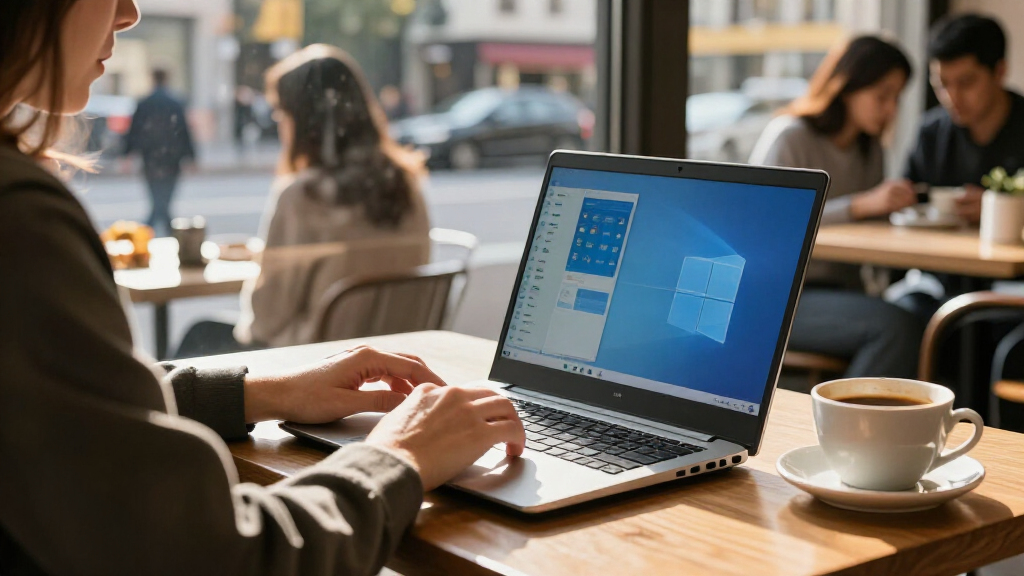
I ranked these laptops by how their listed specifications answer common buying decisions for ARM Windows machines: whether the screen is suited to focused work or touch use, how much storage and memory the configuration includes, how easy it is to carry, and which ports and connectivity options reduce accessory needs. Each laptop earns a distinct role because the best match depends on the buyer’s priorities, not on a single spec.
I gave extra weight to practical differences within this group. The Yoga Slim 7x pairs a high-resolution OLED touch display with 1TB storage and low listed weight, so it leads for premium everyday use. The IdeaPad Slim 3X balances a large touch screen, ample storage and useful security details. The Surface Laptop is a smaller-screen alternative, but the supplied configuration has less storage. The HP OmniBook 3 models bring a roomy 16-inch workspace and a bundled hub; I separate them by their listed Windows editions rather than treating them as different hardware classes.
I used the supplied product descriptions and specifications, and I did not assume hands-on performance or battery results beyond claims provided in those descriptions. Snapdragon laptops run Windows on ARM, so app compatibility is part of the purchase decision: buyers should confirm that their required software, drivers and peripherals work with the specific Windows ARM setup. I did not rank the devices by price, ratings or review counts.
| arm windows laptop | Processor | Wireless | Operating system | Graphics |
|---|---|---|---|---|
| Lenovo Yoga Slim 7x 14.5-inch | Snapdragon X Elite X1E-78-100, 3.40 GHz | Wi-Fi 7, Bluetooth 5.4 | Windows 11 Home 64-bit ARM | — |
| Lenovo IdeaPad Slim 3X 15.3 In | Qualcomm Snapdragon X, 2.97 GHz | Wi-Fi 7, Bluetooth 5.4 | Windows 11 Home | Integrated Qualcomm Adreno GPU |
| Microsoft Surface Laptop 2024 | Snapdragon X Elite, 12-core | — | Windows 11 with Copilot+ | — |
| HP OmniBook 3 16-Inch WUXGA La | Qualcomm Snapdragon X X1-26-100, 8 cores, up to 2.98 GHz | Wi-Fi 6, Bluetooth | Windows 11 Pro | Integrated Qualcomm Adreno |
| HP OmniBook 3 16-inch WUXGA La | Qualcomm Snapdragon X X1-26-100 | Wi-Fi 6, Bluetooth | Windows 11 Home | Integrated Qualcomm Adreno |
Factors to Consider When Choosing Arm Windows Laptops
I would narrow an ARM Windows laptop purchase by checking your software first, then matching the screen, storage and ports to the way you work.Check ARM compatibility before anything else
All five models use Qualcomm Snapdragon processors and Windows on ARM. Many mainstream Windows applications have ARM versions or can run through Windows compatibility support, but buyers should verify the specific versions they need. Pay close attention to specialized business tools, older utilities, VPN clients, device drivers, audio tools and games that rely on particular anti-cheat systems. A printer or USB accessory may also depend on a driver that does not support your Windows ARM setup.
I would make a short list of must-have apps and peripherals, then check each publisher’s support information for the exact Windows ARM requirements. That step matters more than comparing processor names alone: a laptop that runs a supported workflow smoothly is more useful than a theoretically stronger configuration that cannot run a critical tool.
Choose the screen for your daily work
The Yoga Slim 7x has the most detailed premium display specification here: a 14.5-inch 3K OLED touchscreen with a 90Hz refresh rate. Its combination of resolution and OLED contrast favors reading, media and detailed visual work. The IdeaPad Slim 3X gives you a larger 15.3-inch touch area at WUXGA resolution and 60Hz, while the HP OmniBook models stretch to 16 inches but do not include touch. The Surface is the smallest at 13.8 inches, a useful fit where compact dimensions take priority.
Consider how much screen space you need for side-by-side windows and whether you actually use touch. A bigger panel can reduce scrolling, while a smaller laptop may be easier to carry and use in tight spaces. For color-sensitive work, look for independent information on color coverage and calibration; those details are not supplied for most of these configurations.
Match storage to how much you keep offline
The Lenovo Yoga Slim 7x and IdeaPad Slim 3X each list a 1TB SSD. Both HP OmniBook configurations list 512GB, and the Surface Laptop configuration lists 256GB. If your work includes large photo sets, video, local project files or offline media, the difference can affect how often you manage storage or connect an external drive. Cloud-first users with a small set of installed applications may be comfortable with less.
Memory is another distinction to check. Each configuration lists 16GB, but the Yoga’s memory is explicitly soldered. The supplied details do not establish memory upgrade options for every other model, so confirm upgradeability with the manufacturer or seller if it matters to you. Choosing enough capacity at purchase can be simpler than planning an upgrade that may not be available.
Think through ports and desk accessories
The HP models are the most straightforward if you connect a mix of older and newer devices: they list HDMI 2.1, two USB-A ports and USB-C, plus a USB 3.0 hub in the bundle. The IdeaPad’s supplied specification emphasizes wireless features and does not enumerate its ports, so check the exact port layout before ordering. The Yoga lists three USB-C USB4 ports, capable of fast data and display connections, but USB-A accessories and HDMI displays may call for a hub or adapter.
Count the devices you tend to use at once, such as a monitor, external drive, mouse and headset. A port list is more useful when compared with your actual setup than when treated as a spec-sheet score. The bundled HP hub may be convenient, though you should confirm its connectors meet your needs.
Balance portability against screen size
The Yoga Slim 7x has a listed weight of 2.82 pounds, while each HP OmniBook is listed at 3.65 pounds. The IdeaPad and Surface weights are not given in the provided specifications, so I would seek the exact configuration’s weight if carrying comfort is central to your decision. The Yoga’s smaller footprint and low listed weight make it the clearest travel pick from the available data; the HPs prioritize a larger display.
For a laptop that mostly stays on a desk, the larger HP screen may be worth the extra weight. For commuting, lecture halls or frequent travel, screen size, charger and adapter needs all contribute to the load you carry. Consider the complete setup rather than the laptop weight by itself.
Treat battery figures as claims to verify
The Yoga lists a 70Wh battery, the IdeaPad lists 60Wh and the Surface description claims up to 20 hours. Battery capacity and advertised runtime do not give a direct apples-to-apples estimate of real use: screen brightness, video calls, browser activity and connected devices change results. The supplied HP descriptions do not provide a comparable runtime figure.
If long unplugged sessions matter, look for independent tests of the exact processor and screen configuration under workloads like yours. A high-resolution OLED panel can draw power differently from a non-touch WUXGA screen, and video calls usually demand more than light reading. Treat a quoted maximum as a reference point rather than a promise of a full day for every routine.
Select Windows Home or Pro for a reason
The two HP OmniBook listings provide a direct edition choice: Windows 11 Home on one and Windows 11 Pro on the other, with otherwise similar supplied hardware. Home is suitable for many personal uses. Pro is relevant when you need particular business, device management, remote access or security features supported by your organization. Confirm the exact feature requirement with your IT team instead of assuming Pro is automatically a better fit.
The other products are described with Windows 11 Home or Windows 11 with Copilot+ features. Across editions, ARM compatibility remains a separate question: an edition label alone does not guarantee that a particular application or peripheral works. Check both the software requirements and edition needs before settling on a model.
Frequently Asked Questions
What does ARM mean in these Windows laptops?
ARM describes the processor architecture used by the Snapdragon chips in all five laptops. Windows on ARM can run apps built for ARM, and Windows may support some other applications through compatibility technology. Support varies by app, driver and accessory, so I would check the requirements for essential software and devices before choosing one of these models.
Which of these laptops has the best display?
On the specifications provided, the Lenovo Yoga Slim 7x has the strongest display specification: a 14.5-inch 3K OLED touchscreen with a 90Hz refresh rate. The IdeaPad Slim 3X trades some resolution and refresh rate for a larger 15.3-inch touch screen, while the HP models offer 16-inch non-touch WUXGA displays. The right choice depends on whether you favor OLED detail, touch use or a larger workspace.
Which option has the most storage?
The Lenovo Yoga Slim 7x and Lenovo IdeaPad Slim 3X each list a 1TB SSD, the largest capacity among these five configurations. The HP OmniBook models list 512GB, and the Surface Laptop lists 256GB. If you keep large files locally, one of the Lenovo configurations offers more built-in room; a cloud-first buyer may be comfortable with the Surface’s smaller drive.
Are these laptops suitable for gaming?
All five list integrated Qualcomm Adreno graphics, and the supplied information does not position them as gaming laptops. They may suit casual or compatible lighter games, but I would not select one for demanding games or graphics work without checking performance and compatibility for each title. Games that rely on particular drivers or anti-cheat systems deserve special attention on Windows ARM.
Should I choose the HP OmniBook with Windows Home or Pro?
The listed hardware is very similar between the HP OmniBook Home and Pro configurations, so the meaningful distinction is the Windows edition. I would choose Home for a personal setup unless you know you need a Pro-specific business or management feature. If the laptop will be managed by an employer or school, check with its IT team about edition and ARM app support.
Conclusion
For the strongest blend of a sharp display, light listed weight and 1TB storage, I would choose the Lenovo Yoga Slim 7x. If you prefer a larger touchscreen with a fingerprint reader and backlit keyboard, the Lenovo IdeaPad Slim 3X is the more practical everyday fit. The Surface Laptop 2024 makes sense for buyers who want its compact 13.8-inch format and Copilot+ features, as long as 256GB is sufficient.
For desk-centered work, choose the HP OmniBook 3 Home when a 16-inch screen and familiar ports matter; choose the HP OmniBook 3 Pro when your workflow calls for Windows Pro. Before ordering any of them, check the ARM support status of your must-have applications and peripherals. That final check is the difference between picking a promising spec sheet and choosing a laptop that fits your real routine.
Evergreen bestsellers Picks

LG C2 Series 65-Inch OLED evo 4K Smart TV (OLED65C2PUA, 2022)

Samsung 48-Inch S90H OLED 4K Smart TV (2026)

Dyson V8 Cyclone Cordless Vacuum
As an affiliate, we earn on qualifying purchases.