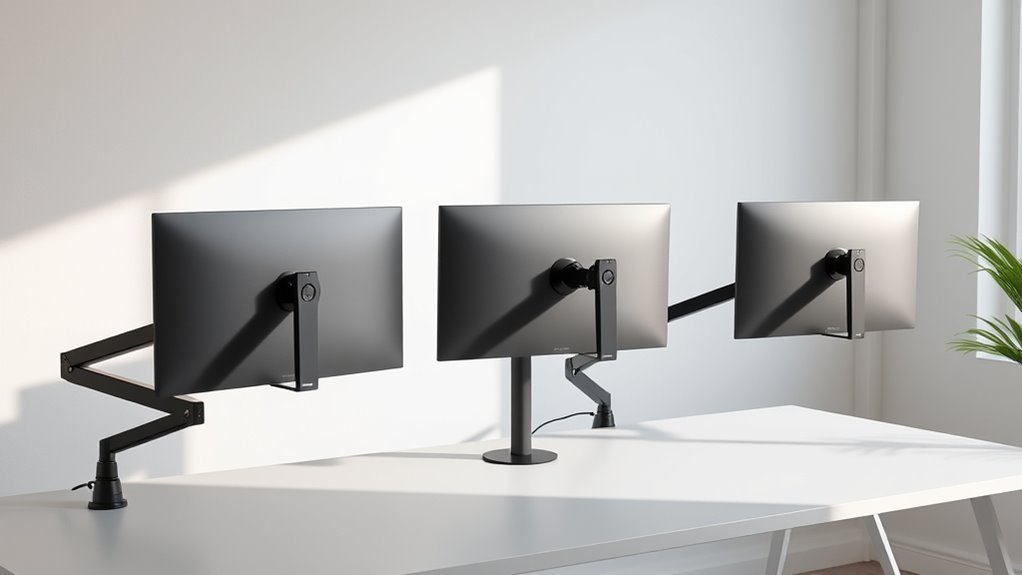

Choosing the right adjustable monitor arms for dual setups can transform your workspace, boosting productivity and comfort. Among the best options, ErGear Dual Monitor Arm stands out for its wide size compatibility and cable management, making it ideal for versatile use. VIVO Dual Monitor Stand offers robust adjustability and stability, perfect for those who need reliable, heavy-duty support. Meanwhile, ARES WING Dual Vertical Monitor Arm supports larger, heavier monitors and adds USB ports for connectivity, suited for power users or content creators. Each of these has distinct tradeoffs: some excel in flexibility but have weight limits, while others prioritize stability but may have limited extension or compatibility concerns. This guide walks through these options, helping you find the best fit for your dual monitor setup in 2026.
Complete the kit



Key Takeaways
- Most dual monitor arms support a wide range of monitor sizes, typically 13 to 32 inches, with some supporting up to 49 inches.
- Weight capacity varies from around 19.8 lbs for standard models to 44 lbs for heavy-duty options, affecting compatibility with larger screens.
- Full adjustability—including tilt, swivel, and rotation—is common, but some models also include USB ports or cable management for enhanced workspace organization.
- Mounting options like C-clamp or grommet provide stability, yet compatibility with desk thickness and material can influence installation success.
- Tradeoffs include weight limits, flexibility restrictions, or installation complexity, so choosing the right arm depends on your specific monitor size and workspace needs.
| ErGear Dual Monitor Arm, Fully Adjustable Mount for 13–32″ Screens |  | Best Overall for Versatility | Compatibility: 13–32 inches, VESA 75x75mm or 100x100mm | Max Load: 19.8 lbs | VESA Pattern: 75x75mm, 100x100mm | VIEW ON AMAZON | See Our Full Breakdown |
| VIVO Dual Monitor Stand, Fully Adjustable Arms for 17 to 32 inch Screens, Mechanical Articulating Desk Mount, VESA 75×75/100×100, Max 19.8 lbs, Black |  | Best for Heavy-Duty Stability | Screen Compatibility: 17-32 inches | Weight Capacity: 19.8 lbs per monitor | VESA Patterns: 75x75mm, 100x100mm | VIEW ON AMAZON | See Our Full Breakdown |
| ARES WING Dual Vertical Monitor Arm with USB-C & USB-A for 17-49 Inch Monitors |  | Best for Large & Heavy Monitors with Connectivity | Monitor Size Compatibility: 17-49 inches | Max Monitor Weight: 44 lbs | Maximum Height: 27.9 inches | VIEW ON AMAZON | See Our Full Breakdown |
| HUANUO FlowLift™ Dual Monitor Stand, Fully Adjustable Gaming Monitor Desk Mount for 13–32″ Computer Screens |  | Best for Gaming & Ergonomic Comfort | Screen Size: 13-32 inches | Weight Range: 4.4-19.8 lbs | Tilt Range: +85°/-50° | VIEW ON AMAZON | See Our Full Breakdown |
| MountUp Dual Monitor Stand for Desk, Adjustable Arms for 2 Monitors 17-32 Inches |  | Best for Budget-Conscious Users | Weight Capacity: 4.4-17.6 lbs per monitor | Screen Size Range: 17-32 inches | Arm Extension: 17.3 inches | VIEW ON AMAZON | See Our Full Breakdown |
| adjustable monitor arms for dual setup | Tilt Range |
|---|---|
| ErGear Dual Monitor Arm | — |
| VIVO Dual Monitor Stand | +90° to -90° |
| ARES WING Dual Vertical Monito | -50° to +20° |
| HUANUO FlowLift™ Dual Monitor | +85°/-50° |
| MountUp Dual Monitor Stand for | — |
More Details on Our Top Picks
ErGear Dual Monitor Arm, Fully Adjustable Mount for 13–32″ Screens
The ErGear Dual Monitor Arm stands out for its broad compatibility, supporting monitors from 13 to 32 inches with a maximum load of 19.8 lbs. Its tool-free VESA mounting makes installation quick, and independent tilt, swivel, and height adjustments help tailor ergonomic positioning. Compared with other models, it excels in cable management, keeping your workspace tidy. However, its weight limit may restrict heavier monitors, and it’s best suited for wooden desks without crossbeams, limiting some installation options.
Pros:- Supports wide range of monitor sizes and weights
- Easy tool-free VESA mounting
- Flexible adjustments for ergonomic comfort
- Effective cable management
Cons:- Limited to monitors under 19.8 lbs
- Requires wooden desks without crossbeams
- Installation may be tricky on certain desk types
Best for: Users seeking a versatile, easy-to-install dual monitor setup on standard desks.
Not ideal for: Those with very heavy monitors or non-wood desks requiring additional mounting hardware.
- Compatibility:13–32 inches, VESA 75x75mm or 100x100mm
- Max Load:19.8 lbs
- VESA Pattern:75x75mm, 100x100mm
- Height Adjustment:Up to 17.5 inches
- Extension:Up to 18.1 inches
- Tilt:+80°/-50°
Our verdict“A highly adaptable choice that balances ease of use with broad compatibility, ideal for most dual monitor setups.”
VIVO Dual Monitor Stand, Fully Adjustable Arms for 17 to 32 inch Screens, Mechanical Articulating Desk Mount, VESA 75×75/100×100, Max 19.8 lbs, Black
The VIVO Dual Monitor Stand offers robust support for 17 to 32-inch screens with a maximum weight of 19.8 lbs per monitor. Its full range of adjustability, including tilt (+90° to -90°), swivel (180°), and rotation (360°), makes it highly flexible. Its heavy-duty mounting with C-clamp and grommet options ensures stability, especially on sturdy desks. Compared to lighter models, it provides superior stability for multiple monitors, but its arms can extend past desk edges, potentially obstructing workspace. Some users may find the extension limits restrictive for their setup.
Pros:- Supports large monitors up to 32 inches
- Full motion adjustability
- Heavy-duty, stable mounting options
- Supports multiple monitor configurations
Cons:- Arm extension may be limited for some setups
- Potential obstruction of desk space
- Weight limit restricts very heavy monitors
Best for: Professionals needing reliable, heavy-duty dual monitor support with maximum stability.
Not ideal for: Users with very thick desks or requiring extensive arm extension beyond standard limits.
- Screen Compatibility:17-32 inches
- Weight Capacity:19.8 lbs per monitor
- VESA Patterns:75x75mm, 100x100mm
- Tilt Range:+90° to -90°
- Swivel Range:180°
- Rotation:360°
Our verdict“This stand offers excellent stability and flexibility, making it suitable for professional environments with larger monitors.”
ARES WING Dual Vertical Monitor Arm with USB-C & USB-A for 17-49 Inch Monitors
The ARES WING Dual Vertical Monitor Arm supports extremely large monitors from 17 to 49 inches, with a maximum weight of 44 lbs per arm. Its upgraded gas springs provide smooth, precise adjustments for height, tilt (-50° to +20°), and rotation, making it ideal for content creators or power users. The inclusion of USB-C and USB-A ports adds convenient device charging and data transfer. This model is best suited for users who need support for bigger, heavier screens along with integrated connectivity, but it requires VESA adapters for non-VESA monitors and may be overkill for simple office tasks.
Pros:- Supports up to 49 inches and 44 lbs per arm
- Upgraded gas springs for smooth adjustments
- Includes USB-C and USB-A ports
- Excellent for large, heavy monitors
Cons:- Requires VESA adapters for some monitors
- Price may be prohibitive for casual users
- Maximum height and extension limits may restrict some setups
Best for: Content creators, developers, or professionals supporting large, heavy monitors with additional device ports.
Not ideal for: Users with smaller monitors or those on a tight budget, due to its premium features and higher price point.
- Monitor Size Compatibility:17-49 inches
- Max Monitor Weight:44 lbs
- Maximum Height:27.9 inches
- Maximum Extension:22.4 inches
- Tilt Range:-50° to +20°
- VESA Compatibility:75x75mm, 100x100mm
Our verdict“This arm combines heavy-duty support with connectivity features, perfect for demanding professional environments.”
HUANUO FlowLift™ Dual Monitor Stand, Fully Adjustable Gaming Monitor Desk Mount for 13–32″ Computer Screens
The HUANUO FlowLift™ stands out for its dual C-clamp design and full motion adjustments, supporting monitors from 13 to 32 inches weighing between 4.4 and 19.8 lbs. It’s tailored toward gamers and users seeking ergonomic flexibility, with tilt (+85°/-50°), swivel (±90°), and 360° rotation. Its lift height reaches 15.75 inches, helping position screens at eye level to reduce neck strain. However, it’s primarily designed for wooden desks and may not be suitable for very thick or non-wood surfaces. Its installation can be complex for some, and the limited weight capacity restricts support for heavier monitors.
Pros:- Full motion adjustments for ergonomic positioning
- Supports screens up to 32 inches
- Lift height helps reduce neck strain
- Built-in cable management
Cons:- Limited to monitors under 19.8 lbs
- Requires wooden desks for best stability
- Installation may be complex for some users
Best for: Gamers or users prioritizing ergonomic adjustments and a tidy, adjustable workspace.
Not ideal for: Those with very thick desks or larger, heavier monitors outside the supported weight range.
- Screen Size:13-32 inches
- Weight Range:4.4-19.8 lbs
- Tilt Range:+85°/-50°
- Swivel:±90°
- Rotation:360°
- Max Lift Height:15.75 inches
Our verdict“An excellent choice for gamers and ergonomic-focused users, though limited by weight capacity and desk compatibility.”
MountUp Dual Monitor Stand for Desk, Adjustable Arms for 2 Monitors 17-32 Inches
The MountUp Dual Monitor Stand offers a straightforward, budget-friendly solution supporting monitors from 17 to 32 inches with a weight capacity of 4.4-17.6 lbs per monitor. Its adjustable arms provide full motion, including tilt, swivel, and height adjustment, allowing personalized positioning. The dual mounting options—C-clamp and grommet—offer flexibility, but may require tension adjustments to prevent sagging. Assembly instructions could be more detailed, and its lower weight capacity means it’s best for lighter monitors, limiting its suitability for larger or heavier screens.
Pros:- Full motion with tilt, swivel, and height adjustment
- Supports a wide range of monitor sizes
- Easy to install with multiple mounting options
- Budget-friendly price point
Cons:- Lower weight capacity limits support for heavier monitors
- Requires tension adjustments for stability
- Assembly instructions could be clearer
Best for: Cost-conscious users seeking a flexible dual monitor arm with full motion at a lower price.
Not ideal for: Those with heavy or large monitors, or desks that are too thick for grommet mounting.
- Weight Capacity:4.4-17.6 lbs per monitor
- Screen Size Range:17-32 inches
- Arm Extension:17.3 inches
- Height Adjustment Range:9.4 inches
- Mounting Options:C-Clamp, Grommet
- Desk Thickness:0.39-4.53 inches (C-Clamp)
Our verdict“A solid, affordable dual monitor arm that provides essential adjustability, best for lighter monitors and standard desks.”

How We Picked
Our selection process focused on dual monitor arms that offer comprehensive adjustability, stability, and compatibility for different workspace setups. We prioritized models supporting a wide range of monitor sizes (13-49 inches), with high weight capacities to accommodate heavier screens. Ease of installation was key, especially options with tool-free VESA mounting or versatile mounting methods like C-clamp and grommet. We also evaluated cable management features and additional functionalities such as USB ports, which enhance workspace efficiency. Tradeoffs like size limitations, installation requirements, or cost were considered to ensure each product serves a distinct user need—from casual users to professionals needing robust support.
| adjustable monitor arms for dual setup | Tilt Range |
|---|---|
| ErGear Dual Monitor Arm | — |
| VIVO Dual Monitor Stand | +90° to -90° |
| ARES WING Dual Vertical Monito | -50° to +20° |
| HUANUO FlowLift™ Dual Monitor | +85°/-50° |
| MountUp Dual Monitor Stand for | — |
Factors to Consider When Choosing Adjustable Monitor Arms For Dual Setups
Selecting the right adjustable monitor arms for dual setups involves balancing size support, weight capacity, adjustability, and installation compatibility. Your choice should align with your monitor size, desk material, and workspace needs. Consider whether you need extra features like USB ports or cable management, and be mindful of the maximum weight your setup can handle. The following sections highlight key factors to help you make an informed decision.Monitor Size and Weight Capacity
Ensure the arm supports your monitor sizes, typically 17 to 32 inches, but some models support up to 49 inches. Weight capacity is equally important, especially for larger, heavier screens. Choosing an arm with a higher weight limit provides more flexibility and future-proofing, but it may come with added cost or bulk. Always verify your monitors’ weight and size to match the arm’s specifications for a secure, stable setup.
Adjustability and Range of Motion
Look for arms that offer tilt (+/-), swivel (180° or more), and rotation (360°) for maximum ergonomic flexibility. Full motion allows you to position screens at eye level, reducing neck and back strain. Some models also include height adjustment ranges that accommodate different user heights and desk setups. However, more complex adjustments may increase installation complexity or cost, so consider your comfort preferences and setup habits.
Mounting Options and Desk Compatibility
C-clamp and grommet mounts are common, but their suitability depends on your desk material and thickness. Clamps are easier to install on standard desks but may not fit very thick or non-wood surfaces. Grommet mounts offer a cleaner look and greater stability on compatible desks but require a suitable hole. Always measure your desk thickness and material before selecting a mounting method to ensure compatibility.
Additional Features and Price
Extra features like cable management, USB ports, or integrated charging can improve workspace organization and convenience. Budget models may lack some of these features but often provide essential adjustability. Premium options offer advanced stability, larger size support, and extra functionalities, but at a higher price. Choose based on your specific workspace needs and whether these extras justify the investment.
Frequently Asked Questions
Can I mount these arms on any desk?
Most dual monitor arms are designed to mount on wooden desks with a thickness within their specified range, typically 0.39 to 3.54 inches. Clamps work well on standard desks, but if your desk is very thick or made from non-wood materials like glass or plastic, you might need additional hardware or a different mounting solution. Always check the mounting compatibility before purchasing.
What is the maximum monitor size supported?
The supported monitor size varies across models. Many support 17 to 32 inches, while some, like the ARES WING, can handle up to 49 inches. Always confirm your monitor’s size and weight against the arm’s specifications. Larger and heavier monitors may require a more robust, heavy-duty arm to ensure stability and safety.
Are these arms easy to install?
Installation varies by model but generally involves mounting the arm via a clamp or grommet on your desk. Models with tool-free VESA mounting or clear instructions tend to be easier. Some, especially those supporting larger monitors or with complex adjustments, may require more time and effort to set up properly. Reading the installation guide beforehand can help streamline the process.
Do these arms support portrait orientation?
Yes, most dual monitor arms support 360° rotation, allowing you to switch between landscape and portrait orientations easily. This feature is useful for tasks like coding, editing documents, or viewing vertical content. Verify rotation support if this is a priority for your workflow.
What should I consider regarding cable management?
Many adjustable arms include built-in cable management channels to keep cords organized and out of sight. This feature helps reduce clutter and prevents cables from tangling or pulling on the monitor. When choosing an arm, consider whether your workspace needs such features, especially if you have multiple devices or a preference for a tidy, streamlined setup.
Conclusion
If you prioritize versatility and easy setup for standard-sized monitors, the ErGear Dual Monitor Arm makes an excellent choice. For heavy-duty stability supporting larger screens, the VIVO Dual Monitor Stand is ideal. Those needing support for very large or heavy monitors with additional connectivity options should consider the ARES WING Dual Vertical Monitor Arm. Budget-conscious users seeking full adjustability without extra bells and whistles will find the MountUp Dual Monitor Stand fits their needs. Your selection depends on your monitor size, weight, workspace setup, and feature preferences.