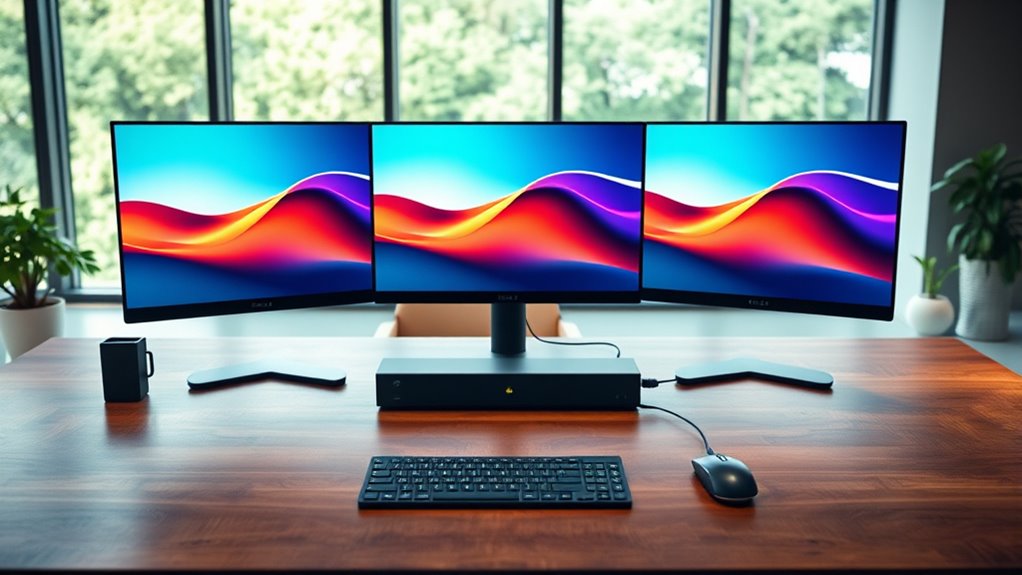

Searching for a usb c dock triple display that can handle multiple screens efficiently? The Plugable USB-C Triple Monitor Docking Station stands out as the best overall choice, offering a balance of performance and versatility. The Anker 14-in-1 USB-C Hub excels with its comprehensive port selection, making it ideal for power users. Meanwhile, the Ugreen USB C Docking Station provides a budget-friendly option for those who need dependable triple display support. When choosing a dock, consider factors like power delivery, compatibility, and the number of video outputs, as tradeoffs often include size, price, and compatibility issues. Continue reading for a detailed breakdown of these options and what makes each unique.

Get the latest gadgets delivered free with Prime
- Fast, free delivery on millions of items
- Prime Video, Amazon Music and more included
- Member-only deals all year
Complete the kit



Key Takeaways
- Performance varies significantly based on video output technology—DisplayLink vs. native GPU support impacts compatibility and resolution limits.
- Power delivery capacity is a key factor—higher wattage docks support charging larger laptops without needing additional chargers.
- Build quality and stability differ—some docks prioritize solid construction and multiple ports, while others focus on portability and simplicity.
- Compatibility with your laptop’s ports and operating system can make or break your experience—verify before buying.
- Price often correlates with features—more ports and higher resolution support typically mean a higher cost, but not always.
| Plugable USB-C Triple Monitor Docking Station: 13-in-1 Laptop Dock with 100W Charging for Mac and Windows |  | Best Overall for Enterprise and Professional Use | Number of Ports: 13 | HDMI Outputs: 3 | USB-C Power Delivery: 100W | VIEW ON AMAZON | See Our Full Breakdown |
| Anker Nano Laptop Docking Station, 13-in-1 Dock with Detachable 6-in-1 USB-C Hub |  | Best for Travel and Versatility with Detachable Design | Number of Ports: 13-in-1 | Display outputs: 2× HDMI, 1× DisplayPort | Maximum resolution: 4K@60Hz (single), dual 2K@60Hz | VIEW ON AMAZON | See Our Full Breakdown |
| Anker 14-in-1 USB-C Hub with Triple Display for Laptops |  | Best for Broad Connectivity and Versatile Use | Connectivity options: 14-in-1 | Video outputs: 2× 4K HDMI, 1× 1080p VGA | USB ports: 5 USB-A, 1 USB-C | VIEW ON AMAZON | See Our Full Breakdown |
| Plugable USB-C Triple Display Docking Station with 100W Power Delivery |  | Best for Multi-OS Compatibility with Enterprise-Grade Support | Power Delivery: 100W | Display Outputs: 3 HDMI (1x 4K 30Hz, 2x 1080p 60Hz) | USB Ports: 6x USB 3.0 | VIEW ON AMAZON | See Our Full Breakdown |
| Plugable 13-in-1 USB C Docking Station with 4K Triple Monitor Support and 100W Power Delivery |  | Best for High-Resolution Multi-Monitor Productivity | Number of ports: 13 | Display outputs: 3× 4K HDMI, 3× DisplayPort | Maximum resolution: 3× 4K 60Hz | VIEW ON AMAZON | See Our Full Breakdown |
| Selore Laptop Docking Station 3 Monitors Triple 4K Display with HDMI and DisplayPort |  | Best Overall for Versatile Multi-Display and Extra Features | Number of Expansion Ports: 17 | Video Output: 3 HDMI (4K@60Hz), 2 DisplayPort (8K@30Hz) | USB Ports: 2 USB 3.1 (10Gbps & 5Gbps) | VIEW ON AMAZON | See Our Full Breakdown |
| Anker 13-in-1 USB-C Docking Station with Triple Display |  | Best for Compact, Versatile Workspaces | Number of Ports: 13 | HDMI Ports: 2 | DisplayPort: 1 | VIEW ON AMAZON | See Our Full Breakdown |
| UGREEN USB C Docking Station Triple Monitor 4K, 12-in-1 Dock with 2 HDMI, DisplayPort |  | Best for High-Resolution, Multi-Device Connectivity | Number of Ports: 12 | HDMI Ports: 2 | DisplayPort: 1 | VIEW ON AMAZON | See Our Full Breakdown |
| WAVLINK USB-C Triple Monitor Docking Station, 3 x 4K@60Hz DisplayLink |  | Best for High-Frame-Rate, Multi-Monitor Performance | Display Output: 3× 4K@60Hz via HDMI/DisplayPort | Power Delivery: 100W | USB Ports: 2 USB-C, 4 USB-A | VIEW ON AMAZON | See Our Full Breakdown |
| Dell D6000S Universal Docking Station USB C with 130W, HDMI & DP Cable (Renewed) |  | Best for High-Resolution, Versatile Compatibility | Display Support: Dual 4K or single 5K | Power Delivery: 130W | Connectivity: USB-C, HDMI, DisplayPort | VIEW ON AMAZON | See Our Full Breakdown |
| Dell WD19TBS Thunderbolt Dock, USB-C Docking Station Dual Monitor |  | Best for High-Resolution Multi-Display Setups | Ports: USB-C 3.1, USB-A 3.1 with PowerShare, DisplayPort 1.4, HDMI 2.0, Gigabit Ethernet | Display Support: Up to triple 4K at 60Hz or single 5K | Power Delivery: Up to 130W | VIEW ON AMAZON | See Our Full Breakdown |
| CalDigit E5 Thunderbolt 5 Element 5 Hub – 9 Ports, 4 Thunderbolt 5/USB4 v2, USB-A & USB-C, 90W Charging, 8K/6K Displays, 0.8m Cable, 180W PSU |  | Best for Cutting-Edge High-Resolution and High-Refresh-Rate Displays | Ports: 4 Thunderbolt 5, USB4 v2, USB-A, USB-C | Display Support: Up to 8K or dual 6K/8K, two 4K@240Hz | Power Delivery: 90W | VIEW ON AMAZON | See Our Full Breakdown |
| usb c dock triple display | Power delivery |
|---|---|
| Plugable USB-C Triple Monitor | — |
| Anker Nano Laptop Docking Stat | 100W |
| Anker 14-in-1 USB-C Hub with T | — |
| Plugable USB-C Triple Display | 100W |
| Plugable 13-in-1 USB C Docking | 100W |
| Selore Laptop Docking Station | 100W input, 85W output |
| Anker 13-in-1 USB-C Docking St | 85W |
| UGREEN USB C Docking Station T | 100W |
| WAVLINK USB-C Triple Monitor D | 100W |
| Dell D6000S Universal Docking | 130W |
| Dell WD19TBS Thunderbolt Dock | Up to 130W |
| CalDigit E5 Thunderbolt 5 Elem | 90W |
More Details on Our Top Picks
Plugable USB-C Triple Monitor Docking Station: 13-in-1 Laptop Dock with 100W Charging for Mac and Windows
This dock stands out for supporting up to three HDMI displays with 4K resolution, making it ideal for complex multi-monitor setups. Compared to the Plugable 13-in-1 USB C Docking Station with 100W Power Delivery, it offers similar port options but includes a broader range of ports like SD and Ethernet, catering to professional environments. The main tradeoff is that it requires a driver installation for Mac, which can be a hassle, and the 30Hz refresh rate on 4K displays may not satisfy gamers or high-refresh-rate users. It’s best suited for professionals who need reliable, multi-faceted connectivity with high power delivery.
Pros:- Supports triple HDMI with 4K resolution for extensive workspace
- Provides 100W charging to power laptops during use
- Universal compatibility across Windows, macOS, and ChromeOS
- Includes multiple ports like Ethernet, SD, and audio
Cons:- Driver installation required for Mac users
- Limited to 30Hz refresh rate on 4K displays, not suitable for gaming
- No HDCP support for protected content
Best for: Enterprise users, content creators, or professionals needing a stable multi-monitor setup with extensive port options
Not ideal for: Casual users or gamers requiring high-refresh-rate gaming monitors or simplified setups
- Number of Ports:13
- HDMI Outputs:3
- USB-C Power Delivery:100W
- Display Support:Up to 4K 30Hz on primary
- Compatibility:Windows 10+, macOS 11+, ChromeOS
- Driver Requirement:DisplayLink driver for Mac
Our verdict“This dock is ideal for professionals who prioritize extensive port options and high power delivery over gaming or high-refresh-rate needs.”
Anker Nano Laptop Docking Station, 13-in-1 Dock with Detachable 6-in-1 USB-C Hub
This pick excels in portability thanks to its detachable 6-in-1 hub, making it perfect for users who often switch between desk and travel. It supports triple monitors at 4K and dual 2K resolutions, comparable to the Anker 14-in-1 USB-C Hub, but with added mobility. However, setup can be complex for non-technical users, and MacOS only supports mirrored displays, limiting productivity options. It’s ideal for frequent travelers or remote workers who need a flexible, multi-monitor solution that doesn’t stay fixed on a desk.
Pros:- Detachable hub enhances portability for travel
- Supports triple 4K monitor setup for multitasking
- Delivers up to 100W power to laptops
- Multiple ports for peripherals in a single device
Cons:- Requires connection to a laptop to activate ports
- MacOS only supports mirrored displays, not extended
- Setup may be confusing for beginners
Best for: Travelers, remote workers, or users needing a portable multi-monitor solution
Not ideal for: Users seeking a simple, plug-and-play docking station or those with Linux systems
- Number of Ports:13-in-1
- Display outputs:2× HDMI, 1× DisplayPort
- Maximum resolution:4K@60Hz (single), dual 2K@60Hz
- Power delivery:100W
- Compatibility:Windows, Dell XPS, Lenovo ThinkPad, HP Spectre
- Additional features:Detachable hub
Our verdict“This dock suits those needing a flexible, portable multi-monitor setup for travel or remote work, despite some setup complexity.”
Anker 14-in-1 USB-C Hub with Triple Display for Laptops
This hub offers a broad array of 14 ports, including HDMI, VGA, Ethernet, SD slots, and USBs, making it highly versatile. It supports triple 4K displays, similar to the Plugable UD-ULTC4K, but with additional legacy video options like VGA. Data transfer speeds are solid at 5 Gbps, and 80W pass-through charging keeps devices powered. The main limitation is that it’s not compatible with Linux systems, and external display on macOS defaults to mirror mode unless additional configuration is done. It’s best for users who need extensive connectivity options in a single device, especially in mixed-device environments.
Pros:- Supports triple 4K monitors for multitasking
- Includes a wide variety of ports, including VGA and SD
- Fast data transfer up to 5 Gbps
- Provides 80W pass-through charging
Cons:- Not compatible with Linux systems
- External display defaults to mirror mode on macOS
- Charger not included, requiring additional purchase
Best for: Power users with diverse peripheral needs and multiple display requirements
Not ideal for: Linux users or those seeking simple, high-refresh-rate gaming setups
- Connectivity options:14-in-1
- Video outputs:2× 4K HDMI, 1× 1080p VGA
- USB ports:5 USB-A, 1 USB-C
- Ethernet:1 Gbps
- Charging:80W pass-through
- Compatibility:USB-C, USB4, Thunderbolt, MacBook, Windows, ChromeOS
Our verdict“This hub is well-suited for users who require extensive legacy and modern connectivity in a multi-monitor setup, despite some OS limitations.”
Plugable USB-C Triple Display Docking Station with 100W Power Delivery
This dock supports three HDMI monitors, including 4K and 1080p displays, and is comparable to the Plugable UD-ULTC4K but emphasizes enterprise-grade features like native USB-C Alt Mode and DisplayLink technology. It delivers 100W charging and supports Windows, macOS, and ChromeOS, making it a flexible option for mixed environments. However, it requires driver installation on macOS and ChromeOS, which can be a barrier for quick setup. Lacking HDCP support limits protected content playback, which may matter for media professionals. It’s best for organizations needing broad OS support and reliable multi-monitor performance.
Pros:- Supports up to three external monitors for increased productivity
- Universal OS compatibility including Windows, macOS, and ChromeOS
- Provides 100W power delivery to charge laptops
- Supports DisplayLink technology for flexible display connectivity
Cons:- Requires driver installation on macOS and ChromeOS
- No HDCP support, limiting protected content playback
- Setup complexity may be higher for some users
Best for: IT departments, professionals in mixed OS environments, or remote teams needing enterprise-level connectivity
Not ideal for: Linux users or those who prioritize plug-and-play simplicity without driver setup
- Power Delivery:100W
- Display Outputs:3 HDMI (1x 4K 30Hz, 2x 1080p 60Hz)
- USB Ports:6x USB 3.0
- Ethernet:Gigabit Ethernet
- Compatibility:Windows, macOS 11+, ChromeOS v100+
- Supported Systems:USB-C, USB4, Thunderbolt
Our verdict“This dock is ideal for teams managing multiple OS platforms who need reliable multi-monitor support and strong power delivery.”
Plugable 13-in-1 USB C Docking Station with 4K Triple Monitor Support and 100W Power Delivery
This station supports three 4K monitors, making it a strong choice for users needing maximum screen real estate, similar to the Plugable UD-ULTC4K. It offers extensive connectivity with multiple USB ports, Ethernet, audio, SD slots, and 100W charging, suitable for office and hybrid setups. The main tradeoff is the need for DisplayLink drivers on macOS, which can complicate setup, and it does not support HDCP, limiting protected content. This model is best for professionals who prioritize high-resolution displays and extensive port options for demanding workflows.
Pros:- Supports three 4K monitors for expansive workspace
- Offers 13 ports, including USB, Ethernet, and audio
- Provides 100W charging for laptops
- Lifetime support from Plugable
Cons:- Requires driver installation on macOS
- No HDCP support for protected streaming content
- Display recording permissions needed for external displays
Best for: Office workers, hybrid workers, or IT managers deploying multiple monitors for productivity
Not ideal for: Media consumers needing protected content or users seeking a simple plug-and-play device
- Number of ports:13
- Display outputs:3× 4K HDMI, 3× DisplayPort
- Maximum resolution:3× 4K 60Hz
- Power Delivery:100W
- Supported systems:Windows 10+, macOS 11+, ChromeOS 100.x+
- Driver requirement:DisplayLink drivers on macOS
Our verdict“This station is tailored for high-resolution multitasking environments where extensive connectivity outweighs ease of setup.”
Selore Laptop Docking Station 3 Monitors Triple 4K Display with HDMI and DisplayPort
This dock stands out for supporting three independent 4K displays, making it ideal for creative professionals and multitaskers who need maximum screen real estate. Its 17-in-1 setup offers a broad array of ports, including HDMI, DisplayPort, SD card slots, and Gigabit Ethernet, providing a comprehensive workspace. Compared with the Anker 13-in-1, this model supports higher display resolutions and includes a built-in weather and time display, adding convenience. However, the need for a high-wattage charger and the limited triple-extended display support on macOS are tradeoffs. For users who want a feature-rich, high-resolution setup and don’t mind the extra accessories, this is a top choice.
Pros:- Supports three independent 4K displays at 60Hz for detailed multitasking
- Includes a broad range of ports, including SD card slots and Gigabit Ethernet
- Powerful 100W charging capacity for laptops and peripherals
- Built-in weather and time display for quick info access
Cons:- Charger sold separately, requiring a high-wattage power supply
- Limited multi-display support on macOS, only mirror or single extended display possible
Best for: Power users and creative professionals seeking extensive connectivity and triple 4K support
Not ideal for: Mac users relying on native triple-extended displays, due to macOS limitations on multi-monitor support
- Number of Expansion Ports:17
- Video Output:3 HDMI (4K@60Hz), 2 DisplayPort (8K@30Hz)
- USB Ports:2 USB 3.1 (10Gbps & 5Gbps)
- Ethernet:Gigabit Ethernet
- SD Card Slots:SD/microSD 3.0
- Power Delivery:100W input, 85W output
Our verdict“This dock is perfect for users who need extensive connectivity and high-resolution displays, especially on Windows and Chrome OS platforms.”
Anker 13-in-1 USB-C Docking Station with Triple Display
Compared to the Selore, the Anker 13-in-1 offers a more compact, space-saving design that still supports three external monitors, making it ideal for users with limited desk space. Its 18-in-1 port array includes HDMI, DisplayPort, USB-A, and Ethernet, supporting diverse peripherals. While it supports dual 4K displays at 60Hz, its macOS support is limited to mirroring, which may disappoint users wanting extended desktops. The 85W power delivery is sufficient for most laptops but might fall short for high-power devices. This pick makes the most sense for professionals needing a versatile, portable dock that balances display support with space constraints.
Pros:- Supports three external monitors, including dual 4K@60Hz
- Compact, space-efficient design for small desks
- High-speed data transfer at 10Gbps with multiple USB ports
- Includes 85W power delivery for charging laptops
Cons:- Limited extended display support on macOS, only mirroring
- Some features depend on device compatibility, requiring checking DP Alt Mode and PD support
Best for: Professionals seeking a compact dock with triple display support and versatile port options
Not ideal for: Mac users who require true extended mode on all three displays, due to macOS limitations
- Number of Ports:13
- HDMI Ports:2
- DisplayPort:1
- USB-C Ports:3
- USB-A Ports:3
- Power Delivery:85W
Our verdict“This dock is ideal for space-conscious users who need multiple displays and a wide array of ports on Windows or Chrome OS devices.”
UGREEN USB C Docking Station Triple Monitor 4K, 12-in-1 Dock with 2 HDMI, DisplayPort
The UGREEN dock supports triple 4K displays at 30Hz, making it suitable for users who prioritize resolution over high refresh rates. Its 12-in-1 port setup covers HDMI, DisplayPort, SD/TF card readers, Ethernet, and audio, providing a comprehensive workspace. Compared with the WAVLINK, this model offers a slightly lower maximum refresh rate but benefits from a broader port selection. Its 100W power delivery can charge most laptops efficiently, but the 30Hz limit on triple 4K might be a drawback for gamers or high-refresh-rate workflows. This dock makes the most sense for office users and content creators who need crisp visuals and multiple peripherals without high frame rate demands.
Pros:- Supports triple 4K@30Hz for detailed multitasking
- Includes a variety of ports, including SD/TF card readers and Ethernet
- Power delivery up to 100W for fast charging
- Supports multiple devices with high-speed data transfer
Cons:- Limited to 30Hz refresh rate on triple 4K, not suitable for gaming
- MacOS only supports mirroring, not extended desktop on multiple screens
Best for: Content creators and office workers needing high-resolution displays and rich connectivity
Not ideal for: Gamers or high-performance users requiring refresh rates above 30Hz on three 4K screens
- Number of Ports:12
- HDMI Ports:2
- DisplayPort:1
- Maximum Resolution:Triple 4K@30Hz
- Power Delivery:100W
Our verdict“This dock is well-suited for users who need crisp 4K visuals and extensive connectivity but do not require high refresh rates or extended desktop support on macOS.”
WAVLINK USB-C Triple Monitor Docking Station, 3 x 4K@60Hz DisplayLink
The WAVLINK dock stands out by enabling three 4K@60Hz displays via DisplayLink, suitable for detailed multitasking, video editing, or trading setups. Its single-cable connection simplifies workspace organization, supported by 100W charging. Unlike the UGREEN, which is limited to 30Hz, WAVLINK delivers higher refresh rates, making it more appealing for high-performance tasks. However, it requires DisplayLink drivers, which can introduce compatibility issues on some MacBooks and require regular updates. Also, it does not support HDCP-protected streams or gaming. This dock makes the most sense for Windows users who need smooth, high-frame-rate multi-monitor setups.
Pros:- Supports three 4K@60Hz displays for smooth, detailed multitasking
- Single-cable setup reduces clutter and simplifies setup
- High 100W charging supports most laptops and peripherals
- Stable gigabit Ethernet for reliable internet
Cons:- Requires DisplayLink drivers, which may cause compatibility issues on Mac
- Not suitable for HDCP-protected content or gaming applications
Best for: Power users and professionals who depend on high-refresh-rate visuals and stable multi-monitor performance
Not ideal for: Mac users or those needing HDCP support for streaming or gaming, due to driver requirements and compatibility issues
- Display Output:3× 4K@60Hz via HDMI/DisplayPort
- Power Delivery:100W
- USB Ports:2 USB-C, 4 USB-A
- Compatibility:USB-C, USB4, Thunderbolt 3/4
Our verdict“Ideal for Windows users seeking high-refresh-rate, triple 4K display support with a clean setup, despite driver dependencies.”
Dell D6000S Universal Docking Station USB C with 130W, HDMI & DP Cable (Renewed)
The Dell D6000S offers broad compatibility with a range of laptops, supporting dual 4K or single 5K displays, making it suitable for users with diverse devices. Its 130W power delivery ensures fast charging, and the support for high-resolution displays makes it perfect for demanding tasks. Compared with the other docks, it emphasizes universal compatibility and high wattage, but being a renewed product may involve warranty considerations. Its single HDMI cable inclusion might be limiting if multiple monitors are used, but overall, it provides a reliable, flexible solution for mixed-device environments.
Pros:- Supports dual 4K or single 5K display setups for crisp visuals
- Universal compatibility across brands and device types
- High 130W power delivery for fast device charging
- Supports high-resolution video output
Cons:- Requires compatible USB-C port for full functionality
- Renewed condition may limit warranty and reliability
Best for: Users with different laptops seeking a versatile, high-power dock capable of supporting high-res displays
Not ideal for: Mac users requiring native triple-extended display support or those seeking a new, non-renewed product
- Display Support:Dual 4K or single 5K
- Power Delivery:130W
- Connectivity:USB-C, HDMI, DisplayPort
Our verdict“This dock is best suited for users with diverse laptops needing high-resolution display support and robust power delivery, despite the risks associated with a renewed product.”
Dell WD19TBS Thunderbolt Dock, USB-C Docking Station Dual Monitor
The Dell WD19TBS Thunderbolt Dock stands out for its ability to support triple 4K displays at 60Hz or a single 5K monitor, making it ideal for professionals who need crisp visuals across multiple screens. Compared to the CalDigit E5 Thunderbolt 5 Hub, it offers robust compatibility with laptops supporting Thunderbolt 3 and USB-C, but without the ultra-high resolutions of Thunderbolt 5. This dock excels in delivering reliable, high-quality video output and a wide array of ports, including USB-C, USB-A, HDMI, and DisplayPort, all with a straightforward setup. However, its reliance on specific laptop standards limits versatility; it’s not as universal as some USB-C-only options. Price isn’t specified, but its feature set justifies a higher investment for demanding workflows. It’s best suited for users needing dependable, high-resolution multi-monitor support without the latest Thunderbolt 5 benefits.
Pros:- Supports triple 4K displays at 60Hz for crisp, smooth visuals
- Versatile port selection including HDMI, DisplayPort, and Ethernet
- Includes cables for quick setup and immediate use
Cons:- Limited compatibility to Thunderbolt 3 or USB-C laptops, reducing flexibility
- Price point not specified, which could be a concern for budget-conscious buyers
Best for: Professionals with Thunderbolt 3 or USB-C laptops who require reliable triple 4K display support.
Not ideal for: Owners of older laptops lacking Thunderbolt 3 or USB-C, as compatibility may be limited or require adapters.
- Ports:USB-C 3.1, USB-A 3.1 with PowerShare, DisplayPort 1.4, HDMI 2.0, Gigabit Ethernet
- Display Support:Up to triple 4K at 60Hz or single 5K
- Power Delivery:Up to 130W
- Transfer Speed:40Gbps
- Warranty:1 year
Our verdict“This dock works best for users with compatible high-end laptops who prioritize high-resolution multi-monitor support.”
CalDigit E5 Thunderbolt 5 Element 5 Hub – 9 Ports, 4 Thunderbolt 5/USB4 v2, USB-A & USB-C, 90W Charging, 8K/6K Displays, 0.8m Cable, 180W PSU
The CalDigit E5 Thunderbolt 5 Hub pushes the limits with support for 8K displays and dual 6K/8K setups, surpassing the capabilities of the Dell WD19TBS. This makes it ideal for creative professionals and power users who need the highest resolutions and fast refresh rates, such as 4K@240Hz. Its Thunderbolt 5 and USB4 v2 ports deliver lightning-fast data transfer, while 90W charging supports multiple devices simultaneously. Compared with the Dell dock, it provides more future-proof technologies, but its reliance on Thunderbolt 5 or USB4 v2 means it’s incompatible with older USB-C standards. The higher price reflects its premium features, which might be unnecessary for users with less demanding display needs. This pick is best suited for those who prioritize top-end display resolutions and blazing-fast data throughput.
Pros:- Supports 8K displays and dual 6K/8K configurations for maximum detail
- Enables ultra-fast data transfer with Thunderbolt 5 and USB4 v2 ports
- Provides 90W power delivery for charging multiple devices
Cons:- Requires Thunderbolt 5 or USB4 v2 for full functionality, limiting compatibility
- Higher cost makes it less accessible for casual or budget users
- Relatively short 0.8m cable may limit placement options
Best for: Professionals working with high-resolution, high-refresh-rate displays who own Thunderbolt 5 or USB4 v2-compatible laptops.
Not ideal for: Users with older or lower-spec USB-C devices or those on a tight budget, due to the premium cost and compatibility requirements.
- Ports:4 Thunderbolt 5, USB4 v2, USB-A, USB-C
- Display Support:Up to 8K or dual 6K/8K, two 4K@240Hz
- Power Delivery:90W
- Cable Length:0.8m
- Power Supply:180W
Our verdict“This hub is perfect for those needing the highest display resolutions and fastest data speeds, with a compatible high-end system.”
How We Picked
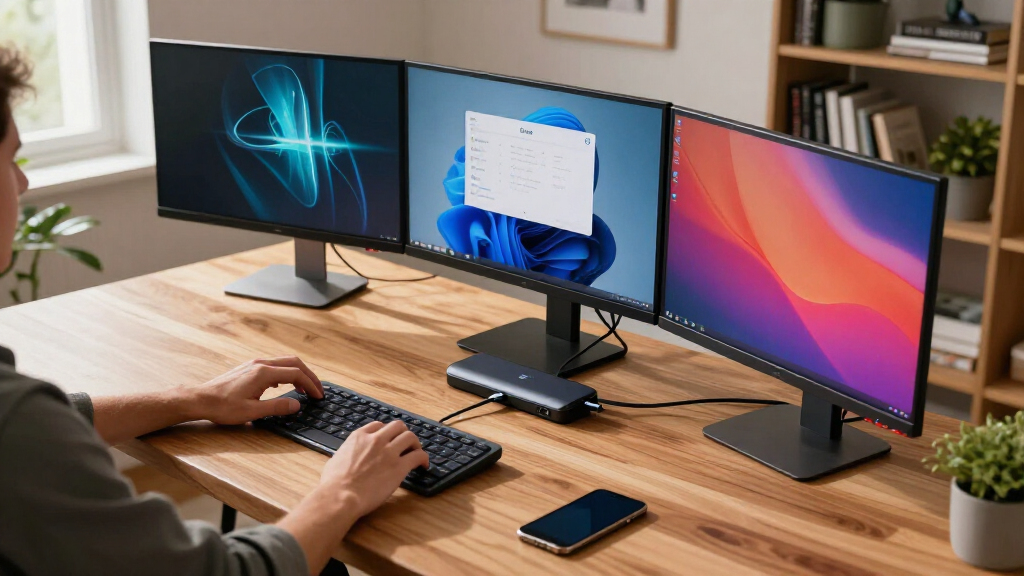
The products in this lineup were selected based on their ability to reliably support three external displays via USB-C, along with factors like power delivery, build quality, and overall compatibility. We prioritized docks that support 4K or higher resolutions at 60Hz, ensuring smooth multi-monitor performance. Ease of setup and user reviews also influenced the ranking, with a focus on devices that balance performance with value. Ports variety, charging capacity, and brand reputation played roles in differentiating the choices, ensuring options suit different buyer needs—from casual use to professional workflows.Factors to Consider When Choosing Usb C Dock Triple Display
Choosing the right USB-C dock for triple displays involves more than just matching ports. You should consider compatibility with your laptop’s USB-C or Thunderbolt ports, as not all docks work universally. Power delivery capacity is critical if you want to charge your laptop while connected—aim for at least 60W, with higher being preferable for larger laptops. Display output technology, such as native GPU support versus DisplayLink, affects resolution and refresh rate options. Port selection, including HDMI and DisplayPort options, must match your monitors’ inputs. Lastly, consider the dock’s build quality and size—some models are designed for portability, while others focus on desktop stability and expandability.Display Output Technology
Understanding whether a dock uses native GPU support or DisplayLink technology helps determine its compatibility and performance. Native GPU support generally offers higher reliability for resolutions up to 4K at 60Hz, making it suitable for professional work and gaming. DisplayLink-based docks can support multiple displays at high resolutions but may require driver installation and sometimes face compatibility issues with certain operating systems or updates. Your choice depends on your monitor setup and whether you prioritize stability or maximum flexibility across different devices.
Power Delivery (PD) Capacity
The amount of charging wattage supported by the dock impacts whether you can power your laptop while using multiple displays. Docks with 60W or more typically suffice for most ultrabooks, but larger, more power-hungry laptops may require 90W or higher. A dock with insufficient PD will force you to use a separate charger, cluttering your workspace. Ensure your laptop’s power demands align with the dock’s PD rating to avoid slow charging or power shortages during intensive tasks.
Port Selection and Monitor Compatibility
Check the types and numbers of video outputs—HDMI, DisplayPort, or USB-C—to match your monitors’ inputs. Some docks provide multiple HDMI ports, while others mix HDMI and DisplayPort, offering flexibility for different monitor configurations. The total bandwidth of the dock determines whether you can run all three displays at 4K@60Hz or if some might be limited to lower resolutions or refresh rates. Choose a dock that aligns with your display resolution needs and cable availability.
Build Quality and Size
Durability varies across models—metal enclosures tend to last longer and dissipate heat better, while plastic cases are lighter and sometimes cheaper. Consider whether you’ll use the dock mainly at a desk or on the go; compact, lightweight models suit mobile use but might have fewer ports or lower power delivery. Larger, sturdier docks often offer better stability and more connections but take up more space. Balance your workspace constraints with your usage patterns when selecting a model.
Price and Value
Higher-priced docks often include premium features like higher wattage charging, more ports, or better build quality. However, some budget options deliver reliable performance at a lower cost, especially if you only need basic triple display support. Avoid overpaying for features you won’t use, but also be cautious of very cheap docks that may lack stability or compatibility. Consider your specific needs and how much you’re willing to invest in reliability and future-proofing.
Frequently Asked Questions
Will a USB-C dock work with my MacBook Pro for triple displays?
Many USB-C docks support MacBook Pro, but compatibility depends on the specific technology used for video output. Docks that rely on native GPU support generally work better with macOS, providing higher stability and resolution options. Docks using DisplayLink technology can also work but may require driver installation and occasionally face compatibility issues with macOS updates. Always verify the dock’s compatibility with MacBook models before purchasing, especially if you plan to run three high-resolution monitors.
Can I use a USB-C dock to charge my gaming laptop while running triple displays?
Charging a gaming laptop while running three displays depends on the dock’s power delivery capacity and the laptop’s power requirements. Most gaming laptops need 120W or more, so look for docks offering at least 90W to 130W of charging power. Keep in mind that some docks may support high wattage but may not supply enough bandwidth for the displays to run at full resolution and refresh rate simultaneously. Check both your laptop’s charging needs and the dock’s specifications before making a choice.
What is the difference between native GPU support and DisplayLink in these docks?
Native GPU support uses the laptop’s integrated or discrete graphics card to drive external displays, offering high reliability and performance at resolutions up to 4K@60Hz or higher. DisplayLink, on the other hand, is a technology that compresses video signals through USB and uses drivers to manage multiple displays; it’s often found in more affordable docks. While DisplayLink can support multiple monitors at high resolutions, it may require driver updates and can sometimes experience latency or stability issues, especially with macOS. Your choice depends on your performance needs and system compatibility.
Are all USB-C docks compatible with Windows and Mac systems?
Most USB-C docks claim compatibility with both Windows and Mac OS, but real-world performance can vary. Compatibility depends on the dock’s technology—native GPU support generally works well across both platforms, while DisplayLink docks may require specific drivers and sometimes face OS-specific issues. It’s wise to check the manufacturer’s compatibility list and user reviews for your specific laptop model. Also, ensure that the dock’s firmware and drivers are kept up to date to prevent connectivity problems over time.
Conclusion
The best choice depends on your specific setup and priorities. For overall reliability and performance, the Plugable USB-C Triple Monitor Docking Station makes a strong case, especially for professionals needing stable multi-monitor support. If you want the most comprehensive port options and high charging capacity, the CalDigit E5 Thunderbolt 5 Hub suits power users with demanding workflows. Beginners or those on a budget will find the Ugreen USB C Docking Station offers a dependable, affordable way to support three screens. For gaming or high-res creative work, prioritize docks with native GPU support and high wattage charging, while more casual users might accept DisplayLink solutions for their flexibility. Ultimately, matching your device’s ports, resolution needs, and budget will guide the best pick.
Fall Picks
fall essentials
As an affiliate, we earn on qualifying purchases.