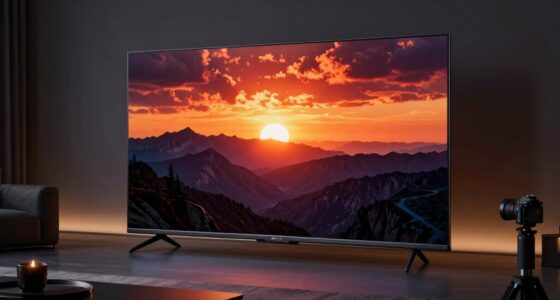
For most design work, I’d start with the ASUS ProArt PA27JCV: its 27-inch 5K format prioritizes fine detail and a practical desktop footprint. The BenQ PD2730S is a strong alternative if Thunderbolt 4 matters, while the Dell UltraSharp U4025QW suits workflows that benefit more from a broad canvas than a standard 16:9 layout. The main tradeoff is between pixel density and workspace: a 27-inch 5K screen gives crisp detail, while 5K2K ultrawides fit more panels and timelines side by side. Connectivity, color workflow, desk space, and refresh rate can change which choice makes sense. Read on for the full breakdown and recommendations by design use case.

Get the latest gadgets delivered free with Prime
- Fast, free delivery on millions of items
- Prime Video, Amazon Music and more included
- Member-only deals all year
Complete the kit



Key Takeaways
- The 27-inch 5K monitors lead for pixel-dense design work: ASUS, BenQ, ViewSonic, and both KTC listings use a compact format suited to detailed layouts and image work.
- 5K2K ultrawides trade vertical space for horizontal room: Dell, LG, Sceptre, and INNOCN’s 40-inch model suit wide timelines and multitasking, but are less like-for-like replacements for a 27-inch 5K display.
- Connectivity separates several close contenders: BenQ’s Thunderbolt 4 and the KTC USB-C listing may better suit laptop-centered desks than a monitor chosen on resolution alone.
- Gaming-focused features do not automatically improve design work: the LG OLED and Sceptre dual-mode models emphasize high refresh rates, which may matter less than panel behavior, color workflow, and workspace for many designers.
- Check the exact model before comparing: the two KTC H27P3 entries have different feature descriptions, so confirm whether the listing includes dual mode and 65W USB-C rather than assuming the configurations match.
| ASUS ProArt PA27JCV 27-Inch 5K Professional Monitor |  | Best Overall for Color-Critical Design | Screen size: 27 inches | Resolution: 5120 × 2880 (5K HDR) | Panel: IPS | VIEW ON AMAZON | See Our Full Breakdown |
| Dell UltraSharp U4025QW 40-inch 5K2K Curved LED Monitor |  | Best for Ultrawide Design Work | Screen size: 39.7 inches | Resolution: 5120 × 2160 | Aspect ratio: 21:9 | VIEW ON AMAZON | See Our Full Breakdown |
| LG UltraGear 45GX950A-B 45-Inch 5K2K Curved OLED Gaming Monitor |  | Best Premium OLED for Design and Motion | Screen size: 45 inches | Display type: OLED | Resolution: 5120 × 2160 (5K2K WUHD) | VIEW ON AMAZON | See Our Full Breakdown |
| Sceptre Curved 39.7-inch 5K2K (5120 x 2160) UHD+ Monitor with Dual Mode 180Hz/360Hz, 1000R Curvature, 1ms Response, Height Adjustable, Built-in Speakers – Machine Black (C415B-UUS360) |  | Best High-Refresh Ultrawide | Screen size: 39.7 inches | Resolution: 5120 × 2160 | Aspect ratio: 21:9 | VIEW ON AMAZON | See Our Full Breakdown |
| KTC H27P3 27-Inch 5K IPS Monitor |  | Best Value for a Compact 5K Desk | Screen size: 27 inches | Resolution and refresh: 5120 × 2880 at 60 Hz; 2560 × 1440 at 120 Hz | Panel: IPS | VIEW ON AMAZON | See Our Full Breakdown |
| KTC H27P3 27-Inch 5K Monitor with Dual Mode and 65W USB-C |  | Best for Switching Between Design and Gaming | Screen size: 27 inches | Resolution: 5120 × 2880 | Refresh rate: 60Hz at 5K; up to 120Hz at 1440p | VIEW ON AMAZON | See Our Full Breakdown |
| INNOCN 40C1U 40-Inch 5K Ultrawide Monitor |  | Best for a Wide, Single-Screen Studio | Screen size: 40 inches | Resolution: 5120 × 2160 | Aspect ratio: 21:9 | VIEW ON AMAZON | See Our Full Breakdown |
| ViewSonic VP2788-5K 27-Inch 5K IPS Monitor |  | Best for Mac-Based Multi-Display Workflows | Screen size: 27 inches | Resolution: 5120 × 2880 | Panel: IPS | VIEW ON AMAZON | See Our Full Breakdown |
| BenQ PD2730S 27-Inch 5K Monitor with Thunderbolt 4 |  | Best for Designers Sharing One Desk Between Two Computers | Screen size: 27 inches | Resolution: 5120 × 2880 | Pixel density: 218 PPI | VIEW ON AMAZON | See Our Full Breakdown |
| INNOCN 34-Inch 5K Ultrawide Monitor, 120Hz |  | Best Compact High-Refresh Ultrawide | Model: 34C1U | Screen size: 34 inches | Resolution: 5120 × 2160 | VIEW ON AMAZON | See Our Full Breakdown |
| 5k monitor for design work | Screen size | Resolution | Panel | Refresh rate |
|---|---|---|---|---|
| ASUS ProArt PA27JCV 27-Inch 5K | 27 inches | 5120 × 2880 (5K HDR) | IPS | 60 Hz |
| Dell UltraSharp U4025QW 40-inc | 39.7 inches | 5120 × 2160 | — | 120 Hz |
| LG UltraGear 45GX950A-B 45-Inc | 45 inches | 5120 × 2160 (5K2K WUHD) | — | Up to 165 Hz at 5K2K; up to 330 Hz at WFHD |
| Sceptre Curved 39.7-inch 5K2K | 39.7 inches | 5120 × 2160 | — | 180 Hz at 5K2K; 360 Hz at 1080p |
| KTC H27P3 27-Inch 5K IPS Monit | 27 inches | — | IPS | — |
| KTC H27P3 27-Inch 5K Monitor w | 27 inches | 5120 × 2880 | IPS | 60Hz at 5K; up to 120Hz at 1440p |
| INNOCN 40C1U 40-Inch 5K Ultraw | 40 inches | 5120 × 2160 | IPS | 100Hz |
| ViewSonic VP2788-5K 27-Inch 5K | 27 inches | 5120 × 2880 | IPS | — |
| BenQ PD2730S 27-Inch 5K Monito | 27 inches | 5120 × 2880 | Nano Matte | — |
| INNOCN 34-Inch 5K Ultrawide Mo | 34 inches | 5120 × 2160 | VA | 120Hz |
More Details on Our Top Picks
ASUS ProArt PA27JCV 27-Inch 5K Professional Monitor
The ASUS ProArt PA27JCV is the strongest fit here when dependable color and a conventional 27-inch workspace matter more than ultrawide scale or gaming speed. Its 5120 × 2880 resolution and factory calibration to Delta E < 2 give designers a detailed canvas with color accuracy suited to print and digital work. Compared with the KTC H27P3, ASUS offers broader stated Adobe RGB coverage and 96W rather than 65W USB-C power delivery, which gives more headroom for a connected laptop. The USB-C connection also supports data and DisplayPort, while Auto KVM helps when switching between two computers. The tradeoffs are its 60 Hz refresh rate and modest charging capacity for some power-hungry laptops. Its 27-inch format also gives less side-by-side workspace than the Dell UltraSharp U4025QW.
Pros:- 5K resolution on a 27-inch screen provides a fine-grained workspace for detailed layouts and image edits.
- Factory-calibrated Delta E < 2 accuracy and broad DCI-P3, sRGB, and Adobe RGB coverage suit color-sensitive work.
- USB-C carries data and DisplayPort while delivering up to 96W of power.
- Auto KVM switching makes it easier to share the monitor between two computers.
Cons:- The 60 Hz refresh rate is less fluid than the 120 Hz Dell UltraSharp U4025QW.
- 96W USB-C delivery may not fully power some high-demand laptops.
- A 27-inch panel offers less room for multiple full-size applications than the 21:9 options.
Best for: Graphic designers, photographers, and print-focused creatives who want a calibrated 27-inch 5K display and one-cable laptop connectivity.
Not ideal for: Editors who need a broad ultrawide timeline, high-refresh gaming, or more than 96W of laptop charging power.
- Screen size:27 inches
- Resolution:5120 × 2880 (5K HDR)
- Panel:IPS
- Refresh rate:60 Hz
- Color coverage:99% DCI-P3, 100% sRGB, 95% Adobe RGB
- Color accuracy:Factory calibrated to Delta E < 2; Calman Verified
- USB-C power delivery:96 W
- Warranty:5 years with online registration
Our verdict“Choose the ASUS if calibrated color and detailed 27-inch 5K work matter more than ultrawide space or faster refresh.”
Dell UltraSharp U4025QW 40-inch 5K2K Curved LED Monitor
For designers who need room for a timeline, reference images, and working panels at once, the Dell UltraSharp U4025QW makes a stronger case than a standard 27-inch 5K screen. Its 39.7-inch 21:9 display gives a wide continuous workspace, and the 120 Hz refresh rate makes scrolling and canvas movement feel smoother than on the ASUS ProArt PA27JCV. A matte finish and 600-nit brightness are useful in brighter studios, while Thunderbolt, Ethernet, DisplayPort, HDMI, and a USB hub support a more connected desk. This is a 5120 × 2160 ultrawide, not the 5120 × 2880 format offered by the ASUS, so it has less vertical resolution for fine detail and portrait-oriented work. The Dell is also heavy at 41.9 pounds, and the listing has inconsistent resolution information, so verify the exact configuration before buying.
Pros:- 39.7-inch 21:9 screen provides ample horizontal room for timelines, tool panels, and reference material.
- 120 Hz refresh rate offers smoother scrolling and motion than the 60 Hz ASUS ProArt PA27JCV.
- 600-nit brightness and matte finish are suited to brighter workspaces.
- Thunderbolt, Ethernet, DisplayPort, HDMI, and USB connectivity support a capable desk setup.
Cons:- 5120 × 2160 provides less vertical resolution than the 5120 × 2880 ASUS and KTC 27-inch monitors.
- At 41.9 pounds, it is a demanding fit for lighter desks and monitor arms.
- The product listing gives inconsistent native-resolution information, so buyers should confirm the exact specification.
Best for: Video editors, motion designers, and multitasking creatives who want a wide workspace for timelines and several open applications.
Not ideal for: Print designers who prioritize 5K vertical resolution and documented color coverage, or buyers with a small desk or limited monitor-mount capacity.
- Screen size:39.7 inches
- Resolution:5120 × 2160
- Aspect ratio:21:9
- Refresh rate:120 Hz
- Brightness:600 nits
- Contrast ratio:2,000:1
- Connectivity:DisplayPort, Ethernet, HDMI, Thunderbolt, USB
- Weight:41.9 pounds
Our verdict“Pick the Dell when broad ultrawide workspace and 120 Hz operation outweigh the need for a 27-inch 5K pixel grid.”
LG UltraGear 45GX950A-B 45-Inch 5K2K Curved OLED Gaming Monitor
The LG UltraGear 45GX950A-B suits creatives who combine visual work with fast-moving content and want OLED contrast on a very large canvas. Its 45-inch, 5120 × 2160 OLED panel pairs deep blacks and up to 98.5% DCI-P3 coverage with a 165 Hz 5K2K mode, making it more compelling for animation and motion previews than the 60 Hz ASUS ProArt PA27JCV. The 800R curve wraps the wide display around the viewer, though that shape is less neutral for judging straight lines and layouts than a flat design monitor. Dual Mode reaches 330 Hz only at WFHD, so that speed comes with a major drop in resolution. The 90W USB-C connection is useful for a laptop, but provides less power than the ASUS’s 96W. Its 45-inch size and pronounced curve also call for a deep, spacious desk.
Pros:- OLED contrast and up to 98.5% DCI-P3 coverage support rich image previews and dark-scene work.
- 5120 × 2160 resolution combines a wide canvas with more detail than standard ultrawide formats.
- 165 Hz at 5K2K and 0.03 ms response time suit fast motion, with a 330 Hz lower-resolution mode available.
- USB-C, DisplayPort 2.1, and two HDMI 2.1 ports offer flexible connections.
Cons:- The 800R curve and 45-inch panel take substantial desk space and may distort the feel of straight-line layout work.
- The 330 Hz mode runs at WFHD rather than 5K2K resolution.
- USB-C delivers 90W, less than the ASUS ProArt PA27JCV’s 96W.
Best for: Motion designers and visual creators who want OLED contrast, a wide canvas, and high refresh for animation or gaming alongside design work.
Not ideal for: Color-critical print professionals who need a flat, calibration-focused display, or anyone short on desk space.
- Screen size:45 inches
- Display type:OLED
- Resolution:5120 × 2160 (5K2K WUHD)
- Curvature:800R
- Refresh rate:Up to 165 Hz at 5K2K; up to 330 Hz at WFHD
- Color coverage:Up to 98.5% DCI-P3
- HDR:DisplayHDR True Black 400
- USB-C power delivery:90 W
Our verdict“Choose the LG if OLED contrast and high-refresh motion matter more than a flat, compact display tailored to color proofing.”
Sceptre Curved 39.7-inch 5K2K (5120 x 2160) UHD+ Monitor with Dual Mode 180Hz/360Hz, 1000R Curvature, 1ms Response, Height Adjustable, Built-in Speakers – Machine Black (C415B-UUS360)
The Sceptre C415B-UUS360 is the speed-focused ultrawide in this group, pairing 5K2K at 180 Hz with a 360 Hz mode at 1080p. That makes it a better fit for designers who also play competitive games than the Dell UltraSharp U4025QW, whose refresh rate tops out at 120 Hz. Its 39.7-inch, 21:9 screen offers room for editing panels and timelines, while stated 97% DCI-P3 coverage gives it a useful color range for general creative tasks. But the 1000R curve is even more pronounced than the LG UltraGear’s 800R, which can be awkward for precise straight-edge layout work. The dual mode is not free of compromise: 360 Hz requires a drop to 1080p. Unlike the Dell, the listed connections omit USB-C, Ethernet, and a USB hub, limiting its appeal as a complete design workstation.
Pros:- 5K2K at 180 Hz combines detailed workspace resolution with a fast refresh rate.
- Dual mode supports 360 Hz at 1080p for competitive gaming.
- Stated 97% DCI-P3 gamut coverage gives it a broad color range for general design.
- Height adjustment and VESA mounting allow flexible placement.
Cons:- The 360 Hz mode drops resolution to 1080p, limiting its usefulness for detailed design.
- The 1000R curve may make straight-line layouts and precision page work less natural.
- Listed connectivity is limited to DisplayPort and HDMI, with no USB hub or headphone jack mentioned.
Best for: Designers who also play fast-paced games and want a large ultrawide with a high-refresh native-resolution mode.
Not ideal for: Color-proofing specialists who need a flat, calibration-focused screen, or laptop users seeking USB-C docking and power delivery.
- Screen size:39.7 inches
- Resolution:5120 × 2160
- Aspect ratio:21:9
- Refresh rate:180 Hz at 5K2K; 360 Hz at 1080p
- Curvature:1000R
- Color gamut:97% DCI-P3
- Response time:1 ms
- Connectivity:2 × DisplayPort, 2 × HDMI
Our verdict“Pick the Sceptre if high-refresh gaming is part of the brief, but choose a flatter, better-connected monitor for a design-first setup.”
KTC H27P3 27-Inch 5K IPS Monitor
The KTC H27P3 keeps the core appeal of 27-inch 5K design work—fine detail in a compact footprint—while adding a useful lower-resolution 120 Hz mode. At 5120 × 2880 and 217 PPI, it gives small text and dense interface elements a crisp presentation; when smooth motion matters more, it can switch to 2560 × 1440 at 120 Hz. That flexibility distinguishes it from the ASUS ProArt PA27JCV, which stays at 60 Hz, though the ASUS is the more convincing choice for color-critical work thanks to its stated Adobe RGB coverage and factory Delta E < 2 calibration. The KTC lists 100% sRGB coverage and 500-nit brightness, but its 135% sRGB area figure is not the same as a broader professional gamut claim. A 65W USB-C connection and three listed video inputs are practical, though the port selection is sparse.
Pros:- 5120 × 2880 resolution at 217 PPI gives a compact screen a high level of image and interface detail.
- 120 Hz mode at 2560 × 1440 offers smoother movement when native 5K detail is not required.
- 65W USB-C power delivery can connect and charge many laptops through one cable.
- 500-nit brightness, HDR 400, and stated 100% sRGB coverage support everyday creative work.
Cons:- The 120 Hz mode requires a drop from 5K to 2560 × 1440.
- Its listed color details are less reassuring for print workflows than the ASUS ProArt PA27JCV’s factory calibration and Adobe RGB coverage.
- Connectivity is limited to one USB-C, one DisplayPort, and one HDMI port.
Best for: Independent designers and small-studio creatives who want a sharp 27-inch 5K workspace, USB-C laptop charging, and a smoother 1440p mode.
Not ideal for: Print and photo professionals who need documented factory calibration and Adobe RGB coverage, or laptop users who require more than 65W charging.
- Screen size:27 inches
- Resolution and refresh:5120 × 2880 at 60 Hz; 2560 × 1440 at 120 Hz
- Panel:IPS
- Pixel density:217 PPI
- Brightness:500 cd/m²
- Color coverage:100% sRGB coverage; 135% sRGB area
- Connectivity:65W USB-C, DisplayPort 1.4, HDMI 2.0
- Warranty:Three years
Our verdict“Choose the KTC for compact 5K detail and a flexible 1440p refresh mode, but favor the ASUS for documented color-critical work.”
KTC H27P3 27-Inch 5K Monitor with Dual Mode and 65W USB-C
The KTC H27P3 earns this spot for combining 5K detail at 60Hz with a 1440p mode that reaches 120Hz. For design work, its 27-inch IPS panel, stated ΔE < 2 accuracy, and coverage of 99% DCI-P3 and 100% sRGB suit color-conscious editing without giving up a smoother mode for motion-heavy tasks. Its 65W USB-C connection can also charge a compatible laptop while carrying data. Compared with the ViewSonic VP2788-5K, the KTC adds an explicit high-refresh 1440p mode, while ViewSonic is the more Mac-focused choice for Thunderbolt daisy chaining. The tradeoff is that full 5K stays at 60Hz, and HDMI 2.0 is limited to 4K at 60Hz, so check your connection needs before building a setup around it.
Pros:- 5120 × 2880 resolution on a compact 27-inch IPS panel
- 99% DCI-P3, 100% sRGB, and stated ΔE < 2 color accuracy
- USB-C provides 65W power delivery and data transfer
- 1440p mode supports refresh rates up to 120Hz
Cons:- 5K mode is limited to 60Hz
- HDMI 2.0 supports up to 4K at 60Hz, not full 5K
- The 7 ms response time is less suited to fast competitive gaming than the high-refresh mode may suggest
Best for: Designers who want a sharp 27-inch 5K workspace plus a higher-refresh 1440p mode for gaming or motion work.
Not ideal for: Buyers who need 5K above 60Hz or plan to connect a computer through HDMI at full 5K resolution.
- Screen size:27 inches
- Resolution:5120 × 2880
- Refresh rate:60Hz at 5K; up to 120Hz at 1440p
- Panel:IPS
- Color coverage:99% DCI-P3; 100% sRGB
- Color accuracy:ΔE < 2
- Brightness:500 cd/m²
- USB-C power delivery:65W
Our verdict“Choose the KTC if you want detailed 5K design work and a separate 120Hz 1440p mode, but skip it if you require high refresh at native 5K.”
INNOCN 40C1U 40-Inch 5K Ultrawide Monitor
The INNOCN 40C1U prioritizes horizontal workspace over the denser pixel layout of a 27-inch 5K screen. Its 40-inch, 5120 × 2160 panel gives designers room to keep a full-width timeline, reference material, and editing canvas visible together, while 100Hz refresh makes scrolling and interface movement feel smoother than on the 60Hz KTC H27P3. Factory calibration and stated Delta E < 2 color accuracy support color-focused work, and the USB-C connection supplies up to 65W to a compatible laptop. The 34-inch INNOCN 34C1U offers the same 5120 × 2160 resolution at 120Hz in a smaller footprint; this 40-inch model gives up some desk space in exchange for a broader canvas. Its 350-nit brightness and limited HDR detail make HDR work a less convincing reason to choose it.
Pros:- 40-inch 21:9 screen provides room for wide timelines and side-by-side panels
- 5120 × 2160 resolution with a 100Hz refresh rate
- Factory calibration with stated Delta E < 2 accuracy and broad color coverage
- USB-C supplies up to 65W and the stand adjusts for height, swivel, and tilt
Cons:- Large footprint may overwhelm a compact desk
- 350-nit brightness and limited HDR information offer little assurance for HDR grading
- One-year warranty is shorter than the KTC H27P3’s listed three-year warranty
Best for: Video editors, motion designers, and multitasking creatives who want a broad 21:9 workspace with factory-calibrated color.
Not ideal for: Designers with shallow or narrow desks, or buyers who need detailed HDR performance claims and a longer listed warranty.
- Screen size:40 inches
- Resolution:5120 × 2160
- Aspect ratio:21:9
- Refresh rate:100Hz
- Panel:IPS
- Brightness:350 nits
- Color coverage:135% sRGB; 106% DCI-P3
- USB-C power delivery:65W
Our verdict“Pick the 40C1U if a wide editing canvas matters more than a compact, high-density 27-inch display.”
ViewSonic VP2788-5K 27-Inch 5K IPS Monitor
The ViewSonic VP2788-5K is the clearest fit here for a Mac-centered studio that may grow beyond one screen. Thunderbolt 4 provides up to 100W power delivery, and the monitor supports daisy chaining up to two 5K displays, helping keep a multi-monitor desk connected through a compatible setup. Its 27-inch 5120 × 2880 IPS panel pairs 100% sRGB and 99% DCI-P3 coverage with Pantone validation, giving color-focused designers a useful basis for print and digital work. Compared with the BenQ PD2730S, ViewSonic specifies higher charging output and daisy chaining, while BenQ adds a KVM switch and wireless Hotkey Puck. The supplied details do not list refresh rate, brightness, or contrast, so buyers who need to compare those characteristics closely have less information than they do for the KTC H27P3.
Pros:- 27-inch 5120 × 2880 IPS panel for fine interface and image detail
- 100% sRGB and 99% DCI-P3 coverage with Pantone validation
- Thunderbolt 4 supports up to 100W power delivery
- Supports daisy chaining up to two 5K monitors
Cons:- Daisy-chain support is described for a Mac creative setup and depends on compatible equipment
- Refresh rate, brightness, and contrast figures are not supplied
- Compared with the BenQ PD2730S, it lacks listed KVM and wireless control features
Best for: Mac designers building a Thunderbolt-based desk who want color validation, laptop charging, and the option to daisy-chain 5K displays.
Not ideal for: Buyers who need published brightness, contrast, or refresh-rate figures before choosing a monitor, or who do not use a compatible Thunderbolt workflow.
- Screen size:27 inches
- Resolution:5120 × 2880
- Panel:IPS
- Color coverage:100% sRGB; 99% DCI-P3
- Color certification:Pantone Validated
- Connectivity:Thunderbolt 4, USB-C, HDMI, and DisplayPort
- Thunderbolt 4 power delivery:Up to 100W
- Daisy chaining:Supports up to two 5K monitors
Our verdict“Choose the ViewSonic for a color-conscious Mac desk that may expand to multiple 5K displays, provided its unspecified display metrics meet your needs.”
BenQ PD2730S 27-Inch 5K Monitor with Thunderbolt 4
The BenQ PD2730S makes the most sense for designers who move between two computers and want fewer peripherals cluttering the desk. Its built-in KVM switch lets one keyboard and mouse serve two systems, while the wireless Hotkey Puck adds a separate control option. The 27-inch 5K panel packs 218 pixels per inch, and 98% P3 coverage with a 2000:1 contrast ratio supports detailed, color-focused work. Thunderbolt 4 supplies up to 90W, a little less than the ViewSonic VP2788-5K’s stated 100W, but the BenQ’s workflow tools are more directly useful for a dual-computer setup. A key limitation is cable dependence: display support requires certified cables. The provided specifications also do not state refresh rate or brightness, leaving less basis for comparison with the KTC H27P3.
Pros:- 5K resolution at a stated 218 PPI for detailed creative work
- 98% P3 coverage and 2000:1 contrast ratio
- KVM switch lets two systems share one keyboard and mouse
- Thunderbolt 4 provides up to 90W power delivery
Cons:- Thunderbolt display support depends on using certified cables
- Power delivery is lower than the ViewSonic VP2788-5K’s stated 100W
- Refresh rate and brightness are not specified in the supplied product data
Best for: Designers who regularly switch between a work laptop and a second computer while sharing a keyboard and mouse.
Not ideal for: Buyers who need published brightness and refresh-rate figures, or who want a setup that can use any unverified Thunderbolt cable.
- Screen size:27 inches
- Resolution:5120 × 2880
- Pixel density:218 PPI
- Color coverage:98% P3
- Contrast ratio:2000:1
- Panel:Nano Matte
- Connection:Thunderbolt 4
- Power delivery:Up to 90W
Our verdict“Choose the BenQ if KVM switching and a high-density 5K panel matter more to your daily workflow than maximum laptop charging output.”
INNOCN 34-Inch 5K Ultrawide Monitor, 120Hz
The 34-inch INNOCN 34C1U keeps the ultrawide editing format but takes up less width than the 40-inch INNOCN 40C1U, while raising refresh to 120Hz. Both use 5120 × 2160 resolution and list factory calibration with Delta E < 2, so the smaller model is a compelling fit when desk space and smooth motion matter together. Its VA panel and 3000:1 contrast can give dark interface elements and images stronger contrast than the IPS panel listed for the 40C1U. The compromise is that VA viewing angles may be narrower, which can matter when judging color across a wide canvas or working with someone beside you. At 21.56 pounds without its stand, it is also not a light display to reposition. This pick favors refresh and contrast over the larger model’s extra screen width.
Pros:- 5120 × 2160 ultrawide resolution with a 120Hz refresh rate
- Factory pre-calibrated with stated Delta E < 2 accuracy
- 3000:1 contrast ratio and broad stated color gamut
- 65W USB-C power delivery, adjustable stand, and VESA mounting support
Cons:- VA panel may have narrower viewing angles than the IPS panels in the 40C1U and KTC H27P3
- Listed weight is 21.56 pounds without the stand
- HDR is described as HDR400-ready, with limited performance detail
Best for: Designers with limited desk width who want a 21:9 workspace, 120Hz motion, and factory-calibrated color.
Not ideal for: Color teams who often view the screen from off-center positions, or buyers who want a lighter monitor that is easy to move.
- Model:34C1U
- Screen size:34 inches
- Resolution:5120 × 2160
- Aspect ratio:21:9
- Refresh rate:120Hz
- Panel:VA
- Contrast ratio:3000:1
- USB-C power delivery:65W
Our verdict“Choose the 34C1U if you want a faster, more compact ultrawide than the 40-inch INNOCN, and can work comfortably with VA viewing angles.”

How We Picked
I ranked these monitors by how well their stated format and features align with real design tasks: inspecting fine detail, arranging tools and references, connecting a computer, and using the screen for long work sessions. Resolution and size matter together; a 27-inch 5K monitor and a 40-inch 5K2K ultrawide offer different kinds of workspace, so I did not treat them as interchangeable. I also weighed professional-workflow features and practical usability against gaming-oriented specifications that may not help every designer.
The order favors monitors with a clear fit for design work, followed by options whose strengths depend on a particular workflow. ASUS takes the lead as a focused 27-inch 5K choice; BenQ, ViewSonic, and KTC offer alternatives shaped by connectivity and configuration. The larger ultrawides rank well for users who need width, while the OLED and high-refresh models make more sense when gaming or motion is part of the brief. Product names and configurations can vary by listing, so verify the exact model before purchase.
Factors to Consider When Choosing 5k Monitor For Design Work
A 5K label does not tell you whether a monitor will suit your design desk. I’d match the screen’s shape, connection options, and intended workload to how I actually arrange apps and evaluate images, rather than choosing by resolution alone.
Choose Pixel Density or Horizontal Workspace
Start by deciding whether your work benefits more from fine detail at a familiar scale or room for several windows at once. A 27-inch 5K display packs high resolution into a compact area, which can be useful for close inspection of interfaces, type, and images. A 5K2K ultrawide gives you a much wider canvas, but it does not provide the same vertical workspace as a standard 5K layout. That can help with timelines and side-by-side panels while leaving less room for tall documents or full-height artboards. A common mistake is treating every “5K” monitor as the same resolution and shape. Match the monitor to your app layout, not just the number in its name.
Check Color Workflow, Not Just Color Claims
For print, photography, and brand work, ask how the monitor fits into your color-managed workflow instead of relying on a broad claim about color support. Check the exact model’s color coverage, calibration options, and any supplied calibration features, then consider whether your software and operating system can use them properly. A wide-gamut display can show more saturated colors, but it does not make uncalibrated work accurate by itself. Designers who mainly build web interfaces may care more about predictable sRGB behavior and consistent viewing than a headline gamut figure. Also think about whether more than one person needs to review the screen from different positions. The useful question is whether the display can support the standards your clients or production process require.
Treat USB-C and Thunderbolt as Workflow Features
A single cable can simplify a laptop-based desk, but the connector name alone does not say what that cable carries. Confirm whether the monitor supports video over USB-C or Thunderbolt, how much power it can deliver, and whether its ports can connect your other devices. The 65W USB-C feature listed for one KTC H27P3 configuration may suit some laptops, while a higher-draw system may still need its own charger. Thunderbolt can be useful for compatible computers and connected peripherals, but it adds little if your current setup does not use those connections. Check the exact product configuration because similar model names may describe different port or display features. This small check can prevent a monitor from adding more adapters and desk clutter than it removes.
Account for Desk Depth, Curve, and Viewing Position
Large curved screens need more than a wide desk: viewing distance and the position of the display affect how comfortably you can see the whole canvas. A pronounced curve may help keep the edges of an ultrawide within a more consistent viewing angle, but it can make straight-line work feel less natural to some users. Before choosing a 40-inch or 45-inch model, measure the usable desk width and depth, including space for the stand, keyboard, and reference material. A 27-inch monitor is easier to place on a compact desk and may make more sense in a shared workspace. Check stand height, tilt, and adjustment range as well as the panel dimensions. A screen that fits the desk physically still needs to sit at a useful viewing distance.
Pay for Refresh Rate Only When Your Work Uses It
High refresh rates can make cursor movement and animation feel smoother, and they matter more when the same monitor is used for gaming or motion-focused work. For static layouts, photo editing, and many illustration tasks, a high refresh rate may be less useful than a suitable panel, dependable color handling, and the right screen shape. OLED can offer a different visual experience from IPS, but panel type alone does not settle questions about long work sessions, static interface elements, or your preferred color workflow. Check the manufacturer’s details for the exact model and the requirements for reaching its highest refresh modes. Do not let a gaming feature list distract from the needs of your design applications. Choose extra speed when it serves a real part of your daily workload.
Compare Exact Configurations Before You Buy
Product names can cover versions with different connectivity or display modes, as the two H27P3 listings in this roundup illustrate. Compare the full model identifier and specification sheet rather than relying on a shortened title or a shared family name. Confirm resolution, refresh options, USB-C power delivery, included cables, and any stand adjustments that matter to your setup. This is especially useful when a listing combines several variants or describes optional features in its headline. Also check your computer’s ports and graphics output, since the monitor cannot use features your system cannot send. A quick specification cross-check is a better safeguard than assuming nearby listings describe identical screens.
Frequently Asked Questions
Should I choose a 27-inch 5K monitor or a 5K2K ultrawide for design?
I’d choose a 27-inch 5K model when sharp detail in a conventional 16:9 workspace is the priority. A 5K2K ultrawide makes more sense when you regularly keep a timeline, tool panels, and references open beside your canvas. The tradeoff is that ultrawide width does not add the same vertical room as a standard 5K screen. Consider which layout you spend more time using, and measure your desk before choosing a large curved display. If you are unsure, sketch your usual app arrangement at the screen proportions you are considering.
Is a 5K monitor useful if my laptop has USB-C but not Thunderbolt?
It can be, but USB-C does not guarantee that a laptop can drive every monitor resolution and refresh mode. Check your laptop’s video output support and the monitor’s input specifications for the exact combination you plan to use. If you want a one-cable desk, confirm that the monitor passes video and provides enough charging power for your computer. The KTC H27P3 listing with 65W USB-C may fit some laptop setups, while other systems may need separate charging. A compatible cable and a supported display mode matter as much as the port shape.
Does a high refresh rate help with graphic design?
For much static design work, refresh rate is usually less of a priority than resolution, color workflow, and usable screen area. A higher refresh rate can make pointer movement and scrolling feel smoother, and it may matter if you also play games or work with motion. The LG and Sceptre options in this roundup foreground gaming-oriented features, so they may suit mixed-use desks better than designers focused only on static layouts. Check whether your computer can output the desired refresh mode at the monitor’s full resolution. I would pay for that capability when it serves a regular part of your work or leisure use.
Can I use an ultrawide 5K2K monitor for color-critical work?
Screen shape alone does not determine whether a monitor suits color-critical work. Check the exact model’s published color coverage, calibration support, and color-management options, then compare those details with the requirements of your deliverables. A wide canvas can be helpful for editing timelines or keeping reference images visible, but it does not replace a calibrated workflow. Also consider how you and collaborators will view the curved screen, especially when several people need to review an image together. If color accuracy is central, prioritize documented color features over size or refresh rate.
How do I choose between the two KTC H27P3 listings?
Compare the complete model details rather than assuming the two listings describe the same configuration. One title specifically identifies dual mode and 65W USB-C, features that may matter if you want display-mode flexibility or laptop charging through the monitor. Verify the supported resolutions and refresh modes, port list, and power delivery on the listing you plan to buy. Also confirm which cables and stand features are included. If those additions do not support your setup, compare the other H27P3 option on its own specifications instead of choosing by a similar product name.
Conclusion
For a focused design desk, I’d choose the ASUS ProArt PA27JCV as best overall because its 27-inch 5K format aligns closely with detailed work without requiring an ultrawide setup. The KTC H27P3 is the best value-oriented pick for buyers who want a 27-inch 5K option, with the USB-C and dual-mode listing worth checking for laptop-centered setups. For a premium connection-focused workflow, the BenQ PD2730S stands out with Thunderbolt 4; the ASUS is also my straightforward recommendation for beginners who want a conventional 5K design display. Choose the Dell UltraSharp U4025QW or INNOCN 40C1U when broad workspace is the specific need, and look at the LG UltraGear or Sceptre if gaming and higher refresh modes share the desk. The right choice depends on whether your work needs crisp 27-inch detail, extra horizontal room, or a connection and refresh feature that supports your particular setup.