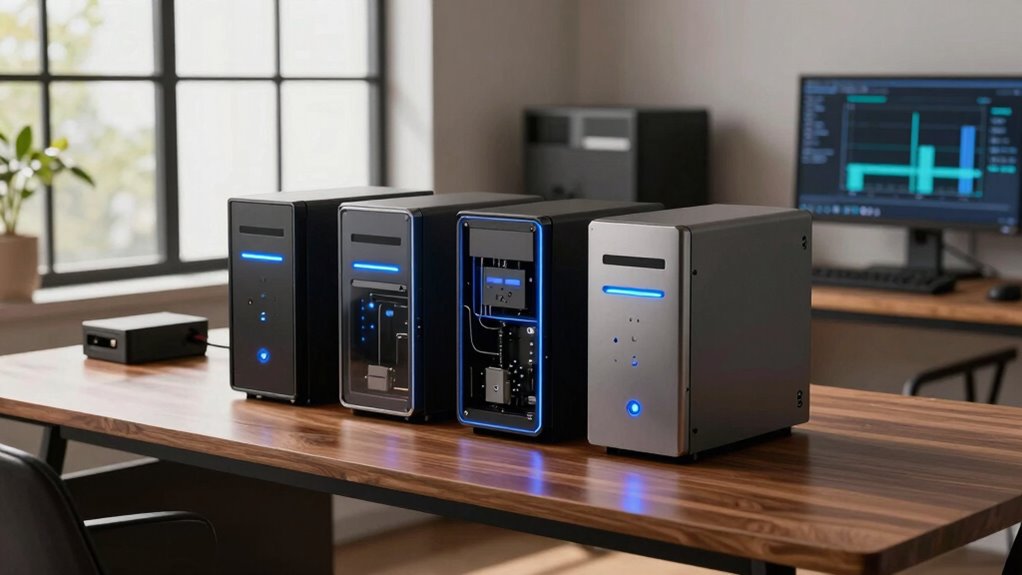

A dependable home-office backup server should gather files from the computers you use every day, keep them accessible on your network, and make recovery simpler when a device fails. My two picks approach that job differently: the Synology DS223 puts automated backup and file-management software at the center, while the ASUSTOR Drivestor 2 Gen 2 AS1202T brings faster 2.5GbE networking and tool-free drive installation to a compact two-bay enclosure.
I rank the DS223 first for most home offices because its described tools cover routine backups, shared files, collaboration, and additional backup destinations. The AS1202T is a better fit when faster transfers matter and the rest of the network can use 2.5GbE. Neither includes drives, and both have only two bays, so the choice is less about replacing a full server and more about whether software-led backup or faster local networking better matches your setup.
Complete the kit



Key Takeaways
- The Synology DS223 is my pick for most home offices that want automated backups and shared-file tools in one two-bay NAS.
- The ASUSTOR AS1202T offers 2.5GbE networking, which can help move large files faster when your router, switch, and computer support it.
- Both models are diskless, so you must choose and install compatible storage drives before either can hold backups.
- Two bays suit a modest home-office archive, but they limit storage expansion compared with larger NAS systems.
- Choose Synology for its described backup and collaboration features; choose ASUSTOR for its higher-speed network port and tool-free installation.
| Synology DS223 2-Bay Diskless NAS |  | Best Overall for Automated Home-Office Backups | Model: DS223 | Drive bays: 2 | Drive configuration: Diskless | VIEW ON AMAZON | See Our Full Breakdown |
| Asustor Drivestor 2 Gen 2 AS1202T 2-Bay NAS (Diskless) |  | Best for Faster Local Transfers | Model: AS1202T | Drive bays: 2 | Processor: Realtek RTD1619B quad-core, 1.7 GHz | VIEW ON AMAZON | See Our Full Breakdown |
| backup server for home office | Model | Drive bays | Warranty | Drive configuration |
|---|---|---|---|---|
| Synology DS223 2-Bay Diskless | DS223 | 2 | 2 years | Diskless |
| Asustor Drivestor 2 Gen 2 AS12 | AS1202T | 2 | 3-year manufacturer warranty | — |
More Details on Our Top Picks
Synology DS223 2-Bay Diskless NAS
The Synology DS223 takes my top spot because its stated feature set aligns closely with what a small office needs from a central backup server: automated backups, centralized files, private cloud access, and collaboration tools. Instead of focusing on a headline network-speed advantage, it offers a broader day-to-day workflow for keeping work documents in one place and sharing them across desktops, laptops, and phones. For a home office where several devices need a common backup destination, that software emphasis matters more than a faster port that the network may not support.
Compared with the ASUSTOR AS1202T, the DS223 is the stronger fit for buyers who want backup and file organization to lead the decision. The supplied description also mentions backup to multiple destinations, which can help users plan for more than one copy of important files. It supports IP camera monitoring as an additional use, though that feature is secondary for someone shopping specifically for a backup server. The product details do not specify processor, memory, or networking speed, so I would not choose it over the ASUSTOR on a network-throughput requirement.
The tradeoffs are clear: this is a diskless, two-bay NAS, and the drives must be purchased separately. Two bays can be adequate for a modest document archive and routine workstation backups, but they constrain growth if your office accumulates large media libraries or wants more drive slots later. Its two-year warranty is also shorter than the AS1202T’s listed three-year manufacturer warranty. I would pick the DS223 for a straightforward, software-centered backup setup, but not for buyers whose deciding factor is 2.5GbE or a longer stated warranty.
Pros:- Supports automated backups to multiple destinations
- Centralizes and shares files across desktop, laptop, and mobile devices
- Includes private cloud and collaboration features
- Can also support IP camera monitoring
Cons:- Diskless configuration means drives must be purchased separately
- Two drive bays limit future storage expansion
- Listed warranty is two years, shorter than the ASUSTOR’s stated three years
Best for: Home-office owners who want centralized files, automated backups to multiple destinations, and sharing tools for several devices.
Not ideal for: Buyers who need more than two drive bays, want a stated 2.5GbE port, or prefer a bundle that includes storage drives.
- Model:DS223
- Drive bays:2
- Drive configuration:Diskless
- Enclosure material:Metal
- Mounting:Tabletop
- Dimensions:9.15 x 4.25 x 6.5 in
- Weight:1280 g
- Warranty:2 years
Our verdict“I recommend the DS223 for most home offices because its described backup and file-sharing tools make it the more complete fit for routine multi-device data protection.”
Asustor Drivestor 2 Gen 2 AS1202T 2-Bay NAS (Diskless)
The ASUSTOR Drivestor 2 Gen 2 AS1202T is the more network-conscious option in this pair. Its 2.5GbE Ethernet port offers more link capacity than standard Gigabit Ethernet, which can be useful when a home office regularly transfers large files to and from its backup server. That advantage depends on the connected computer, router or switch, and other parts of the network supporting faster links; a lone 2.5GbE NAS port will not make every connection faster by itself.
For backup use, ASUSTOR lists personal cloud, file backup, and remote-access features through its ADM operating system. The enclosure also has three USB ports and tool-free drive installation, giving it a practical setup advantage over a conventional screw-based drive mount. Its quad-core 1.7 GHz Realtek processor is paired with 1 GB of DDR4 memory. That is the concrete hardware information provided here, but the modest memory figure is a reason to keep expectations focused on basic storage and backup duties rather than assuming it is suited to a heavy collection of simultaneous services.
Compared with the Synology DS223, the AS1202T has the clearer case for buyers who care about a faster wired link and easy drive fitting. The DS223, by contrast, has a more explicitly described set of automated multi-destination backup and collaboration features. Both are diskless two-bay units, so neither removes the need to buy storage separately, and neither gives a growing office additional bays. I would choose ASUSTOR when the 2.5GbE port fits an existing network and transfers are a priority; I would skip it if the network is Gigabit-only or the main goal is a broadly described backup-and-sharing workflow.
Pros:- 2.5GbE Ethernet can support faster transfers on a compatible network
- Tool-free drive installation simplifies fitting storage
- Personal cloud, backup, and remote-access features are listed
- Three USB ports add connection options
Cons:- Only 1 GB of installed DDR4 memory is specified
- Hard drives are not included
- The 2.5GbE benefit depends on compatible network equipment and clients
Best for: Home-office users moving large files over a network that already supports 2.5GbE and who value tool-free drive installation.
Not ideal for: Buyers with a Gigabit-only network, heavy multi-service workloads, or a need for more than two drive bays.
- Model:AS1202T
- Drive bays:2
- Processor:Realtek RTD1619B quad-core, 1.7 GHz
- Memory:1 GB DDR4 SDRAM
- Networking:2.5GbE Ethernet
- USB ports:3
- Operating system:ASUSTOR Data Master (ADM)
- Drive installation:Tool-free
- Warranty:3-year manufacturer warranty
Our verdict“I favor the AS1202T when faster local transfers and easy drive installation matter more than the DS223’s more explicitly described backup workflow.”

How We Picked
I ranked these devices around the practical needs of a home-office backup server: collecting data from multiple computers, maintaining a usable file-sharing workflow, and fitting sensibly into a small office network. The information supplied for the DS223 emphasizes automated backups to multiple destinations, private cloud access, and team collaboration. That makes it the more broadly useful recommendation for buyers whose first priority is setting up a regular backup routine rather than tuning network throughput.
I gave the AS1202T a distinct role because its 2.5GbE connection is its clearest difference. Faster networking can be useful when moving large project folders or restoring data, but only when the connected equipment and storage can take advantage of it. I also weighed each enclosure’s two-bay limit, diskless configuration, stated memory and processor details where provided, and installation convenience. Since the supplied details do not establish drive capacity, backup performance, or compatibility with every operating system, I avoid treating those as guaranteed outcomes. The ranking reflects the listed functions and fit, not hands-on testing.
| backup server for home office | Model |
|---|---|
| Synology DS223 2-Bay Diskless | DS223 |
| Asustor Drivestor 2 Gen 2 AS12 | AS1202T |
Factors to Consider When Choosing Backup Server For Home Office
Both picks are two-bay diskless NAS devices, so the central decision is not whether one arrives ready to store files; neither does. Choose based on the backup workflow you want, the speed supported by your network, and how much storage growth you expect.
Start with the backup workflow
For a home office, a backup server is useful when it can collect files from the computers you rely on and make copies part of a repeatable routine. The DS223 has the stronger stated case here: its feature description names automated backups to multiple destinations, central file organization, and collaboration. That makes it my default recommendation for buyers setting up a shared office archive. The AS1202T lists file backup and personal cloud features, but the supplied information does not describe multi-destination automation in the same detail.
Whichever NAS you select, decide what should be backed up, how often it changes, and where another copy should live. A NAS can centralize files, but a single enclosure is not a complete disaster-recovery plan on its own. Keep a separate copy of irreplaceable work somewhere else, such as another storage device or a suitable off-site service.
Match the network to your transfer needs
The AS1202T’s 2.5GbE port is the most noticeable hardware distinction. It may reduce waiting when transferring large project folders if the NAS, client computer, and intervening network equipment all support the faster connection. If your office network is limited to Gigabit Ethernet, the extra port capability may not change the experience for those devices. The supplied DS223 details do not state its network speed, so I would not assume a particular throughput comparison beyond the ASUSTOR’s listed 2.5GbE specification.
Think about your typical workload. Regular document backups often put more weight on simple scheduling and file organization than on the highest possible local transfer rate. Large photo, video, or design libraries make network capacity more relevant, but available storage drives and the rest of the network also affect the result.
Plan storage before buying a diskless enclosure
Both NAS units require you to supply drives. Work out how much space your current files need, allow room for growth, and check drive compatibility with the manufacturer before ordering. Two bays give you a compact starting point, but they place a ceiling on the number of installed drives. If you expect a rapidly expanding archive or need more physical drive slots, comparing larger-bay systems before committing can prevent an early replacement.
Drive configuration also affects usable capacity and resilience. Do not assume that two installed drives automatically provide a second independent backup; the actual arrangement depends on how the NAS is configured. Read the setup guidance and keep another copy of important work outside the NAS.
Choose the software and hardware tradeoff
I would favor the DS223’s described backup and collaboration tools when managing multiple devices and shared files is the main job. The AS1202T makes a more distinct hardware-led argument with 2.5GbE, three USB ports, a quad-core processor, and tool-free drive installation. Its listed 1 GB of memory is a modest specification, so buyers planning several demanding services should research whether the intended workload is a good match rather than treating this as a general-purpose server.
The ASUSTOR also lists a three-year manufacturer warranty, compared with two years for the DS223. Warranty length is one part of the decision, not a substitute for checking the specific support terms. I would rank the Synology first for the broadest stated home-office backup workflow and the ASUSTOR second for a more targeted fast-network use case.
Frequently Asked Questions
Do either of these backup servers include hard drives?
No. Both the Synology DS223 and ASUSTOR AS1202T are listed as diskless. You will need to buy compatible drives separately and install them before using either NAS as a storage destination.
Which model is the better choice for most home-office backups?
I would start with the DS223 for most home offices because its supplied feature description specifically includes automated backups to multiple destinations, file sharing, and collaboration. The AS1202T may be the better fit when 2.5GbE networking is a higher priority than the broader backup workflow described for Synology.
Will the ASUSTOR’s 2.5GbE port make every backup faster?
No. The faster link can help only when the other parts of the connection support it, including the computer and network equipment. A Gigabit-only router, switch, or client can limit the connection, and drive performance and file sizes also affect how long transfers take.
Are two drive bays enough for a small office?
Two bays can suit a modest collection of work documents and routine device backups, provided you plan capacity around current files and future growth. They offer less room to expand than a NAS with more bays. If your office stores large media libraries or expects rapid growth, compare higher-bay options before choosing either model.
Does a NAS replace a separate backup copy?
A NAS can give your office a central place for backups, but a single NAS should not be treated as the only copy of important work. Hardware failure, theft, damage, or accidental deletion can affect files stored there. Keep another copy on a separate device or in an appropriate off-site location, and check that you can restore files from your backup plan.
Conclusion
For the typical home-office owner, I recommend the Synology DS223: its listed automated backups, centralized file sharing, and collaboration tools make it the more rounded choice for protecting and organizing work across devices. Choose the ASUSTOR AS1202T if your network supports 2.5GbE, you often move large files, and tool-free drive installation is appealing. Both require separately purchased drives, and both stop at two bays. If you need room for substantial storage growth, I would look beyond this pair before setting up your long-term archive.