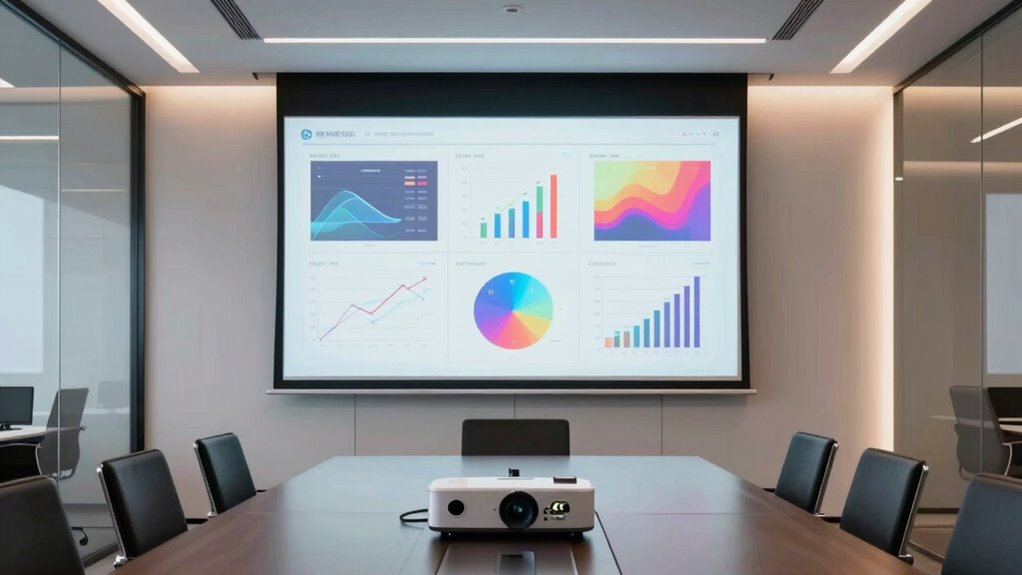

A 4K projector for a conference room should make slides legible under room lighting, connect reliably to work devices, and suit the distance available between projector and screen. My best overall pick is the 4K Projector with 5000 ANSI Brightness, VIDAA Live TV, 65W Audio, Voice Control, Short Throw, WiFi & Bluetooth, whose stated brightness and short-throw design address common meeting-room constraints. The AuKing 5100 ANSI Lumens model is another strong fit when brightness takes priority, while the GO2 White Short Throw may suit rooms where flexible placement matters more. The main tradeoffs are native resolution versus 4K input support, brightness versus portability, and smart features versus straightforward laptop use. Read on for how the six options differ and which compromise makes sense for your room.

Get the latest gadgets delivered free with Prime
- Fast, free delivery on millions of items
- Prime Video, Amazon Music and more included
- Member-only deals all year
Complete the kit



Key Takeaways
- 4K input support is not the same as native 4K resolution: several models accept a 4K signal while listing native 1080p, so buyers should check what the projector actually displays.
- Brightness separates meeting-focused options from convenience picks: the 5000- and 5100-ANSI-lumen claims on two models make them the clearest candidates for rooms that cannot be fully darkened.
- Short throw can solve a room-layout problem: the GO2 and 5000-lumen models are the options to investigate when a presenter or table may obstruct a standard projection path.
- Smart TV features are secondary in many business rooms: Android TV, Google TV, and VIDAA add standalone content access, but they do not replace checking laptop, conferencing, and presentation compatibility.
- Portability and meeting-room performance pull in different directions: the HP MC425 prioritizes portable use and USB-C power, while the brighter models are more directly aligned with fixed, ambient-lit rooms.
| VOPLLS 4K-Support Projector with WiFi 6, Bluetooth 5.2, and Dual-Channel Speakers |  | Best for Flexible Setup | Native resolution: 1920 × 1080 | 4K support: Accepts 4K signals and downscales to 1080p | Listed brightness: 4600 ANSI lumens | VIEW ON AMAZON | See Our Full Breakdown |
| AuKing 5100 ANSI Lumens 1080p Projector with 4K HDR Support, Autofocus, Dolby Audio, and Wi-Fi 6 |  | Best for Ambient-Light Flexibility | Native resolution: 1080p | 4K support: Accepts 4K input and downscales to 1080p | Brightness: 5100 ANSI lumens | VIEW ON AMAZON | See Our Full Breakdown |
| GO2 White Short Throw 4K Projector with Wi-Fi 6, Bluetooth 5.4, Auto Focus, HDR10+ and 360° Stand |  | Best for Short-Throw Placement | Projection: 4K decoding; HDR10+ | Native resolution: Not specified | Brightness: 5000 ANSI lumens claimed | VIEW ON AMAZON | See Our Full Breakdown |
| 4K Projector with 5000 ANSI Brightness, VIDAA Live TV, 65W Audio, Voice Control, Short Throw, WiFi & Bluetooth |  | Best for Native 4K Detail | Resolution: 4K (3840 × 2160) | Brightness: 5000 ANSI lumens | Throw ratio: 1:1 short throw | VIEW ON AMAZON | See Our Full Breakdown |
| HP MC425 Portable Projector with Android TV, Native 1080p, and USB-C Power |  | Best for Portable, Dark-Room Use | Native resolution: 1920 × 1080 | Maximum supported resolution: 3840 × 2160 | Brightness: 200 ISO lumens | VIEW ON AMAZON | See Our Full Breakdown |
| Google TV Smart Projector with 4K Input Support, Wi-Fi, and Bluetooth |  | Best for Streaming-First Conference Rooms | Native resolution: 1080p | 4K support: 4K UHD input decoding | Brightness: 2500 ANSI lumens; listing also advertises 45,000 lumens | VIEW ON AMAZON | See Our Full Breakdown |
| 4k projector for conference room | Native resolution | Brightness | Wireless connectivity | Audio |
|---|---|---|---|---|
| VOPLLS 4K-Support Projector wi | 1920 × 1080 | — | WiFi 6, Bluetooth 5.2 | Dual-channel speakers; 70 watts listed |
| AuKing 5100 ANSI Lumens 1080p | 1080p | 5100 ANSI lumens | Wi-Fi 6, Bluetooth 5.2 | Dolby Audio |
| GO2 White Short Throw 4K Proje | Not specified | 5000 ANSI lumens claimed | Wi-Fi 6, two-way Bluetooth 5.4 | 65W 360° speaker with Dolby Audio |
| 4K Projector with 5000 ANSI Br | — | 5000 ANSI lumens | — | 65W stereo speakers; Dolby-supported |
| HP MC425 Portable Projector wi | 1920 × 1080 | 200 ISO lumens | Wi-Fi 6, Bluetooth 5.4 | — |
| Google TV Smart Projector with | 1080p | 2500 ANSI lumens; listing also advertises 45,000 lumens | — | — |
More Details on Our Top Picks
VOPLLS 4K-Support Projector with WiFi 6, Bluetooth 5.2, and Dual-Channel Speakers
The VOPLLS is a better fit for a conference room that needs easy repositioning than one that needs true 4K detail. It accepts 4K signals but displays at native 1080p, so fine spreadsheet text and dense slides will not have the sharpness of a genuine 4K projector. Its auto focus, auto keystone, and 360° stand can simplify setup when the projector moves between rooms or surfaces. Built-in Prime Video and YouTube are convenient for non-meeting use, while WiFi 6, AirPlay, Miracast, and DLNA offer several ways to share content. Compared with the AuKing, it has a lower listed brightness figure; its listed 70-watt speakers may suit a small room, but the brightness figures vary slightly across the product information. I would skip it for presentations in bright rooms or where native 4K is a firm requirement.
Pros:- Auto focus and automatic keystone correction reduce manual setup when repositioning.
- The 360° stand gives flexibility for projecting at different angles.
- WiFi 6, AirPlay, Miracast, and DLNA provide multiple wireless sharing options.
- Built-in Prime Video and YouTube support non-meeting use without a separate streaming device.
Cons:- Native resolution is 1920 × 1080; 4K input is downscaled.
- The listed brightness figures differ slightly between product details.
- The listed brightness is lower than the AuKing’s, which may make it less suitable for rooms with ambient light.
Best for: Small teams that move a projector between rooms and want flexible wireless mirroring, automatic setup, and built-in streaming.
Not ideal for: Teams presenting detailed charts in bright conference rooms or buyers who need a confirmed native 4K display.
- Native resolution:1920 × 1080
- 4K support:Accepts 4K signals and downscales to 1080p
- Listed brightness:4600 ANSI lumens
- Display type:LCD
- Wireless connectivity:WiFi 6, Bluetooth 5.2
- Projection distance:3.2–16.9 feet
- Stand:360° rotatable
- Audio:Dual-channel speakers; 70 watts listed
Our verdict“Choose the VOPLLS for portable, flexible setup in smaller rooms, but not for native 4K presentation detail or bright-room use.”
AuKing 5100 ANSI Lumens 1080p Projector with 4K HDR Support, Autofocus, Dolby Audio, and Wi-Fi 6
Among the native-1080p options here, the AuKing makes the strongest case for a conference room that cannot be fully darkened: its 5100 ANSI lumens are a higher listed figure than the VOPLLS, though real results depend on room light and setup. That extra brightness may help slides remain easier to see, but it does not change the resolution limit: 4K input is downscaled to 1080p. TOF autofocus, which is listed at 0.2 seconds, and automatic keystone correction reduce adjustment time when the unit is moved. Its foldable, removable stand adds placement flexibility, while Dolby Audio and built-in apps broaden its use beyond meetings. Compared with the VIDAA projector, the AuKing does not claim native 4K; I would favor it for practical setup and brighter-room flexibility, not maximum image detail.
Pros:- Its 5100 ANSI lumen listing is higher than the VOPLLS’s listed brightness.
- TOF autofocus is listed at 0.2 seconds, helping speed up setup.
- Automatic keystone correction and a foldable, removable stand support flexible placement.
- Built-in streaming apps and screen mirroring add options for non-PC content.
Cons:- Native resolution is 1080p, with 4K input downscaled rather than displayed natively.
- Image brightness and clarity can vary with ambient light and installation.
- The product details do not specify speaker wattage, making room-filling audio harder to judge.
Best for: Teams using a movable projector for slides and video in rooms with some ambient light, where fast setup matters more than native 4K.
Not ideal for: Buyers who need native 4K text detail, or teams expecting consistent image quality in strongly lit rooms without checking their setup.
- Native resolution:1080p
- 4K support:Accepts 4K input and downscales to 1080p
- Brightness:5100 ANSI lumens
- Color gamut:99.8%
- Autofocus:TOF autofocus listed at 0.2 seconds
- Audio:Dolby Audio
- Wireless connectivity:Wi-Fi 6, Bluetooth 5.2
- Stand:Removable and foldable; rotates 360° and tilts 180°
Our verdict“Pick the AuKing when listed brightness and quick repositioning matter more than native 4K resolution.”
GO2 White Short Throw 4K Projector with Wi-Fi 6, Bluetooth 5.4, Auto Focus, HDR10+ and 360° Stand
The GO2’s 1:1 throw ratio gives it a useful role in rooms where placing a projector well behind the audience is difficult. Its listed 100-inch recommended image size and 5000 ANSI lumen claim point toward a large, flexible setup, while AI autofocus, keystone correction, and obstacle avoidance can reduce placement adjustments. It also has a 65-watt speaker, HDMI ARC, and built-in Chromecast, so it can handle wireless presentations and other content with fewer add-ons. Compared with the AuKing, the GO2 adds short-throw positioning and obstacle avoidance, but its listing does not state native resolution. That omission matters for conference slides: “4K decoding” alone does not confirm a native 4K image. I would verify resolution and test text sharpness before choosing it for detailed presentations.
Pros:- The 1:1 throw ratio supports a large image from a shorter placement distance.
- AI autofocus, keystone correction, and obstacle avoidance can simplify setup.
- Built-in Chromecast and listed licensed apps support wireless content access.
- A 65-watt speaker and HDMI ARC offer built-in and external audio options.
Cons:- The product details do not specify native resolution, leaving presentation sharpness unclear.
- The 5000 ANSI lumen and contrast claims are listing figures, not independently verified results.
- Its broad 50–500-inch image-size range does not establish that every size will suit a conference room.
Best for: Teams with limited room depth that want flexible placement, built-in casting, and a large image for mixed presentation and video use.
Not ideal for: Buyers who need clearly specified native 4K resolution or independently verified brightness for a bright conference room.
- Projection:4K decoding; HDR10+
- Native resolution:Not specified
- Brightness:5000 ANSI lumens claimed
- Throw ratio:1:1
- Recommended image size:100 inches
- Audio:65W 360° speaker with Dolby Audio
- Wireless connectivity:Wi-Fi 6, two-way Bluetooth 5.4
- Setup features:AI autofocus, auto keystone, obstacle avoidance
Our verdict“Consider the GO2 when short-throw placement is the priority, but confirm its native resolution before using it for text-heavy meetings.”
4K Projector with 5000 ANSI Brightness, VIDAA Live TV, 65W Audio, Voice Control, Short Throw, WiFi & Bluetooth
Of these five, this is the clearest match for buyers prioritizing native 4K resolution: the listing specifies 3840 × 2160, unlike the VOPLLS and AuKing, which accept 4K input but display at 1080p. Its 1:1 short-throw ratio is also useful when a conference room cannot spare much space between projector and screen. The listed 5000 ANSI lumens and 65-watt stereo speakers could support a large presentation without separate audio, while VIDAA adds apps and live channels for non-meeting use. The tradeoff is that the product description says it is not suited to bright or well-lit rooms, so its brightness figure should not be read as a guarantee of strong daylight performance. The GO2 shares a 1:1 throw ratio, but this model provides a stated native resolution; I would still confirm image quality in the intended room.
Pros:- The listed 3840 × 2160 resolution distinguishes it from the 1080p VOPLLS and AuKing.
- A 1:1 short-throw ratio can create a large image with limited room depth.
- VIDAA OS, voice control, and listed live-TV options support use beyond presentations.
- The listed 65-watt stereo speakers may reduce the need for a separate sound system.
Cons:- The product description says it is not suitable for bright or well-lit rooms.
- The 5000 ANSI lumen figure does not by itself establish usable brightness in a specific room.
- Its entertainment-focused apps and channels may add little value to a projector used only for meetings.
Best for: Teams that need specified native 4K detail for charts and text and have a room where lighting can be controlled.
Not ideal for: Buyers who present in bright, sunlit rooms or need a projector with documented performance under substantial ambient light.
- Resolution:4K (3840 × 2160)
- Brightness:5000 ANSI lumens
- Throw ratio:1:1 short throw
- Image size:50–500 inches; 100 inches listed as optimal
- Audio:65W stereo speakers; Dolby-supported
- Operating system:VIDAA OS
- Ports:2× HDMI 2.1, 2× USB, AV, 3.5 mm headphone jack
- Control methods:Voice control, smartphone app, parental control mode
Our verdict“Choose this model for stated native 4K detail and short-throw placement if your conference room lighting can be controlled.”
HP MC425 Portable Projector with Android TV, Native 1080p, and USB-C Power
The HP MC425 is the portable outlier here, not a conventional conference-room projector for large groups. Its 200 ISO lumens make it better suited to a dark room or a small impromptu presentation than to a meeting space with lights on; the AuKing and VOPLLS have much higher listed brightness figures. The payoff is genuine portability: USB-C PD 3.0 power lets it run from a compatible power bank rated at 65 watts or higher, and its 90° rotating design supports flexible projection angles. Native resolution remains 1080p despite 4K input support, so it will not match the VIDAA model’s stated 4K resolution for fine detail. I’d choose it for travel and small audiences, but skip it as the main projector for a shared conference room.
Pros:- USB-C PD 3.0 power supports use with compatible power banks rated at 65W or higher.
- Android 14 provides built-in apps without requiring a separate streaming device.
- Auto focus and auto keystone correction can reduce setup work while traveling.
- The 90° rotating design allows flexible projection angles.
Cons:- Its 200 ISO lumen brightness is a poor fit for rooms with ambient light.
- Native resolution is 1920 × 1080; 4K input is supported but not displayed natively.
- Power banks below 65W cannot operate the projector.
Best for: Traveling presenters and small teams who need a compact projector for dark rooms and can supply a 65W-or-higher USB-C power bank.
Not ideal for: Conference-room buyers who need a bright image with lights on, native 4K detail, or a large-screen presentation for a group.
- Native resolution:1920 × 1080
- Maximum supported resolution:3840 × 2160
- Brightness:200 ISO lumens
- Throw ratio:0.8:1
- Image size:60–130 inches
- Power input:USB-C PD 3.0, 20V / 3.25A
- Compatible power bank:65W or higher
- Wireless connectivity:Wi-Fi 6, Bluetooth 5.4
Our verdict“Pick the MC425 for portable use in dark, small-room settings, not as a bright primary projector for conference meetings.”
Google TV Smart Projector with 4K Input Support, Wi-Fi, and Bluetooth
I’d choose this model for a small conference room where quick setup and built-in streaming matter more than displaying fine text at true 4K resolution. It accepts 4K input, but its native resolution is 1080p, so presentation details won’t be as sharp as they would on a native 4K projector. Google TV, voice control, autofocus, and automatic keystone correction make it easier to start a meeting or show a video without adding much equipment. Compared with the HP MC425, this projector adds a rotating stand and dual 10W speakers; the HP’s USB-C power is a more presentation-focused portability feature. The stand and screen fitting offer flexible placement, but the listing’s conflicting brightness claims make it hard to judge performance in rooms with substantial ambient light.
Pros:- Google TV provides access to streaming apps without a separate media device.
- Autofocus, automatic keystone correction, and screen fitting reduce manual setup.
- Detachable 360° rotating stand gives more placement flexibility than a fixed stand.
- Dual 10W speakers can handle basic meeting audio without external speakers.
Cons:- Native 1080p resolution does not deliver the fine detail of a native 4K projector.
- The listing gives conflicting brightness figures, making room-light suitability difficult to assess.
- Built-in streaming features may add little value in managed conference rooms that restrict app access.
Best for: Small teams that want built-in Google TV, simple automatic setup, and a projector for slides and video in a dim or controlled-light meeting room.
Not ideal for: Teams presenting dense spreadsheets or detailed technical diagrams, or rooms with strong daylight, since the image is native 1080p and the brightness listing is inconsistent.
- Native resolution:1080p
- 4K support:4K UHD input decoding
- Brightness:2500 ANSI lumens; listing also advertises 45,000 lumens
- Operating system:Google TV
- Connectivity:Wi-Fi, Bluetooth, Google TV Cast
- Image adjustment:Autofocus, automatic keystone correction, intelligent screen fitting
- Speakers:Dual 10W stereo speakers
- Stand:Detachable 360° rotating stand
Our verdict“Choose it for easy setup and built-in streaming in a small, controlled-light room, but skip it when native 4K detail or dependable brightness information is a priority.”

How We Picked
I compared the six projectors by how well their stated capabilities map to actual conference-room needs: readable slides with ambient light, resolution clarity, placement flexibility, connectivity, audio, and ease of setup. I treated native resolution and 4K input support as separate claims, since accepting a 4K source does not mean the projector displays at native 4K. I also gave more weight to stated ANSI brightness for meeting use than to entertainment features such as built-in TV platforms.
The ranking favors models with the strongest stated fit for shared rooms, especially higher brightness and short-throw placement options. The 5000 ANSI short-throw model leads for its combination of room-oriented brightness, placement flexibility, and built-in audio; AuKing follows closely on its brightness claim and setup aids. The GO2 earns a place for short-throw flexibility, while VOPLLS and Google TV models lean more toward general-purpose smart projection. The HP MC425 is the portability pick, not the default choice for a fixed conference room. Product names and supplied specifications are the basis of these comparisons; buyers should confirm exact resolution, ports, and compatibility before purchase.
| 4k projector for conference room | Wireless connectivity |
|---|---|
| VOPLLS 4K-Support Projector wi | WiFi 6, Bluetooth 5.2 |
| AuKing 5100 ANSI Lumens 1080p | Wi-Fi 6, Bluetooth 5.2 |
| GO2 White Short Throw 4K Proje | Wi-Fi 6, two-way Bluetooth 5.4 |
| 4K Projector with 5000 ANSI Br | — |
| HP MC425 Portable Projector wi | Wi-Fi 6, Bluetooth 5.4 |
| Google TV Smart Projector with | — |
Factors to Consider When Choosing 4k Projector For Conference Room
Conference rooms create different demands from living rooms: slides contain small text, people may sit far from the screen, and meetings often start before anyone has time to darken the space. I would begin with the room and the devices people bring, then decide which projector features solve those constraints rather than treating a 4K label as the deciding factor.
Check Native Resolution, Not Just 4K Support
A projector described as supporting 4K may accept a 4K source and then display it at a lower native resolution. That distinction matters when slides include fine charts, small labels, or detailed spreadsheets. Ask for the native resolution and confirm whether the product is suitable for the image size and viewing distance in your room. A sharp, well-sized 1080p image can be more useful than a nominal 4K input feature paired with other room mismatches. Avoid choosing based on the source format alone; the displayed image is what attendees will see.
Match Brightness to the Room You Actually Use
Projector brightness claims are most useful when they use a comparable measurement, such as ANSI lumens, but they do not tell the whole story about image quality. A room with windows, ceiling lights, or note-taking needs more usable light output than a space that can be darkened. Screen size also affects perceived brightness: enlarging the image spreads the light over a larger area. Before buying, note whether blinds can be closed and whether lights near the screen can be switched off independently. Do not assume a projector will overcome daylight simply because its specification sounds high.
Measure Throw Distance and Presenter Movement
Measure from the intended projector position to the screen before comparing short-throw claims. A short-throw design can help in a narrow room or keep people from crossing the beam, but its supported image size and distance still need to fit your layout. Think about where the presenter stands, where a conference table sits, and whether the projector can be mounted or must remain on a table. Keystone correction and autofocus can simplify setup, yet heavy image correction may affect image geometry or clarity. A quick room sketch can prevent buying a capable projector that cannot be positioned sensibly.
Prioritize Work-Device Connectivity Over Smart Apps
Conference rooms commonly need a dependable path from laptops, meeting-room PCs, or shared presentation devices. Confirm the available ports and wireless presentation methods against the devices employees actually use; Wi-Fi and Bluetooth labels alone do not establish support for every casting or conferencing workflow. Built-in Google TV, Android TV, or VIDAA can be handy for standalone content, but those platforms may add little to a room where presentations always come from a laptop. Check whether an adapter is needed for USB-C or other device outputs, and whether that adapter supports the desired video signal. A simple, repeatable connection often matters more than a long list of streaming apps.
Treat Built-In Audio as a Room-Size Tradeoff
Integrated speakers can cover a small huddle room or a quick presentation, reducing setup time and extra equipment. They are less likely to serve a large room evenly, especially when people sit far from the projector or discussions involve remote participants. Projector placement also affects where sound comes from, which can make speech feel disconnected from the screen. Decide whether the room already has conferencing audio or a sound system before paying extra attention to speaker wattage. For hybrid meetings, prioritize compatibility with the room’s microphone and speaker setup instead of assuming the projector’s audio will handle the whole call.
Choose Portability Only If the Room Needs It
A compact unit with USB-C power can be a practical choice for staff who carry a projector between rooms or present at client sites. A fixed conference room has different priorities: consistent placement, higher brightness, straightforward cable access, and serviceable long-term installation may matter more than low weight. Portable models may also rely on smaller power arrangements or have fewer room-specific features, so check the exact setup requirements. If the projector will stay in one room, compare the cost of convenience against brightness and placement performance. If it travels every week, a modest compromise in fixed-room capability may be worthwhile.
Frequently Asked Questions
Does a conference-room projector need native 4K for presentations?
Not always. Many presentations are readable at 1080p when the image is correctly sized and attendees sit at a reasonable distance, while dense spreadsheets, fine diagrams, and detailed visuals benefit more from added resolution. Check the projector’s native resolution rather than relying on the phrase 4K support, which can refer only to accepted input. Also confirm your presentation computer can output the resolution and refresh rate you plan to use. For a shared room, clear text and adequate brightness can matter more than a 4K source label.
Can I use a 4K-capable projector in a bright meeting room?
Possibly, but 4K capability does not indicate how well an image holds up with lights on. Compare verified brightness specifications and consider screen size, window exposure, and whether some lights can be dimmed. The listed 5000- and 5100-ANSI-lumen models in this roundup are the clearest starting points for brighter spaces, though the room itself still affects results. If the screen is large or sunlight reaches it directly, even a high brightness claim may not deliver comfortable viewing. A controlled demonstration in lighting similar to your room is the best way to settle a close decision.
Is a short-throw projector better for a conference room?
It is better when limited depth, presenter shadows, or traffic through the projection beam is a real problem. It is not automatically better for every room: the throw range must match the screen size and installation position, and the projector still needs suitable brightness. Measure the space rather than assuming any short-throw model will fit. Also check whether a table, ceiling mount, or presenter position blocks ventilation or access to connections. A standard-throw projector can be the simpler choice when the room already has ample distance and a fixed mount.
Should I rely on a projector’s built-in Wi-Fi or smart TV platform for meetings?
Built-in wireless and smart platforms can simplify occasional presentations or standalone media playback, but workplace meetings need reliable compatibility with company laptops and conferencing tools. Confirm supported casting methods, network restrictions, and whether the device allows the apps your organization uses. Many business networks limit connections between devices, which can make wireless presentation less convenient than expected. Keeping a wired connection available gives presenters a fallback when pairing or network access fails. Treat smart features as a convenience, not proof that the projector will work with every meeting setup.
What should I check before replacing a conference-room projector?
Record the existing screen size, projector-to-screen distance, mount position, cable types, and room lighting before selecting a replacement. Check whether the current system uses a receiver, switcher, ceiling cable, or conferencing equipment that affects compatibility. Confirm the new model’s physical dimensions, ventilation needs, and access to power and inputs at the planned location. If the old image was hard to read, identify whether the cause was low brightness, poor focus, excessive ambient light, or small text; a new projector may not fix every issue. These checks can prevent a replacement that fits the product brief but disrupts the room’s established workflow.
Conclusion
For a room that needs a strong balance of brightness and placement flexibility, I would choose the 5000 ANSI Brightness short-throw model as the best overall fit, subject to confirming its native resolution and connections. The AuKing 5100 ANSI Lumens is my best value-oriented pick for buyers who put bright-room use and setup aids first, while the same 5000-lumen model is the best premium-style choice here for a fixed room where its short-throw design and 65W audio are useful. For beginners, the Google TV Smart Projector offers a familiar smart-platform route, though I would verify its brightness and native resolution for formal presentations. Choose the GO2 White Short Throw for a tight layout, the HP MC425 when portability and USB-C power matter most, and the VOPLLS for a general-purpose smart projector with Wi-Fi 6 and dual-channel speakers. My final check before purchase would be the room’s throw distance, actual ambient light, and the projector’s native resolution—not the 4K label alone.
Halloween Picks
halloween
As an affiliate, we earn on qualifying purchases.