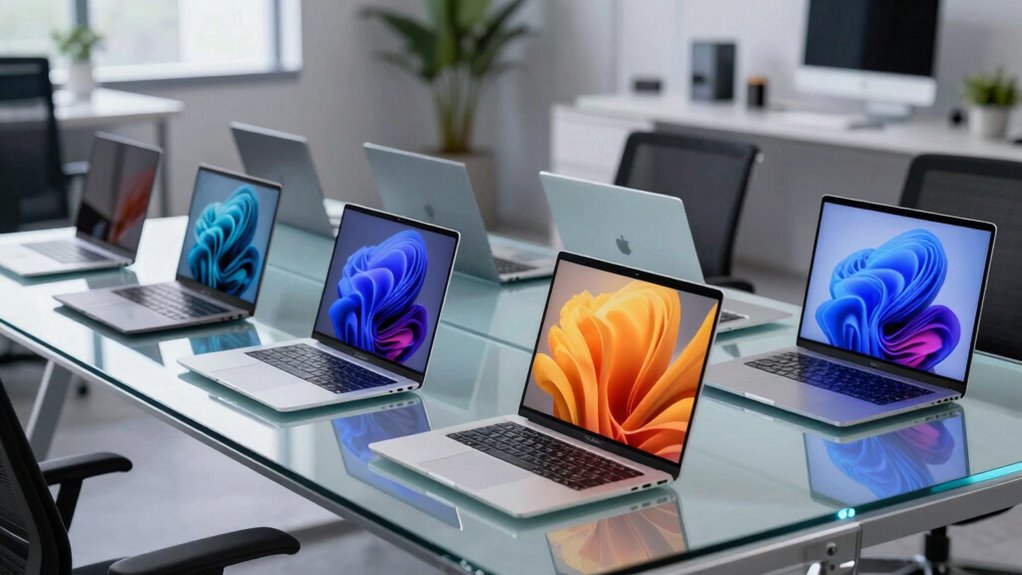
A 16-inch productivity laptop gives you more room for documents and multitasking, but the right choice depends on whether you value speed, display quality, memory, or a lower-cost setup. My best overall pick is the Dell 16 Plus with Intel Core Ultra 9, 32GB RAM, and 1TB SSD, thanks to its strongest listed memory and storage combination. The HP OmniBook 5 stands out for its 2K OLED screen, while the Samsung Galaxy Book6 is another option for buyers drawn to a touchscreen model. The main tradeoffs across this group are 8GB versus 16GB or 32GB of memory, basic versus higher-end processors, and storage capacity. Read on for the full comparison and advice on matching these options to your work.

Get the latest gadgets delivered free with Prime
- Fast, free delivery on millions of items
- Prime Video, Amazon Music and more included
- Member-only deals all year
Complete the kit



Key Takeaways
The Dell 16 Plus with Core Ultra 9 leads on listed specifications: it is the only model here with 32GB RAM and pairs that with a 1TB SSD, a useful combination for heavy multitasking and larger working files.
The HP OmniBook 5 prioritizes screen quality over maximum memory, pairing a 2K OLED display with 16GB RAM and 512GB storage; it suits display-focused work better than the 8GB configurations.
Several lower-spec options share 8GB RAM, including both HP OmniBook 3 listings and the Lenovo IdeaPad Slim 3 models, making memory the key limit to weigh for sustained multitasking.
Storage separates near-identical Lenovo configurations: the IdeaPad Slim 3 is listed with either 256GB or 512GB, while the Lenovo business models offer 512GB or 1TB alongside 16GB RAM.
Processor labels alone do not tell the whole story: the lineup includes Snapdragon X, AMD Ryzen, Intel Core 7, Core i5, and Core Ultra 9 options, so buyers should compare the complete configuration and their software needs.
| HP OmniBook 5 16-inch Laptop, Snapdragon X X1-26-100, 16 GB RAM, 512 GB SSD, 2K OLED Display, Windows 11 Home, Glacier Silver |  | Best for Battery-Focused Work | Display: 16-inch OLED, 1920 × 1200, 300 nits, 95% DCI-P3 | Processor: Snapdragon X X1-26-100, 8 cores, up to 2.97 GHz | Graphics: Integrated Qualcomm Adreno GPU | VIEW ON AMAZON | See Our Full Breakdown |
| Samsung Galaxy Book6 16-Inch Touchscreen Laptop |  | Best for Touchscreen Productivity | Display: 16-inch IPS LED touchscreen, 1920 × 1200, 120Hz, 350 nits | Processor: Intel Core Ultra 7 355 | Memory: 16GB LPDDR5X | VIEW ON AMAZON | See Our Full Breakdown |
| HP OmniBook 3 16 inch Laptop PC, 2K Touchscreen, AMD Ryzen 3 30, 8 GB RAM, 512 GB SSD, AMD Radeon 610M GPU, Windows 11 Home, Mica Silver, 16-by0299nr |  | Best for Everyday Touchscreen Tasks | Display: 16-inch IPS touchscreen, 1920 × 1200, 300 nits, 62.5% sRGB | Processor: AMD Ryzen 3 7320U, 4 cores, up to 4.1 GHz | Graphics: Integrated AMD Radeon 610M | VIEW ON AMAZON | See Our Full Breakdown |
| Dell 16 Plus 16-inch Touchscreen Laptop with Intel Core Ultra 9 288V, 32GB RAM, and 1TB SSD |  | Best for Heavy Multitasking | Display: 16-inch FHD+ touchscreen, 1920 × 1200, 16:10, 300 nits | Processor: Intel Core Ultra 9 288V, up to 5.1 GHz | Graphics: Integrated Intel Arc 140V | VIEW ON AMAZON | See Our Full Breakdown |
| Lenovo IdeaPad Slim 3 16-Inch Laptop, Intel Core i5-13420H, 8GB RAM, 256GB SSD |  | Best for Port Variety | Display: 16-inch WUXGA IPS, 1920 × 1200, 300 nits, 60Hz | Processor: Intel Core i5-13420H, 8 cores, up to 4.6 GHz | Graphics: Integrated Intel UHD Graphics | VIEW ON AMAZON | See Our Full Breakdown |
| Dell 16 Plus Touchscreen Laptop, Intel Core 7 150U, 16GB DDR5 RAM, 512GB SSD |  | Best Touchscreen for Everyday Work | Processor: Intel Core 7 150U | Memory: 16GB DDR5 RAM | Storage: 512GB SSD | VIEW ON AMAZON | See Our Full Breakdown |
| Lenovo IdeaPad Slim 3 16-Inch Laptop, Intel Core i5-13420H, 8GB RAM, 512GB SSD |  | Best for Budget-Conscious Students | Processor: Intel Core i5-13420H, 8 cores/12 threads, up to 4.6GHz | Memory: 8GB DDR5-4800 | Storage: 512GB M.2 PCIe NVMe SSD | VIEW ON AMAZON | See Our Full Breakdown |
| Lenovo 16″ Business Laptop, 16GB RAM, 1TB SSD, Intel 8-Core i5-13420H | | Best for Large Local Storage | Processor: Intel Core i5-13420H, 8 cores/12 threads, up to 4.6GHz | Memory: 16GB DDR5-4800 | Storage: 1TB PCIe 4.0×4 NVMe SSD | VIEW ON AMAZON | See Our Full Breakdown |
| HP OmniBook 3 16 inch Laptop PC, 2K Touchscreen, AMD Ryzen 5 40, 8 GB RAM, 512 GB SSD, AMD Radeon 610M GPU, Windows 11 Home, Glacier Silver, 16-by0499nr |  | Best for Video Calls and Touch Use | Processor: AMD Ryzen 5 7520U, 4 cores/8 threads, up to 4.3GHz | Memory: 8GB onboard LPDDR5-5500 | Storage: 512GB PCIe NVMe M.2 SSD | VIEW ON AMAZON | See Our Full Breakdown |
| Lenovo 16″ Business Laptop, 16GB RAM, 512GB SSD, Intel 8-Core i5-13420H | | Best Balanced Performance Pick | Processor: Intel Core i5-13420H, 8 cores/12 threads, up to 4.6GHz | Memory: 16GB DDR5-4800 | Storage: 512GB PCIe 4.0×4 NVMe SSD | VIEW ON AMAZON | See Our Full Breakdown |
| inch productivity laptop | Display | Processor | Memory | Storage |
|---|---|---|---|---|
| HP OmniBook 5 16-inch Laptop | 16-inch OLED, 1920 × 1200, 300 nits, 95% DCI-P3 | Snapdragon X X1-26-100, 8 cores, up to 2.97 GHz | 16GB LPDDR5x-8448, onboard | 512GB PCIe Gen4 NVMe M.2 SSD |
| Samsung Galaxy Book6 16-Inch T | 16-inch IPS LED touchscreen, 1920 × 1200, 120Hz, 350 nits | Intel Core Ultra 7 355 | 16GB LPDDR5X | 1TB PCIe SSD; dual M.2 support |
| HP OmniBook 3 16 inch Laptop P | 16-inch IPS touchscreen, 1920 × 1200, 300 nits, 62.5% sRGB | AMD Ryzen 3 7320U, 4 cores, up to 4.1 GHz | 8GB LPDDR5-5500, onboard (detailed specifications) | 512GB PCIe NVMe M.2 SSD |
| Dell 16 Plus 16-inch Touchscre | 16-inch FHD+ touchscreen, 1920 × 1200, 16:10, 300 nits | Intel Core Ultra 9 288V, up to 5.1 GHz | 32GB LPDDR5X | 1TB PCIe SSD |
| Lenovo IdeaPad Slim 3 16-Inch | 16-inch WUXGA IPS, 1920 × 1200, 300 nits, 60Hz | Intel Core i5-13420H, 8 cores, up to 4.6 GHz | 8GB DDR5 | 256GB PCIe 4.0 NVMe SSD |
| Dell 16 Plus Touchscreen Lapto | 16-inch IPS touchscreen, 1920 x 1200 | Intel Core 7 150U | 16GB DDR5 RAM | 512GB SSD |
| Lenovo IdeaPad Slim 3 16-Inch | 16-inch WUXGA IPS, 1920 x 1200, 300 nits, 60Hz | Intel Core i5-13420H, 8 cores/12 threads, up to 4.6GHz | 8GB DDR5-4800 | 512GB M.2 PCIe NVMe SSD |
| Lenovo 16" Business Laptop | 16-inch WUXGA IPS, 1920 x 1200, 300 nits, 45% NTSC | Intel Core i5-13420H, 8 cores/12 threads, up to 4.6GHz | 16GB DDR5-4800 | 1TB PCIe 4.0×4 NVMe SSD |
| HP OmniBook 3 16 inch Laptop P | 16-inch IPS touchscreen, 1920 x 1200, 300 nits, anti-glare | AMD Ryzen 5 7520U, 4 cores/8 threads, up to 4.3GHz | 8GB onboard LPDDR5-5500 | 512GB PCIe NVMe M.2 SSD |
| Lenovo 16" Business Laptop | 16-inch WUXGA IPS, 1920 x 1200, 300 nits, 45% NTSC | Intel Core i5-13420H, 8 cores/12 threads, up to 4.6GHz | 16GB DDR5-4800 | 512GB PCIe 4.0×4 NVMe SSD |
More Details on Our Top Picks
HP OmniBook 5 16-inch Laptop, Snapdragon X X1-26-100, 16 GB RAM, 512 GB SSD, 2K OLED Display, Windows 11 Home, Glacier Silver
The HP OmniBook 5 suits people who want a roomy 16-inch workspace without giving up portability: its 3.5-pound aluminum design is lighter than the Samsung Galaxy Book6 and its claimed battery runtime is longer. The OLED panel offers richer color than the IPS screens on the Galaxy Book6 and Dell 16 Plus, which makes documents, video, and presentation material more vivid. Its 16GB of memory and 512GB SSD cover everyday office multitasking, while the Snapdragon X platform favors efficient, quiet productivity over graphics-heavy work. That efficiency comes with a compatibility caveat: buyers relying on specialized Windows software should check that it supports this processor architecture. The memory is onboard, so it cannot be upgraded later, and 512GB is less storage than Samsung or Dell provide.
Pros:- 16-inch OLED panel with 95% DCI-P3 color coverage
- 3.5-pound weight is low for a 16-inch laptop
- 16GB memory and 512GB PCIe Gen4 SSD suit routine multitasking
- FHD IR camera supports Windows Hello and includes a privacy shutter
Cons:- Onboard memory cannot be upgraded
- 512GB storage is less than the 1TB drives in the Samsung Galaxy Book6 and Dell 16 Plus
- Snapdragon processor compatibility may be a concern for some specialized Windows software
Best for: Mobile office workers who value a lightweight 16-inch OLED screen and long claimed battery life for browser, document, and video-call work.
Not ideal for: People running specialized Windows applications that may not support Snapdragon processors, or buyers who need upgradeable memory or 1TB of storage.
- Display:16-inch OLED, 1920 × 1200, 300 nits, 95% DCI-P3
- Processor:Snapdragon X X1-26-100, 8 cores, up to 2.97 GHz
- Graphics:Integrated Qualcomm Adreno GPU
- Memory:16GB LPDDR5x-8448, onboard
- Storage:512GB PCIe Gen4 NVMe M.2 SSD
- Operating system:Windows 11 Home
- Wireless:Wi-Fi 6E, Bluetooth 5.3
- Weight and battery:3.5 pounds; claimed up to 34 hours 45 minutes
Our verdict“Choose the OmniBook 5 for a lighter 16-inch OLED work laptop with a strong claimed battery life, provided your software runs well on Snapdragon.”
Samsung Galaxy Book6 16-Inch Touchscreen Laptop
The Galaxy Book6 is the best fit here for buyers who want a smooth 120Hz touchscreen and Windows 11 Pro in a mainstream productivity laptop. The higher refresh rate makes scrolling and pen-free touch interactions feel more fluid than on the 60Hz panels listed for the Lenovo IdeaPad Slim 3 and HP OmniBook 5. Its 1TB SSD also gives it twice the listed capacity of the OmniBook 5, while dual M.2 support offers a path to storage expansion. The Intel Core Ultra 7 355 and 16GB of memory suit everyday multitasking, and Galaxy AI and Copilot+ features add software tools for compatible workflows. The tradeoff is weight: at 4.06 pounds, it is heavier than the HP options here. Its battery figure is a stated maximum, not a guarantee for every workload.
Pros:- 16-inch FHD+ touchscreen with a 120Hz refresh rate
- 1TB SSD provides more built-in storage than the HP OmniBook 5
- Dual M.2 support allows storage expansion
- Windows 11 Pro and listed Copilot+ PC and Galaxy AI features
Cons:- 4.06-pound weight is higher than the HP OmniBook 5 and HP OmniBook 3
- 16GB memory is less than the Dell 16 Plus’s 32GB
- Up to 24 hours of battery life is a maximum claim rather than a workload-specific figure
Best for: Office users who want a large, responsive touchscreen, Windows 11 Pro, and room for a sizable local file library.
Not ideal for: Frequent commuters prioritizing low carry weight, or buyers who need 32GB of memory for particularly heavy multitasking.
- Display:16-inch IPS LED touchscreen, 1920 × 1200, 120Hz, 350 nits
- Processor:Intel Core Ultra 7 355
- Memory:16GB LPDDR5X
- Storage:1TB PCIe SSD; dual M.2 support
- Operating system:Windows 11 Pro
- Features:Copilot+ PC and Galaxy AI
- Connectivity:Wi-Fi AX, USB-C, USB-A, HDMI
- Weight and battery:4.06 pounds; claimed up to 24 hours
Our verdict“Pick the Galaxy Book6 if a 120Hz touchscreen, Windows 11 Pro, and 1TB of storage matter more than minimizing carry weight.”
HP OmniBook 3 16 inch Laptop PC, 2K Touchscreen, AMD Ryzen 3 30, 8 GB RAM, 512 GB SSD, AMD Radeon 610M GPU, Windows 11 Home, Mica Silver, 16-by0299nr
The HP OmniBook 3 keeps the essentials for basic 16-inch productivity: a 1920 × 1200 touchscreen, a numeric keypad, and a 512GB SSD. Its 3.6-pound chassis is lighter than the Samsung Galaxy Book6, and the broad port selection—including HDMI and two USB-C connections—makes it easier to add a monitor and peripherals without leaning on adapters. The Ryzen 3 7320U and 8GB of onboard memory are better suited to browsing, email, streaming, and routine documents than demanding multitasking. Compared with the Dell 16 Plus’s 32GB RAM, this HP leaves much less room for many simultaneous apps, and its 62.5% sRGB coverage is a limitation for color-sensitive work. The listing also has conflicting memory details; the detailed specifications state 8GB, so buyers should verify the configuration before ordering.
Pros:- 16-inch 1920 × 1200 IPS touchscreen with an anti-glare finish
- 3.6-pound weight is lighter than the Samsung Galaxy Book6
- Two USB-C ports, two USB-A ports, and HDMI 2.1
- FHD camera with HDR auto-switch and noise-reduction features
Cons:- Detailed specifications list only 8GB of onboard memory, limiting heavier multitasking
- 62.5% sRGB coverage is a poor fit for color-critical creative work
- Battery life is listed as up to 14 hours 15 minutes, below the HP OmniBook 5’s claim
Best for: Students and home users who need a large touchscreen, numeric keypad, and everyday web-and-document performance.
Not ideal for: People who keep many demanding applications open, edit color-critical photos, or need an easily upgradeable memory configuration.
- Display:16-inch IPS touchscreen, 1920 × 1200, 300 nits, 62.5% sRGB
- Processor:AMD Ryzen 3 7320U, 4 cores, up to 4.1 GHz
- Graphics:Integrated AMD Radeon 610M
- Memory:8GB LPDDR5-5500, onboard (detailed specifications)
- Storage:512GB PCIe NVMe M.2 SSD
- Operating system:Windows 11 Home
- Ports:2 USB-C, 2 USB-A, HDMI 2.1, headphone/microphone combo
- Weight and battery:3.6 pounds; claimed up to 14 hours 15 minutes
Our verdict“Choose this OmniBook 3 for basic touch-driven home or school work, but verify its memory configuration and skip it for demanding multitasking.”
Dell 16 Plus 16-inch Touchscreen Laptop with Intel Core Ultra 9 288V, 32GB RAM, and 1TB SSD
The Dell 16 Plus earns its place as the strongest productivity configuration in this group for buyers who routinely keep large projects and many applications open. Its 32GB of memory doubles the Samsung Galaxy Book6’s capacity and substantially exceeds the 8GB listed for the Lenovo IdeaPad Slim 3 and HP OmniBook 3. A 1TB SSD and Windows 11 Pro add practical headroom for work files and professional workflows, while Thunderbolt 4 and Wi-Fi 7 give it modern connectivity options. The 16:10 touchscreen supplies vertical workspace for documents, though its 300-nit specification is modest compared with the Galaxy Book6’s 350 nits. Intel Arc integrated graphics can handle compatible creative tasks, but this remains a productivity laptop rather than a substitute for a machine with dedicated graphics.
Pros:- 32GB LPDDR5X memory gives it more multitasking headroom than the other listed configurations
- 1TB SSD provides ample local storage
- Thunderbolt 4, Wi-Fi 7, HDMI 2.1, and USB-A support varied work setups
- Windows 11 Pro, fingerprint reader, and 1080p webcam
Cons:- Integrated Intel Arc graphics are not a replacement for dedicated graphics in demanding workloads
- 300-nit display specification is lower than the Samsung Galaxy Book6’s 350 nits
- FHD+ resolution is less detailed than a higher-resolution display
Best for: Professionals who juggle large spreadsheets, many browser tabs, video calls, and compatible creative applications and want 32GB of memory.
Not ideal for: Buyers seeking a bright, color-focused display or those whose demanding graphics work calls for dedicated graphics.
- Display:16-inch FHD+ touchscreen, 1920 × 1200, 16:10, 300 nits
- Processor:Intel Core Ultra 9 288V, up to 5.1 GHz
- Graphics:Integrated Intel Arc 140V
- Memory:32GB LPDDR5X
- Storage:1TB PCIe SSD
- Operating system:Windows 11 Pro
- Wireless:Wi-Fi 7, Bluetooth 5.3
- Ports and camera:Thunderbolt 4, USB-C, HDMI 2.1, USB-A; 1080p FHD webcam
Our verdict“Choose the Dell 16 Plus when memory capacity and a well-connected Windows 11 Pro setup matter more than dedicated graphics or a brighter screen.”
Lenovo IdeaPad Slim 3 16-Inch Laptop, Intel Core i5-13420H, 8GB RAM, 256GB SSD
The Lenovo IdeaPad Slim 3 makes sense for buyers who connect accessories directly and want a 16-inch work screen without a heavy chassis. Its port mix is unusually useful for everyday setups: HDMI, an SD card reader, USB-C with power delivery and display output, and two USB-A ports cover common displays, cards, and peripherals. The eight-core Core i5-13420H offers a stronger processor specification than the Ryzen 3 in the HP OmniBook 3, but that advantage is constrained by 8GB of RAM. The 256GB SSD is also the smallest listed here, so file-heavy users may need external storage sooner than with the HP’s 512GB drive or Samsung’s 1TB. Its anti-glare display is practical for documents, though the stated 45% NTSC gamut is not a good match for color-critical work.
Pros:- Useful port selection includes HDMI, SD card reader, USB-C with DisplayPort, and two USB-A ports
- Eight-core Intel Core i5-13420H processor
- 16-inch 1920 × 1200 anti-glare IPS display
- MIL-STD-810H tested design and 3.70-pound listed weight
Cons:- 8GB RAM may restrict heavier multitasking
- 256GB SSD is less capacity than the HP OmniBook 3’s 512GB drive
- 45% NTSC color gamut is limited for color-sensitive work
Best for: Students and office users who value a broad built-in port selection, a numeric-keypad-sized workspace, and an anti-glare screen for everyday tasks.
Not ideal for: Multitaskers with many memory-intensive apps, users with large local file collections, or anyone doing color-sensitive creative work.
- Display:16-inch WUXGA IPS, 1920 × 1200, 300 nits, 60Hz
- Processor:Intel Core i5-13420H, 8 cores, up to 4.6 GHz
- Graphics:Integrated Intel UHD Graphics
- Memory:8GB DDR5
- Storage:256GB PCIe 4.0 NVMe SSD
- Operating system:Windows 11 Home
- Wireless:Wi-Fi 6, Bluetooth 5.2
- Ports:2 USB-A, USB-C with Power Delivery 3.0 and DisplayPort 1.2, HDMI 1.4, SD card reader, 3.5mm audio
- Weight and durability:3.70 pounds; MIL-STD-810H tested
Our verdict“Pick the IdeaPad Slim 3 for its practical ports and everyday office setup, but choose a higher-memory, larger-storage option for sustained multitasking.”
Dell 16 Plus Touchscreen Laptop, Intel Core 7 150U, 16GB DDR5 RAM, 512GB SSD
I’d pick this Dell when touch input and everyday convenience matter more than graphics power. Its 16-inch 1920 x 1200 touchscreen gives documents and spreadsheets extra vertical room, while 16GB of DDR5 memory is a more comfortable multitasking base than the 8GB Lenovo IdeaPad Slim 3. The Core 7 150U, fingerprint reader, backlit keyboard, and Wi-Fi 6E make it a well-equipped option for office work, study, and video calls. It also offers Thunderbolt and DisplayPort video output for a more flexible desk setup. The tradeoff is portability: at 4.3 pounds, it is heavier than the Lenovo models at 3.7 pounds. Integrated graphics also make it a poor fit for demanding games or GPU-heavy creative work.
Pros:- 16-inch 1920 x 1200 IPS touchscreen supports direct interaction with documents and apps
- 16GB DDR5 memory and a 512GB SSD suit routine multitasking and file storage
- Fingerprint reader and backlit keyboard add useful workday convenience
- Wi-Fi 6E and Thunderbolt, HDMI, and DisplayPort video output broaden connectivity
Cons:- At 4.3 pounds, it is heavier than the 3.7-pound Lenovo IdeaPad Slim 3 options
- Intel integrated graphics are not suited to demanding games or GPU-intensive creative tasks
Best for: Office workers and students who want a large touchscreen, comfortable multitasking memory, and fingerprint sign-in for everyday tasks.
Not ideal for: Frequent commuters who prioritize low carry weight, or creators and gamers who need a dedicated graphics processor.
- Processor:Intel Core 7 150U
- Memory:16GB DDR5 RAM
- Storage:512GB SSD
- Display:16-inch IPS touchscreen, 1920 x 1200
- Operating system:Windows 11 Home
- Graphics:Intel integrated graphics
- Wireless:Wi-Fi 6E, Bluetooth 5.3
- Weight:4.3 pounds
Our verdict“Choose this Dell for a capable everyday 16-inch touchscreen setup, but pick a lighter Lenovo if you carry your laptop often.”
Lenovo IdeaPad Slim 3 16-Inch Laptop, Intel Core i5-13420H, 8GB RAM, 512GB SSD
This IdeaPad is the practical study pick for buyers who want a roomy 16-inch screen and useful ports without needing a high-memory configuration. Its Core i5-13420H and 512GB NVMe SSD provide a solid foundation for coursework, office apps, and everyday browsing, while the anti-glare WUXGA display helps keep reflections down. Compared with the 16GB Lenovo business laptop in this lineup, this version has half the memory, so heavy browser use alongside several demanding apps is more likely to feel constrained. I value its physical camera shutter, TPM 2.0, and SD card reader for privacy and practical connectivity. The 3.7-pound weight is manageable for a 16-inch machine, but the keyboard is not backlit, and integrated graphics limit creative and gaming workloads.
Pros:- 16-inch WUXGA IPS display provides extra vertical workspace with an anti-glare finish
- 512GB PCIe NVMe SSD offers useful capacity and quick file access
- Physical camera shutter and firmware TPM 2.0 add privacy and security features
- USB-C with Power Delivery and DisplayPort, HDMI, and SD card reader support varied setups
Cons:- 8GB RAM can constrain demanding multitasking compared with the 16GB Lenovo business models
- Keyboard is not backlit, which is less convenient in dim rooms
- Integrated Intel UHD graphics are intended for basic visuals rather than intensive creative work
Best for: Students who want a large anti-glare screen, a camera privacy shutter, and broad everyday connectivity for coursework.
Not ideal for: Users who routinely keep many demanding apps open, or anyone who needs a backlit keyboard or stronger graphics performance.
- Processor:Intel Core i5-13420H, 8 cores/12 threads, up to 4.6GHz
- Memory:8GB DDR5-4800
- Storage:512GB M.2 PCIe NVMe SSD
- Display:16-inch WUXGA IPS, 1920 x 1200, 300 nits, 60Hz
- Operating system:Windows 11 Home
- Wireless:Wi-Fi 6, Bluetooth 5.2
- Camera:720p HD with physical privacy shutter
- Weight:3.70 pounds
Our verdict“Choose this IdeaPad for study and everyday office tasks if its 8GB memory is enough for your workload.”
Lenovo 16″ Business Laptop, 16GB RAM, 1TB SSD, Intel 8-Core i5-13420H
For productivity buyers who keep sizable project folders, class materials, or media libraries on their laptop, this Lenovo’s 1TB PCIe 4.0 SSD is its clearest advantage. It pairs that capacity with 16GB DDR5 RAM and the same Core i5-13420H found in the 512GB Lenovo business model, so the extra storage—not a different processor—is the main reason to choose it over that sibling. The 16-inch anti-glare WUXGA screen, SD card reader, privacy shutter, and USB-C video output make it a flexible work-and-study machine. Its 3.7-pound weight is relatively manageable for a large-screen laptop. The compromises are the modest 45% NTSC display gamut, non-backlit keyboard, and integrated graphics; I wouldn’t treat its advertised editing use cases as a substitute for a graphics-focused laptop.
Pros:- 1TB PCIe 4.0 NVMe SSD provides twice the listed capacity of the 512GB Lenovo business model
- 16GB DDR5 memory supports everyday multitasking across work and study apps
- 16-inch anti-glare WUXGA display offers practical space for spreadsheets and documents
- SD card reader, camera shutter, USB-C DisplayPort, and HDMI add useful work connections
Cons:- 45% NTSC color gamut is limited for color-sensitive photo or video work
- Integrated Intel UHD graphics are not a fit for demanding graphics workloads
- Full-size keyboard is non-backlit
Best for: Professionals, students, and hobbyists who want 16GB memory plus ample built-in space for documents, applications, and local media.
Not ideal for: Color-critical creators, users who need strong graphics performance, or typists who depend on keyboard backlighting.
- Processor:Intel Core i5-13420H, 8 cores/12 threads, up to 4.6GHz
- Memory:16GB DDR5-4800
- Storage:1TB PCIe 4.0×4 NVMe SSD
- Display:16-inch WUXGA IPS, 1920 x 1200, 300 nits, 45% NTSC
- Operating system:Windows 11 Home
- Wireless:Wi-Fi 6, Bluetooth 5.2
- Weight:3.70 pounds
- Ports:2x USB-A, USB-C with Power Delivery and DisplayPort, HDMI 1.4, SD card reader, 3.5mm audio
Our verdict“Pick this Lenovo over the 512GB sibling when local storage capacity matters more than color accuracy or graphics power.”
HP OmniBook 3 16 inch Laptop PC, 2K Touchscreen, AMD Ryzen 5 40, 8 GB RAM, 512 GB SSD, AMD Radeon 610M GPU, Windows 11 Home, Glacier Silver, 16-by0499nr
The OmniBook 3 stands out for buyers who put touch input and video-call quality ahead of memory headroom. Its 16-inch 1920 x 1200 touchscreen is joined by a 1080p webcam with HDR auto-switch and noise reduction, making it better equipped for frequent remote meetings than the Lenovo IdeaPad Slim 3 with its 720p camera. Two USB-C ports with 10Gbps signaling, Power Delivery, and DisplayPort 1.4 also give it a more capable modern connection set than that Lenovo. The advertised battery life reaches up to 14 hours and 15 minutes, though actual runtime depends on use. Its main limitation is 8GB of onboard LPDDR5 memory, which can restrict heavier multitasking and is not listed as upgradeable. Radeon 610M graphics are entry-level, not a reason to buy it for serious gaming.
Pros:- 16-inch 1920 x 1200 IPS touchscreen has an anti-glare finish and 300-nit brightness
- 1080p webcam with HDR auto-switch and noise reduction is suited to frequent video meetings
- Two USB-C ports support 10Gbps, Power Delivery, and DisplayPort 1.4
- Advertised battery life is up to 14 hours and 15 minutes, with fast charging support
Cons:- 8GB onboard memory may limit demanding multitasking and is listed as onboard
- AMD Radeon 610M is integrated entry-level graphics, not a dedicated GPU
- The Ryzen 5 7520U has four cores, while the Lenovo Core i5-13420H models list eight
Best for: Remote workers and students who prioritize a touchscreen, a higher-resolution webcam, and USB-C connectivity for calls and desk setups.
Not ideal for: Multitaskers who regularly run many demanding applications, or buyers seeking strong gaming or creative graphics performance.
- Processor:AMD Ryzen 5 7520U, 4 cores/8 threads, up to 4.3GHz
- Memory:8GB onboard LPDDR5-5500
- Storage:512GB PCIe NVMe M.2 SSD
- Display:16-inch IPS touchscreen, 1920 x 1200, 300 nits, anti-glare
- Graphics:AMD Radeon 610M integrated graphics
- Camera:1080p FHD with HDR auto-switch and temporal noise reduction
- Wireless:Wi-Fi 6, Bluetooth 5.4
- Weight:3.6 pounds
Our verdict“Choose the OmniBook 3 for touch-friendly daily work and better video calls, but favor a 16GB model for heavier multitasking.”
Lenovo 16″ Business Laptop, 16GB RAM, 512GB SSD, Intel 8-Core i5-13420H
This Lenovo is the more balanced choice for buyers who want a capable processor and 16GB of DDR5 memory without prioritizing oversized storage. Its Core i5-13420H, 512GB PCIe 4.0 SSD, and WUXGA anti-glare display cover mainstream office work, programming, and everyday multitasking. Compared with the 1TB Lenovo business laptop, it keeps the same listed processor, memory, and display while offering less local storage; choose the other model if you keep large files on the internal drive. It is also far lighter than the Dell 16 Plus at 3.7 pounds, though the Dell adds a touchscreen and Wi-Fi 6E. This Lenovo’s 720p webcam and non-backlit keyboard are modest, and its integrated graphics and limited color gamut make it a poor pick for demanding creative work.
Pros:- Core i5-13420H and 16GB DDR5 memory suit everyday productivity and multitasking
- 512GB PCIe 4.0 NVMe SSD provides responsive storage for common work files and apps
- 3.7-pound design is lighter than the Dell 16 Plus in this group
- USB-C with Power Delivery and DisplayPort, HDMI, and SD card reader support varied workflows
Cons:- 512GB capacity is half the 1TB Lenovo business model’s listed storage
- Non-backlit keyboard and 720p webcam are basic for regular night work or video calls
- Integrated graphics and 45% NTSC display gamut limit demanding visual work
Best for: Students and office users seeking a 16-inch workspace, 16GB memory, and an eight-core processor in a relatively portable package.
Not ideal for: Buyers who need a touchscreen, a backlit keyboard, 1TB of built-in storage, or graphics for intensive creative workloads.
- Processor:Intel Core i5-13420H, 8 cores/12 threads, up to 4.6GHz
- Memory:16GB DDR5-4800
- Storage:512GB PCIe 4.0×4 NVMe SSD
- Display:16-inch WUXGA IPS, 1920 x 1200, 300 nits, 45% NTSC
- Graphics:Integrated Intel UHD Graphics
- Wireless:Wi-Fi 6, Bluetooth 5.2
- Weight:3.70 pounds
- Ports:2x USB-A, USB-C with Power Delivery and DisplayPort, HDMI 1.4, SD card reader, 3.5mm audio
Our verdict“Choose this Lenovo for a portable 16-inch productivity setup with 16GB memory, unless you need the sibling’s extra storage or Dell’s touchscreen.”

How We Picked
I ranked these 16-inch laptops for everyday productivity, not gaming or specialist creative workloads. The main factors were listed processor and memory, SSD capacity, screen features, and whether the configuration appears suited to keeping several work tasks open at once. I gave more weight to combinations that reduce common workflow limits, such as 8GB memory paired with a modest SSD, while also recognizing display features like the HP OmniBook 5’s 2K OLED panel.
That logic puts the Dell 16 Plus Core Ultra 9 configuration first because it has the most substantial listed memory and storage pairing. Models with 16GB RAM earn preference over otherwise similar 8GB options for broader multitasking headroom, while larger SSDs help with local files. Where product names do not provide details such as battery life, weight, ports, or upgradeability, I do not assume an advantage; buyers should confirm those specifics for the exact configuration before choosing.
| inch productivity laptop | Graphics | Operating system | Wireless |
|---|---|---|---|
| HP OmniBook 5 16-inch Laptop | Integrated Qualcomm Adreno GPU | Windows 11 Home | Wi-Fi 6E, Bluetooth 5.3 |
| Samsung Galaxy Book6 16-Inch T | — | Windows 11 Pro | — |
| HP OmniBook 3 16 inch Laptop P | Integrated AMD Radeon 610M | Windows 11 Home | — |
| Dell 16 Plus 16-inch Touchscre | Integrated Intel Arc 140V | Windows 11 Pro | Wi-Fi 7, Bluetooth 5.3 |
| Lenovo IdeaPad Slim 3 16-Inch | Integrated Intel UHD Graphics | Windows 11 Home | Wi-Fi 6, Bluetooth 5.2 |
| Dell 16 Plus Touchscreen Lapto | Intel integrated graphics | Windows 11 Home | Wi-Fi 6E, Bluetooth 5.3 |
| Lenovo IdeaPad Slim 3 16-Inch | — | Windows 11 Home | Wi-Fi 6, Bluetooth 5.2 |
| Lenovo 16" Business Laptop | — | Windows 11 Home | Wi-Fi 6, Bluetooth 5.2 |
| HP OmniBook 3 16 inch Laptop P | AMD Radeon 610M integrated graphics | — | Wi-Fi 6, Bluetooth 5.4 |
| Lenovo 16" Business Laptop | Integrated Intel UHD Graphics | — | Wi-Fi 6, Bluetooth 5.2 |
Factors to Consider When Choosing 16 Inch Productivity Laptop
A larger display is only one part of a comfortable work setup. I would compare the laptop’s configuration with your actual workload, then check practical details that product names alone cannot settle, such as battery performance, port selection, and whether memory can be upgraded.
Match Memory to the Number of Tasks You Keep Open
Memory affects how comfortably a laptop handles concurrent work, not just how quickly one app opens. Eight gigabytes can be adequate for lighter browser, email, and document use, but many open tabs plus video calls and larger spreadsheets can make that amount restrictive. Sixteen gigabytes is a more flexible starting point for a work machine expected to last through changing software demands. Thirty-two gigabytes can make sense for large datasets, virtual machines, or unusually heavy multitasking. Before paying extra for more RAM, check whether the configuration allows upgrades; if memory is fixed, choosing enough upfront matters more.
Choose Storage for Your Files, Not Just Your Apps
SSD capacity sets the limit for local files and offline work, while cloud storage can reduce pressure only when your connection and work habits support it. A 256GB drive may fill sooner than expected once you account for applications, downloads, cached files, and personal documents. A 512GB configuration offers more breathing room for ordinary office use, while 1TB better fits large local libraries or projects. Do not assume an external drive will be equally convenient: it adds something to carry and can complicate travel workflows. Check whether the laptop has an accessible expansion slot or whether storage is fixed before treating a smaller drive as an easy upgrade.
Treat Display Resolution, Touch, and OLED as Different Benefits
A larger panel helps with side-by-side work, but screen technology changes the experience in other ways. Higher resolution can make text and detailed documents appear sharper, while touch input is useful for direct interaction but does not replace a keyboard and trackpad for long writing sessions. OLED can provide strong contrast, which may appeal to people who work with visual material or watch video between tasks. A glossy touchscreen may also reflect windows and overhead lights, so surface finish and brightness matter alongside resolution. If possible, check the exact panel specifications rather than using screen size as a stand-in for display quality.
Check Software Compatibility Before Choosing a Processor
Processor families can affect app compatibility as well as speed, particularly when comparing Snapdragon X with Intel and AMD systems. Most common productivity software has broad support, but specialized workplace tools, device drivers, or older applications may behave differently on a new platform. Confirm support for the programs and accessories your job requires before prioritizing a processor name or performance tier. Also compare the whole configuration: memory, cooling, and software requirements shape day-to-day responsiveness. If your workload is mostly browser-based and document-focused, compatibility and battery details may matter more than chasing the highest processor class.
Look Beyond Screen Size for Comfort and Mobility
A 16-inch screen improves workspace but can make a laptop less convenient to carry. Weight, thickness, charger size, and battery life determine whether the computer works as a daily travel companion or mainly as a desk machine. A large display may reduce the need for an external monitor at home, yet a compact setup matters more if you move between meetings or commute. Check the manufacturer’s battery and weight details for the exact configuration, since processor and screen choices can change both. Think about where you will work most often before treating the largest screen as an automatic upgrade.
Compare the Complete Configuration, Not the Product Family Name
One laptop family can include meaningfully different configurations, and this roundup includes multiple models with similar names but different memory and SSD capacities. Verify the processor, RAM, storage, screen, operating system, and included accessories on the exact listing rather than relying on a series name. Small configuration changes can matter more to office use than a minor processor distinction, especially when one version has twice the memory or storage. Check return terms and warranty coverage as well, since they affect the risk of choosing an unfamiliar configuration. A clear comparison of the full specification list can prevent buying a model that looks similar but lacks the capacity you need.
Frequently Asked Questions
Is 8GB of RAM enough for a 16-inch productivity laptop?
It can work for light office tasks such as writing, email, and a modest number of browser tabs. It leaves less room for video calls, many open tabs, and larger spreadsheets running together, so 16GB is a safer choice for a laptop you plan to keep for several years. In this lineup, multiple HP OmniBook 3 and Lenovo IdeaPad Slim 3 configurations have 8GB, while several alternatives offer 16GB or more. Check whether RAM is upgradeable before choosing a lower-memory model. If it is fixed, base your decision on your busiest typical workday rather than your simplest one.
Should I choose the 2K OLED screen or more memory?
Choose based on the bottleneck you are more likely to notice: screen quality affects every hour of viewing, while memory matters when several demanding tasks run at once. The HP OmniBook 5 pairs a 2K OLED panel with 16GB RAM, so it offers both a display step-up and more memory than the 8GB options. A higher-memory configuration such as the Dell 16 Plus Core Ultra 9 is better aligned with intensive multitasking. If your work depends on visual clarity, prioritize the panel; if you keep large workloads open, prioritize RAM. Check screen brightness and finish too, since reflections can affect comfort.
Which listed configuration makes the most sense for a long-term work laptop?
For headroom from the listed specifications, the Dell 16 Plus with Core Ultra 9, 32GB RAM, and a 1TB SSD is the strongest starting point. Its memory and storage leave more room for demanding multitasking and growing local files than the 8GB configurations. The Lenovo business model with 16GB RAM and 1TB SSD is another capacity-focused option if you do not need the Core Ultra 9 configuration. Longevity also depends on battery condition, software support, repair options, and build quality, none of which can be settled by the listed core specs alone. Verify those details for the exact model before buying.
Is a 256GB SSD practical if I use cloud storage?
It can be practical when most files stay online and you regularly clear downloads and temporary files. The drive still needs space for Windows, applications, updates, and files you want available offline, so its usable room is less than its advertised capacity. A 512GB option gives more flexibility for travel, larger projects, and a growing application library. If you work with media or keep many documents locally, the larger drive is less likely to require frequent cleanup. Check whether storage can be expanded before relying on cloud services as the fix.
Does a touchscreen add enough value for office work?
A touchscreen is most useful when you regularly interact directly with documents or use touch-friendly apps; it is less compelling if your work is mainly typing and pointer control. Touch can make quick navigation and annotation more direct, but it does not replace a comfortable keyboard, trackpad, or external mouse for long work sessions. The Dell 16 Plus touchscreen and HP OmniBook 3 touchscreen models make that feature explicit, though screen finish and brightness still deserve a check. For buyers who rarely tap the display, memory, storage, and battery life may be better priorities. Decide based on your daily habits rather than the feature label alone.
Conclusion
For the best overall productivity configuration, I would choose the Dell 16 Plus with Core Ultra 9, 32GB RAM, and 1TB SSD; it has the strongest listed capacity for multitasking and local work files. For a display-led choice, the HP OmniBook 5 pairs a 2K OLED panel with 16GB RAM. Buyers seeking a more modest setup can compare the Lenovo IdeaPad Slim 3 512GB version with the 256GB model, while remembering that both are listed with 8GB RAM. For beginners doing everyday documents and browsing, the HP OmniBook 3 Ryzen 5 configuration is a reasonable place to start, provided 8GB suits their workload. For business use with more storage headroom, the Lenovo 16-inch business laptop with 16GB RAM and 1TB SSD is the clearest fit; check the exact model’s battery, ports, and upgrade options before deciding.
Halloween Picks
halloween
As an affiliate, we earn on qualifying purchases.