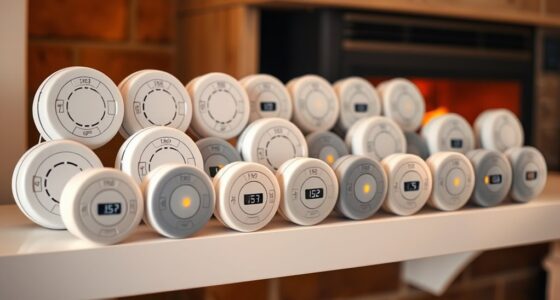
The best 10G Ethernet switches provide enough genuinely fast ports for a NAS, workstations, servers, and high-speed router links without making buyers pay for capacity they cannot use. I rank the TP-Link TL-SX1008 as the best overall because all eight ports support 10G and slower multi-gig speeds, giving a growing network more room than five-port alternatives. The TRENDnet TEG-S762 is my value pick for a smaller network built around two 10G devices, while the YuanLey eight-port model stands out when both RJ45 and SFP+ connections are needed. The main choices are full 10G versus mixed 10G/2.5G port layouts, copper versus SFP+, active versus fanless cooling, and managed versus unmanaged operation. Continue reading for the full breakdown and the buying criteria I use to separate superficially similar switches.

Get the latest gadgets delivered free with Prime
- Fast, free delivery on millions of items
- Prime Video, Amazon Music and more included
- Member-only deals all year
Complete the kit



Key Takeaways
- The TP-Link TL-SX1008 leads this roundup because its eight multi-gig 10G ports support more high-bandwidth devices than compact five-port models without requiring SFP+ hardware.
- The TRENDnet TEG-S762 offers the strongest value when only a NAS and one main computer need 10G, since its four 2.5G ports can handle access points and secondary devices.
- Ten advertised ports do not always mean ten 10G ports. Several models in this lineup combine two 10G connections with eight 2.5G ports, which suits mixed-speed networks but limits simultaneous 10G clients.
- The YuanLey eight-port switch has the most flexible connection mix with six 10G RJ45 ports and two SFP+ ports, though TP-Link and NETGEAR offer more established support channels.
- Fanless five-port switches fit desks and studios better, while eight-port 10GBase-T models provide more expansion at the cost of greater heat, power consumption, and possible fan noise.
| TRENDnet TEG-S762 6-Port 10G Switch |  | Best for Gradual 10G Upgrades | Total Ports: 6 | 10G Ports: 2 × 10G RJ45 | Multi-Gig Ports: 4 × 2.5G RJ45 | VIEW ON AMAZON | See Our Full Breakdown |
| 5-Port 10Gb RJ45 Web Managed Ethernet Network Switch |  | Best Managed Five-Port Pick | Number of Ports: 5 | Port Type: 5 × 10GBase-T RJ45 | Port Speed: 10Gbps | VIEW ON AMAZON | See Our Full Breakdown |
| YuanLey 8-Port 10G Ethernet Switch |  | Best Overall | Number of Ports: 8 | RJ45 Ports: 6 × 10Gbps | SFP+ Ports: 2 × 10GbE | VIEW ON AMAZON | See Our Full Breakdown |
| VunLink 5-Port 10GBase-T Unmanaged Ethernet Switch |  | Best Simple All-Copper Pick | Number of Ports: 5 | Port Type: 10GBase-T RJ45 | Supported Speeds: 100M, 1G, 2.5G, 5G, and 10G | VIEW ON AMAZON | See Our Full Breakdown |
| 10GbE Unmanaged Ethernet Switch with 6×10G Base-T and 2×10G SFP+ Uplink |  | Best Wall-Mount Hybrid | Number of Ports: 8 | Copper Ports: 6 × 10GBase-T | SFP+ Ports: 2 × 10G | VIEW ON AMAZON | See Our Full Breakdown |
| NICGIGA 6-Port 10Gbps Network Switch |  | Best Compact Hybrid Switch | Total Ports: 6 | 10Gb Ports: 2 | 2.5Gb Ports: 4 | VIEW ON AMAZON | See Our Full Breakdown |
| TP-Link TL-SX1008 8-Port 10G Multi-Gig Ethernet Switch |  | Best Overall | Number of Ports: 8 | Port Interface: RJ45 | Network Support: 10G and multi-gigabit | VIEW ON AMAZON | See Our Full Breakdown |
| NICGIGA 8-Port 10G Ethernet Switch |  | Best for Maximum Copper Bandwidth | Number of Ports: 8 | Port Type: 10GBase-T RJ45 | Supported Speeds: 10G/5G/2.5G/1G | VIEW ON AMAZON | See Our Full Breakdown |
| NICGIGA 10-Port 10Gbps Network Switch |  | Best for Multi-Gig Device Density | Total Ports: 10 | 10Gb Ports: 2 | 2.5Gb Ports: 8 | VIEW ON AMAZON | See Our Full Breakdown |
| YuanLey 6-Port 10GbE Unmanaged Network Switch |  | Best for Quiet Segmented Networks | Total Ports: 6 | 10GbE Ports: 2 x RJ45 | 2.5GbE Ports: 4 x RJ45 | VIEW ON AMAZON | See Our Full Breakdown |
| TP-Link TL-SX105 5-Port 10G/Multi-Gig Unmanaged Ethernet Switch |  | Best Compact All-10G Switch | Number of Ports: 5 | Maximum Port Speed: 10Gbps | Supported Speeds: 10G and multi-gig with auto-negotiation | VIEW ON AMAZON | See Our Full Breakdown |
| VunLink 6 Port 10G/2.5G Multi-Gigabit Unmanaged Network Switch, 8 x 2.5GbE + 2 x 10GbE RJ45 Ports, Plug and Play, Fanless, Desktop/Wall-Mount |  | Best for Dense 2.5G Home Networks | Port Configuration: 8 x 2.5GbE, 2 x 10GbE RJ45 | Switching Capacity: 60Gbps | Forwarding Rate: 44.64Mpps | VIEW ON AMAZON | See Our Full Breakdown |
| 10 Ports 10Gb Unmanaged Ethernet Switch with 8 2.5G Base-T Ports and 2 10G RJ45 Ports |  | Best for Utility-Room Installations | Number of Ports: 10 | Port Configuration: 8 x 2.5G Base-T, 2 x 10G RJ45 | Switching Capacity: 80Gbps | VIEW ON AMAZON | See Our Full Breakdown |
| NETGEAR 8-Port 1G/10G Multi-Gigabit Ethernet Unmanaged Switch (GS108MX) |  | Best for a Single 10G Uplink | Number of Ports: 8 | Maximum Port Speed: 10Gbps Multi-Gig | Standard Port Speed: 1Gbps | VIEW ON AMAZON | See Our Full Breakdown |
| 10g ethernet switch | Cooling | Switching Capacity | Number of Ports | Management |
|---|---|---|---|---|
| TRENDnet TEG-S762 6-Port 10G S | — | 60Gbps | — | — |
| 5-Port 10Gb RJ45 Web Managed E | Built-in fan | — | 5 | Web managed with SNMP, VLAN, and QoS |
| YuanLey 8-Port 10G Ethernet Sw | Quiet fan with cooling holes | 160Gbps | 8 | Unmanaged |
| VunLink 5-Port 10GBase-T Unman | Silent cooling fan | 100Gbps | 5 | Unmanaged |
| 10GbE Unmanaged Ethernet Switc | Built-in industrial-grade fan | 160Gbps | 8 | Unmanaged |
| NICGIGA 6-Port 10Gbps Network | Fanless | 60Gbps | — | — |
| TP-Link TL-SX1008 8-Port 10G M | — | — | 8 | — |
| NICGIGA 8-Port 10G Ethernet Sw | — | — | 8 | — |
| NICGIGA 10-Port 10Gbps Network | Fanless | 80Gbps | — | — |
| YuanLey 6-Port 10GbE Unmanaged | Fanless | 60Gbps | — | — |
| TP-Link TL-SX105 5-Port 10G/Mu | Fanless | 100Gbps | 5 | Unmanaged |
| VunLink 6 Port 10G/2.5G Multi- | Fanless | 60Gbps | — | Unmanaged |
| 10 Ports 10Gb Unmanaged Ethern | Fanless | 80Gbps | 10 | Unmanaged |
| NETGEAR 8-Port 1G/10G Multi-Gi | Fanless | — | 8 | Unmanaged |
More Details on Our Top Picks
TRENDnet TEG-S762 6-Port 10G Switch
I rank the TRENDnet TEG-S762 as the strongest bridge between an existing 2.5GbE network and a small 10GbE backbone. Its two 10G ports and four 2.5G ports suit a NAS-to-workstation link while leaving practical connections for newer PCs, access points, or routers. Compared with the TP-Link TL-SX1008, it offers fewer full-speed ports, but its smaller port mix makes more sense when only two devices need 10G. The 60Gbps switching capacity matches the available interfaces, so simultaneous traffic does not immediately create an internal bottleneck. I also favor its wall-mountable chassis over rack-focused alternatives for compact offices. Buyers give up VLANs, traffic controls, and room for expansion, while lifetime protection is geographically limited. This is a focused upgrade rather than a foundation for a large all-10G network.
Pros:- Two 10G ports support a fast NAS-to-workstation backbone
- Four 2.5G ports avoid paying for unused 10G connectivity
- Wall-mountable chassis fits compact installations
- Lifetime manufacturer protection adds longer-term support
Cons:- Only two devices can connect at 10Gbps
- No advertised management features
- Manufacturer protection and compliance coverage are limited to the United States and Canada
Best for: Home-office users connecting one 10G NAS and one 10G workstation while retaining four 2.5GbE devices
Not ideal for: Users building an all-10G network or needing VLAN, QoS, and monitoring controls
- Total Ports:6
- 10G Ports:2 × 10G RJ45
- Multi-Gig Ports:4 × 2.5G RJ45
- Switching Capacity:60Gbps
- Mounting:Desktop or wall mount
- Compliance:NDAA and TAA compliant
- Protection:Lifetime manufacturer protection
Our verdict“I recommend this model for a selective 10G upgrade where two fast endpoints matter more than a large bank of 10G ports.”
5-Port 10Gb RJ45 Web Managed Ethernet Network Switch
I place this five-port web-managed 10G switch above similarly sized unmanaged models when network control matters as much as raw speed. VLAN, QoS, SNMP, and security functions let a small studio or lab separate traffic, prioritize transfers, and monitor the network. The VunLink 5-Port 10G switch is simpler to deploy, but it cannot provide this model’s traffic-management flexibility. All five RJ45 ports run at 10Gbps, and the stated 100Gbps bandwidth supports full-duplex traffic across them. The tradeoffs are physical and practical: a 19-inch rack format is excessive for many desks, while the built-in fan may be audible in quiet rooms. Five ports also leave little expansion space, and there are no SFP+ interfaces for inexpensive DACs or fiber. I see it as a capable small managed core, not a high-density rack switch.
Pros:- Five full-speed 10GBase-T ports
- Web management includes VLAN, QoS, SNMP, and security features
- 100Gbps bandwidth supports full-duplex operation across all ports
- Metal rackmount chassis and active cooling suit sustained workloads
Cons:- Five-port limit leaves little capacity for expansion
- Built-in fan can be less suitable for noise-sensitive rooms
- No SFP+ or PoE connectivity
Best for: Small labs, creative studios, and advanced home networks that need five copper 10G ports plus VLAN and QoS controls
Not ideal for: Quiet home offices, fiber-based networks, or installations likely to grow beyond five wired devices
- Number of Ports:5
- Port Type:5 × 10GBase-T RJ45
- Port Speed:10Gbps
- Bandwidth:100Gbps
- Management:Web managed with SNMP, VLAN, and QoS
- Form Factor:19-inch rack mount
- Cooling:Built-in fan
- Casing:Metal
- 10G Cable Requirement:Cat6A or higher
Our verdict“I would choose this switch for a compact all-copper 10G network that needs real management controls and has space for rack-oriented hardware.”
YuanLey 8-Port 10G Ethernet Switch
I rank the YuanLey 8-Port 10G Switch first in this batch because it combines six copper ports, two SFP+ connections, and a full 160Gbps switching capacity. That mix accommodates ordinary RJ45 equipment while giving a NAS, server, or second switch access to DAC or fiber connectivity. It is more versatile than the VunLink 5-Port model and has three additional ports, yet setup remains plug-and-play. Auto-negotiation from 100Mbps through 10Gbps also makes staged hardware upgrades less disruptive. The compromise is no VLAN, QoS, or monitoring control, so I would not use it where traffic separation is required. Its fan is described as quiet rather than silent, and 4KV protection trails the 6KV rating of the other eight-port hybrid switch. Even so, its combination of density, media flexibility, and straightforward operation gives it the broadest appeal.
Pros:- Six 10G RJ45 ports serve copper-based endpoints
- Two SFP+ ports support DAC or fiber links
- 160Gbps switching capacity matches full-duplex traffic across eight ports
- Multi-speed auto-negotiation simplifies mixed-generation networks
Cons:- Unmanaged design provides no VLAN, QoS, or monitoring tools
- Active cooling may remain audible in very quiet spaces
- 4KV lightning protection is lower than the 6KV rating of the competing eight-port hybrid model
Best for: NAS-heavy homes, editing studios, and small offices needing several copper 10G links plus SFP+ uplinks
Not ideal for: Administrators who need VLAN segmentation, centralized monitoring, PoE, or guaranteed fanless operation
- Number of Ports:8
- RJ45 Ports:6 × 10Gbps
- SFP+ Ports:2 × 10GbE
- Switching Capacity:160Gbps
- Supported Speeds:100Mbps, 1G, 2.5G, 5G, and 10G
- Management:Unmanaged
- Form Factor:Desktop or rackmount
- Cooling:Quiet fan with cooling holes
- Lightning Protection:4KV
Our verdict“I see this as the best-balanced choice for buyers who want eight flexible 10G connections without managed-switch complexity.”
VunLink 5-Port 10GBase-T Unmanaged Ethernet Switch
I give the VunLink 5-Port 10GBase-T this role because every port supports 10G while setup requires no network-management knowledge. Its multi-gig auto-negotiation lets 1G, 2.5G, 5G, and 10G hardware share the same switch, which is useful when PCs and storage are upgraded at different times. Compared with the five-port web-managed switch, this model trades VLAN and QoS controls for simpler plug-and-play deployment. It also supports both desktop and rack placement, making it less restrictive than a rack-first chassis. The 100Gbps capacity is appropriate for five full-duplex 10G links, though actual device speeds still depend on compatible adapters and cabling. Its five-port ceiling can become restrictive quickly, there is no SFP+ path for fiber or DACs, and the one-year warranty is modest beside TRENDnet’s lifetime protection. I favor it for a small, fixed network rather than future expansion.
Pros:- All five RJ45 ports support up to 10Gbps
- Auto-negotiation accommodates 100M through 10G devices
- 100Gbps capacity supports full-duplex traffic across all ports
- Desktop and rackmount support allows flexible placement
Cons:- No managed networking features
- Five ports offer limited expansion room
- One-year warranty is shorter than TRENDnet’s lifetime protection
Best for: Buyers connecting up to five copper-based PCs, workstations, routers, or NAS devices who want setup without configuration
Not ideal for: Growing networks, fiber users, and buyers who need VLANs, traffic prioritization, or detailed monitoring
- Number of Ports:5
- Port Type:10GBase-T RJ45
- Supported Speeds:100M, 1G, 2.5G, 5G, and 10G
- Switching Capacity:100Gbps
- Management:Unmanaged
- Form Factor:Desktop or rackmount
- Cooling:Silent cooling fan
- Warranty:One year
Our verdict“I recommend this model when five all-copper 10G ports and effortless setup matter more than management or expansion.”
10GbE Unmanaged Ethernet Switch with 6×10G Base-T and 2×10G SFP+ Uplink
I select this eight-port 10GbE hybrid switch for buyers who need six copper connections, two SFP+ uplinks, and wall mounting in the same device. Its 160Gbps fabric gives every port enough internal bandwidth for full-duplex 10G traffic, while support for 1G through 10G permits a gradual equipment upgrade. The YuanLey 8-Port offers the same basic port mix and adds rackmount support, but this model counters with 6KV lightning protection and a wall-friendly chassis. Those differences make it better suited to utility rooms, workshops, and compact wiring areas. It remains unmanaged, so there is no VLAN segmentation, QoS, or remote monitoring. The industrial-grade cooling fan may also be a poor match for a silent office, and the supplied product data does not clarify power-adapter details. I would choose it for installation flexibility and physical protection, not administrative control.
Pros:- Six 10GBase-T ports provide broad copper connectivity
- Two SFP+ uplinks support DAC or fiber connections
- 160Gbps switching capacity matches the eight-port layout
- 6KV lightning protection exceeds the YuanLey model’s 4KV rating
Cons:- Unmanaged operation rules out VLAN and QoS configuration
- Built-in fan may add noise in quiet spaces
- Included power-supply details are not specified
Best for: Home labs, workshops, and small business wiring areas needing wall-mounted copper 10G ports with SFP+ uplinks
Not ideal for: Noise-sensitive rooms or managed networks requiring VLANs, QoS, security policies, and remote monitoring
- Number of Ports:8
- Copper Ports:6 × 10GBase-T
- SFP+ Ports:2 × 10G
- Switching Capacity:160Gbps
- Supported Speeds:1G, 2.5G, 5G, and 10G
- Management:Unmanaged
- Lightning Protection:6KV
- Cooling:Built-in industrial-grade fan
- Form Factor:Desktop or wall mount
Our verdict“I would buy this switch for a wall-mounted mixed-media 10G installation where port count and 6KV protection outweigh management needs.”
NICGIGA 6-Port 10Gbps Network Switch
I rank the NICGIGA 6-Port 10Gbps Switch as the compact choice for networks where only a NAS and one workstation need full 10GbE. Its two 10Gb ports can handle that fast link pair, while four 2.5Gb ports accommodate access points, gaming PCs, or other multi-gig devices without paying for unused 10Gb interfaces. Compared with the TP-Link TL-SX1008, it offers fewer high-speed connections and far less room for expansion, but its fanless construction and wall-mount support make it easier to place near a desk or media cabinet. The 60Gbps switching capacity fits this mixed-port layout well. I would skip it for an expanding editing studio because two 10Gb ports become restrictive quickly, and its unmanaged design provides no traffic controls or monitoring.
Pros:- Two 10Gb ports cover a direct NAS-to-workstation workflow
- Four 2.5Gb ports suit Wi-Fi access points and multi-gig client devices
- Fanless metal construction supports quiet desktop placement
- Desktop and wall-mount installation options provide placement flexibility
Cons:- Only two devices can connect at 10Gb speeds
- Unmanaged operation lacks VLAN configuration and traffic monitoring
- Power-supply specifications are not provided
Best for: Home users connecting one 10Gb NAS and one 10Gb workstation alongside several 2.5Gb devices
Not ideal for: Studios or labs expecting to add more than two 10Gb endpoints, since expansion would require another switch
- Total Ports:6
- 10Gb Ports:2
- 2.5Gb Ports:4
- Supported Speeds:10G/5G/2.5G/1G/100Mbps
- Switching Capacity:60Gbps
- Cooling:Fanless
- Mounting:Desktop or wall
- Operating Temperature:-10°C to 50°C
Our verdict“This is my compact pick for a small mixed-speed network built around one 10Gb storage workflow.”
TP-Link TL-SX1008 8-Port 10G Multi-Gig Ethernet Switch
The TP-Link TL-SX1008 takes my overall spot because all eight RJ45 ports support 10Gb and can negotiate with slower multi-gig equipment. That gives a buyer more freedom than the NICGIGA 10-Port model, whose larger port count includes only two 10Gb connections. The eight-port 10Gb layout is a better foundation for several workstations, servers, and NAS units, while desktop and rackmount compatibility suits both home labs and small equipment racks. Its three-year warranty also sets it apart from less established alternatives with sparse coverage information. The tradeoffs are size, weight, and simplicity: at 3.3 pounds, it is less discreet than compact six-port switches, and unmanaged operation means no VLAN setup, link aggregation controls, or traffic analysis. Quiet-room buyers should also verify its acoustic requirements because fanless operation is not stated.
Pros:- All eight RJ45 ports support 10G and multi-gig connections
- Auto-negotiation accommodates mixed-speed network equipment
- Desktop and rackmount placement suit different installations
- Three-year warranty offers stronger stated coverage than many budget rivals
Cons:- No managed features for VLANs or traffic control
- Fanless or acoustic operation is not specified
- Larger and heavier than six-port desktop alternatives
Best for: Small studios and home labs that need several copper 10Gb connections without managed-network configuration
Not ideal for: Network administrators who require configurable VLANs, traffic monitoring, or confirmed silent operation
- Number of Ports:8
- Port Interface:RJ45
- Network Support:10G and multi-gigabit
- Switch Type:Unmanaged
- Enclosure:Metal
- Mounting:Desktop or rackmount
- Dimensions:11.57 x 7.09 x 1.73 inches
- Weight:3.3 pounds
- Warranty:3 years
Our verdict“I would choose the TL-SX1008 for a straightforward eight-device 10Gb network backed by a clearly stated warranty.”
NICGIGA 8-Port 10G Ethernet Switch
I place the NICGIGA 8-Port 10G Ethernet Switch above mixed-speed models for buyers who want every connection capable of 10Gb. Its eight 10GBase-T ports and stated 160Gbps transfer rate suit simultaneous links between multiple NAS units, editing systems, and Wi-Fi 7 routers. Compared with the NICGIGA 6-Port switch, it provides four times as many 10Gb connections rather than reserving most ports for 2.5Gb devices. It also accepts 5G, 2.5G, and 1G equipment, so older clients remain usable during staged upgrades. The cost of that headroom is a bulkier 1.91kg enclosure, making it less appealing for a crowded shelf. Rack support helps in a structured installation, but unmanaged networking rules out VLAN administration and detailed traffic control. Its 45°C upper temperature rating also deserves attention in warm, enclosed racks.
Pros:- All eight RJ45 ports can run at 10Gb
- Backward-compatible 5G, 2.5G, and 1G support eases phased upgrades
- Stated 160Gbps data rate supports heavy simultaneous traffic
- Metal enclosure and rackmount support suit fixed installations
Cons:- Unmanaged design provides no configurable VLANs or traffic policies
- The 1.91kg chassis is bulky for compact desktop setups
- A 45°C upper temperature rating may limit placement in hot cabinets
Best for: Video teams and storage-heavy home labs connecting up to eight copper devices at 10Gb speeds
Not ideal for: Buyers with limited shelf space or hot enclosed racks, especially if they also need VLAN and monitoring controls
- Number of Ports:8
- Port Type:10GBase-T RJ45
- Supported Speeds:10G/5G/2.5G/1G
- Data Transfer Rate:160Gbps
- Switch Type:Unmanaged
- Case Material:Metal
- Mounting:Desktop or rack
- Weight:1.91kg
- Upper Temperature Rating:45°C
Our verdict“This is my pick for buyers who value eight full-speed copper links more than compact dimensions or management tools.”
NICGIGA 10-Port 10Gbps Network Switch
The NICGIGA 10-Port 10Gbps Switch fills a different role from eight-port all-10Gb models: it prioritizes many 2.5Gb clients while retaining two faster links. I see the two 10Gb ports working well for a NAS and an upstream router, with eight 2.5Gb ports serving Wi-Fi 7 access points, gaming PCs, and workstations. Compared with the TP-Link TL-SX1008, it connects more devices and runs silently, but it cannot give most of them 10Gb service. Its 80Gbps switching capacity is appropriate for the split-speed design, and wall mounting can keep the unit away from a busy desk. Still, the two-port 10Gb ceiling limits storage-heavy teams, while unmanaged operation removes VLAN and monitoring controls. Buyers must also source suitable mounting hardware because none is listed as included.
Pros:- Eight 2.5Gb ports support a dense group of modern client devices
- Two 10Gb ports suit a NAS and high-speed uplink
- Fanless construction avoids switch noise in occupied rooms
- 4KV lightning protection adds electrical resilience
Cons:- Only two ports support 10Gb connections
- No managed VLAN, monitoring, or traffic-control features
- Mounting hardware and power-supply details are not specified
Best for: Wi-Fi 7 homes and small offices with many 2.5Gb clients plus a 10Gb NAS and router uplink
Not ideal for: Creative teams that need three or more workstations connected directly at 10Gb speeds
- Total Ports:10
- 10Gb Ports:2
- 2.5Gb Ports:8
- Supported Speeds:10G/5G/2.5G/1G/100Mbps
- Switching Capacity:80Gbps
- Cooling:Fanless
- Mounting:Desktop or wall
- Lightning Protection:4KV
Our verdict“I recommend this model when port count and quiet 2.5Gb access matter more than providing 10Gb to every device.”
YuanLey 6-Port 10GbE Unmanaged Network Switch
The YuanLey 6-Port 10GbE Switch is my choice for a quiet mixed-speed setup that benefits from basic network separation. Like the six-port NICGIGA, it pairs two 10GbE ports with four 2.5GbE ports and offers 60Gbps of switching capacity. YuanLey differentiates its model with VLAN support and 6KV lightning protection, giving it a stronger case for small offices separating device groups or installations exposed to electrical disturbances. The fanless chassis also belongs near a workstation or in a bedroom office where audible cooling would be unwelcome. This is not a substitute for a fully managed switch, though; buyers needing detailed VLAN configuration, monitoring, or link controls should choose a web-managed alternative. Compared with the TP-Link TL-SX1008, it has fewer 10Gb links and much less expansion room, but its wall-mountable compact format better fits a focused NAS-and-router network.
Pros:- VLAN support allows basic separation beyond a plain unmanaged switch
- Fanless cooling suits noise-sensitive rooms
- Two 10GbE and four 2.5GbE ports match common NAS and Wi-Fi layouts
- 6KV lightning protection exceeds the stated protection of the comparable NICGIGA model
Cons:- Only two ports provide 10GbE connectivity
- VLAN support does not equal full managed-switch control
- Power-supply details are not specified
Best for: Quiet home offices and small business installations needing two 10Gb links, four 2.5Gb clients, and basic VLAN separation
Not ideal for: Administrators needing fully configurable VLANs or users planning more than two direct 10Gb device connections
- Total Ports:6
- 10GbE Ports:2 x RJ45
- 2.5GbE Ports:4 x RJ45
- Network Standard:IEEE 802.3bz
- Switching Capacity:60Gbps
- Cooling:Fanless
- VLAN Support:Yes
- Lightning Protection:6KV
- Operating Temperature:-10°C to 50°C
Our verdict“This model makes the most sense for a quiet six-device network that needs basic segmentation and only two 10Gb links.”
TP-Link TL-SX105 5-Port 10G/Multi-Gig Unmanaged Ethernet Switch
I rank the TP-Link TL-SX105 as the compact choice for buyers who need 10G capability on every connection rather than a single fast uplink. Compared with the NETGEAR GS108MX, its five multi-gig 10G ports can connect several workstations, NAS units, or servers without forcing most devices down to 1Gbps. Its 100Gbps switching capacity also matches the combined full-duplex demand of those ports. The fanless metal design makes more sense beside a desk or media system than a larger rack-oriented model such as the TP-Link TL-SX1008. I place it below higher-port alternatives because its five-port ceiling leaves little expansion room. It also lacks VLANs, traffic controls, and link aggregation, so buyers needing network segmentation should choose a managed switch.
Pros:- All five ports support 10G and lower multi-gig speeds
- 100Gbps switching capacity suits simultaneous high-bandwidth transfers
- Fanless operation fits noise-sensitive rooms
- Metal case supports desktop or wall-mounted installations
Cons:- Five ports provide limited room for network growth
- Unmanaged design offers no VLAN, QoS, or link-aggregation controls
- No rack-mount option is listed
Best for: Home-lab, creative-studio, and NAS users who need up to five quiet, full-speed multi-gig copper connections
Not ideal for: Growing offices that need more than five ports, rack installation, VLANs, or managed traffic controls
- Number of Ports:5
- Maximum Port Speed:10Gbps
- Supported Speeds:10G and multi-gig with auto-negotiation
- Switching Capacity:100Gbps
- Management:Unmanaged
- Cooling:Fanless
- Enclosure:Metal
- Mounting:Desktop or wall
Our verdict“I recommend the TL-SX105 when five quiet, equal-speed 10G connections matter more than management features or future expansion.”
VunLink 6 Port 10G/2.5G Multi-Gigabit Unmanaged Network Switch, 8 x 2.5GbE + 2 x 10GbE RJ45 Ports, Plug and Play, Fanless, Desktop/Wall-Mount
I see the VunLink mixed-speed switch as a practical fit for homes with many 2.5GbE devices but only one or two systems that need 10G. Its stated mix of eight 2.5GbE and two 10GbE ports gives it more device capacity than the five-port TP-Link TL-SX105, while the two faster sockets can serve a NAS and workstation or act as uplinks. A fanless metal housing also keeps shared offices quiet. Compared with the similar 10 Ports 10Gb Unmanaged Ethernet Switch, however, its 60Gbps switching capacity is lower than that model’s stated 80Gbps. I would also verify the listing before ordering because the title says “6 Port” while the supplied port breakdown totals ten. The one-year limited warranty and unmanaged operation further reduce its appeal for business-critical deployments.
Pros:- Eight 2.5GbE ports accommodate a device-heavy home network
- Two 10GbE RJ45 ports suit a NAS and high-speed workstation or uplink
- 44.64Mpps forwarding rate is specified
- Fanless metal housing supports desktop or wall mounting
Cons:- Only two ports deliver 10G speeds
- Product title and supplied port count conflict
- One-year limited warranty is short for business use
Best for: Home users with several 2.5GbE PCs, access points, or gaming systems plus one or two 10G NAS or server connections
Not ideal for: Business buyers who need verified port documentation, multi-year warranty coverage, VLANs, or more than two 10G connections
- Port Configuration:8 x 2.5GbE, 2 x 10GbE RJ45
- Switching Capacity:60Gbps
- Forwarding Rate:44.64Mpps
- Management:Unmanaged
- Setup:Plug and play with auto-negotiation
- Cooling:Fanless
- Installation:Desktop or wall mount
- Warranty:1-year limited warranty with 30-day free replacement
Our verdict“I favor this VunLink model for a quiet, 2.5GbE-heavy home network, provided the buyer confirms the ten-port configuration before purchase.”
10 Ports 10Gb Unmanaged Ethernet Switch with 8 2.5G Base-T Ports and 2 10G RJ45 Ports
I give this 10-port unmanaged switch a place in the lineup for utility rooms, workshops, and small-office wiring areas where a sturdy enclosure matters. Like the VunLink mixed-speed model, it combines eight 2.5G ports with two 10G RJ45 connections, but its stated 80Gbps switching capacity is higher than VunLink’s 60Gbps figure. That extra fabric provides more headroom when several clients transfer data at once. The metal fanless casing and listed lightning protection also distinguish it, although that protection should not replace proper surge protection for exposed cabling. I would skip it for a managed business network: there are no VLAN or traffic-management features, and only two devices can run at 10G. The unclear power-supply and warranty details also make it a less reassuring purchase than a model with fully documented support.
Pros:- Eight 2.5G ports support a broad mix of modern client devices
- Two 10G RJ45 ports can connect storage and network infrastructure
- 80Gbps switching capacity exceeds the stated capacity of the comparable VunLink model
- Fanless metal case includes listed lightning protection
Cons:- Only two of the ten ports support 10G
- Unmanaged operation prevents VLAN and traffic-policy configuration
- Power-supply inclusion and full warranty terms are not clearly specified
Best for: Small offices or home workshops connecting many 2.5G devices to a 10G NAS or backbone from a quiet utility area
Not ideal for: IT administrators who require managed controls, clearly documented warranty coverage, or 10G service on most ports
- Number of Ports:10
- Port Configuration:8 x 2.5G Base-T, 2 x 10G RJ45
- Switching Capacity:80Gbps
- Management:Unmanaged
- Port Operation:Auto-sensing with non-blocking forwarding
- Cooling:Fanless
- Enclosure:Metal casing with listed lightning protection
- Support:Lifetime technical support and Amazon 30-day return guarantee
Our verdict“I would choose this model for a quiet mixed-speed utility installation where 80Gbps capacity matters more than management features or polished documentation.”
NETGEAR 8-Port 1G/10G Multi-Gigabit Ethernet Unmanaged Switch (GS108MX)
I position the NETGEAR GS108MX as a bridge between an existing gigabit network and one high-bandwidth device. Its single 10G multi-gig port can connect a NAS, server, or faster upstream switch, while the remaining 1G connectivity serves ordinary desktops and peripherals. That layout is less capable than the TP-Link TL-SX105, which supplies 10G across all five ports, but it avoids paying for fast interfaces that many small networks cannot use. The fanless metal case and plug-and-play operation also suit a desk, media cabinet, or wall installation. The compromise is substantial for buyers building a true 10G network: only one attached device receives multi-gig bandwidth, there is no PoE for access points or cameras, and unmanaged operation removes VLAN controls. I rank it as a targeted upgrade, not a 10G network core.
Pros:- Single 10G multi-gig port adds a fast device or uplink to a gigabit network
- Plug-and-play operation requires no configuration
- Fanless design is suitable for noise-sensitive spaces
- Metal housing supports desktop and wall placement
Cons:- Only one port provides 10G multi-gig connectivity
- No PoE support for access points, phones, or cameras
- Unmanaged design lacks VLANs and other administrative controls
Best for: Small networks that need one 10G NAS, server, or uplink while keeping existing desktops and peripherals at 1Gbps
Not ideal for: Creators, labs, or offices needing several 10G endpoints, PoE-powered devices, or managed network segmentation
- Number of Ports:8
- Maximum Port Speed:10Gbps Multi-Gig
- Standard Port Speed:1Gbps
- Interface:RJ45
- Management:Unmanaged
- Cooling:Fanless
- Case Material:Metal
- Dimensions:11.81 x 7.68 x 3.07 inches
- Weight:0.98 kg
Our verdict“I recommend the GS108MX only when one 10G connection is enough and the rest of the network will remain at gigabit speed.”

How We Picked
I ranked these switches by usable 10G port count, supported Ethernet speeds, interface mix, cooling design, management features, mounting flexibility, and brand support. Models with several full 10G ports placed ahead of switches that use 10G mainly for one or two uplinks, since the target buyer is specifically searching for 10G Ethernet switches. I also rewarded multi-gig negotiation, which lets 1G, 2.5G, 5G, and 10G equipment share a network without forcing every connected device to run at the same speed. SFP+ ports received extra weight when they expanded connection choices rather than replacing too many broadly compatible RJ45 ports.
My ordering also reflects how easily a buyer can understand, install, and support each model. Fanless construction, clear specifications, warranties, and recognizable support channels raise confidence, while ambiguous port counts or lightly documented management features lower it. Mixed 10G/2.5G switches can still rank well on value when their layout matches a typical NAS-centered network. Full eight-port 10G models rank higher for capacity, but I account for their greater power draw, heat output, and cooling needs. This approach favors the switch that best serves each buyer type rather than the model with the largest number printed in its listing.
| 10g ethernet switch | Management | Cooling |
|---|---|---|
| TRENDnet TEG-S762 6-Port 10G S | — | — |
| 5-Port 10Gb RJ45 Web Managed E | Web managed with SNMP, VLAN, and QoS | Built-in fan |
| YuanLey 8-Port 10G Ethernet Sw | Unmanaged | Quiet fan with cooling holes |
| VunLink 5-Port 10GBase-T Unman | Unmanaged | Silent cooling fan |
| 10GbE Unmanaged Ethernet Switc | Unmanaged | Built-in industrial-grade fan |
| NICGIGA 6-Port 10Gbps Network | — | Fanless |
| TP-Link TL-SX1008 8-Port 10G M | — | — |
| NICGIGA 8-Port 10G Ethernet Sw | — | — |
| NICGIGA 10-Port 10Gbps Network | — | Fanless |
| YuanLey 6-Port 10GbE Unmanaged | — | Fanless |
| TP-Link TL-SX105 5-Port 10G/Mu | Unmanaged | Fanless |
| VunLink 6 Port 10G/2.5G Multi- | Unmanaged | Fanless |
| 10 Ports 10Gb Unmanaged Ethern | Unmanaged | Fanless |
| NETGEAR 8-Port 1G/10G Multi-Gi | Unmanaged | Fanless |
Factors to Consider When Choosing 10g Ethernet Switches
I would start by drawing a simple map of every wired device, its maximum link speed, and where it sits in the room or building. That map reveals whether the network needs five full 10G ports, eight, or only two supported by several 2.5G connections. The following factors help separate a sensible purchase from an expensive switch whose headline capacity remains unused.
Count the Ports That Are Actually 10G
A switch can carry 10G in its name while offering only two 10G uplinks and filling the remaining positions with 2.5G or 1G ports. I would assign a port to every NAS, workstation, server, router, and access point before comparing total counts. A NAS and one editing computer may fit a two-port 10G core, but adding another workstation would immediately expose that layout’s limit. Teams moving large files between several machines should favor five or eight full 10G ports. Count SFP+ sockets separately because an RJ45 device may need an extra transceiver to use one. The common mistake is buying by total port count rather than by the number of simultaneous 10G paths the network needs.
Choose Between RJ45 Copper and SFP+
10GBase-T RJ45 is the easier choice when a building already has suitable twisted-pair cabling or when computers use common copper adapters. It can negotiate several slower speeds, but 10GBase-T ports tend to consume more power and create more heat than SFP+ links. I prefer SFP+ with direct-attach copper cables for short rack connections between a switch, server, and NAS because the setup can be cooler and less expensive per link. Fiber extends that reach, although modules and compatible network cards add cost. SFP+ compatibility also varies by switch and transceiver, so checking the supported module list can prevent connection problems. A mixed-interface switch makes sense when desk devices use RJ45 while rack equipment already uses SFP+.
Match the Switch to Existing Cable Runs
A 10G switch cannot compensate for damaged, poorly terminated, or excessively long cabling. Cat6 can carry 10Gbps over shorter runs, while Cat6a is the safer specification for runs approaching 100 meters or installations exposed to more interference. I would test existing in-wall cable before replacing it, especially when the run is short and already performs reliably. New permanent wiring is a better place to choose Cat6a for predictable headroom. Patch leads, wall jacks, couplers, and termination quality matter alongside the cable printed on the jacket. Intermittent downshifts to 5G or 2.5G often point to the cable path rather than a defective switch.
Decide Whether Management Features Add Real Value
An unmanaged switch suits a straightforward home office or NAS network because it begins forwarding traffic without configuration. Web-managed models become more useful when a buyer needs VLAN separation, link aggregation, traffic statistics, loop controls, or quality-of-service settings. I would not pay extra for management solely because it sounds more advanced. Configuration creates another maintenance task, and lightly documented switches may expose settings without explaining their behavior well. Buyers supporting cameras, guest networks, lab systems, or several users can gain more from visibility and traffic control. For a single trusted network, a reliable plug-and-play model is usually easier to own.
Plan for Heat, Noise, and Placement
Several active 10GBase-T links can make a compact switch run warm, so cooling design affects placement as much as longevity. Fanless models belong more naturally on a desk, in a studio, or near a living space where a small fan would be distracting. A ventilated rack can accommodate an actively cooled eight-port model and give it better airflow. I would avoid enclosing a 10G switch in a small cabinet with a NAS and router unless that cabinet moves warm air out. Published fanless construction does not mean the chassis will remain cool to the touch; metal cases often serve as heat spreaders. Buyers sensitive to sound should favor fewer copper ports or fanless construction instead of assuming every unmanaged switch is silent.
Price the Entire 10G Connection
The switch is only one part of the upgrade, and network adapters, cables, and transceivers can change which model offers the best value. I would also check whether the NAS has a 10G interface and whether its drives can sustain the expected transfer rate. A single hard drive may not fill a 10Gbps link, while a fast SSD array can make the difference obvious. Router speed matters only for internet traffic; local NAS transfers can still use 10G even when broadband is much slower. Lower-priced switches deserve added scrutiny around warranty coverage, firmware availability, safety certifications, and return terms. Paying more for clear documentation and dependable support can be sensible when downtime would interrupt paid work.
Frequently Asked Questions
Do I Need Cat6a Cable for a 10G Ethernet Switch?
I recommend Cat6a for new permanent installations because it supports 10GBase-T across the full 100-meter channel and provides better protection from interference. Existing Cat6 may support 10Gbps over shorter runs, often up to about 55 meters under suitable installation conditions. I would test a short, well-terminated Cat6 run before paying to replace it. Cat5e sometimes establishes 10G over very short distances, but I would not build a new 10G network around that possibility. If a link falls back to 5G or 2.5G, inspect every patch lead, jack, and coupler in the path.
Will a 10G Switch Make My Internet Connection Faster?
A 10G switch cannot make an internet service faster than the plan, modem, router, or gateway allows. Its clearest benefit is faster local traffic between devices such as a workstation and NAS. Internet downloads can exceed 1Gbps only when the service and every link between the provider and computer support that speed. I would buy 10G mainly for large backups, media editing, server access, virtualization, or a multi-gig internet plan. Buyers with ordinary broadband and no high-speed local storage may gain more from an affordable 2.5G switch.
Can 1G, 2.5G, 5G, and 10G Devices Share the Same Switch?
They can when the RJ45 ports explicitly support multi-gig auto-negotiation at those rates. Each connection runs at the fastest speed supported by both the switch port and the attached device, so a 1G printer does not slow a separate 10G NAS link. I would verify the listed rate set because some ports support 1G and 10G without every intermediate speed. SFP+ sockets can have different negotiation limits from RJ45 ports and may require compatible modules. Mixed-speed support is especially useful when upgrading a network in stages.
Is a Managed 10G Switch Worth the Extra Cost?
I would choose a managed model when the network needs VLANs, monitoring, traffic controls, or link aggregation. Those functions help separate work, guest, camera, and lab traffic or diagnose a busy link. An unmanaged switch is a better fit when all devices belong on one trusted network and simple installation matters most. Management does not make a port inherently faster, and a setting error can create outages that a plug-and-play switch avoids. Before paying more, confirm that the model documents the exact feature needed rather than relying on a broad web-managed label.
Should I Buy Eight Full 10G Ports or a Mix of 10G and 2.5G Ports?
I favor eight full 10G ports when several workstations, servers, or storage systems exchange large files and more high-speed devices are likely to arrive. A two-10G-plus-eight-2.5G layout offers better value for a home network where the NAS and primary computer need 10G but access points and other clients do not. Count likely devices over the next few years rather than just the equipment connected today. Full 10G density usually brings higher power use, heat, and purchase cost. The mixed layout is not a lesser choice when its faster ports align with the network’s real traffic paths.
Conclusion
For the broadest mix of speed and expansion, my best overall pick is the TP-Link TL-SX1008; its eight full multi-gig 10G ports make sense for several fast clients and future growth. The TRENDnet TEG-S762 is my best-value choice for a NAS-centered setup that needs two 10G links plus four 2.5G connections. Beginners who want five straightforward, fanless copper ports should start with the TP-Link TL-SX105. For a premium, control-focused rack installation, the five-port web-managed 10G model is the better fit, provided its documented management functions and support terms match the planned network. Buyers mixing copper endpoints with SFP+ servers should choose the YuanLey eight-port switch, while those mainly needing 2.5G access ports should favor the NICGIGA ten-port layout rather than paying for eight full 10G links. The NETGEAR GS108MX fits a narrower upgrade path: it is best for an established gigabit network that needs one multi-gig connection, not for buyers expecting every port to run at 10G.
Halloween Picks
halloween
As an affiliate, we earn on qualifying purchases.