
For most multi-device homes, I’d start with the NETGEAR Nighthawk RS500: its tri-band Wi-Fi 7 design gives connected devices more room to share the network. The GL.iNet Flint 2 is a strong Wi-Fi 6 alternative for homes that value hands-on network controls, while the TP-Link Archer AX21 keeps the entry point simple for lighter workloads. The tradeoff is not just Wi-Fi generation: device capacity, wired connections, modem compatibility, and setup all affect whether gaming stays responsive while others stream or work. A pricier router cannot fix a slow internet plan or weak placement. Read on for the full breakdown and a guide to matching a router to your home.

Get the latest gadgets delivered free with Prime
- Fast, free delivery on millions of items
- Prime Video, Amazon Music and more included
- Member-only deals all year
Complete the kit



Key Takeaways
- Tri-band models lead this lineup for busy households: the RS500, RS300, NETGEAR 9.3 Gbps model, and Archer BE600 offer an additional band to help distribute traffic across many devices.
- Wi-Fi 7 is not an automatic win for every home: its added capacity is most useful when several devices can use newer wireless features; Wi-Fi 6 options such as the Flint 2 or Archer AX21 may suit older, lighter-use networks.
- The RS500 is the strongest all-round direction for shared gaming and streaming: it combines Wi-Fi 7 with tri-band operation, while the dual-band RS150 and RS90 make more sense when fewer devices compete at once.
- The CAX30 solves a different problem: its built-in DOCSIS 3.1 cable modem can reduce equipment clutter, but it is a less flexible choice for households that may change internet technology or already own a modem.
- Value depends on the whole home, not just router speed: the Archer AX21 and Archer BE230 provide simpler routes into Wi-Fi 6 or Wi-Fi 7, while premium tri-band models make more sense when device density and concurrent traffic justify the added capability.
| GL.iNet Flint 2 Wi-Fi 6 Gaming Router |  | Best for Advanced Multi-Device Homes | Wi-Fi generation: Wi-Fi 6 | Maximum data transfer rate: 6000 Mbps | Frequency band: Dual-band | VIEW ON AMAZON | See Our Full Breakdown |
| TP-Link Archer BE230 BE3600 Dual-Band Wi-Fi 7 Router |  | Best Value Wi-Fi 7 for Wired Gaming | Wi-Fi standard: Wi-Fi 7 (802.11be) | Frequency bands: Dual-band, 2.4 GHz and 5 GHz; no 6 GHz | Maximum data rate: 3.6 Gbps | VIEW ON AMAZON | See Our Full Breakdown |
| NETGEAR Nighthawk RS150 Dual-Band WiFi 7 Router |  | Best for Larger Homes with Many Wireless Devices | WiFi generation: WiFi 7 | Frequency bands: Dual-band, 2.4 GHz and 5 GHz | Maximum speed: Up to 5 Gbps | VIEW ON AMAZON | See Our Full Breakdown |
| NETGEAR Nighthawk RS90 Dual-Band WiFi 7 Router |  | Best for Wired Gaming Setups | WiFi generation: WiFi 7 | Frequency bands: Dual-band, 2.4 GHz and 5 GHz | Maximum data transfer rate: 3.6 Gbps | VIEW ON AMAZON | See Our Full Breakdown |
| TP-Link Archer AX21 AX1800 Dual-Band Wi-Fi 6 Router |  | Best for Entry-Level Multi-Device Gaming | Wi-Fi generation: Wi-Fi 6 (802.11ax) | Combined bandwidth: Up to 1.8 Gbps | Frequency bands: Dual-band; no 6 GHz support | VIEW ON AMAZON | See Our Full Breakdown |
| NETGEAR Nighthawk RS500 Tri-Band WiFi 7 Router |  | Best for Large, Busy Homes | WiFi generation: WiFi 7 (802.11be) | Frequency bands: Tri-band: 2.4 GHz, 5 GHz, and 6 GHz | Maximum data transfer rate: Up to 12 Gbps | VIEW ON AMAZON | See Our Full Breakdown |
| NETGEAR Nighthawk Tri-Band WiFi 7 Router, Up to 9.3 Gbps, 2,500 sq. ft. Coverage | 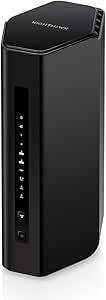 | Best for Multi-Gig Wired Gaming | WiFi standard: WiFi 7 | Bands: Tri-band: 2.4 GHz, 5 GHz, and 6 GHz | Maximum speed: Up to 9.3 Gbps | VIEW ON AMAZON | See Our Full Breakdown |
| NETGEAR Nighthawk CAX30 DOCSIS 3.1 Cable Modem and WiFi 6 Router, AX2700 |  | Best Modem-Router Combo | Modem standard: DOCSIS 3.1 | WiFi standard: WiFi 6 (802.11ax) | WiFi class: Dual-band AX2700 | VIEW ON AMAZON | See Our Full Breakdown |
| NETGEAR Nighthawk RS300 Tri-Band WiFi 7 Router | | Best Balanced WiFi 7 Pick | WiFi generation: WiFi 7 (802.11be) | Frequency bands: Tri-band: 2.4 GHz, 5 GHz, and 6 GHz | Maximum data rate: Up to 9.3 Gbps | VIEW ON AMAZON | See Our Full Breakdown |
| TP-Link Archer BE600 Tri-Band Wi-Fi 7 Router |  | Best for Multi-Gig Wired Setups | Wi-Fi standard: Wi-Fi 7 | Bands: Tri-band: 6 GHz, 5 GHz, and 2.4 GHz | Advertised total bandwidth: Up to 9.7 Gbps | VIEW ON AMAZON | See Our Full Breakdown |
| gaming router for multi device home | Coverage | Frequency bands | Ethernet ports |
|---|---|---|---|
| GL.iNet Flint 2 Wi-Fi 6 Gaming | — | — | — |
| TP-Link Archer BE230 BE3600 Du | Up to 2,000 sq. ft. | Dual-band, 2.4 GHz and 5 GHz; no 6 GHz | — |
| NETGEAR Nighthawk RS150 Dual-B | Up to 2,250 sq. ft. | Dual-band, 2.4 GHz and 5 GHz | One 2.5 Gig WAN; three 1 Gig LAN |
| NETGEAR Nighthawk RS90 Dual-Ba | Up to 2,000 sq. ft. | Dual-band, 2.4 GHz and 5 GHz | One 2.5 Gig WAN; four 1 Gig LAN |
| TP-Link Archer AX21 AX1800 Dua | — | Dual-band; no 6 GHz support | — |
| NETGEAR Nighthawk RS500 Tri-Ba | Up to 3,000 sq. ft. | Tri-band: 2.4 GHz, 5 GHz, and 6 GHz | 1 × 2.5 Gigabit WAN, 1 × 2.5 Gigabit LAN, 3 × 1 Gigabit LAN |
| NETGEAR Nighthawk Tri-Band WiF | Up to 2,500 sq. ft. | — | — |
| NETGEAR Nighthawk CAX30 DOCSIS | Up to 2,000 sq. ft. | — | 4 Gigabit Ethernet ports |
| NETGEAR Nighthawk RS300 Tri-Ba | Up to 2,500 sq. ft. | Tri-band: 2.4 GHz, 5 GHz, and 6 GHz | 1 × 2.5 Gig WAN, 2 × 2.5 Gig LAN, 2 × 1 Gig LAN |
| TP-Link Archer BE600 Tri-Band | Up to 2,600 sq. ft. | — | 1 × 10 Gbps WAN/LAN, 1 × 2.5 Gbps WAN/LAN, 3 × 2.5 Gbps LAN |
More Details on Our Top Picks
GL.iNet Flint 2 Wi-Fi 6 Gaming Router
For a home where gaming shares bandwidth with many phones, TVs, and smart devices, the Flint 2 stands out for its stated capacity of over 100 devices and unusually flexible wired connections. Its two 2.5G ports and four 1G ports give a busy setup more room for wired PCs, consoles, and network storage than the NETGEAR Nighthawk RS90, which has one 2.5G WAN port and four 1G LAN ports. OpenVPN and WireGuard support, plus AdGuard Home, also suit buyers who want more network controls than a straightforward app-managed router provides. The tradeoff is a more hands-on start: a firmware update is recommended during setup, and VPN speeds depend on network conditions. It is Wi-Fi 6 rather than Wi-Fi 7, so the Archer BE230 is a stronger fit if newer wireless features matter more than ports and control.
Pros:- Designed to connect over 100 devices
- Two 2.5G ports and four 1G ports offer flexible wired connections
- Supports both OpenVPN and WireGuard
- AdGuard Home support can filter ads and trackers
Cons:- A firmware update is recommended during initial setup
- Wi-Fi 6 lacks the newer wireless features of the Wi-Fi 7 options here
- VPN and network speeds vary with service and network conditions
Best for: Households with many connected devices, wired gaming gear, and a buyer comfortable adjusting VPN or filtering settings.
Not ideal for: Buyers who want Wi-Fi 7 or the simplest possible setup, or who do not need advanced VPN and filtering controls.
- Wi-Fi generation:Wi-Fi 6
- Maximum data transfer rate:6000 Mbps
- Frequency band:Dual-band
- Ports:2 x 2.5G, 4 x 1G
- Device capacity:Over 100 devices
- RAM and storage:1 GB DDR4 RAM; 8 GB eMMC
- VPN speeds:Up to 900 Mbps OpenVPN; up to 880 Mbps WireGuard
- Security:WPA3
Our verdict“Choose the Flint 2 if your priority is managing a crowded home network with plenty of wired ports and built-in VPN options.”
TP-Link Archer BE230 BE3600 Dual-Band Wi-Fi 7 Router
The Archer BE230 is a strong match for a multi-device home that wants Wi-Fi 7 and multiple fast wired connections without moving up to a tri-band model. Its two 2.5 Gbps ports can serve a fast internet connection and a wired gaming PC or switch, while three more Gigabit LAN ports leave room for consoles and other equipment. It supports up to 60 devices and EasyMesh, giving it more stated capacity than the NETGEAR Nighthawk RS90’s 50-device limit. Compared with the Flint 2, it brings Wi-Fi 7 features such as Multi-Link Operation, but gives up the Flint’s VPN support and larger device-capacity claim. It is still dual-band, with no 6 GHz band, and needs a separate modem. Buyers with a large home should also plan around its stated coverage rather than assume one router will reach every room.
Pros:- Wi-Fi 7 features include Multi-Link Operation, Multi-RU, and 4K-QAM
- Two 2.5 Gbps ports support fast WAN and wired-device connections
- EasyMesh compatibility allows compatible mesh expansion
- Supports up to 60 devices and lists coverage up to 2,000 sq. ft.
Cons:- Dual-band design does not include 6 GHz
- Requires a separate modem
- Four internal antennas may offer less placement flexibility than routers with external antennas
Best for: Gamers upgrading to Wi-Fi 7 who need two 2.5 Gbps connections, several wired ports, and possible mesh expansion.
Not ideal for: Households that need a 6 GHz band, an all-in-one modem-router, or advanced VPN features like those on the Flint 2.
- Wi-Fi standard:Wi-Fi 7 (802.11be)
- Frequency bands:Dual-band, 2.4 GHz and 5 GHz; no 6 GHz
- Maximum data rate:3.6 Gbps
- Ports:One 2.5 Gbps WAN/LAN, one 2.5 Gbps LAN, three 1 Gbps LAN
- Coverage:Up to 2,000 sq. ft.
- Maximum connected devices:Up to 60
- Mesh compatibility:EasyMesh
- Management:TP-Link Tether app, remote access, and voice control
Our verdict“Pick the Archer BE230 if you want a Wi-Fi 7 upgrade with two 2.5 Gbps ports and room to expand coverage through EasyMesh.”
NETGEAR Nighthawk RS150 Dual-Band WiFi 7 Router
The RS150 has the highest stated device limit among these two-band NETGEAR picks: up to 80 devices, compared with 50 for the Nighthawk RS90. That gives it a clearer role in a home where gaming sits alongside a large collection of wireless devices. Its WiFi 7 support and coverage claim of up to 2,250 sq. ft. make it a more reach-oriented choice than the TP-Link Archer BE230, whose listed coverage is up to 2,000 sq. ft. The tradeoff is its wired layout: one 2.5 Gig WAN port and three Gigabit LAN ports leave fewer wired LAN connections than the RS90 or BE230. It also needs a separate modem or gateway, and ongoing NETGEAR Armor protection requires a subscription after the included 30-day trial. Coverage can fall with walls and interference.
Pros:- WiFi 7 with stated speeds up to 5 Gbps
- Supports up to 80 devices
- Coverage is listed up to 2,250 sq. ft.
- Includes a 2.5 Gig WAN port and app-based management
Cons:- Only three Gigabit LAN ports for wired devices
- Requires a separate modem or gateway with an RJ45 Ethernet port
- Continued NETGEAR Armor protection requires a subscription after the 30-day trial
Best for: Families with a larger home, many wireless devices, and a Wi-Fi 7-compatible setup who mainly connect gaming gear over Wi-Fi.
Not ideal for: Homes with several wired gaming devices or buyers seeking built-in modem hardware or ongoing security features without a subscription.
- WiFi generation:WiFi 7
- Frequency bands:Dual-band, 2.4 GHz and 5 GHz
- Maximum speed:Up to 5 Gbps
- Coverage:Up to 2,250 sq. ft.
- Supported devices:Up to 80
- Ethernet ports:One 2.5 Gig WAN; three 1 Gig LAN
- Processor:Quad-core 2.0 GHz
- Security protocols:WPA3, WPA2-PSK
Our verdict“Choose the RS150 if your household has many wireless devices and needs more stated capacity and coverage than the RS90 offers.”
NETGEAR Nighthawk RS90 Dual-Band WiFi 7 Router
For a multi-device household where gaming equipment plugs in rather than relying on Wi-Fi, the RS90’s four Gigabit LAN ports are its main advantage. That is one more wired LAN connection than the RS150 provides, making it easier to connect a console, PC, and other nearby devices without immediately adding a switch. WiFi 7 and a 2.5 Gig WAN port keep it current for a faster incoming connection, while its listed capacity of up to 50 devices is more modest than the RS150’s 80 or the Archer BE230’s 60. Its coverage claim is also the smallest of those three, at up to 2,000 sq. ft. A separate modem or gateway is required, and continued NETGEAR Armor protection requires a subscription after the trial. This is a focused wired choice, not the strongest pick for the busiest wireless home.
Pros:- WiFi 7 supports speeds up to 3.6 Gbps
- Four Gigabit Ethernet LAN ports suit several wired gaming devices
- Includes a 2.5 Gig WAN port
- Supports WPA2 and WPA3 security
Cons:- Supports up to 50 devices, fewer than the RS150 and Archer BE230
- Coverage is listed up to 2,000 sq. ft. and can fall with obstacles or interference
- Requires a separate modem or gateway
Best for: Gamers with several Ethernet-connected devices and a home of moderate size who want Wi-Fi 7 without giving up four LAN ports.
Not ideal for: Large households with more than 50 connected devices, buyers prioritizing maximum coverage, or anyone needing a built-in modem.
- WiFi generation:WiFi 7
- Frequency bands:Dual-band, 2.4 GHz and 5 GHz
- Maximum data transfer rate:3.6 Gbps
- Coverage:Up to 2,000 sq. ft.
- Maximum connected devices:Up to 50
- Ethernet ports:One 2.5 Gig WAN; four 1 Gig LAN
- Processor:Quad-core 2.0 GHz
- Management:Nighthawk app
Our verdict“Choose the RS90 if four wired LAN ports matter more to your gaming setup than the higher device limit of the RS150.”
TP-Link Archer AX21 AX1800 Dual-Band Wi-Fi 6 Router
The Archer AX21 is the straightforward choice for households that need Wi-Fi 6 and help sharing airtime, not the newest wireless generation. OFDMA lets compatible devices communicate more efficiently in crowded conditions, which can help when a game is competing with routine home traffic. Beamforming and four high-gain antennas are aimed at extending the signal, while OpenVPN and PPTP server support add controls absent from the NETGEAR Nighthawk RS90’s listed feature set. The tradeoff is headroom: its combined bandwidth is up to 1.8 Gbps, well below the RS90’s 3.6 Gbps and the Archer BE230’s Wi-Fi 7 capability. It also lacks 6 GHz. I’d favor this model for a modest device load and familiar app or voice controls, but skip it if you are planning around faster multi-gig wired connections or a Wi-Fi 7 upgrade.
Pros:- Wi-Fi 6 and OFDMA support communication with multiple devices
- Beamforming and four high-gain antennas support signal coverage
- OpenVPN and PPTP VPN server support
- App and voice controls simplify everyday management
Cons:- Combined bandwidth is limited to up to 1.8 Gbps
- Does not support 6 GHz or Wi-Fi 7
- A separate modem may be required
Best for: Households with a moderate number of devices that want Wi-Fi 6, basic gaming support, and VPN server options without needing multi-gig ports.
Not ideal for: Homes with demanding multi-gig internet, many wired gaming devices, or plans to use Wi-Fi 7 or the 6 GHz band.
- Wi-Fi generation:Wi-Fi 6 (802.11ax)
- Combined bandwidth:Up to 1.8 Gbps
- Frequency bands:Dual-band; no 6 GHz support
- 5 GHz speed:Up to 1200 Mbps
- 2.4 GHz speed:Up to 574 Mbps
- Antennas:Four fixed antennas
- VPN server support:OpenVPN and PPTP
- Security protocols:WPA/WPA2, WPA/WPA2-Enterprise (802.1x), WPA3
Our verdict“Pick the Archer AX21 for a modest multi-device home that values Wi-Fi 6 and VPN server options over Wi-Fi 7 speeds and multi-gig ports.”
NETGEAR Nighthawk RS500 Tri-Band WiFi 7 Router
The RS500 is my pick for homes where gaming competes with many other connected devices. Its 12 Gbps advertised speed, tri-band WiFi 7, and stated capacity of up to 120 devices give it more headroom on paper than the RS300, which covers a smaller area and supports fewer devices. A 2.5 Gig WAN and LAN port also leave room for a faster internet connection and one multi-gig wired device, while three additional Gigabit LAN ports suit consoles or a desktop. The tradeoff is that its 3,000-square-foot coverage claim cannot account for every wall or floor, and it still needs a separate modem or gateway. I’d choose it over the RS300 for larger device loads, but not simply for a single gaming setup.
Pros:- Tri-band WiFi 7 and up to 12 Gbps advertised data rate provide substantial wireless capacity on paper.
- Rated for coverage up to 3,000 sq. ft. and up to 120 connected devices.
- Includes 2.5 Gig WAN and LAN ports for a multi-gig internet link and a compatible wired device.
- App-based management and automatic firmware updates simplify routine network upkeep.
Cons:- Requires a separate modem or gateway with an RJ45 Ethernet port.
- NETGEAR Armor requires a subscription after its 30-day trial.
- Actual coverage and throughput can fall with walls, floors, interference, and device limitations.
Best for: Households with a large coverage area, several active gamers, and many phones, TVs, and smart-home devices sharing WiFi.
Not ideal for: Small homes or buyers who want a modem built in; this standalone router needs a separate modem or gateway, and its extra capacity may go unused in a lightly connected household.
- WiFi generation:WiFi 7 (802.11be)
- Frequency bands:Tri-band: 2.4 GHz, 5 GHz, and 6 GHz
- Maximum data transfer rate:Up to 12 Gbps
- Coverage:Up to 3,000 sq. ft.
- Maximum connected devices:Up to 120
- Ethernet ports:1 × 2.5 Gigabit WAN, 1 × 2.5 Gigabit LAN, 3 × 1 Gigabit LAN
- USB port:USB 3.0
- Requirements:Separate modem or gateway with an RJ45 Ethernet port
Our verdict“Choose the RS500 when a large, device-heavy home needs more stated capacity than the RS300, and skip it if a smaller router or modem-router combo better fits your setup.”
NETGEAR Nighthawk Tri-Band WiFi 7 Router, Up to 9.3 Gbps, 2,500 sq. ft. Coverage
This Nighthawk makes the most sense when a household wants tri-band WiFi 7 but also has several devices worth connecting by cable. Its two 2.5 Gig LAN ports give it an advantage over the RS300’s listed port mix, which has the same number of multi-gig LAN ports but also includes USB 3.0 and a specified quad-core processor. Compared with the RS500, this model has lower stated speed, coverage, and device capacity, so it suits a moderately busy home rather than the largest one in this group. The 6 GHz band adds a separate band for compatible devices, while the Nighthawk app handles setup and management. You’ll still need an existing modem or gateway, and the advertised capacity does not guarantee performance through walls or on every internet plan.
Pros:- Tri-band WiFi 7 includes a 6 GHz band for compatible devices.
- Two 2.5 Gig LAN ports support multiple multi-gig wired connections.
- Rated for up to 100 connected devices and coverage up to 2,500 sq. ft.
- Nighthawk app provides guided setup and network management.
Cons:- Requires a separate modem or gateway.
- NETGEAR Armor requires a subscription after the 30-day trial.
- Real-world speeds and coverage depend on walls, interference, client devices, and the internet plan.
Best for: Gamers with a multi-gig internet plan and two wired gaming PCs or consoles, plus a household that needs tri-band WiFi for other devices.
Not ideal for: Buyers seeking the widest stated coverage or the highest device capacity in this group; the RS500 is rated for more area and devices.
- WiFi standard:WiFi 7
- Bands:Tri-band: 2.4 GHz, 5 GHz, and 6 GHz
- Maximum speed:Up to 9.3 Gbps
- Coverage:Up to 2,500 sq. ft.
- Maximum devices:Up to 100
- WAN port:1 × 2.5 Gig Ethernet
- LAN ports:2 × 2.5 Gig Ethernet; 2 × 1 Gig Ethernet
- Setup and management:NETGEAR Nighthawk app for iOS and Android
Our verdict“Pick this Nighthawk for a moderately busy home that needs two multi-gig wired LAN connections, but choose the RS500 if your priority is greater stated capacity.”
NETGEAR Nighthawk CAX30 DOCSIS 3.1 Cable Modem and WiFi 6 Router, AX2700
The CAX30 stands apart from the RS500, RS300, and Archer BE600 because it combines a DOCSIS 3.1 cable modem with a WiFi 6 router. For a cable household with a compatible provider, one device can replace separate modem and router hardware, and four Gigabit Ethernet ports make it easier to wire gaming equipment and other stationary devices. That simplicity comes with a clear capacity tradeoff: the CAX30 is dual-band WiFi 6, rated for 25 or more devices and up to 2,000 square feet, while the WiFi 7 picks advertise tri-band operation and support for as many as 100 or 120 devices. I’d treat it as a practical fit for a moderately connected cable home, not a future-facing choice for a crowded network. Provider compatibility and ISP activation need checking before purchase.
Pros:- Combines a DOCSIS 3.1 cable modem and WiFi router in one unit.
- Four Gigabit Ethernet ports allow several consoles, PCs, or other devices to connect by cable.
- WiFi 6 coverage is rated up to 2,000 sq. ft. for 25 or more devices.
- Includes WPA3 encryption, a firewall, and denial-of-service attack prevention.
Cons:- Designed for compatible US cable service rather than fiber, DSL, or satellite connections.
- Provider compatibility and plan limits apply, and ISP activation is required.
- Dual-band WiFi 6 and its stated device capacity are less suited to very crowded homes than the WiFi 7 options.
Best for: Cable-internet households on a compatible Xfinity, Spectrum, or Cox plan that want one device for modem, WiFi, and wired gaming connections.
Not ideal for: Fiber, DSL, or satellite customers, or households with many simultaneous connected devices seeking tri-band WiFi 7 capacity.
- Modem standard:DOCSIS 3.1
- WiFi standard:WiFi 6 (802.11ax)
- WiFi class:Dual-band AX2700
- Coverage:Up to 2,000 sq. ft.
- Device capacity:25+ connected devices
- Ethernet ports:4 Gigabit Ethernet ports
- Compatible providers:Xfinity, Spectrum, and Cox; plan limits apply
- Security:WPA3 encryption, firewall, and denial-of-service attack prevention
Our verdict“Choose the CAX30 to simplify a compatible cable setup with built-in modem hardware, but pick a tri-band WiFi 7 router if your household needs greater device capacity.”
NETGEAR Nighthawk RS300 Tri-Band WiFi 7 Router
The RS300 offers a measured middle ground for a busy home that needs WiFi 7 without the RS500’s larger stated coverage and device ceiling. It supports up to 100 devices across three bands and is rated for up to 2,500 square feet, making it a more substantial fit than a dual-band WiFi 7 option such as the RS150 for homes with varied traffic. Its wired setup is useful too: two 2.5 Gig LAN ports can serve compatible gaming gear or a fast local connection, alongside two Gigabit LAN ports. Compared with the TP-Link Archer BE600, the RS300 has fewer listed multi-gig Ethernet ports and a lower advertised aggregate rate, but includes a USB 3.0 port and NETGEAR security features. It requires a separate modem or gateway, so it is not a one-box internet solution.
Pros:- Tri-band WiFi 7 offers 2.4 GHz, 5 GHz, and 6 GHz connectivity.
- Rated for up to 100 devices and coverage up to 2,500 sq. ft.
- Two 2.5 Gig LAN ports provide multi-gig wired options for compatible equipment.
- Includes USB 3.0, WPA3, Advanced Router Protection, and automatic firmware updates.
Cons:- Requires a separate modem or gateway for internet service.
- NETGEAR Armor requires a subscription after its 30-day trial.
- Walls, interference, client devices, and internet-plan limits can reduce actual coverage and throughput.
Best for: Households moving to WiFi 7 that want tri-band coverage, support for many devices, and a couple of multi-gig wired connections without selecting the larger RS500.
Not ideal for: Buyers who need a modem built in, or who want the Archer BE600’s larger collection of multi-gig Ethernet ports.
- WiFi generation:WiFi 7 (802.11be)
- Frequency bands:Tri-band: 2.4 GHz, 5 GHz, and 6 GHz
- Maximum data rate:Up to 9.3 Gbps
- Coverage:Up to 2,500 sq. ft.
- Maximum connected devices:Up to 100
- Ethernet ports:1 × 2.5 Gig WAN, 2 × 2.5 Gig LAN, 2 × 1 Gig LAN
- USB port:USB 3.0
- Compatibility:Most cable, fiber, DSL, and satellite providers; requires a separate modem or gateway
Our verdict“Choose the RS300 for a balanced tri-band WiFi 7 upgrade with two multi-gig LAN ports, but look to the Archer BE600 for more multi-gig wired connections.”
TP-Link Archer BE600 Tri-Band Wi-Fi 7 Router
The Archer BE600 is the strongest fit here for a home that mixes wireless gaming with several fast wired connections. Its port layout includes a 10 Gbps WAN/LAN port, a 2.5 Gbps WAN/LAN port, and three 2.5 Gbps LAN ports—a broader multi-gig selection than the RS300 or RS500. On WiFi, it is rated for up to 120 devices and 2,600 square feet, putting its stated capacity above the RS300 and close to the RS500, though the RS500 advertises a higher total data rate and greater coverage. The tri-band WiFi 7 design, VPN support, and parental controls suit a shared household, while HomeShield’s advanced features may involve a subscription. Its advertised speeds depend on compatible devices and conditions, so port capacity may be the more practical reason to choose it.
Pros:- Tri-band WiFi 7 is rated for up to 120 connected devices and coverage up to 2,600 sq. ft.
- One 10 Gbps WAN/LAN port and four additional 2.5 Gbps ports support multiple fast wired connections.
- USB 3.0, VPN support, parental controls, and network security features broaden its home-network uses.
- Supports Multi-Link Operation, a WiFi 7 feature for compatible devices.
Cons:- Advertised wireless speeds depend on compatible devices and real-world conditions.
- Some advanced HomeShield features may require a subscription.
- Its extensive multi-gig port selection can be unnecessary for homes with mostly standard Gigabit wired devices.
Best for: Multi-device households with several multi-gig PCs, consoles, or network devices, plus users who want app or web management, VPN support, and parental controls.
Not ideal for: Buyers who do not need multi-gig wired connections or who want the highest stated wireless rate and coverage in this group; the RS500 advertises both higher speed and greater coverage.
- Wi-Fi standard:Wi-Fi 7
- Bands:Tri-band: 6 GHz, 5 GHz, and 2.4 GHz
- Advertised total bandwidth:Up to 9.7 Gbps
- Coverage:Up to 2,600 sq. ft.
- Device capacity:Up to 120 devices
- Ethernet ports:1 × 10 Gbps WAN/LAN, 1 × 2.5 Gbps WAN/LAN, 3 × 2.5 Gbps LAN
- USB port:USB 3.0
- Management:TP-Link Tether app or web interface
Our verdict“Choose the Archer BE600 when multiple multi-gig wired devices matter as much as WiFi capacity, and choose the RS500 if greater stated wireless speed and coverage matter more.”

How We Picked
I ranked these routers for the demands of a multi-device gaming home, rather than treating peak wireless speed as the only measure. I weighed band configuration, Wi-Fi generation, wired networking options, setup and management, and whether a model’s design fits a particular home. A router that shares airtime well across gaming, video calls, and streaming can be a better match than one with an impressive speed label but fewer ways to separate traffic.
The order reflects how broadly each model can serve this use case, balanced against cost and complexity without relying on price or customer ratings. Tri-band Wi-Fi 7 models rank highly for households with many active devices; approachable dual-band options rank lower for heavy simultaneous use but remain sensible for smaller or more modest networks. I also separated the cable-modem combination from standalone routers because it fits a narrower set of internet plans, and I treated Wi-Fi 6 as a sound choice where the home’s devices and workload do not call for a newer generation.
| gaming router for multi device home | Frequency bands | Coverage |
|---|---|---|
| GL.iNet Flint 2 Wi-Fi 6 Gaming | — | — |
| TP-Link Archer BE230 BE3600 Du | Dual-band, 2.4 GHz and 5 GHz; no 6 GHz | Up to 2,000 sq. ft. |
| NETGEAR Nighthawk RS150 Dual-B | Dual-band, 2.4 GHz and 5 GHz | Up to 2,250 sq. ft. |
| NETGEAR Nighthawk RS90 Dual-Ba | Dual-band, 2.4 GHz and 5 GHz | Up to 2,000 sq. ft. |
| TP-Link Archer AX21 AX1800 Dua | Dual-band; no 6 GHz support | — |
| NETGEAR Nighthawk RS500 Tri-Ba | Tri-band: 2.4 GHz, 5 GHz, and 6 GHz | Up to 3,000 sq. ft. |
| NETGEAR Nighthawk Tri-Band WiF | — | Up to 2,500 sq. ft. |
| NETGEAR Nighthawk CAX30 DOCSIS | — | Up to 2,000 sq. ft. |
| NETGEAR Nighthawk RS300 Tri-Ba | Tri-band: 2.4 GHz, 5 GHz, and 6 GHz | Up to 2,500 sq. ft. |
| TP-Link Archer BE600 Tri-Band | — | Up to 2,600 sq. ft. |
Factors to Consider When Choosing Gaming Router For Multi Device Homes
Choosing a router for a busy gaming home starts with the shape of your network: how many devices are active together, where the router sits, and what equipment your internet provider requires. These factors can matter more than a headline speed figure. I’d use the following checks to avoid paying for capacity your home cannot use—or buying a router that becomes a bottleneck.
Count Active Devices, Not Just Household Members
A phone connected to Wi-Fi is not the same burden as a 4K stream, a cloud backup, and an online game running at once. Make a rough list of the devices that regularly use substantial bandwidth at the same time, including consoles, televisions, computers, cameras, and smart-home hubs. Tri-band can help spread concurrent traffic, but it does not make every device faster or remove congestion outside your home. A dual-band router can be adequate when most connected devices are idle or use little data. One common mistake is choosing by the total number of connected devices without thinking about what they do. Focus on simultaneous activity during your busiest hours.
Match Wi-Fi Generation to the Devices You Own
Newer Wi-Fi standards can bring added capacity and features, but your clients need compatible radios to use them. A Wi-Fi 7 router still serves older Wi-Fi devices, yet those devices will not gain every Wi-Fi 7 benefit. Before paying for an upgrade, check the wireless capabilities of the gaming PCs, consoles, phones, and laptops that matter most. Wi-Fi 6 remains a practical fit for a home with mostly older clients and moderate simultaneous demand. Think about planned upgrades over the router’s useful life, but avoid buying for hypothetical devices if the current network is already adequate. The router’s bands and layout may matter more to a mixed-device household than the generation label alone.
Prioritize Wired Links for Stationary Gaming Gear
For a console or gaming PC near the router, Ethernet usually gives a steadier connection than adding another wireless feature. Check how many wired ports are available and whether the router’s port speeds fit your internet plan and local network needs. A wired connection avoids sharing wireless airtime for that device, leaving more room for phones and streaming boxes. If your gaming setup is far from the router, consider whether a properly placed access point or mesh system is a better answer than buying a faster standalone router. Do not assume that a router marketed for gaming can overcome walls, interference, or a poor room layout. Placement and cabling can have a greater effect than a higher advertised wireless rate.
Separate Internet Speed From Home Network Capacity
A router manages traffic inside your home, while your internet plan sets the connection to your provider. If downloads are slow even when only one device is active, the plan, modem, service line, or provider may be the limiting factor. More router capacity helps most when several devices compete, not when the incoming connection is already the bottleneck. Check your plan’s actual download and upload speeds, and give upload capacity special attention if household members stream, video-call, or back up files while someone games. Gaming itself often uses less bandwidth than video, but lag can rise when other traffic saturates the connection. Better traffic management can help, though it cannot create bandwidth your provider does not supply.
Check Modem and Provider Compatibility Before Buying
Most standalone routers need a separate modem or an internet handoff supplied by your provider. A cable gateway such as the CAX30 combines a modem and router, which can simplify a compatible cable setup but narrows your choices if you change providers or connection type. Confirm compatibility with your exact service before replacing provider equipment, and check whether your plan supports customer-owned modems. Fiber and many fixed wireless services use different equipment, so a cable modem will not serve every home. Also ask whether your provider requires voice service or other gateway features. A tidy all-in-one setup is useful only when it matches the service you actually have.
Choose Management Features You Will Actually Use
Network controls can help prioritize a gaming device, create a guest network, schedule access, or troubleshoot a crowded connection. Their value depends on how clearly they work and whether you plan to adjust them after setup. Simple setup is a real advantage for households that want reliable Wi-Fi without regular tuning, while more configurable software can suit people who want closer control. Check whether useful features require an account, subscription, or ongoing maintenance before deciding. Do not buy based on a feature name alone: traffic prioritization cannot fix weak coverage, a slow plan, or a congested wireless channel. Pick a management approach that fits your comfort level and the person who will maintain the network.
Frequently Asked Questions
Is a tri-band router worth it if only one person in my home plays games?
It can be, if other household members regularly stream, make video calls, or transfer large files while that person plays. The extra band gives the router another way to distribute wireless traffic, which can ease competition in a busy home. If most devices are idle during gaming and the gaming system can use Ethernet, a dual-band model may be enough. Check how many devices are active at peak times rather than counting every device that has ever joined the network. A tri-band router is most useful when the household actually creates simultaneous demand.
Should I choose Wi-Fi 7 over Wi-Fi 6 for older consoles and phones?
Not automatically: older devices can connect to a Wi-Fi 7 router, but they do not gain support for features their own wireless hardware lacks. Wi-Fi 7 may still help the home’s overall capacity when newer devices are present, but a mixed network does not turn every older client into a faster one. If your main devices are older and the household workload is modest, a capable Wi-Fi 6 router may be a more sensible match. Consider which devices you expect to replace soon and whether several will be active together. For a wired console, the router’s Ethernet connection may matter more than its Wi-Fi generation.
Will replacing my router reduce lag if other people are streaming?
It may help if the current router struggles to manage simultaneous traffic, but it is not a guaranteed fix. Streaming can fill the home’s available download capacity, and cloud backups or video calls can also consume upload bandwidth. A more capable router may offer better traffic handling, while a faster internet plan may be needed if the connection itself is saturated. Try connecting the gaming device by Ethernet and checking whether lag occurs only during busy periods. If it does, compare router management options and your plan’s upload and download capacity before buying.
When does a modem-router combo make more sense than a separate router?
A combo can be a neat choice when you have compatible cable internet and want fewer devices and power supplies. The CAX30 is built around a DOCSIS 3.1 cable modem, so it is not a general substitute for equipment used by every provider or connection type. Separate devices offer more flexibility: you can replace the router without replacing the modem, or keep a modem when changing wireless networks. Before choosing a combo, verify provider approval, plan compatibility, and any voice-service requirements. If you may switch to fiber or another type of service, a standalone router is usually the more adaptable purchase.
How can I tell whether I need a more powerful router or better placement?
Test the connection near the router and again in the room where gaming happens, preferably with the same device and at similar times. If performance is good nearby but drops sharply through walls or across floors, placement, interference, or coverage is likely part of the problem. If the connection remains slow near the router while several devices are active, congestion, the internet plan, or the modem may be a stronger suspect. Put the router in an open, central spot and avoid hiding it in a cabinet before upgrading. For persistent dead zones, an access point or mesh setup may address the layout better than a higher-capacity single router.
Conclusion
For a busy household seeking one router for gaming, streaming, and everyday devices, I’d choose the NETGEAR Nighthawk RS500 as best overall because its tri-band Wi-Fi 7 design is a strong fit for shared traffic. For best value, the TP-Link Archer AX21 suits smaller networks and buyers who want a straightforward Wi-Fi 6 upgrade; the Archer BE230 is the step-up option for those who want Wi-Fi 7 without moving to a tri-band model. For best premium, I’d look at the NETGEAR Nighthawk RS300 or TP-Link Archer BE600 when a tri-band Wi-Fi 7 setup fits the household’s active-device load. The Archer AX21 is my pick for beginners who prefer a simple, familiar starting point, while the CAX30 is best for specific needs: cable households that want an integrated modem and router and have confirmed provider compatibility. If gaming gear can be wired, prioritize Ethernet and placement before spending on a more advanced wireless standard.