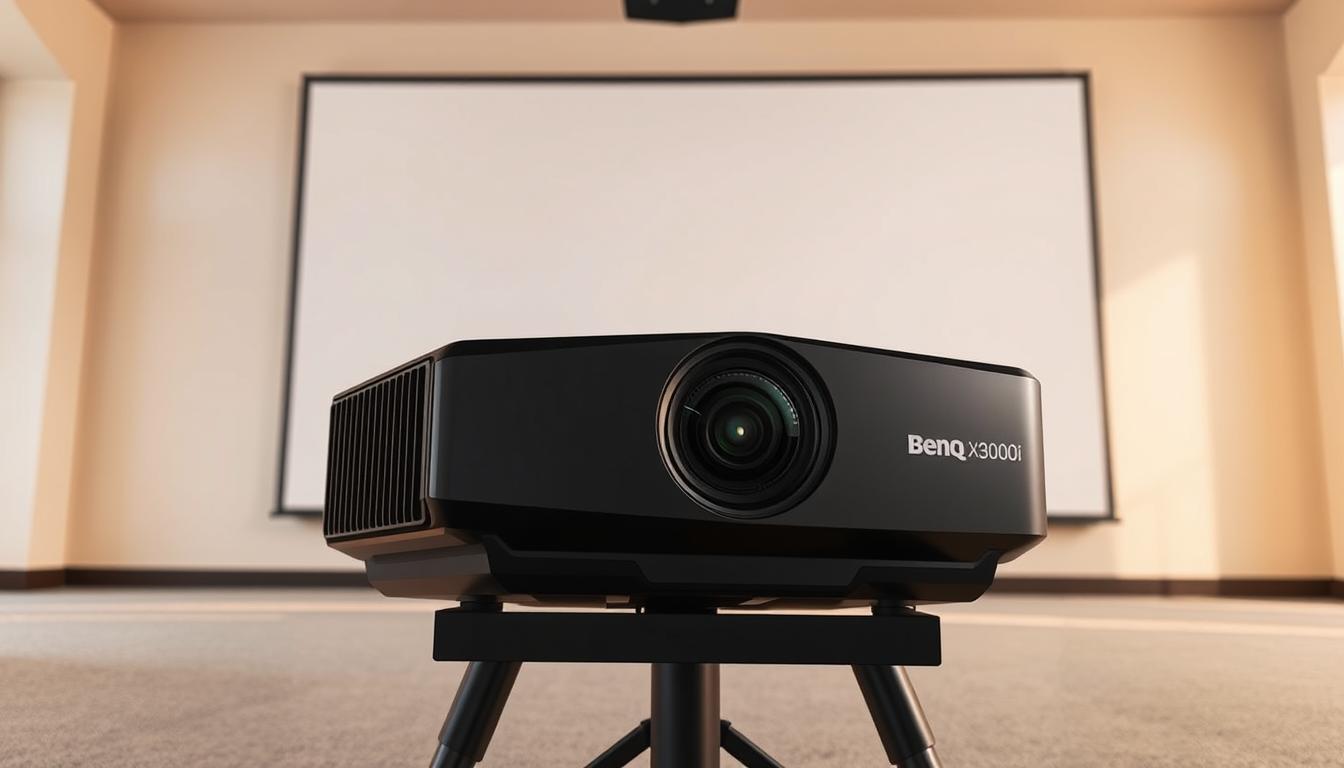

If you searched for a BenQ X3000i 4K HDR gaming projector review, the key choice in this lineup is whether you want the X3100i’s added brightness and installation flexibility, or a more room-friendly alternative. I rank the BenQ X3100i first for bright-room gaming and home cinema, while the X500i stands out for shorter throw distances and small rooms. The TK700 is a simpler standard-throw option, and the refurbished X3100i offers similar headline hardware with a different condition and warranty profile.

Get the latest gadgets delivered free with Prime
- Fast, free delivery on millions of items
- Prime Video, Amazon Music and more included
- Member-only deals all year
All four aim to combine large-screen viewing with gaming-friendly performance, but they are not interchangeable. Throw distance can decide whether a projector fits your room at all; refresh-rate claims need to be read alongside their resolution limits; and the refurbished model brings a shorter stated support period. I compare those practical tradeoffs rather than treating a 4K label or a high refresh-rate figure as a complete verdict.
Complete the kit



Key Takeaways
- The X3100i is my best overall pick for buyers who can place a standard-throw projector several feet from the screen and want 3,300 ANSI lumens plus lens shift.
- The X500i’s 0.69–0.83 throw ratio is the clearest fit for a small room where the X3100i’s minimum listed throw distance may be too long.
- The X3100i’s 240Hz gaming support applies at 1080p, not 4K; the provided details do not establish 240Hz at 4K.
- The refurbished X3100i retains strong brightness and setup features but has a one-year support term and refurbished condition, unlike the new-model listing’s two-year warranty.
- The TK700 offers 3,200 lumens and 4K HDR, but its lamp light source and less flexible setup make it a less versatile alternative to the LED X models.
| BenQ X3100i True 4K 4LED Gaming Projector |  | Best Overall | Resolution: 3840 × 2160 | Brightness: 3,300 ANSI lumens | Light source: 4LED | VIEW ON AMAZON | See Our Full Breakdown |
| BenQ X500i True 4K HDR Short-Throw Gaming Projector |  | Best for Small Rooms | Resolution: 3840 × 2160 | Brightness: 2,200 lumens | Light source: LED | VIEW ON AMAZON | See Our Full Breakdown |
| BenQ X3100i True 4K UHD 4LED Gaming Projector, Certified Refurbished | | Best Refurbished Feature Set | Condition: Certified refurbished | Resolution: 3840 × 2160 UHD via XPR | Brightness: 3,300 ANSI lumens | VIEW ON AMAZON | See Our Full Breakdown |
| BenQ TK700 4K HDR Gaming and Home Entertainment Projector |  | Best for Straightforward Standard-Throw Use | Resolution: 3840 × 2160 | Display type: DLP | Brightness: 3,200 lumens | VIEW ON AMAZON | See Our Full Breakdown |
| benq x3000i 4k hdr gaming projector review | Resolution | Brightness | Light source | Gaming |
|---|---|---|---|---|
| BenQ X3100i True 4K 4LED Gamin | 3840 × 2160 | 3,300 ANSI lumens | 4LED | Up to 240Hz and as low as 4ms at 1080p |
| BenQ X500i True 4K HDR Short-T | 3840 × 2160 | 2,200 lumens | LED | Up to 240Hz at 1080p; 4.2ms response time listed |
| BenQ X3100i True 4K UHD 4LED G | 3840 × 2160 UHD via XPR | 3,300 ANSI lumens | 4LED | Up to 240Hz at 1080p; response as low as 4ms |
| BenQ TK700 4K HDR Gaming and H | 3840 × 2160 | 3,200 lumens | — | — |
More Details on Our Top Picks
BenQ X3100i True 4K 4LED Gaming Projector
The new BenQ X3100i is my strongest all-around choice here because its combination of 3,300 ANSI lumens, 4K UHD presentation, HDR support, and placement adjustments serves both gaming and film viewing. Compared with the short-throw X500i, it needs more distance from the screen, but it gives you more brightness and a 1.3x zoom with 40%–60% vertical lens shift. Those adjustments can make a fixed room installation easier to tune without relying only on digital keystone correction.
For gaming, the stated 240Hz refresh rate and response as low as 4ms apply to 1080p. That makes the X3100i appealing for players who prioritize responsiveness and are comfortable using 1080p for high-refresh play, while the supplied information does not establish 240Hz performance at 4K. Android TV and built-in TreVolo speakers reduce the need for separate streaming equipment and basic audio, and eARC allows a more capable audio system to take over.
The tradeoff is its stationary tabletop design and standard-throw placement. Its listed minimum throw distance is 8.2 feet, so it is a poor match for a narrow room where the X500i’s short-throw optics are more accommodating. The maximum image size is listed as 200 inches, less than the X500i’s claimed 300 inches, though a practical screen choice still depends on viewing distance and room conditions. For buyers with enough space, the X3100i has the broadest feature mix in this group.
Pros:- Bright 3,300 ANSI-lumen output for more adaptable viewing conditions
- 4K UHD with HDR10 and HDR-PRO support
- 1.3x zoom and vertical lens shift help with physical placement
- Android TV, TreVolo speakers, and eARC support
Cons:- Requires at least 8.2 feet of listed throw distance
- 240Hz gaming support is specified at 1080p, not 4K
- Stationary tabletop form factor is less convenient to move between rooms
Best for: Buyers with a dedicated gaming or media room who want high brightness, 4K HDR, flexible lens placement, and built-in streaming.
Not ideal for: People who need a short-throw projector, a portable design, or 240Hz gaming specifically at 4K.
- Resolution:3840 × 2160
- Brightness:3,300 ANSI lumens
- Light source:4LED
- Gaming:Up to 240Hz and as low as 4ms at 1080p
- Zoom and lens shift:1.3x zoom; 40%–60% vertical lens shift
- Throw distance:8.2–16.3 feet listed
- Maximum image size:200 inches
- Connections:HDMI, USB, eARC, S/PDIF
- Warranty:2-year manufacturer warranty
Our verdict“I recommend the new X3100i for buyers with enough room to use its brightness and lens adjustments across gaming and home cinema.”
BenQ X500i True 4K HDR Short-Throw Gaming Projector
The BenQ X500i is the best fit in this group when projector placement is the main constraint. Its 0.69–0.83 throw ratio and 4.9-foot listed minimum distance make it far more room-friendly than either X3100i, whose listed minimum is 8.2 feet. That is a meaningful difference for apartments, multipurpose rooms, or setups where the projector cannot sit across the room. It is also specified for images up to 300 inches, although that maximum should not be mistaken for a practical target in every space.
It still provides 4K HDR, a 2,200-lumen LED light source, and up to 240Hz at 1080p with a listed 4.2ms response time. Against the brighter X3100i, the X500i gives up substantial stated brightness, so it makes more sense in a room where you can control ambient light than in a bright shared space. The built-in Android TV, casting support, TreVolo audio, and eARC add convenience, but the X3100i offers greater brightness and physical lens adjustments for a more flexible standard-throw installation.
The X500i’s central advantage is short-throw placement, not winning every performance category. Its high-refresh mode is specified at 1080p, and the supplied information does not establish high-refresh 4K gaming. Buyers should also check the screen size and placement against the stated throw range before choosing it. I rank it second because it solves a common room-fit problem exceptionally well, even though its brightness is lower than the two X3100i options.
Pros:- Short 0.69–0.83 throw ratio suits compact rooms
- 4K HDR LED projection with 2,200 lumens
- Up to 240Hz at 1080p and listed 4.2ms response time
- Android TV, casting, TreVolo audio, and eARC
Cons:- Lower stated brightness than either X3100i model
- 240Hz support is limited to 1080p
- Supplied details do not list lens shift
Best for: Gamers who have limited room depth and want a 4K HDR projector with short-throw placement and built-in streaming.
Not ideal for: Buyers prioritizing the highest listed brightness, lens shift, or high-refresh gaming at 4K.
- Resolution:3840 × 2160
- Brightness:2,200 lumens
- Light source:LED
- Throw ratio:0.69–0.83
- Throw distance:4.9–10 feet listed
- Gaming:Up to 240Hz at 1080p; 4.2ms response time listed
- Maximum image size:300 inches
- Smart features and audio:Android TV, casting, TreVolo audio, eARC
- Warranty:2-year manufacturer warranty
Our verdict“I would choose the X500i over the X3100i when the shorter throw is the deciding factor and the room can be darkened.”
BenQ X3100i True 4K UHD 4LED Gaming Projector, Certified Refurbished
This certified refurbished X3100i has much of the same headline appeal as the new X3100i: 3,300 ANSI lumens, 4K UHD via XPR, HDR support, a 4LED source, 1.3x zoom, and vertical lens shift. Its placement flexibility and brighter output put it ahead of the X500i for a spacious media room, while its standard throw makes it less useful in the compact setups where that short-throw model shines. The supplied specifications also list three HDMI 2.0b inputs, Wi-Fi, Bluetooth, and eARC, giving it a broad connection set.
Gaming support is listed up to 240Hz at 1080p with response as low as 4ms. That is a useful combination for players who value high-refresh play, but it should not be read as 240Hz at native 4K. The built-in 10W TreVolo speaker can handle basic viewing, though I would plan for external audio if sound quality or room-filling volume matters; eARC and the other audio outputs make that upgrade more practical.
The reason this model ranks below the new X3100i is straightforward: it is refurbished and has one year of BenQ technical and warranty support, compared with the new listing’s two-year manufacturer warranty. Buyers willing to accept that condition may get the core feature set they want, but those who prefer a new unit and the longer listed warranty should choose the first-ranked X3100i. It is not a different room-fit solution; it is a lower-support-path version of a similar standard-throw package.
Pros:- 3,300 ANSI lumens and 4K UHD with HDR support
- 1.3x zoom and vertical lens shift aid placement
- Up to 240Hz at 1080p with response as low as 4ms
- Android TV, wireless connections, and eARC
Cons:- Certified refurbished condition may not suit buyers seeking a new unit
- One-year support term is shorter than the new X3100i listing
- Built-in speaker is rated at 10W
Best for: Buyers who want X3100i-class brightness and placement controls and are comfortable purchasing a certified refurbished unit.
Not ideal for: People who require a new projector, the longer stated warranty, or a short-throw setup.
- Condition:Certified refurbished
- Resolution:3840 × 2160 UHD via XPR
- Brightness:3,300 ANSI lumens
- Light source:4LED
- Gaming:Up to 240Hz at 1080p; response as low as 4ms
- Placement:1.15–1.5:1 throw ratio; 1.3x zoom; vertical lens shift
- Audio:10W TreVolo speaker; Dolby Atmos output
- Connectivity:Three HDMI 2.0b inputs, USB, eARC, optical, 3.5mm, Wi-Fi, Bluetooth
- Support:One year of BenQ technical and warranty support
Our verdict“I would choose this refurbished X3100i only if its condition and one-year support term fit my buying preferences better than the new model’s longer warranty.”
BenQ TK700 4K HDR Gaming and Home Entertainment Projector
The BenQ TK700 is a simpler 4K HDR gaming and entertainment option for buyers who do not need Android TV, a 4LED source, or the X3100i’s lens adjustments. Its 3,200-lumen rating is close to the X3100i’s stated 3,300 ANSI lumens, and HDR10 support gives it the core picture format expected of a gaming-and-movie projector. Compared with the newer X models, however, the supplied feature list is leaner: HDMI and USB 2.0 are specified, but streaming, eARC, and lens shift are not included in the description.
The TK700’s standard-throw design calls for more room depth than the X500i, which is the clearest reason to skip it if your setup is constrained. It is listed as projecting a 100-inch image from about 8.2 feet, putting it closer to the X3100i in placement needs than the short-throw X500i. The supplied data lists 16ms input lag, but it does not give the same 240Hz-at-1080p and 4ms claims described for the X3100i models. Buyers comparing gaming performance should not assume those specifications are equivalent.
Its lamp light source and 4,000-hour lamp-life figure are also a different ownership proposition from the X models’ LED sources and stated 20,000-hour lives. The listing includes a three-year warranty, longer than the supplied warranty for the X3100i models, but lamp replacement and less detailed setup flexibility remain tradeoffs. I place it fourth because it covers basic 4K HDR gaming needs but is less feature-rich and less adaptable than the newer BenQ alternatives.
Pros:- 4K resolution with HDR10 support
- 3,200-lumen brightness rating
- Gaming-focused 16ms input lag is listed
- Three-year warranty listed
Cons:- Standard throw needs more room depth than the X500i
- Lamp life is listed at 4,000 hours, shorter than the X models’ stated LED life
- Supplied details do not list Android TV, eARC, or lens shift
Best for: Buyers who want a straightforward standard-throw 4K HDR projector and do not need built-in streaming or flexible lens adjustments.
Not ideal for: Small-room owners, buyers seeking an LED light source, or gamers who want the listed 240Hz-at-1080p feature set.
- Resolution:3840 × 2160
- Display type:DLP
- Brightness:3,200 lumens
- Contrast ratio:10,000:1
- Input lag:16ms listed
- Lamp life:4,000 hours
- Throw reference:100-inch image from about 8.2 feet
- Connectivity:HDMI, USB 2.0 Type A
- Warranty:3 years listed
Our verdict“I would choose the TK700 for a basic standard-throw 4K HDR setup, but the X models offer more useful gaming and installation features.”
How We Picked
I ranked these projectors around the specific needs behind a BenQ X3000i-style gaming projector search: 4K HDR presentation, gaming response, brightness, room fit, and the flexibility to place and connect the unit sensibly. I treated performance figures as useful only when their stated conditions are clear. For example, the X500i lists up to 240Hz at 1080p, and the X3100i listings likewise tie 240Hz to 1080p; that does not make either a 240Hz 4K projector.
Room setup has substantial weight in this comparison. The X500i’s short-throw ratio gives it a different purpose from the standard-throw X3100i models, while the X3100i’s 1.3x zoom and vertical lens shift can ease positioning in a dedicated space. I also weighed brightness and light-source details, smart features, audio connections, condition, and warranty information where supplied. The refurbished X3100i is ranked below the new listing because its condition and shorter support period matter to buyers, even though the core listed brightness and gaming features are similar. The TK700 places fourth because its supplied details show fewer placement and smart features than the newer LED options.
This is a feature-based editorial comparison using the supplied product information, not a claim of hands-on testing. I do not infer unlisted measurements, such as the exact 4K input lag for every model, or treat a stated maximum image size as proof that every room can support it. The order reflects overall fit for the widest range of gaming and home-cinema buyers, followed by the specific strengths and compromises of each alternative.
| benq x3000i 4k hdr gaming projector review | Gaming | Connectivity |
|---|---|---|
| BenQ X3100i True 4K 4LED Gamin | Up to 240Hz and as low as 4ms at 1080p | — |
| BenQ X500i True 4K HDR Short-T | Up to 240Hz at 1080p; 4.2ms response time listed | — |
| BenQ X3100i True 4K UHD 4LED G | Up to 240Hz at 1080p; response as low as 4ms | Three HDMI 2.0b inputs, USB, eARC, optical, 3.5mm, Wi-Fi, Bluetooth |
| BenQ TK700 4K HDR Gaming and H | — | HDMI, USB 2.0 Type A |
Factors to Consider When Choosing Benq X3000i 4k Hdr Gaming Projector Review
For a gaming projector comparison centered on the BenQ X3000i search, I would make the decision in this order: check room distance, decide how much brightness and placement adjustment you need, then compare gaming modes and connections. The model with the most impressive single number is not automatically the best fit if it cannot sit at the right distance or its high-refresh mode does not match the resolution you plan to use.
Match throw distance to the room
Start by measuring the distance available between the projector position and the screen. The X500i’s short-throw ratio is the standout advantage for compact rooms, with a listed minimum distance of 4.9 feet. Both X3100i listings begin at 8.2 feet, while the TK700 is described as a standard-throw unit. The X500i is therefore the practical first choice when a sofa, wall, or room layout prevents a projector from sitting farther back. Check the intended screen size against the projector’s throw range rather than relying on a maximum-image claim alone.
Read gaming refresh figures with their resolution
A high refresh rate matters only when the projector supports it at the resolution and input mode you intend to play. The X500i and both X3100i listings specify up to 240Hz at 1080p, with response figures around 4ms under the stated conditions. These details do not establish 240Hz at 4K. The TK700 listing gives 16ms input lag but does not provide the same high-refresh claim in the supplied information. If you mainly play competitive games, check the complete input-mode table for your console or PC before purchase; for visually rich games, decide whether 4K presentation or high-refresh 1080p matters more.
Balance brightness against placement
The new and refurbished X3100i models lead this group on listed brightness at 3,300 ANSI lumens, with the TK700 close at 3,200 lumens. The X500i is rated at 2,200 lumens, so it is more compelling where the room can be darkened and short placement is needed. Brightness ratings do not remove the effects of ambient light, screen size, or screen material. The X3100i’s 1.3x zoom and vertical lens shift provide additional physical setup flexibility; the X500i’s advantage is moving the projector closer to the screen, not offering the same lens adjustments.
Compare light source, sound, and warranty
The X500i and X3100i use LED-based light sources with stated operating lives of 20,000 hours, while the TK700 uses a lamp with a listed 4,000-hour life. That difference may affect long-term upkeep expectations, though actual use and operating conditions matter. Built-in speakers are convenient for casual viewing, but the refurbished X3100i’s supplied specification is a 10W TreVolo speaker; external audio is a better plan for a larger room. The new X3100i and X500i list two-year manufacturer warranties, the refurbished X3100i lists one year of support, and the TK700 listing states three years. I would compare condition and support terms alongside features, not treat them as interchangeable.
Decide whether you need built-in smart features
The X500i and both X3100i descriptions include Android TV or Google-certified Android TV, plus casting or wireless features. That can simplify streaming when the projector is used for movies as well as games. The TK700’s supplied description focuses on HDMI and USB connectivity and does not specify an integrated smart-TV platform. If you already use a streaming device or game console for apps, that omission may not matter. If you want one device to handle streaming and projection, the newer X models have the clearer convenience advantage.
Frequently Asked Questions
Which projector in this comparison is closest to the BenQ X3000i?
The two X3100i listings are the closest match in this group by feature mix, with 4K UHD, HDR support, 4LED lighting, built-in Android TV, TreVolo audio, and gaming support up to 240Hz at 1080p. The new X3100i is my preferred version for most buyers because its supplied listing includes a two-year manufacturer warranty, while the other X3100i is certified refurbished and lists one year of support. Neither listing should be read as proof of 240Hz gaming at 4K.
Is the X500i a better choice than the X3100i for gaming?
It depends on room layout and priorities. The X500i is better suited to short throw distances, making it easier to use in a compact room, while the X3100i offers a higher stated brightness of 3,300 ANSI lumens and includes 1.3x zoom and vertical lens shift. Both listings describe high-refresh gaming at 1080p. I would choose the X500i when placement is the main constraint and the X3100i when brightness and lens adjustment matter more.
Do these projectors support 240Hz at 4K?
The supplied product details specify up to 240Hz at 1080p for the X500i and the X3100i models. They do not establish 240Hz at 4K. Buyers who need a particular combination of resolution, refresh rate, and input should confirm the projector’s full supported-signal table and their gaming device’s output modes before choosing a model.
Which projector is the best fit for a small room?
The X500i is the clearest small-room choice because its 0.69–0.83 throw ratio and listed minimum throw distance of 4.9 feet let it sit closer to the screen than the X3100i models. The TK700 is also described as standard throw. Before buying, measure the available distance and the desired screen size; a short-throw design helps with room depth but does not make every screen size workable in every layout.
Should I buy the refurbished X3100i instead of the new one?
The refurbished X3100i may suit a buyer who wants its 3,300 ANSI lumens, lens shift, zoom, and gaming features and accepts a certified refurbished condition. The main supplied tradeoff is support: it lists one year of BenQ technical and warranty support, compared with the new X3100i’s two-year manufacturer warranty. I would pick the new model if condition and the longer stated warranty take priority; the refurbished version is for buyers comfortable with its listed status and terms.
Conclusion
My overall pick is the new BenQ X3100i for buyers with a standard-throw room who want strong listed brightness, 4K HDR, lens adjustments, and built-in streaming. Choose the X500i instead if a shorter projector-to-screen distance is the deciding factor, and accept its lower brightness rating compared with the X3100i. The refurbished X3100i is best for buyers who are comfortable with refurbished condition and a one-year support term; the new model is the safer fit for those who value its longer stated warranty. I would select the TK700 for a more straightforward standard-throw setup, but skip it if you want the X models’ LED source, listed 240Hz-at-1080p support, or integrated Android TV. For every option, confirm room measurements and the gaming resolution-refresh combination before making a final choice.
Halloween Picks

DomKom 6-Foot Halloween Inflatable Ghosts Roasting Marshmallows

Kalolary 12ft Halloween Witch Haunted House Inflatable Archway

JOYIN 5-Foot Halloween Animatronic Drinking Skeleton
As an affiliate, we earn on qualifying purchases.