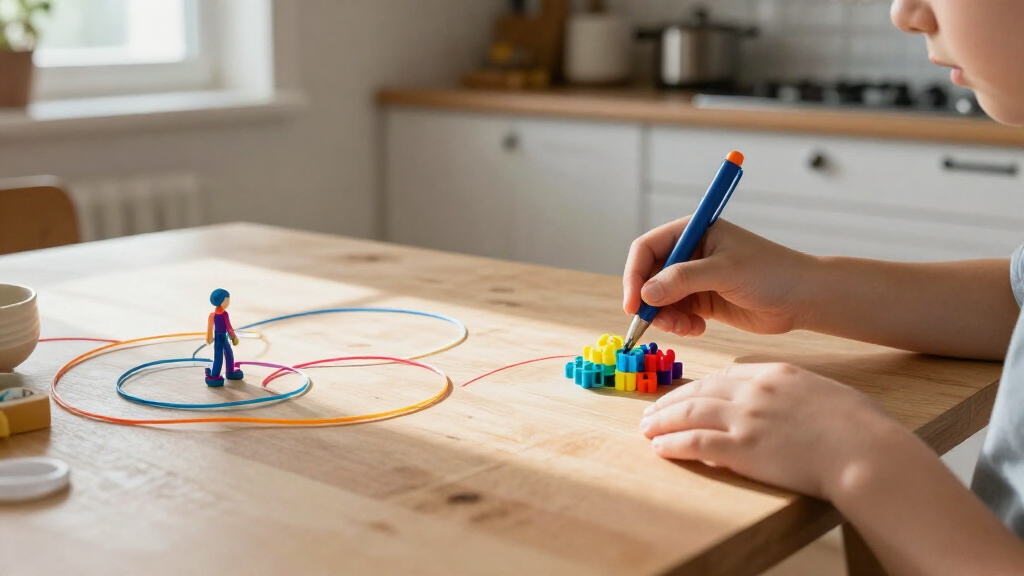

For most families, the 3Doodler Start+ Essentials is my best overall pick because it is made for younger children and keeps the setup straightforward. The 3Doodler EDU Create+ Classroom Learning Pack is a stronger fit for group projects, while the SCRIB3D P1 offers display-based controls and a starter kit for older kids ready for more hands-on adjustment. The main tradeoff is between kid-focused ease and the broader material or temperature control offered by more advanced pens. Supply bundles also differ, so a large filament assortment may be less useful than age-appropriate operation. Read on for the full breakdown and help matching a pen to the child, setting, and kind of projects you have in mind.

Get the latest gadgets delivered free with Prime
- Fast, free delivery on millions of items
- Prime Video, Amazon Music and more included
- Member-only deals all year
Complete the kit



Key Takeaways
- Age fit changes the shortlist: The 3Doodler Start+ is aimed at ages 6+, while several SCRIB3D and MYNT3D pens have more adjustable, adult-oriented controls that suit older children with supervision.
- Classroom use favors quantity: The 3Doodler EDU Create+ pack includes 12 pens, making it the clearest choice for shared activities rather than a single child’s home projects.
- Display controls are not automatically easier: The SCRIB3D P1 and MYNT3D Professional offer more direct control, but younger beginners may prefer a simpler setup.
- Filament variety and learning support solve different problems: The P1 bundle emphasizes 23 PLA colors, while the 3Doodler Flow pairs its pen with a stencil book and guide for structured practice.
- Advanced flexibility brings tradeoffs: The MYNT3D Super supports ABS and PLA, but material choice and higher-control features call for more adult involvement than a basic beginner setup.
| 3Doodler EDU Create+ Classroom Learning Pack with 12 3D Pens |  | Best for Classroom STEAM Projects | Brand: 3Doodler | Model number: 8CPSFUUSED | Number of pens: 12 | VIEW LATEST PRICE | See Our Full Breakdown |
| 3Doodler Start+ Essentials 3D Pen Set for Kids, Ages 6+ |  | Best for Younger Beginners | Brand: 3Doodler | Model: Start+ | Age range: 6+ | VIEW LATEST PRICE | See Our Full Breakdown |
| 3Doodler Flow 3D Printing Pen with Filaments, Stencil Book, and Guide |  | Best for Filament Variety | Model number: 3DFLOW-US | Compatible filament: 1.75 mm PLA, ABS, and wood | Display: Integrated LCD temperature monitor | VIEW LATEST PRICE | See Our Full Breakdown |
| SCRIB3D P1 3D Printing Pen with Display and Starter Kit |  | Best for Adjustable Drawing Control | Brand: SCRIB3D | Model: SCRIB_P1_INTL | Filament compatibility: PLA and ABS | VIEW LATEST PRICE | See Our Full Breakdown |
| SCRIB3D Advanced 3D Printing Pen Kit |  | Best for Flow-Rate Guidance | Brand: SCRIB3D | Model: SCRIB_PEN_ADV | Filament material: PLA | VIEW LATEST PRICE | See Our Full Breakdown |
| SCRIB3D P1 3D Printing Pen Bundle with 23 PLA Filament Colors |  | Best for Color Variety | Brand and model: SCRIB3D P1 | Product type: 3D printing pen | Filament type: PLA | VIEW LATEST PRICE | See Our Full Breakdown |
| MYNT3D Professional 3D Printing Pen with OLED Display | 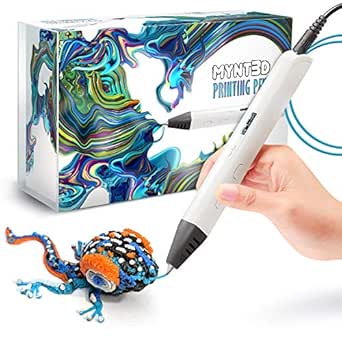 | Best for Temperature Control | Display: OLED | Temperature range: Listed as 130–240 °C and 140–230 °C | Temperature adjustment: 1 °C increments | VIEW LATEST PRICE | See Our Full Breakdown |
| MYNT3D Super 3D Printing Pen, ABS and PLA Compatible |  | Best Lightweight Adjustable Pick | Compatible filament: 1.75 mm ABS and PLA | Speed control: Stepless variable extrusion speed | Temperature: Adjustable for ABS or PLA | VIEW LATEST PRICE | See Our Full Breakdown |
| SCRIB3D PRO 3D Printing Pen Set |  | Best for Older Teen Makers | Recommended age: 14+ | Filament size: 1.75 mm | Material compatibility: PLA, PHA, wood, bronze/copper, steel, and CF (carbon fiber) 10 | VIEW LATEST PRICE | See Our Full Breakdown |
| 3D printing pens for kid | Warranty | Included filament |
|---|---|---|
| 3Doodler EDU Create+ Classroom | 1 year | — |
| 3Doodler Start+ Essentials 3D | 1 year against manufacturer defects | 72 mixed-color plastic strands |
| 3Doodler Flow 3D Printing Pen | — | 8 colors, 80 feet total |
| SCRIB3D P1 3D Printing Pen wit | — | 3 colors, 30 feet total |
| SCRIB3D Advanced 3D Printing P | 1 year | 5 colors, approximately 50 feet (15 meters) |
| SCRIB3D P1 3D Printing Pen Bun | — | — |
| MYNT3D Professional 3D Printin | 1-year limited | 3 colors; product information lists PLA and ABS |
| MYNT3D Super 3D Printing Pen | 1-year limited | — |
| SCRIB3D PRO 3D Printing Pen Se | — | — |
More Details on Our Top Picks
3Doodler EDU Create+ Classroom Learning Pack with 12 3D Pens
This is the lineup’s clear choice for group instruction, not a single child’s first pen. Twelve Create+ pens and 1,200 filament strands let a class work on models and prototypes at once, while the teacher and student kits and online lesson library support structured activities. Compared with the 3Doodler Start+ Essentials, which is designed for younger children and individual creative play, this pack is built around classroom projects and lists a recommended age of 14 and up. That age guidance matters for families: it is not the child-safe, no-hot-parts option among these picks. The large supply and educational materials make it a stronger fit for schools or supervised older-student workshops, but the 12-pen format is excessive for most households, and the kit requires adult planning to get the most from its lessons.
Pros:- Includes 12 pens so multiple students can work at the same time
- 1,200 filament strands support repeated group projects
- Teacher and student kits help structure classroom use
- Online lesson library offers ideas for modeling, prototyping, and design thinking
Cons:- Recommended for ages 14 and up, so it is not suited to younger children
- A 12-pen classroom pack is more than most individual families need
- Classroom activities and heated-pen use call for adult supervision and setup
Best for: Teachers and program leaders setting up supervised STEAM activities for groups of students aged 14 and up
Not ideal for: Families seeking a simple, child-safe pen for younger children or a compact kit for one user
- Brand:3Doodler
- Model number:8CPSFUUSED
- Number of pens:12
- Filament:1,200 strands
- Included components:Plastic kit, teacher’s kit, and 4 students’ kits
- Recommended age:14 years and up
- Warranty:1 year
- Dimensions:15.8 x 13 x 8.8 inches
Our verdict“Choose this pack for supervised group STEAM projects with older students, not casual use by a young child.”
3Doodler Start+ Essentials 3D Pen Set for Kids, Ages 6+
For a child just starting out, the 3Doodler Start+ Essentials prioritizes age-appropriate handling over broad filament choice. Its design has no hot parts described, which makes it a more suitable starting point for younger kids than the heated 3Doodler Flow or SCRIB3D pens. The 72 mixed-color strands, stencils, DoodlePad, and activity guide give a beginner several ways to practice without needing a screen or separate project materials. That accessible setup comes with a limitation: the pen accepts only Start+ plastic filaments, unlike the Flow’s compatibility with PLA, ABS, and wood. It also needs charging through the included USB-C cable, so it is not ready for unlimited continuous use. I’d choose it for supervised creative play from age six, but older children wanting conventional filament options may outgrow its system sooner.
Pros:- Designed without hot parts described, making it a more approachable option for younger users
- Includes 72 mixed-color strands for varied projects
- Stencils, DoodlePad, and activity guide give beginners structured ways to practice
- USB-C charging and a slimmer design support easier handling and setup
Cons:- Compatible only with 3Doodler Start plastic filaments
- Requires charging before cordless use
- Its child-focused system offers less material flexibility than the heated 3Doodler Flow
Best for: Families introducing children aged six and up to hands-on 3D drawing with guided, screen-free activities
Not ideal for: Older kids who want to use standard PLA, ABS, or wood filament, or families seeking a pen that does not need charging
- Brand:3Doodler
- Model:Start+
- Age range:6+
- Included filament:72 mixed-color plastic strands
- Included components:3D pen, DoodlePad/Doodlemat, USB-C cable, stencils, and activity guide
- Dimensions:9.06 x 6.02 x 2.56 inches
- Weight:10.72 ounces
- Warranty:1 year against manufacturer defects
Our verdict“Pick the Start+ for a younger child who needs a guided, screen-free introduction rather than standard filament compatibility.”
3Doodler Flow 3D Printing Pen with Filaments, Stencil Book, and Guide
The Flow is the most flexible choice here for a child or teen ready to learn how a conventional heated 3D pen works. PLA, ABS, and wood-filament compatibility gives it more material range than the Start+, which uses its own dedicated filament system, while the LCD temperature display makes heat settings visible during a project. Its included 80 feet of filament across eight colors and the stencil book support both guided designs and freehand practice. That versatility has a real tradeoff for a kids’ roundup: the Flow extrudes heated plastic and needs time to warm up, so it calls for close adult supervision rather than the Start+’s younger-child-oriented approach. Compared with the SCRIB3D Advanced, it emphasizes material compatibility and temperature visibility, while the SCRIB3D offers eight speed settings. I’d favor Flow when filament choice matters more than child-specific simplicity.
Pros:- Compatible with 1.75 mm PLA, ABS, and wood filaments
- LCD shows temperature while the pen is in use
- Includes eight filament colors and 80 feet total
- Supports both stencil-based projects and freehand drawing
Cons:- Uses heated, extruded plastic and needs close adult supervision for children
- Requires warm-up time before drawing
- Offers fewer stated flow-control details than the SCRIB3D Advanced, which lists eight speed settings
Best for: Older children and teens working with an adult who want to experiment with different filament materials and guided or freehand designs
Not ideal for: Younger children who need a pen without heated parts, or beginners whose priority is the simplest possible setup
- Model number:3DFLOW-US
- Compatible filament:1.75 mm PLA, ABS, and wood
- Display:Integrated LCD temperature monitor
- Included filament:8 colors, 80 feet total
- Included materials:Stencil book and activity guide
- Dimensions:3.1 x 10.74 x 4.44 inches
- Weight:15.8 ounces
- Color:Black
Our verdict“Choose the Flow for supervised older users who want material flexibility and a visible temperature readout.”
SCRIB3D P1 3D Printing Pen with Display and Starter Kit
The SCRIB3D P1 suits older kids who want to vary their drawing pace and work with more than one filament type. Its stepless speed control allows finer adjustment than the SCRIB3D Advanced’s eight fixed settings, which can help when switching between delicate outlines and faster fills. Adjustable temperatures for PLA and ABS add flexibility, though they also make this a heated tool that needs adult oversight around children. The ceramic nozzle, anti-clogging features, and two-minute auto-sleep function add useful controls, but they do not remove the 2–3 minute warm-up or the high operating temperatures. Compared with the child-oriented 3Doodler Start+, the P1 offers broader filament compatibility and more control at the cost of a less age-focused design. Its starter supply is also modest at three colors and 30 feet.
Pros:- Stepless speed control supports gradual adjustment for outlines and infill
- Temperature settings accommodate both PLA and ABS
- Ceramic nozzle and anti-clogging features support controlled operation
- Two-minute auto-sleep function and stencil and project guides are included
Cons:- Nozzle temperatures reach up to 235°C, requiring careful adult supervision
- Takes about 2–3 minutes to warm up
- Includes only three colors and 30 feet of PLA filament
Best for: Older children using a 3D pen with adult supervision who want adjustable speed and temperature for PLA or ABS projects
Not ideal for: Young beginners who need a pen without hot parts, or users who want a large filament assortment included
- Brand:SCRIB3D
- Model:SCRIB_P1_INTL
- Filament compatibility:PLA and ABS
- PLA temperature range:160–210°C (320–410°F)
- ABS temperature range:210–235°C (410–455°F)
- Included filament:3 colors, 30 feet total
- Nozzle material:Ceramic
- Auto-sleep:After 2 minutes of inactivity
- Warm-up time:Approximately 2–3 minutes
Our verdict“Pick the P1 for a supervised older user who values continuous speed adjustment more than a child-specific design or a large starter filament supply.”
SCRIB3D Advanced 3D Printing Pen Kit
The SCRIB3D Advanced is a sensible step up for a young maker who has moved beyond basic stencil tracing and wants more control over how filament feeds. Its LCD screen and eight speed settings make the pen’s settings easier to monitor and adjust than the SCRIB3D P1’s stepless control, which may suit users who prefer distinct choices over continuous tuning. The soft-touch ergonomic shape and included five-color PLA supply add comfort and creative range, though the 50-foot amount is less than the Flow’s 80 feet. This pen is still a heated tool, not a safer alternative for younger children: it warms for about 2–3 minutes and its nozzle heats during use. It also lists PLA filament rather than the Flow’s PLA, ABS, and wood compatibility, so the extra control comes with a narrower stated material range.
Pros:- LCD screen displays settings and heat information
- Eight speed settings provide defined choices for filament flow
- Soft-touch ergonomic design supports a comfortable grip
- Includes five PLA colors, approximately 50 feet total, and a stencil guide
Cons:- Nozzle heats during operation, so adult supervision is needed for children
- Warm-up takes approximately 2–3 minutes
- Listed filament material is PLA, narrower than the 3Doodler Flow’s PLA, ABS, and wood compatibility
Best for: Older children and teens with adult supervision who want clear settings and repeatable speed choices while drawing with PLA
Not ideal for: Younger kids who need a no-hot-parts design, or makers who want ABS and wood-filament compatibility
- Brand:SCRIB3D
- Model:SCRIB_PEN_ADV
- Filament material:PLA
- Included filament:5 colors, approximately 50 feet (15 meters)
- Speed settings:8
- Warm-up time:Approximately 2–3 minutes
- Dimensions:4.06 x 7.8 x 2.48 inches
- Weight:11.7 ounces
- Warranty:1 year
Our verdict“Choose the SCRIB3D Advanced for a supervised older maker who prefers an LCD and set speed choices over broader material compatibility.”
SCRIB3D P1 3D Printing Pen Bundle with 23 PLA Filament Colors
The SCRIB3D P1 bundle makes a strong choice for kids ready to try lots of colors without sourcing extra filament right away. Its 23 PLA colors and 358 feet of included filament offer more room for repeated projects than the small included filament assortments with the MYNT3D Professional and Super pens. A stepless speed slider lets a young maker slow the flow for careful lines or move faster across larger shapes, while the ceramic nozzle and anti-clogging design aim to keep projects moving. Beginner-friendly controls and a detailed manual also make it a more approachable pick than the more adjustable SCRIB3D PRO. The tradeoff is less material flexibility: this kit supplies PLA only, and the product details don’t give the pen’s dimensions or weight, which may matter for smaller hands.
Pros:- Includes 23 colors and 358 feet of PLA filament
- Stepless speed adjustment supports slower, more controlled drawing
- Ceramic nozzle and anti-clogging design are intended to reduce interruptions
- Beginner-friendly controls and a detailed manual support first-time use
Cons:- Filament selection is limited to PLA
- Pen dimensions and weight are not specified in the product information
Best for: Families whose kids want a broad color selection and plenty of PLA for frequent crafts and practice.
Not ideal for: Buyers seeking ABS or specialty-material flexibility, or parents who need published pen dimensions and weight before choosing.
- Brand and model:SCRIB3D P1
- Product type:3D printing pen
- Filament type:PLA
- Starter filament:3 colors, 30 feet
- Assorted filament:20 colors, 328 feet
- Nozzle:Ceramic
- Controls:Intuitive controls with stepless speed slider
Our verdict“Choose this bundle for a beginner who will value a large PLA color supply more than multi-material control.”
MYNT3D Professional 3D Printing Pen with OLED Display
For older kids and teens who want to adjust how filament behaves, the MYNT3D Professional offers more direct control than the simpler MYNT3D Super. Its OLED display shows the temperature, and one-degree adjustments give users a finer way to tune the pen for a project or material. Adjustable extrusion speed adds another control for managing line thickness and flow. The ergonomic, 12-ounce design is relatively light for longer crafting sessions, though it is heavier than the listed MYNT3D Super. I’d rank it ahead of that model for users who want to monitor settings rather than rely on adjustment alone. The product details have a real drawback: they give conflicting temperature ranges and are inconsistent about whether the included filament is PLA, ABS, or both. That uncertainty makes material planning less straightforward.
Pros:- OLED screen displays the pen’s temperature
- Temperature adjusts in one-degree increments
- Adjustable extrusion speed and material flow offer hands-on control
- Ergonomic design weighs 12 ounces and includes a one-year limited warranty
Cons:- Product information lists conflicting temperature ranges
- Included filament is described inconsistently as PLA and ABS
- Its advanced settings may be more than a young first-time user needs
Best for: Older children or teens with adult guidance who want to monitor temperature and fine-tune extrusion for different projects.
Not ideal for: Younger beginners or families who need clear confirmation of the included filament type and exact temperature range.
- Display:OLED
- Temperature range:Listed as 130–240 °C and 140–230 °C
- Temperature adjustment:1 °C increments
- Power output:10 W
- Input:5 V DC, 2 A
- Included filament:3 colors; product information lists PLA and ABS
- Dimensions and weight:7.99 × 5.2 × 2.6 inches; 12 ounces
- Warranty:1-year limited
Our verdict“Pick this pen for a settings-focused teen, but check the filament and temperature details before relying on a particular material.”
MYNT3D Super 3D Printing Pen, ABS and PLA Compatible
The MYNT3D Super suits a young maker who wants adjustable speed and temperature without the Professional model’s OLED readout and one-degree temperature controls. At 7.7 ounces, it is lighter than the Professional’s listed 12 ounces, a useful distinction for smaller hands or projects that take more than a few minutes. Stepless speed control helps regulate material flow, while ABS and PLA compatibility gives families more material choice than the PLA-only SCRIB3D P1 bundle. That flexibility does mean the user must match the temperature to the filament, so it’s not the most hands-off option for a first pen. The product specifies compatibility with 1.75 mm filament, but the included filament colors are described inconsistently as PLA and ABS. Compared with the Professional, it trades visible temperature monitoring for a lighter, simpler setup.
Pros:- Lightweight 7.7-ounce design is lighter than the MYNT3D Professional
- Stepless speed control helps regulate extrusion
- Adjustable temperature supports compatible ABS and PLA filament
- Includes filament and an AC adapter
Cons:- Requires compatible 1.75 mm filament
- Included filament colors are described inconsistently as PLA and ABS
- No temperature display is listed, unlike the MYNT3D Professional
Best for: Families choosing a lighter adjustable pen for an older child or teen who can follow filament and temperature instructions.
Not ideal for: Young beginners who need an on-pen temperature display, or buyers who want certainty about the included filament type.
- Compatible filament:1.75 mm ABS and PLA
- Speed control:Stepless variable extrusion speed
- Temperature:Adjustable for ABS or PLA
- Power output:10 W
- Input:5 V DC, 2 A
- Dimensions and weight:3.98 × 8.31 × 2.32 inches; 7.7 ounces
- Certifications:FCC, CE, RoHS
- Warranty:1-year limited
Our verdict“Choose the Super for a lighter adjustable pen when an OLED temperature display is not a priority.”
SCRIB3D PRO 3D Printing Pen Set
The SCRIB3D PRO is the most ambitious option here, but its stated age recommendation of 14 and up makes it a fit for older teens rather than younger children. Adjustable temperature and speed, plus an on-pen display, give experienced makers more control than the SCRIB3D P1 bundle, which is oriented toward approachable PLA projects. This set also supports 1.75 mm filament across a wide material range, including PLA, PHA, wood, metal-filled options, and carbon fiber. Interchangeable nozzles and a DoodlePad add ways to explore detailed work and prototypes. Those capabilities bring added responsibility: the hot nozzle calls for careful handling, and the listed 2.24-pound item weight is much heavier than either MYNT3D pen. It’s a poor match for a younger child seeking a simple first craft tool.
Pros:- Adjustable temperature and speed support control across different projects
- Supports 1.75 mm filament and a broad range of listed materials
- On-pen display shows temperature and speed
- Set includes assorted filament colors, interchangeable nozzles, and a DoodlePad
Cons:- Recommended for ages 14 and up, limiting its suitability for younger kids
- Hot nozzle requires careful handling around children
- Listed item weight of 2.24 pounds is substantially heavier than the MYNT3D pen options
Best for: Makers aged 14 and up who already have adult guidance and want to experiment with varied materials, detailing, or prototypes.
Not ideal for: Younger children or families seeking a lightweight, simple beginner pen; the age guidance, hot nozzle, and heavier listed weight are poor fits.
- Recommended age:14+
- Filament size:1.75 mm
- Material compatibility:PLA, PHA, wood, bronze/copper, steel, and CF (carbon fiber) 10
- Controls:Adjustable temperature and speed
- Display:On-pen display shows temperature and speed
- Included colors:Red, black, clear, bronze, wood, dual-color blue and yellow, metallic gold, metallic silver, pure white
- Included accessories:Interchangeable nozzles and DoodlePad
- Package dimensions and item weight:10.43 × 8.27 × 2.72 inches; 2.24 pounds
Our verdict“Choose the SCRIB3D PRO for a supervised teen maker who will use its material range and detailing tools, not for a young child’s first pen.”
How We Picked
I ranked these 3D printing pens for kids by how well their age fit, controls, and included support match real use at home or in a classroom. I gave greater weight to approachable operation and clear learning support for younger children, while treating temperature or material flexibility as an advantage for older, supervised users—not a universal benefit. I also compared what comes in the box: classroom quantities, stencils, guides, starter filament, and color variety can change how quickly a child can begin.
The ranking reflects the difference between a child-focused first pen and a more adjustable tool that may need adult help. The Start+ leads for its younger-age positioning; the EDU Create+ ranks highly for group learning, not solo value. SCRIB3D and MYNT3D options follow where they offer useful controls or supplies but require more choice from the buyer about age, materials, and supervision. A pen with more features does not automatically rank higher if those features add complexity without helping the intended child.
Factors to Consider When Choosing 3D Printing Pens For Kids
Product features only tell part of the story. I’d match the pen to the child’s age, the place it will be used, and the kind of help an adult can provide before choosing based on filament colors or extra accessories.
Match the Pen to the Child’s Age and Supervision
Start with the manufacturer’s age guidance, then ask whether the child can follow instructions and keep the tool pointed away from skin. A label such as ages 6+ is a useful starting point, not a replacement for adult judgment or supervision. Some pens focus on simpler use, while models with display controls and adjustable settings ask the user to make more decisions. Buying an advanced pen for a young child because it seems like room to grow can leave the adult doing most of the operating. For younger users, prioritize a clear setup and an adult who can stay nearby over a long feature list.
Think About Where Projects Will Happen
A pen used at a kitchen table has different needs from one shared by a class or after-school group. For group use, consider how many children need to work at once, how supplies will be organized, and whether instructions support independent practice. A multi-pen pack can reduce waiting, but it also means more devices and consumables to manage. At home, a single pen with a guide or stencil book may be easier to store and use regularly. Check the work surface and adult supervision plan before treating portability or a large kit as the deciding factor.
Choose Filament Compatibility Before Buying Refills
Do not assume all 3D pen filament is interchangeable: check the model’s supported material and any specific filament requirements before purchasing extra supplies. PLA and ABS can involve different operating settings and handling needs, so a pen that supports multiple materials may suit an older child with adult help better than a first-time user. A large color bundle is only useful if it matches the pen and the child will use the colors. If the material guidance is unclear, confirm compatibility with the manufacturer rather than relying on a generic refill listing. This small check can prevent a kit from becoming unusable after its included filament runs out.
Decide Whether Controls Help or Complicate
A display or adjustable settings can help an older child make deliberate choices about how the pen operates. The same controls may slow a beginner who just wants to practice simple shapes. Before paying for extra adjustment, consider whether the child will use it and whether an adult can explain the settings. Simpler operation is often the better starting point when the goal is confidence and basic hand coordination. More control makes sense when the child is ready to experiment and can follow material and temperature instructions carefully.
Value Learning Aids as Well as Extra Filament
Stencils and project guides can turn an unfamiliar tool into a sequence of manageable exercises, especially for children who do better with a clear first task. Extra filament instead gives a child more material for experimentation but may not teach how to plan or steady a design. Neither is automatically the better bundle: choose guidance for a hesitant beginner and extra supplies for a child who already has project ideas. A classroom may benefit from reusable activity structure, while a confident home user may value a wider color selection. Check whether included learning material fits the child’s interests and reading level.
Set Expectations for Adult Help and Maintenance
These are heated tools, so adult involvement can extend beyond the first setup, particularly when changing materials or adjusting settings. Think about who will help with safe handling, keep track of filament, and follow the manufacturer’s cleaning or storage instructions. A feature-rich pen can create more choices and more opportunities for setup mistakes. If the adult wants a low-involvement activity, choose a simpler model and stay within its stated materials and instructions. Avoid assuming that a child-focused label means every step can be handled without supervision.
Frequently Asked Questions
Which of these pens makes the most sense for a child’s first 3D pen?
I’d start by checking the child’s age against the maker’s guidance and choosing a setup that does not require many adjustments. The 3Doodler Start+ is positioned for ages 6+ and is my leading first-pen choice in this lineup. A child who benefits from step-by-step activities may also prefer a kit with a guide or stencils, such as the 3Doodler Flow. More adjustable pens can be a better next step once the child is comfortable following instructions and working with adult supervision. Whichever model you choose, plan to supervise use rather than treating the pen as an unsupervised toy.
Is a pen with a temperature display better for kids?
Not for every child. A display can give an older user more direct control, which may be useful for guided experimentation, but it also adds settings to learn and manage. For a young beginner, simpler operation may matter more than fine adjustments. The SCRIB3D P1 and MYNT3D Professional are more suitable to consider when the child can follow setup instructions and an adult can help explain the controls. Choose based on the user’s readiness, not the assumption that more controls always mean a better experience.
Should I choose a classroom pack or a single pen for home use?
A classroom pack makes sense when several children need to create at once or an educator wants multiple stations for a group activity. The 3Doodler EDU Create+ pack includes 12 pens, so its main advantage is shared access rather than a single child receiving more features. For one child at home, a single pen is usually easier to store and manage, and a guide or starter kit may be more useful than extra units. Think about how often the pens will be used and who will oversee supplies. A group pack is a poor fit if most of the pens would sit unused.
Does a 23-color filament bundle make the SCRIB3D P1 the best value?
The color variety is a practical plus if the child already enjoys making projects and the included filament is compatible with the pen. It does not automatically make the bundle the best choice for a beginner, who may get more immediate help from a guide or structured practice. Compare the included supplies with the child’s likely use rather than counting colors alone. Also check the pen’s material requirements before buying replacement filament. For a first-time user, ease of learning may matter more than having many colors available.
When should I choose a pen that supports both PLA and ABS?
That flexibility is most useful for an older child who is ready to follow material-specific instructions with adult help. The MYNT3D Super supports ABS and PLA, but broader compatibility also means the buyer needs to pay attention to the material being loaded and the pen’s operating guidance. If the child is new to 3D pens, a simpler material choice can make the first sessions easier to manage. Do not buy extra filament until you have confirmed it is supported by the specific model. For younger users, prioritize age fit and supervision over material range.
Conclusion
For most families, I’d choose the 3Doodler Start+ Essentials as the best overall option for a younger child who needs an approachable starting point. The best for beginners is also the Start+; if structured practice matters more than age-focused simplicity, consider the 3Doodler Flow with its guide and stencil book. For best value in a group setting, the EDU Create+ Classroom Learning Pack is the clear fit, while the SCRIB3D P1 bundle suits a child who will use its wide range of PLA colors. For a more advanced setup, the MYNT3D Professional is my premium-style pick for older users who can make use of display controls. Choose the MYNT3D Super when support for both ABS and PLA is a specific need; otherwise, simpler age-appropriate operation is likely the better match.