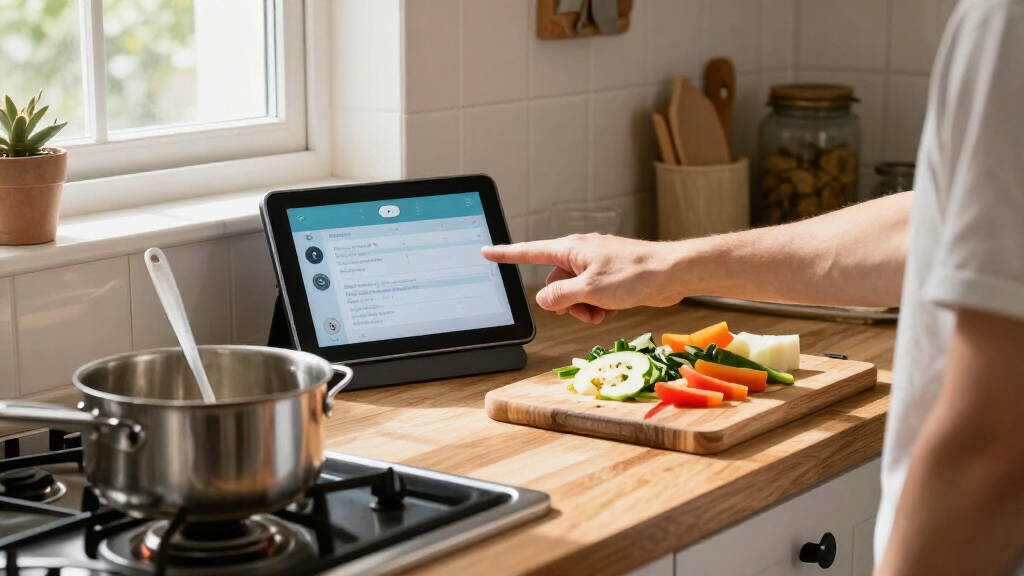
The Amazon Echo Show 11 is my best overall pick for a kitchen that needs a voice-controlled smart display, while the Nori 15.6-Inch AI-Powered Touchscreen Family Planner stands out for shared schedules and the Jeazans Jzpad-X10APRO 10.1-inch Android tablet suits buyers who want a smaller screen with a dock. These options differ in their core job: some are general-purpose smart displays, while others focus on calendars and household organization. Screen size, voice assistant features, app flexibility, and how the device mounts or docks shape the choice. A larger screen can make shared plans easier to read, but it takes up more wall or counter space. Read on for the full breakdown and help matching a display to your kitchen routine.

Get the latest gadgets delivered free with Prime
- Fast, free delivery on millions of items
- Prime Video, Amazon Music and more included
- Member-only deals all year
Complete the kit



Key Takeaways
- The Echo Show 11 is the strongest all-around kitchen fit when voice control, media, and a dedicated smart display matter more than a calendar-first interface.
- The Nori 15.6-inch planner occupies the middle ground: its larger touchscreen is more suited to shared household planning than a 10.1-inch docked tablet, without reaching the 21.5-inch wall-display footprint.
- Mazera and COMIX are the large-format calendar choices; their 21.5-inch screens favor visibility across a room, but require a suitable wall or counter location.
- The two Jeazans 10.1-inch options trade viewing area for a smaller footprint, with the X10APRO AI Smart Speaker Dock offering a different dock-and-speaker setup from the Jzpad-X10APRO Dock Station.
- TIKVITO adds photo-frame use to household planning, making it a better match for buyers who want a display to serve a second purpose when schedules are not in view.
| Mazera 21.5-Inch Smart Hub Digital Calendar Touchscreen |  | Best for Flexible App-Based Planning | Screen size: 21.5 inches | Display: Full HD anti-glare touchscreen | Operating system: Android with Google Play | VIEW LATEST PRICE | See Our Full Breakdown |
| Jeazans Jzpad-X10APRO 10.1-inch Android 16 Tablet with Dock Station |  | Best Compact Docked Kitchen Tablet | Display: 10.1-inch IPS HD, 800×1280 | Operating system: Android 16 | Processor: 8-core Allwinner | VIEW LATEST PRICE | See Our Full Breakdown |
| COMIX 21.5-Inch Digital Wall Calendar and Family Organizer |  | Best Dedicated Family Organizer | Screen size: 21.5 inches | Display: HD touchscreen | Calendar sync: Google, iCloud, and Outlook | VIEW LATEST PRICE | See Our Full Breakdown |
| TIKVITO 10.1-Inch Wi-Fi Digital Wall Calendar and Photo Frame |  | Best Compact Wall Calendar | Model: S101 | Screen size: 10.1 inches | Connectivity: Wi-Fi | VIEW LATEST PRICE | See Our Full Breakdown |
| Jeazans X10APRO Android 16 Tablet with AI Smart Speaker Dock |  | Best for Dock-Based Audio and Charging | Screen size: 10.1 inches | Resolution: 800×1280 HD | Operating system: Android 16 | VIEW LATEST PRICE | See Our Full Breakdown |
| Nori 15.6-Inch AI-Powered Touchscreen Family Planner |  | Best Dedicated Family Planner | Display: 15.6-inch anti-glare touchscreen | Calendar compatibility: Google Calendar, iCloud Calendar, and Outlook Calendar | Mounting options: Wall-mounted or placed on a counter or desk | VIEW LATEST PRICE | See Our Full Breakdown |
| Amazon Echo Show 11 Smart Display with Full HD Screen and Spatial Audio, Graphite |  | Best for Smart-Home Kitchens | Display: 10.95-inch Full HD touchscreen, 1920 x 1200 resolution | Dimensions: 10 x 5 x 7.2 inches (255 x 127 x 182 mm) | Weight: 45.92 oz (1302 g) | VIEW LATEST PRICE | See Our Full Breakdown |
| smart kitchen display tablet | Display | Screen size | Connectivity |
|---|---|---|---|
| Mazera 21.5-Inch Smart Hub Dig | Full HD anti-glare touchscreen | 21.5 inches | — |
| Jeazans Jzpad-X10APRO 10.1-inc | 10.1-inch IPS HD, 800×1280 | — | Wi-Fi 6 and Bluetooth 5.4 |
| COMIX 21.5-Inch Digital Wall C | HD touchscreen | 21.5 inches | Wi-Fi |
| TIKVITO 10.1-Inch Wi-Fi Digita | — | 10.1 inches | Wi-Fi |
| Jeazans X10APRO Android 16 Tab | — | 10.1 inches | Wi-Fi 6 and Bluetooth 5.4 |
| Nori 15.6-Inch AI-Powered Touc | 15.6-inch anti-glare touchscreen | — | — |
| Amazon Echo Show 11 Smart Disp | 10.95-inch Full HD touchscreen, 1920 x 1200 resolution | — | — |
More Details on Our Top Picks
Mazera 21.5-Inch Smart Hub Digital Calendar Touchscreen
The Mazera is the most adaptable large-screen planner in this group: its Android operating system with Google Play lets households add calendar and other compatible apps rather than relying on a fixed organizer interface. It syncs with Google Calendar, Apple Calendar, Outlook, and Cozi, while widgets, photos, and supported smart-home features can share the same 21.5-inch Full HD touchscreen. Compared with the COMIX 21.5-Inch Digital Wall Calendar, Mazera offers broader app flexibility and both wall and countertop placement; COMIX keeps its pitch more focused on family chores, meals, and lists. The tradeoff is that Mazera’s smart-home and voice functions depend on compatible services, and its power adapter means it is not a portable tablet. I’d choose it for a household wanting a large, configurable kitchen hub, not a grab-and-go screen.
Pros:- Syncs with Google Calendar, Apple Calendar, Outlook, and Cozi
- Google Play support allows a broader app-based setup than a fixed calendar interface
- Large Full HD anti-glare touchscreen includes auto brightness
- Can sit on a counter with the included metal stand or mount on a wall
Cons:- Needs continuous power from its adapter, limiting portability
- Voice and smart-home functions rely on supported services and compatible devices
Best for: Households that want a large shared calendar plus the flexibility to add compatible Android apps and smart-home features
Not ideal for: Buyers seeking a portable, battery-powered tablet or a dedicated family organizer with fewer setup choices
- Screen size:21.5 inches
- Display:Full HD anti-glare touchscreen
- Operating system:Android with Google Play
- Calendar services:Google Calendar, Apple Calendar, Outlook, Cozi, and other apps
- Placement:Wall mount or countertop stand
- Included accessories:Metal stand and power adapter
- Other features:Auto brightness, built-in microphones, photo frame, widgets, and supported Google Gemini features
Our verdict“Choose the Mazera if you want a large, configurable kitchen display with calendar and app flexibility rather than a portable tablet.”
Jeazans Jzpad-X10APRO 10.1-inch Android 16 Tablet with Dock Station
The Jeazans Jzpad-X10APRO suits buyers who want a compact Android tablet that can stay parked on a kitchen counter between uses. Its magnetic dock adds stereo sound, ambient lights, white-noise modes, and a photo-frame function, giving it more countertop presence than the wall-focused TIKVITO 10.1-Inch Wi-Fi Digital Wall Calendar. Because this is a general Android tablet, it can run compatible apps rather than centering only on shared chores and schedules. That flexibility comes with a smaller 10.1-inch, 800×1280 display, which gives a busy household less room to read a full calendar than the 21.5-inch COMIX. The listed 36GB RAM includes 30GB of virtual memory, not just physical RAM, and the stated average battery life is five hours. I’d pick it for a smaller kitchen and mixed media use, not as a large family command board.
Pros:- Magnetic dock adds stereo-speaker, ambient-light, white-noise, and photo-frame functions
- Android 16 supports compatible apps for uses beyond a dedicated calendar
- Wi-Fi 6 and Bluetooth 5.4 provide current wireless connectivity
- Storage can be expanded up to 1TB with a TF card
Cons:- The 800×1280 display offers less detail and workspace than the 21.5-inch options
- Only 6GB of the listed 36GB RAM is physical memory
- Listed average battery life is five hours, which may not suit extended use away from the dock
Best for: People with limited counter space who want an Android tablet for recipes, media, and occasional household planning at a dock
Not ideal for: Large households that need a wall-sized, easy-to-read schedule or buyers expecting the full listed RAM figure to be physical memory
- Display:10.1-inch IPS HD, 800×1280
- Operating system:Android 16
- Processor:8-core Allwinner
- Memory:36GB total: 6GB physical RAM plus 30GB virtual
- Storage:64GB ROM, expandable up to 1TB via TF card
- Battery:6000mAh lithium-ion
- Connectivity:Wi-Fi 6 and Bluetooth 5.4
- Included components:Tablet and magnetic dock station
Our verdict“Choose this Jeazans model for a compact, dock-centered Android screen, but look to the COMIX or Mazera for a more legible shared family calendar.”
COMIX 21.5-Inch Digital Wall Calendar and Family Organizer
The COMIX makes the most sense for families who want a shared schedule and household task board, not a general-purpose tablet. Its 21.5-inch HD touchscreen brings Google, iCloud, and Outlook calendars together with chore and reward tracking, meal planning, lists, notes, weather, and photos. That task-focused set gives it a clearer family-organizer role than the app-flexible Mazera 21.5-Inch Smart Hub, which can run a wider range of Google Play apps and also supports countertop placement. COMIX’s core functions need no subscription, a useful distinction for households that prefer built-in planning tools. The tradeoffs are its wall-mounted format and Wi-Fi dependence for syncing; it is less flexible to reposition and less suited to buyers seeking a portable Android screen. I’d choose it when a fixed, shared family view matters more than app variety.
Pros:- Combines Google, iCloud, and Outlook calendars in a shared household view
- Includes chore and reward tracking, meal planning, lists, and notes
- Core functions are available without a subscription
- Large screen can show family schedules and a photo slideshow
Cons:- Wall-mounted design limits placement compared with the countertop-and-wall Mazera
- Wi-Fi is required for calendar syncing
- HD resolution is less defined than the Mazera’s Full HD display
Best for: Families who want a wall-mounted shared calendar with chores, meal planning, lists, and photo display in one organizer
Not ideal for: Buyers who need a portable or countertop tablet, broad app installation, or calendar access when Wi-Fi syncing is unavailable
- Screen size:21.5 inches
- Display:HD touchscreen
- Calendar sync:Google, iCloud, and Outlook
- Connectivity:Wi-Fi
- Mounting:Wall-mounted
- Organizer tools:Chore and reward tracking, meal planning, lists, and notes
- Photo and weather features:Photo slideshow and weather updates
- Subscription:No subscription required for core functions
Our verdict“Choose COMIX if your priority is a large, no-subscription family organizer that stays in one shared wall location.”
TIKVITO 10.1-Inch Wi-Fi Digital Wall Calendar and Photo Frame
TIKVITO is a compact shared calendar for kitchens where a large wall display would be too intrusive. Its 10.1-inch touchscreen combines Google, iCloud, and Outlook schedules with chores, meal planning, grocery lists, reminders, weather, and a photo slideshow. Compared with the 21.5-inch COMIX, it takes up less wall space but gives a busy household less room to scan appointments at a glance. It is also more of a dedicated organizer than the Android-based Jeazans Jzpad-X10APRO, which offers general app use and a dock but is not built around the same family-planning toolkit. TIKVITO’s wall-mountable format and 1.4-pound weight suit a shared spot, while Wi-Fi syncing and the small display limit its appeal for homes with dense schedules. I’d choose it for compact household coordination, not as a replacement for a full-size tablet.
Pros:- Syncs calendars from Google, iCloud, and Outlook
- Combines chores, meal planning, grocery lists, and reminders
- Displays local weather and uploaded photos
- Wall-mountable design weighs 1.4 pounds
Cons:- The 10.1-inch screen provides limited room for busy household schedules
- Wi-Fi is required for schedule syncing
- Wall-focused placement is less flexible than the countertop option provided with the Mazera
Best for: Small households or kitchen owners who want a wall-mounted calendar and chore board without committing much wall space
Not ideal for: Families with many overlapping schedules who need a large, readable calendar, or buyers who want a general-purpose app tablet
- Model:S101
- Screen size:10.1 inches
- Connectivity:Wi-Fi
- Calendar sync:Google, iCloud, and Outlook
- Features:Chore tracker, meal planning, grocery lists, reminders, local weather, photo slideshow, and auto-sleep mode
- Mounting:Wall-mountable
- Item weight:1.4 pounds
- Warranty:1 year
Our verdict“Choose TIKVITO for a compact wall calendar with household tools, but pick COMIX if readability across a busy family schedule matters more.”
Jeazans X10APRO Android 16 Tablet with AI Smart Speaker Dock
This Jeazans X10APRO is the better fit for buyers who want a 10.1-inch Android tablet paired with a feature-rich speaker dock. The dock adds wireless charging, ambient lighting, white-noise environments, and photo-frame functions, making the setup more of a countertop media station than the family-first COMIX 21.5-Inch Digital Wall Calendar. Android 16 and Google Play support compatible apps, while Wi-Fi 6, Bluetooth 5.4, and expandable storage add flexibility for media and household tasks. Its 800×1280 HD screen is the clear compromise: it has far less viewing space and detail than the 21.5-inch Mazera, so shared schedules will feel cramped. The advertised 36GB RAM includes 30GB virtual memory, and heavy use may require staying near the dock. I’d choose it for dock features and flexible app use, not for a large family dashboard.
Pros:- Dock combines a smart speaker, wireless charging, ambient lighting, white noise, and photo-frame functions
- Android 16 with Google Play supports compatible apps
- Storage expands up to 1TB via microSD
- Includes Wi-Fi 6 and Bluetooth 5.4
Cons:- The 800×1280 resolution is less sharp than the Mazera’s Full HD screen
- Only 6GB of the stated 36GB RAM is physical memory
- The 6000mAh battery may not support heavy use for long without the dock
Best for: Buyers who want a small Android kitchen screen with dock-based wireless charging, audio, ambient lighting, and photo display
Not ideal for: Households that need a large shared calendar or buyers who prioritize display sharpness and long heavy-use sessions away from power
- Screen size:10.1 inches
- Resolution:800×1280 HD
- Operating system:Android 16
- Processor:8-core
- Memory:36GB total: 6GB physical RAM plus 30GB virtual
- Storage:64GB ROM, expandable up to 1TB via microSD
- Battery:6000mAh
- Connectivity:Wi-Fi 6 and Bluetooth 5.4
- Included accessory:AI smart speaker dock with wireless charging and ambient lighting
Our verdict“Choose the Jeazans X10APRO for dock-centered audio and charging in a compact Android setup, not for a full-size kitchen calendar.”
Nori 15.6-Inch AI-Powered Touchscreen Family Planner
Nori is built around household coordination, not the general-purpose voice assistant and smart-home role of the Echo Show 11. Its 15.6-inch anti-glare display gives shared schedules, chores, meal plans, and shopping lists room to stay visible together, while Google, iCloud, and Outlook calendar syncing can bring different family members’ schedules into one color-coded view. Wall mounting or countertop placement also makes it easier to choose a spot everyone can check.
The tradeoff is flexibility: unlike the Echo Show 11, Nori is focused on planning rather than video calls, entertainment, and smart-home control. Its core planning tools work without a subscription, but continued access to optional AI features requires a paid upgrade after the included trial. I’d choose Nori for a household command center, but skip it if I mainly want an all-purpose smart display.
Pros:- Syncs compatible Google, iCloud, and Outlook calendars into a shared, color-coded view.
- Combines chores, routines, meal planning, recipes, and shopping lists on one customizable dashboard.
- Supports wall mounting or countertop and desk placement.
- Camera-free design and physical microphone switch offer clear privacy controls.
Cons:- Continued access to optional AI features requires a paid upgrade after the included trial.
- Snap-on frames are sold separately.
Best for: Families coordinating multiple calendars, chores, meals, and shopping lists on a shared wall or countertop display.
Not ideal for: Buyers who want video calls, entertainment, or a smart-home hub in the same device, or who expect ongoing AI features without a paid upgrade.
- Display:15.6-inch anti-glare touchscreen
- Calendar compatibility:Google Calendar, iCloud Calendar, and Outlook Calendar
- Mounting options:Wall-mounted or placed on a counter or desk
- Planning features:Shared calendars, chores, routines, rewards, meal planning, recipes, and shopping lists
- Privacy:Camera-free design; physical microphone switch; encryption in transit and at rest
- AI features:Optional Nori AI Plus; continued access after included trial requires a paid upgrade
- Warranty:One-year manufacturer warranty covering hardware defects
- Support:24/7 customer support
Our verdict“Choose Nori if your priority is a shared family planning dashboard; choose the Echo Show 11 instead for calls, entertainment, and smart-home control.”
Amazon Echo Show 11 Smart Display with Full HD Screen and Spatial Audio, Graphite
The Echo Show 11 is the more versatile kitchen screen: Alexa can help with recipes, calendars, and routines, while the built-in hub connects compatible Zigbee, Matter, and Thread devices. Its 10.95-inch Full HD display is smaller than Nori’s 15.6-inch planner screen, but the 1920 x 1200 resolution, spatial audio, and video-call camera make it a better fit for a kitchen that doubles as an entertainment and smart-home control spot. The 13 MP camera’s auto framing can keep callers in view as they move.
That wider role comes with a planning tradeoff. Compared with Nori’s dedicated shared dashboard for chores, meals, and lists, the Echo Show 11 is less centered on household organization. On-device microphone and camera controls add privacy choices, though buyers who want a camera-free display may prefer Nori. I’d pick this Echo for Alexa and connected devices, not as a wall-first family calendar.
Pros:- Full HD touchscreen provides a clear view of recipes, calendars, and video content.
- Built-in Zigbee, Matter, and Thread hub can control compatible smart-home devices.
- 13 MP auto-framing camera supports video calls.
- On-device microphone and camera controls provide privacy options.
Cons:- Smaller screen than Nori’s 15.6-inch display, leaving less room for a persistent shared family-planning view.
- Bluetooth speakers that require PIN codes are not supported.
- Hands-free voice control of connected mobile devices is not supported for Mac OS X.
Best for: Alexa households that want a kitchen display for recipes, video calls, entertainment, and control of compatible smart-home devices.
Not ideal for: Families seeking a large, dedicated wall calendar and chore dashboard, or buyers who prefer a camera-free screen.
- Display:10.95-inch Full HD touchscreen, 1920 x 1200 resolution
- Dimensions:10 x 5 x 7.2 inches (255 x 127 x 182 mm)
- Weight:45.92 oz (1302 g)
- Camera:13 MP with auto framing
- Audio:1 x 2.8-inch woofer and 2 full-range drivers; spatial audio
- Wireless:Wi-Fi 6E (IEEE 802.11ax); Bluetooth 5.4
- Smart-home hub:Zigbee, Matter, and Thread Border Router
- Processor:AZ3 Pro with AI Accelerator
- Sensors:Ambient temperature, ambient light, presence detection, and camera
Our verdict“Pick the Echo Show 11 if smart-home control and calls matter more than a large dedicated family planner.”
How We Picked
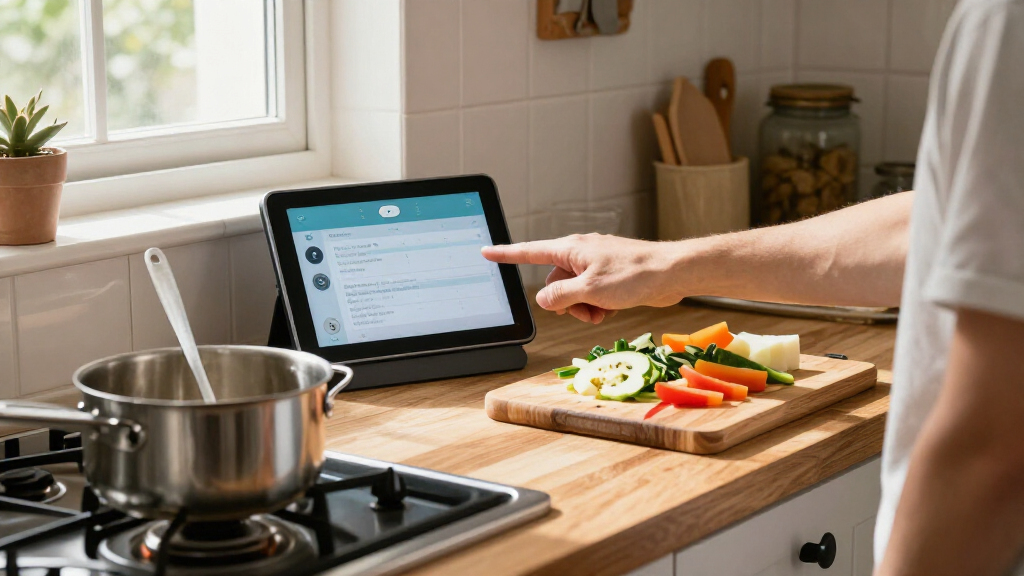
I ranked these smart kitchen display tablets by how well each fits common kitchen jobs: checking a shared calendar, viewing information at a glance, using voice features, and serving as a general-purpose screen. I compared screen size and form factor with likely placement, since a wall-oriented family planner and a docked tablet solve different problems. I also weighed the stated feature focus—calendar and photo display, Android tablet use, speaker-dock functions, or smart-display capabilities—rather than treating every touchscreen as interchangeable.
The ranking reflects role and flexibility, not screen size alone. The Echo Show 11 ranks first for its broad smart-display role; the Nori follows for household planning on a more moderate screen. The 21.5-inch Mazera and COMIX models rank higher for families prioritizing at-a-glance calendar visibility, while the compact Jeazans and TIKVITO options better fit tighter spaces or narrower use cases. Product details provided do not establish comparative brightness, battery life, app compatibility, mounting hardware, or privacy controls, so I avoid treating those as verified advantages and recommend checking them before purchase.
| smart kitchen display tablet | Connectivity |
|---|---|
| Mazera 21.5-Inch Smart Hub Dig | — |
| Jeazans Jzpad-X10APRO 10.1-inc | Wi-Fi 6 and Bluetooth 5.4 |
| COMIX 21.5-Inch Digital Wall C | Wi-Fi |
| TIKVITO 10.1-Inch Wi-Fi Digita | Wi-Fi |
| Jeazans X10APRO Android 16 Tab | Wi-Fi 6 and Bluetooth 5.4 |
| Nori 15.6-Inch AI-Powered Touc | — |
| Amazon Echo Show 11 Smart Disp | — |
Factors to Consider When Choosing Smart Kitchen Display Tablets
Before choosing among these models, decide what you want the screen to do on an ordinary weekday. A kitchen display can be a shared calendar, a voice-controlled assistant, a tablet dock, or a rotating photo frame; choosing by screen size alone can leave you with the wrong kind of device. These factors help separate those roles and avoid surprises after setup.
Choose the Main Job Before Choosing a Screen
Start by naming the task you expect to use every day: viewing family schedules, asking a voice assistant for help, or running tablet apps. Calendar-first displays can make shared plans the focus, while a general smart display may offer a wider mix of voice and media functions. A common mistake is assuming that every touchscreen runs the same apps or connects to the same services. Check the product’s supported calendar platforms, app access, and account requirements before buying. If your household mainly needs a visible schedule, extra tablet flexibility may add little value. If you want one device for several kitchen tasks, a narrower planner interface may feel limiting.
Match Screen Size to Viewing Distance and Placement
A large screen helps multiple people read a schedule from across a kitchen, but the 21.5-inch Mazera and COMIX need more space than the 10.1-inch Jeazans and TIKVITO options. Measure the intended wall or counter area, then check whether the display will be readable from the places where your family actually looks. Small screens can be easier to position near a work surface, yet shared calendars may require closer viewing. Do not judge fit from the diagonal measurement alone: confirm the full device dimensions and stand or mount clearance. Also check glare from windows and overhead lighting, since placement can matter as much as screen size. Paying for a larger display makes sense only if its extra viewing area will be used.
Check Power, Mounting, and Cable Practicalities
A device intended for a counter, wall, or dock can create very different setup work. Confirm whether the package includes the stand or mounting hardware you need, and whether power reaches the chosen spot without crossing a busy prep area. Product names such as “wall calendar” or “dock station” indicate a use direction, but they do not by themselves confirm mounting compatibility or cable length. A frequent mistake is buying a wall-oriented display before checking the wall surface, outlet position, and household rules for drilling. For a countertop setup, consider how much work surface the stand occupies and whether the screen can be moved easily. Build the placement plan before ordering, not after the box arrives.
Treat Voice Features and Speaker Docks as Separate Needs
Voice control can be handy when your hands are busy, but assistant ecosystems differ and a product’s feature label does not guarantee compatibility with every smart-home service. Check which assistant, smart devices, and voice commands are supported, especially if your home already relies on a particular platform. The Echo Show 11 is positioned as a smart display, while the Jeazans X10APRO pairs an Android tablet with an AI Smart Speaker Dock; those descriptions point to distinct approaches rather than identical functions. Ask whether the dock is required for the experience you want and whether the tablet can still meet your needs without it. If you rarely use voice commands, prioritize screen and calendar fit instead of paying attention to speaker language alone.
Verify Calendar Sharing, Privacy, and Household Access
A family planner is only useful if the right people can keep it current. Before choosing, confirm how many calendars or accounts it can sync, whether edits can be made from phones, and how invitations or permissions work. Shared kitchen screens may reveal appointments or personal details to visitors, so check for screen-lock options, guest access, and controls for hiding sensitive events. Do not assume a calendar display supports every provider just because it connects to Wi-Fi. For households with children or multiple caregivers, test the expected setup process on paper: who owns the account, who can edit, and what happens when someone leaves the household group. These practical details can matter more than a larger screen or extra visual features.
Decide Whether a Second Use Justifies the Extra Complexity
Features such as photo display, media playback, or general Android app access can make a kitchen screen useful outside planning hours. TIKVITO’s photo-frame positioning, for example, may appeal if you want family images to share the display with schedules. Still, every additional use can bring more setup, account linking, and on-screen clutter. A common buying error is selecting the longest feature list when the household wants a simple calendar everyone can read. Consider whether the device will remain useful when nobody is checking the schedule, and whether that added role works with the screen’s size and placement. Choose the simpler purpose-built format if a second use would rarely be used.
Frequently Asked Questions
Should I choose a 21.5-inch kitchen display or a smaller 10.1-inch tablet?
Choose a 21.5-inch model such as the Mazera or COMIX if several people need to read a shared calendar from a distance and you have room for a large display. A 10.1-inch option is easier to fit on a crowded counter or in a smaller kitchen, but schedules and controls will appear on a more compact screen. The smaller Jeazans models also have dock-based setups, which may suit buyers who want a tablet-style footprint. Measure the installation area and check viewing distance before deciding. If you cannot place the large display where the household will naturally see it, its extra screen area may not help.
Can I use a family planner as a regular tablet?
Do not assume so: a family planner and a general-purpose tablet can have different software, app access, and interaction models. The Jeazans Android 16 options are explicitly described as tablets, while the Mazera, COMIX, Nori, and TIKVITO are presented around calendars, household organization, or photo display. Check the exact app support and account requirements for the tasks you have in mind. If you need a particular recipe, streaming, or communication app, verify its availability before buying. A planner-focused display may be the better fit for shared schedules, but a tablet is a safer direction when app flexibility leads your needs.
Will these displays sync with my family’s existing calendars?
Compatibility depends on the specific product and calendar service, so the product category alone cannot answer this. Check the manufacturer’s current compatibility list for each calendar provider, supported account types, and whether updates sync both ways or only display events. Also verify how several family members can share access and whether each person needs a separate account. If your household uses multiple calendar platforms, confirm that one display can combine them before making a choice. A device that shows a calendar but cannot connect to your existing setup may create extra work instead of reducing it.
Is a smart display a good choice if I mainly want recipes and timers?
A general smart display such as the Echo Show 11 may suit a kitchen where voice interaction and varied screen tasks matter, but check its supported recipe services and timer controls first. A calendar-centered model may be a better shared organizer than a recipe screen, even if it has a large touchscreen. Think about whether you need hands-free commands, an easily readable recipe view, or both. Placement also matters: a screen beside the cooking area should be visible without blocking counter work and should be easy to reach or address by voice. If recipes are your main use, confirm the app experience rather than choosing on display size alone.
What should I check before buying a wall-mounted kitchen display?
Confirm the full dimensions, mounting method, included hardware, power connection, and cable reach for the exact model. Check the wall surface and outlet location, then make sure the screen will be visible without catching glare from windows or lights. A large display can be hard to place in a compact kitchen even when its calendar features fit your household. Also consider whether you can reach the touchscreen comfortably and whether you need to move or remove it for cleaning. If mounting details are unclear, contact the manufacturer or choose a docked option with a placement plan that works on your counter.
Conclusion
For the best overall fit, I recommend the Amazon Echo Show 11 if you want a general smart display rather than a calendar-only screen. The Nori 15.6-Inch AI-Powered Touchscreen Family Planner is my pick for households that want a larger shared planning surface without stepping up to a 21.5-inch display. For a more compact setup, the Jeazans Jzpad-X10APRO 10.1-inch Android tablet is the best value-style choice in this lineup when a docked tablet form suits your kitchen; verify its app and service compatibility before buying. For beginners who want a familiar voice-led smart display, start with the Echo Show 11, while calendar-first families should compare the Nori, Mazera, and COMIX around placement and screen size. Choose TIKVITO if photo display is part of the plan, or the Jeazans X10APRO with AI Smart Speaker Dock if that dock-and-speaker arrangement matches your needs. My premium-style recommendation is the large-format Mazera or COMIX only for buyers who can use the extra viewing area; the right choice depends on whether your kitchen needs a shared wall calendar, a flexible tablet, or a voice-controlled hub.