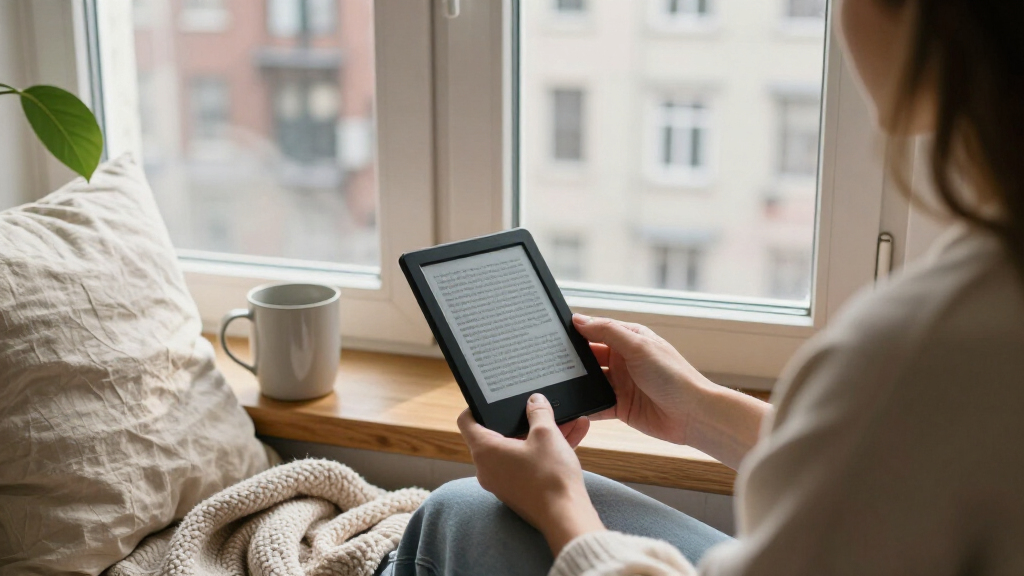

Choosing an entry-level Kindle comes down to how you read: a straightforward black-and-white reader, a larger screen for longer sessions, or color for illustrated pages. I rank the 2024 Kindle first for simple everyday reading, the Paperwhite for readers who want a roomier waterproof screen, and the Colorsoft for color highlights and illustrated content. The Paperwhite Signature Edition adds convenience and storage, but those extras matter less to readers who mainly want a dependable way to read novels.
All four models include a glare-free display, adjustable lighting, and USB-C charging, so none requires a tablet-style approach to reading. The differences are more practical: screen size and portability, black-and-white versus color, and how much you value waterproofing, extra storage, or automatic lighting. I’ve ranked these around ease of everyday use rather than the number of features. That means the simplest model comes first, while the more specialized and premium options rise for readers who will use what sets them apart.
Complete the kit



Key Takeaways
- The 2024 Kindle is the easiest pick for a first e-reader: it is the lightest here and still has a sharp 300 ppi screen, adjustable front light, and 16 GB of storage.
- The Paperwhite is a better fit for readers who want a larger 7-inch screen, warm lighting, and IPX8 waterproofing, though it is wider and heavier than the basic Kindle.
- The Paperwhite Signature Edition keeps the Paperwhite reading experience but adds 32 GB, wireless charging, and an auto-adjusting front light; those extras are less useful if you keep a small library.
- The Colorsoft is the only model in this group with a color display, which helps with color highlights and illustrated books, but color content is less sharp than black-and-white text.
- Battery-life claims depend on specified reading conditions. The basic Kindle is rated for up to six weeks, while the Paperwhite models are rated for up to 12 weeks.
| Amazon Kindle 16 GB (2024, 11th Generation) – Black |  | Best Overall for First-Time Kindle Readers | Generation: 11th Generation, 2024 release | Display: 6-inch glare-free display, 300 ppi, 16-level grayscale | Lighting: Built-in adjustable front light and Dark Mode | VIEW ON AMAZON | See Our Full Breakdown |
| Amazon Kindle Paperwhite (2024, 12th Generation), 16 GB, 7-inch Display, Black |  | Best for a Larger, More Relaxed Reading Screen | Generation: 12th Generation, 2024 release | Display: 7-inch Paperwhite display, 300 ppi, 16-level grayscale | Lighting: Adjustable white-to-amber lighting and Dark Mode | VIEW ON AMAZON | See Our Full Breakdown |
| Amazon Kindle Paperwhite Signature Edition (2024), 32 GB, Metallic Black |  | Best Premium Pick for Hands-Off Convenience | Generation: 12th Generation, 2024 release | Display: 7-inch Paperwhite display, 300 ppi, 16-level grayscale | Lighting: Auto-adjusting front light | VIEW ON AMAZON | See Our Full Breakdown |
| Amazon Kindle Colorsoft 16 GB eReader, Black |  | Best for Color Highlights and Illustrated Reading | Display: 7-inch Colorsoft display; 300 ppi black and white, 150 ppi color | Storage: 16 GB | Lighting: Adjustable lighting and Dark Mode | VIEW ON AMAZON | See Our Full Breakdown |
| entry level kindles for easy everyday reading | Display | Lighting | Storage | Weight |
|---|---|---|---|---|
| Amazon Kindle 16 GB | 6-inch glare-free display, 300 ppi, 16-level grayscale | Built-in adjustable front light and Dark Mode | 16 GB | 5.56 ounces |
| Amazon Kindle Paperwhite | 7-inch Paperwhite display, 300 ppi, 16-level grayscale | Adjustable white-to-amber lighting and Dark Mode | 16 GB | 7.4 ounces |
| Amazon Kindle Paperwhite Signa | 7-inch Paperwhite display, 300 ppi, 16-level grayscale | Auto-adjusting front light | 32 GB | 7.5 ounces |
| Amazon Kindle Colorsoft 16 GB | 7-inch Colorsoft display; 300 ppi black and white, 150 ppi color | Adjustable lighting and Dark Mode | 16 GB | 7.6 ounces |
More Details on Our Top Picks
Amazon Kindle 16 GB (2024, 11th Generation) – Black
I put the standard 2024 Kindle first because it delivers the essentials without asking a new e-reader owner to choose among a lot of extras. Its 6-inch, 300 ppi glare-free display keeps text crisp, while the built-in adjustable front light and Dark Mode make it usable across different lighting conditions. At 5.56 ounces, it is the lightest pick here, a meaningful advantage when reading one-handed or carrying it in a small bag.
Compared with the Paperwhite, this Kindle gives up the larger 7-inch screen, warm-to-amber lighting, and waterproofing. In return, it is more compact and better suited to short reading windows, commuting, and readers who mostly read standard text. Its 16 GB of storage is ample for a substantial library, and accessibility features such as VoiceView and adjustable text settings make the simple design more flexible than it first appears.
The main limitation is not reading quality but charging convenience: charging from a computer can take about four hours, compared with about two hours using a 9W adapter. Its stated battery life is also shorter than the Paperwhite’s, at up to six weeks under specified conditions. I’d choose this over the larger models if portability and uncomplicated reading matter most; I would pay attention to the Paperwhite instead if I read near water or prefer a warmer screen at night.
Pros:- Lightest model in this comparison at 5.56 ounces
- Sharp 300 ppi glare-free display with adjustable front light and Dark Mode
- 16 GB storage suits a large everyday book library
- VoiceView and adjustable text support different reading preferences
Cons:- No waterproofing, unlike both Paperwhite models and the Colorsoft
- Smaller 6-inch screen and no warm-to-amber lighting
- Computer charging can take about four hours
Best for: First-time e-reader buyers who mainly read novels and want a light, compact device with clear text and adjustable lighting.
Not ideal for: Readers who want waterproofing, a larger reading area, warm amber lighting, or color content.
- Generation:11th Generation, 2024 release
- Display:6-inch glare-free display, 300 ppi, 16-level grayscale
- Lighting:Built-in adjustable front light and Dark Mode
- Storage:16 GB
- Dimensions:6.2 × 4.3 × 0.32 inches
- Weight:5.56 ounces
- Battery life:Up to six weeks under specified usage conditions
- Charging:USB-C; about four hours by computer or two hours with a 9W adapter
Our verdict“I recommend the standard Kindle as the clearest first choice for uncomplicated, portable everyday reading.”
Amazon Kindle Paperwhite (2024, 12th Generation), 16 GB, 7-inch Display, Black
The 2024 Paperwhite is my pick for readers who want an easy daily reader but find a compact screen cramped. Its 7-inch display gives text more room than the basic Kindle’s 6-inch panel, while keeping the same 300 ppi sharpness. That extra space can make page layouts feel less crowded, particularly for readers who increase text size. The adjustable white-to-amber lighting also offers a warmer appearance than the standard Kindle’s front light.
It is more capable around water, too: the Paperwhite has an IPX8 waterproof design, tested in fresh water to a depth of two meters for up to 60 minutes. That sets it apart from the non-waterproof basic Kindle and makes it a stronger match for reading by a pool or in the bath. Its 16 GB of storage remains ample for books, and USB-C charging keeps it aligned with current charging cables.
The tradeoff is size and weight. At 7.4 ounces, it is noticeably heavier than the basic Kindle, so readers who prioritize a small, light device may prefer the first-ranked model. The Signature Edition adds 32 GB, wireless charging, and automatic light adjustment, but those are not necessary for everyone. I’d choose this standard Paperwhite as the middle ground: more comfort-oriented features than the entry model, without paying attention to upgrades that may go unused. Its up-to-12-week battery claim depends on specified conditions and can change with reading habits.
Pros:- 7-inch, 300 ppi glare-free display gives text more room
- Adjustable white-to-amber lighting and Dark Mode
- IPX8 waterproof design for reading near water
- 16 GB storage and USB-C charging
Cons:- Heavier and wider than the basic Kindle
- No wireless charging or auto-adjusting front light
- Battery life varies with usage and can be reduced by Audible streaming
Best for: Readers who want a roomier 7-inch screen, warm lighting, and waterproofing for home, travel, or reading near water.
Not ideal for: Readers who want the smallest, lightest Kindle or need a color screen and automatic front-light adjustment.
- Generation:12th Generation, 2024 release
- Display:7-inch Paperwhite display, 300 ppi, 16-level grayscale
- Lighting:Adjustable white-to-amber lighting and Dark Mode
- Storage:16 GB
- Size:5 × 7 × 0.3 inches
- Weight:7.4 ounces
- Waterproofing:IPX8; tested in two meters of fresh water for 60 minutes
- Battery life:Up to 12 weeks under specified usage conditions
- Charging:USB-C; full charge in less than 2.5 hours with a 9W adapter
Our verdict“I’d choose the standard Paperwhite when screen space, warm lighting, and waterproofing matter more than minimum size.”
Amazon Kindle Paperwhite Signature Edition (2024), 32 GB, Metallic Black
The Paperwhite Signature Edition makes most sense for a reader who already knows they want the Paperwhite format and values small conveniences. It shares the 7-inch, 300 ppi display, waterproof design, and up-to-12-week stated battery life of the standard Paperwhite. Its auto-adjusting front light can reduce the need to change brightness manually as surroundings shift, while wireless charging offers an alternative to plugging in a cable.
Compared with the standard Paperwhite, the Signature Edition doubles storage from 16 GB to 32 GB. That can help readers who keep a particularly large collection on the device or download more than books, but many everyday readers will not need the added capacity. Likewise, wireless charging is convenient only if a compatible charging dock is purchased separately. These additions make this a more feature-rich pick, not automatically a better first Kindle.
At 7.5 ounces, it is close in weight to the standard Paperwhite and substantially heavier than the basic Kindle. It also retains the same 7-inch black-and-white reading experience rather than adding color. I rank it below the standard Paperwhite because the upgrades serve specific habits, while the standard model already covers the main advantages a beginner is likely to notice. Choose this version if you want automatic lighting, extra storage, and wireless charging in one device; skip it if a cable and manual brightness controls are perfectly acceptable.
Pros:- 7-inch, 300 ppi glare-free display with auto-adjusting front light
- 32 GB storage for readers who maintain larger device libraries
- Wireless charging and USB-C charging options
- Waterproof design and long stated battery life
Cons:- Wireless charging dock is sold separately
- Extra storage may be unnecessary for a book-focused library
- Bluetooth audiobook streaming reduces battery life
Best for: Readers who want a Paperwhite with automatic light adjustment, 32 GB of storage, and the option of wireless charging.
Not ideal for: Beginners who want a straightforward e-reader and will not use wireless charging, extra storage, or automatic lighting.
- Generation:12th Generation, 2024 release
- Display:7-inch Paperwhite display, 300 ppi, 16-level grayscale
- Lighting:Auto-adjusting front light
- Storage:32 GB
- Dimensions:5 × 7 × 0.3 inches
- Weight:7.5 ounces
- Waterproofing:IPX8; tested in two meters of fresh water for up to 60 minutes
- Charging:USB-C and wireless charging
- Connectivity:Dual-band Wi-Fi and Bluetooth audio
Our verdict“I recommend the Signature Edition only when its automatic lighting, extra storage, and wireless charging solve needs the standard Paperwhite does not.”
Amazon Kindle Colorsoft 16 GB eReader, Black
The Kindle Colorsoft is the specialist pick in this group. It has a 7-inch color display that can show color highlights and add visual distinction to illustrated pages, making it more appealing than the black-and-white Kindles for readers who value color in their books. Like the Paperwhite models, it is waterproof and has adjustable lighting, Dark Mode, and USB-C charging. For casual novels, though, its defining feature may matter little: ordinary black-and-white text is still displayed at 300 ppi, while color content is 150 ppi.
Compared with the standard Paperwhite, the Colorsoft trades a familiar monochrome screen for color capability and a different compromise in color resolution. Both are 7-inch, 16 GB, waterproof readers, but the Paperwhite offers adjustable white-to-amber lighting and a stated battery life of up to 12 weeks, while the Colorsoft is rated for up to eight weeks under specified conditions. The basic Kindle is lighter and more compact, so it remains the better fit for readers who mainly want text and portability.
This model ranks fourth because color is useful to a narrower set of everyday readers than a larger screen or a lighter body. I’d move it up the list for someone who regularly reads illustrated books, uses colored highlights, or wants color available without switching to a tablet. It is less compelling for a reader whose library is mostly novels, where black-and-white text and comfortable page turns are the main priorities. Battery life varies with use, including Audible streaming, so the stated estimate is not a fixed expectation.
Pros:- 7-inch color display supports color highlights and illustrated content
- Black-and-white text is displayed at 300 ppi
- Waterproof design with adjustable lighting and Dark Mode
- 16 GB storage and USB-C charging
Cons:- Color content is 150 ppi, lower than black-and-white content
- Stated battery life is up to eight weeks, shorter than the Paperwhite models
- Its color capability may add little for readers of mostly text-based books
Best for: Readers who want color highlights or regularly read illustrated books and still prefer a dedicated waterproof e-reader.
Not ideal for: Readers who mainly read novels and would rather prioritize maximum text sharpness, smaller size, or longer stated battery life.
- Display:7-inch Colorsoft display; 300 ppi black and white, 150 ppi color
- Storage:16 GB
- Lighting:Adjustable lighting and Dark Mode
- Dimensions:5 × 7 × 0.3 inches
- Weight:7.6 ounces
- Battery life:Up to eight weeks under specified reading conditions
- Waterproofing:IPX8; tested in two meters of fresh water for 60 minutes
- Charging:USB-C; full charge in less than 2.5 hours with a 9W adapter
- Connectivity:Dual-band Wi-Fi and Bluetooth audio
Our verdict“I’d pick the Colorsoft when color content is part of your regular reading, not merely a feature you might try once.”

How We Picked
I ranked these four Kindles by how well they support easy, repeatable everyday reading: a readable screen, useful lighting, comfortable handling, straightforward charging, and features that solve a real reading need. Because each product is an entry point into Amazon’s Kindle line, I gave more weight to the basics than to upgrades that only help a narrower group of readers.
I compared the screen size and resolution, lighting controls, weight, storage, battery claims, charging, and water resistance. A 6-inch screen and lighter body suit quick sessions and travel; a 7-inch screen gives text more room and may feel more relaxed during longer reading. Waterproofing can make a reader easier to bring near water, while extra storage and wireless charging are conveniences rather than requirements for a typical book library.
My order reflects those differences. The basic Kindle earns the lead because it covers the core reading experience in the most compact form. The standard Paperwhite follows for readers who will benefit from its larger screen, warm lighting, and waterproofing. The Signature Edition and Colorsoft rank lower for general beginners because their standout features are more specific: upgraded convenience and storage on one, color content on the other. I have not treated battery estimates as guarantees; actual endurance varies by settings and use. None of the four is a universal winner, so each pick includes the buyer it suits and the tradeoffs that may make another model a better match.
| entry level kindles for easy everyday reading | Lighting | Battery life | Charging | Waterproofing |
|---|---|---|---|---|
| Amazon Kindle 16 GB | Built-in adjustable front light and Dark Mode | Up to six weeks under specified usage conditions | USB-C; about four hours by computer or two hours with a 9W adapter | — |
| Amazon Kindle Paperwhite | Adjustable white-to-amber lighting and Dark Mode | Up to 12 weeks under specified usage conditions | USB-C; full charge in less than 2.5 hours with a 9W adapter | IPX8; tested in two meters of fresh water for 60 minutes |
| Amazon Kindle Paperwhite Signa | Auto-adjusting front light | — | USB-C and wireless charging | IPX8; tested in two meters of fresh water for up to 60 minutes |
| Amazon Kindle Colorsoft 16 GB | Adjustable lighting and Dark Mode | Up to eight weeks under specified reading conditions | USB-C; full charge in less than 2.5 hours with a 9W adapter | IPX8; tested in two meters of fresh water for 60 minutes |
Factors to Consider When Choosing 7 Best Entry Level Kindles For Easy Everyday Reading
I’d choose an entry-level Kindle by matching the screen and extra features to the way I actually read. These are the distinctions that most change the everyday experience.Start with screen size and weight
The basic Kindle pairs a 6-inch display with the lightest body in this group, making it easier to carry and hold for casual reading. The 7-inch models offer more screen area, which may be more comfortable if you prefer larger text or want fewer lines to feel crowded. The cost of that roomier view is extra size and weight: the Paperwhite and Colorsoft are about two ounces heavier than the standard Kindle. If you read for long stretches while holding the device, portability may matter as much as screen area.
Decide whether color is part of your reading
For novels and most text-based books, the black-and-white Kindles keep the decision simple. The Colorsoft adds color highlights and a color display for illustrated content, but its color resolution is 150 ppi compared with 300 ppi for black-and-white text. Pick it when color is a regular part of your reading, rather than as a speculative extra. If your library is mostly prose, the standard Kindle or Paperwhite is the more direct fit.
Treat lighting as a comfort preference
Every model here has adjustable lighting, so you can read without relying on a separate lamp. The basic Kindle offers a front light and Dark Mode; the standard Paperwhite adds white-to-amber adjustment, which gives you more control over the screen’s tone. The Signature Edition adjusts its front light automatically, a convenience for readers who move between different rooms or lighting conditions. Manual adjustment remains straightforward, so automatic lighting is a useful extra rather than a requirement for a first Kindle.
Choose waterproofing for where you read
The two Paperwhite models and Colorsoft have an IPX8 waterproof design, while the standard Kindle does not. That distinction matters most if you often read near a pool, in the bath, or in other places where water exposure is a realistic concern. Waterproofing does not make a device indestructible, and it need not drive the choice for a reader who uses a Kindle at a desk or on a sofa. If you are deciding between the basic Kindle and Paperwhite, consider your reading environment alongside screen size.
Keep storage and charging in perspective
All four picks have at least 16 GB of storage, enough for many readers to keep a sizeable library on the device. The Signature Edition’s 32 GB is most relevant if you want extra room for a large collection or varied downloads; it is not a basic reading requirement. All models charge through USB-C, while wireless charging is limited to the Signature Edition and requires a separate dock. Battery estimates are based on specified use and can shift with settings and features such as Audible streaming, so I treat them as guidance rather than promises.
Frequently Asked Questions
Which Kindle is the easiest one for a beginner to choose?
I’d start with the standard 2024 Kindle if the main goal is reading books with little fuss. It has a sharp 300 ppi display, adjustable front light, Dark Mode, and 16 GB of storage in the lightest body here. Choose a Paperwhite instead if you specifically want a larger screen, warm lighting, or waterproofing; those upgrades are useful, but not necessary for a first e-reader.
Is the Paperwhite better for everyday reading than the basic Kindle?
It depends on what makes reading easier for you. The Paperwhite has a larger 7-inch screen, adjustable white-to-amber lighting, and waterproofing, which suit longer sessions or reading near water. The standard Kindle is lighter and smaller, so it is a better fit for portability and one-handed use. Both have a sharp 300 ppi display and 16 GB of storage.
Should I choose the Paperwhite Signature Edition over the standard Paperwhite?
I’d choose the Signature Edition if I will use its auto-adjusting front light, 32 GB of storage, or wireless charging. The wireless charging dock is sold separately, and many readers will not need more than the standard Paperwhite’s 16 GB. If those additions do not solve a specific need, the standard Paperwhite delivers the larger screen, warm lighting, and waterproofing without making the extras part of the decision.
Is the Colorsoft a good choice if I mostly read novels?
It can read novels, and black-and-white text is displayed at 300 ppi, but its main distinction is color. Color highlights and illustrated content are more compelling reasons to select it than ordinary prose. Color content is 150 ppi, and the stated battery life is up to eight weeks under specified conditions, compared with up to 12 weeks for the Paperwhite models. If your reading is mostly text, I’d look at the Kindle or Paperwhite first.
How much storage do I need for an everyday Kindle?
For a reader who mainly keeps books on a device, 16 GB is a practical amount of storage across this lineup. The Signature Edition’s 32 GB gives more room for readers who maintain particularly large collections or download additional content, but most beginners do not need to choose a model based on storage alone. Consider screen, weight, lighting, and waterproofing before treating extra capacity as a deciding factor.
Conclusion
For a first Kindle and everyday novels, I recommend the standard 2024 Kindle: it keeps the experience simple, stays light in the hand, and has a clear screen with adjustable lighting. Choose the Paperwhite if your priority is a larger display, warm lighting, or reading near water. The Paperwhite Signature Edition is for buyers who will use automatic lighting, wireless charging, or its extra storage; the standard Paperwhite is the more sensible fit when those conveniences do not matter. Pick the Colorsoft if color highlights or illustrated books are part of your regular routine. The best beginner Kindle is the one whose distinguishing features match the way you read, not the one with the longest feature list.