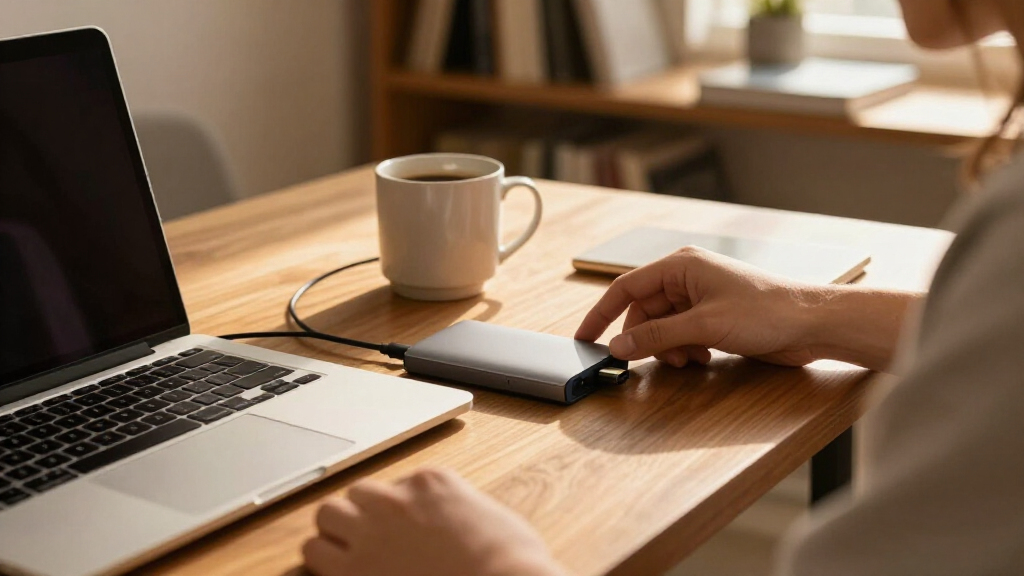

The best external hard drives depend on whether you value portability, large backup capacity, or faster file access. Among these 15 options, the WD My Passport 4TB is my best overall pick for a useful balance of portable capacity and everyday convenience. The WD Elements 20TB stands out for large desktop backups, while the SanDisk Portable SSD suits buyers who prioritize speed and a compact design over capacity. Portable HDDs trade speed for more room in a small package; desktop HDDs offer much larger capacities but need a separate power connection. Read on for the full breakdown, buying advice, and recommendations by use case.

Get the latest gadgets delivered free — and shop member deals
- Fast, free delivery on millions of items
- Access to Prime Big Deal Days deals on October 6–7
- Prime Video, Amazon Music and more included
Complete the kit



Key Takeaways
- WD My Passport 4TB is the most balanced portable choice: It offers more room than the 2TB models without requiring a desktop setup.
- WD Elements desktop drives suit bulk backups: The 20TB model provides the largest listed capacity, but it is less convenient to move and needs external power.
- The SanDisk Portable SSD prioritizes speed and portability: Its 1TB capacity is much lower than the HDD options, so it fits active projects better than large archives.
- Capacity changes the practical role of portable HDDs: The 1TB and 2TB models make sense for lighter file libraries, while 4TB to 6TB options leave more room for growing collections.
- Seagate One Touch desktop models add a middle path: The 8TB and 16TB options offer substantial storage for desk-based use without reaching the Elements 20TB maximum.
| Seagate Portable 4TB External Hard Drive HDD – USB 3.0 with 1-Year Rescue Data Recovery |  | Best for Portable 4TB Storage | Capacity: 4TB | Interface: USB 3.0 | Compatibility: Windows, Mac | VIEW LATEST PRICE | See Our Full Breakdown |
| Seagate One Touch 16TB USB-C Desktop Hard Drive |  | Best High-Capacity Bus-Powered Pick | Capacity: 16TB | Interface: USB-C | Power: Bus-powered; connected device must provide 15W | VIEW LATEST PRICE | See Our Full Breakdown |
| WD 2TB Elements Portable External Hard Drive – USB 3.2 Gen 1/USB 3.0, PC & Mac Compatible (WDBU6Y0020BBK-WESN) |  | Best Compact Everyday Drive | Capacity: 2TB | Interface: USB 3.2 Gen 1 / USB 3.0 | Interface rate: Up to 5Gbps | VIEW LATEST PRICE | See Our Full Breakdown |
| Seagate Portable 2TB External Hard Drive USB 3.0 (STGX2000400) |  | Best for Simple Console and PC Backups | Capacity: 2TB | Interface: USB 3.0 | Read speed: Up to 120MB/s | VIEW LATEST PRICE | See Our Full Breakdown |
| WD 20TB Elements Desktop External Hard Drive (WDBWLG0200HBK-NESN) |  | Best Maximum-Capacity Desktop Drive | Capacity: 20TB | Interface: USB 3.0 | Compatibility: Windows 10+; reformatting required for macOS | VIEW LATEST PRICE | See Our Full Breakdown |
| Western Digital WD 5TB Elements Portable External Hard Drive (WDBU6Y0050BBK-WESN) |  | Best for Portable Bulk Storage | Capacity: 5 TB | Interface: USB 3.2 Gen 1 / USB 3.0 / USB 2.0 | Form factor: 2.5 inches | VIEW LATEST PRICE | See Our Full Breakdown |
| SanDisk 1TB Portable SSD, Black |  | Best for Fast, Rugged Portability | Capacity: 1 TB | Read speed: Up to 600 MB/s | Connectivity: USB-C | VIEW LATEST PRICE | See Our Full Breakdown |
| WD My Passport 4TB Portable External Hard Drive, Black |  | Best for Built-In File Security | Capacity: 4 TB | Connectivity: USB 3.1 / USB 3.0 compatible | Security: Password protection and hardware encryption | VIEW LATEST PRICE | See Our Full Breakdown |
| WD 2TB My Passport Portable External Hard Drive, Black (WDBYVG0020BBK-WESN) |  | Best Compact Secure Backup | Capacity: 2 TB | Interface: USB 3.1 / USB 3.0, compatible with USB 2.0 | Form factor: 2.5 inches | VIEW LATEST PRICE | See Our Full Breakdown |
| Western Digital Elements 8TB Desktop External Hard Drive |  | Best for Desk-Based Capacity | Capacity: 8 TB | Form factor: 3.5 inches | Connection: USB 2.0 and USB 3.0 | VIEW LATEST PRICE | See Our Full Breakdown |
| WD My Passport 5TB Portable External Hard Drive, Black |  | Best for Secure Portable Backups | Brand: WD | Model: WDBPKJ0050BBK-WESN | Capacity: 5TB | VIEW LATEST PRICE | See Our Full Breakdown |
| WD Elements 4TB Portable External Hard Drive |  | Best for Simple Everyday Storage | Capacity: 4TB | Interface: USB 3.2 Gen 1 (5Gbps), USB 3.0 | Compatibility: Windows PC and Mac | VIEW LATEST PRICE | See Our Full Breakdown |
| Seagate Portable 1TB External Hard Drive HDD – USB 3.0 for PC, Mac, PlayStation, & Xbox (STGX1000400), Black | | Best for Console Storage on the Go | Capacity: 1TB | Interface: USB 3.0 | Read speed: 120 MB/s | VIEW LATEST PRICE | See Our Full Breakdown |
| WD Elements 6TB Portable External Hard Drive | | Best High-Capacity Portable Pick | Capacity: 6TB | Interface: USB 3.2 Gen 1 / USB 3.0 | Form factor: 2.5 inches | VIEW LATEST PRICE | See Our Full Breakdown |
| Seagate One Touch 8TB External Hard Drive Desktop HDD (STNB8000400) |  | Best for High-Capacity USB-C Storage | Model: STNB8000400 | Capacity: 8TB | Interface: USB-C | VIEW LATEST PRICE | See Our Full Breakdown |
| external hard drife | Capacity | Interface |
|---|---|---|
| Seagate Portable 4TB External | 4TB | USB 3.0 |
| Seagate One Touch 16TB USB-C D | 16TB | USB-C |
| WD 2TB Elements Portable Exter | 2TB | USB 3.2 Gen 1 / USB 3.0 |
| Seagate Portable 2TB External | 2TB | USB 3.0 |
| WD 20TB Elements Desktop Exter | 20TB | USB 3.0 |
| Western Digital WD 5TB Element | 5 TB | USB 3.2 Gen 1 / USB 3.0 / USB 2.0 |
| SanDisk 1TB Portable SSD | 1 TB | — |
| WD My Passport 4TB Portable Ex | 4 TB | — |
| WD 2TB My Passport Portable Ex | 2 TB | USB 3.1 / USB 3.0, compatible with USB 2.0 |
| Western Digital Elements 8TB D | 8 TB | — |
| WD My Passport 5TB Portable Ex | 5TB | — |
| WD Elements 4TB Portable Exter | 4TB | USB 3.2 Gen 1 (5Gbps), USB 3.0 |
| Seagate Portable 1TB External | 1TB | USB 3.0 |
| WD Elements 6TB Portable Exter | 6TB | USB 3.2 Gen 1 / USB 3.0 |
| Seagate One Touch 8TB External | 8TB | USB-C |
More Details on Our Top Picks
Seagate Portable 4TB External Hard Drive HDD – USB 3.0 with 1-Year Rescue Data Recovery
The Seagate Portable 4TB gives photo, video, and document libraries room to grow without moving to a desktop drive. Its USB 3.0 plug-and-play setup and included 18-inch cable make it easy to connect to a Windows or Mac computer, with no backup software required. Compared with the WD Elements 2TB Portable, it offers twice the listed capacity for larger collections, though the WD’s USB 3.2 Gen 1 connection has a newer interface specification. This Seagate remains a mechanical hard drive, so it won’t match an SSD for transfer speed. Its one-year Rescue Data Recovery service adds a recovery option, but it doesn’t replace a separate backup. Choose it when portable capacity matters more than fast file transfers.
Pros:- 4TB capacity in a portable drive
- Plug-and-play setup without required software
- Compatible with Windows and Mac
- Includes an 18-inch USB 3.0 cable and one-year Rescue Data Recovery service
Cons:- Mechanical HDD transfers are slower than SSD alternatives
- Available storage can be lower than the advertised capacity
- The cable may be short for some desk setups
Best for: People who carry large photo, video, or work archives between Windows and Mac computers
Not ideal for: Frequent large-file editors who need SSD-level transfer speeds or anyone seeking a desktop-scale archive
- Capacity:4TB
- Interface:USB 3.0
- Compatibility:Windows, Mac
- Cable length:18 inches
- Setup:Plug and play; no software required
- Recovery service:1-Year Rescue Data Recovery Services
- Use case:Personal
Our verdict“Pick this Seagate if you want 4TB of portable storage and can accept HDD speeds.”
Seagate One Touch 16TB USB-C Desktop Hard Drive
The Seagate One Touch 16TB is aimed at buyers who need a large desktop library in a setup that can draw power from a connected device. Its USB-C connection and bus-powered design avoid a separate wall outlet, provided the host supplies the required 15W. That power requirement is the key tradeoff: it may rule out devices or ports that cannot provide enough output. Compared with the WD Elements Desktop 20TB, this Seagate offers less listed capacity but avoids the WD model’s stated need for external power. It also includes a two-year limited warranty and Rescue Data Recovery Services. For a desk-bound archive, it favors fewer power accessories over maximum capacity and broad host flexibility.
Pros:- 16TB capacity for large file libraries
- Bus-powered design can eliminate a separate wall outlet
- USB-C interface
- Includes a two-year limited warranty and Rescue Data Recovery Services
Cons:- Connected device must supply 15W
- Less capacity than the WD Elements Desktop 20TB
- Desktop-sized storage is less suited to carrying around
Best for: Desktop users with a USB-C host that can supply 15W and a large media or project archive
Not ideal for: Laptop owners whose USB-C ports cannot provide 15W, or buyers who need the highest capacity in this group
- Capacity:16TB
- Interface:USB-C
- Power:Bus-powered; connected device must provide 15W
- Warranty:Two-year limited
- Included service:Rescue Data Recovery Services
- Model:STNB16000400
Our verdict“Choose this Seagate for a large desk archive when your USB-C device can provide its required power.”
WD 2TB Elements Portable External Hard Drive – USB 3.2 Gen 1/USB 3.0, PC & Mac Compatible (WDBU6Y0020BBK-WESN)
The WD Elements 2TB Portable suits everyday backups when a smaller, lightweight drive is easier to live with than a high-capacity desktop unit. Its USB 3.2 Gen 1 connection supports a stated 5Gbps interface rate, and plug-and-play setup keeps routine transfers simple. Compared with the Seagate Portable 4TB, it gives up half the capacity but keeps the package focused on compact portability. Mac users should check formatting needs before relying on it across systems; the product data notes that reformatting may be required. Like the Seagate, it uses an HDD, so interface bandwidth does not make it as responsive as an SSD for demanding workloads. It’s a sensible carry-along archive for ordinary files, not a speed-first editing drive.
Pros:- Compact, lightweight portable form
- 2TB capacity for everyday backups
- USB 3.2 Gen 1 interface rated at 5Gbps
- Plug-and-play setup with Windows PC and Mac compatibility
Cons:- Reformatting may be needed for Mac use
- HDD performance falls short of SSD alternatives
- Less capacity than the Seagate Portable 4TB
Best for: Students and mobile workers who need a compact backup drive for documents, photos, and occasional video
Not ideal for: Mac users who need effortless cross-platform sharing without reformatting, or editors seeking SSD performance
- Capacity:2TB
- Interface:USB 3.2 Gen 1 / USB 3.0
- Interface rate:Up to 5Gbps
- Compatibility:Windows PC and Mac
- Model:WDBU6Y0020BBK-WESN
- Form factor:Portable external hard drive
- Setup:Plug and play
Our verdict“Choose the WD Elements 2TB for compact everyday backups when portability matters more than maximum capacity.”
Seagate Portable 2TB External Hard Drive USB 3.0 (STGX2000400)
The Seagate Portable 2TB is a straightforward choice for buyers who want one small drive for computer files and compatible console storage. Its listed compatibility includes laptops, Mac, PC, and PS4, while plug-and-play setup and an 18-inch cable keep basic file access uncomplicated. Compared with the WD Elements 2TB Portable, it specifies PS4 compatibility and a 120MB/s read speed, while WD lists a USB 3.2 Gen 1 interface rated at 5Gbps. The Seagate’s cross-system flexibility has a catch: reformatting may be needed when switching between operating systems, which can erase existing data. Its 2TB HDD capacity works for general storage, but it is slower than an SSD and smaller than the Seagate Portable 4TB.
Pros:- Portable 2TB capacity
- Listed compatibility with laptop, Mac, PC, and PS4
- Plug-and-play setup without required software
- Specified read speed of up to 120MB/s
Cons:- Reformatting may be required when changing operating systems
- HDD transfers are slower than SSD alternatives
- Less capacity than the Seagate Portable 4TB
Best for: PS4 owners and computer users who want a portable drive for general storage and backups
Not ideal for: People who frequently move the same drive between Mac and Windows without reformatting, or need faster SSD transfers
- Capacity:2TB
- Interface:USB 3.0
- Read speed:Up to 120MB/s
- Data transfer rate:1Gbps
- Rotational speed:7200 RPM
- Compatible devices:Laptop, Mac, PC, PS4
- Setup:Plug and play; no software required
- Cable length:18 inches
Our verdict“Pick this Seagate for basic portable storage across compatible computers and a PS4, provided reformatting fits your workflow.”
WD 20TB Elements Desktop External Hard Drive (WDBWLG0200HBK-NESN)
For a stationary archive, the WD Elements Desktop 20TB offers the largest stated capacity among these five picks. That makes it a better fit for consolidating extensive video, photo, or work libraries than the Seagate One Touch 16TB, which provides less space and is bus-powered. The tradeoff is the WD’s desktop form factor and external power requirement: it belongs near a fixed computer rather than in a travel bag. Windows setup is plug-and-play, while macOS requires reformatting, so Mac owners should plan for that step before storing files. USB 3.0 supports direct transfers, but this HDD is not an SSD substitute for active, speed-sensitive editing. Choose it when space and a simple Windows connection outweigh portability and cross-platform convenience.
Pros:- 20TB capacity for extensive archives
- USB 3.0 connection for direct file transfers
- Plug-and-play setup for Windows PCs
- Desktop form suits a fixed archive location
Cons:- Requires external power and is less portable
- Reformatting is required for macOS use
- HDD performance is slower than SSD alternatives
Best for: Windows users consolidating very large media, backup, or project archives at a fixed workstation
Not ideal for: Traveling users, Mac owners who want ready-to-use formatting, or anyone without room and power for a desktop drive
- Capacity:20TB
- Interface:USB 3.0
- Compatibility:Windows 10+; reformatting required for macOS
- Form factor:Desktop external hard drive
- Model:WDBWLG0200HBK-NESN
- Setup:Plug and play for Windows PCs
- Power:External power required
Our verdict“Choose the WD Elements Desktop 20TB when maximum listed capacity for a stationary Windows archive is the priority.”
Western Digital WD 5TB Elements Portable External Hard Drive (WDBU6Y0050BBK-WESN)
The WD Elements 5TB is the capacity-first portable pick: it holds far more than the SanDisk 1TB Portable SSD while keeping a compact 2.5-inch drive format. That makes it a practical choice for carrying photo libraries, video archives, or routine backups without moving to a desktop unit. Plug-and-play setup and compatibility with PC and Mac simplify everyday use, and USB 2.0 support helps with older devices. Its tradeoff is speed: the listed read speed is 50 MB/s, so large transfers will take longer than on the SanDisk SSD. Switching between Windows and Mac may also require reformatting. Choose this WD when capacity and portability matter more than quick file access or frequent large transfers.
Pros:- 5TB capacity in a compact 2.5-inch portable drive
- Plug-and-play setup without required software installation
- USB 3.2 Gen 1 support with USB 2.0 backward compatibility
- Works with PC and Mac, plus select game consoles
Cons:- Listed 50 MB/s read speed is far below the SanDisk 1TB Portable SSD
- Switching between Windows and Mac may require reformatting
- As a hard drive, it is less suited to fast, repeated transfers than an SSD
Best for: Laptop owners who need several terabytes of portable space for backups, photos, and video archives
Not ideal for: Creators who move large files often or need fast access; its listed read speed trails the SanDisk portable SSD
- Capacity:5 TB
- Interface:USB 3.2 Gen 1 / USB 3.0 / USB 2.0
- Form factor:2.5 inches
- Listed read speed:50 MB/s
- Compatible platforms:PC, Mac
- Compatible devices:Desktop, laptop, tablet
- Color:Black
Our verdict“Choose the WD Elements 5TB if you want a large portable archive and can accept slower transfers than an SSD.”
SanDisk 1TB Portable SSD, Black
Speed and drop protection give the SanDisk 1TB Portable SSD a different job from the roundup’s higher-capacity hard drives. Its read speeds reach 600 MB/s, making it better suited than the WD Elements 5TB to moving active projects or opening files on the go. The 2-meter drop protection and pocket-sized design also suit commuters who carry a drive every day. The tradeoff is capacity: 1TB leaves less room for long-term video or photo archives than the WD’s 5TB. The product data also notes lower write speeds than read speeds and performance variation across host devices, so the headline read figure does not describe every task. Pick it for speed and portable durability; skip it if storage volume leads your decision.
Pros:- Read speeds up to 600 MB/s for faster file access than portable hard drives
- Solid-state design with no moving parts
- Drop protection rated up to 2 meters
- Pocket-sized form and USB-C connectivity
Cons:- 1TB capacity is much lower than the WD Elements 5TB
- Write speeds are lower than the listed read speeds
- Performance can vary with the host device and operating conditions
Best for: Mobile photographers, students, and creators who carry active files between USB-C devices
Not ideal for: People building large backups or video archives who need multiple terabytes in one drive
- Capacity:1 TB
- Read speed:Up to 600 MB/s
- Connectivity:USB-C
- Drop protection:Up to 2 meters
- Form factor:Portable, pocket-sized
- Compatible devices:Desktop, laptop, smartphone, tablet
- Color:Black
Our verdict“Choose the SanDisk SSD for a fast, compact drive that travels with active files, provided 1TB is enough.”
WD My Passport 4TB Portable External Hard Drive, Black
For buyers who carry sensitive documents alongside everyday files, the WD My Passport 4TB pairs portable hard-drive capacity with password protection and hardware encryption. Included device-management software adds ransomware defense, giving it a security focus the simpler WD Elements 5TB does not list. That comes with a small capacity and setup tradeoff: the Elements offers an extra terabyte and plug-and-play simplicity, while the My Passport’s appeal is its file protection and included management tools. The slim design keeps it suited to a bag or desk, but it remains a hard drive rather than a fast SSD. Choose it if security features matter for your portable archive; skip it if you want a straightforward drive or prioritize speed.
Pros:- 4TB capacity in a slim portable design
- Password protection and hardware encryption
- Included device-management software with ransomware defense
- Three-year limited warranty
Cons:- Offers 1TB less capacity than the WD Elements 5TB
- Included software adds setup and management steps compared with plug-and-play Elements storage
- Hard-drive storage is less suited to fast transfers than the SanDisk SSD
Best for: Students and professionals carrying private files who want portable storage with password protection and encryption
Not ideal for: Buyers who prefer software-free setup or need SSD-level transfer speed
- Capacity:4 TB
- Connectivity:USB 3.1 / USB 3.0 compatible
- Security:Password protection and hardware encryption
- Included software:Device management software with ransomware defense
- Color:Black
- Design:Slim, portable
- Warranty:3-year limited
Our verdict“Choose the WD My Passport 4TB if portable file protection matters more to you than maximum capacity or SSD speed.”
WD 2TB My Passport Portable External Hard Drive, Black (WDBYVG0020BBK-WESN)
The WD My Passport 2TB is the smaller-capacity choice for buyers who want a portable backup drive with security features. Its slim 2.5-inch format is easy to carry, and hardware encryption with password protection helps keep stored files private. Like the 4TB My Passport, it includes backup software with ransomware defense and comes with a three-year limited warranty. The difference is how much room you get: compared with the WD My Passport 4TB, this model is better for a focused laptop backup or a personal document and photo collection, but it leaves less room to grow. Its software requires download and installation, and its spinning hard drive cannot match the SanDisk SSD for speed. Pick it when a compact, protected backup matters more than extra capacity.
Pros:- Slim 2.5-inch portable design
- Password protection and 256-bit hardware encryption
- Backup software includes ransomware defense
- Three-year limited warranty
Cons:- 2TB capacity is half that of the WD My Passport 4TB
- Backup and security software requires download and installation, with possible registration
- Spinning hard-drive design is slower than the SanDisk portable SSD
Best for: Laptop users who want a portable, encrypted backup for documents, photos, and a modest media library
Not ideal for: People with large video archives or expanding backups who would benefit from the My Passport 4TB’s extra capacity
- Capacity:2 TB
- Interface:USB 3.1 / USB 3.0, compatible with USB 2.0
- Form factor:2.5 inches
- Encryption:256-bit hardware encryption and password protection
- Compatible devices:Desktop, laptop, tablet
- Color:Black
- Warranty:3-year limited
Our verdict“Choose this My Passport when you want a compact, encrypted drive for everyday backups and do not need more than 2TB.”
Western Digital Elements 8TB Desktop External Hard Drive
The WD Elements 8TB Desktop trades portability for a larger single-drive archive. Its 3.5-inch enclosure and 8TB capacity suit a home office or business workstation where the drive can stay put, giving it twice the listed space of the portable WD My Passport 4TB. USB 3.0 and USB 2.0 connections support newer and older computers, and plug-and-play setup is aimed at Windows PCs. That focus is also its main limitation: at 2.1 pounds and roughly 9 by 8 by 3.5 inches, it is not a drive to carry around, and the supplied compatibility details name Windows versions rather than Mac. Choose it for a stationary backup or file archive with substantial capacity; choose a portable model if your files need to travel.
Pros:- 8TB capacity for a substantial local archive
- USB 3.0 and USB 2.0 connection support
- Plug-and-play setup for Windows PCs
- Suitable for business or personal storage
Cons:- 3.5-inch desktop form factor is far less portable than the WD My Passport 4TB
- At 2.1 pounds, it is comparatively cumbersome to move
- Supplied compatibility information lists Windows versions only
Best for: Home-office and small-business users who need a large Windows backup drive that can stay on a desk
Not ideal for: People who carry backups between locations or need confirmed Mac support in the supplied product details
- Capacity:8 TB
- Form factor:3.5 inches
- Connection:USB 2.0 and USB 3.0
- Compatibility:Windows 10, Windows 8.1, and Windows 7
- Weight:2.1 pounds
- Dimensions:9 x 8 x 3.5 inches
- Use:Business and personal
Our verdict“Choose the WD Elements 8TB for a large stationary Windows archive, not a drive you plan to carry.”
WD My Passport 5TB Portable External Hard Drive, Black
The WD My Passport 5TB suits people who want a large backup drive they can carry between locations, with more protection features than the simpler WD Elements models. Its password protection and hardware encryption help safeguard files if the drive is lost, while included management software supports backups and ransomware defense. At 5TB, it holds more than the WD Elements 4TB, making it a better fit for growing photo and video libraries. The tradeoff is that its listed USB connection is older than the USB 3.2 Gen 1 interface on the Elements 4TB, and the supplied details do not specify transfer speeds. Choose it for built-in security and backup tools; skip it if straightforward plug-and-play storage is all you need.
Pros:- 5TB capacity in a slim portable design
- Password protection and hardware encryption
- Backup software includes ransomware defense support
- Three-year limited warranty
Cons:- Listed USB 3.1 / USB 3.0 compatibility is older than the WD Elements 4TB’s USB 3.2 Gen 1 interface
- No transfer speed is provided in the supplied specifications
Best for: Traveling professionals and photographers who need a portable multi-terabyte backup with password protection and encryption
Not ideal for: Buyers who want basic plug-and-play storage or documented transfer speeds, since its security tools may add little value and no speed figure is supplied
- Brand:WD
- Model:WDBPKJ0050BBK-WESN
- Capacity:5TB
- Color:Black
- Connectivity:USB 3.1 / USB 3.0 compatible
- Security:Password protection and hardware encryption
- Warranty:3-year limited warranty
Our verdict“Choose the WD My Passport 5TB if you want portable capacity with built-in security and backup tools.”
WD Elements 4TB Portable External Hard Drive
The WD Elements 4TB is the straightforward pick for adding storage without extra security software or a complicated setup. Its plug-and-play design and Windows and Mac compatibility make it an easy place to keep documents, music, and media files. Compared with the WD My Passport 5TB, it gives up one terabyte and the listed encryption and backup tools, but its USB 3.2 Gen 1 interface is newer than the My Passport’s listed USB 3.1 / USB 3.0 compatibility. It also offers less space than the WD Elements 6TB, so large video libraries may outgrow it sooner. The supplied details do not state whether Mac reformatting is needed, so buyers should check their intended setup before moving files across systems.
Pros:- 4TB capacity for a broad range of personal files
- Compact and lightweight design
- Plug-and-play setup
- USB 3.2 Gen 1 connectivity with USB 3.0 support
Cons:- Less capacity than the WD Elements 6TB and WD My Passport 5TB
- No security or backup software features are listed
- Transfer speed is not specified
Best for: Windows and Mac users who want a compact, uncomplicated drive for everyday file storage and backups
Not ideal for: People with very large media libraries who need more than 4TB, or buyers who want built-in encryption and backup software
- Capacity:4TB
- Interface:USB 3.2 Gen 1 (5Gbps), USB 3.0
- Compatibility:Windows PC and Mac
- Model:WDBU6Y0040BBK-WESN
- Setup:Plug and play
Our verdict“Pick the WD Elements 4TB for simple, portable storage when 4TB is enough and extra software is unnecessary.”
Seagate Portable 1TB External Hard Drive HDD – USB 3.0 for PC, Mac, PlayStation, & Xbox (STGX1000400), Black
With just 1TB of capacity, the Seagate Portable is the smallest-storage choice in this group, but its appeal is broad device compatibility. It works with PCs, Macs, PlayStation, and Xbox, so it can move between a computer backup role and supported console storage. Setup is simple: the drive supports plug-and-play use and drag-and-drop backup without requiring software. Compared with the WD Elements 4TB, it holds far less, making it a poor home for a large media archive; compared with the Seagate One Touch 8TB, it is much easier to carry but cannot consolidate nearly as much data. Mac users may need to reformat it, and the 120 MB/s read-speed figure is not a promise of real-world performance.
Pros:- Compatible with PC, Mac, PlayStation, and Xbox
- Plug-and-play setup with no software required
- Compact 190 g design
- Includes an 18-inch USB 3.0 cable and one-year Rescue Service
Cons:- 1TB capacity is limited beside the 4TB WD Elements and 8TB Seagate One Touch
- Mac reformatting may be required
- Listed read speed is 120 MB/s, and actual available capacity may vary
Best for: Console owners and casual users who need a small, portable drive for a limited game or file collection
Not ideal for: People backing up extensive photo, video, or game libraries, since 1TB is far below the capacity of the WD Elements 4TB and other larger drives
- Capacity:1TB
- Interface:USB 3.0
- Read speed:120 MB/s
- Rotational speed:7200 RPM
- Weight:190 g
- Dimensions:4.61 × 3.15 × 0.58 inches
- Compatible devices:PC, Mac, laptop, Xbox One, PlayStation
- Included cable:18-inch USB 3.0 cable
- Service:1-Year Rescue Service
Our verdict“Choose this Seagate if portability and console compatibility matter more than room for a large library.”
WD Elements 6TB Portable External Hard Drive
The WD Elements 6TB gives portable-drive buyers the largest capacity among the smaller carryable options in this batch. That extra room over the WD Elements 4TB can keep a growing photo, video, or work archive on one drive, and its USB 3.2 Gen 1 / USB 3.0 connection supports plug-and-play use with compatible devices. The My Passport 5TB adds password protection, encryption, and backup software, but offers less stated capacity; the Elements 6TB favors space and simplicity instead. The listed 2.5-inch form factor and plastic enclosure speak to portability, though the supplied 1050 MB/s read-speed figure is unusually high for an HDD and should be verified against the specific drive configuration before relying on it. No security features are listed.
Pros:- 6TB capacity in a portable form factor
- Plug-and-play connectivity
- Supports USB 3.2 Gen 1 and USB 3.0
- Compatible with desktops, laptops, and tablets
Cons:- No password protection, encryption, or backup software is listed
- Plastic enclosure offers less reassurance against rough handling
- The listed 1050 MB/s read speed should be checked against the exact drive configuration
Best for: Photographers, students, and mobile workers who need a large portable archive without bundled security tools
Not ideal for: Buyers prioritizing encryption or clearly documented HDD performance, since security features are not listed and the supplied speed figure merits confirmation
- Capacity:6TB
- Interface:USB 3.2 Gen 1 / USB 3.0
- Form factor:2.5 inches
- Compatible devices:Desktop, laptop, tablet
- Color:Black
- Enclosure material:Plastic
- Listed read speed:1050 MB/s
Our verdict“Pick the WD Elements 6TB when portable capacity matters more than security extras or a clearly established speed profile.”
Seagate One Touch 8TB External Hard Drive Desktop HDD (STNB8000400)
The Seagate One Touch 8TB is the capacity-first choice for keeping a large backup or project library together, with a single USB-C connection and no wall outlet required. Its bus-powered setup is unusual for a drive described as a desktop HDD and makes it easier to place on a desk without a separate power adapter. The WD Elements 6TB is the more portable option, while the Seagate offers two additional terabytes for a growing archive. Its desktop form factor still makes it less suited to frequent travel than the 1TB Seagate Portable. The supplied specifications do not include transfer speeds or confirm performance beyond its HDD category, so buyers moving large files often should not assume SSD-like responsiveness. It includes Rescue Data Recovery Services and a two-year limited warranty.
Pros:- 8TB capacity for consolidating large backups and projects
- USB-C connection with a single-cable setup
- Bus-powered operation requires no wall outlet
- Includes Rescue Data Recovery Services and a two-year limited warranty
Cons:- Less portable than smaller drives such as the Seagate Portable 1TB
- No transfer speed or performance benchmark is supplied
- HDD design is not intended to offer SSD-level responsiveness
Best for: Home office users and creators who need a large Windows or macOS backup drive with a tidy USB-C setup
Not ideal for: Frequent travelers or people who need SSD-level performance, since its desktop HDD form factor is less portable and no speed benchmark is supplied
- Model:STNB8000400
- Capacity:8TB
- Interface:USB-C
- Compatibility:Windows, macOS
- Power:Bus-powered; no wall outlet required
- Warranty:2-year limited warranty
- Included service:Rescue Data Recovery Services
Our verdict“Choose the Seagate One Touch 8TB for a high-capacity desk backup with USB-C convenience and no wall adapter.”
How We Picked
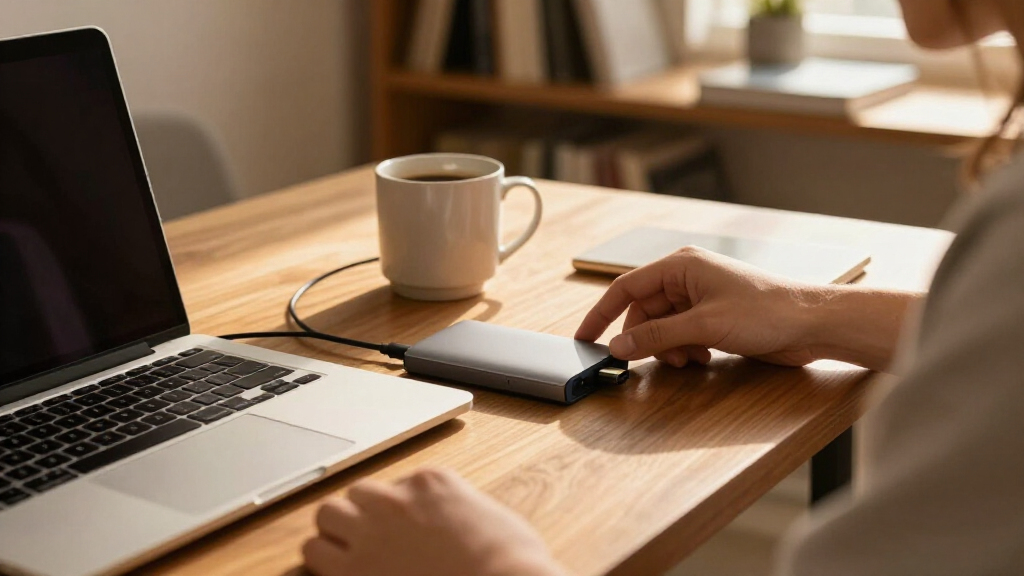
I compared these drives by the choices that matter in everyday external storage: capacity, portability, connection and power needs, and intended workload. I treated portable HDDs as options for moving files and routine backups, desktop HDDs as stationary storage for larger libraries, and the SanDisk SSD as the speed-oriented compact alternative. A larger capacity earned credit when it served a clear use case, but it did not automatically outrank a drive that is easier to carry or better suited to everyday tasks.
The order reflects those tradeoffs rather than a single spec. Versatile portable picks come first, followed by focused choices for value, beginners, compact use, and speed; the desktop drives follow for buyers whose priority is storing large volumes in one place. I also weighed setup simplicity and the practical limits of each format. These models are judged from their stated product details, so real transfer speeds can vary with the computer, cable, file size, and drive condition.
| external hard drife | Interface |
|---|---|
| Seagate Portable 4TB External | USB 3.0 |
| Seagate One Touch 16TB USB-C D | USB-C |
| WD 2TB Elements Portable Exter | USB 3.2 Gen 1 / USB 3.0 |
| Seagate Portable 2TB External | USB 3.0 |
| WD 20TB Elements Desktop Exter | USB 3.0 |
| Western Digital WD 5TB Element | USB 3.2 Gen 1 / USB 3.0 / USB 2.0 |
| SanDisk 1TB Portable SSD | — |
| WD My Passport 4TB Portable Ex | — |
| WD 2TB My Passport Portable Ex | USB 3.1 / USB 3.0, compatible with USB 2.0 |
| Western Digital Elements 8TB D | — |
| WD My Passport 5TB Portable Ex | — |
| WD Elements 4TB Portable Exter | USB 3.2 Gen 1 (5Gbps), USB 3.0 |
| Seagate Portable 1TB External | USB 3.0 |
| WD Elements 6TB Portable Exter | USB 3.2 Gen 1 / USB 3.0 |
| Seagate One Touch 8TB External | USB-C |
Factors to Consider When Choosing Best External Hard Drives
Before choosing, match the drive to where your files live and how often you need to reach them. These factors can help you avoid paying for capacity or speed that does not solve your actual storage problem.
Choose Capacity Around Your Backup Plan
Start with the amount of data you need to store today, then leave room for new files and future backups. A drive that barely fits your current library can force an early replacement, especially if you keep photo, video, or game collections. Remember that the advertised capacity is not the same as the free space shown by your computer, because formatting and how systems measure storage affect the displayed figure. If you are backing up a computer, account for version history or multiple copies rather than sizing the drive to one snapshot. Larger capacity is useful only when you have enough data to justify keeping a single drive as a larger archive. For very important files, capacity alone does not provide protection; keep another copy on a separate device or service.
Decide Whether the Drive Needs to Travel
A portable drive draws power from its connection in many common setups and fits more naturally into a bag, which can simplify travel and quick transfers between computers. A desktop drive is designed to stay in one location and usually relies on a wall power connection, so plan for an outlet and a clear spot on your desk. Buyers sometimes focus on the word external and assume every model is equally convenient to move; the desktop form factor changes that equation. Consider how often you will disconnect the drive, whether you need to work away from a desk, and if the cable and power adapter will travel with you. A portable model is often the easier fit for an active routine, while a desktop unit can serve as a home archive. Treat either type as a storage device that can be damaged if dropped or handled roughly.
Match HDD or SSD to Your Work
Portable HDDs offer substantially more listed capacity across this roundup, making them practical for broad backups and large collections. An SSD is the better fit when frequent access, quick transfers, or compact project storage matter more than maximum space. The distinction matters most when you repeatedly move large folders or open files directly from the external drive; occasional backups may not benefit as much from SSD speed. Check the connection supported by both the drive and your computer, since a fast drive cannot exceed the limits of a slower port or cable. Avoid choosing an SSD solely because it sounds faster if your workload is mostly storing files you rarely open. Likewise, an HDD is not a substitute for a second backup simply because it holds more.
Check Compatibility and Formatting Needs
Product pages may describe compatibility with Windows, Mac, or game consoles, but the drive’s file system and the device’s requirements still matter. A drive formatted for one operating system may need to be reformatted or configured differently for another, and reformatting can erase files already on it. If you plan to share one drive between computers, check whether the file system supports your intended read and write access on both. Console use has its own requirements, including supported capacity and setup steps, so confirm compatibility with your exact console generation before buying. Keep the included cable and port type in mind if your computer has only newer or older connections. A few minutes spent checking the host device can prevent a drive from arriving ready for a different setup than yours.
Plan for Reliability and Backup Redundancy
Any single external drive can fail, be lost, or be damaged, so a large capacity should not be mistaken for a complete backup plan. For irreplaceable documents and photos, keep a second copy on a separate drive or in a trusted cloud backup. Store the spare copy away from the primary computer when practical; leaving both copies connected can expose them to the same accident or software issue. If a drive includes a recovery service, read its terms and coverage rather than treating it as a guarantee that every file can be restored. Decide how often you will update the backup, since an old copy may not include recent work. The simplest plan is one you can repeat without disrupting your routine.
Pay for the Feature You Will Use
Extra capacity, an SSD design, and a desktop enclosure solve different problems, so compare them against your actual habits. If you mainly want a copy of documents and photos that travels with a laptop, a modest portable HDD may be enough. Frequent creators moving large active projects have a stronger reason to prioritize SSD speed, even if that means choosing less storage. Buyers building a stationary archive can put more weight on capacity and a stable desk setup. Avoid paying for a large desktop drive when you need something to carry every day, or choosing a small SSD when your main goal is keeping years of media together. A good fit comes from balancing how much you store, how often you move it, and how quickly you need it.
Frequently Asked Questions
Should I choose a portable drive or a desktop external drive?
Choose a portable model if you need to carry files, move between computers, or store a backup beside a laptop. A desktop drive is more suitable for a fixed home or office setup where high capacity matters more than mobility. Desktop models generally need a wall outlet, so they are less convenient for travel and temporary workspaces. Think about where the drive will sit most of the time and whether you can keep it connected safely. If you need both a travel copy and a large home archive, separate drives can serve those roles better than one compromise.
Is an SSD worth choosing over an HDD for external storage?
An SSD is most useful when you frequently transfer large files or work directly from the external drive. It is also compact, which helps when portability and quick access matter. HDDs in this lineup offer far more listed capacity, making them a better match for broad backups and archives. If you mostly copy files occasionally and then leave them stored, SSD speed may not justify giving up capacity. Let your workload and storage volume guide the choice rather than the drive type alone.
How much capacity should I buy for computer backups?
Size the drive for the data you plan to back up, with extra room for growth and any retained versions. A backup that only fits the computer’s current used space may become cramped as photos, applications, and projects accumulate. Check how your backup software stores older versions, since that can use more space than a single copy. If you keep a large media or game library, include it in the estimate only if you intend to back it up. For critical files, plan for a second copy as well; one large drive is still one point of failure.
Can I use one external drive with both a Mac and a Windows PC?
Often, but compatibility depends on how the drive is formatted and what each computer needs to do with it. Some file systems offer broad read and write support, while others may require extra software or a reformat. Reformatting erases the drive, so check its current contents and your computers before changing anything. If you plan to use the drive with a console as well, check that device’s requirements separately. A shared drive works best when you decide on the format before storing important files.
Is one external drive enough to protect important files?
No single drive can protect files from its own failure, loss, or damage. Keep at least one additional copy on a separate drive or in a cloud backup service, especially for irreplaceable work and personal photos. Updating both copies on a regular schedule matters as much as making the first backup. If possible, keep the second copy disconnected or in another location so one incident cannot affect both. A recovery service may help in some situations, but it should not replace a second copy.
Conclusion
For most buyers who want portable space for regular backups and everyday files, I recommend the WD My Passport 4TB as the best overall choice in this lineup. The best value depends on the capacity you will actually use: the Seagate Portable 2TB is a sensible pick for lighter storage needs, while the WD Elements 4TB offers more room in a portable format. For a best premium capacity choice, the WD Elements 20TB fits a stationary archive; buyers who want speed in a compact package should look at the SanDisk Portable SSD instead. Beginners who want a straightforward portable drive can start with the Seagate Portable 1TB for modest file storage, or choose a 2TB option for more headroom. Match the drive to your routine, then keep a second copy of files you cannot replace.
Fall Picks
fall essentials
As an affiliate, we earn on qualifying purchases.