
TL;DR
BenchUp is a free, open-source 3D modeling app aimed at woodworking, furniture design and DIY projects. It runs in a desktop browser or as an app for Windows, macOS and Linux, with local autosaving and import of SketchUp geometry; some SketchUp features are not supported.
BenchUp, an open-source 3D modeling app for woodworking and furniture design, is available to use in a desktop browser or as a native app for Windows, macOS and Linux. The project describes itself as a free alternative for planning measured furniture projects, with tools for drawing and shaping models and options to import SketchUp geometry or export OBJ files.

Get the latest gadgets delivered free with Prime
- Fast, free delivery on millions of items
- Prime Video, Amazon Music and more included
- Member-only deals all year
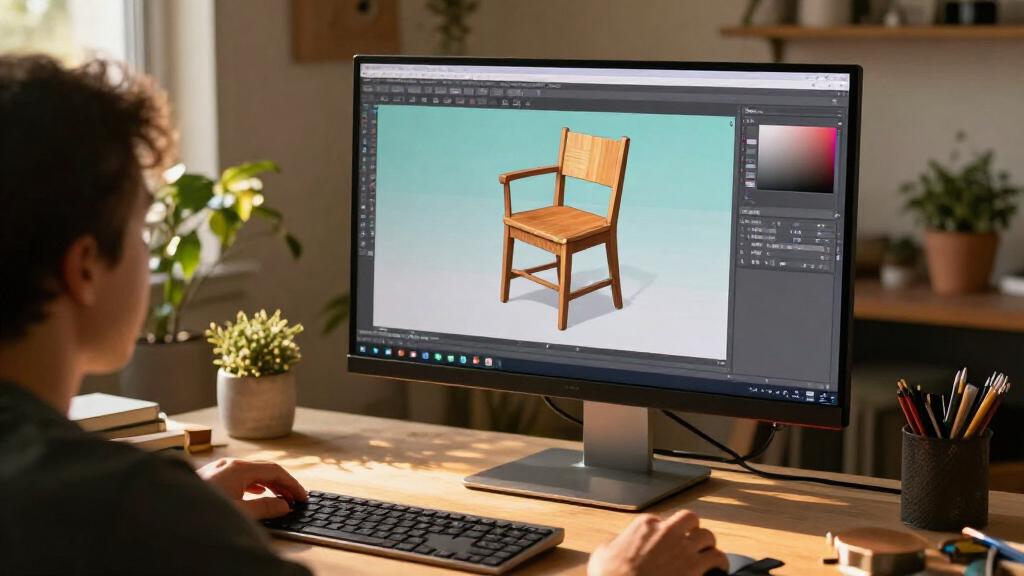
The app is designed for users planning items such as shelves, tables, cabinets and workbenches. Its listed tools include drawing lines, rectangles, circles and freehand outlines, then using Push/Pull to give faces depth. Users can also move, scale, offset and paint geometry, enter exact lengths, snap to geometry and axes, and add dimensions.
BenchUp says models are autosaved locally in the browser and can be downloaded as portable .ketchup project files. That autosave is tied to the browser and device: the project warns that clearing browser data can delete unsaved local work. The app does not require an account and does not provide cloud storage, according to its product information.
The project says users can import SketchUp (.skp) geometry and export Wavefront OBJ (.obj) files. It cautions that SketchUp textures, scenes and some other model features are not supported; OBJ exports contain geometry without materials. BenchUp identifies itself as open source under the MIT license and says it is written in Rust. The supplied information describes the product as built with WebGPU, while its requirements also mention WebGL2 support; it does not explain how the app selects between those graphics options.
A Local Tool for Furniture Planning
BenchUp is aimed at people who want to check the shape and measurements of a furniture project before cutting or assembling materials. A browser-based editor and desktop downloads give users more than one way to open the same kind of modeling tool, while exact-length entry, dimension tools and orbit controls are intended to help inspect proportions and fit.
Its open-source MIT license means the code can be examined and, under that license, reused subject to its terms. That may appeal to users who prefer a tool they can run without creating an account. However, BenchUp’s stated scope is practical woodworking and furniture modeling; the available information does not establish feature parity with SketchUp or suitability for every professional 3D workflow.
The local-first approach also has a trade-off. It avoids dependence on a BenchUp account or cloud service, but users are responsible for downloading project files they want to preserve. The stated import and export limits may also affect people moving existing projects between BenchUp and other modeling software.
Products Worth Considering

Logitech MX Mechanical Wireless Illuminated Keyboard, Clicky Switches

Bose QuietComfort Ultra Earbuds (2nd Gen), Wireless Noise-Cancelling Earbuds with Immersive Audio and Wireless Charging Case, Black

Logitech MX Master 4 Ergonomic Wireless Mouse with Haptic Feedback, Graphite
As an affiliate, we earn on qualifying purchases.
How BenchUp Handles Models
The product page presents BenchUp as a focused modeling workspace rather than a general-purpose design suite. Its described workflow starts with a basic shape, adds depth with Push/Pull, and uses measurements and navigation tools to review a project. Groups, reusable components and tags are offered to organize more complex assemblies.
The supplied report links the project to a browser editor, a user guide and a GitHub code repository, and says users can download desktop versions. It does not provide a release history, development roadmap, independent evaluation or comparisons against SketchUp. The “alternative” description should therefore be read as a description of the project’s intended role, not evidence that the applications have matching features.
““Free & open source. No account needed.””
— BenchUp product page
Compatibility and Graphics Support
The available product information does not specify which SketchUp versions or model features BenchUp can import beyond geometry, nor does it list detailed compatibility tests. It also does not explain the relationship between its WebGPU description and the requirement for WebGPU or WebGL2 support, or identify browser versions that have been tested.
No independent performance tests, user counts, release date or roadmap were included in the source material. It is also unclear how frequently the project is updated and which functions are available in each desktop build. Users should check the current guide and repository for those details before relying on the app for a particular workflow.
Check the Guide Before Importing
People interested in trying BenchUp can open its browser editor or download the desktop app, then consult the user guide for instructions and supported workflows. The project says the editor needs a desktop browser with hardware acceleration and WebGPU or WebGL2 support, and recommends a mouse and keyboard for modeling.
Before using it for important work, users can test their browser’s graphics support, confirm that needed import features are available, and save a copy of each project locally. Further information about releases, platform-specific requirements and development plans would clarify how the tool is expected to evolve.
Key Questions
What is BenchUp?
BenchUp is a free, open-source 3D modeling app focused on woodworking, furniture design and DIY projects. It is available in a desktop browser and as a native app for Windows, macOS and Linux, according to its product page.
Does BenchUp replace SketchUp?
BenchUp is presented as an open-source SketchUp alternative, but the supplied information does not establish feature parity. It can import SketchUp geometry, while textures, scenes and some model features are not supported.
Where are BenchUp projects saved?
Browser projects are autosaved locally on the same browser and device. Users can download a portable .ketchup project file; clearing browser data may remove the local autosave. The product page says BenchUp has no cloud storage.
What export format does it support?
BenchUp’s product information lists Wavefront OBJ (.obj) export. The export includes geometry without materials, according to the project.
What does BenchUp need to run?
The project lists a desktop browser with hardware acceleration and WebGPU or WebGL2 support, and recommends using a mouse and keyboard. It also offers downloads for Windows, macOS and Linux.
Source: ketchup3d.github.io