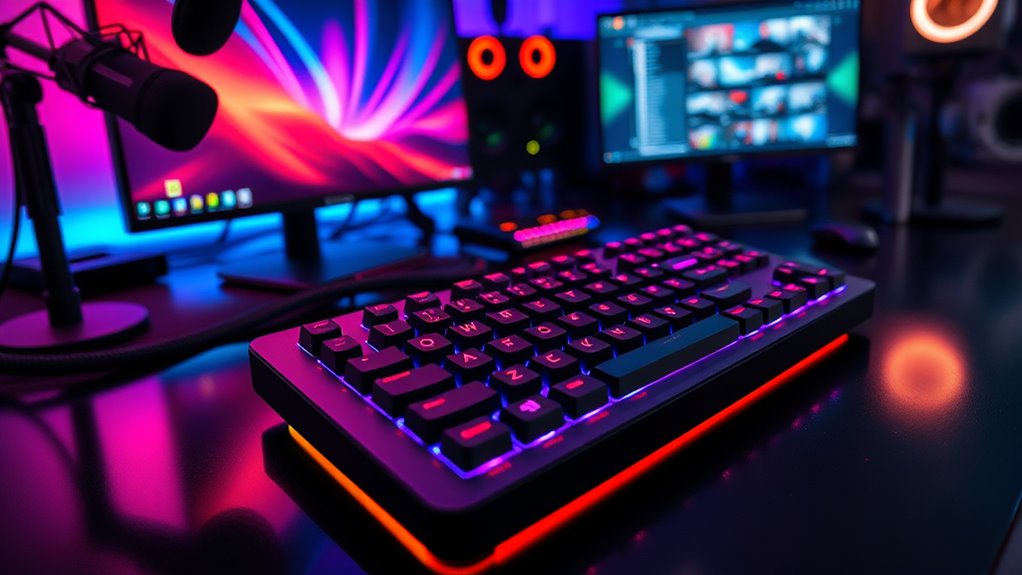

For a flexible alternative to a standard Stream Deck, I’d start with the Elgato Stream Deck +: its keys, dials, and touch strip suit workflows that mix shortcuts with audio adjustments. The VSD N4 Pro adds knobs and a touch bar in a compact layout, while the Elgato Stream Deck MK.2 keeps things straightforward with 15 LCD keys. The main tradeoff is whether you need more buttons, hands-on audio controls, or a smaller footprint that is easier to learn. Software support and setup also matter, since a capable keypad is only useful when it fits the apps you use. Read on for my comparison of all 14 options and the buyer each one suits best.

Get the latest gadgets delivered free with Prime
- Fast, free delivery on millions of items
- Prime Video, Amazon Music and more included
- Member-only deals all year
Complete the kit



Key Takeaways
- The Stream Deck + is my best overall pick for mixed workflows because its dials and touch strip add physical adjustment controls alongside LCD keys.
- The N4 Pro stands out among the alternatives for buyers who want knobs and a touch bar without choosing a large 32-key panel.
- The MK.2 and FIFINE D6 represent the clearest 15-key choices; buyers should weigh software and ecosystem fit alongside their similar button count.
- Large layouts solve a specific problem: the Elgato XL, VSD M18, and TreasLin N1 suit people who need many dedicated commands visible at once.
- Compact models trade capacity for a smaller learning curve and desk footprint. The Mini, Neo, and ActionRing N3 make more sense when a short set of frequent actions is enough.
| VSD N4 Pro Stream Controller with 10 LCD Keys, RGB Knobs, and Touch Bar |  | Best for Hands-On Audio and Macro Control | Brand: VSDINSIDE | Connectivity: USB-C | Controls: 10 LCD keys, 4 RGB knobs, 1 touch bar | VIEW ON AMAZON | See Our Full Breakdown |
| Elgato Stream Deck + Audio Mixer and Studio Controller |  | Best Premium Control Surface | LCD keys: Yes | Touch control: Touch strip | Dials: Yes | VIEW ON AMAZON | See Our Full Breakdown |
| Streonor S15 Stream Controller – 15-Key LCD Studio Control Deck (White) |  | Best for Status Monitoring | Number of keys: 15 | Status displays: 3 | Connectivity: USB-C (USB 2.0 or higher) | VIEW ON AMAZON | See Our Full Breakdown |
| Elgato Stream Deck MK.2 – Studio Controller with 15 Macro Keys |  | Best Key-Only All-Rounder | Number of keys: 15 | Compatibility: Mac and PC | Key type: Customizable LCD keys | VIEW ON AMAZON | See Our Full Breakdown |
| Elgato Stream Deck Mini – Control Zoom, Teams, PowerPoint, MS Office and More |  | Best Compact Pick | Number of keys: 8 | Connectivity: USB | Compatibility: Mac and PC | VIEW ON AMAZON | See Our Full Breakdown |
| Elgato Stream Deck XL – Advanced Studio Controller with 32 Macro Keys |  | Best for Large, Complex Setups | Number of keys: 32 | Compatibility: Mac and PC | Key type: Customizable LCD keys | VIEW ON AMAZON | See Our Full Breakdown |
| VSD M18 Stream Controller with 18 Programmable Keys |  | Best for Cross-Platform Productivity | Keys: 18 total: 15 LCD keys and 3 buttons | Connectivity: USB-C | Compatible operating systems: Windows 11 and later; macOS 11.0 and later | VIEW ON AMAZON | See Our Full Breakdown |
| TreasLin VSDinside N1 Stream Controller Deck with 18 Customizable Keys |  | Best for Dial-Based Controls | Controls: 18: 15 LCD buttons, 2 clickable buttons, and 1 rotary knob | Connectivity: USB-C | Power source: USB | VIEW ON AMAZON | See Our Full Breakdown |
| VSD M18 Programmable Macro Pad with LCD Keys and RGB Light Ring |  | Best for Animated Key Labels | Key count: 18: 15 LCD keys and 3 physical buttons | Connectivity: USB-C | Display formats: JPG, PNG, GIF | VIEW ON AMAZON | See Our Full Breakdown |
| FIFINE D6 RGB Macro Keypad with 15 Customizable LCD Keys |  | Best Compact Pick | Number of keys: 15 customizable LCD macro keys | Connectivity: USB | Connectors: USB-A to USB-C; USB-C to USB-C | VIEW ON AMAZON | See Our Full Breakdown |
| ActionRing N3 Stream Controller Deck with 6 Customizable Keys and 3 Dials |  | Best Compact Controller with Dials | Customizable keys: 6 LCD keys | Dials: 3 | Compatibility: Windows, macOS | VIEW ON AMAZON | See Our Full Breakdown |
| Elgato Stream Deck Neo – 8 Customizable Keys, 2 Touch Points, Control Workflows & Apps |  | Best for Beginners | Keys: 8 customizable LCD keys | Touch points: 2 | Connectivity: Micro USB | VIEW ON AMAZON | See Our Full Breakdown |
| Streonor S10 Pro Stream Controller Deck, Audio Mixer and Studio |  | Best for Hands-On Workflow Control | Customizable keys: 10 LCD keys | Touchscreen: Yes | Rotary knobs: 4 programmable | VIEW ON AMAZON | See Our Full Breakdown |
| Streonor S15 Standard Stream Controller Deck with 15 Customizable Keys and 3 Status Displays |  | Best for Shortcut Capacity | Customizable keys: 15 LCD keys | Status display panels: 3 | Supported plugins: 100+ | VIEW ON AMAZON | See Our Full Breakdown |
| stream deck alternatife | Connectivity | Compatibility |
|---|---|---|
| VSD N4 Pro Stream Controller w | USB-C | — |
| Elgato Stream Deck + Audio Mix | — | Mac and PC |
| Streonor S15 Stream Controller | USB-C (USB 2.0 or higher) | — |
| Elgato Stream Deck MK.2 | — | Mac and PC |
| Elgato Stream Deck Mini | USB | Mac and PC |
| Elgato Stream Deck XL | — | Mac and PC |
| VSD M18 Stream Controller with | USB-C | — |
| TreasLin VSDinside N1 Stream C | USB-C | — |
| VSD M18 Programmable Macro Pad | USB-C | Windows 11 or later; macOS 11.0 or later |
| FIFINE D6 RGB Macro Keypad wit | USB | Windows PC and laptop |
| ActionRing N3 Stream Controlle | USB | Windows, macOS |
| Elgato Stream Deck Neo | Micro USB | — |
| Streonor S10 Pro Stream Contro | — | — |
| Streonor S15 Standard Stream C | — | — |
More Details on Our Top Picks
VSD N4 Pro Stream Controller with 10 LCD Keys, RGB Knobs, and Touch Bar
The VSD N4 Pro combines 10 LCD keys with four RGB knobs and a touch bar, giving creators more physical controls for adjusting a setup than the key-only Elgato Stream Deck MK.2. Those extra controls can make frequent audio or lighting adjustments easier to reach while keeping one-tap macros on the keys. Its software supports multi-step actions without coding, and the built-in passive USB dock adds ports to a desk setup. Compared with the Elgato Stream Deck +, it offers a similar mix of keys, dials, and touch input, though the supplied data does not establish the same plugin ecosystem. The plastic enclosure is a practical tradeoff, and it sends audio commands rather than playing sound. Consider it if tactile controls matter more than premium materials.
Pros:- Four RGB knobs and a touch bar provide physical controls beyond the LCD keys
- Supports multi-step macros without coding
- Built-in passive USB dock adds connectivity
- Adjustable stand supports a more ergonomic desk position
Cons:- Plastic enclosure feels less premium than higher-end studio controllers
- Does not include built-in speakers
- The supplied product data does not detail plugin breadth
Best for: Streamers and creators who want knobs and a touch bar for frequent audio or lighting adjustments alongside programmable keys
Not ideal for: Buyers seeking a premium enclosure, built-in speakers, or a documented plugin ecosystem comparable to Elgato’s
- Brand:VSDINSIDE
- Connectivity:USB-C
- Controls:10 LCD keys, 4 RGB knobs, 1 touch bar
- Compatible operating systems:Windows 10 or later; macOS 11.0 or later
- Switch type:Mechanical
- Enclosure material:Plastic
- Power source:Corded electric
- Stand:Adjustable, 60-degree
Our verdict“Choose the VSD N4 Pro if you want knobs and touch input alongside macro keys, and can accept a plastic build.”
Elgato Stream Deck + Audio Mixer and Studio Controller
The Elgato Stream Deck + is the strongest fit here for buyers who want a configurable studio control surface with a broad stated range of integrations. Its LCD keys, dials, and touch strip combine visual shortcuts with hands-on adjustments, while multi-actions and smart profiles can adapt controls to different apps or workflows. Compared with the VSD N4 Pro, the Stream Deck + lists a wider set of named plugins, including Wave Link, OBS, Spotify, and Philips Hue; the VSD instead specifies a built-in USB dock. That ecosystem focus comes with a setup learning curve, and the product data flags its premium positioning as a drawback for some buyers. Choose it when software integration and tactile controls matter more than keeping configuration simple.
Pros:- Combines LCD keys, dials, and a touch strip
- Supports multi-actions and smart profiles
- Lists integrations for OBS, Wave Link, Camera Hub, Spotify, and Philips Hue
- Tactile controls pair with visual feedback
Cons:- Configuration can take time
- Premium positioning may not suit buyers with basic shortcut needs
Best for: Creators using several supported apps who want profiles, multi-actions, and dials in one configurable studio controller
Not ideal for: Casual users who need only a few shortcuts or prefer minimal setup and fewer configuration choices
- LCD keys:Yes
- Touch control:Touch strip
- Dials:Yes
- Compatibility:Mac and PC
- Supported plugins:Wave Link, Camera Hub, Control Center, OBS, Twitch, YouTube, Twitter, Discord, Spotify, Philips Hue
- Multi-actions:Supported
- Profiles:Smart profiles supported
Our verdict“Pick the Stream Deck + if a broad listed plugin selection and tactile studio controls justify a more involved setup.”
Streonor S15 Stream Controller – 15-Key LCD Studio Control Deck (White)
The Streonor S15 gives shortcut-heavy workflows 15 customizable LCD keys plus three status display panels for system information. Those extra panels set it apart from the Elgato Stream Deck MK.2, whose listed appeal centers on 15 keys and visual feedback rather than dedicated status displays. The Streonor also advertises over 100 plugins, action flows, icon packs, and GIF support, offering a wide range of ways to shape its controls. Its Windows and macOS support makes it a cross-platform option, but there is no native Linux support, and some integrations may depend on accounts or subscriptions. Setup may also take patience for first-time macro pad owners. It suits buyers who value glanceable status information as much as shortcut access.
Pros:- 15 customizable LCD keys support shortcuts and custom icons or GIFs
- Three status panels show real-time system information
- Advertises support for over 100 plugins and action flows
- Compatible with Windows and macOS
Cons:- No native Linux support
- Software setup may be complex for beginners
- Some third-party integrations require active accounts or subscriptions
Best for: Windows or Mac streamers and editors who want 15 programmable keys plus dedicated panels for system and workflow status
Not ideal for: Linux users, beginners seeking a simple plug-and-play setup, or buyers who want to avoid account-dependent integrations
- Number of keys:15
- Status displays:3
- Connectivity:USB-C (USB 2.0 or higher)
- Compatible devices:Laptop, PC, Mac
- Supported operating systems:Windows 10 64-bit or later; macOS Big Sur 11.0 or later
- Plugin support:100+ plugins
- Additional features:OBS scene control, action flows, icon packs, GIF support
- Color:White
Our verdict“Choose the Streonor S15 if status panels and a broad plugin selection matter more to you than Linux support or a simple setup.”
Elgato Stream Deck MK.2 – Studio Controller with 15 Macro Keys
The Elgato Stream Deck MK.2 focuses on 15 customizable LCD keys, making it a straightforward choice for triggering scenes, hotkeys, app actions, and other shortcuts. Its visual feedback helps identify what each key will do, while the listed plugin support can connect it to a range of tools. Compared with the Elgato Stream Deck +, the MK.2 leaves out dials and a touch strip, so it is less suited to ongoing level adjustments but keeps the control scheme centered on direct button presses. The Streonor S15 adds three status panels; the MK.2’s supplied details do not list dedicated monitoring displays. Configuration is required to make the keys useful, and the product data notes that it may be costly for casual users. It fits buyers who prefer a familiar bank of labeled shortcuts.
Pros:- 15 customizable LCD keys provide room for a broad shortcut layout
- Visual feedback helps identify assigned actions
- Supports plugins and hotkey actions
- One-touch actions can control apps and platforms
Cons:- Requires setup and configuration
- May be costly for casual users
- Lacks the dials and touch strip listed for the Elgato Stream Deck +
Best for: Streamers and productivity users who want 15 visual, programmable keys for launching actions and switching scenes
Not ideal for: Buyers who need dials for continuous adjustments, dedicated status displays, or only a handful of simple shortcuts
- Number of keys:15
- Compatibility:Mac and PC
- Key type:Customizable LCD keys
- Feedback:Visual feedback
- Actions:Hotkey actions
- Plugins:Supports plugins and integrations
Our verdict“Choose the MK.2 if you want a flexible 15-key layout and do not need the dials or touch controls of the Stream Deck +.”
Elgato Stream Deck Mini – Control Zoom, Teams, PowerPoint, MS Office and More
The Elgato Stream Deck Mini pares the idea down to eight customizable LCD keys, making it the most compact shortcut-focused option in this group by its listed key count. Drag-and-drop software and multi-action support let a key launch a sequence, which helps compensate when there is no room for a large bank of controls. Compared with the 15-key Elgato Stream Deck MK.2, the Mini asks buyers to rely more on profiles or carefully chosen shortcuts; its smaller key count limits how many actions can stay visible at once. It supports popular work apps such as Zoom, Teams, and PowerPoint on Mac and PC. Software setup is still part of the process, and the limited key count can frustrate users with extensive workflows. It makes sense for desk-light users with a short list of repeat actions.
Pros:- Eight customizable LCD keys keep a compact set of actions accessible
- Drag-and-drop software supports customization
- Multi-action sequences let one key trigger several steps
- Works with Mac and PC
Cons:- Eight keys limit the number of shortcuts visible at once
- Software setup may be complex for some users
Best for: Remote workers and presenters who want a small set of one-touch controls for meetings, presentations, and common app actions
Not ideal for: Streamers or editors who need many shortcuts visible at once and want less reliance on profiles or nested actions
- Number of keys:8
- Connectivity:USB
- Compatibility:Mac and PC
- Customizable keys:Yes
- Multi-action support:Yes
- Software:Drag-and-drop configuration
Our verdict“Pick the Mini if you want a compact controller for a focused set of meeting and productivity shortcuts.”
Elgato Stream Deck XL – Advanced Studio Controller with 32 Macro Keys
The Stream Deck XL is the strongest fit here for buyers who need many controls visible at once: its 32 customizable LCD keys can keep scenes, media, and other commands close at hand. That gives it a different job from the 15-key FIFINE D6, which takes up less of the control surface but offers fewer dedicated slots. Compared with the 18-key VSD M18 models, the XL favors capacity and established integrations over a more compact footprint. Visual feedback helps identify assigned actions, but a large grid only pays off if you have enough recurring commands to fill it. Setup also takes time, and the scale of the device is hard to justify for casual or occasional use.
Pros:- 32 customizable LCD keys provide more visible controls than the other listed keypads
- Integrates with popular streaming and smart home platforms
- Visual feedback makes assigned commands easier to identify
Cons:- The large key count can be unnecessary for casual users
- Setup and configuration take time before complex workflows are ready
Best for: Streamers and studio operators who need dozens of frequently used controls visible without switching pages
Not ideal for: Casual users with a short list of shortcuts or a small desk who would not use most of the 32 keys
- Number of keys:32
- Compatibility:Mac and PC
- Key type:Customizable LCD keys
- Feedback:Visual feedback
- Integrations:Streaming and smart home platforms
- Example platforms:OBS, Twitch, YouTube
Our verdict“Choose the Stream Deck XL if keeping a large set of studio commands on one surface matters more than desk space and setup simplicity.”
VSD M18 Stream Controller with 18 Programmable Keys
The VSD M18 makes sense for someone who wants a compact control pad for both streaming and desktop work. Its 15 LCD keys handle labeled shortcuts, while three physical buttons add controls without using more screen keys. That mix is more flexible for general app workflows than the single-type 15-key layout on the FIFINE D6, though the FIFINE has nine RGB lighting modes. The M18 supports Windows 11 and newer or macOS 11 and newer, and its USB-C connection suits a current setup. Its RGB ring adds visual flair, but the supplied details do not establish the same broad integration depth as the Elgato Stream Deck XL. Buyers also need a compatible USB-C port and supported operating system.
Pros:- Combines 15 customizable LCD keys with three physical buttons
- Supports app launching, text entry, media controls, and macro sequences
- Works with Windows 11 and later and macOS 11.0 and later
- LCD keys support JPG, PNG, and GIF images
Cons:- Windows support starts at Windows 11
- Requires a USB-C connection
- Its integration details are less established than the Elgato Stream Deck XL’s
Best for: Windows 11 or macOS users who want a compact pad for streaming controls, app launches, and productivity shortcuts
Not ideal for: People using older Windows versions, Linux, or a computer without an available USB-C connection
- Keys:18 total: 15 LCD keys and 3 buttons
- Connectivity:USB-C
- Compatible operating systems:Windows 11 and later; macOS 11.0 and later
- Lighting:RGB light ring
- LCD image formats:JPG, PNG, GIF
- Color:White
- Water resistance:Water repellent
Our verdict“Pick the VSD M18 if you want a compact, mixed-control keypad for streaming and everyday desktop tasks on a supported computer.”
TreasLin VSDinside N1 Stream Controller Deck with 18 Customizable Keys
The TreasLin VSDinside N1 earns its place through its rotary knob, which gives volume or other adjustable commands a physical control alongside 15 LCD keys and two clickable buttons. That makes it a more natural fit for workflows with frequent adjustments than the VSD M18, whose listed controls are keys and buttons. It also adds calculator and numeric keypad modes, so its use can extend beyond streaming. The tradeoff is a plastic enclosure and a left-hand orientation that may not suit every desk arrangement. Customization depends on VSD Craft software, adding a software requirement that does not appear in the FIFINE D6 details. Its Windows and macOS support is broader by stated version than the VSD M18’s Windows 11 minimum.
Pros:- Rotary knob adds a tactile way to adjust controls
- Calculator and numeric keypad modes extend its use beyond streaming
- Supports dynamic icons and downloadable plugins
- Listed Windows and macOS compatibility starts earlier than the VSD M18’s Windows requirement
Cons:- Key customization requires VSD Craft software
- Plastic enclosure may feel less substantial than a premium studio controller
- Left-hand orientation may not fit every setup
Best for: Streamers and productivity users who want a rotary control for adjustable commands plus dedicated shortcut keys
Not ideal for: Buyers who prefer a right-hand layout, want hardware controls without companion software, or need a more premium enclosure
- Controls:18: 15 LCD buttons, 2 clickable buttons, and 1 rotary knob
- Connectivity:USB-C
- Power source:USB
- Compatible operating systems:Windows 10 64-bit or later; macOS Catalina 10.15 or later
- Compatible software:OBS Studio, Streamlabs
- Enclosure material:Plastic
- Hand orientation:Left
- Color:Black
Our verdict“Choose the N1 if a rotary knob and extra calculator modes are more useful to your workflow than a simpler keypad layout.”
VSD M18 Programmable Macro Pad with LCD Keys and RGB Light Ring
This VSD M18 is a fit for buyers who want animated or image-based labels on a compact 18-control surface. Its 15 LCD keys accept JPG, PNG, and GIF files, while three physical buttons keep some actions off the display keys. Compared with the FIFINE D6, it offers three extra physical controls and an RGB surround ring; the FIFINE instead specifies nine lighting modes. The M18 supports single-tap and multi-step macros and names streaming services such as OBS, Twitch, and YouTube, giving it appeal beyond scene switching. Its operating system limits are specific: Windows 11 or later and macOS 11.0 or later. Buyers on Linux or older computers should look at other options in this roundup.
Pros:- 15 LCD keys support images and animations, including GIF
- Three physical buttons complement the LCD keys
- Supports single-tap and multi-step macro sequences
- RGB surround light ring adds configurable visual presence
Cons:- No native Linux plug-and-play support is listed
- Requires Windows 11 or macOS 11.0 and newer
- USB-C connection is required
Best for: Streamers and creative users on current Windows or macOS systems who want visual key labels and multi-step macros
Not ideal for: Linux users or anyone relying on Windows versions older than 11 or macOS versions older than 11.0
- Key count:18: 15 LCD keys and 3 physical buttons
- Connectivity:USB-C
- Display formats:JPG, PNG, GIF
- Lighting:RGB surround light ring
- Compatibility:Windows 11 or later; macOS 11.0 or later
- Power source:USB powered
- Hand orientation:Ambidextrous
Our verdict“Pick this VSD M18 if animated key labels and multi-step macros suit your current Windows or macOS workflow.”
FIFINE D6 RGB Macro Keypad with 15 Customizable LCD Keys
The FIFINE D6 is the straightforward choice for buyers who want a 15-key LCD pad and do not need the extra controls found on the 18-key VSD models. It can launch apps and control streaming, gaming, creative, and office software, while its displayed labels help users recognize assigned shortcuts. The listed USB-A to USB-C and USB-C to USB-C cables offer more connection flexibility than the USB-C-only VSD M18 models. Its RGB lighting has nine modes, a more explicit lighting choice than the M18’s ring description. The narrower platform support is the main constraint: the supplied compatibility lists Windows PC and laptop, while the N1 and Stream Deck XL list macOS as well. Firmware and software updates are recommended before initial use, adding a setup step.
Pros:- 15 customizable LCD keys provide labeled shortcuts in a compact layout
- Includes USB-A to USB-C and USB-C to USB-C connection options
- Works with OBS, Discord, games, and editing software
- RGB lighting offers nine modes
Cons:- Listed compatibility is limited to Windows PC and laptop
- Firmware and software updates are recommended before first use
- Has fewer listed controls than the 18-key VSD M18 models
Best for: Windows users who want a compact 15-key controller for streaming, games, editing, or office shortcuts
Not ideal for: Mac users or buyers who need more than 15 LCD controls, physical buttons, or a rotary knob
- Number of keys:15 customizable LCD macro keys
- Connectivity:USB
- Connectors:USB-A to USB-C; USB-C to USB-C
- Compatibility:Windows PC and laptop
- Supported software:OBS, Discord, games, and editing software
- Lighting:RGB lighting with 9 modes
- Controls:Touchscreen and push buttons
- Color:Black
Our verdict“Choose the FIFINE D6 if you use Windows and want a simple 15-key control pad with flexible USB cabling.”
ActionRing N3 Stream Controller Deck with 6 Customizable Keys and 3 Dials
The ActionRing N3 pairs six customizable LCD keys with three physical dials, giving it a different focus from the Elgato Stream Deck Neo’s eight keys and two touch points. The dials make frequent volume or media adjustments easier to reach, while the keys can launch apps, trigger macros, or switch OBS scenes. That mix suits a desk where a few controls need to be immediate, without dedicating space to a larger keypad such as the Streonor S15. Its six-key limit means complex setups will need more profile switching or another control surface. Setup may also take some reading or tutorial time. I’d choose it for dial-based control in a compact layout, but skip it if the priority is fitting many shortcuts on the device.
Pros:- Three dials provide direct control for media and volume adjustments.
- Six LCD keys can trigger single actions or multi-step macros.
- Supports Windows and macOS.
- USB power keeps the setup straightforward.
Cons:- Six keys offer less at-a-glance capacity than the Elgato Stream Deck Neo or 15-key models.
- Initial setup may require the quick start guide or tutorials.
Best for: Streamers and video callers who want a compact set of macro keys plus physical volume or media dials.
Not ideal for: Users who need many always-visible shortcuts or want a plug-and-play setup without consulting instructions.
- Customizable keys:6 LCD keys
- Dials:3
- Compatibility:Windows, macOS
- Connectivity:USB
- Power:USB powered
- Dimensions:6.69 x 5.04 x 2.64 inches
- Warranty:24 months
- Color:Black
Our verdict“Choose the ActionRing N3 if physical dials matter more to your workflow than having a large bank of shortcut keys.”
Elgato Stream Deck Neo – 8 Customizable Keys, 2 Touch Points, Control Workflows & Apps
The Elgato Stream Deck Neo is the approachable pick for everyday shortcuts: its eight LCD keys can organize actions for Zoom, Teams, PowerPoint, Spotify, and supported smart home controls, while two touch points add another way to move through controls. Drag-and-drop configuration gives newcomers a clearer starting point than the Streonor S10 Pro, whose many knobs, screen, profiles, and plugin options invite more involved setup. The Neo’s restrained layout is also easier to place on a crowded desk. The tradeoff is limited capacity: eight keys may feel tight for a creator juggling many apps, and unlike the ActionRing N3 it has no physical dials for direct volume adjustments. It also depends on a USB connection and newer supported operating systems.
Pros:- Drag-and-drop setup makes it accessible to first-time macro pad users.
- Eight customizable LCD keys support personalized app workflows.
- Two touch points provide additional control navigation.
- Works with productivity apps and supported smart home controls.
Cons:- Eight keys may be restrictive for complex workflows.
- USB connection limits use away from a connected computer.
- Requires Windows 10 or later or macOS Monterey 12 or later.
Best for: New streamers, remote workers, and presenters who want to automate a handful of common app actions with a simple setup.
Not ideal for: Creators with complex, multi-app workflows who need numerous dedicated controls or physical rotary dials.
- Keys:8 customizable LCD keys
- Touch points:2
- Connectivity:Micro USB
- Power:USB powered
- Dimensions:107 x 26 x 78 mm / 4.2 x 1.0 x 3.1 in
- Weight:210 g / 0.46 lb
- Windows compatibility:Windows 10 or later
- macOS compatibility:macOS Monterey 12 or later
Our verdict“Pick the Stream Deck Neo for a straightforward entry into app shortcuts when eight keys cover your daily tasks.”
Streonor S10 Pro Stream Controller Deck, Audio Mixer and Studio
The Streonor S10 Pro suits creators who want several kinds of control within one device: 10 LCD keys, a touchscreen, and four programmable knobs can cover macros, profile changes, and adjustable settings. Compared with the ActionRing N3, it offers more keys and a screen, while its four knobs give it a more expansive hands-on layout. It also goes beyond the eight-key Elgato Stream Deck Neo for workflows that span streaming, editing, and gaming. That flexibility comes with more setup complexity: the listing calls for uninstalling similar controller software before setup, and some third-party services may require subscriptions. Linux users are out of luck, too. I’d favor it when varied controls justify configuration effort, rather than for a simple set of everyday shortcuts.
Pros:- Combines 10 customizable LCD keys with a touchscreen and four programmable knobs.
- Profiles and macros can support different apps and creative workflows.
- Supports more than 100 plugins, along with custom icon and GIF options.
- Offers more types of hands-on controls than the Elgato Stream Deck Neo.
Cons:- Linux is not supported.
- Setup requires uninstalling similar controller software.
- Some third-party services may require subscriptions.
Best for: Windows or Mac creators who regularly switch between streaming, editing, and gaming profiles and want keys, knobs, and a touchscreen.
Not ideal for: Linux users, buyers who want minimal setup, or anyone avoiding integrations that may require subscriptions.
- Customizable keys:10 LCD keys
- Touchscreen:Yes
- Rotary knobs:4 programmable
- Software support:100+ plugins
- Supported platforms:Windows, Mac
- Windows compatibility:Windows 10 64-bit or higher
- macOS compatibility:macOS Big Sur 11.0 or higher
Our verdict“Choose the S10 Pro if you want a multi-control surface for varied creator workflows and can accommodate its more involved setup.”
Streonor S15 Standard Stream Controller Deck with 15 Customizable Keys and 3 Status Displays
For buyers whose main frustration with smaller Stream Deck alternatives is running out of visible actions, the Streonor S15 Standard puts 15 customizable LCD keys in reach and adds three status display panels for system information. Its layout offers more dedicated shortcut space than the 10-key Streonor S10 Pro, while avoiding that model’s touchscreen and four knobs. That makes the S15 a more direct fit for users who prioritize key capacity over a wider range of controls. It supports streaming, editing, gaming, and productivity workflows through plugins and custom icons, but the listing still calls for software configuration, and some third-party integrations may need subscriptions. Windows and Mac support leave Linux users out. Choose it for a broad, key-centered layout; skip it if you want physical dials.
Pros:- Fifteen customizable LCD keys provide room for a broad set of shortcuts.
- Three status panels display real-time system information.
- Supports more than 100 plugins and custom icons.
- Key-focused layout offers more dedicated actions than the Streonor S10 Pro.
Cons:- No Linux support is listed.
- Software setup and configuration are required.
- Some third-party integrations may require subscriptions.
Best for: Streamers, editors, and productivity users who want many dedicated shortcut keys and system status visible at the desk.
Not ideal for: Linux users or buyers who prefer a compact controller with physical knobs for volume and other adjustments.
- Customizable keys:15 LCD keys
- Status display panels:3
- Supported plugins:100+
- Supported platforms:Windows, Mac
- Windows compatibility:Windows 10 64-bit
- macOS compatibility:macOS Big Sur 11.0 or higher
Our verdict“Pick the S15 Standard when a large bank of visible shortcuts and system status matter more than touchscreen or dial controls.”

How We Picked
I ranked these stream deck alternatives by how well their physical controls match common workflows, including streaming, meetings, audio adjustment, and app shortcuts. I weighed key count and layout alongside extra controls such as dials, touch surfaces, and status displays; more controls only helped when they added a clear use case. I also considered setup and usability, build and desk fit, and whether a product’s features offered a practical reason to choose it over a similar layout.
The order reflects versatility first, then specialization. The Stream Deck + leads for its combination of keys and hands-on controls, while the N4 Pro earns a high position as a distinctive alternative with a similar control mix. Simpler 15-key decks follow for buyers who mainly need shortcuts, and larger or compact models rank according to their narrower strengths. I treat products with overlapping names and layouts as distinct listings, and recommend checking app compatibility and exact model specifications before buying.
| stream deck alternatife | Connectivity | Compatibility |
|---|---|---|
| VSD N4 Pro Stream Controller w | USB-C | — |
| Elgato Stream Deck + Audio Mix | — | Mac and PC |
| Streonor S15 Stream Controller | USB-C (USB 2.0 or higher) | — |
| Elgato Stream Deck MK.2 | — | Mac and PC |
| Elgato Stream Deck Mini | USB | Mac and PC |
| Elgato Stream Deck XL | — | Mac and PC |
| VSD M18 Stream Controller with | USB-C | — |
| TreasLin VSDinside N1 Stream C | USB-C | — |
| VSD M18 Programmable Macro Pad | USB-C | Windows 11 or later; macOS 11.0 or later |
| FIFINE D6 RGB Macro Keypad wit | USB | Windows PC and laptop |
| ActionRing N3 Stream Controlle | USB | Windows, macOS |
| Elgato Stream Deck Neo | Micro USB | — |
| Streonor S10 Pro Stream Contro | — | — |
| Streonor S15 Standard Stream C | — | — |
Factors to Consider When Choosing Stream Deck Alternatives
Choosing among these controllers starts with the work you want to simplify. I’d map your repeated actions before comparing button counts, then check how the device connects those actions to your software and desk setup.
Count actions you use at the same time
List the commands you reach for during a single task, such as switching scenes, muting a microphone, and launching a meeting tool. A larger keypad can keep more commands visible, while a smaller deck may rely on folders or profiles to hold additional actions. That organization can work well, but it adds steps if you need to switch pages during a live call or stream. Avoid buying extra keys just because they are available; unused buttons take up space and can make a layout harder to scan. If your workflow changes by app, think about how often you will change profiles. Choose capacity based on the busiest routine you actually run.
Decide whether dials solve a real problem
Dials are useful when you regularly adjust values such as volume, lighting, or timeline position. They can make gradual changes easier than repeated key presses, especially when you need to keep your eyes on another screen. A touch strip or display may add context, but it still requires learning how the controls behave in each app. If you mostly trigger fixed commands, a keypad without dials may be simpler to configure and operate. Before paying for extra controls, name the adjustments you would assign to them. If you cannot name several recurring uses, prioritize layout and software fit instead.
Check software support before planning a layout
A controller’s usefulness depends on the apps and actions it can trigger. Check the manufacturer’s current software, supported operating systems, and any app integrations you rely on before building your command plan. A familiar button layout does not guarantee that setup works the same way across brands. Also check whether you can create profiles, folders, or custom icons in the way your workflow needs. For work-managed computers, confirm that installing the required software is allowed. This check can matter more than a modest difference in key count.
Match the device to your desk and sightline
Think about where the controller will sit and whether you can reach and read it without shifting your posture. A wide deck can keep commands visible but compete with a keyboard, mouse, or audio gear for desk space. A compact model is easier to place, though a small layout may require more profile changes. Consider whether you need to glance down at the controls during a call or stream, since label size and placement affect quick recognition. If you use the device across more than one computer, check its connection and setup requirements. A comfortable position makes repeated shortcuts easier to use consistently.
Choose between one-purpose and mixed-use controls
Some buyers need a dedicated streaming panel; others want one controller for meetings, editing, productivity, and audio. A specialized setup can keep live controls easy to find, while a mixed-use setup may call for profiles that change by application. Consider who else might use the device and whether its labels will remain clear to them. More customization can support more workflows, but it can also take time to build and maintain. Start with a small set of high-frequency commands and add layers only when a real task calls for them. This keeps the controller useful rather than turning setup into another project.
Frequently Asked Questions
Is a Stream Deck alternative compatible with the apps I already use?
Compatibility depends on the specific controller’s software and integrations, so I would check your main apps before choosing a model. Confirm support for your operating system and the actions you need, such as muting a call, changing a scene, or triggering an editing command. Some functions may work through general keyboard shortcuts even when a dedicated integration is unavailable. That approach can require extra setup and may be less flexible when an app changes its shortcuts. Verify the current software details for the exact model before planning your layout.
Should I choose more keys or a model with dials?
Choose more keys if you need many commands available at once and want to avoid switching profiles. Choose dials when frequent, gradual adjustments are central to your work, such as changing audio levels or other adjustable settings. The Stream Deck XL and 18-key models emphasize visible command capacity, while the Stream Deck + and N4 Pro add hands-on controls. More keys do not replace a dial for smooth adjustment, and dials do not make a small panel suitable for every large command set. Write down your most-used actions and adjustments, then match the hardware to that list.
Can a compact controller handle both meetings and streaming?
It can, provided your recurring commands fit a small layout or you are comfortable using separate profiles. The Mini and Neo suit shorter command sets, while the ActionRing N3 combines a small number of keys with dials for workflows that include adjustments. Meeting controls such as mute and camera can share a profile with a few streaming actions, but switching contexts during a session may slow you down. If you need scenes, sound controls, app launches, and meeting shortcuts visible together, a larger deck may be easier to manage. Think through your busiest session rather than counting every possible command you might use someday.
What should I check before choosing between similar 15-key decks?
Compare the software, supported apps, connection needs, profile features, and any extra controls or status displays. A matching key count does not mean two devices offer the same setup experience or fit the same ecosystem. Consider whether you need established integrations or are comfortable configuring shortcuts yourself. Also check the exact model and included features, particularly when product names differ by words such as standard or Pro. The MK.2 and FIFINE D6 are both 15-key options in this roundup, so their practical distinction depends on those details rather than capacity alone.
When does a large controller make more sense than a compact one?
A large controller makes sense when you use many commands in one session and need to see them without changing pages. That can help a busy streaming setup or a workflow with multiple app controls, provided you have enough desk space. Compact models are easier to place and can be faster to learn when you rely on only a few recurring actions. Extra capacity can go unused if most commands are occasional or if profile switching already fits your routine. Choose the larger format when visible access saves meaningful steps in your day, not simply because it offers more buttons.
Conclusion
For the broadest mix of shortcut and adjustment controls, I recommend the Elgato Stream Deck + as best overall. The VSD N4 Pro is my best alternative for buyers who want knobs and a touch bar in a different compact layout, while the Elgato XL is the premium fit for workflows that need many commands visible together. New users with a short list of actions can start with the Elgato Mini or Neo; buyers seeking a straightforward 15-key layout can compare the MK.2 and FIFINE D6 by software support and setup. For a specialized small control surface with dials, the ActionRing N3 has a distinct role. Pick the model that fits your actual command list, app setup, and available desk space.
Halloween Picks

HOPOCO Halloween Pumpkin Fog Machine with 12 LED Colors & 4 Light Modes

Vexalify 11-Inch Halloween Pumpkin Fog Machine with Bluetooth Speaker and 12-Color LED Lights

MGparty 14.5FT Halloween Inflatable Walk-in Pumpkin House with LED Lights
As an affiliate, we earn on qualifying purchases.