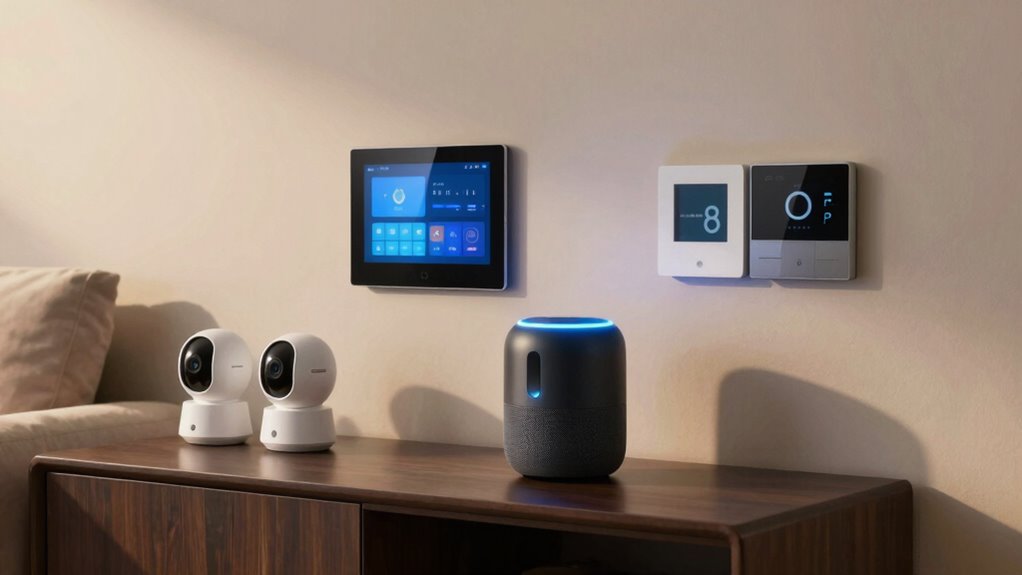

Start by choosing a central ecosystem like Amazon Alexa, Google Home, or Apple HomeKit to manage all your devices easily. Pick compatible smart devices that focus on energy efficiency and security, such as smart thermostats, cameras, and locks. Confirm your Wi-Fi is robust for seamless connectivity. Begin with simple controls, then gradually add routines and devices to customize your setup. Keep exploring to discover how to optimize your smart home for convenience and peace of mind.

Get the latest gadgets delivered free with Prime
- Fast, free delivery on millions of items
- Prime Video, Amazon Music and more included
- Member-only deals all year
Key Takeaways
- Choose a central ecosystem (Google Home recommended) to manage devices via app or voice commands.
- Select core devices: smart thermostat, lighting, and security cameras for immediate value.
- Ensure all devices are compatible and support secure connections within your chosen ecosystem.
- Upgrade your Wi-Fi network with extenders or a mesh system for reliable device connectivity.
- Start with simple automation routines and gradually add devices for customization and energy savings.
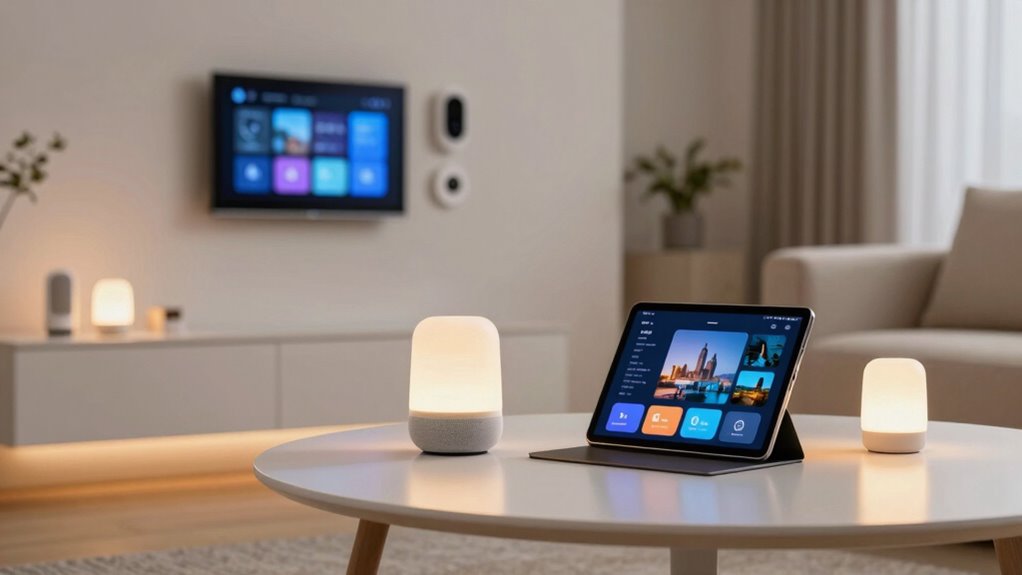
Setting up a smart home can seem overwhelming, but with a clear plan, it’s easier than you might think. The first step is to identify the core areas you want to improve—energy efficiency and security enhancements are excellent starting points. These features not only make your home more convenient but also help you save money and ensure peace of mind.
Begin by choosing a central hub or ecosystem, such as Amazon Alexa, Google Home, or Apple HomeKit. This will serve as the control point for your devices, allowing you to manage everything from a single app or voice command. Once you’ve picked your ecosystem, select a few essential devices that provide immediate value. For energy efficiency, smart thermostats are a game-changer. They learn your schedule and adjust the temperature accordingly, reducing energy waste and lowering bills. Smart lighting is another simple addition; you can set schedules, dim lights, or turn them off remotely, saving electricity and enhancing ambiance. Incorporating lighting control features allows for more customized lighting solutions that can adapt to different times of day or activities.
For security enhancements, start with smart cameras and doorbells. These devices let you monitor your property in real-time from anywhere, providing peace of mind and a record of activity. Smart locks are also a wise investment—they allow you to lock and unlock doors remotely, grant temporary access to visitors, and eliminate the need for physical keys. Installing these devices is straightforward, and they integrate seamlessly into your chosen ecosystem. Ensuring your Wi-Fi network is robust enough to support multiple devices without lag or disconnects is crucial for a reliable smart home experience. You might need to upgrade your router or add extenders. Also, prioritize devices with strong security features, such as encrypted communication and regular firmware updates, to protect your privacy. Smart home devices often include built-in security measures that help safeguard your data and privacy. Additionally, understanding the importance of network security can help you implement best practices for protecting your connected devices. Moreover, researching the technology standards used by various devices can ensure compatibility and optimal performance within your setup.
Finally, familiarize yourself with the app controls and automation routines. Start with simple commands, then gradually explore more advanced setups like scheduling or scene creation. With these steps, you’ll build a smart home that’s energy-efficient, secure, and tailored to your lifestyle—all without feeling overwhelmed. Remember, it’s a process, and adding devices one at a time allows you to learn and customize your setup for maximum comfort and efficiency.
Products Worth Considering

DJI Osmo Pocket 4 Gimbal Camera Pro Kit, 18-Piece Bundle

Logitech MX Mechanical Wireless Illuminated Keyboard, Tactile Quiet, Graphite

DJI Osmo Pocket 3 Creator Combo Vlogging Camera with Mic 2, 1 CMOS, 4K/120fps, 3-Axis Stabilization, 128GB Card
As an affiliate, we earn on qualifying purchases.
Frequently Asked Questions
What Is the Estimated Cost of a Smart Home Starter Setup?
You can expect to spend around $150 to $500 for a smart home starter setup, depending on your choices. Budget planning helps you decide which smart device brands offer reliable options within your price range, like smart bulbs, speakers, and thermostats. Focus on essential devices first, then expand gradually. Your costs will vary based on the number and quality of devices you select, but starting small keeps it affordable.
Are There Privacy Concerns With Smart Home Devices?
Like Pandora’s box, smart home devices offer convenience but come with privacy risks. You might worry about data privacy and device hacking, which could expose personal info or allow unauthorized access. To protect yourself, secure your network with strong passwords, update firmware regularly, and choose reputable brands. Being aware of these potential privacy concerns helps you enjoy the benefits of your smart setup while safeguarding your home and data.
How Do I Ensure Compatibility Between Different Smart Devices?
To guarantee compatibility between your smart devices, focus on device integration and compatibility standards. Check if devices support popular standards like Zigbee, Z-Wave, or Wi-Fi, which promote seamless communication. Before purchasing, verify that the devices are compatible with your hub or app. Reading product specifications and reviews helps identify potential issues. Keeping firmware updated also guarantees ongoing compatibility and smooth integration across your smart home ecosystem.
Can I Upgrade My Smart Home System Later Easily?
Upgrading your smart home system later is like adding new rooms to a house—you can do it easily if you plan ahead. Most systems support voice control and AI integration, making upgrades smooth. For example, switching to a newer smart hub or adding devices with compatible protocols won’t disrupt your setup. With modular design and future-proof tech, you can expand your smart home without starting from scratch.
What Is the Best Way to Secure My Smart Home Network?
To secure your smart home network, you should use strong encryption protocols like WPA3 on your Wi-Fi. Enable two-factor authentication whenever possible, and regularly update your device firmware. Implement network segmentation by creating separate networks for your smart devices and personal computers, which limits access if one device gets compromised. These steps help protect your data and keep your smart home safe from cyber threats.
Conclusion
Starting your smart home journey might seem overwhelming at first, but remember, every big change begins with a small step. Don’t let the fear of complexity hold you back—your future self will thank you for creating a more convenient, secure space. With each device you add, you’re making life easier and more connected. So take that first step today—you’re capable of transforming your home into a smarter, more comfortable sanctuary.