To build a reliable minimal smart home, focus on a few core devices like smart lighting, thermostats, and security cameras that work well together. Choose products compatible with common platforms like Google Home or Alexa to simplify control. Keep your setup simple by managing everything from a single app and regularly updating your devices. Prioritize energy-efficient options and reliable connectivity to reduce issues and future-proof your system. If you want to learn more, there’s plenty of straightforward strategies to enhance your setup.

Get the latest gadgets delivered free — and shop member deals
- Fast, free delivery on millions of items
- Access to Prime Big Deal Days deals on October 6–7
- Prime Video, Amazon Music and more included
Key Takeaways
- Focus on essential, compatible devices like smart lighting, thermostats, and security cameras for seamless control.
- Use a single, unified app and platform (e.g., Google Home or Alexa) to simplify management.
- Select energy-efficient devices with automation features to reduce power consumption and enhance reliability.
- Prioritize devices with built-in security features and regular updates to protect your system.
- Maintain a minimal ecosystem with standardized protocols to ensure interoperability and reduce points of failure.
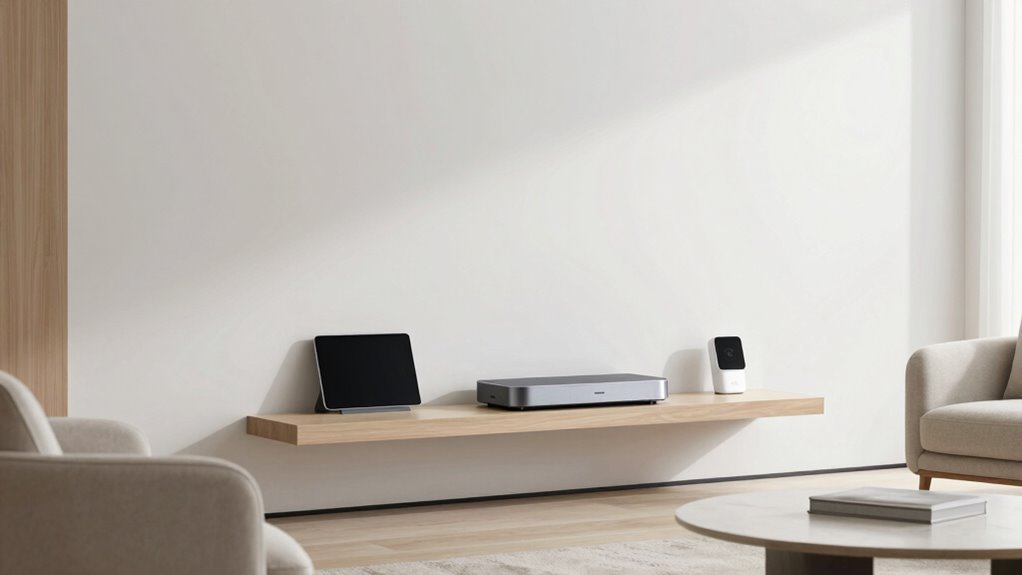
Ever wondered how to create a smart home without the complexity and clutter often associated with advanced setups? The secret is focusing on simplicity, which not only makes your system easier to manage but also boosts reliability. To start, prioritize essential devices like smart lighting, thermostats, and security cameras. These core components can be integrated seamlessly, giving you control without overwhelming your space. When choosing devices, look for ones that are compatible with common platforms like Google Home or Amazon Alexa, so you can manage everything from a single app. This reduces the chances of glitches and keeps your setup straightforward.
Simplify your smart home with essential, compatible devices for easier management and greater reliability.
Energy efficiency is a *crucial* aspect of a minimal smart home. Select smart devices designed to optimize power use, such as LED-compatible smart bulbs or thermostats that learn your schedule. These choices help you cut down on unnecessary energy consumption, saving you money and reducing your carbon footprint. Automate routines that turn off devices when not in use or during specific times, further enhancing your home’s efficiency. Keeping your system simple means fewer devices to troubleshoot and maintain, which directly contributes to a more reliable setup. Additionally, choosing devices with security features can help protect your network and data from potential threats. Incorporating standardized protocols can also ensure better compatibility and future-proofing of your system. Regularly reviewing device compatibility and updates ensures your setup remains resilient against security vulnerabilities. Moreover, selecting devices with reliable connectivity can prevent disruptions and ensure your smart home functions smoothly at all times. Establishing interoperability standards among your devices can further enhance the overall stability of your smart home ecosystem.
As an affiliate, we earn on qualifying purchases.
Frequently Asked Questions
How Do I Ensure My Smart Home Remains Secure From Hacking?
To keep your smart home secure from hacking, you should implement strong encryption protocols and user authentication methods. Always update your devices’ firmware to patch vulnerabilities, use complex passwords, and enable two-factor authentication where possible. Regularly review connected devices and network activity for suspicious behavior. By taking these steps, you create multiple layers of protection that make it considerably harder for hackers to access your smart home.
What Is the Average Cost of a Minimal Smart Home Setup?
A minimal smart home setup typically costs between $1,000 and $3,000, depending on your choices. You’ll want to focus on smart lighting, thermostats, and security devices that blend with your smart home aesthetics. Prioritizing energy efficiency can also save you money long-term. Start with essential devices, and expand gradually to keep costs manageable while maintaining a sleek, reliable, and energy-efficient smart home.
How Often Should I Update My Smart Home Devices?
Think of your smart home devices as a garden—you need to tend to them regularly. You should update your devices whenever firmware updates are available, typically every few months. These updates keep your devices compatible and secure, preventing compatibility issues down the line. Regular updates guarantee your smart home remains reliable and smooth, much like pruning a garden to keep everything healthy and thriving.
Can I Expand My Smart Home System Later?
Yes, you can expand your smart home system later. When adding new devices, choose compatible options that support voice control and enhance energy efficiency. This way, you’ll seamlessly integrate new gadgets without sacrificing reliability. Consider sticking to a central hub or ecosystem to guarantee smooth communication among devices. Expanding gradually allows you to customize your setup over time, making your smart home more functional while maintaining its minimal, reliable design.
What Backup Power Options Are Recommended for Reliability?
You should consider a battery backup or uninterruptible power supply (UPS) to guarantee your smart home remains operational during outages. These devices provide power redundancy, keeping essential systems running smoothly. Opt for a model with enough capacity to support your critical devices, like security cameras and hubs. This way, you maintain reliability and security, even when the main power source fails.
Conclusion
Building a minimal smart home isn’t just about convenience; it’s about reliability too. By focusing on essential devices and maintaining a simple setup, you reduce the risk of tech failures and security issues. Did you know that homes with fewer connected devices are 30% less likely to experience cybersecurity breaches? Keeping your smart home streamlined guarantees peace of mind, saves you money, and keeps everything running smoothly. Stick to the basics, and your smart home will serve you well for years to come.
Fall Picks
fall essentials
As an affiliate, we earn on qualifying purchases.