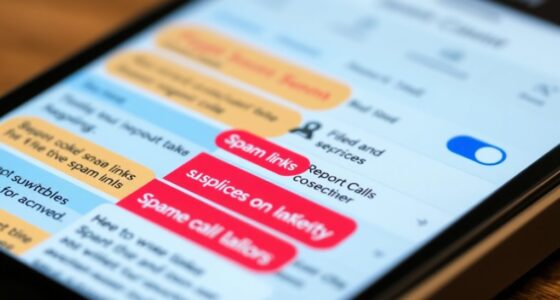
To set up focus modes across platforms, start by customizing profiles on your device. On iOS, create Focus profiles to control notifications and app access; on Android, use Do Not Disturb and Focus mode options; and on Windows or Mac, activate Focus Assist or Do Not Disturb settings. Each platform allows you to tailor settings for work, personal, or sleep modes. Exploring these options further will help you master managing interruptions wherever you go.
Key Takeaways
- Use native features like Focus modes on iOS, Android, Windows, and Mac to customize notifications and app restrictions for each platform.
- Create platform-specific profiles (e.g., work, personal, sleep) to activate relevant focus settings automatically or manually.
- Sync focus modes across devices via cloud services or integrated ecosystems to ensure consistent distraction management.
- Configure notification exceptions and app restrictions within each platform’s settings to tailor focus sessions effectively.
- Regularly update and review focus profiles to optimize performance and adapt to changing routines and priorities.

Setting up focus modes on your device can help you stay productive by minimizing distractions during important tasks or personal time. When you activate a focus mode, you gain control over what notifications come through, allowing you to concentrate without interruptions. Custom notifications play a pivotal role here, enabling you to specify which alerts are essential and which can wait. For example, you might allow notifications from your calendar or urgent work apps while silencing social media or messaging platforms. This way, you remain informed about critical updates without being bombarded by less important pings. Additionally, many focus modes include options to schedule automatic activation based on time or location, further streamlining your focus sessions.
App restrictions are another key feature of focus modes that help you stay on track. By limiting access to certain apps during designated periods, you prevent yourself from wasting time or getting sidetracked. If you’re working on a project, you can restrict access to social media apps or games, ensuring you don’t get sidetracked. Conversely, during personal time, you can block work-related apps to fully disconnect. Setting these restrictions is straightforward across most platforms—you can customize which apps are available or blocked during each focus session, making it easier to stick to your goals.
Different platforms have their own ways of implementing focus modes, but the core idea remains consistent. For example, on iOS devices, you can create a Focus profile that includes custom notifications and app restrictions tailored to your needs. You can set up multiple profiles for work, personal time, or sleep, each with specific rules for notifications and app access. Android devices also offer similar features with their Do Not Disturb and Focus modes, allowing you to customize notifications and restrict apps during specific times. On Windows or Mac, you can set up focus assist or do not disturb options, managing alerts and app access to minimize interruptions. Understanding how self watering plant pots work can be a helpful analogy when managing your digital environment, as both require careful planning and control to maintain optimal conditions.

Smart Watch for Men Women (Answer/Make Call), 1.96" Fitness Tracker Running Watch, IP68 Waterproof, Pedometer, Sleep/Step/Activity/Heart Rate Monitor, 110+ Sport Modes Smartwatch for Adroid iOS Phone
1.96 inches Large HD Color Touch Screen: This smart watch is equipped with a new generation 1.96-inch high-definition…
As an affiliate, we earn on qualifying purchases.
As an affiliate, we earn on qualifying purchases.
Frequently Asked Questions
Can I Customize Focus Modes for Different Activities?
Yes, you can customize focus modes for different activities. You have a variety of customization options that let you tailor activity-specific settings to suit your needs. For example, you can set specific notifications, app access, and screen time limits based on whether you’re working, relaxing, or exercising. This way, you control your environment, minimizing distractions and enhancing your focus during each activity.
How Do Focus Modes Affect App Notifications?
Think of focus modes as gatekeepers for your notifications, blocking or allowing alerts based on your settings. They control notification management by silencing non-essential apps and prioritizing important ones, giving you control over your digital environment. With app customization, you can decide which notifications come through during specific focus modes, helping you stay focused and reduce distractions. This way, you’re the captain steering your attention ship smoothly through busy waters.
Are Focus Modes Synced Across All Devices Automatically?
No, focus modes aren’t automatically synced across all devices. You need to enable cross-platform synchronization to guarantee your focus settings apply everywhere. Without this, each device uses device-specific settings, so your focus mode might differ between your phone and tablet. To keep everything consistent, turn on cross-platform sync in your device settings. This way, your focus modes stay aligned, helping you stay focused no matter which device you’re using.
Can I Schedule Focus Modes to Activate Automatically?
Yes, you can schedule focus modes to activate automatically, so you’re not caught off guard. Think of it as having your day run like clockwork. You simply set up automatic scheduling within your device’s settings, and focus modes will turn on at designated times. Plus, you can tailor app-specific activation, ensuring only certain apps are silenced or enabled during your focus periods. It’s a smart way to stay in control.
How Do I Share Focus Modes With Family Members?
You can share focus modes with family members through family sharing features. First, set up your focus mode, then go to your device’s settings and find the focus or family sharing options. Enable family sharing for focus modes, and select which focus modes you want to share. Family members can then access and activate these focus modes on their devices, helping everyone stay focused and connected.

BusyBox S smart sign | Bluetooth | Battery Powered | Home Office | Wireless | Recording | Gaming | Streaming | Do Not Disturb Sign | On Air Sign | Office Decor | Online Classes (5,000 mAH Battery)
👩💻 [Focus. Your Time.] Tired of people ignoring your Do Not Disturb door hanger sign? Put up a…
As an affiliate, we earn on qualifying purchases.
As an affiliate, we earn on qualifying purchases.
Conclusion
Now that you’ve mastered setting up focus modes across platforms, you’re ready to streamline your schedule and silence distractions. With a few simple steps, you can confidently create customized control that keeps chaos at bay. By blending balance with boundaries, you’ll boost your productivity and peace of mind. Remember, the key is consistency—commit to your customized control, and watch your work and wellness wonderfully flourish. Focus, follow, and flourish with your newfound focus modes!

HOMIQ LIFE 3MP 2K Aquarium & Terrarium Pet Camera.Install &Close-Focus Lens for Fish,Lizard, Reptile Pet and Window Bird Feeder,2.4GHz & 5GHz WiFi,Auto-Focus,24/7 Recording
【3MP Close-up lens Ultra-HD Clarity – Day or Night】 See every detail with HomiQ Life's 3MP close-up lens…
As an affiliate, we earn on qualifying purchases.
As an affiliate, we earn on qualifying purchases.

Luxafor Bluetooth PRO – Wireless LED Do Not Disturb Status Light – Busy Light/Availability Indicator– Reduce Interruptions and Boost Productivity
Meet 2nd Generation Luxafor Bluetooth PRO wireless busy light – Intuitive use, simple to install, and highly customizable….
As an affiliate, we earn on qualifying purchases.
As an affiliate, we earn on qualifying purchases.