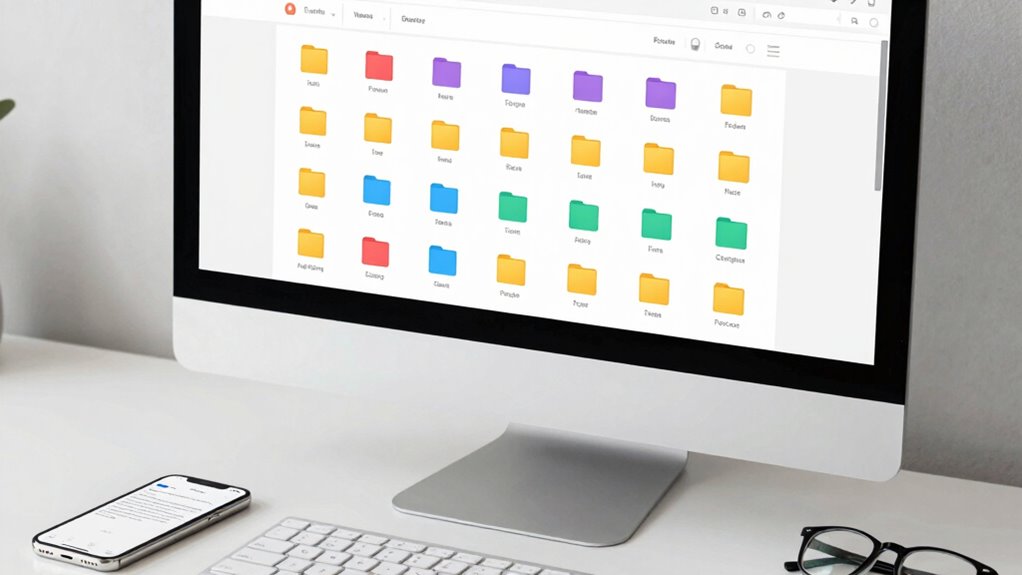

To keep your important documents organized digitally, start by choosing a reliable cloud storage service like Google Drive or Dropbox, and organize files into folders that mirror your physical system. Use clear, descriptive names and update your files regularly. Protect your data with strong passwords, two-factor authentication, and extra encryption tools. Keep backups on external drives or additional clouds, and stay informed about new features and security best practices. If you want to learn more, continue exploring helpful tips and strategies.

Get the latest gadgets delivered free — and shop member deals
- Fast, free delivery on millions of items
- Access to Prime Big Deal Days deals on October 6–7
- Prime Video, Amazon Music and more included
Key Takeaways
- Use cloud storage platforms with organized folder structures reflecting physical filing systems.
- Name files descriptively with dates and keywords for easy searching.
- Dedicate regular time to upload, delete, and reorganize documents.
- Create a master index to quickly locate key files and categories.
- Implement backup strategies with secondary copies on external drives or additional cloud accounts.
Keeping important documents organized digitally can save you time and reduce stress when you need quick access to essential information. The key is setting up a system that is both reliable and secure. One of the first steps is choosing a cloud storage service. Cloud storage platforms like Google Drive, Dropbox, or OneDrive allow you to store all your files in one accessible location, accessible from any device with an internet connection. This eliminates the need for physical folders or external drives, which can be misplaced or damaged. When selecting a service, consider factors such as storage capacity, ease of use, and integration with other tools you use regularly. Organizing your files within the cloud is vital; create folders that mirror your filing system—such as invoices, legal documents, or medical records—making it simple to locate files later.
Security should be a top priority when managing sensitive information. Encryption methods add an extra layer of protection to your digital documents. Many cloud storage providers automatically encrypt files during upload and storage, but you can also use third-party encryption tools for added security. These tools scramble your files into unreadable code that only you can decrypt with a password. Be sure to choose strong, unique passwords for your accounts and enable two-factor authentication wherever possible to prevent unauthorized access. Regularly updating your security settings and monitoring your account activity can help catch any suspicious activity early. Additionally, understanding the importance of contrast ratio in digital displays can help you choose the best projector or screen setup for your home cinema or office, ensuring clear visibility of your documents. Staying informed about cybersecurity best practices is also crucial in safeguarding your data from evolving threats. Being aware of common digital threats can help you recognize and prevent potential security breaches before they happen. To further enhance your security, regularly educate yourself on latest encryption techniques and how they can be applied to protect your data. Incorporating security awareness into your routine ensures you stay ahead of emerging risks and maintain the integrity of your digital files.
Maintaining your digital filing system requires consistency. Dedicate a specific time each week to upload new documents, delete outdated ones, and organize files into appropriate folders. Naming files descriptively makes searching easier—use clear labels with dates and relevant keywords. Consider creating a master index document that lists all your categories and key files, so you have a quick reference guide. Backups are essential; even with cloud storage, keeping a secondary copy on an external hard drive or an additional cloud account offers extra protection against data loss. Regularly reviewing and updating your organizational system ensures it remains effective and adaptable as your needs change.
Finally, stay informed about new security features and best practices. As technology evolves, so do the methods hackers use to breach accounts. By staying vigilant and leveraging the latest encryption methods, you’ll guarantee your important documents stay safe and accessible. With a well-organized digital system, you’ll find it easier to manage your important documents securely and efficiently, saving you time and reducing unnecessary stress in the long run.
As an affiliate, we earn on qualifying purchases.
Frequently Asked Questions
How Often Should I Back up My Digital Documents?
You should back up your digital documents at least once a week, or more often if you frequently update files. Regular backup frequency guarantees your data stays safe from unexpected issues like hardware failure or cyber threats. Use cloud storage for automatic backups, making the process seamless. By backing up regularly, you minimize data loss and keep your important documents secure and easily accessible whenever you need them.
What Security Measures Protect My Digital Files?
Security measures protect your digital files like a fortress shields its treasures. You should use encryption protocols to scramble your data, making it unreadable without the proper key. Implement access control by setting permissions so only authorized people can view or edit your files. Regularly update your security software and use strong, unique passwords. These steps combine to safeguard your important documents from unauthorized access and cyber threats.
Can I Access My Documents Offline Easily?
Yes, you can access your documents offline easily if you set up device synchronization. Many cloud storage services let you sync files to your device, so you can open and edit them anytime, even without an internet connection. Just make sure you’ve downloaded the necessary files beforehand. This way, offline access becomes seamless, and your important documents stay available whenever you need them, regardless of your internet connection.
How Do I Recover Lost or Deleted Files?
If you lose or delete files, don’t panic. Use file recovery tools like Recuva or EaseUS Data Recovery Wizard to scan your device quickly. If these tools don’t work, consider professional data recovery services—they can often retrieve files from damaged or corrupted drives. Act promptly, as the chances of recovery decrease over time or with new data written over the deleted files.
What File Formats Are Best for Long-Term Storage?
Did you know over 80% of digital files become inaccessible due to incompatible formats? For long-term storage, opt for archive formats like ZIP, TAR, or 7z—they guarantee better file compatibility over time. These formats are widely supported and help preserve your documents without risking future accessibility issues. Using common, open standards minimizes the chance of your files becoming obsolete, making your digital archives more reliable and durable for years to come.
Conclusion
Think of your digital documents as a garden—you’re the gardener, tending to each file with care. When you stay organized, your digital space blooms with clarity and purpose, making it easy to find what you need. With a little effort, you’ll keep your important papers safe and accessible, like vibrant flowers in full bloom. Trust yourself to nurture this garden, and it’ll always be a peaceful sanctuary amidst life’s chaos.
Evergreen bestsellers Picks
bestsellers
As an affiliate, we earn on qualifying purchases.