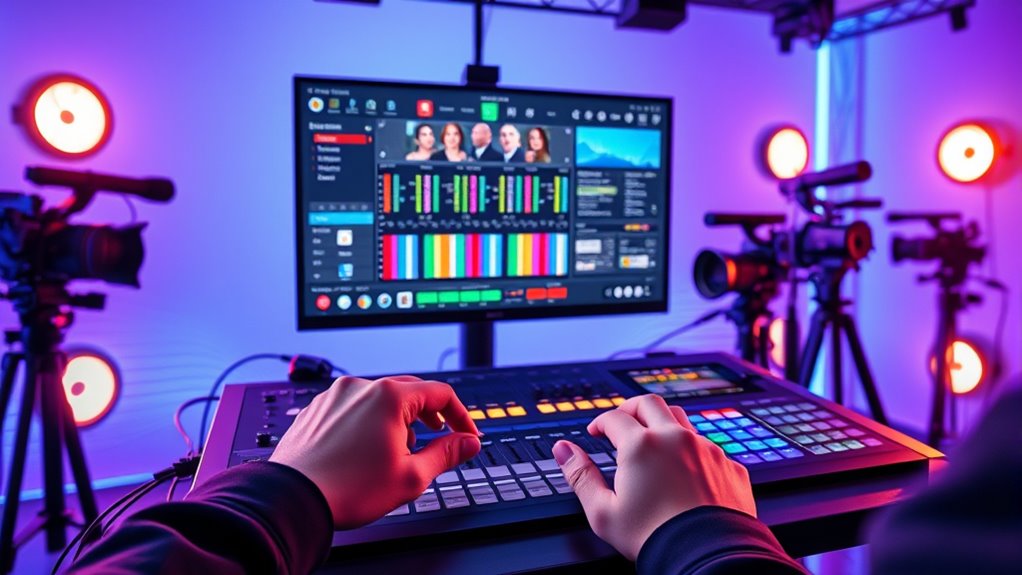
Choosing the right video switcher for live streaming can drastically improve your broadcast quality and workflow. The Blackmagic Design ATEM Mini Extreme stands out as the overall top choice thanks to its versatile features and reliable performance. For those seeking portability, the Mixer Plus Compact Video Switcher offers a lightweight, straightforward solution. Meanwhile, streamers requiring advanced multi-camera control might prefer options like the ATEM Mini Pro ISO. The main tradeoffs involve balancing ease of use, feature set, and price, which can be overwhelming. Keep reading for a detailed comparison to help you find the best fit for your streaming setup.

Get the latest gadgets delivered free — and shop member deals
- Fast, free delivery on millions of items
- Access to Prime Big Deal Days deals on October 6–7
- Prime Video, Amazon Music and more included
Complete the kit



Key Takeaways
- The top picks are distinguished by their balance of performance, ease of use, and value for different streaming needs.
- Compact and portable switchers excel for on-the-go or small-scale productions, but may lack advanced features.
- Pro-level options like the ATEM Mini Pro ISO offer extensive customization at a higher price point, suitable for professional broadcasters.
- Multi-input models with SDI support are ideal for complex setups, though they often come with increased complexity and cost.
- User interface and control surface design significantly impact usability, especially for live, fast-paced switching scenarios.
| Blackmagic Design ATEM Mini Extreme HDMI Live Stream Switcher |  | Best Overall for Professional Multi-Input Live Streaming | Total Video Inputs: 8 HDMI | Total Outputs: 2 HDMI | HDMI Video Inputs: 8 x HDMI type A | VIEW ON AMAZON | See Our Full Breakdown |
| Mixer Plus Compact Video Switcher 4 HDMI with 4-Inch Built-in Screen, Portable Live Streaming Switcher for Multi-Camera, Online Class, Event, YouTube, OBS, Zoom |  | Best for Portable Multi-Camera Live Streaming | Number of HDMI inputs: 4 | Built-in screen size: 4 inches | Supports PTZ camera control: Yes | VIEW ON AMAZON | See Our Full Breakdown |
| Blackmagic Design ATEM Micro Live Stream Switcher Panel with Intuitive Layout and 50 Tri-Color LED Buttons |  | Best for Manual Control and Extended Battery Life | Input Buttons: 20 (2 rows of 10) | Connectivity: Bluetooth and USB | Backlit Buttons: 50 tri-color LED | VIEW ON AMAZON | See Our Full Breakdown |
| Osee GoStream Deck HDMI Pro Live Streaming Multi Camera Video Mixer Switcher with NDI |  | Best for Multi-Platform Streaming with Advanced Controls | HDMI Inputs: 4 | HDMI Outputs: 2 | Type-C Ports: 2 (input/output) | VIEW ON AMAZON | See Our Full Breakdown |
| ATEM Mini Pro Blackmagic Design HDMI Live Stream Switcher |  | Best for Integrated Streaming and Recording | Inputs: 4 HDMI | Video Resolution: up to 1080p60 | Outputs: HDMI, USB Type-C, Ethernet | VIEW ON AMAZON | See Our Full Breakdown |
| Blackmagic Design ATEM Mini Pro HDMI Live Stream Switcher |  | Best Overall for Versatile Broadcast-Quality Production | Inputs: 4 HDMI Type A | Outputs: HDMI Type A, multiview, USB Type-C | Embedded Audio: 2-channel | VIEW ON AMAZON | See Our Full Breakdown |
| Blackmagic Design ATEM Mini Pro ISO HDMI Livestream Switcher Bundle |  | Best for Multi-Channel Recording and Post-Production | Channels: 4 | Input Type: HDMI | Includes: 6′ HDMI cable, straps | VIEW ON AMAZON | See Our Full Breakdown |
| RGBlink Mini Video Mixer Switcher with 4 HDMI Inputs, 2K Support, Live Streaming, and Multi-Picture Output |  | Best for Solo Streamers Needing High-Quality Multi-Camera Output | Inputs: 4 HDMI | Output Resolution: 2K | Output: 6-picture preview or program | VIEW ON AMAZON | See Our Full Breakdown |
| FEELWORLD LIVEPRO L1 V1 4X HDMI & SDI Multi Camera Video Mixer Switcher |  | Best for Compact, 1080p Live Production | Inputs: 4 HDMI | Output: 1 HDMI | Supports: 1080p | VIEW ON AMAZON | See Our Full Breakdown |
| Osee GoStream Duet Multiple Camera SDI and HDMI Live Stream Video Mixer Switcher |  | Best for Advanced Multi-Format Live Streaming with Multi-Platform Support | Inputs: 4 SDI, 4 HDMI, USB-C, NDI HX | Control methods: GUI, software, Bitfocus Companion | Key effects: Chroma, PIP, DSK | VIEW ON AMAZON | See Our Full Breakdown |
| Blackmagic Design ATEM Mini Pro HDMI Live Stream Switcher |  | Best Overall for Professional Multi-Camera Streaming | Inputs: 4 HDMI | Outputs: HDMI multiview, program output | Streaming: Built-in hardware encoder, Ethernet streaming | VIEW ON AMAZON | See Our Full Breakdown |
| Tenveo 4K60FPS HDMI Video Switcher Mixer with 4 HDMI & 4 SDI Inputs, 5-Channel Live Streaming, 5.5” FHD Screen, USB Recording, PTZ & NDI Support |  | Best for Versatile Professional Multi-Source Streaming | Video Inputs: 4 HDMI (4K60FPS) + 4 SDI | Video Outputs: SDI PGM, HDMI PGM, HDMI AUX, USB3.0 UVC | Recording Output: USB2.0 | VIEW ON AMAZON | See Our Full Breakdown |
| Blackmagic Design ATEM Mini Extreme ISO G2 Switcher |  | Best for Large-Scale Live Production and Post-Editing | Inputs: 8 HDMI | Outputs: 4 HDMI, USB webcam out, Thunderbolt | Recording: CFexpress, MP4, DaVinci Resolve project | VIEW ON AMAZON | See Our Full Breakdown |
| Blackmagic Design ATEM Mini Pro HDMI Live Stream Switcher Bundle with 4K HDMI Cables (2-Pack) |  | Best for Easy Setup and Compact Live Streaming | Bundle Includes: ATEM Mini Pro, 2 x 6-Feet 4K HDMI Cables | Inputs: 4 HDMI | Outputs: HDMI, USB Webcam | VIEW ON AMAZON | See Our Full Breakdown |
| Blackmagic Design ATEM Mini Pro HDMI Live Stream Switcher with 6′ HDMI Cable & 10-Pack Straps Bundle |  | Best Compact and Affordable for Small Professional Setups | Total Video Inputs: 4 | Total Outputs: 2 | Total Aux Outputs: 1 | VIEW ON AMAZON | See Our Full Breakdown |
| video switcher for live streaming | Inputs |
|---|---|
| Blackmagic Design ATEM Mini Ex | — |
| Mixer Plus Compact Video Switc | — |
| Blackmagic Design ATEM Micro L | — |
| Osee GoStream Deck HDMI Pro Li | — |
| ATEM Mini Pro Blackmagic Desig | 4 HDMI |
| Blackmagic Design ATEM Mini Pr | 4 HDMI Type A |
| Blackmagic Design ATEM Mini Pr | — |
| RGBlink Mini Video Mixer Switc | 4 HDMI |
| FEELWORLD LIVEPRO L1 V1 4X HDM | 4 HDMI |
| Osee GoStream Duet Multiple Ca | 4 SDI, 4 HDMI, USB-C, NDI HX |
| Blackmagic Design ATEM Mini Pr | 4 HDMI |
| Tenveo 4K60FPS HDMI Video Swit | — |
| Blackmagic Design ATEM Mini Ex | 8 HDMI |
| Blackmagic Design ATEM Mini Pr | 4 HDMI |
| Blackmagic Design ATEM Mini Pr | — |
More Details on Our Top Picks
Blackmagic Design ATEM Mini Extreme HDMI Live Stream Switcher
The Blackmagic Design ATEM Mini Extreme stands out for its robust 8 HDMI inputs with re-sync and format conversion, making it ideal for complex live productions. Compared to the ATEM Mini Pro, this model offers more inputs and professional features, but it’s limited to HDMI connections and doesn’t include built-in recording or streaming capabilities. Its support for 10-bit HD switching ensures high-quality output, which is crucial for broadcasters needing reliable performance. However, the absence of additional features like internal storage or direct streaming might require supplementary hardware. This switcher is best suited for professional broadcasters or large-scale live events who prioritize input flexibility and high-end image quality without needing integrated streaming.
Pros:- Supports 8 HDMI inputs with re-sync and format conversion
- High-quality 10-bit HD switching for professional output
- Reliable, suitable for large-scale live events
- Supports embedded audio for synchronized sound
Cons:- Limited to HDMI connections—no SDI or other inputs
- No built-in streaming or recording features, requiring additional hardware
Best for: Broadcasters or production teams managing multiple HDMI sources requiring high-quality switching and format flexibility.
Not ideal for: Small creators or casual streamers who need simple setups or integrated streaming without extra hardware.
- Total Video Inputs:8 HDMI
- Total Outputs:2 HDMI
- HDMI Video Inputs:8 x HDMI type A
- Video Input Re-Sync:On all 8 HDMI inputs
- Frame Rate and Format Converters:On all 8 HDMI inputs
- Audio:2 channel embedded audio
Our verdict“This switcher is best for professional environments demanding multiple high-quality HDMI sources and format flexibility.”
Mixer Plus Compact Video Switcher 4 HDMI with 4-Inch Built-in Screen, Portable Live Streaming Switcher for Multi-Camera, Online Class, Event, YouTube, OBS, Zoom
The Mixer Plus Compact Video Switcher emphasizes portability with its built-in 4-inch screen and support for multi-camera setups, making it ideal for on-the-go productions. Unlike the ATEM Mini Micro, which offers basic manual switching, this device adds advanced features like PTZ camera control, chroma key, and PIP overlays, providing more versatility in a portable form. Its limited to 4 HDMI inputs, which may be restrictive for larger setups, and its complex feature set could pose a learning curve for beginners. This pick makes sense for online educators, event hosts, or YouTubers needing mobile, feature-rich switching but less so for those with extensive multi-camera needs or simpler requirements.
Pros:- Portable with built-in 4-inch display for monitoring
- Supports multi-camera switching with customizable effects
- Includes PTZ camera control and chroma key features
- Compact design for mobile setups
Cons:- Limited to 4 HDMI inputs, restricting larger setups
- Complex features may require a learning curve for new users
- No mention of battery life or power options
Best for: Content creators and educators who need a portable, feature-rich switcher for multi-camera live streams on location.
Not ideal for: Large studios or users needing more than four HDMI inputs, or those preferring a simple plug-and-play device.
- Number of HDMI inputs:4
- Built-in screen size:4 inches
- Supports PTZ camera control:Yes
- Transition effects:30 customizable
- Scene presets:4
- Multi View monitoring:Yes
Our verdict“This switcher is perfect for on-the-go creators needing versatile controls in a compact, portable device.”
Blackmagic Design ATEM Micro Live Stream Switcher Panel with Intuitive Layout and 50 Tri-Color LED Buttons
The ATEM Micro Live Stream Switcher Panel offers an intuitive control layout with 50 tri-color LED buttons, supporting quick, manual switching for live streams. This device is more suited for those who prefer tactile control over software, standing out against software-based solutions like OBS or Stream Deck. Its Bluetooth and USB connectivity options make it flexible for remote operation, and with up to 6 hours of battery life, it’s geared toward long sessions away from power sources. However, its functionality is focused solely on live switching, making it less versatile for broader production tasks. Its reliance on compatible software limits its standalone utility. This control panel is best for broadcasters or content creators who value tactile, long-lasting hardware for live switching.
Pros:- Intuitive layout with dedicated input and transition controls
- Wireless connectivity for flexible operation
- Long battery life supports extended live sessions
- Supports both manual and automatic switching modes
Cons:- Limited to live switching — no recording or streaming built-in
- Requires compatible software for full functionality
- No multi-input or multi-camera support included
Best for: Streamers or live broadcasters who prefer manual, hardware-based control for extended sessions.
Not ideal for: Users seeking integrated multi-camera switching, recording, or streaming capabilities without additional software.
- Input Buttons:20 (2 rows of 10)
- Connectivity:Bluetooth and USB
- Backlit Buttons:50 tri-color LED
- Battery Life:Up to 6 hours
Our verdict“This switcher panel is ideal for live streamers who prioritize tactile control and long battery life over integrated features.”
Osee GoStream Deck HDMI Pro Live Streaming Multi Camera Video Mixer Switcher with NDI
The Osee GoStream Deck HDMI Pro provides a comprehensive multi-camera switching platform, supporting multi-platform streaming via NDI, HDMI, USB, and Ethernet. Compared to the ATEM Mini Extreme, which focuses on HDMI inputs, this model excels with a wide range of connection options and advanced graphics overlay capabilities, making it suitable for high-end productions. The control panel with buses, macros, and background options offers flexible management; however, its complex setup might challenge less technical users. The absence of specified price could be a barrier for some, but its versatile connectivity makes it ideal for professional broadcasters or large-scale streamers. This switcher suits those who need multi-platform support and detailed control over graphics and audio.
Pros:- Supports multiple connection types including NDI, HDMI, USB, Ethernet
- Advanced graphics overlay with logos, lower thirds, chroma key
- Flexible orientation for landscape and portrait streaming
- User-friendly control panel with macros and background options
Cons:- Setup complexity may require technical expertise
- No price information available
- Potentially high cost for advanced features
Best for: Professional streamers or broadcasters requiring multi-platform distribution and advanced graphics overlays.
Not ideal for: Casual streamers or small-scale creators who do not need multi-platform support or extensive customization.
- HDMI Inputs:4
- HDMI Outputs:2
- Type-C Ports:2 (input/output)
- Ethernet Port:1
- Audio Inputs:2
- Graphics Overlay:MultiSource, logos, lower-thirds, chroma key
Our verdict“This switcher is best for professional broadcasters needing multi-platform streaming and detailed control over graphics and audio overlays.”
ATEM Mini Pro Blackmagic Design HDMI Live Stream Switcher
The ATEM Mini Pro from Blackmagic Design offers a streamlined solution for multi-camera live streaming with four HDMI inputs and integrated streaming over Ethernet. Unlike the ATEM Mini Extreme, which provides more inputs, the Mini Pro balances compactness with essential professional features such as chroma key, DVE effects, and a multiview display. Its ability to connect directly to streaming platforms via Ethernet or USB-C makes it a strong choice for those who prefer a simplified, all-in-one workflow. However, its four-input limit can be restrictive for larger setups, and some advanced features might demand familiarity with broadcast software. This device is best for small to medium-sized streams where integrated recording and streaming are priorities.
Pros:- Supports up to 1080p60 multi-camera switching
- Includes built-in streaming via Ethernet or USB-C
- Features professional broadcast tools like chroma key and DVE
- Provides multiview for easy feed management
Cons:- Limited to four HDMI inputs, restricting larger setups
- Some advanced features need broadcast software familiarity
- Order processing may take longer due to high demand
Best for: Small production teams or individual content creators needing an all-in-one, easy-to-use live streaming switcher.
Not ideal for: Large-scale broadcasters or productions requiring more than four HDMI sources or extensive customization.
- Inputs:4 HDMI
- Video Resolution:up to 1080p60
- Outputs:HDMI, USB Type-C, Ethernet
- Recording:USB flash disks in H.264
- Control:USB or Ethernet with ATEM Software Control
- Additional Features:Multiview, media, preview, program, chroma key, Fairlight audio, DVE
Our verdict“This switcher is suited for small studios or streamers who want an integrated, easy-to-manage live streaming solution.”
Blackmagic Design ATEM Mini Pro HDMI Live Stream Switcher
The Blackmagic Design ATEM Mini Pro stands out for its comprehensive set of features, including multiview, multiple transition effects, and built-in keyers, making it ideal for multi-camera broadcasts, education, and eSports. Compared to the RGBlink Mini, it offers more advanced audio mixing and a richer feature set, but this complexity can overwhelm beginners. Its HDMI-only input limits flexibility versus SDI options, and it requires an external power supply, which adds to setup considerations. The multiview output and USB-C streaming make it a versatile centerpiece for professional setups.
Pros:- Rich feature set including multiview, keyers, and transitions
- Multiple input/output options for flexible configurations
- Built-in audio mixer simplifies sound management
Cons:- Complex interface may challenge new users
- Requires external power supply
Best for: Professional streamers and broadcasters seeking a feature-packed switcher capable of handling complex multi-camera productions.
Not ideal for: Beginners or solo content creators who prefer simple, plug-and-play systems without extensive setup or learning curves.
- Inputs:4 HDMI Type A
- Outputs:HDMI Type A, multiview, USB Type-C
- Embedded Audio:2-channel
- Additional Audio:2 stereo analog (3.5mm)
- Built-in features:Multiview, transitions, keyers, 6-input audio mixer
- Power:External 12V DC
Our verdict“This switcher is best suited for experienced broadcasters who need advanced features and multi-camera support.”
Blackmagic Design ATEM Mini Pro ISO HDMI Livestream Switcher Bundle
The ATEM Mini Pro ISO extends the basic capabilities with ISO recording of each input, making it perfect for post-production workflows and detailed editing. Unlike the standard ATEM Mini Pro, it allows exporting individual camera feeds via its multi-channel recording feature, which can be crucial for content creators who want editing flexibility later. However, it remains limited to HDMI inputs and doesn’t add more advanced live editing features, making it less ideal for high-end broadcast setups. The included accessories like HDMI cables add value for immediate use.
Pros:- Supports ISO recording of all inputs for flexible post-production
- Includes useful accessories like HDMI cables and straps
- Enables live tally and stream/record status monitoring
Cons:- Limited to HDMI inputs only
- No additional live editing features beyond basic switching
Best for: Content creators and editors who prioritize multi-camera recording for post-production and detailed editing workflows.
Not ideal for: Live event producers needing advanced real-time effects or SDI support for high-end broadcast environments.
- Channels:4
- Input Type:HDMI
- Includes:6′ HDMI cable, straps
- Features:ISO recording, live tally, stream and record status
- Output:USB for streaming
Our verdict“Ideal for creators focused on multi-camera recording and post-event editing rather than complex live effects.”
RGBlink Mini Video Mixer Switcher with 4 HDMI Inputs, 2K Support, Live Streaming, and Multi-Picture Output
The RGBlink Mini offers a compact, user-friendly solution for solo content creators who want professional multi-camera support without complex setup. Its 2K output resolution and built-in effects make live streams look polished, especially compared with basic switchers. The USB 3.0 port doubles as a webcam output, simplifying streaming integration. However, it only supports HDMI inputs, limiting flexibility for those with SDI or other sources. Its reliance on compatible streaming software means additional setup time and potential compatibility issues.
Pros:- Supports 2K high-quality output resolution
- Built-in transition effects and picture-in-picture layouts
- USB 3.0 port doubles as webcam for streaming software
Cons:- Limited to HDMI inputs only
- Requires compatible streaming software for full functionality
Best for: Solo streamers and small production setups seeking high-quality output with minimal fuss.
Not ideal for: Large teams or multi-source productions requiring SDI or extensive customization options.
- Inputs:4 HDMI
- Output Resolution:2K
- Output:6-picture preview or program
- Connectivity:USB 3.0, LAN
- Built-in Effects:14 transition effects, 9 PIP layouts
- Control:Remote via LAN
Our verdict“This switcher suits solo operators wanting a straightforward, high-quality multi-camera setup with easy streaming integration.”
FEELWORLD LIVEPRO L1 V1 4X HDMI & SDI Multi Camera Video Mixer Switcher
The FEELWORLD LIVEPRO L1 V1 is a compact, portable switcher designed for smaller productions, supporting 4 HDMI inputs and one HDMI output. Its real-time switching and effects enhance live productions, especially for solo operators or small teams. While it supports 1080p resolution, it falls short for those needing 4K quality, and its basic manual controls lack advanced customization. The reliance on LAN for remote operation can complicate setup, but its lightweight design and simple interface make it appealing for quick, on-the-go streaming.
Pros:- Supports multiple HDMI inputs at 1080p
- Real-time switching with effects
- Compact and lightweight for portability
Cons:- Limited to 1080p resolution, no 4K support
- Basic controls lack advanced features
- LAN connection for remote control may need setup
Best for: Solo operators or small production teams needing a portable, straightforward 1080p switcher for live streaming.
Not ideal for: High-resolution broadcasters or those requiring SDI support for professional broadcast standards.
- Inputs:4 HDMI
- Output:1 HDMI
- Supports:1080p
- Display:2″ LCD
- USB Output:USB 3.0
- Power:1.5A Adapter
Our verdict“Perfect for portable, small-scale live streaming where simplicity and mobility matter most.”
Osee GoStream Duet Multiple Camera SDI and HDMI Live Stream Video Mixer Switcher
The Osee GoStream Duet offers a highly versatile setup supporting SDI, HDMI, USB-C, and NDI HX inputs, making it ideal for professional multi-camera productions that demand maximum flexibility. Its ability to stream simultaneously to multiple platforms via Ethernet or a smartphone hotspot makes it suitable for complex, multi-source events. Unlike other options like the ATEM Mini, it functions as an all-in-one solution, including conversion, switching, and streaming. The setup complexity and need for firmware updates can be hurdles for newcomers, but its multi-format support is unmatched.
Pros:- Supports SDI, HDMI, USB-C, and NDI HX inputs
- Streams to multiple platforms simultaneously
- Offers advanced key effects and transitions
Cons:- Complex setup and firmware update needed for full NDI HX features
- Steep learning curve for beginners
- Limited hardware specs details available
Best for: Producers and broadcasters managing multi-format, multi-platform live streams requiring maximum input flexibility.
Not ideal for: Beginners or small-scale streamers who don’t need SDI, NDI HX, or multi-platform simultaneous streaming.
- Inputs:4 SDI, 4 HDMI, USB-C, NDI HX
- Control methods:GUI, software, Bitfocus Companion
- Key effects:Chroma, PIP, DSK
- Transitions:MIX, DIP, WIPE, T-Bar
- Streaming:Up to 3 platforms simultaneously
Our verdict“This switcher is best suited for advanced users who need multi-format inputs and multi-platform streaming capabilities for professional productions.”
Blackmagic Design ATEM Mini Pro HDMI Live Stream Switcher
The Blackmagic ATEM Mini Pro stands out as the most well-rounded option for those seeking a professional-grade live streaming setup. Its 4 HDMI inputs support multi-camera HD production with advanced features like Fairlight audio mixing and built-in hardware encoding, making it ideal for serious streamers, podcasts, and live events. Compared to the ATEM Mini Mini, it offers more professional tools but at the cost of a steeper learning curve. Its reliance on HDMI-only inputs simplifies connectivity but may require adapters for diverse sources. The absence of internal storage means you’ll need external drives for recording. Tradeoffs include complexity versus capability—this is best for users comfortable with technical setups who want broadcast-quality output. BestFor: Professional streamers and broadcasters. NotIdealFor: Beginners or those with limited technical expertise. Pros: Supports multi-camera HD streams with professional features; Hardware encoder for direct streaming; Advanced audio mixing with Fairlight; Tally lights and media pool for enhanced workflow. Cons: Complex setup; HDMI-only inputs limit source versatility; No internal recording storage.
Verdict: An excellent choice for experienced users needing professional-grade live streaming with multi-camera support.Pros:- Supports multi-camera HD streaming with professional features
- Built-in hardware encoder and Ethernet streaming for direct broadcast
- Advanced Fairlight audio mixing with EQ and effects
Cons:- Complex setup requiring technical knowledge
- Limited to HDMI sources, needing adapters for other inputs
- No internal storage, external drives needed for recording
Best for: Professional broadcasters, live event producers, and advanced streamers
Not ideal for: Beginners or casual streamers who prefer simplicity and plug-and-play solutions
- Inputs:4 HDMI
- Outputs:HDMI multiview, program output
- Streaming:Built-in hardware encoder, Ethernet streaming
- Audio:Fairlight audio mixer with EQ, compression, limiting, gating, audio-follow-video
- Connectivity:USB, Ethernet, HDMI
- Additional features:DVE transitions, chroma/luma keying, media pool graphics, tally lights
Our verdict“This switcher suits experienced users aiming for broadcast-quality production and multi-camera integration.”
Tenveo 4K60FPS HDMI Video Switcher Mixer with 4 HDMI & 4 SDI Inputs, 5-Channel Live Streaming, 5.5” FHD Screen, USB Recording, PTZ & NDI Support
The Tenveo PC500 excels in multi-source connectivity, supporting 4 HDMI (including 4K60FPS) and 4 SDI inputs, which makes it ideal for complex live productions requiring diverse sources. Its dual streaming on multiple platforms like YouTube and Facebook, along with USB recording, makes it suitable for corporate, education, and live event settings. Compared to the Blackmagic ATEM Mini Pro, this unit offers more input options and direct PTZ camera control. However, its setup can be intricate, especially for those unfamiliar with SDI and network streaming. The absence of detailed dimensions raises portability questions, and its advanced features might overwhelm casual users. This model is perfect for demanding professional environments where source flexibility matters most. BestFor: Professional AV teams, broadcasters, and multi-source live event organizers. NotIdealFor: Hobbyists or small-scale streamers with simple needs. Pros: Supports a wide variety of input sources including HDMI and SDI; Dual platform streaming; Includes advanced features like PTZ control and AI tracking; USB recording and Ethernet streaming for professional workflows. Cons: Complex setup; No clear size or weight info for portability; High feature set may be overkill for casual users.
Verdict: Best suited for professionals needing extensive input options and multi-platform streaming capabilities.Pros:- Supports multiple HDMI and SDI inputs for diverse sources
- Dual platform streaming and USB recording
- PTZ camera control, AI tracking, and graphics overlays
Cons:- Setup complexity may challenge beginners
- Lack of portability details; potentially bulky
- High cost for non-professional users
Best for: Professional AV producers, broadcasters, and educators with complex source needs
Not ideal for: Casual streamers or users seeking a simple plug-and-play device
- Video Inputs:4 HDMI (4K60FPS) + 4 SDI
- Video Outputs:SDI PGM, HDMI PGM, HDMI AUX, USB3.0 UVC
- Recording Output:USB2.0
- Supported Resolutions:4K60FPS, 1080P60
- Control:Web browser, PTZ, presets, AI tracking
- Display:5.5” FHD Screen
Our verdict“This switcher is designed for high-end productions requiring maximum source flexibility and professional features.”
Blackmagic Design ATEM Mini Extreme ISO G2 Switcher
The ATEM Mini Extreme ISO G2 offers a leap in complexity and capability, featuring 8 HDMI inputs and multi-layer switching, making it ideal for broadcasters and production teams needing extensive live control. Its ability to record individual inputs as MP4 files and export DaVinci Resolve projects facilitates post-production editing, a step up from the simpler Mini Pro. With multiple outputs, USB webcam streaming, and CFexpress recording, it supports high-end workflows but with a marked increase in size and setup difficulty. Compared to the Mini Pro, it provides more inputs and professional effects but requires a dedicated technical operator. This makes it less suitable for small-scale or casual streamers. Tradeoffs include increased complexity versus expanded features—best for those with a professional production environment.
Pros:- Supports 8 HDMI inputs and multi-layer switching
- Records individual inputs for post-editing; exports DaVinci Resolve projects
- Multiple outputs and professional effects including chroma keying
Cons:- High cost and learning curve
- Bulkier and more complex setup than smaller switchers
- Requires technical expertise for efficient operation
Best for: Broadcast teams, professional live event producers, and video post-production workflows
Not ideal for: Hobbyists or small-streaming setups due to its complexity and cost
- Inputs:8 HDMI
- Outputs:4 HDMI, USB webcam out, Thunderbolt
- Recording:CFexpress, MP4, DaVinci Resolve project
- Memory Card:160GB CFexpress
- Connectivity:USB-C, Ethernet, HDMI, XLR, Thunderbolt
- Additional features:Multi-layer switching, chroma key, DVE, transitions
Our verdict“This switcher provides extensive live production tools for professional use, demanding a skilled operator and larger setup space.”
Blackmagic Design ATEM Mini Pro HDMI Live Stream Switcher Bundle with 4K HDMI Cables (2-Pack)
The ATEM Mini Pro Bundle simplifies live streaming with four HDMI inputs, built-in streaming, and a straightforward interface. Its inclusion of high-quality HDMI cables and straps makes it especially attractive for those new to live broadcasting or needing a quick setup. Compared to higher-end models like the ATEM Mini Extreme, it offers fewer inputs and less advanced effects but remains capable of professional transitions, chroma keying, and picture-in-picture effects. Its user-friendly controls make it suitable for small teams or solo operators, though it still requires some familiarity with streaming platforms. The main tradeoff is the limited source options and feature set compared to more complex switchers, which could be restrictive for growing production needs.
Pros:- Supports 4 HDMI sources with professional transition effects
- Built-in Ethernet streaming and USB recording
- Includes HDMI cables and straps for convenience
Cons:- Limited to HDMI sources, no SDI inputs
- Requires familiarity with live streaming setup
- Feature set may be complex for absolute beginners
Best for: Content creators, educators, and small production teams seeking simplicity and value
Not ideal for: Large-scale productions or users needing extensive input flexibility
- Bundle Includes:ATEM Mini Pro, 2 x 6-Feet 4K HDMI Cables
- Inputs:4 HDMI
- Outputs:HDMI, USB Webcam
- Streaming:Built-in Ethernet
- Recording:USB flash disks in H.264
- Features:Fairlight audio, DVE, chroma key, multiview
Our verdict“This bundle suits small teams or individual creators who want an easy-to-use, all-in-one streaming switcher with essential professional features.”
Blackmagic Design ATEM Mini Pro HDMI Live Stream Switcher with 6′ HDMI Cable & 10-Pack Straps Bundle
The ATEM Mini Pro with bundle offers a compact solution for small-scale professional live streaming. Its four HDMI inputs support multiple HD sources and include features like chroma keying, multiple layers, and transition effects—all packed into a small footprint. The bundle’s HDMI cable and straps add convenience for quick setups at events or in studio environments. Compared to larger switchers like the Extreme ISO G2, this model emphasizes simplicity and portability, though it sacrifices some input capacity and advanced effects. It’s suitable for users who need reliable performance without the complexity of larger systems, but the limited inputs could be restrictive as production scale grows. Tradeoffs favor ease of use over maximum input count.
Pros:- Supports 4 HDMI inputs with professional effects
- Compact, lightweight design for portability
- Includes HDMI cables and straps for quick deployment
Cons:- Limited to 4 HDMI inputs, less scalable for larger setups
- No additional audio outputs beyond embedded audio
- Features may be complex for absolute beginners
Best for: Small production teams, event hosts, or educators needing portable yet professional live streaming tools
Not ideal for: Large production environments requiring many input sources or post-production features
- Total Video Inputs:4
- Total Outputs:2
- Total Aux Outputs:1
- Total Audio Inputs:2
- HDMI Video Inputs:4 x HDMI
- HD Video Input Standards:720p50/59.94/60 to 1080p60
Our verdict“This switcher bundle offers a portable, straightforward solution for small-scale professional streaming needs.”

How We Picked
Our evaluation focused on key factors that matter most to live streamers: performance stability, input/output options, usability, build quality, and value. We prioritized models that offer reliable switching with minimal latency and easy control, especially during live broadcasts. Cost was also a consideration, but not at the expense of critical features necessary for professional streaming. We compared how each model handles multi-camera feeds, software integration, and special features like NDI or SDI support. The ranking reflects a combination of feature richness, user-friendliness, and overall value for different streamer profiles.Factors to Consider When Choosing Video Switcher For Live Streaming
When selecting a video switcher for live streaming, it’s important to consider several factors that can impact your overall experience and production quality. Understanding your specific needs—such as the number of cameras, budget, and technical expertise—will help narrow your options. A good switcher should provide reliable performance, intuitive controls, and sufficient connectivity. Being aware of common pitfalls, like overpaying for unnecessary features or choosing models with poor build quality, can save you time and money in the long run. Let’s explore the key considerations to keep in mind.Number of Inputs and Outputs
Consider how many cameras and devices you need to connect. Models with more inputs support larger setups but often come at a higher cost and complexity. If you plan to expand your production later, choosing a switcher with extra inputs can save you from future upgrades. Conversely, smaller productions or single-camera streams might get by with fewer inputs, simplifying operation and reducing costs. Be mindful that adding SDI or NDI support can increase versatility but may also add to the learning curve and price.
Ease of Use and Control
The usability of a switcher influences how smoothly your live broadcasts run. Physical control panels with dedicated buttons and intuitive layouts reduce errors and speed up switching. Touchscreen interfaces or software control options can enhance flexibility but may require additional setup or familiarity. For beginners, a straightforward, plug-and-play design minimizes frustration, while seasoned broadcasters might prefer customizable hardware for complex scenes. Always consider the learning curve relative to your experience level.
Connectivity and Compatibility
Ensure the switcher supports your existing equipment, whether HDMI, SDI, or NDI connections. HDMI is common and easy to use but limited in distance, while SDI offers longer cable runs suitable for large venues. Compatibility with streaming platforms and live production software like OBS or vMix is also critical. Some switchers include built-in streaming features, reducing setup complexity. Avoid mismatched inputs and outputs, which can cause delays and technical issues during live broadcasts.
Price and Future-Proofing
Balance your current needs with potential future requirements. Investing in a higher-priced model with more features might seem unnecessary now but can provide value over time if you plan to grow. Conversely, overspending on advanced features you won’t use wastes resources. Consider whether the switcher offers firmware updates, support, and expandability. Budget models may lack some professional features but can be perfect for casual or occasional streaming. Think about your production scale and choose accordingly.
Additional Features and Software Integration
Features like multi-view outputs, built-in graphics, and remote control capabilities enhance your streaming flexibility. Software integration, such as control via iOS or Android apps, can streamline operation. Support for protocols like NDI allows for wireless, network-based video feeds, reducing cabling clutter. While these extras improve workflow, they often come with increased complexity and cost. Focus on features that directly impact your production quality and ease of use for your specific setup.
Frequently Asked Questions
Can I use a video switcher with a single camera setup?
Yes, a video switcher can be used with a single camera, mainly to add transitions or switch between different sources such as a computer or media player. For simple single-camera streams, a basic switcher with minimal inputs suffices, and it can enhance production quality by allowing overlays or picture-in-picture effects. However, if you only plan to stream from one source, investing in a dedicated streaming encoder or a simpler device might be more cost-effective. Think about whether the switcher’s extra features will be useful for your current and future projects.
Is SDI or HDMI better for live streaming?
Choosing between SDI and HDMI depends on your setup and environment. HDMI is more common in consumer and small professional setups because of its affordability and ease of use. However, HDMI cables are limited in length without signal degradation, which can be a concern for large venues. SDI offers longer cable runs and is more robust against interference, making it ideal for studio or event environments. Many professional switchers support both, so consider your venue size and future expansion plans when selecting your equipment.
Do I need a dedicated control panel or can I operate a switcher via software?
Both options are viable, but your choice depends on your workflow and preferences. Dedicated hardware control panels provide tactile, immediate access to switches, which is crucial during live broadcasts to prevent mistakes. Software control offers flexibility and can be used remotely, which is helpful for multi-operator setups. However, relying solely on software may introduce latency or connectivity issues. For most live streamers aiming for reliability, a physical control surface combined with software options provides the best balance of responsiveness and convenience.
How important is the number of output channels on a video switcher?
The number of output channels determines how many separate video feeds you can produce simultaneously, such as multi-view layouts, recording, or streaming to multiple platforms. If your production involves complex scenes, multiple streams, or multi-screen displays, higher output capacity is essential. For simpler streams, fewer outputs reduce costs and complexity. Carefully assess your current needs and potential growth — overestimating can lead to unnecessary expenses, while underestimating might limit your production quality.
Should I prioritize advanced features over ease of use?
It depends on your experience level and production goals. Beginners benefit from straightforward, user-friendly switchers that focus on core functions to avoid confusion. Advanced features like multi-view, NDI support, or customizable macros are valuable for experienced users seeking flexibility. While feature-rich models can future-proof your setup, they often come with a steeper learning curve. Strive for a balance: choose a device that offers the features you need now, with room to grow as your skills and production demands increase.
Conclusion
For most users, the Blackmagic Design ATEM Mini Extreme offers the best overall combination of features, reliability, and ease of use, making it ideal for professional streamers and content creators. If you’re on a tighter budget or need a portable setup, the Mixer Plus Compact Video Switcher provides excellent value without sacrificing essential functionality. Beginners should consider models with simple controls and integrated streaming options to minimize setup stress. For those with advanced production needs, like multi-camera setups or SDI support, investing in higher-end options like the ATEM Mini Pro ISO will pay off in flexibility and quality. Select based on your current setup and future ambitions to ensure your streaming remains smooth and professional.
Fall Picks
fall essentials
As an affiliate, we earn on qualifying purchases.