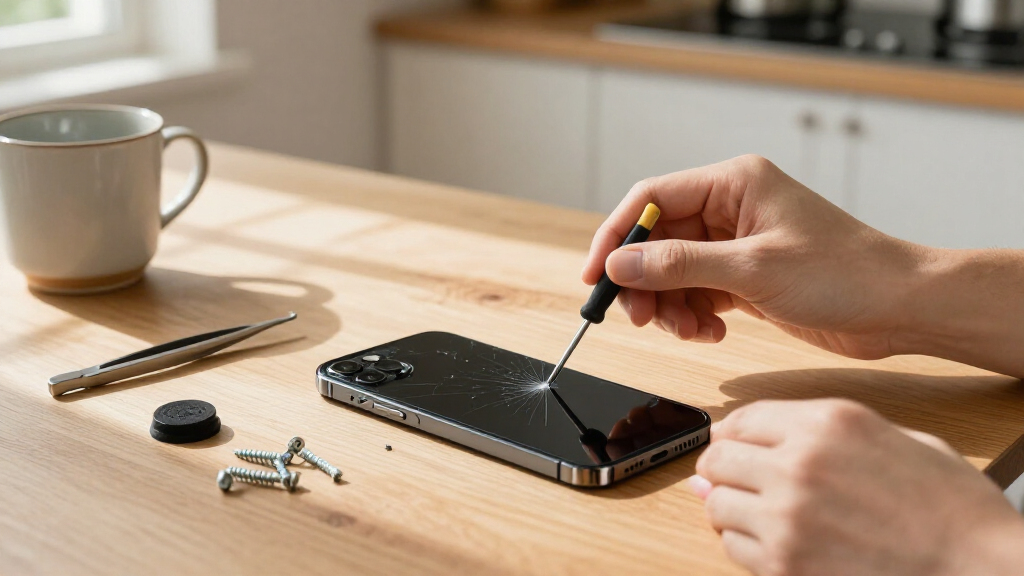
The best iPhone screen repair kits pair an exact model fit with the right replacement display and tools for the job. My best overall pick is the iFixit iPhone 11 Screen Replacement and Repair Kit, which combines a model-specific screen with a focused repair kit; the NB+ Soft OLED kit for iPhone 14 stands out for newer-model owners seeking an OLED replacement, while the DIYPHONE 22-in-1 kit suits people who want a general-purpose tool set. The main tradeoffs are screen compatibility and quality, tool completeness, and how much risk and hands-on work you are willing to take on. A screwdriver set alone cannot replace a screen, and even a complete kit may not restore features tied to the original display. Read on for the full comparison and advice on choosing a kit that matches your iPhone and repair plans.

Get the latest gadgets delivered free with Prime
- Fast, free delivery on millions of items
- Prime Video, Amazon Music and more included
- Member-only deals all year
Complete the kit



Key Takeaways
- Model-specific kits lead this lineup: the iFixit options pair a replacement screen with tools for a named iPhone, while the DIYPHONE, Warmstor, and JOREST sets are primarily general tool kits.
- The iPhone 11 has two distinct routes: iFixit offers a model-specific repair kit, while ZAVERYN supplies an LCD replacement kit; compare included tools and screen details before choosing between them.
- Screen technology matters more than a large tool count: the NB+ iPhone 14 kit specifies a Soft OLED screen, while a 24- or 40-piece tool set does not, on its own, solve display compatibility.
- Older and compact models have dedicated options: iFixit lists kits for iPhone 7, iPhone 8, iPhone XR, and both the 2020 and 2022 iPhone SE, but buyers still need to match the exact model.
- General-purpose tools make most sense for repeat repairs: DIYPHONE, Warmstor, and JOREST can support broader device work, but they do not replace a correctly matched screen when the display itself needs changing.
| iFixit Screen Repair Kit for iPhone 7, Black |  | Best for a Complete iPhone 7 Screen Repair | Compatibility: iPhone 7 | Color: Black | Screen testing: Pre-tested | VIEW LATEST PRICE | See Our Full Breakdown |
| DIYPHONE 22-in-1 Mobile Phone Repair Tool Kit |  | Best Budget-Friendly General Tool Set | Set contents: 22 pieces | Tool types: Pentalobe, Phillips, and flat-head screwdrivers; spudger; pry tools; suction cup | Materials: Metal and plastic | VIEW LATEST PRICE | See Our Full Breakdown |
| Warmstor 24-Piece Electronic Device Opening and Screwdriver Repair Kit |  | Best Reusable Kit for Multi-Device Repair | Number of pieces: 24 | Screwdriver material: S2 steel | Screwdriver types: Pentalobe 0.8 mm and 1.2 mm; Torx T5, T6, and T8; Phillips 1.2 mm, 1.5 mm, and 2.5 mm; Y-tip 0.6 mm | VIEW LATEST PRICE | See Our Full Breakdown |
| iFixit iPhone 8 Screen Replacement and Repair Kit, Black |  | Best for iPhone 8 and Second-Generation SE | Compatibility: iPhone 8; iPhone SE (2nd generation, 2020) | Display size: 4.7 inches | Display resolution: 750 x 1334 pixels | VIEW LATEST PRICE | See Our Full Breakdown |
| NB+ Soft OLED Screen Replacement Kit for iPhone 14 |  | Best OLED Option for iPhone 14 | Compatibility: iPhone 14, 6.1-inch; models A2649, A2881, A2882, A288, A2884 | Display technology: Soft OLED | Display features: Haptic Touch; Face ID can be retained if original paired components are intact and correctly transferred | VIEW LATEST PRICE | See Our Full Breakdown |
| iFixit Screen Replacement and Repair Kit for iPhone 11, Black |  | Best for iPhone 11 LCD Repair | Compatibility: iPhone 11 | Display: 6.1-inch Liquid Retina LCD multitouch | Resolution: 1792 × 828 | VIEW LATEST PRICE | See Our Full Breakdown |
| iFixit Screen Repair Kit for iPhone 12 and iPhone 12 Pro, Black |  | Best for Shared iPhone 12 / 12 Pro Compatibility | Compatible models: iPhone 12 (A2172, A2402, A2403, A2404); iPhone 12 Pro (A2341, A2406, A2407, A2408) | Display: 6.1-inch In-Cell LCD multitouch | Color: Black | VIEW LATEST PRICE | See Our Full Breakdown |
| JOREST 40-Piece Precision Screwdriver Set |  | Best General-Purpose Tool Kit | Number of pieces: 40 | Screwdriver bits: 30 CR-V chrome vanadium steel bits | Bit types: Phillips, flathead, Torx, security Torx, tri-wing, pentalobe, and MID | VIEW LATEST PRICE | See Our Full Breakdown |
| iFixit Screen Replacement and Repair Kit for iPhone SE (2020/2022), Black |  | Best for iPhone SE Component Readiness | Compatibility: iPhone SE (2020 and 2022); not compatible with first-generation iPhone SE | Display: 4.7-inch LCD | Resolution: 750 × 1334 pixels | VIEW LATEST PRICE | See Our Full Breakdown |
| iFixit Screen Replacement Kit for iPhone XR, Black |  | Best for Faster iPhone XR Assembly Work | Compatibility: iPhone XR | Display: 6.1-inch IPS LCD | Resolution: 828 × 1792 | VIEW LATEST PRICE | See Our Full Breakdown |
| ZAVERYN iPhone 11 6.1-Inch LCD Screen Replacement Kit |  | Best iPhone 11 LCD Kit with Extras | Compatibility: iPhone 11 models A2111, A2223, A2221 | Display size: 6.1 inches | Display type: LCD digitizer assembly | VIEW LATEST PRICE | See Our Full Breakdown |
| iPhone screen repair kit | Compatibility | Dimensions |
|---|---|---|
| iFixit Screen Repair Kit for i | iPhone 7 | 4.11 x 2.14 x 0.29 inches |
| DIYPHONE 22-in-1 Mobile Phone | — | 1.18 x 1.18 x 0.79 inches |
| Warmstor 24-Piece Electronic D | — | — |
| iFixit iPhone 8 Screen Replace | iPhone 8; iPhone SE (2nd generation, 2020) | — |
| NB+ Soft OLED Screen Replaceme | iPhone 14, 6.1-inch; models A2649, A2881, A2882, A288, A2884 | — |
| iFixit Screen Replacement and | iPhone 11 | 4.11 × 2.14 × 0.29 inches |
| iFixit Screen Repair Kit for i | — | 4.11 × 2.14 × 0.29 inches |
| JOREST 40-Piece Precision Scre | — | — |
| iFixit Screen Replacement and | iPhone SE (2020 and 2022); not compatible with first-generation iPhone SE | 4.11 × 2.14 × 0.29 inches |
| iFixit Screen Replacement Kit | iPhone XR | 4.11 × 2.14 × 0.29 inches |
| ZAVERYN iPhone 11 6.1-Inch LCD | iPhone 11 models A2111, A2223, A2221 | — |
More Details on Our Top Picks
iFixit Screen Repair Kit for iPhone 7, Black
For an iPhone 7 with a damaged display, this kit pairs the replacement screen with the tools and adhesive needed to complete the repair. Its pre-tested screen gives buyers a check on the replacement component before installation, while the model-specific fit avoids the uncertainty of a general-purpose tool set such as the DIYPHONE 22-in-1. That focus is also the main limitation: it only fits the iPhone 7, so it is not a flexible choice for newer phones or other electronics. Installation is still a hands-on DIY job, and buyers should be comfortable opening a phone and handling small connectors. Compared with the iPhone 8 kit in this roundup, this one is the more direct option for iPhone 7 owners, but it does not serve multiple listed models.
Pros:- Designed specifically for iPhone 7
- Replacement screen is pre-tested
- Includes repair tools and adhesive
- Addresses front-glass, display, front-camera, or earpiece repair needs
Cons:- Compatibility is limited to iPhone 7
- Requires careful DIY installation
- Does not offer the wider device coverage of general-purpose tool kits
Best for: iPhone 7 owners replacing a broken front panel or faulty display who want the screen, adhesive, and repair tools in one model-specific kit.
Not ideal for: People repairing an iPhone 8, iPhone SE (2nd generation), or another phone, and anyone who does not want to perform a DIY installation.
- Compatibility:iPhone 7
- Color:Black
- Screen testing:Pre-tested
- Included:Repair tools and adhesive
- Dimensions:4.11 x 2.14 x 0.29 inches
- Weight:8.8 ounces
Our verdict“Choose this kit for a hands-on iPhone 7 screen repair when you want a pre-tested replacement and the basic installation supplies together.”
DIYPHONE 22-in-1 Mobile Phone Repair Tool Kit
The DIYPHONE 22-in-1 is a tool kit, not a replacement-screen bundle, so it suits repairers who already have a compatible iPhone display and need help opening the device. Magnetic screwdrivers can make tiny screws easier to manage, and the flexible suction cup adds a basic way to lift a screen. That makes this a more reusable pick than the model-specific iFixit Screen Repair Kit for iPhone 7, which supplies the replacement screen and adhesive but is tied to one phone. The tradeoff is less certainty about fit: the product description does not identify supported iPhone models or list specific bit sizes. Buyers should confirm the tools match their repair before starting. Its 22 pieces cover general phone and small-electronics work, but there is no replacement display or adhesive included.
Pros:- Includes 22 tools for phone disassembly and small repairs
- Magnetic screwdrivers can help handle small screws
- Flexible suction cup is included for screen opening
- Can be used on phones and other small electronics
Cons:- Does not include a replacement screen or adhesive
- Specific iPhone model compatibility is not provided
- Accessory colors may vary
Best for: DIY repairers who already have an iPhone screen and adhesive and want a reusable basic tool set for opening phones and small electronics.
Not ideal for: First-time iPhone screen replacers seeking a model-matched display, adhesive, and documented tool compatibility in one package.
- Set contents:22 pieces
- Tool types:Pentalobe, Phillips, and flat-head screwdrivers; spudger; pry tools; suction cup
- Materials:Metal and plastic
- Recommended use:Phone opening and repair
- Dimensions:1.18 x 1.18 x 0.79 inches
- Weight:0.1 kg
- Model number:AZ001
Our verdict“Pick this set for reusable general-purpose opening tools, not as a complete iPhone screen replacement kit.”
Warmstor 24-Piece Electronic Device Opening and Screwdriver Repair Kit
For someone who repairs more than one kind of device, the Warmstor 24-piece kit offers a broader collection of precision bits and opening accessories than the phone-focused DIYPHONE set. Pentalobe, Phillips, Torx, and Y-tip drivers cover a range of small electronics, while the zippered canvas case keeps the pieces together between jobs. The ESD tweezers, steel spudger, and suction cup are useful companions for screen work, though this is still a tool kit rather than a screen replacement package. Unlike the iFixit iPhone 8 Screen Replacement Kit, it does not provide a model-specific display, adhesive, or a defined repair path. The broad intended use is handy for a repair bench, but the listing does not guarantee compatibility with every iPhone model, so check the required bits before opening a phone.
Pros:- Includes multiple precision screwdriver types and opening tools
- Screwdrivers have magnetic tips and slip-resistant handles
- Zippered canvas case keeps tools organized
- ESD tweezers, suction cup, and microfiber cloth are included
Cons:- Does not include an iPhone replacement screen or display adhesive
- Broad device use does not establish fit for every iPhone model
- Designed for small electronics rather than general household repairs
Best for: Hobbyists who work on several types of phones, tablets, or computers and want an organized precision-tool set for recurring repairs.
Not ideal for: Someone seeking a complete, model-specific iPhone screen replacement with display and adhesive included, or a general household tool set.
- Number of pieces:24
- Screwdriver material:S2 steel
- Screwdriver types:Pentalobe 0.8 mm and 1.2 mm; Torx T5, T6, and T8; Phillips 1.2 mm, 1.5 mm, and 2.5 mm; Y-tip 0.6 mm
- Included tools:Pry tools, steel spudger, ESD tweezers, triangle paddles, LCD suction cup, SIM ejector pin, microfiber cloth
- Storage:Zippered canvas tool kit bag
- Intended uses:Cellphone, tablet, and computer repair
Our verdict“Choose Warmstor for a reusable, organized repair bench kit when you work across devices and already source screens separately.”
iFixit iPhone 8 Screen Replacement and Repair Kit, Black
This is the most broadly compatible screen bundle among the model-specific iFixit kits here: its display assembly fits iPhone 8 and iPhone SE (2nd generation). The LCD, digitizer, front camera assembly, earpiece speaker, and shield plate arrive together, with adhesive and precision tools for installation. That integrated assembly can simplify sourcing parts compared with the iFixit Screen Repair Kit for iPhone 7, which serves only that older model. There are meaningful functional tradeoffs, though: True Tone is disabled after replacement, and retaining Touch ID requires transferring the original home button. The original button is not included, so that transfer calls for careful handling. This is a focused repair package, not a way to retain every original display feature without extra steps.
Pros:- Fits both iPhone 8 and iPhone SE (2nd generation)
- Display assembly includes LCD, digitizer, camera assembly, earpiece speaker, and shield plate
- Display and digitizer are factory tested
- Includes custom-cut adhesive and precision repair tools
Cons:- True Tone is disabled after replacement
- Original home button must be transferred to retain Touch ID
- Home button is not included in the kit
Best for: iPhone 8 or iPhone SE (2nd generation) owners replacing a damaged display who want a tested assembly, tools, and adhesive together.
Not ideal for: People who need True Tone retained or are uncomfortable transferring the original home button to preserve Touch ID.
- Compatibility:iPhone 8; iPhone SE (2nd generation, 2020)
- Display size:4.7 inches
- Display resolution:750 x 1334 pixels
- Included assembly parts:LCD, front glass digitizer, front camera assembly, earpiece speaker, LCD shield plate
- Included accessories:Display adhesive, opening pick, spudger, opening tool, suction handle, angled tweezers, precision bit driver, Phillips #000, Pentalobe P2, and Tri-point Y000 bits
- Touch ID:Requires transfer of the original home button assembly
- True Tone:Disabled after screen replacement
Our verdict“This is a practical bundled repair for iPhone 8 and second-generation SE owners who accept losing True Tone and can transfer the original home button.”
NB+ Soft OLED Screen Replacement Kit for iPhone 14
For an iPhone 14 owner prioritizing OLED contrast, this kit replaces the 6.1-inch display with a soft OLED panel and includes tools, waterproof adhesive, and a tempered-glass protector. Its display technology sets it apart from the iFixit iPhone 8 kit, which is an LCD replacement for older phones; the NB+ is aimed at retaining the deep blacks and high contrast associated with an OLED screen. That benefit comes with a more involved transfer: the original front camera, earpiece, and sensor assembly must move to the new display. Face ID can be retained if paired parts remain intact and are transferred correctly, while True Tone is not guaranteed and may need compatible programming tools. This is less forgiving for a novice than a bundled assembly with more components preinstalled.
Pros:- Soft OLED panel offers deep blacks and high contrast
- Supports responsive touch and Haptic Touch
- Includes repair tools and waterproof adhesive
- Tempered-glass screen protector is included
Cons:- Requires transferring the original front camera, earpiece, and sensor assembly
- True Tone is not guaranteed and may require compatible programming tools
- Professional installation is recommended for people unfamiliar with phone repairs
Best for: iPhone 14 owners seeking an OLED replacement who have repair experience or access to help transferring the original camera and sensor assembly.
Not ideal for: First-time repairers who want a simple screen swap, or buyers who require guaranteed True Tone without compatible programming tools.
- Compatibility:iPhone 14, 6.1-inch; models A2649, A2881, A2882, A288, A2884
- Display technology:Soft OLED
- Display features:Haptic Touch; Face ID can be retained if original paired components are intact and correctly transferred
- Included items:OLED screen, repair tools, waterproof adhesive, tempered-glass screen protector
- Required transfer:Original front camera, earpiece, and sensor assembly
- Package dimensions:7.09 x 5.91 x 0.67 inches
- Item weight:6 ounces
Our verdict“Choose this kit for an iPhone 14 OLED repair if you can manage the original sensor transfer and accept that True Tone may not be retained.”
iFixit Screen Replacement and Repair Kit for iPhone 11, Black
For an iPhone 11 with a cracked display, unreliable touch, dead pixels, or flickering, this kit pairs a 6.1-inch LCD and glass digitizer with the tools and adhesive needed for a DIY replacement. Its main advantage over the iFixit Screen Repair Kit for iPhone 12 and iPhone 12 Pro is that it is matched to the iPhone 11’s LCD display rather than replacing an OLED screen with a lower-resolution LCD. The tradeoff is strict model fit: it is for the iPhone 11 only, so it cannot serve as a general-purpose screen kit. Installation still involves opening the phone and handling small components, which may not suit a first-time repairer. I’d choose it when restoring an iPhone 11 is the goal and a compatible screen assembly matters more than avoiding hands-on work.
Pros:- Screen assembly includes a glass digitizer and 6.1-inch LCD
- Tools and adhesive are included for DIY installation
- Can address touch failure, dead pixels, and flickering
- Designed specifically for iPhone 11 compatibility
Cons:- Requires careful DIY installation and transfer of any parts not included
- Compatible only with iPhone 11
Best for: iPhone 11 owners with display or touch problems who are comfortable following a DIY screen-replacement process
Not ideal for: Owners of other iPhone models or buyers who want a repair that does not involve opening the phone
- Compatibility:iPhone 11
- Display:6.1-inch Liquid Retina LCD multitouch
- Resolution:1792 × 828
- Color:Black
- Included components:Glass digitizer, front camera frame, repair tools, and adhesive
- Dimensions:4.11 × 2.14 × 0.29 inches
- Weight:8.5 ounces
- Model number:IF426-000-2
Our verdict“Choose this kit to replace an iPhone 11 screen with a model-specific LCD assembly and included repair tools, provided you are ready to do the installation yourself.”
iFixit Screen Repair Kit for iPhone 12 and iPhone 12 Pro, Black
This is the most flexible screen-specific pick here by model: its assembly fits both iPhone 12 and iPhone 12 Pro, and the kit includes a detailed set of tools and display adhesive. That shared fit distinguishes it from the iFixit Screen Replacement and Repair Kit for iPhone 11, which is limited to one model. The major compromise is display quality: this replacement uses an In-Cell LCD instead of the original OLED, so the picture is darker and lower resolution, and True Tone is disabled. The earpiece speaker and sensor assembly also need to be transferred from the old display, adding delicate work beyond fitting the screen. I’d favor it when broad compatibility across these two models and an included tool set outweigh keeping the original display characteristics.
Pros:- Fits iPhone 12 and iPhone 12 Pro models listed in the compatibility data
- Includes display adhesive and a substantial selection of repair tools
- Can restore touch function and address cracks, dead pixels, or flickering
- Provides an alternative to replacing the phone when its display is damaged
Cons:- LCD is darker and lower resolution than the original OLED
- True Tone functionality is disabled after replacement
- Earpiece speaker and sensor assembly must be transferred from the original display
Best for: iPhone 12 or 12 Pro owners who want a screen assembly and a broad set of repair tools in one kit
Not ideal for: Buyers who want OLED-level display characteristics, True Tone, or a replacement that avoids transferring small components
- Compatible models:iPhone 12 (A2172, A2402, A2403, A2404); iPhone 12 Pro (A2341, A2406, A2407, A2408)
- Display:6.1-inch In-Cell LCD multitouch
- Color:Black
- Included components:Screen assembly, display adhesive, spudger, opening tool, suction handle, angled tweezers, six opening picks, precision bit driver, Phillips #000, P2 Pentalobe, and Y000 bits
- Sensor assembly:Not included; transfer from the original display
- Dimensions:4.11 × 2.14 × 0.29 inches
- Item weight:11.2 ounces
Our verdict“Pick this kit if you are repairing an iPhone 12 or 12 Pro and accept an LCD display plus component-transfer work in exchange for an included toolkit.”
JOREST 40-Piece Precision Screwdriver Set
Unlike the iFixit screen kits in this roundup, the JOREST set is a tool kit, not a replacement screen. Its 30 CR-V steel bits cover fastener types used across small electronics, while the magnetic rotating handle and included prying tools, tweezers, and suction cup support different stages of a repair. That makes it a useful pick for someone who wants one compact kit for phones and other devices rather than a model-specific screen assembly. Compared with the iFixit Screen Repair Kit for iPhone 12 and iPhone 12 Pro, it offers broader tool use but does not supply an iPhone display, model-specific adhesive, or a screen-repair parts package. Bit choice still has to match the device, and the small precision tools are not suited to larger fasteners.
Pros:- Includes 30 CR-V steel bits across several precision fastener types
- Magnetic, rotating handle supports controlled small-screw work
- Includes prying tools, tweezers, a suction cup, and a cleaning brush
- Useful across phones, computers, game consoles, watches, and glasses
Cons:- Does not include an iPhone replacement screen or screen-specific adhesive
- Bit type and size must be matched to the device fasteners
- Designed for small electronics rather than larger fasteners
Best for: DIY repairers who work on several kinds of small electronics and need a reusable precision tool set
Not ideal for: Someone seeking a complete iPhone screen replacement, since this set contains tools but no replacement display
- Number of pieces:40
- Screwdriver bits:30 CR-V chrome vanadium steel bits
- Bit types:Phillips, flathead, Torx, security Torx, tri-wing, pentalobe, and MID
- Handle:TPR and PP with slip-resistant grip, rotating top, and magnetic adsorption
- Included accessories:Double-ended and long spudgers, three triangle spudgers, tweezers, cleaning brush, suction cup, and SIM card ejector
- Recommended use:Repairing electronics and small devices
- Model:TORX
- Set name:40-Piece CRV Screwdriver Set
Our verdict“Choose JOREST for reusable small-device repair tools, but pair it with a compatible screen assembly if your goal is an iPhone display replacement.”
iFixit Screen Replacement and Repair Kit for iPhone SE (2020/2022), Black
This kit suits the compact iPhone SE models from 2020 and 2022, with several small parts preinstalled in the screen assembly. That can reduce the amount of delicate component handling compared with the iFixit Screen Repair Kit for iPhone 12 and iPhone 12 Pro, which requires transferring the earpiece speaker and sensor assembly. The 4.7-inch LCD and included tools and adhesive make this a more direct model-specific repair package, and the assembly is intended to restore touch function and address dead pixels or flickering. Its fit is narrow, though: it does not work with the first-generation iPhone SE. Buyers should verify which SE generation they own before opening the package, since similar model names do not mean interchangeable screens.
Pros:- Several small parts come preinstalled in the screen assembly
- Includes tools and adhesive for DIY installation
- Designed to address touch problems, dead pixels, and flickering
- Fits both iPhone SE (2020) and iPhone SE (2022)
Cons:- Not compatible with the first-generation iPhone SE
- Still requires opening the phone and carrying out a DIY screen replacement
Best for: Owners of the iPhone SE (2020 or 2022) who want a replacement assembly with small parts already installed
Not ideal for: First-generation iPhone SE owners or anyone unsure which SE generation they have
- Compatibility:iPhone SE (2020 and 2022); not compatible with first-generation iPhone SE
- Display:4.7-inch LCD
- Resolution:750 × 1334 pixels
- Included components:Front glass digitizer panel, front camera assembly, earpiece speaker, LCD shield plate, tools, and adhesive
- Color:Black
- Dimensions:4.11 × 2.14 × 0.29 inches
- Weight:8.5 ounces
- Manufacturer:iFixit
Our verdict“This is the better fit for a 2020 or 2022 iPhone SE repair when preinstalled small parts matter more than compatibility with older SE models.”
iFixit Screen Replacement Kit for iPhone XR, Black
For an iPhone XR, this kit’s defining advantage is small parts preinstalled in the 6.1-inch IPS LCD assembly. That can reduce the number of components a repairer needs to move from the old screen, making it a more straightforward fit than the iFixit Screen Repair Kit for iPhone 12 and iPhone 12 Pro, whose earpiece speaker and sensor assembly must be transferred. The XR kit is intended to replace cracked or scratched front glass or a malfunctioning display, but it remains a model-specific screen assembly rather than a general repair set. The supplied product data does not list included tools or adhesive, so buyers should check what is required for their repair instead of assuming this is as fully equipped as the iPhone 11 or SE kits. It is only for iPhone XR.
Pros:- Small parts are preinstalled in the screen assembly
- 6.1-inch IPS LCD is sized for iPhone XR
- Designed to replace cracked or scratched glass or a malfunctioning display
- Preinstalled parts can reduce component-transfer work
Cons:- Compatible only with iPhone XR
- Product data does not specify included tools or adhesive
- Repair requires replacing the screen assembly rather than just addressing a single component
Best for: iPhone XR owners who want a screen assembly with small parts preinstalled and can confirm their tool and adhesive needs
Not ideal for: Owners of other iPhone models or buyers who need a clearly specified all-in-one kit with listed tools and adhesive
- Compatibility:iPhone XR
- Display:6.1-inch IPS LCD
- Resolution:828 × 1792
- Color:Black
- Dimensions:4.11 × 2.14 × 0.29 inches
- Weight:9 ounces
- Included features:Small parts preinstalled in the assembly
Our verdict“Choose this XR-specific assembly if preinstalled small parts are your priority, but verify your tools and adhesive before starting the repair.”
ZAVERYN iPhone 11 6.1-Inch LCD Screen Replacement Kit
The ZAVERYN kit suits iPhone 11 owners who want the replacement display and basic repair supplies together. Its 6.1-inch LCD digitizer assembly is made for models A2111, A2223, and A2221, while the included tool set, frame adhesive, and tempered glass protector cover several parts of the repair and follow-up. Compared with the iFixit Screen Replacement and Repair Kit for iPhone 11, this option calls out a screen protector as part of the package, which may appeal to buyers assembling everything at once. The main tradeoff is the hands-on transfer work: the original proximity sensor and front camera must be moved to the new screen. That adds delicate steps, so this is a better fit for someone comfortable with small-component repairs than for a first-time fixer seeking a simpler swap.
Pros:- Includes a multi-piece repair tool set and frame adhesive
- Tempered glass screen protector is included
- Compatible with iPhone 11 models A2111, A2223, and A2221
- One-year warranty
Cons:- Requires transferring the original proximity sensor and front camera
- LCD assembly is specific to iPhone 11 and cannot serve as a general-purpose replacement
- The product details do not specify the individual tools included in the set
Best for: iPhone 11 owners with model A2111, A2223, or A2221 who want a replacement LCD, repair tools, adhesive, and a screen protector in one kit.
Not ideal for: First-time repairers who want to avoid transferring delicate components, or owners of iPhone models other than the listed iPhone 11 variants.
- Compatibility:iPhone 11 models A2111, A2223, A2221
- Display size:6.1 inches
- Display type:LCD digitizer assembly
- Included items:Screen assembly, repair tool set, waterproof frame adhesive, tempered glass protector, instruction
- Item dimensions:7.09 x 5.91 x 0.71 inches
- Item weight:2.15 ounces
- Model number:ZAV-11-HD
- Warranty:1 year
Our verdict“Choose this kit for a compatible iPhone 11 when you want the screen, adhesive, tools, and protector together and are prepared to transfer the original sensor and camera.”
How We Picked
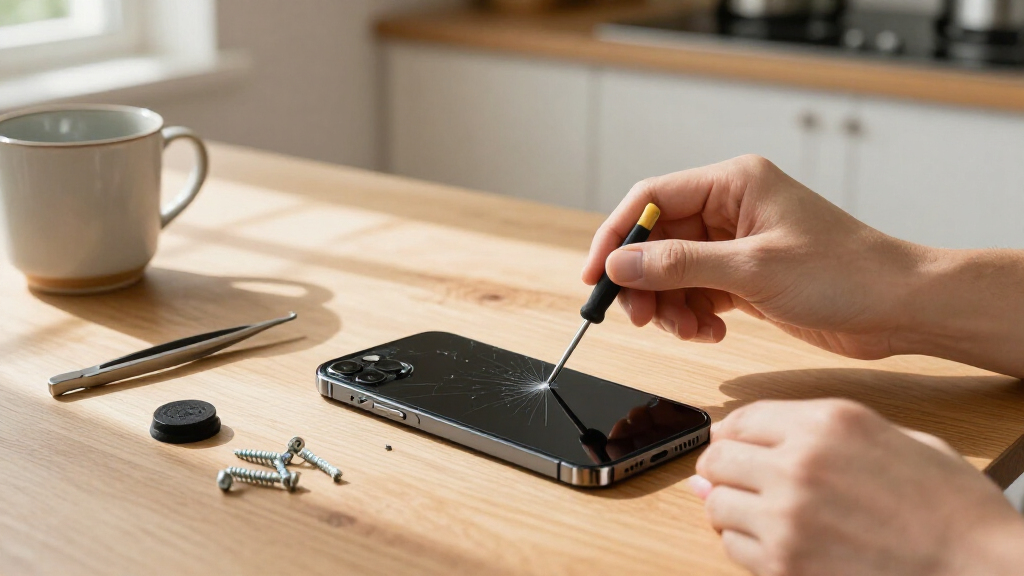
I compared these kits on model compatibility, screen inclusion and type, tool usefulness, and clarity of the repair target. A kit built around a named iPhone screen has a more direct path to a display replacement than a general screwdriver or opening-tool set. I also looked at whether the listed screen technology or device range gave buyers enough information to distinguish one repair route from another.
The ranking favors complete, model-specific repair options because they address the central task in this roundup: replacing an iPhone screen. Within that group, the iPhone 11 kit earns the overall position for its direct model match and balanced repair purpose; the iPhone 14 Soft OLED kit is a more specialized choice, while the iPhone 11 LCD kit offers a separate screen route. General tool sets rank lower for screen replacement, though they may be better fits for buyers who already have a display or need tools for several devices. A product’s piece count alone did not outweigh fit, screen details, or usefulness for the stated repair.
Factors to Consider When Choosing Best IPhone Screen Repair Kits
Before choosing a kit, match the repair to your phone, the display you want, and the work you are prepared to do. These checks can prevent a common mismatch: buying a versatile tool set when you actually need a replacement screen, or choosing a screen kit for a similar-looking but different iPhone model.
Match the Exact iPhone Model, Not Just Its Size
Start with the model name and generation shown in your iPhone’s settings or device documentation; screen dimensions alone are not enough to establish compatibility. iPhone 11, XR, and 12 models may look similar to a casual buyer, but their parts and connectors are not interchangeable just because the displays are close in size. The SE listing is another reminder to check generation: the kit names both the 2020 and 2022 versions, but buyers should still confirm the precise compatibility stated by the seller. Check the kit’s full model list before opening the phone or ordering parts. If you are uncertain, pause and identify the model number rather than guessing from appearance. This small check matters more than extra screwdrivers because a mismatched screen cannot complete the repair.
Decide Whether You Need a Screen or Only Tools
Separate the replacement part from the tools needed to install it. The DIYPHONE, Warmstor, and JOREST listings describe tool sets, so buyers should not assume they contain a replacement display. By contrast, the iFixit model-specific listings and the NB+ and ZAVERYN listings are framed as screen replacement kits. A tool-only set can be a sensible choice if you already have a compatible screen or plan to work on several devices. For a one-time cracked-screen repair, buying tools without the display can leave you short of the part the job depends on. Read the included-items list carefully, since the word “repair” does not always mean a screen is included.
Compare Display Type and Repair Expectations
Screen type affects both the replacement experience and what you should expect after installation. The NB+ option explicitly identifies a Soft OLED for iPhone 14, while the ZAVERYN iPhone 11 listing identifies an LCD; these are different screen routes, not interchangeable labels for the same specification. Check what technology the original model uses and what the replacement listing says it supplies. A replacement display may not reproduce every behavior or appearance of an original part, and some phone features may depend on the original screen or additional configuration. Avoid choosing on the basis of a low-level label such as “screen” without confirming the technology and included components. If display characteristics matter to you, prioritize clear specifications over a broad tool bundle.
Budget for Difficulty, Not Just the Included Pieces
Opening a phone and replacing a display takes careful handling of small screws, connectors, and fragile parts. A kit with many pieces can make general repairs more flexible, but a high piece count does not make a screen replacement easier by itself. First-time repairers may benefit more from a model-specific kit with a clear repair path than from a large collection of tools intended for many devices. Consider whether you have a clean, well-lit workspace and enough time to follow the repair steps without rushing. If the phone is your only device or the repair feels beyond your comfort level, professional service may be the safer choice. The tradeoff is paying for help rather than accepting the risk of damaging other components during a DIY repair.
Check What the Kit Does—and Does Not—Promise
A replacement screen kit addresses the display, but it does not automatically restore every feature affected by a screen change. Before buying, check whether the listing identifies the included screen, tools, adhesive, and any other parts required for the repair. Do not assume that a kit includes calibration steps, preserves all original functions, or transfers components from the old display unless the product details say so. Keep the original screen and its small components until the replacement is working, since some repairs may require transferring parts. Also look for the seller’s guidance on warranty, returns, and compatibility; those details become especially valuable if the delivered part does not match your phone. Clear scope is a better buying signal than a long accessory list with uncertain relevance.
Choose Between a One-Phone Fix and a Reusable Toolkit
Think about whether this is a single repair or the start of ongoing device work. A model-specific iFixit kit is easier to align with one named iPhone, while DIYPHONE, Warmstor, and JOREST offer broader tool-focused approaches. Reusable tools can make sense if you repair several devices or already source parts separately, but their broader range does not guarantee that every tool is suited to a particular iPhone repair. For a one-phone job, unused pieces may add clutter without improving the screen fit. For repeated repairs, a general kit can complement individual model-specific screens. Choose based on the repairs you expect to perform, not the largest number printed in the kit name.
Frequently Asked Questions
Can I use an iPhone 11 screen kit on an iPhone XR or iPhone 12?
No—choose a kit that names your exact iPhone model. Similar screen sizes do not establish that the display, connectors, or mounting points match. This roundup lists separate kits for iPhone 11, XR, and 12/12 Pro, which is a good reason not to substitute one by appearance. Confirm the model in your phone’s settings and check the seller’s compatibility list before ordering. If the listing does not clearly name your model, ask the seller rather than taking a chance.
Are the DIYPHONE, Warmstor, and JOREST kits enough to replace a screen?
They are presented as tool kits, not as model-specific replacement-screen packages, so do not assume they include a display. They may help with opening and handling a device if you already have the correct screen, but you still need a compatible replacement part. Compare the included tools with the steps required for your particular repair, since general-purpose coverage does not guarantee every needed item is present. For a one-off screen job, a complete kit that explicitly names your iPhone can be a more direct purchase. Check the package contents before placing an order.
Should I choose the iPhone 11 LCD kit or the iFixit iPhone 11 kit?
Compare the exact screen specifications and included items rather than choosing by brand name or listing title alone. The ZAVERYN option identifies its replacement as an LCD, while the iFixit listing is framed as a screen replacement and repair kit for iPhone 11. Check whether each listing states the display type, supplied tools, adhesive, and any parts that must be transferred from the old screen. Your preference for display characteristics and the repair guidance available may affect the choice. If either listing leaves key details unclear, confirm them with the seller before buying.
Is a Soft OLED replacement the right choice for an iPhone 14?
The NB+ kit is specifically listed as a Soft OLED replacement for iPhone 14, so it gives buyers a clearly identified display type for that model. That does not by itself establish that its appearance, functions, or installation requirements will match an original screen in every respect. Check the exact iPhone 14 model compatibility, what tools and other parts are supplied, and whether the listing explains any setup or feature limitations. If you prioritize matching the original display behavior, compare the seller’s specifications carefully before deciding. Do not select a screen on model name alone when the technology also matters to you.
Is replacing an iPhone screen a good first DIY repair?
It can be a demanding first repair because opening the phone exposes small connectors and delicate components. A model-specific kit can make part selection more straightforward, but it cannot remove the need for careful work and clear instructions. Before starting, check that you have the exact compatible screen, suitable tools, a tidy workspace, and enough time to follow each step without rushing. If the phone is essential or you are uncomfortable handling internal parts, a repair professional may be the lower-risk choice. A general screwdriver set alone is not a substitute for a screen kit or repair guidance.
Conclusion
For most buyers seeking a direct, model-specific repair, I recommend the iFixit iPhone 11 Screen Replacement and Repair Kit as the best overall option in this lineup. The best value in practical coverage depends on whether you need a screen or reusable tools: choose a named-model iFixit kit for a one-phone replacement, or DIYPHONE, Warmstor, or JOREST if you already have parts and want a general toolkit. For a more specialized display choice, the NB+ iPhone 14 Soft OLED kit is the premium-oriented pick, while the iFixit iPhone 11 kit is my best fit for beginners who want a repair package aimed at one specific phone. For specific older or compact models, choose the matching iFixit kit for iPhone 7, 8, XR, or SE; iPhone 11 owners comparing an LCD route can also examine ZAVERYN. The best choice is the one that matches your exact model and repair comfort—not the kit with the most pieces.