
Choosing the best Apple laptops requires balancing raw power against portability and battery life. For most users, the 13-inch MacBook Air with M5 stands out as the ideal blend of efficiency and performance, handling daily tasks without fan noise or heat. However, creative professionals will find the MacBook Pro 14.2-inch with PROLED XDR Display superior for color-critical work and sustained heavy loads. The main tradeoff here is between the lightweight, silent nature of the Air series and the active cooling and advanced display technology of the Pro line. Continue reading to see how these models compare in real-world scenarios and which one fits your specific needs.

Get the latest gadgets delivered free with Prime
- Fast, free delivery on millions of items
- Prime Video, Amazon Music and more included
- Member-only deals all year
Complete the kit



Key Takeaways
- The M5 chip has become the new baseline for efficiency, making the MacBook Air viable for heavier multitasking than previous generations.
- Display technology is now a primary differentiator, with PROLED XDR offering significant advantages for video editors over standard Liquid Retina screens.
- Entry-level 8GB memory configurations on the new MacBook Neo are sufficient for basic use but limit future-proofing compared to 16GB+ models.
- Battery life differences between Air and Pro models have narrowed, reducing the historical advantage of the Air for mobile professionals.
- Renewed options offer excellent value for students, but warranty and battery health must be scrutinized more closely than with new units.
| 13-inch MacBook Air with M5, 32GB Memory, 512GB SSD – Midnight |  | Best Compact Air for Heavy Multitasking | Chip: Apple M5 | Memory: 32GB listed; product data also states a 24GB maximum | Storage: 512GB SSD | VIEW LATEST PRICE | See Our Full Breakdown |
| Apple MacBook Pro 14.2-inch with PROLED XDR Display (2026, Silver) |  | Best Premium Display and Connectivity | Display: 14.2-inch tandem OLED PROLED XDR touchscreen | Peak brightness: Up to 2,000 nits | Color gamut: P3 and Adobe RGB | VIEW LATEST PRICE | See Our Full Breakdown |
| Apple 2024 MacBook Air 15-inch Laptop with M3 Chip (Midnight) | 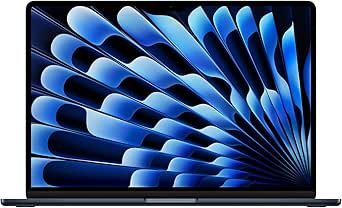 | Best Large-Screen Air for Everyday Work | Processor: Apple M3, 8-core CPU and up to 10-core GPU | Display: 15.3-inch Liquid Retina | Memory: 16GB unified memory | VIEW LATEST PRICE | See Our Full Breakdown |
| Apple MacBook Air 13-inch Retina Display (Renewed) – Gold |  | Best for Basic macOS Tasks on a Renewed Mac | Processor: 1.6GHz dual-core Intel Core i5, 8th generation | Graphics: Intel UHD Graphics 617 | Memory: 8GB DDR3 SDRAM | VIEW LATEST PRICE | See Our Full Breakdown |
| Apple 2024 MacBook Pro 14-inch with M4 Pro, 12-core CPU, 16-core GPU, 24GB Memory, and 512GB SSD (Space Black) |  | Best for Pro Workloads in a Compact Size | Chip: Apple M4 Pro | CPU and GPU: 12-core CPU and 16-core GPU | Memory: 24GB unified memory | VIEW LATEST PRICE | See Our Full Breakdown |
| Apple 2026 MacBook Pro 14-inch with M6 Chip, Silver |  | Best for Pro-Level Portability | Chip: Apple M6 | Display: 14.2-inch Liquid Retina XDR | Peak brightness: Up to 1,600 nits | VIEW LATEST PRICE | See Our Full Breakdown |
| Apple 2025 MacBook Air 15-inch with M4 chip, 24GB memory, 512GB SSD, and Liquid Retina display |  | Best for Big-Screen Air Value | Model year: 2025 | Processor: Apple M4, 10-core | Memory: 24GB unified memory | VIEW LATEST PRICE | See Our Full Breakdown |
| Apple MacBook Air 13-inch Laptop with M5 Chip, 32GB Memory, 1TB SSD, Silver |  | Best Compact Air for Multitasking | Chip: Apple M5 with 10-core CPU and 8-core GPU | Memory: 32GB unified memory | Storage: 1TB SSD | VIEW LATEST PRICE | See Our Full Breakdown |
| Apple MacBook Air 15-inch (2025) with M4, 16GB Memory, 256GB SSD, and Liquid Retina Display | 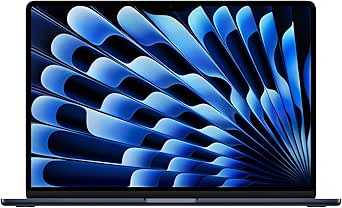 | Best for a Large Screen on a Lean Setup | Chip: Apple M4 | Display: 15.3-inch Liquid Retina, supports 1 billion colors | Memory: 16GB unified memory | VIEW LATEST PRICE | See Our Full Breakdown |
| Apple MacBook Air 15-inch Laptop with M5 Chip, 16GB Memory, 512GB SSD, Silver |  | Best 15-Inch Air for Everyday Longevity | Processor: Apple M5 | Memory: 16GB unified memory | Storage: 512GB SSD | VIEW LATEST PRICE | See Our Full Breakdown |
| Apple 2025 MacBook Pro 14.2-inch with M5 Chip |  | Best High-Performance Compact | Chip: Apple M5 (10-core CPU, 10-core GPU) | Memory: 16GB Unified Memory | Storage: 512GB SSD | VIEW LATEST PRICE | See Our Full Breakdown |
| Apple MacBook Neo 13-inch Laptop with A18 Pro Chip |  | Best Budget Entry Point | Processor: A18 Pro Chip | Memory: 8GB Unified Memory | Storage: 256GB SSD | VIEW LATEST PRICE | See Our Full Breakdown |
| Apple MacBook Air 13-inch with M5 Chip, 16GB Memory, 512GB SSD |  | Best Overall for Most Users | Chip: Apple M5 | Memory: 16GB Unified Memory | Storage: 512GB SSD | VIEW LATEST PRICE | See Our Full Breakdown |
| Apple MacBook Air 15-inch with M5 Chip, 32GB Memory, 512GB SSD |  | Best Large-Screen Value | Chip: Apple M5 (10-core CPU, 10-core GPU) | Memory: 32GB Unified Memory | Storage: 512GB SSD | VIEW LATEST PRICE | See Our Full Breakdown |
| Apple MacBook Pro 16.2-inch with M5 Pro | 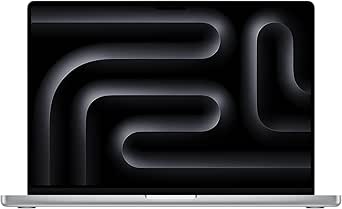 | Best for Heavy Creative Work | Chip: Apple M5 Pro (18-core CPU, 20-core GPU) | Memory: 24GB Unified Memory | Storage: 1TB SSD | VIEW LATEST PRICE | See Our Full Breakdown |
| Apple laptop | Display | Memory | Storage | Battery life |
|---|---|---|---|---|
| 13-inch MacBook Air with M5 | 13.6-inch Liquid Retina | 32GB listed; product data also states a 24GB maximum | 512GB SSD | Up to 18 hours |
| Apple MacBook Pro 14.2-inch wi | 14.2-inch tandem OLED PROLED XDR touchscreen | — | — | Up to 22 hours |
| Apple 2024 MacBook Air 15-inch | 15.3-inch Liquid Retina | 16GB unified memory | 512GB SSD | Up to 18 hours |
| Apple MacBook Air 13-inch Reti | 13.3-inch Retina LCD, 2560 x 1600 | 8GB DDR3 SDRAM | 128GB SSD | Up to 12 hours |
| Apple 2024 MacBook Pro 14-inch | 14.2-inch Liquid Retina XDR | 24GB unified memory | 512GB SSD | — |
| Apple 2026 MacBook Pro 14-inch | 14.2-inch Liquid Retina XDR | — | — | Up to 24 hours |
| Apple 2025 MacBook Air 15-inch | 15.3-inch Liquid Retina, 2880 × 1864 | 24GB unified memory | 512GB SSD | Up to 18 hours |
| Apple MacBook Air 13-inch Lapt | 13.6-inch Liquid Retina, 2560 × 1664 | 32GB unified memory | 1TB SSD | Up to 18 hours |
| Apple MacBook Air 15-inch | 15.3-inch Liquid Retina, supports 1 billion colors | 16GB unified memory | 256GB SSD | Up to 18 hours |
| Apple MacBook Air 15-inch Lapt | 15.3-inch Liquid Retina | 16GB unified memory | 512GB SSD | Up to 18 hours |
| Apple 2025 MacBook Pro 14.2-in | 14.2-inch Liquid Retina XDR (1600 nits peak) | 16GB Unified Memory | 512GB SSD | — |
| Apple MacBook Neo 13-inch Lapt | 13-inch Liquid Retina (1 billion colors) | 8GB Unified Memory | 256GB SSD | Up to 16 hours |
| Apple MacBook Air 13-inch with | 13.6-inch Liquid Retina | 16GB Unified Memory | 512GB SSD | — |
| Apple MacBook Air 15-inch with | 15.3-inch Liquid Retina (2880 x 1864) | 32GB Unified Memory | 512GB SSD | Up to 18 hours |
| Apple MacBook Pro 16.2-inch wi | 16.2-inch Liquid Retina XDR | 24GB Unified Memory | 1TB SSD | — |
More Details on Our Top Picks
13-inch MacBook Air with M5, 32GB Memory, 512GB SSD – Midnight
This 13-inch MacBook Air pairs a portable size with M5 performance and 32GB of memory, making it a stronger fit for large projects and busy app workflows than the 16GB configuration of the 2024 15-inch MacBook Air with M3. Its 13.6-inch display and claimed battery life of up to 18 hours suit people who work away from an outlet, while support for two external displays adds flexibility at a desk. It also includes a Center Stage camera and current Wi-Fi 7 connectivity. The tradeoff is that this Air has only two Thunderbolt 4 ports, so users with several wired accessories may need a hub. The supplied product data also conflicts on memory capacity, listing 32GB installed but a 24GB maximum; I would verify the configuration before buying.
Pros:- M5 chip and listed 32GB memory suit demanding multitasking better than the 16GB M3 Air configuration.
- Portable 13.6-inch design with up to 18 hours of stated battery life.
- Supports up to two external displays.
- 12MP Center Stage camera keeps the user in frame during calls.
Cons:- Only two Thunderbolt 4 ports are listed, which can mean relying on a hub.
- Product data conflicts: it lists 32GB installed memory but also a 24GB maximum.
- The 512GB SSD may be limiting for large video, photo, or project libraries.
Best for: Mobile professionals who want a compact Mac for multitasking, frequent video calls, and occasional two-display desk setups.
Not ideal for: Buyers who need lots of built-in ports or cannot confirm the listed 32GB memory configuration.
- Chip:Apple M5
- Memory:32GB listed; product data also states a 24GB maximum
- Storage:512GB SSD
- Display:13.6-inch Liquid Retina
- Battery life:Up to 18 hours
- Camera:12MP Center Stage
- Ports:Two Thunderbolt 4, MagSafe charging, headphone jack
- Wireless:Wi-Fi 7 and Bluetooth 6
Our verdict“Choose this compact Air for memory-heavy mobile work, but confirm the unusual memory specification and plan for a hub if you use several peripherals.”
Apple MacBook Pro 14.2-inch with PROLED XDR Display (2026, Silver)
This 14.2-inch MacBook Pro is the most display-focused pick here, combining a tandem OLED PROLED XDR touchscreen with up to 2,000 nits of stated peak brightness and P3 and Adobe RGB color support. That combination is aimed at people who need a vivid, high-contrast screen for HDR media or color-sensitive work; it goes beyond the Liquid Retina XDR panel listed for the 2024 MacBook Pro with M4 Pro. The M5 Pro and M5 Max options, Thunderbolt 5, HDMI, and SDXC slot also make it better equipped for demanding workloads and connected setups than either Air. This is a premium, more specialized choice, though: the touchscreen may not suit buyers who prefer a conventional MacBook display, and the supplied information does not specify which chip configuration is included.
Pros:- Tandem OLED PROLED XDR touchscreen with stated peak brightness up to 2,000 nits.
- P3 and Adobe RGB color gamut support suits color-focused creative work.
- Thunderbolt 5, HDMI, SDXC, and MagSafe 3 reduce dependence on adapters.
- M5 Pro or M5 Max options support up to three or four external displays, respectively.
Cons:- The touchscreen is a specialized feature that may not appeal to buyers seeking a traditional laptop display.
- The product description gives processor options but does not identify the included chip configuration.
- The listed 3.04-pound weight is less appealing for buyers prioritizing a light everyday carry.
Best for: Video professionals, photographers, and power users who want a high-brightness touchscreen, broad color support, and built-in ports for a workstation setup.
Not ideal for: Air-first buyers who prioritize simplicity and portability, or shoppers who need a clearly specified chip configuration before choosing.
- Display:14.2-inch tandem OLED PROLED XDR touchscreen
- Peak brightness:Up to 2,000 nits
- Color gamut:P3 and Adobe RGB
- Processor options:M5 Pro or M5 Max
- Battery life:Up to 22 hours
- Ports:Three Thunderbolt 5, MagSafe 3, SDXC card slot, HDMI, headphone jack
- External displays:Up to three with M5 Pro or four with M5 Max
- Weight:3.04 pounds
Our verdict“Pick this Pro for its advanced touchscreen and extensive connectivity, provided you confirm the chip configuration and actually need its display capabilities.”
Apple 2024 MacBook Air 15-inch Laptop with M3 Chip (Midnight)
The 15.3-inch display is the reason to choose this M3 Air: it gives spreadsheets, documents, and side-by-side windows more room than the 13-inch M5 Air, without stepping up to a MacBook Pro. At 3.3 pounds and 0.45 inches thick, it remains a relatively slim option for commuters who want a larger screen. The M3 chip, 16GB of unified memory, and 512GB SSD are a balanced setup for everyday productivity and moderate creative work, while the listed battery life reaches up to 18 hours. Compared with the M4 and M5 MacBook Air models in this roundup, this 2024 version uses an older chip and Wi-Fi 6E. Its two Thunderbolt ports also limit direct connections, and dual-display support is described as requiring the lid to be closed.
Pros:- 15.3-inch Liquid Retina display gives documents and split-screen apps more space than a 13-inch Air.
- M3 chip, 16GB unified memory, and 512GB SSD provide a balanced everyday configuration.
- Slim 3.3-pound chassis is relatively easy to carry for a large-screen laptop.
- Up to 18 hours of stated battery life and six-speaker audio with Spatial Audio.
Cons:- Older M3 generation compared with the M4 and M5 Air options in the roundup.
- Only two Thunderbolt ports are listed, which can require an adapter or hub.
- Dual external-display support is described as requiring the laptop lid to be closed.
Best for: Students and office workers who value a roomy screen for research, documents, and multitasking but do not need a Pro-class machine.
Not ideal for: Buyers who need the newest Air generation, frequent open-lid multi-monitor use, or plenty of ports without an adapter.
- Processor:Apple M3, 8-core CPU and up to 10-core GPU
- Display:15.3-inch Liquid Retina
- Memory:16GB unified memory
- Storage:512GB SSD
- Battery life:Up to 18 hours
- Weight:3.3 pounds
- Connectivity:Two Thunderbolt ports, MagSafe, Wi-Fi 6E, Bluetooth 5.3
- Camera:1080p FaceTime HD
Our verdict“Choose this model when a larger Air screen matters more than having the newest chip or flexible multi-monitor support.”
Apple MacBook Air 13-inch Retina Display (Renewed) – Gold
This renewed MacBook Air earns a place as a basic-task option, not as a match for the newer Apple silicon laptops. Its 13.3-inch Retina display, Touch ID, and 2.8-pound weight cover familiar needs such as writing, web browsing, and video calls, but the 8th-generation Intel Core i5 and 8GB of memory are far behind the M3 Air’s 16GB configuration and newer processor. The 128GB SSD is the bigger day-to-day constraint: it leaves less room for apps and local files than the 512GB drives in the other Air models here. This is a renewed device running macOS 10.14 Mojave, so buyers should check software and app compatibility before choosing it. Its two Thunderbolt 3 ports also mean adapters may be needed for common accessories.
Pros:- Light 2.8-pound design is easy to carry.
- 13.3-inch Retina display has a 2560 x 1600 resolution.
- Touch ID provides fingerprint-based login.
- SSD storage is included, rather than a mechanical hard drive.
Cons:- 8th-generation Intel processor and 8GB memory are substantially older than the Apple silicon options in this roundup.
- 128GB storage leaves limited room for applications and local files.
- Renewed condition and macOS 10.14 Mojave call for careful checks on device condition and software compatibility.
Best for: A buyer seeking a lightweight renewed Mac for basic writing, browsing, and familiar macOS tasks who can work within limited storage and older software.
Not ideal for: Students or professionals relying on current demanding apps, large local files, or a recent macOS experience.
- Processor:1.6GHz dual-core Intel Core i5, 8th generation
- Graphics:Intel UHD Graphics 617
- Memory:8GB DDR3 SDRAM
- Storage:128GB SSD
- Display:13.3-inch Retina LCD, 2560 x 1600
- Operating system:macOS 10.14 Mojave
- Battery life:Up to 12 hours
- Connectivity:Two Thunderbolt 3 (USB-C), Wi-Fi, Bluetooth
Our verdict“Consider this renewed Air only for basic tasks and a modest storage footprint; the newer M3 and M5 Airs are much better suited to longer-term everyday use.”
Apple 2024 MacBook Pro 14-inch with M4 Pro, 12-core CPU, 16-core GPU, 24GB Memory, and 512GB SSD (Space Black)
This 14-inch MacBook Pro is the clearest step up for people whose work can use a more capable chip and a pro-grade display. Its M4 Pro with a 12-core CPU and 16-core GPU is a better match for compiling code and demanding creative applications than the M3 Air, while the Liquid Retina XDR display reaches a stated peak brightness of 1,600 nits. With 24GB of unified memory, it also offers more headroom than the 16GB 2024 Air. Compared with the newer 14.2-inch Pro listed here, this model has a specified M4 Pro configuration rather than M5 Pro or M5 Max options, and its 512GB SSD may fill quickly with large media projects. At 3.52 pounds, it is also heavier than an Air.
Pros:- M4 Pro with a 12-core CPU and 16-core GPU is suited to demanding professional workflows.
- 24GB unified memory provides more multitasking headroom than the 16GB M3 Air.
- Liquid Retina XDR display has stated peak brightness up to 1,600 nits.
- Apple silicon supports macOS apps and Apple Intelligence features with stated privacy protections.
Cons:- The 512GB SSD may be restrictive for large photo, video, or development libraries.
- At 3.52 pounds, it is heavier than the Air models in this roundup.
- The supplied product description also discusses M4 Max features, which are not part of this listed M4 Pro configuration.
Best for: Developers and creative professionals who need M4 Pro-class processing, a bright XDR screen, and a compact 14-inch workstation.
Not ideal for: Everyday users who mainly browse and write, or creators who need more than 512GB of internal storage.
- Chip:Apple M4 Pro
- CPU and GPU:12-core CPU and 16-core GPU
- Memory:24GB unified memory
- Storage:512GB SSD
- Display:14.2-inch Liquid Retina XDR
- Peak brightness:Up to 1,600 nits
- Weight:3.52 pounds
- Color:Space Black
Our verdict“Choose this Pro over an Air when demanding workloads justify the M4 Pro and XDR display, but plan around its 512GB storage and heavier chassis.”
Apple 2026 MacBook Pro 14-inch with M6 Chip, Silver
The 14-inch MacBook Pro with M6 is the strongest fit here for buyers who need a bright, high-contrast screen and a broader set of connections without moving to a larger Pro. Its Liquid Retina XDR display reaches up to 1,600 nits peak brightness, while HDMI, SDXC, and MagSafe reduce the need for adapters during photo or video work. Compared with the 15-inch MacBook Air with M5, it offers a more capable display and more built-in ports, but it is heavier and supports only up to two external displays. The Air is the easier carry for everyday tasks; this Pro makes more sense for demanding creative work and bright environments. Its up to 24-hour battery life is a further advantage, though the 3.4-pound weight is a real portability tradeoff.
Pros:- 14.2-inch Liquid Retina XDR display with up to 1,600 nits peak brightness
- Up to 24 hours of battery life
- HDMI, SDXC, MagSafe 3, and three Thunderbolt ports
- 12MP Center Stage camera and six-speaker audio system
Cons:- At 3.4 pounds, it is heavier than the MacBook Air options
- Supports up to two external displays
- More capability than most everyday browsing and office workloads require
Best for: Creative professionals who need an XDR screen, built-in HDMI and SDXC, and strong battery life in a smaller Pro laptop.
Not ideal for: Frequent travelers prioritizing minimum weight, or multi-monitor users who need more than two external displays.
- Chip:Apple M6
- Display:14.2-inch Liquid Retina XDR
- Peak brightness:Up to 1,600 nits
- Battery life:Up to 24 hours
- Camera:12MP Center Stage
- Ports:Three Thunderbolt 4 or 5 ports, MagSafe 3, SDXC card slot, HDMI, headphone jack
- Wireless:Wi-Fi 7 and Bluetooth 6
- Weight:3.4 pounds
Our verdict“Choose this MacBook Pro if you need its XDR display and built-in creative-work ports more than the lighter carry of a MacBook Air.”
Apple 2025 MacBook Air 15-inch with M4 chip, 24GB memory, 512GB SSD, and Liquid Retina display
This 15-inch MacBook Air pairs a roomy display with 24GB of unified memory, making it a better fit for juggling many apps than the 16GB MacBook Air configurations in this group. Its 512GB SSD also gives everyday projects more breathing room than the 256GB drive in the 2025 15-inch MacBook Air with M4. The tradeoff is that this model still uses integrated graphics and a fanless Air design, so sustained graphics-heavy workloads are better matched to the 14-inch MacBook Pro with M6. Its 15.3-inch screen is comfortable for spreadsheets, split-screen work, and video, while the lighter Air format keeps it more portable than a Pro. Buyers should also check the listed 90-day limited warranty, which is shorter than many shoppers expect from a new laptop.
Pros:- 24GB unified memory helps keep numerous applications open
- 15.3-inch Liquid Retina display suits split-screen work
- 512GB SSD offers more room than the 256GB configuration
- Up to 18 hours of battery life and a 12MP Center Stage camera
Cons:- Integrated graphics are less suited to sustained graphics-intensive work than a MacBook Pro
- Only Wi-Fi and Bluetooth are specified, without version details
- Listed with a 90-day limited warranty
Best for: Students and office users who want a large screen, ample multitasking memory, and a 512GB drive in a portable everyday laptop.
Not ideal for: Video editors, 3D creators, or buyers who need discrete graphics, more ports, or a longer listed warranty.
- Model year:2025
- Processor:Apple M4, 10-core
- Memory:24GB unified memory
- Storage:512GB SSD
- Display:15.3-inch Liquid Retina, 2880 × 1864
- Battery life:Up to 18 hours
- Camera:12MP Center Stage
- Weight:1.51 kg
Our verdict“Pick this Air for a large everyday workspace and extra memory, but choose the M6 MacBook Pro for heavier creative workloads.”
Apple MacBook Air 13-inch Laptop with M5 Chip, 32GB Memory, 1TB SSD, Silver
For buyers who want a compact MacBook but do not want to compromise on memory or local storage, this 13-inch MacBook Air stands apart with 32GB of unified memory and a 1TB SSD. That combination gives large project files and demanding multitasking more room than the 24GB, 512GB 15-inch M4 Air, while its 13.6-inch size is easier to fit into a small bag. The M5 chip and 10-core CPU are suited to everyday work and creative tasks, but integrated graphics share system memory rather than providing a discrete GPU. Compared with the 14-inch MacBook Pro with M6, this Air is lighter and has more listed memory and storage, but its display is smaller and its port selection is narrower. Its two Thunderbolt 4 ports may also mean a hub for desk setups.
Pros:- 32GB unified memory supports heavier multitasking
- 1TB SSD provides generous local project storage
- Compact 13.6-inch design weighs 1.23 kg
- Wi-Fi 7, Bluetooth 6, MagSafe, and a headphone jack
Cons:- Two Thunderbolt 4 ports limit direct peripheral connections
- Integrated graphics use shared memory rather than a discrete graphics processor
- 13.6-inch display offers less workspace than the 15-inch Air models
Best for: Mobile developers, researchers, and creative freelancers who need substantial memory and storage in a compact laptop.
Not ideal for: People who regularly connect several peripherals directly or need a large screen and the Pro’s XDR display.
- Chip:Apple M5 with 10-core CPU and 8-core GPU
- Memory:32GB unified memory
- Storage:1TB SSD
- Display:13.6-inch Liquid Retina, 2560 × 1664
- Battery life:Up to 18 hours
- Ports:Two Thunderbolt 4 ports, MagSafe charging port, headphone jack
- Wireless:Wi-Fi 7 and Bluetooth 6
- Weight:1.23 kg
Our verdict“Choose this compact Air if memory and storage matter more than a larger screen or the MacBook Pro’s extra connectivity.”
Apple MacBook Air 15-inch (2025) with M4, 16GB Memory, 256GB SSD, and Liquid Retina Display
This 15-inch Air is a straightforward choice for people who want a large display for documents, video calls, and side-by-side apps without stepping up to a MacBook Pro. The M4 chip and 16GB unified memory suit everyday productivity and lighter creative work, while the six-speaker Spatial Audio system is a welcome advantage for entertainment and calls. The main compromise is 256GB of storage: it can fill quickly with media libraries, games, or video projects. Compared with the 15-inch MacBook Air with M4, 24GB memory, and 512GB SSD, this configuration gives up both memory and storage headroom. It also trails the M5 15-inch Air in chip generation and wireless connectivity. For cloud-first users who mainly need screen space and battery endurance, those reductions may be acceptable; growing local libraries call for a roomier model.
Pros:- 15.3-inch Liquid Retina display supports 1 billion colors
- M4 chip handles everyday work and lighter creative tasks
- Up to 18 hours of battery life
- Six speakers with Spatial Audio and a 12MP Center Stage camera
Cons:- 256GB SSD can constrain large apps and local media
- 16GB memory is less headroom than the 24GB M4 Air configuration
- Two Thunderbolt 4 ports limit direct connections
Best for: Cloud-first students and home-office users who want a large screen, long battery life, and strong built-in audio for everyday tasks.
Not ideal for: Photographers, video editors, and game libraries that need more than 256GB of local storage or extra memory headroom.
- Chip:Apple M4
- Display:15.3-inch Liquid Retina, supports 1 billion colors
- Memory:16GB unified memory
- Storage:256GB SSD
- Battery life:Up to 18 hours
- Camera:12MP Center Stage
- Ports:Two Thunderbolt 4 ports, MagSafe charging port, headphone jack
- Wireless:Wi-Fi 6E and Bluetooth 5.3
Our verdict“This is a sensible large-screen Air for cloud-based work, but buyers keeping substantial files locally should choose a higher-storage configuration.”
Apple MacBook Air 15-inch Laptop with M5 Chip, 16GB Memory, 512GB SSD, Silver
The 15-inch MacBook Air with M5 is the balanced large-screen pick in this group: it combines a current-generation chip with 16GB of memory and a 512GB SSD, avoiding the tighter storage allowance of the 15-inch M4 Air with 256GB. The 15.3-inch display gives work and entertainment more space than the compact 13-inch M5 Air, though that smaller model is easier to carry and offers 32GB of memory and 1TB of storage in its listed configuration. Wi-Fi 7 and Bluetooth 6 add modern wireless support, and the laptop can connect to up to two external displays. Still, this is an Air, not a Pro: its two Thunderbolt 4 ports and integrated graphics are less suited to elaborate desk setups or prolonged graphics-heavy work. The 3.32-pound weight is manageable, but not as light as the 13-inch option.
Pros:- M5 chip paired with 16GB unified memory
- 512GB SSD offers more room than the 256GB M4 Air configuration
- 15.3-inch Liquid Retina display supports 1 billion colors
- Wi-Fi 7, Bluetooth 6, and support for up to two external displays
Cons:- Two Thunderbolt 4 ports may require a hub for multiple peripherals
- Integrated graphics are less suited to sustained graphics-intensive workloads
- At 3.32 pounds, it is heavier than the 13-inch M5 MacBook Air
Best for: Remote workers and students who want a large display, current M5 performance, and moderate local storage for everyday tasks.
Not ideal for: Buyers who need more than two direct Thunderbolt connections, high-end graphics performance, or the lightest possible laptop.
- Processor:Apple M5
- Memory:16GB unified memory
- Storage:512GB SSD
- Display:15.3-inch Liquid Retina
- Battery life:Up to 18 hours
- Camera:12MP Center Stage with Desk View
- Ports:Two Thunderbolt 4 ports, MagSafe charging port, headphone jack
- Wireless:Wi-Fi 7 and Bluetooth 6
Our verdict“Choose this model for a large everyday workspace with M5 and 512GB storage, unless you value the 13-inch Air’s lighter frame and larger memory allocation more.”
Apple 2025 MacBook Pro 14.2-inch with M5 Chip
This 14.2-inch MacBook Pro strikes a rare balance between portability and professional-grade power. While the MacBook Air 13-inch offers similar battery life in a lighter chassis, the Pro’s Liquid Retina XDR display with 1600 nits peak brightness makes it superior for HDR video editing and bright outdoor work. The M5 chip with its dedicated Neural Accelerators handles AI tasks faster than the A18 Pro found in the budget MacBook Neo. However, the tradeoff is weight and connectivity limits; it is heavier than the Air and supports fewer external displays than the larger Pro models.
Pros:- Liquid Retina XDR display offers 1600 nits peak brightness for HDR content.
- M5 chip includes Neural Accelerators for faster AI and machine learning tasks.
- Six-speaker Spatial Audio system provides superior sound compared to Air models.
Cons:- Heavier and thicker than the MacBook Air alternatives.
- Supports only two external displays, limiting multi-monitor setups.
- Base configuration is limited to 16GB RAM, which may constrain heavy multitasking.
Best for: Content creators who need color-accurate HDR displays and sustained performance for video or photo editing on the go.
Not ideal for: Students or casual users who prioritize maximum portability and lower cost over screen quality and GPU power.
- Chip:Apple M5 (10-core CPU, 10-core GPU)
- Memory:16GB Unified Memory
- Storage:512GB SSD
- Display:14.2-inch Liquid Retina XDR (1600 nits peak)
- Weight:3.41 pounds
- Ports:3x Thunderbolt 4, MagSafe 3, HDMI, SDXC, Headphone Jack
- Camera:12MP Center Stage
Our verdict“This is the ideal choice for professionals who refuse to compromise on display quality but still want a laptop small enough to carry daily.”
Apple MacBook Neo 13-inch Laptop with A18 Pro Chip
The MacBook Neo represents the most accessible entry into the Apple ecosystem. It lacks the raw power of the MacBook Air 13-inch with M5, but its A18 Pro chip is surprisingly capable for web browsing, document editing, and media consumption. The 13-inch Liquid Retina display matches the color fidelity of more expensive models, though it misses the high-brightness capabilities of the Pro line. Compared to the MacBook Air, the Neo sacrifices RAM headroom (8GB vs 16GB) and port variety, making it strictly a device for focused, light workloads rather than creative multitasking.
Pros:- Significantly lighter at 2.71 pounds than the 14-inch Pro models.
- Up to 16 hours of battery life supports full-day usage without charging.
- 1 billion color support on the Liquid Retina display ensures accurate visuals.
Cons:- Only 8GB of unified memory limits future-proofing and multitasking.
- Smaller 256GB SSD fills up quickly with large files or apps.
- Lacks the advanced connectivity (HDMI, SDXC) found on Pro models.
Best for: Students and first-time Mac users who need a reliable, portable machine for basic productivity and media consumption.
Not ideal for: Developers, video editors, or anyone running virtual machines and heavy multitasking workflows.
- Processor:A18 Pro Chip
- Memory:8GB Unified Memory
- Storage:256GB SSD
- Display:13-inch Liquid Retina (1 billion colors)
- Weight:2.71 pounds
- Battery Life:Up to 16 hours
- Material:60% Recycled Aluminum
Our verdict“The MacBook Neo is the smart pick for those who want the Apple experience without paying for power they won’t use.”
Apple MacBook Air 13-inch with M5 Chip, 16GB Memory, 512GB SSD
The MacBook Air 13-inch remains the default recommendation for a reason. It matches the MacBook Pro 14-inch in battery life (up to 18 hours) while being significantly lighter and cheaper. The M5 chip provides ample power for everyday tasks, and the 12MP Center Stage camera makes it better suited for remote work than the older MacBook Neo. While it lacks the XDR display and extra ports of the Pro, its fanless design ensures silent operation. For the vast majority of users, the performance difference between this and the Pro is negligible in real-world use.
Pros:- 18-hour battery life outlasts most competitors in its class.
- Fanless design means zero noise during intensive tasks.
- Wi-Fi 7 support offers future-proof wireless connectivity.
Cons:- Only two Thunderbolt 4 ports limit docking station flexibility.
- No HDMI or SDXC slot requires adapters for common peripherals.
- Display is not XDR-rated, lacking the high dynamic range of Pro models.
Best for: General users, writers, and students who want a premium build, long battery life, and silent operation.
Not ideal for: Professionals who need to connect multiple high-res monitors or perform sustained heavy rendering tasks.
- Chip:Apple M5
- Memory:16GB Unified Memory
- Storage:512GB SSD
- Display:13.6-inch Liquid Retina
- Weight:2.71 pounds
- Ports:2x Thunderbolt 4, MagSafe, Headphone Jack
- Wireless:Wi-Fi 7, Bluetooth 6
Our verdict“This is the most balanced laptop in the lineup, offering 90% of the Pro experience at a fraction of the weight.”
Apple MacBook Air 15-inch with M5 Chip, 32GB Memory, 512GB SSD
This 15-inch MacBook Air solves the screen real estate problem without the bulk of a Pro. With 32GB of memory, it handles complex spreadsheets and multitasking far better than the base MacBook Air 13-inch or the MacBook Neo. The 15.3-inch Liquid Retina display provides ample space for side-by-side windows, making it ideal for productivity. However, it lacks the active cooling and XDR display of the 14-inch MacBook Pro, meaning sustained heavy loads may throttle performance. It is a productivity powerhouse that prioritizes screen size and RAM over raw GPU horsepower.
Pros:- 32GB unified memory allows for extensive multitasking and VM usage.
- 15.3-inch display offers significant workspace for productivity.
- Lightweight design keeps the larger screen manageable for travel.
Cons:- Passive cooling may limit performance during sustained heavy loads.
- No HDMI or SDXC ports require dongles for media workflows.
- Display lacks the 1000+ nits brightness of XDR panels.
Best for: Business professionals and multitaskers who need a large screen and high RAM for data-heavy applications.
Not ideal for: Video editors who require HDR color grading capabilities or users who prefer a compact, ultra-portable form factor.
- Chip:Apple M5 (10-core CPU, 10-core GPU)
- Memory:32GB Unified Memory
- Storage:512GB SSD
- Display:15.3-inch Liquid Retina (2880 x 1864)
- Weight:1.51 kg (3.33 lbs)
- Ports:2x Thunderbolt 4, MagSafe, Headphone Jack
- Battery Life:Up to 18 hours
Our verdict“Choose this model if you want maximum screen space and memory for work without paying the premium for Pro-level graphics.”
Apple MacBook Pro 16.2-inch with M5 Pro
The 16.2-inch MacBook Pro is the undisputed king of this lineup for demanding tasks. Its M5 Pro chip with 18-core CPU and 20-core GPU vastly outperforms the standard M5 in the MacBook Air 15-inch and 14-inch Pro for 3D rendering, 8K video editing, and complex coding compilations. The Thunderbolt 5 ports offer double the bandwidth of the Air’s Thunderbolt 4, and the Liquid Retina XDR display is best-in-class. The tradeoff is obvious: at 4.71 pounds, it is a desktop replacement, not a travel companion. It supports up to three external displays, far exceeding the two-display limit of the other models.
Pros:- M5 Pro chip delivers massive performance for heavy creative workloads.
- Thunderbolt 5 connectivity supports high-speed data and external GPUs.
- 16.2-inch XDR display offers the largest, brightest canvas in the lineup.
Cons:- Heaviest option at 4.71 pounds, making it less portable.
- Significantly more expensive than Air or standard Pro models.
- Overkill for basic productivity, web browsing, or light photo editing.
Best for: Professional video editors, 3D artists, and developers who need maximum CPU/GPU power and multiple monitor support.
Not ideal for: Travelers or students who find 4.7 pounds too heavy for daily commuting.
- Chip:Apple M5 Pro (18-core CPU, 20-core GPU)
- Memory:24GB Unified Memory
- Storage:1TB SSD
- Display:16.2-inch Liquid Retina XDR
- Weight:4.71 pounds
- Ports:3x Thunderbolt 5, MagSafe 3, HDMI, SDXC, Headphone Jack
- External Displays:Up to three displays
Our verdict“This is the definitive choice for professionals whose work demands the highest possible performance and screen real estate.”

How We Picked
I evaluated these machines based on a hierarchy of buyer needs: performance per watt, display quality, and long-term usability. The ranking prioritizes models that offer the best balance of these factors for their intended audience. For instance, while the MacBook Pro 16.2-inch is the most powerful, it ranks lower for general consumers due to its weight and cost, whereas the MacBook Air M5 leads because it serves the majority of users effectively.
I also considered the practical implications of chip generation differences. The jump from M3 to M5 represents a tangible shift in thermal management and AI processing capabilities. Models with newer chips were favored unless the older model offered a specific feature advantage, such as a specialized port configuration or a lower price point for budget-conscious buyers. This approach ensures the list reflects not just specs, but actual utility in 2027.
| Apple laptop | Battery life |
|---|---|
| 13-inch MacBook Air with M5 | Up to 18 hours |
| Apple MacBook Pro 14.2-inch wi | Up to 22 hours |
| Apple 2024 MacBook Air 15-inch | Up to 18 hours |
| Apple MacBook Air 13-inch Reti | Up to 12 hours |
| Apple 2024 MacBook Pro 14-inch | — |
| Apple 2026 MacBook Pro 14-inch | Up to 24 hours |
| Apple 2025 MacBook Air 15-inch | Up to 18 hours |
| Apple MacBook Air 13-inch Lapt | Up to 18 hours |
| Apple MacBook Air 15-inch | Up to 18 hours |
| Apple MacBook Air 15-inch Lapt | Up to 18 hours |
| Apple 2025 MacBook Pro 14.2-in | — |
| Apple MacBook Neo 13-inch Lapt | Up to 16 hours |
| Apple MacBook Air 13-inch with | — |
| Apple MacBook Air 15-inch with | Up to 18 hours |
| Apple MacBook Pro 16.2-inch wi | — |
Factors to Consider When Choosing Best Apple Laptops
Selecting the right Apple laptop involves more than just picking the newest chip. Here are the critical factors that should drive your decision.Understanding Chip Architecture: M5 vs. M4 vs. M3
The silicon inside the chassis dictates everything from battery life to software compatibility. M5 chips offer improved neural engine performance, which matters if you use AI-driven apps for photo editing or coding. M4 and M3 chips remain powerful for general tasks but lack the efficiency gains of the newer architecture. If you plan to keep the laptop for five years or more, the newer chip provides a buffer against future software demands. Conversely, if you upgrade every two to three years, an M3 model can save you money without noticeable performance dips today.
Memory Configurations and Future-Proofing
Apple Silicon uses unified memory, meaning RAM and VRAM are shared. This makes the base configuration more capable than traditional PCs, but it also means you cannot upgrade it later. 16GB is the new standard for professional workflows, allowing you to run multiple creative applications simultaneously. 8GB is acceptable for the MacBook Neo or light usage, but it may struggle with heavy browser tabs or virtual machines. Investing in 32GB is wise for video editors and developers who need headroom for large projects. Always err on the side of more memory if your budget allows, as it is the one spec you cannot change after purchase.
Display Technology: Liquid Retina vs. PROLED XDR
Screen quality varies greatly between Air and Pro models. Liquid Retina displays on the MacBook Air are excellent for reading and general media consumption, offering good color accuracy. PROLED XDR displays on the MacBook Pro provide higher brightness, deeper blacks, and wider color gamuts, which are critical for HDR video editing and design work. For most users, the difference is subtle, but for professionals, the XDR display is a productivity tool that reduces eye strain and improves output quality. If you do not create HDR content, the Air’s display is perfectly adequate.
Portability and Battery Life Tradeoffs
The MacBook Air is fanless, meaning it is silent and lighter, but it may throttle performance under sustained heavy loads. The MacBook Pro includes fans to maintain peak performance for longer periods, which adds weight and potential noise. Battery life is now comparable across both lines for mixed usage, so you should not choose a Pro solely for battery endurance. Instead, choose the Pro if you need sustained performance for rendering or compiling, and the Air if you value a thinner, lighter profile for travel. The weight difference of a few ounces adds up over a full day of carrying.
New vs. Renewed: Evaluating Value
Renewed models offer a significant cost savings for students or users with basic needs. However, you must check the battery cycle count and warranty terms before purchasing. A renewed MacBook Air M2 might be better value than a new MacBook Air M3 if the price difference is substantial and the battery health is high. Be cautious with older Intel-based Macs, as they are nearing the end of software support. Focus on Apple Silicon renewed models to ensure longevity and access to the latest macOS features.
Frequently Asked Questions
Is the M5 MacBook Air worth the upgrade from an M2 or M3 model?
For most users, the jump from M2 or M3 to M5 is not transformative for daily tasks like web browsing or office work. The M5 offers better thermal efficiency and improved AI capabilities, which matter if you use specific pro apps. If you are currently satisfied with your M2 or M3 Air, upgrading is likely unnecessary unless you need the extra memory or storage options that come with the new base configurations. Save your money unless your current machine is slowing down your workflow.Can the MacBook Neo with 8GB memory handle light video editing?
The MacBook Neo with 8GB memory can handle basic 1080p video editing, but it will struggle with 4K footage or complex timelines. The limited unified memory means that once the video and preview caches are filled, the system will start swapping data to the SSD, causing performance stutters. For serious editing, I recommend at least 16GB of memory. If you only do occasional clips and social media posts, the Neo is sufficient, but it is not a reliable creative workstation.Why choose a MacBook Pro over a MacBook Air if the battery life is similar?
You should choose a MacBook Pro if you need sustained performance for tasks like 3D rendering, code compilation, or exporting large video files. The Air is fanless and will throttle its speed to keep cool during these long tasks, while the Pro uses active cooling to maintain peak speeds. Additionally, the Pro offers more ports, including HDMI and SD card slots, which reduces the need for dongles. The decision comes down to whether you need sustained power and connectivity or maximum portability.Is 16GB of memory enough for professional workflows in 2027?
For most professional workflows, 16GB is the minimum recommended amount. It allows you to run Adobe Creative Cloud, multiple browser tabs, and communication tools simultaneously without significant slowdowns. However, if you work with large datasets, run virtual machines, or edit high-resolution video, 16GB may become a bottleneck. In those cases, 24GB or 32GB provides the headroom needed for smooth performance. Assess your specific software requirements to determine if 16GB will suffice for your daily routine.Should I buy a renewed MacBook Air or a new entry-level model?
Buying a renewed MacBook Air is a smart move if you are on a tight budget and need a reliable machine for school or basic work. Ensure the renewed unit has at least 80% battery health and comes with a warranty. A new entry-level model with an older chip might cost more but offers a full warranty and newer battery. If the price difference is small, go new for peace of mind. If it is substantial, a well-rated renewed model is a viable alternative.Conclusion
For the best overall experience, the 13-inch MacBook Air with M5 remains the top choice for its balance of power, portability, and price. If you are a creative professional requiring color accuracy and sustained performance, the MacBook Pro 14.2-inch with PROLED XDR is the superior tool. For budget-conscious buyers or students, a renewed MacBook Air or the MacBook Neo provides excellent value for everyday tasks. Those needing maximum power for heavy workloads should look to the MacBook Pro 16.2-inch. Choose based on your primary use case: portability favors the Air, while professional output favors the Pro.
Black Friday Picks

Bose QuietComfort Headphones (2nd Gen), Wireless Over-Ear Noise-Cancelling Headphones, Black
As an affiliate, we earn on qualifying purchases.