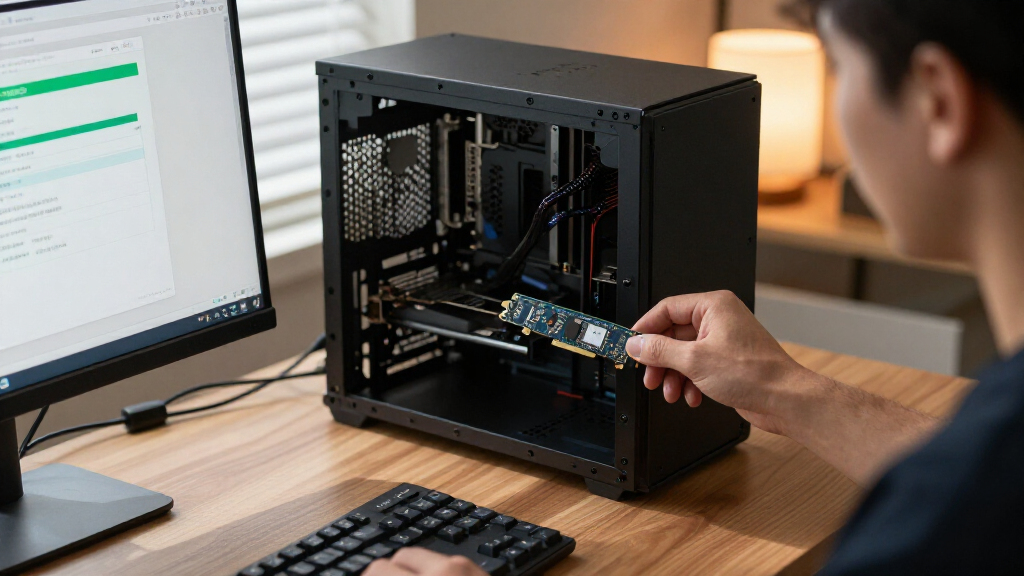

Among the best PCIe NVMe Gen SSDs in this lineup, I’d give the best overall spot to the Samsung 990 PRO 2TB for its strong Gen 4 performance and useful capacity. The Samsung 9100 PRO and Crucial T710 stand out for buyers building around PCIe 5.0, while the Crucial P310 2TB M.2 2230 fits compact devices that cannot take a standard-length drive. The main tradeoffs are generation compatibility, sustained workload needs, drive capacity, physical size, and whether a Gen 5 drive’s extra speed is useful on your system. My ranking favors a good match between performance and real-world fit over the newest interface alone. Read on for the full breakdown and guidance on choosing the right SSD for your build.

Get the latest gadgets delivered free with Prime
- Fast, free delivery on millions of items
- Prime Video, Amazon Music and more included
- Member-only deals all year
Complete the kit



Key Takeaways
- The Samsung 990 PRO 2TB is the best overall fit: it combines a current PCIe 4.0 platform with more capacity than the 1TB drives in this list.
- Gen 5 is a targeted upgrade, not a default winner: the Samsung 9100 PRO and Crucial T710 suit compatible systems and demanding transfers, but many everyday tasks will not benefit as much as sequential-speed figures suggest.
- Capacity and form factor can matter more than generation: the 2TB Lexar NM790 offers room for a larger game or project library, while the 2230 Crucial P310 serves compact devices with strict size limits.
- Gen 4 covers the broad middle of the roundup: models such as the Samsung 990 EVO Plus, SanDisk Optimus GX 7100, Acer Predator GM7, and Lexar NQ780 offer a range of choices without requiring a Gen 5 platform.
- The older Gen 3 WD Green SN350 is a fit-first option: it may suit basic storage expansion, but buyers prioritizing speed should look to the Gen 4 and Gen 5 drives here.
| SanDisk Optimus GX 7100 1TB NVMe SSD, PCIe 4.0, M.2 2280 |  | Best for Power-Efficient Gaming | Capacity: 1 TB | Interface: PCIe 4.0 x4 | Form factor: M.2 2280 | VIEW LATEST PRICE | See Our Full Breakdown |
| Samsung 9100 PRO 1TB PCIe 5.0 M.2 2280 SSD |  | Best Premium PCIe 5.0 Pick | Capacity: 1 TB | Interface: PCIe 5.0 x4 | Form factor: M.2 2280 | VIEW LATEST PRICE | See Our Full Breakdown |
| Lexar NM790 Internal NVMe SSD, 2TB, M.2 2280, PCIe Gen 4×4 |  | Best High-Capacity Gen4 Pick | Capacity: 2 TB | Interface: PCIe Gen 4×4 NVMe | Form factor: M.2 2280 | VIEW LATEST PRICE | See Our Full Breakdown |
| Samsung 990 PRO 2TB PCIe 4.0 M.2 2280 NVMe SSD |  | Best for PS5 and High-Performance Gen4 Builds | Capacity: 2 TB | Interface: PCIe 4.0 x4 | Form factor: M.2 2280 | VIEW LATEST PRICE | See Our Full Breakdown |
| SanDisk Optimus 5100 1TB NVMe SSD, PCIe 4.0, M.2 2280 |  | Best for Everyday PCIe 4.0 Upgrades | Capacity: 1 TB | Interface: PCIe 4.0 x4 | Form factor: M.2 2280 | VIEW LATEST PRICE | See Our Full Breakdown |
| Crucial P310 2TB M.2 2230 SSD, PCIe Gen4 NVMe |  | Best for Handheld Gaming | Capacity: 2 TB | Form Factor: M.2 2230 | Interface: PCIe Gen4 x4 NVMe | VIEW LATEST PRICE | See Our Full Breakdown |
| Acer Predator GM7 1TB M.2 2280 PCIe Gen 4 x4 NVMe 2.0 Internal SSD |  | Best for Gen4 Gaming and Creation | Capacity: 1 TB | Form Factor: M.2 2280 | Interface: PCIe Gen4 x4 NVMe 2.0 | VIEW LATEST PRICE | See Our Full Breakdown |
| Western Digital 2TB WD Green SN350 NVMe Internal SSD |  | Best for Everyday Gen3 Upgrades | Capacity: 2 TB | Form Factor: M.2 2280 | Interface: PCIe Gen3 x4 NVMe | VIEW LATEST PRICE | See Our Full Breakdown |
| Crucial T710 PCIe Gen5 NVMe 1TB SSD |  | Best for Gen5 Workstation Performance | Capacity: 1 TB | Form Factor: M.2 2280 | Interface: PCIe Gen5 x4 NVMe | VIEW LATEST PRICE | See Our Full Breakdown |
| Samsung 990 EVO Plus 1TB Internal SSD | 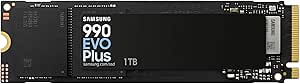 | Best for Cross-Generation Compatibility | Capacity: 1 TB | Form Factor: M.2 2280 | Interface: PCIe Gen4 x4 / Gen5 x2, NVMe | VIEW LATEST PRICE | See Our Full Breakdown |
| Samsung 990 1TB NVMe Internal SSD |  | Best for High-Speed PCIe 4.0 | Capacity: 1 TB | Interface: PCIe x4, PCI Express 4.0 NVMe | Form factor: M.2 | VIEW LATEST PRICE | See Our Full Breakdown |
| SanDisk Extreme 1TB M.2 NVMe PCIe Gen 4.0 Internal SSD |  | Best for Straightforward PCIe 4.0 Upgrades | Capacity: 1 TB | Interface: NVMe, PCIe Gen 4.0 x4 | Form factor: M.2 2280 | VIEW LATEST PRICE | See Our Full Breakdown |
| Lexar NQ780 1TB Internal NVMe SSD, PCIe Gen 4×4, M.2 2280 |  | Best for Single-Sided Laptop Builds | Capacity: 1 TB | Interface: PCIe Gen 4×4 | Form factor: M.2 2280 | VIEW LATEST PRICE | See Our Full Breakdown |
| Crucial P310 1TB PCIe Gen4 NVMe M.2 2280 SSD |  | Best for Handheld and PC Versatility | Capacity: 1 TB | Interface: PCIe Gen4 x4 NVMe | Form factor: M.2 2280 | VIEW LATEST PRICE | See Our Full Breakdown |
| Kingston NV3 1TB M.2 2280 PCIe 4.0 NVMe SSD |  | Best for Low-Power Builds | Capacity: 1 TB | Interface: PCIe 4.0 x4 NVMe | Form factor: M.2 2280 | VIEW LATEST PRICE | See Our Full Breakdown |
| PCIe NVMe Gen SSD | Capacity | Interface | Form factor | Read speed |
|---|---|---|---|---|
| SanDisk Optimus GX 7100 1TB NV | 1 TB | PCIe 4.0 x4 | M.2 2280 | — |
| Samsung 9100 PRO 1TB PCIe 5.0 | 1 TB | PCIe 5.0 x4 | M.2 2280 | — |
| Lexar NM790 Internal NVMe SSD | 2 TB | PCIe Gen 4×4 NVMe | M.2 2280 | Up to 7,400 MB/s |
| Samsung 990 PRO 2TB PCIe 4.0 M | 2 TB | PCIe 4.0 x4 | M.2 2280 | — |
| SanDisk Optimus 5100 1TB NVMe | 1 TB | PCIe 4.0 x4 | M.2 2280 | Up to 7,100 MB/s |
| Crucial P310 2TB M.2 2230 SSD | 2 TB | PCIe Gen4 x4 NVMe | M.2 2230 | Up to 7,100 MB/s |
| Acer Predator GM7 1TB M.2 2280 | 1 TB | PCIe Gen4 x4 NVMe 2.0 | M.2 2280 | Up to 7,400 MB/s |
| Western Digital 2TB WD Green S | 2 TB | PCIe Gen3 x4 NVMe | M.2 2280 | Up to 3,200 MB/s |
| Crucial T710 PCIe Gen5 NVMe 1T | 1 TB | PCIe Gen5 x4 NVMe | M.2 2280 | Up to 14,900 MB/s |
| Samsung 990 EVO Plus 1TB Inter | 1 TB | PCIe Gen4 x4 / Gen5 x2, NVMe | M.2 2280 | — |
| Samsung 990 1TB NVMe Internal | 1 TB | PCIe x4, PCI Express 4.0 NVMe | M.2 | — |
| SanDisk Extreme 1TB M.2 NVMe P | 1 TB | NVMe, PCIe Gen 4.0 x4 | M.2 2280 | Up to 5,150 MB/s |
| Lexar NQ780 1TB Internal NVMe | 1 TB | PCIe Gen 4×4 | M.2 2280 | Up to 6,000 MB/s |
| Crucial P310 1TB PCIe Gen4 NVM | 1 TB | PCIe Gen4 x4 NVMe | M.2 2280 | — |
| Kingston NV3 1TB M.2 2280 PCIe | 1 TB | PCIe 4.0 x4 NVMe | M.2 2280 | Up to 6,000 MB/s |
More Details on Our Top Picks
SanDisk Optimus GX 7100 1TB NVMe SSD, PCIe 4.0, M.2 2280
The Optimus GX 7100 pairs near-top-tier PCIe 4.0 throughput with a power-efficient design aimed at laptops and handheld gaming systems. Its listed speeds of up to 7,250 MB/s read and 6,900 MB/s write make it a strong fit for fast game loads and large file transfers, while its 1TB configuration also lists up to 1M random read and 1.4M random write IOPS. Compared with the Lexar NM790, it offers less capacity but includes Windows tools for drive updates and Game Mode. The tradeoff is that Dashboard support is limited to Windows, and the advertised maximum speeds apply only to the 1TB and 2TB versions. I’d shortlist it for compact systems where power draw matters, rather than for buyers who prioritize capacity per drive.
Pros:- Up to 7,250 MB/s read and 6,900 MB/s write speeds
- Power-efficient design suited to laptops and handheld gaming consoles
- Windows Dashboard offers drive updates and Game Mode
- Acronis True Image for SanDisk is available for drive migration
Cons:- SanDisk Dashboard is available only for Windows
- The listed maximum speeds apply to the 1TB and 2TB models
- Its 1TB capacity is smaller than the Lexar NM790 2TB option
Best for: Laptop and handheld gaming PC owners who want a fast 1TB PCIe 4.0 drive with a power-conscious design and Windows management tools.
Not ideal for: Mac users who want the included management software, or desktop users who need more than 1TB of storage on one drive.
- Capacity:1 TB
- Interface:PCIe 4.0 x4
- Form factor:M.2 2280
- Sequential read speed:Up to 7,250 MB/s
- Sequential write speed:Up to 6,900 MB/s
- Random read IOPS:Up to 1M
- Random write IOPS:Up to 1.4M
- NAND:8th-generation SanDisk BiCS TLC 3D CBA
- Compatible devices:Desktop, laptop
Our verdict“Choose the Optimus GX 7100 if you want fast PCIe 4.0 performance in a power-conscious 1TB drive for a laptop or handheld.”
Samsung 9100 PRO 1TB PCIe 5.0 M.2 2280 SSD
The Samsung 9100 PRO is the speed-first choice here, with PCIe 5.0 x4 and listed sequential speeds of up to 14,700 MB/s read and 13,300 MB/s write. That puts it well ahead of the PCIe 4.0 Samsung 990 PRO on peak throughput, which may appeal to creators moving large project files or users with demanding workloads. Its 1TB capacity, however, is half the Lexar NM790’s 2TB, so the headline speed comes with less room for games and media. The gains also depend on a system that supports PCIe 5.0; installed in a Gen4 slot, it cannot reach its stated performance. Samsung Magician adds firmware and drive-health tools, but buyers planning PS5 use should account for the suggested third-party heatsink.
Pros:- PCIe 5.0 x4 interface with up to 14,700 MB/s sequential reads
- Up to 13,300 MB/s sequential writes for demanding transfers
- Samsung Magician supports firmware updates and drive-health monitoring
- M.2 2280 form factor fits compatible laptops and desktop PCs
Cons:- A PCIe 5.0-capable system is needed to reach its listed performance
- 1TB capacity is less than the 2TB Samsung 990 PRO and Lexar NM790
- A third-party heatsink is recommended for PS5 thermal performance
Best for: Desktop users with a PCIe 5.0-capable system who prioritize very high transfer speeds for demanding editing, gaming, or AI workloads.
Not ideal for: Owners of PCIe 4.0-only systems, or buyers who would rather have 2TB of capacity than higher peak throughput.
- Capacity:1 TB
- Interface:PCIe 5.0 x4
- Form factor:M.2 2280
- Sequential read speed:Up to 14,700 MB/s
- Sequential write speed:Up to 13,300 MB/s
- Random read speed:Up to 1,850K IOPS
- Random write speed:Up to 2,600K IOPS
- Controller:5nm
- Software:Samsung Magician
Our verdict“Pick the 9100 PRO when your system supports PCIe 5.0 and peak transfer speed matters more than getting 2TB of storage.”
Lexar NM790 Internal NVMe SSD, 2TB, M.2 2280, PCIe Gen 4×4
The Lexar NM790 makes the strongest case for buyers who want 2TB without giving up fast PCIe 4.0 performance. It lists read speeds up to 7,400 MB/s and write speeds up to 6,500 MB/s, with a single-sided layout that suits thin laptops and PS5 installations. Unlike the Samsung 990 PRO, it uses Host Memory Buffer rather than dedicated DRAM; that design can lower power use, but buyers seeking a drive with onboard DRAM may prefer Samsung’s option. Its 1,500 TBW rating and five-year limited warranty provide useful endurance and coverage details for a drive aimed at regular game and creator workloads. High performance can produce heat, so the system still needs suitable cooling. I’d favor this over the 1TB picks when capacity and fit matter more than peak write speed.
Pros:- 2TB capacity paired with up to 7,400 MB/s read speed
- Single-sided design fits many thin laptops and supports PS5 compatibility
- Host Memory Buffer 3.0 and Dynamic SLC Cache support drive performance
- Listed endurance of 1,500 TBW and five-year limited warranty
Cons:- Uses Host Memory Buffer instead of dedicated DRAM cache
- High performance may generate heat that calls for adequate cooling
- Listed write speed is lower than the Samsung 990 PRO and 9100 PRO
Best for: Gamers, creators, and PS5 owners who need 2TB of fast storage in a single-sided M.2 2280 drive.
Not ideal for: Buyers who specifically want dedicated DRAM cache, or systems without adequate cooling for a high-performance NVMe drive.
- Capacity:2 TB
- Interface:PCIe Gen 4×4 NVMe
- Form factor:M.2 2280
- Read speed:Up to 7,400 MB/s
- Write speed:Up to 6,500 MB/s
- Endurance:1,500 TBW
- Design:Single-sided
- Compatibility:Desktop, laptop, PlayStation 5
- Warranty:Five-year limited warranty
Our verdict“Choose the NM790 if you want 2TB of fast, single-sided PCIe 4.0 storage and can accommodate its cooling needs.”
Samsung 990 PRO 2TB PCIe 4.0 M.2 2280 NVMe SSD
The Samsung 990 PRO 2TB is a high-performance Gen4 option for buyers who want ample storage alongside fast loading and transfer speeds. Its sequential read and write figures reach 7,450 MB/s and 6,900 MB/s, and the supplied data highlights improved random performance for gaming and heavy computing. Compared with the Lexar NM790, it offers a slightly higher listed read speed and an in-house controller with smart heat control; the Lexar, by contrast, specifies a single-sided layout and a 1,500 TBW rating. The 990 PRO is compatible with PC and PS5, though it needs a PCIe 4.0 motherboard to reach its full speed. In confined PS5 installations, a third-party heatsink may be needed, so this is not a no-planning upgrade for every setup.
Pros:- 2TB capacity with up to 7,450 MB/s sequential read speed
- Up to 6,900 MB/s sequential write speed
- In-house controller with smart heat control
- Listed compatibility with PC and PlayStation 5
Cons:- A PCIe 4.0-compatible motherboard is needed for maximum speeds
- A third-party heatsink may be needed in a confined PS5 installation
- The listed product data does not specify endurance or warranty figures
Best for: PC and PS5 owners who want 2TB of fast Gen4 storage for game libraries and demanding computing tasks.
Not ideal for: Users with PCIe 3.0-only systems who expect the advertised maximum speeds, or PS5 owners unwilling to account for cooling needs.
- Capacity:2 TB
- Interface:PCIe 4.0 x4
- Form factor:M.2 2280
- Sequential read speed:Up to 7,450 MB/s
- Sequential write speed:Up to 6,900 MB/s
- Weight:9.07 g
- Dimensions:3.16 × 0.87 × 0.09 in
- Compatibility:PC, PlayStation 5
Our verdict“The 990 PRO suits buyers seeking a 2TB Gen4 drive for a fast PC or PS5, provided their setup can meet its interface and cooling needs.”
SanDisk Optimus 5100 1TB NVMe SSD, PCIe 4.0, M.2 2280
The SanDisk Optimus 5100 offers fast listed PCIe 4.0 speeds in a straightforward 1TB drive, with up to 7,100 MB/s read and 6,700 MB/s write. That makes it a practical fit for application multitasking and file transfers, while the power-efficient design suits laptops as well as desktops. Compared with the Optimus GX 7100, it has slightly lower stated sequential speeds and uses QLC NAND rather than the GX’s specified TLC NAND. QLC is the key tradeoff: it may be a less suitable match for frequent, heavy writes than a drive built around TLC. The 5100 adds nCache 4.0, monitoring software, and a five-year limited warranty, but migration may call for a separate cable and enclosure. I’d choose it for general fast-storage upgrades, not sustained write-heavy work.
Pros:- Up to 7,100 MB/s read and 6,700 MB/s write speeds
- Power-efficient M.2 2280 design for desktop and laptop use
- SanDisk nCache 4.0 supports drive caching
- Includes monitoring and update software and a five-year limited warranty
Cons:- QLC NAND may be less suited to frequent heavy writes than TLC alternatives
- Drive migration may require a separate cable and enclosure
- Listed sequential speeds are lower than those of the Optimus GX 7100
Best for: Laptop and desktop owners upgrading to a fast 1TB PCIe 4.0 drive for everyday apps, multitasking, and file transfers.
Not ideal for: Users who regularly write large amounts of data or run sustained write-heavy workloads; the QLC NAND makes the TLC-based Optimus GX 7100 a better fit to compare.
- Capacity:1 TB
- Interface:PCIe 4.0 x4
- Form factor:M.2 2280
- Read speed:Up to 7,100 MB/s
- Write speed:Up to 6,700 MB/s
- NAND type:8th-generation BiCS QLC 3D CBA NAND
- Cache technology:SanDisk nCache 4.0
- Compatible devices:Desktop, laptop
- Warranty:5-year limited
Our verdict“Choose the Optimus 5100 for a fast, power-conscious everyday upgrade, but favor a TLC drive for frequent heavy writes.”
Crucial P310 2TB M.2 2230 SSD, PCIe Gen4 NVMe
The Crucial P310 2TB pairs Gen4 speeds with the short M.2 2230 form factor, making it a better fit for compatible handhelds and compact laptops than standard-length drives such as the Acer Predator GM7. Its 2TB capacity leaves room for a sizable game library, while the listed read and write speeds suit quick loading and everyday transfers. The power-efficient design is also aimed at portable systems, where power use can affect battery life. The tradeoff is fit: this drive will not install directly in many desktop motherboards designed for M.2 2280, and its performance can be limited by the cooling available inside a handheld. Choose it for a supported compact device, not as a general-purpose desktop upgrade.
Pros:- 2TB capacity accommodates a large game and media library.
- M.2 2230 size suits compatible handhelds and compact laptops.
- PCIe Gen4 speeds support fast game loading and file transfers.
- Power-efficient design is suited to portable devices.
Cons:- The 2230 form factor does not fit standard 2280 slots without an adapter.
- Small handhelds may limit sustained performance through thermal constraints.
Best for: Steam Deck, ROG Ally, MSI Claw, or compact-laptop owners who need a compatible 2230 drive and want 2TB for games and media.
Not ideal for: Desktop builders with standard M.2 2280 slots or handheld owners who prioritize sustained heavy workloads over compact fit and power efficiency.
- Capacity:2 TB
- Form Factor:M.2 2230
- Interface:PCIe Gen4 x4 NVMe
- Read Speed:Up to 7,100 MB/s
- Write Speed:Up to 6,000 MB/s
- NAND Type:G8 NAND
- Weight:2.6 g
- Compatible Devices:Valve Steam Deck, ASUS ROG Ally, MSI Claw, Microsoft Surface, select Dell laptops, and mini PCs
Our verdict“Choose the P310 if your handheld or compact laptop supports M.2 2230 and you want 2TB without moving to a longer drive like the Acer Predator GM7.”
Acer Predator GM7 1TB M.2 2280 PCIe Gen 4 x4 NVMe 2.0 Internal SSD
The Acer Predator GM7 is a fast Gen4 option for buyers who want high sequential throughput in a standard M.2 2280 drive. Its stated read and write speeds are close to the Samsung 990 EVO Plus, while the GM7’s HMB and SLC cache support responsive transfers and loading. That makes it a fit for gaming, general computing, and content work on compatible laptops, desktops, or PS5 systems. Its main limit is capacity: 1TB fills faster than the 2TB Crucial P310, though that Crucial uses a shorter 2230 format and targets portable devices. The GM7 also lacks a physical heatsink, so buyers planning sustained workloads should check their system’s cooling rather than relying on thermal control alone.
Pros:- High stated Gen4 read and write speeds.
- HMB and SLC cache support responsive data access and transfers.
- M.2 2280 format works with compatible laptops, desktops, and PS5 systems.
- Thermal management includes automatic temperature control.
Cons:- The 1TB capacity offers less library space than the 2TB Crucial P310.
- No physical heatsink is included, which can matter during sustained heavy workloads.
- Maximum advertised performance requires a PCIe Gen4 system.
Best for: PC or PS5 owners who want a fast 1TB M.2 2280 Gen4 drive for games, everyday computing, and moderate content-creation workloads.
Not ideal for: Users who need 2TB or more, have no Gen4 M.2 slot, or expect long sustained transfers without suitable system cooling.
- Capacity:1 TB
- Form Factor:M.2 2280
- Interface:PCIe Gen4 x4 NVMe 2.0
- Read Speed:Up to 7,400 MB/s
- Write Speed:Up to 6,500 MB/s
- NAND Type:TLC
- Cache:HMB and SLC Cache
- Compatible Devices:Laptop, desktop, and PS5
Our verdict“Pick the GM7 for a fast Gen4 2280 upgrade in a cooled PC or PS5, but choose the 2TB Crucial P310 if capacity and handheld fit matter more.”
Western Digital 2TB WD Green SN350 NVMe Internal SSD
The WD Green SN350 2TB is the capacity-first, everyday-use choice in this group. Its PCIe Gen3 interface and read speed up to 3,200 MB/s fall well below Gen4 drives such as the Acer Predator GM7, but can still make a compatible older computer feel more responsive than one running a SATA drive. The 2TB capacity is useful for documents, media, and general applications, and the M.2 2280 format suits many laptops and desktops with an NVMe slot. QLC NAND is the tradeoff: sustained writes may be slower than on TLC options, so this is a weaker match for frequent large-file work or professional workloads. I’d choose it for a practical storage upgrade, not for maximum Gen4 performance.
Pros:- 2TB capacity provides room for applications and everyday files.
- M.2 2280 format fits compatible laptop and desktop NVMe slots.
- Up to 3,200 MB/s read speed can improve responsiveness over SATA storage.
- Includes downloadable software for drive health monitoring.
Cons:- Gen3 performance is lower than the Gen4 and Gen5 drives in this roundup.
- QLC NAND may deliver slower sustained writes than TLC-based alternatives.
- Designed for daily computing rather than heavy professional workloads.
Best for: Owners of compatible older laptops or desktops who want 2TB for everyday apps, browsing, and media storage without needing Gen4 speeds.
Not ideal for: Content creators with frequent sustained large writes, or buyers whose systems and workloads can benefit from a faster Gen4 drive such as the Acer Predator GM7.
- Capacity:2 TB
- Form Factor:M.2 2280
- Interface:PCIe Gen3 x4 NVMe
- Read Speed:Up to 3,200 MB/s
- NAND Type:QLC
- Warranty:3-year limited
- Weight:7.5 g
- Model Number:WDS200T3G0C
Our verdict“Choose the SN350 for a roomy everyday upgrade in a Gen3-compatible computer, but favor the Acer Predator GM7 for faster Gen4 workloads.”
Crucial T710 PCIe Gen5 NVMe 1TB SSD
The Crucial T710 is the speed-focused choice for a system built around a PCIe Gen5 M.2 slot. Its stated sequential speeds reach far beyond Gen4 options such as the Samsung 990 EVO Plus, which can help with high-throughput editing and other demanding file work. Micron G9 TLC NAND, DirectStorage optimization, and a five-year limited warranty round out its performance-oriented profile. The catch is platform fit: a Gen5 drive needs a compatible motherboard to reach its intended speeds, and this model requires a suitable heatsink to manage heat during sustained use. Its 1TB capacity also leaves less room for large media projects than the 2TB WD Green SN350, although that drive is much slower and aimed at lighter use.
Pros:- Very high stated sequential read and write speeds for compatible Gen5 systems.
- Micron G9 TLC NAND is suited to demanding workloads.
- DirectStorage optimization targets lower-latency game data handling.
- Five-year limited warranty.
Cons:- Requires a PCIe Gen5 M.2 slot to reach its intended performance.
- A compatible heatsink is required for sustained performance and is not included.
- 1TB capacity may be limiting for large video and game libraries.
Best for: Desktop builders with a compatible Gen5 M.2 slot and heatsink who handle demanding editing, large files, or high-throughput gaming workloads.
Not ideal for: Owners of Gen4-only systems, buyers unwilling to provide a heatsink, or users who need 2TB of storage more than peak transfer speeds.
- Capacity:1 TB
- Form Factor:M.2 2280
- Interface:PCIe Gen5 x4 NVMe
- Read Speed:Up to 14,900 MB/s
- Write Speed:Up to 13,800 MB/s
- NAND Type:Micron G9 TLC
- Warranty:5-year limited
- Compatibility:Intel 13th/14th Gen and AMD Ryzen 7000 platforms
Our verdict“Choose the T710 for a cooled Gen5 workstation or gaming build that can use its higher throughput; the Samsung 990 EVO Plus is a more flexible fit for Gen4 systems.”
Samsung 990 EVO Plus 1TB Internal SSD
The Samsung 990 EVO Plus 1TB offers a useful middle ground for buyers who want strong everyday performance without committing to a Gen5-only drive. Its interface supports PCIe Gen4 x4 or Gen5 x2, giving it broader platform options than the Crucial T710, which requires a Gen5 M.2 slot. The stated read and write speeds suit gaming and large-file transfers, while Intelligent TurboWrite 2.0 is designed to support larger transfers within its operating range. A nickel-coated controller supports thermal efficiency, and Samsung Magician software adds firmware, health, and encryption tools. It does not match the T710’s peak throughput, and the 1TB capacity is smaller than the WD Green SN350’s 2TB. Check your system configuration before expecting maximum speeds.
Pros:- Supports PCIe Gen4 x4 and Gen5 x2 configurations.
- Stated read and write speeds suit gaming and large-file transfers.
- Nickel-coated controller supports thermal efficiency and power management.
- Samsung Magician software provides firmware updates, health monitoring, and encryption.
Cons:- Peak performance depends on the system’s PCIe hardware and configuration.
- TurboWrite 2.0 benefits apply only within specific data-transfer sizes.
- 1TB capacity is smaller than the 2TB WD Green SN350.
Best for: PC builders seeking a capable 1TB M.2 2280 drive that can work across supported Gen4 x4 and Gen5 x2 configurations.
Not ideal for: Users seeking the highest Gen5 throughput, more than 1TB of storage, or guaranteed peak speeds without checking their system’s lane configuration.
- Capacity:1 TB
- Form Factor:M.2 2280
- Interface:PCIe Gen4 x4 / Gen5 x2, NVMe
- Sequential Read Speed:Up to 7,150 MB/s
- Sequential Write Speed:Up to 6,300 MB/s
- Controller Feature:Nickel-coated controller
- Software:Samsung Magician
- Model Number:MZ-V9S1T0B/AM
Our verdict“Choose the 990 EVO Plus for a flexible, fast 1TB drive across supported Gen4 and Gen5 setups, but select the Crucial T710 for higher peak Gen5 throughput.”
Samsung 990 1TB NVMe Internal SSD
The Samsung 990 1TB pairs strong PCIe 4.0 throughput with both read and write figures that are close to the fastest options in this group. Its listed speeds of up to 7,150 MB/s read and 6,450 MB/s write make it a better fit for frequent large transfers and demanding creative work than the read-focused SanDisk Extreme, which is rated up to 5,150 MB/s and has no write-speed figure supplied here. Hardware encryption, TRIM support, and Samsung’s drive-health and firmware tools add practical maintenance and data-protection features. The tradeoff is that its headline performance depends on the host system and workload; TurboWrite behavior also varies with transfer size. I’d choose it for a compatible desktop or laptop where speed and drive management matter more than keeping the setup basic.
Pros:- Listed sequential speeds reach 7,150 MB/s read and 6,450 MB/s write.
- Hardware encryption and TRIM support are included.
- Drive-health monitoring and firmware-update tools support routine maintenance.
- Designed for desktop and laptop compatibility.
Cons:- Actual performance varies with system hardware, configuration, and firmware.
- TurboWrite performance depends on transfer size.
Best for: Desktop and laptop owners who regularly move large files or run demanding workloads and want drive-health and firmware tools.
Not ideal for: Buyers seeking a simple everyday upgrade who will not benefit from near-flagship PCIe 4.0 speeds or the additional management features.
- Capacity:1 TB
- Interface:PCIe x4, PCI Express 4.0 NVMe
- Form factor:M.2
- Sequential read:Up to 7,150 MB/s
- Sequential write:Up to 6,450 MB/s
- Random read/write:Up to 700K/1,100K IOPS
- Features:Hardware encryption, TRIM support
- Compatible devices:Desktop, laptop
Our verdict“Choose the Samsung 990 if you want high PCIe 4.0 read and write speeds plus built-in drive-management features for a compatible computer.”
SanDisk Extreme 1TB M.2 NVMe PCIe Gen 4.0 Internal SSD
The SanDisk Extreme 1TB is the straightforward pick for buyers who want an M.2 PCIe 4.0 drive without chasing the highest speeds in this group. Its up to 5,150 MB/s read speed is below the Crucial P310’s 7,100 MB/s and the Samsung 990’s 7,150 MB/s, so I’d favor those alternatives for heavier transfers. In return, this SanDisk supports PCIe Gen 3 systems too, making it a flexible upgrade for a computer that may not have a Gen 4 slot. Installation is designed around a compatible M.2 2280 slot and a single screw, while nCache 4.0 and Western Digital Dashboard support drive use and health checks. The supplied details list no write-speed figure, which makes it harder to judge for workloads dominated by sustained writes.
Pros:- Read speeds are rated up to 5,150 MB/s under specified test conditions.
- Backward-compatible with PCIe Gen 3.0.
- One-screw installation for a compatible M.2 2280 slot.
- nCache 4.0 and Western Digital Dashboard health monitoring are included.
Cons:- Its listed read speed is lower than the Samsung 990 and Crucial P310.
- No sequential write-speed figure is provided in the supplied product data.
- Actual performance varies by host device, interface, and usage conditions.
Best for: PC owners upgrading a compatible M.2 2280 slot who want Gen 4 support with backward compatibility for a Gen 3 system.
Not ideal for: Creators or other buyers who need documented high write speeds or the strongest listed sequential performance in this group.
- Capacity:1 TB
- Interface:NVMe, PCIe Gen 4.0 x4
- Form factor:M.2 2280
- Read speed:Up to 5,150 MB/s
- Cache technology:nCache 4.0
- Compatibility:Backward-compatible with PCIe Gen 3.0
- Installation:Internal, one-screw installation
- Drive monitoring:Western Digital Dashboard supports drive-health monitoring
Our verdict“Pick the SanDisk Extreme for a simple M.2 2280 upgrade with Gen 3 fallback, but choose a faster alternative if write performance is a priority.”
Lexar NQ780 1TB Internal NVMe SSD, PCIe Gen 4×4, M.2 2280
The Lexar NQ780 earns its place for its single-sided M.2 2280 design, a practical fit for laptop builders who need to mind clearance around the drive. It reaches up to 6,000 MB/s read, faster on paper than the SanDisk Extreme’s 5,150 MB/s, but its listed write speed is a more modest 2,500 MB/s. That gap makes the NQ780 less compelling for frequent large write jobs than the Samsung 990 or Crucial P310. HMB and SLC cache support, Intelligent Power Control, and Lexar DiskMaster monitoring give it a useful feature set for a compact laptop installation, and the listed five-year limited warranty is a plus. One caveat: the product data also mentions a 2.5-inch hard-disk form factor, which conflicts with its M.2 2280 specifications.
Pros:- Single-sided M.2 2280 design suits space-constrained laptop installations.
- Read speeds are rated up to 6,000 MB/s.
- DiskMaster supports firmware updates and drive-health monitoring.
- Listed with a five-year limited warranty.
Cons:- Listed write speed of up to 2,500 MB/s is well below its read speed and the Samsung 990’s write figure.
- Product data also lists a 2.5-inch hard-disk form factor, conflicting with the M.2 specifications.
- Its listed write performance may be limiting for frequent large-file transfers.
Best for: Laptop owners who need a single-sided M.2 2280 PCIe 4.0 drive and value drive-health tools and a listed five-year limited warranty.
Not ideal for: Users who frequently write large files or need unambiguous product-form-factor details before buying.
- Capacity:1 TB
- Interface:PCIe Gen 4×4
- Form factor:M.2 2280
- Read speed:Up to 6,000 MB/s
- Write speed:Up to 2,500 MB/s
- Design:Single-sided
- Features:HMB, SLC cache, Intelligent Power Control
- Warranty:Five-year limited warranty
Our verdict“Choose the Lexar NQ780 for a single-sided laptop fit and useful monitoring tools, not for write-heavy workloads.”
Crucial P310 1TB PCIe Gen4 NVMe M.2 2280 SSD
The Crucial P310 1TB combines near-top listed PCIe 4.0 speeds with compatibility spanning laptops, desktops, workstations, and select handheld gaming consoles. At up to 7,100 MB/s read and 6,000 MB/s write, it sits close to the Samsung 990’s 7,150/6,450 MB/s figures, making either a stronger speed-focused choice than the SanDisk Extreme based on the supplied data. The P310’s distinction is its stated handheld compatibility and the included Acronis True Image offer for cloning or backup, which can simplify moving an existing setup. Its 1TB M.2 2280 format is not a universal fit, however: buyers must confirm their device accepts that size, and handheld support is limited to select models. This is a versatile choice when the slot and device are confirmed, rather than a universal console drive.
Pros:- Sequential speeds are rated up to 7,100 MB/s read and 6,000 MB/s write.
- Listed compatibility includes laptops, desktops, workstations, and select handheld consoles.
- Backward-compatible with PCIe Gen 3 systems.
- Includes an Acronis True Image offer for cloning or backup.
Cons:- Handheld-console compatibility applies only to select models.
- Requires an M.2 2280 slot.
- Its listed write speed is lower than the Samsung 990’s 6,450 MB/s.
Best for: PC owners and handheld-gaming users with a confirmed compatible M.2 2280 slot who want fast storage and cloning or backup software.
Not ideal for: Handheld owners who have not confirmed model compatibility, or buyers whose device requires a different M.2 size.
- Capacity:1 TB
- Interface:PCIe Gen4 x4 NVMe
- Form factor:M.2 2280
- Maximum read speed:7,100 MB/s
- Maximum write speed:6,000 MB/s
- Compatibility:Laptops, desktops, workstations, select handheld gaming consoles
- Included software:Acronis True Image offer
- Dimensions:3.15 × 0.86 × 0.09 in
Our verdict“Choose the Crucial P310 if you need a fast 1TB drive for a compatible PC or select handheld and want cloning or backup software included.”
Kingston NV3 1TB M.2 2280 PCIe 4.0 NVMe SSD
The Kingston NV3 1TB makes the most sense for a compact desktop or laptop build where a single-sided, low-power design matters alongside solid PCIe 4.0 read performance. Its read speed reaches up to 6,000 MB/s, matching the Lexar NQ780’s listed maximum and sitting below the Samsung 990 and Crucial P310. The supplied specifications list write speed at 4,000 MB/s, but the product description says 5,000 MB/s; I would treat that discrepancy as a reason to verify the current specification before planning around sustained writes. Compared with the Lexar, Kingston lists a higher write figure but does not include the Lexar’s stated monitoring tools. Its low-power design is intended to help reduce heat, though the product data does not provide a measured temperature or power figure.
Pros:- PCIe 4.0 x4 NVMe interface.
- Read speeds are rated up to 6,000 MB/s.
- Single-sided M.2 2280 design helps conserve component space.
- Low-power design is intended to help reduce heat.
Cons:- Write speed is inconsistent in the supplied data: 4,000 MB/s in specifications and 5,000 MB/s in the description.
- No drive-health or firmware-management tool is specified in the product details.
- Listed read speed is below the Samsung 990 and Crucial P310.
Best for: Laptop and compact-PC builders who want a single-sided PCIe 4.0 drive with a low-power design and do not rely on a precise write-speed estimate.
Not ideal for: Buyers whose workload depends on a confirmed sustained write rate or who want drive-health and firmware tools specified in the listing.
- Capacity:1 TB
- Interface:PCIe 4.0 x4 NVMe
- Form factor:M.2 2280
- Read speed:Up to 6,000 MB/s
- Write speed:4,000 MB/s in specifications; 5,000 MB/s in product description
- Design:Single-sided
- Compatible devices:Desktop, laptop
- Warranty:Five-year limited warranty listed in item details
Our verdict“Pick the Kingston NV3 for a space-conscious, low-power build, but verify its write specification if transfer speed is central to your workload.”
How We Picked
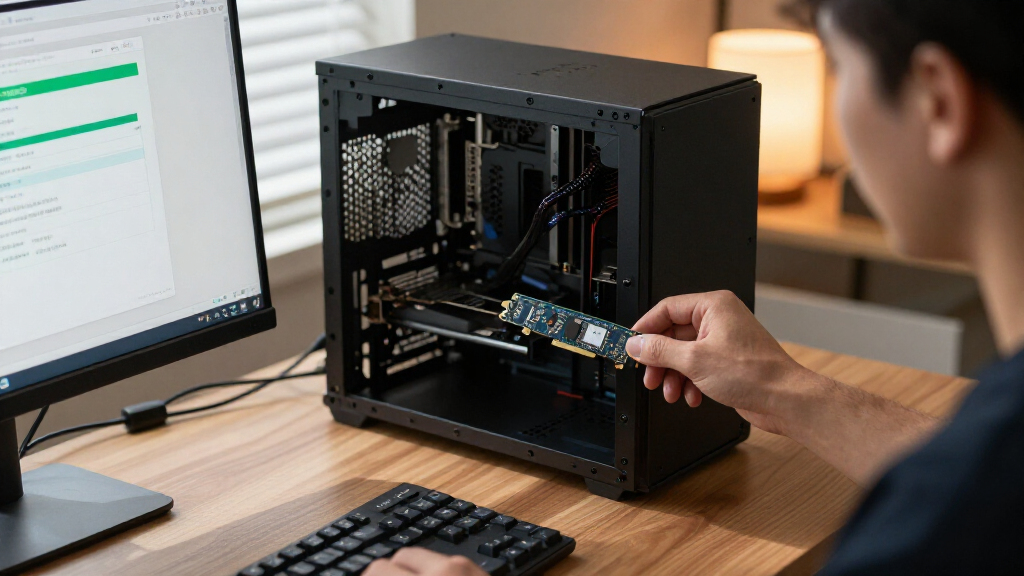
I compared these 15 drives by interface generation, stated capacity, M.2 size, intended system fit, and likely workload. The aim was to distinguish a balanced everyday drive from options aimed at high-throughput work, compact handhelds or laptops, and basic storage expansion. I also weighed how practical each model is for its intended buyer: a drive that is too long for a handheld or too advanced for an older motherboard is not a strong recommendation just because its interface is newer.
The order favors useful performance paired with compatibility and capacity, rather than ranking products by generation alone. The Samsung 990 PRO 2TB leads as a capable Gen 4 option with ample space; Gen 5 models rank highly for buyers who can use their added bandwidth, while compact and capacity-focused drives earn distinct roles. Gen 3 and entry-focused choices sit lower for speed-led builds, though they can still make sense for lighter storage needs. Product names and specifications supplied for this roundup do not establish comparative test results, so I avoid claiming measured performance, endurance, or reliability that is not stated.
| PCIe NVMe Gen SSD | Form factor | Read speed |
|---|---|---|
| SanDisk Optimus GX 7100 1TB NV | M.2 2280 | — |
| Samsung 9100 PRO 1TB PCIe 5.0 | M.2 2280 | — |
| Lexar NM790 Internal NVMe SSD | M.2 2280 | Up to 7,400 MB/s |
| Samsung 990 PRO 2TB PCIe 4.0 M | M.2 2280 | — |
| SanDisk Optimus 5100 1TB NVMe | M.2 2280 | Up to 7,100 MB/s |
| Crucial P310 2TB M.2 2230 SSD | M.2 2230 | Up to 7,100 MB/s |
| Acer Predator GM7 1TB M.2 2280 | M.2 2280 | Up to 7,400 MB/s |
| Western Digital 2TB WD Green S | M.2 2280 | Up to 3,200 MB/s |
| Crucial T710 PCIe Gen5 NVMe 1T | M.2 2280 | Up to 14,900 MB/s |
| Samsung 990 EVO Plus 1TB Inter | M.2 2280 | — |
| Samsung 990 1TB NVMe Internal | M.2 | — |
| SanDisk Extreme 1TB M.2 NVMe P | M.2 2280 | Up to 5,150 MB/s |
| Lexar NQ780 1TB Internal NVMe | M.2 2280 | Up to 6,000 MB/s |
| Crucial P310 1TB PCIe Gen4 NVM | M.2 2280 | — |
| Kingston NV3 1TB M.2 2280 PCIe | M.2 2280 | Up to 6,000 MB/s |
Factors to Consider When Choosing Best PCIe NVMe Gen SSDs
Before choosing from the best PCIe NVMe Gen SSDs, match the drive to the system and workload you actually have. A generation number, capacity label, or compact appearance can be misleading if the motherboard, device, or cooling setup does not support it. These checks help separate meaningful upgrades from specifications that may not change your day-to-day experience.
Match the SSD Generation to Your Motherboard
PCIe Gen 5 drives can offer higher interface bandwidth than Gen 4 models, but the benefit depends on having a compatible slot and workloads that can use that throughput. A Gen 5 SSD installed in a Gen 4 system generally operates within the system’s available link rather than making the older platform faster. For gaming, office work, and ordinary app loading, storage latency and other system limits can matter more than peak sequential transfer claims. Check your motherboard or device specifications for supported PCIe generation and slot wiring before paying for a newer drive. If you plan to move the SSD to a newer build later, Gen 5 may be a forward-looking choice, but it is not a substitute for checking compatibility now.
Choose Capacity Around Your Library and Workload
A 1TB drive can suit a focused operating-system and application setup, but large game libraries, video projects, and local media collections can fill it quickly. Moving up to 2TB can reduce the need to juggle installations or add a second drive, which may be more useful than a generation upgrade for many buyers. Capacity alone does not tell you how a drive behaves during long writes, so content creators should check detailed specifications and independent workload testing before using a consumer SSD as a scratch or capture drive. Leave room for the operating system and working files rather than planning to fill every available gigabyte. The right capacity is the one that fits your actual storage habits without forcing an avoidable replacement.
Check M.2 Length and Device Clearance
M.2 describes the connector and board format, not a single physical size. A standard 2280 drive is much longer than a 2230 model, so a compact handheld, tablet, or small laptop may require a short drive like the 2230 Crucial P310 rather than a typical desktop SSD. Check the device manual for supported lengths, single- or double-sided drive clearance, and any limits on capacity or interface. Also confirm that the intended slot is available; some motherboards share lanes or disable other connectors when an M.2 slot is occupied. A physically incompatible SSD is a poor fit regardless of its speed claims.
Plan for Heat and Sustained Transfers
High-throughput SSDs can produce heat during extended transfers, and compact devices often have less room to dissipate it than desktop systems. A motherboard heatsink may help, but its fit must be checked against the drive and other components; do not assume the SSD includes one unless its listing says so. Brief boot and game-loading tasks are different from repeatedly copying large video files or working with a sustained data stream. If your workload involves long writes, seek independent tests that show performance after any short-term cache is exhausted. For a small laptop or handheld, thermal behavior and available cooling can matter more than a headline peak speed.
Spend on Benefits Your Work Can Use
Paying extra for a newer interface makes the most sense when your motherboard supports it and your work involves large transfers or other storage-heavy tasks. For ordinary browsing, gaming, and general home use, moving from a capable Gen 4 drive to Gen 5 may not change the experience as much as adding capacity or choosing a compatible form factor. Basic expansion needs may be served by an older-generation model if its capacity and performance suit the job. Compare warranty terms, endurance ratings, included software, and support details using the specific drive listing, since those facts are not established by generation or model name alone. Treat advertised peak speed as one part of the choice, not the whole decision.
Frequently Asked Questions
Will a PCIe Gen 5 SSD work in a Gen 4 M.2 slot?
Many Gen 5 NVMe drives can operate in a compatible older PCIe M.2 slot, but they will be limited by the slot’s available generation and lane configuration. Check both the motherboard manual and the SSD’s compatibility notes before buying, since not every system supports every drive configuration. You should not expect a Gen 5 model to deliver Gen 5 link speeds on a Gen 4 platform. If you have no near-term system upgrade planned, a suitable Gen 4 drive may be a more practical match. Also check the slot’s physical clearance and any shared-lane rules.
Should I choose a 2TB Gen 4 SSD or a 1TB Gen 5 SSD?
For a game library, general-purpose PC, or large collection of applications, 2TB can be the more useful choice because it leaves more room before you need another drive. A 1TB Gen 5 model makes more sense when your system supports Gen 5 and your work can benefit from high-throughput storage, such as frequent large-file transfers. Compare the workloads you actually run rather than assuming the newer generation will make every task faster. Also verify whether the 1TB drive leaves enough space for your operating system, projects, and future installs. In this roundup, the 990 PRO 2TB and Gen 5 choices serve different priorities rather than directly replacing each other.
Can I put a 2230 SSD in a standard 2280 desktop slot?
A 2230 drive may fit an M.2 socket that supports NVMe, but the motherboard must have a mounting point or bracket for the shorter length. Without the correct standoff or retention point, the drive cannot be secured properly. The reverse is not true for a compact device designed only for 2230: a 2280 drive is longer and will not fit. Check the motherboard or device manual for supported M.2 lengths before ordering. Do not rely on the connector alone to confirm physical compatibility.
Is a PCIe NVMe SSD a worthwhile upgrade from a SATA SSD for gaming?
An NVMe drive can offer higher transfer bandwidth than a SATA SSD, but the visible difference in game loading depends on the game, system, and other hardware. If your current SATA drive is nearly full or has a capacity that limits your library, a larger SSD may improve convenience more than pursuing the highest interface generation. Confirm that your motherboard has an available NVMe-capable M.2 slot and that installing a drive will not disable a connector you need. Keep expectations realistic: an SSD upgrade does not replace a faster GPU or CPU. For a gaming-focused choice in this roundup, capacity and system fit deserve attention alongside speed.
What should I check before buying an SSD for a handheld or compact laptop?
Start with the device’s exact supported M.2 length, interface, capacity limits, and whether it accepts single- or double-sided modules. Many compact devices require a 2230 drive, so a common 2280 desktop model will not fit even if both use NVMe. Next, check power and thermal guidance from the device maker, since a tight enclosure may have limited cooling. Back up your data and confirm how the device handles operating-system migration or recovery before replacing its existing drive. For a compact system in this roundup, the 2230 Crucial P310 is the form-factor-specific option, but the device manual remains the final compatibility check.
Conclusion
For most compatible desktop and laptop builds, I’d choose the Samsung 990 PRO 2TB as the best overall because its Gen 4 interface and larger capacity make a balanced combination. The Lexar NM790 2TB is my capacity-focused value pick for buyers who want room for more games and files without centering the decision on Gen 5. For a best premium, Gen 5-focused upgrade, compare the Samsung 9100 PRO and Crucial T710 against your platform and sustained workload needs. Beginners adding a standard M.2 drive should start with a compatible Gen 4 2280 option and confirm the manual’s slot, length, and installation requirements before choosing a model. For a specific compact-device need, the Crucial P310 2TB M.2 2230 is the standout, while buyers with basic expansion needs can consider the WD Green SN350 if Gen 3 performance fits their use. Match the SSD to your device first; then choose the generation and capacity that solve your actual storage problem.