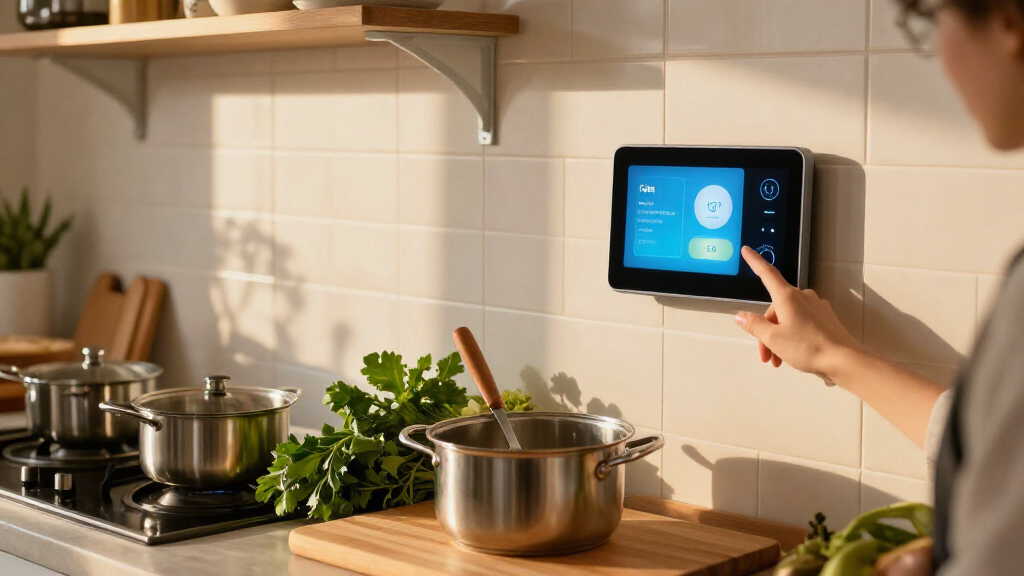

The Google Nest Hub (2nd Gen) is my best overall smart display kitchen hub for a compact counter setup, while the Echo Show 11 suits cooks who want a larger screen and fuller sound. For a shared family command center, the Echo Show 15 adds a wall-friendly format and Fire TV. The main tradeoffs are screen size versus counter space, hands-free convenience versus privacy, and a focused kitchen display versus a broader smart-home panel. Read on for how the 13 options differ and which one fits your kitchen routine.

Get the latest gadgets delivered free with Prime
- Fast, free delivery on millions of items
- Prime Video, Amazon Music and more included
- Member-only deals all year
Complete the kit



Key Takeaways
- The Nest Hub (2nd Gen) leads for a compact kitchen because it balances familiar assistant features with a countertop-friendly footprint; the older first-generation Nest Hub is a simpler alternative.
- The Echo Show 11 offers a larger Full HD canvas and spatial audio than the Echo Show 5, but takes more counter space.
- The Echo Show 15 makes more sense as a shared wall-mounted family screen than as a small, movable cooking display.
- The Echo Hub is built around smart-home control, so it fits households with connected devices better than buyers who mainly want recipes and video.
- Several entries are color variants or duplicates, not distinct feature choices: the two Echo Show 11 colors, two Echo Show 5 colors, two Echo Hub listings, and two Japan-model Nest Hub Max colors should be compared by configuration and availability rather than treated as separate capabilities.
| Google Nest Hub (2nd Gen) 7-Inch Smart Display with Google Assistant, Chalk |  | Best Compact Kitchen Hub | Brand: Google | Generation: 2nd Generation | Display: 7 inches | VIEW LATEST PRICE | See Our Full Breakdown |
| Mazera 21.5-Inch Smart Hub Digital Calendar Touchscreen |  | Best for Family Scheduling | Brand and model: Mazera V1 | Model year: 2026 | Screen: 21.5-inch Full HD touchscreen | VIEW LATEST PRICE | See Our Full Breakdown |
| Amazon Echo Show 11 Smart Display with Full HD Touchscreen and Spatial Audio, Graphite |  | Best Smart-Home Control Hub | Display: 10.95-inch Full HD touchscreen, 1920 x 1200 | Dimensions: 10 x 5 x 7.2 inches | Weight: 45.92 oz (1302 g) | VIEW LATEST PRICE | See Our Full Breakdown |
| Google Nest Hub 7-Inch Smart Display with Google Assistant, 1st Gen, Chalk |  | Best for Basic Google Assistant Tasks | Brand: Google | Model: H1A | Generation: 1st Gen | VIEW LATEST PRICE | See Our Full Breakdown |
| Google Nest Hub Max 10-Inch Smart Display, Japan Model, Chalk |  | Best Large-Screen Google Hub | Display: 10-inch touchscreen | Audio output: Stereo | Color: Chalk | VIEW LATEST PRICE | See Our Full Breakdown |
| Google Nest Hub Max 10-Inch Smart Display, Japan Model, Charcoal |  | Best for Google Assistant Households | Screen: 10-inch touchscreen | Model: GA00639 | Color: Charcoal | VIEW LATEST PRICE | See Our Full Breakdown |
| Amazon Echo Show 15 (2nd Gen), 15.6-inch Full HD Smart Display with Fire TV and Alexa |  | Best for Family Kitchen Command Centers | Display: 15.6-inch Full HD, 1920 × 1080 | Dimensions: 16.1 × 10.1 × 1.4 inches | Weight: 4.96 pounds | VIEW LATEST PRICE | See Our Full Breakdown |
| Amazon Echo Show 5 Smart Display with Alexa, Charcoal |  | Best Compact Kitchen Display | Display: 5.5-inch touchscreen | Camera: 2 MP with built-in shutter | Dimensions: 5.8 × 3.6 × 3.2 inches | VIEW LATEST PRICE | See Our Full Breakdown |
| Amazon Echo Hub 8-Inch Smart Home Control Panel |  | Best Dedicated Smart-Home Control Panel | Display: 8-inch touchscreen, 1280 × 800 | Audio: Pair of top-ported full-range speakers with stereo playback | Connectivity: Dual-band 802.11a/b/g/n/ac Wi-Fi and Bluetooth | VIEW LATEST PRICE | See Our Full Breakdown |
| Amazon Echo Hub 8-Inch Smart Home Control Panel | | Best Refurbished Smart-Home Panel | Condition: Certified refurbished | Display: 8-inch touchscreen, 1280 × 800 | Audio: Pair of top-ported full-range speakers with stereo playback | VIEW LATEST PRICE | See Our Full Breakdown |
| Amazon Echo Show 11 Smart Display with Full HD Touchscreen and Spatial Audio, Glacier White |  | Best Overall Kitchen Hub | Display: 10.95-inch Full HD touchscreen, 1920 x 1200 | Dimensions: 10 x 5 x 7.2 inches | Weight: 45.92 oz (1302 g) | VIEW LATEST PRICE | See Our Full Breakdown |
| Amazon Echo Show 5 Smart Display, Glacier White |  | Best Compact Kitchen Display | Display: 5.5-inch touchscreen | Camera: 2 MP with built-in shutter | Speaker: 1.75-inch full-range speaker | VIEW LATEST PRICE | See Our Full Breakdown |
| Amazon Echo Spot Smart Alarm Clock with Alexa, Black |  | Best for Kitchen Routines and Counter Corners | Display: 2.83-inch touchscreen, 240 x 320 pixels | Dimensions: 4.5 x 4.1 x 4.4 inches | Weight: 14.3 oz (405 g) | VIEW LATEST PRICE | See Our Full Breakdown |
| smart display kitchen hub | Display | Dimensions | Weight | Camera |
|---|---|---|---|---|
| Google Nest Hub | 7 inches | — | — | None |
| Mazera 21.5-Inch Smart Hub Dig | — | — | — | — |
| Amazon Echo Show 11 Smart Disp | 10.95-inch Full HD touchscreen, 1920 x 1200 | 10 x 5 x 7.2 inches | 45.92 oz (1302 g) | 13 MP with auto framing and 3.3x zoom |
| Google Nest Hub 7-Inch Smart D | — | 7 x 2.65 x 4.65 inches | 1.8 pounds | — |
| Google Nest Hub Max 10-Inch Sm | 10-inch touchscreen | — | — | — |
| Google Nest Hub Max 10-Inch Sm | — | 11.22 × 9.06 × 5 inches | 5.3 pounds | — |
| Amazon Echo Show 15 | 15.6-inch Full HD, 1920 × 1080 | 16.1 × 10.1 × 1.4 inches | 4.96 pounds | 13 MP with built-in shutter and auto-framing |
| Amazon Echo Show 5 Smart Displ | 5.5-inch touchscreen | 5.8 × 3.6 × 3.2 inches | 16.1 ounces (456 g) | 2 MP with built-in shutter |
| Amazon Echo Hub 8-Inch Smart H | 8-inch touchscreen, 1280 × 800 | — | — | — |
| Amazon Echo Hub 8-Inch Smart H | 8-inch touchscreen, 1280 × 800 | — | — | — |
| Amazon Echo Show 11 Smart Disp | 10.95-inch Full HD touchscreen, 1920 x 1200 | 10 x 5 x 7.2 inches | 45.92 oz (1302 g) | 13 MP with auto framing |
| Amazon Echo Show 5 Smart Displ | 5.5-inch touchscreen | 5.8 x 3.6 x 3.2 inches | 16.1 oz (456 g) | 2 MP with built-in shutter |
| Amazon Echo Spot Smart Alarm C | 2.83-inch touchscreen, 240 x 320 pixels | 4.5 x 4.1 x 4.4 inches | 14.3 oz (405 g) | None |
More Details on Our Top Picks
Google Nest Hub (2nd Gen) 7-Inch Smart Display with Google Assistant, Chalk
The Google Nest Hub (2nd Gen) makes the most sense when counter space is limited and you want a small screen for timers, recipes, reminders, and basic smart-home commands. Its 7-inch touchscreen is easier to place than the larger Mazera 21.5-Inch Smart Hub, though it offers far less room for shared calendars or multiple widgets. A full-range speaker adds useful audio for music and spoken answers without turning this compact hub into a bulky countertop fixture. It supports Wi-Fi, Bluetooth, voice control, and several language settings. The tradeoff is its camera-free design: that may suit buyers who prefer not to have a camera in the kitchen, but it rules out video calls. It also needs a wall outlet, so placement depends on nearby power.
Pros:- Compact 7-inch screen fits more easily on a crowded counter than the Mazera 21.5-Inch Smart Hub
- Full-range speaker supports music and spoken answers
- Voice control, Wi-Fi, and Bluetooth support everyday hub functions
- Language settings support English, Spanish, French, and Portuguese
Cons:- No camera, so it cannot serve as a video-call display
- Corded power limits placement to areas near an outlet
Best for: Cooks with a small counter or shelf who want voice-controlled timers, recipe help, and basic smart-home access without a camera
Not ideal for: Households that want video calls, a large shared calendar, or an all-in-one screen for several people to view at once
- Brand:Google
- Generation:2nd Generation
- Display:7 inches
- Processor:Qualcomm ARM-based quad-core 64-bit 1.9 GHz CPU
- Speaker:Full-range speaker with 1.7-inch (43.5 mm) driver
- Connectivity:Wi-Fi and Bluetooth
- Camera:None
- Power:Corded electric
- Supported languages:English, Spanish, French, and Portuguese
Our verdict“Choose this compact Nest Hub for everyday kitchen assistance in a tight space, but pick a larger display if shared schedules or video calls matter.”
Mazera 21.5-Inch Smart Hub Digital Calendar Touchscreen
The Mazera 21.5-Inch Smart Hub is the clearest choice here for households that want a kitchen screen to organize the family, not just answer questions. Its Full HD display gives calendars, chore charts, reminders, widgets, and photos room to stay visible together, while support for Google Calendar, Apple Calendar, Outlook, and Cozi can help bring different family schedules into one place. Compared with the compact Google Nest Hub (2nd Gen), this is far easier to read across a busy kitchen, but it takes up substantially more room and suits a wall or dedicated counter spot better. Android with Google Play adds flexibility, though voice and smart-home functions depend on supported services and devices. It also requires continuous power from its included adapter, so it is not a portable planning screen.
Pros:- Large Full HD screen keeps family schedules and widgets readable at a glance
- Calendar support includes Google Calendar, Apple Calendar, Outlook, and Cozi
- Google Play access supports a wider range of apps and services
- Can be wall-mounted or used with the included metal stand
Cons:- Its 21.5-inch footprint is much less suited to small kitchens than the Google Nest Hub (2nd Gen)
- Continuous use requires the included power adapter
- Voice and smart-home features depend on supported services and compatible devices
Best for: Families who want a prominent shared calendar, chore board, and customizable kitchen display that can be mounted or placed on a counter
Not ideal for: Buyers with limited wall or counter space, or anyone seeking a compact voice assistant primarily for timers and quick commands
- Brand and model:Mazera V1
- Model year:2026
- Screen:21.5-inch Full HD touchscreen
- Display features:Anti-glare coating and auto brightness
- Platform:Android with Google Play
- Calendar compatibility:Google Calendar, Apple Calendar, Outlook, Cozi, and more
- Voice features:Built-in microphones; supported Google Gemini AI features
- Setup:Wall mount or included metal stand
- Power:Included power adapter
Our verdict“Pick the Mazera if your kitchen needs a large, shared family planner; skip it if you mainly want a compact screen for quick cooking tasks.”
Amazon Echo Show 11 Smart Display with Full HD Touchscreen and Spatial Audio, Graphite
The Amazon Echo Show 11 earns its place as the strongest smart-home control pick in this group: its built-in hub supports Zigbee, Matter, and Thread, reducing the need for separate bridges for compatible devices. That makes it more capable as a connected-home centerpiece than the Google Nest Hub (2nd Gen), while its 10.95-inch Full HD screen offers a more practical mix of viewing space and counter footprint than the much larger Mazera family calendar. A 13 MP camera with auto framing supports video calls, and the woofer with two full-range drivers gives audio more depth than a small-screen hub. Presence and temperature sensing can also support routines. The tradeoffs are its Alexa-centered setup and a camera that may not suit every kitchen; microphone and camera disable controls offer a way to manage privacy.
Pros:- Built-in hub supports Zigbee, Matter, and Thread devices
- 10.95-inch Full HD screen balances visibility with a smaller footprint than the Mazera 21.5-Inch Smart Hub
- 13 MP camera includes auto framing and 3.3x zoom for video calls
- Woofer and two full-range drivers support fuller audio; camera and microphone can be disabled
Cons:- Alexa-based control may be a poor fit for households centered on Google Assistant
- Bluetooth speakers requiring PIN codes are not supported
- Hands-free voice control of connected mobile devices is not supported for Mac OS X
Best for: Alexa households that want one kitchen display to manage compatible Zigbee, Matter, or Thread devices, make video calls, and run routines
Not ideal for: Buyers committed to Google Assistant, those who want a camera-free display, or users with Bluetooth speakers that require PIN codes
- Display:10.95-inch Full HD touchscreen, 1920 x 1200
- Dimensions:10 x 5 x 7.2 inches
- Weight:45.92 oz (1302 g)
- Camera:13 MP with auto framing and 3.3x zoom
- Audio:1 x 2.8-inch woofer and 2 full-range drivers
- Wireless connectivity:Wi-Fi 6E and Bluetooth 5.4
- Smart-home hub:Zigbee, Matter, and Thread Border Router
- Processor:AZ3 Pro with AI Accelerator
- Sensors:Ambient temperature, ambient light, presence detection, and camera
Our verdict“Choose the Echo Show 11 if you want a capable Alexa smart-home hub with a camera and better audio, rather than a small or camera-free kitchen display.”
Google Nest Hub 7-Inch Smart Display with Google Assistant, 1st Gen, Chalk
This first-generation Google Nest Hub is a straightforward option for kitchens where the priority is voice-and-touch access to timers, weather, reminders, recipes, music, and compatible smart-home controls. Its 7-inch screen keeps the device compact, much like the Google Nest Hub (2nd Gen), but the listing identifies this as a Korean-spec model, so buyers should be ready to change the language through device settings or the Google Home app after setup. Compared with the newer second-generation Nest Hub, it offers the same small-screen approach but is less appealing to anyone who wants a simpler out-of-box language setup. It can also stream videos and show Google Photos, though the supplied details do not list a camera or a larger display for shared planning. Its strongest case is simple, compact Google Assistant use rather than broad home coordination.
Pros:- Compact 7-inch screen fits kitchens where a larger hub such as the Mazera would take too much space
- Voice and touchscreen controls support common kitchen tasks
- Can show videos, Google Photos, weather, timers, reminders, and recipes
- Language can be changed to English through setup or device settings
Cons:- Korean specification requires a language change for English use
- Smart-home control is limited to compatible devices
- The 7-inch screen is less suitable than the Mazera for displaying a household schedule to several people
Best for: Google Assistant users who want a compact kitchen screen for timers, recipes, reminders, and compatible device control and are comfortable changing its language after setup
Not ideal for: Buyers who want an English-ready setup, a large shared calendar, or an advanced smart-home hub with clearly specified connectivity details
- Brand:Google
- Model:H1A
- Generation:1st Gen
- Display size:7 inches
- Color:Chalk
- Weight:1.8 pounds
- Dimensions:7 x 2.65 x 4.65 inches
- Specification version:Korean
- Included component:Cable
Our verdict“Choose this Nest Hub for basic Google Assistant tasks in a compact kitchen if changing the Korean-spec language setting is acceptable.”
Google Nest Hub Max 10-Inch Smart Display, Japan Model, Chalk
The Google Nest Hub Max 10-Inch is the Google-side choice for buyers who want more viewing and listening space than either 7-inch Nest Hub. Its 10-inch touchscreen and stereo audio suit recipe videos, music, and shared household use better than the compact Google Nest Hub (2nd Gen), while remaining smaller than the calendar-first Mazera 21.5-Inch Smart Hub. This listing is a Japan model and includes a universal power adapter, but the supplied details do not specify camera, processor, or smart-home hub capabilities, so I would not choose it on assumptions about those features. The display is also not waterproof, a practical limitation near splashes and steam, and corded power restricts placement. It is best read as a larger-screen Google Assistant option for a dry, outlet-accessible kitchen spot, not as a purpose-built rugged appliance.
Pros:- 10-inch touchscreen offers more room for video and interactive use than the 7-inch Google Nest Hub models
- Stereo audio suits music and spoken content
- Supports app, touch, and voice controls
- Includes a universal power adapter and supports changeable language settings
Cons:- Not waterproof, so it needs protection from kitchen splashes
- Corded electric power limits placement
- The product details do not specify camera or smart-home hub capabilities, unlike the Amazon Echo Show 11
Best for: Google Assistant households that want a 10-inch screen and stereo sound for kitchen media and shared viewing
Not ideal for: Buyers needing a water-resistant display, a compact countertop device, or clearly specified camera and smart-home hub features
- Display:10-inch touchscreen
- Audio output:Stereo
- Color:Chalk
- Mounting type:Wall mount
- Enclosure material:Plastic
- Controls:App, touch, and voice
- Power:Corded electric
- Waterproof:No
- Included accessories:Universal power adapter, quick start guide, and international manual
Our verdict“Pick this Japan-model Nest Hub Max for a larger Google display and stereo sound in a dry, outlet-accessible spot, but not for water resistance or specified hub features.”
Google Nest Hub Max 10-Inch Smart Display, Japan Model, Charcoal
The Google Nest Hub Max makes the most sense for a kitchen where video recipes, streaming, and voice assistance all need a larger shared screen. Its 10-inch touchscreen is roomier for following instructions than the Echo Show 5’s 5.5-inch panel, while its speaker is described as delivering bright, bold sound for music or video. It supports several languages, including English, Spanish, French, and Japanese, and the included universal power adapter adds flexibility for international use.
That simplicity comes with fewer stated smart-home details than the Echo Show 15 or Echo Hub, which list specific supported protocols. The Nest Hub Max also needs a wall outlet and weighs 5.3 pounds, so it is better suited to a settled counter or shelf than a spot you move around often. I’d choose it for a Google-centered kitchen, not for a buyer prioritizing a detailed home-control dashboard.
Pros:- 10-inch touchscreen gives recipes and video more room than the Echo Show 5
- Speaker is described as delivering bright, bold sound
- Supports multiple languages, including English and Japanese
- Universal power adapter and quick-start guide are included
Cons:- Requires a wall outlet, limiting placement
- At 5.3 pounds, it is relatively heavy to reposition
- Product details list no specific smart-home protocols
Best for: Households using Google Assistant that want a shared screen for recipes, streaming, and spoken help at a fixed kitchen counter.
Not ideal for: Buyers seeking a wall-sized family calendar or a dedicated multi-protocol control panel; the Echo Show 15 and Echo Hub describe those roles more directly.
- Screen:10-inch touchscreen
- Model:GA00639
- Color:Charcoal
- Supported languages:English, Spanish, French, Japanese, and other languages
- Mounting:Tabletop or wall mount
- Dimensions:11.22 × 9.06 × 5 inches
- Weight:5.3 pounds
- Included items:Universal power adapter and quick-start guide
Our verdict“Choose the Nest Hub Max if you want a larger Google Assistant screen for a fixed kitchen spot, rather than a dedicated smart-home panel.”
Amazon Echo Show 15 (2nd Gen), 15.6-inch Full HD Smart Display with Fire TV and Alexa
For a kitchen that doubles as the household’s planning wall, the Echo Show 15 offers the broadest canvas in this group: its 15.6-inch Full HD screen can show calendars and lists while also serving as a Fire TV display. It can be mounted in portrait or landscape, and the included wall hardware makes that large format practical without giving up counter space. Its 13 MP camera has auto-framing and a physical shutter, while support for Zigbee, Matter, and Thread gives it a wider stated smart-home role than the Google Nest Hub Max.
The size is also the tradeoff: this is a wall-oriented hub, not a compact screen to shift between counters. Setup requires Wi-Fi, and some services or skills may involve extra fees. Compared with the Echo Hub, it is the more entertainment-and-family-information-focused choice; the Echo Hub is a more dedicated control panel with a smaller display.
Pros:- Large 15.6-inch Full HD display supports portrait or landscape placement
- Built-in Fire TV brings streaming apps to the kitchen
- Zigbee, Matter, and Thread support broadens device compatibility
- 13 MP camera includes auto-framing and a physical shutter
Cons:- Large wall-mounted format can overwhelm a small kitchen
- Requires Wi-Fi for setup and use
- Some skills and streaming services may require subscriptions or fees
Best for: Families who want a wall-mounted kitchen calendar, streaming screen, video-call display, and smart-home controls in one place.
Not ideal for: Buyers with limited wall space or those who want a compact, control-first panel; the 8-inch Echo Hub takes up less visual space.
- Display:15.6-inch Full HD, 1920 × 1080
- Dimensions:16.1 × 10.1 × 1.4 inches
- Weight:4.96 pounds
- Camera:13 MP with built-in shutter and auto-framing
- Audio:Two 2-inch woofers and two 0.6-inch tweeters
- Wi-Fi:Wi-Fi 6E, tri-band, dual-antenna MIMO
- Smart-home protocols:Zigbee, Matter, Thread Border Router
- Orientation:Landscape or portrait
- Included accessories:Alexa Voice Remote with batteries, 30 W power adapter and 5 ft cord, wall mount and mounting hardware
Our verdict“Pick the Echo Show 15 when family planning and entertainment deserve a prominent wall display alongside smart-home controls.”
Amazon Echo Show 5 Smart Display with Alexa, Charcoal
The Echo Show 5 is the small-footprint pick for a kitchen where counter space matters more than a big viewing area. Its 5.5-inch touchscreen can surface information, photos, and streaming, and the built-in camera supports video calls and compatible camera viewing. For a household that wants an Alexa screen near the sink or breakfast nook, its camera shutter and microphone/camera-off button offer straightforward privacy controls that are easy to reach.
Its scale sets clear limits. Recipes and video are less comfortable to follow on this screen than on the Google Nest Hub Max or Echo Show 15, and the 2 MP camera is a more modest call option than the Echo Show 15’s 13 MP camera. This works best as an at-a-glance assistant, not a family command center or a dedicated smart-home dashboard. It also requires Wi-Fi and some services may carry fees.
Pros:- Compact 5.5-inch display fits tighter kitchen spaces
- Built-in 2 MP camera supports video calls and compatible camera viewing
- Camera shutter and microphone/camera-off button provide physical privacy controls
- Uses recycled polyester yarn in the fabric and recycled aluminum
Cons:- Small screen is less suited to following recipes or watching video at a distance
- 2 MP camera is modest compared with the Echo Show 15’s 13 MP camera
- Does not connect to ad-hoc or peer-to-peer Wi-Fi networks
Best for: Apartment cooks and small-household users who want Alexa, quick information, and occasional video calls without giving up much counter space.
Not ideal for: Families who need a large recipe screen, wall calendar, or detailed control dashboard; the Echo Show 15 and Echo Hub are better matched to those jobs.
- Display:5.5-inch touchscreen
- Camera:2 MP with built-in shutter
- Dimensions:5.8 × 3.6 × 3.2 inches
- Weight:16.1 ounces (456 g)
- Speaker:1.75-inch full-range speaker
- Wi-Fi:Dual-band 802.11a/b/g/n/ac
- Bluetooth:A2DP and AVRCP support
- Color:Charcoal
- Materials:Fabric made with 100% post-consumer recycled polyester yarn; aluminum made from 100% recycled aluminum
Our verdict“Choose the Echo Show 5 for quick Alexa help and calls in a small kitchen, but choose a larger display for recipe viewing or shared household planning.”
Amazon Echo Hub 8-Inch Smart Home Control Panel
The Echo Hub is the control-first choice: its 8-inch touchscreen is built around managing compatible devices, camera feeds, security, and routines, rather than putting entertainment first. Its customizable dashboard lets buyers rearrange and resize device sections, while support for Zigbee, Thread, and Matter, along with Wi-Fi and Bluetooth, gives it a clearly stated smart-home role. Unlike the Echo Show 15, it avoids a large family-calendar format; its smaller panel is better suited to a wall spot reserved for controls.
The tradeoff is that this is not a portable kitchen screen, and its 1280 × 800 resolution is less expansive than the Show 15’s Full HD display. The included wall mount and hardware help with installation, but a tabletop stand, cable pass-throughs, and PoE adapter are separate purchases. It needs internet access, and Matter support is listed as controller-only.
Pros:- Customizable dashboard can rearrange and resize device sections
- Supports Wi-Fi, Bluetooth, Zigbee, Thread, and Matter controller functions
- Wall mount and installation hardware are included
- PIR proximity and ambient light sensors support responsive display behavior
Cons:- Not intended for handheld or portable use
- Tabletop stand, cable pass-throughs, and PoE adapter are sold separately
- Requires an internet connection and Matter support is controller-only
Best for: Alexa households with compatible lights, sensors, cameras, and security devices that want a fixed, customizable control point in the kitchen.
Not ideal for: Buyers who primarily want streaming, a large shared calendar, or a ready-to-use tabletop screen; the Echo Show 15 is more entertainment-focused, while this model requires a separate stand for tabletop use.
- Display:8-inch touchscreen, 1280 × 800
- Audio:Pair of top-ported full-range speakers with stereo playback
- Connectivity:Dual-band 802.11a/b/g/n/ac Wi-Fi and Bluetooth
- Smart-home protocols:Wi-Fi, Bluetooth Low Energy Mesh, Zigbee, Thread, Matter controller, Amazon Sidewalk
- Sensors:PIR proximity sensor and ambient light sensor
- Power:12.5 W power adapter included
- Power over Ethernet:Supported with compatible USB-C converter and PoE+ or PoE++
- Installation:Wall mounted or used with a separately sold stand
- Materials:Made with 27% recycled materials
Our verdict“Choose this Echo Hub when controlling a connected home matters more than a large entertainment screen or a self-contained tabletop setup.”
Amazon Echo Hub 8-Inch Smart Home Control Panel
This certified refurbished Echo Hub fills the same control-panel niche as the other Echo Hub in this roundup: an 8-inch touchscreen for compatible devices, camera feeds, routines, and security. It supports Zigbee, Thread, and Matter, and its customizable dashboard is a more direct fit for home controls than the Echo Show 5’s compact, general-purpose screen. The included power adapter and wall hardware also make it possible to plan a fixed installation without sourcing those basics separately.
The key distinction is condition: this listing is explicitly certified refurbished, so buyers should choose it only if that condition suits their preference. Like the other Echo Hub, it is not designed to be portable, needs internet for setup, and requires a separately sold stand for tabletop placement. It is a control panel rather than a large streaming display like the Echo Show 15; the supplied details do not describe Fire TV or a large-format entertainment role.
Pros:- Built-in hub supports Wi-Fi, Bluetooth, Zigbee, Thread, Matter, and Amazon Sidewalk
- Customizable dashboard brings device controls, camera feeds, and routines together
- Wall mount, installation hardware, and power adapter are included
- Microphone-off button and other privacy controls are provided
Cons:- Certified refurbished condition may not suit buyers seeking a new unit
- Not designed for handheld or portable use
- Tabletop stand and PoE adapter are sold separately, and setup requires internet
Best for: Alexa users who want a fixed smart-home control panel and are comfortable choosing a certified refurbished unit.
Not ideal for: Buyers who require a new-condition device, need a portable display, or want a large screen for family calendars and streaming; the Echo Show 15 better suits the latter use.
- Condition:Certified refurbished
- Display:8-inch touchscreen, 1280 × 800
- Audio:Pair of top-ported full-range speakers with stereo playback
- Connectivity:Dual-band 802.11a/b/g/n/ac Wi-Fi and Bluetooth
- Smart-home protocols:Wi-Fi, Bluetooth, Zigbee, Thread, Matter, Amazon Sidewalk
- Sensors:PIR proximity sensor and ambient light sensor
- Power:12.5 W power adapter included
- Installation:Wall mounted or placed on a separately sold stand
- Materials:Made with 27% recycled materials
Our verdict“Pick this refurbished Echo Hub if you want a fixed Alexa smart-home panel and accept refurbished condition rather than requiring a new device.”
Amazon Echo Show 11 Smart Display with Full HD Touchscreen and Spatial Audio, Glacier White
The Echo Show 11 is my strongest fit for a kitchen that needs both a useful screen and a capable smart-home control point. Its 10.95-inch Full HD display gives recipes, calls, and household controls more room than the Echo Show 5, while the built-in hub supports Zigbee, Matter, and Thread devices without requiring a separate controller for those standards. The auto-framing camera also makes video calls easier to follow when people move around the room, and the woofer with spatial audio gives music more presence than a small-screen hub can provide.
That larger, more capable setup takes up more counter space and weighs more than the Echo Show 5 or Echo Spot. It also cannot connect to Bluetooth speakers that require a PIN. I’d choose it over the Echo Show 15 when a compact counter-friendly screen matters more than a wall-sized display.
Pros:- Large Full HD touchscreen gives recipes and controls more usable space.
- Built-in Zigbee, Matter, and Thread support reduces reliance on a separate smart-home hub.
- Auto-framing 13 MP camera is suited to video calls around a busy kitchen.
- Woofer, two full-range drivers, and spatial audio provide fuller sound than the smaller Echo Show 5.
Cons:- Its footprint and 45.92-ounce weight make it less suitable for crowded counters.
- Bluetooth speakers that require PIN codes are not supported.
Best for: Households that want a roomy recipe and video-call screen plus built-in control for Zigbee, Matter, and Thread smart-home devices.
Not ideal for: People with very limited counter space, or buyers who need to pair Bluetooth speakers that require a PIN.
- Display:10.95-inch Full HD touchscreen, 1920 x 1200
- Dimensions:10 x 5 x 7.2 inches
- Weight:45.92 oz (1302 g)
- Camera:13 MP with auto framing
- Audio:1 x 2.8-inch woofer and 2 full-range drivers; spatial audio
- Wi-Fi:Wi-Fi 6E (IEEE 802.11ax)
- Smart Home Hub:Zigbee, Matter, and Thread Border Router
- Processor:AZ3 Pro with AI Accelerator
- Sensors:Ambient temperature, ambient light, presence detection, and camera
Our verdict“Choose the Echo Show 11 if you want one substantial kitchen screen for recipes, calls, audio, and broad smart-home control.”
Amazon Echo Show 5 Smart Display, Glacier White
The Echo Show 5 makes sense when a kitchen hub needs to fit on a narrow counter, shelf, or bedside-style corner rather than dominate the room. Its 5.5-inch touchscreen covers basic video calls, streaming, photo slideshows, and compatible smart-home controls, while the camera shutter and microphone/camera off button give privacy-minded buyers direct ways to limit access. Recycled fabric and aluminum are a welcome materials choice, too.
Compared with the Echo Show 11, this is a much smaller information surface: recipes and controls have less room, and its single 1.75-inch speaker is better suited to casual listening than filling a kitchen with sound. It also lacks the listed Zigbee, Matter, and Thread hub capabilities of the Show 11. I’d pick it for a compact setup, not as the central controller for a larger smart-home system; some skills and services may also involve extra fees.
Pros:- Small 5.5-inch screen fits counters and shelves where the Echo Show 11 may feel bulky.
- Camera shutter and microphone/camera off button offer direct privacy controls.
- Supports video calls, streaming, photo slideshows, and compatible smart-home controls.
- Uses recycled fabric and aluminum, with recyclable packaging.
Cons:- The small screen gives recipes and multi-step controls less space than the Echo Show 11.
- The 1.75-inch speaker is limited for listeners who want fuller kitchen audio.
- Some skills and services may require subscriptions or other fees.
Best for: Apartment dwellers or cooks with a crowded counter who want Alexa, basic smart-home controls, and video calls in a small footprint.
Not ideal for: Buyers who need a large recipe display, fuller room-filling audio, or built-in Zigbee, Matter, and Thread device control.
- Display:5.5-inch touchscreen
- Camera:2 MP with built-in shutter
- Speaker:1.75-inch full-range speaker
- Dimensions:5.8 x 3.6 x 3.2 inches
- Weight:16.1 oz (456 g)
- Wi-Fi:Dual-band 802.11a/b/g/n/ac; does not support ad-hoc networks
- Bluetooth:A2DP and AVRCP support
- Processor:MediaTek MT 8169
- Materials:Recycled polyester fabric, recycled aluminum, and recyclable packaging
Our verdict“Choose the Echo Show 5 when counter space and direct privacy controls matter more than a large screen or advanced smart-home hub features.”
Amazon Echo Spot Smart Alarm Clock with Alexa, Black
The Echo Spot is better thought of as an Alexa clock that can handle a few kitchen-hub tasks than as a full smart display. Its 2.83-inch touchscreen shows clock faces, weather, and song titles, while routines can coordinate actions such as gradual wake-up lighting and compatible smart-home controls. The built-in speaker handles music, podcasts, and audiobooks, and the camera-free design paired with a microphone mute button suits people who want voice control without a camera in the room.
Compared with the Echo Show 5, the Spot gives up a larger screen and camera-based video calling, so it is less useful for following recipes or seeing callers. Its compact body is easier to tuck into a corner, but the small display limits how much information it can show at once. The eero network extension feature may help some households, though it requires a compatible eero router and separate setup.
Pros:- Compact display shows time, weather, and song information without taking much counter space.
- Alexa routines can coordinate lighting and compatible smart-home actions.
- Built-in speaker supports music, podcasts, and audiobooks.
- No camera; includes a microphone mute button and app privacy controls.
Cons:- The 2.83-inch, 240 x 320 display is too small for comfortable recipe viewing compared with the Echo Show 5.
- eero Built-in requires a compatible eero router, linked accounts, and setup in the eero app.
- Does not support ad-hoc or peer-to-peer Wi-Fi networks.
Best for: Alexa users who want a compact kitchen clock for routines, basic smart-home commands, and audio, especially in a corner with little room.
Not ideal for: Cooks who want a readable recipe screen or video calls, or households without a compatible eero router that expect to use the network-extension feature.
- Display:2.83-inch touchscreen, 240 x 320 pixels
- Dimensions:4.5 x 4.1 x 4.4 inches
- Weight:14.3 oz (405 g)
- Camera:None
- Wi-Fi:Dual-band 802.11a/b/g/n/ac, 2.4 and 5 GHz
- Bluetooth:A2DP audio streaming and AVRCP voice control
- Speaker:1.73-inch full-range built-in speaker
- eero Built-in:Up to 1,000 sq. ft. additional coverage, up to 100 Mbps, and up to 10 connected devices on 5 GHz; requires a compatible eero router
- Materials:Made with 36% recycled materials
Our verdict“Choose the Echo Spot for a compact Alexa routine clock, not as your main kitchen screen for recipes or video calls.”
How We Picked
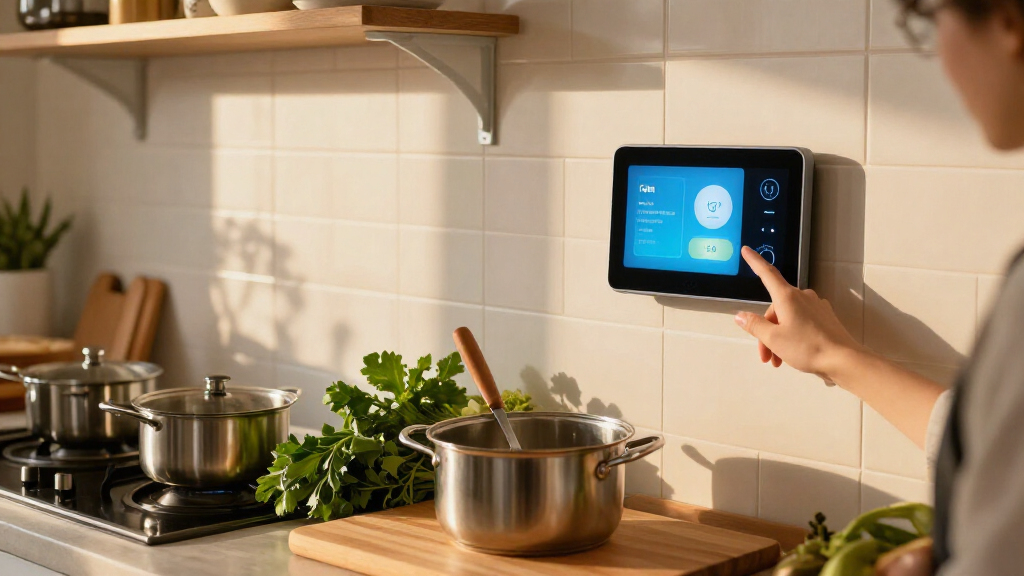
I ranked these smart display kitchen hubs by how well their screen, voice controls, and connected features support everyday kitchen tasks: checking a recipe, setting timers, reviewing a family calendar, controlling compatible devices, and playing audio or video. I also weighed practical fit, including counter or wall placement, display size, and whether a device is designed as a general assistant or a dedicated smart-home control panel. A bigger screen only helped when its format suited kitchen use.
The order favors useful kitchen balance over sheer size or the number of listed features. The Nest Hub (2nd Gen) ranks first as a compact all-rounder; the Echo Show 11 and Echo Show 15 serve larger-screen needs in different ways. Older models, small displays, and device-control panels rank lower for general cooking use, but can be better matches for buyers with specific priorities. Color variants and repeated listings do not receive separate advantages, and Japan-model listings deserve extra attention to regional compatibility before purchase.
Factors to Consider When Choosing Smart Display Kitchen Hubs
I would choose a kitchen hub by starting with the jobs it needs to handle, then checking the room, ecosystem, and household habits around it. A display that looks capable on paper can be frustrating if it crowds the counter, cannot control the devices you own, or puts sensitive information in a shared space.
Match Screen Size to Its Job
Think about what you need to read from a few feet away: a timer, recipe steps, a calendar, or a streaming video. A compact display can suit a narrow counter and quick voice requests, while a larger screen is easier to share across a kitchen or use for visual instructions. Bigger is not automatically better if it blocks prep space or sits too close to a sink or stovetop. Measure the intended spot, including the stand and power cable, before choosing. Wall-oriented models also need a sensible viewing height and a suitable place for installation. Avoid buying by diagonal measurement alone; placement and viewing distance determine whether the screen is practical.
Choose an Assistant Ecosystem Before You Buy
A kitchen display works best when its assistant can reach the services and devices your household already uses. Check compatibility with your smart lights, plugs, cameras, music services, calendars, and preferred phone platform rather than assuming every feature works across systems. A mixed-brand home may still function well, but voice commands and routines can become less consistent. If you are starting a smart-home setup from scratch, decide which ecosystem you want to build around before adding a control panel. Also verify regional support for imported or Japan-model devices, including language, service availability, and smart-home integrations. This step can matter more than a small difference in screen size.
Separate Kitchen Tasks From Smart-Home Control
Some displays are general-purpose assistants for timers, recipe viewing, calls, and entertainment; others put device control first. A dedicated control panel can make sense when household members frequently adjust lights, plugs, or other compatible devices from one place. It may be less satisfying if the main goal is watching cooking videos or following visual recipes. Decide which task should be easiest to reach from the screen, and check whether the interface supports that task directly. Buyers sometimes mistake a smart-home panel for a full entertainment display, or expect a media-focused screen to provide the same control experience as a dedicated panel. Choose based on the routine you want to simplify most.
Plan for Shared-Screen Privacy
A kitchen display often sits in a public area where family members, guests, or children can see it. Consider whether you want a camera for calls, whether it can be covered or disabled, and what personal information might appear in calendars, photos, or notifications. A smaller screen can be easier to position away from a busy walkway, while a wall-mounted family display may be visible to everyone by design. Review voice-history, camera, microphone, and profile controls before setting the device up. It is also worth deciding who can add reminders or change shared routines. The right privacy setup depends on how the household uses the kitchen, not just on the device’s physical controls.
Think Through Cleaning, Placement, and Power
Kitchen counters collect crumbs, splashes, and grease, so a display needs a spot that remains easy to wipe around and is safely separated from heat and water. Avoid placing it where cooking steam hits the screen or where a cord crosses a prep area. Wall placement can reclaim counter space, but it reduces portability and calls for a stable, accessible power arrangement. Small tabletop models are easier to relocate, although they may be harder to read from across the room. Keep the screen within voice range if you expect hands-free use, and make sure taps remain comfortable while cooking. These placement decisions can affect daily usefulness more than an extra entertainment feature.
Spend for the Feature You Will Use Often
A larger display, stronger audio, or a dedicated smart-home interface only adds value when it supports a routine you repeat. If the hub is mainly for timers and quick questions, a compact assistant may be a better fit than a screen built for family viewing. If several people need to see schedules or follow recipes together, a larger format may justify the added space it occupies. Newer and older generations can also differ in interface support and ongoing software features, so confirm current compatibility rather than assuming a newer model is automatically necessary. Compare distinct models, not color listings or duplicate product pages, when making your shortlist. Put your budget toward the feature that removes the most friction from your kitchen day.
Frequently Asked Questions
Should I choose a Google Nest display or an Amazon Echo display for my kitchen?
Start with the assistant and connected services your household already uses, since that determines how easily the display can handle calendars, music, routines, and smart devices. The Nest Hub (2nd Gen) is my leading compact Google option in this lineup, while Echo models span small countertop displays, larger media screens, and a dedicated control panel. Neither ecosystem is automatically the better kitchen choice for every home. Check compatibility for your specific devices and services before deciding. If your household has a mix of platforms, prioritize the functions you use daily and verify how well those work together.
Is a larger screen better for following recipes?
A larger screen can make recipe steps easier to read from a distance and more comfortable for two people to view at once. It also takes up more space, may be harder to move, and can be awkward on a crowded counter. For a single cook who mostly uses voice timers and occasional instructions, a compact hub may be enough. Consider where the screen will sit and whether you can see it without leaning over food or cookware. If you plan to mount it, check the installation and power arrangements before treating a large display as a space-saving choice.
Can an Echo Hub replace an Echo Show for kitchen use?
It can replace some everyday smart-home controls, but it is aimed at a different priority. The Echo Hub is most relevant when you want a central touch interface for compatible connected devices. A general Echo Show is a more natural fit when you also want a kitchen screen for media, calls, or visual content. Before choosing the Hub, check that the devices you want to control are supported and that the interface matches the way your household operates them. If recipe viewing or entertainment is your main task, compare the display-focused Echo models instead.
Are the different colors or repeated listings in this roundup different models?
Several entries represent the same named device in another color, and the Echo Hub appears twice as a duplicate listing. The Echo Show 11 and Echo Show 5 color variants do not gain separate kitchen functions just because their finishes differ. Likewise, the two Japan-model Nest Hub Max listings are color alternatives, but regional compatibility still deserves a check. Compare specifications, model details, and intended market before choosing between listings. Treat color as a fit for your kitchen, not as a reason to expect different performance.
What should I check before buying a Japan-model Nest Hub Max?
Confirm that the model supports the language, services, and smart-home devices you use in your location. Imported products can have regional differences in setup, warranties, software features, or service availability, so check the seller’s exact model information before purchase. Also verify power requirements and whether the device can be configured with your existing Google account and routines. The two listed colors do not change those regional questions. If you want the least complicated setup, compare a locally intended model before deciding on an import.
Conclusion
For most kitchens, I recommend the Google Nest Hub (2nd Gen) as best overall because it offers a compact, balanced assistant display. My best value pick is the original Google Nest Hub when its older generation still meets your needs and you find a suitable listing. For best premium, choose the Echo Show 15 if you want a large shared screen and Fire TV; the Echo Show 11 is a better middle ground for a substantial display without going as large. The best choice for beginners is a straightforward compact model such as the Echo Show 5, while households focused on connected-device control should look at the Echo Hub. For family scheduling, the Mazera digital calendar is the specific-use option, and buyers considering the Japan-model Nest Hub Max should check regional support first. Match the device to your main kitchen task rather than choosing by screen size alone.