📊 Full opportunity report: Computer Vision Problems? Use A Webcam Blink-Rate Tracker For Relief on IdeaNavigator AI — validation score, market gap, and execution plan.
TL;DR
A webcam-based blink-rate tracker is being tested as a tool to help remote workers reduce eye strain. It estimates blink frequency and prompts breaks, aiming to improve eye comfort during long screen hours.
A new webcam-based application designed to monitor blink rate and prompt regular breaks is being tested as a solution to reduce eye strain among remote workers who spend over eight hours daily at their laptops. This technology leverages on-device computer vision to estimate blink frequency without transmitting video data, addressing a common problem for screen-heavy workers.
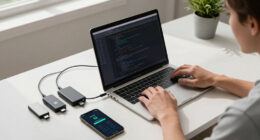
The proposed tool functions as a webcam app that tracks a user’s blink rate in real-time. When blinking drops below a set threshold, it sends a gentle reminder to take a 20-20-20 break—looking 20 feet away for 20 seconds—aimed at reducing dry eyes and headaches caused by prolonged screen exposure. The system logs daily eye comfort scores based on user feedback and blink adherence.
This approach is targeted at remote knowledge workers who often lack objective signals indicating when they need breaks, leading to symptoms of eye fatigue only once they become severe. The technology utilizes on-device computer vision, meaning the video data remains local, addressing privacy concerns. The developers plan to run a two-week pilot with twenty remote workers, measuring whether the tool improves self-reported eye comfort and adherence to break schedules.
Potential Impact on Remote Work Eye Health
If successful, this webcam blink-rate tracker could offer a scalable, low-cost way to combat digital eye strain, a widespread issue among remote workers. By providing objective feedback and automated nudges, it could reduce the incidence of dry eyes, headaches, and other discomforts associated with prolonged screen use. This innovation aligns with increasing demand for digital wellness tools that help workers manage screen time more effectively, especially as remote and hybrid work models persist.
As an affiliate, we earn on qualifying purchases.
Growing Need for Eye-Health Solutions in Remote Work
Remote work has significantly increased daily screen time for millions worldwide, intensifying concerns over digital eye strain. Current solutions often rely on self-awareness or manual reminders, which are inconsistent. The development of real-time, on-device eye health monitoring tools is a response to this gap. Previous research indicates that regular blinking and breaks can mitigate eye discomfort, but objective measurement has been limited. The new webcam app aims to fill this gap by providing continuous, privacy-preserving monitoring, with testing currently underway.
“This approach offers a promising way to objectively monitor blink rate and encourage healthier screen habits without compromising privacy.”
— an anonymous researcher
Uncertainties About Effectiveness and Adoption
It is not yet clear how effective the blink-rate tracker will be in real-world settings or whether users will consistently respond to prompts. The pilot is ongoing, and results regarding improvements in eye comfort and break adherence are pending. Additionally, questions remain about long-term user engagement and whether the system can be seamlessly integrated into existing workflows.
Next Steps in Validation and Deployment
The developers plan to complete the two-week pilot with twenty remote workers, analyze user feedback, and assess the impact on eye comfort. If results are positive, they intend to refine the app and expand testing to larger groups. Further development may include integrating the technology into other digital wellness platforms or hardware devices, with commercial release anticipated if efficacy is confirmed.
Key Questions
How does the webcam blink-rate tracker work?
The app uses on-device computer vision to estimate the user’s blink rate in real-time. When blinking drops below a certain level, it prompts the user to take a break, aiming to reduce eye strain.
Is my video data sent to external servers?
No. The technology processes video data locally on the device, addressing privacy concerns related to video transmission.
Will this tool be available for individual use or only for organizations?
Initially, the plan is to sell per-seat subscriptions to individuals and small remote teams, making it accessible for personal and team use.
What are the limitations of this technology?
Its effectiveness depends on user compliance with prompts, and long-term engagement remains untested. Additionally, it is still in pilot testing, so broader efficacy is yet to be confirmed.
When might this technology be commercially available?
If pilot results are positive, developers plan to refine the app and expand testing, with potential commercial release in the near future.
Source: IdeaNavigator AI