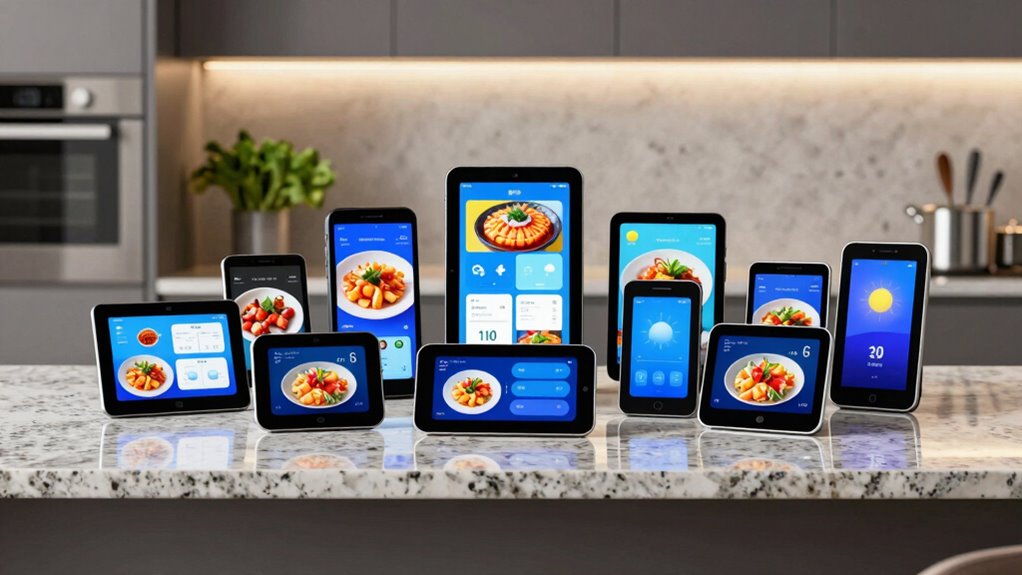

A smart display for the kitchen can keep recipes, calendars, timers, and household reminders visible where everyone needs them. My best overall pick is the Echo Show 15 (2nd Gen), which balances a large screen with Fire TV and Alexa features; the Echo Show 8 is a better fit for compact counters, while the 15.6-inch family calendar is geared toward shared schedules and chores. The main tradeoffs are screen size versus counter space, a general-purpose assistant versus a dedicated family planner, and built-in entertainment versus calendar-focused tools. Keep reading for the full breakdown of all 14 options and how I’d choose between them.

Get the latest gadgets delivered free with Prime
- Fast, free delivery on millions of items
- Prime Video, Amazon Music and more included
- Member-only deals all year
Complete the kit



Key Takeaways
- Echo Show 15 (2nd Gen) is the strongest all-round kitchen hub in this lineup because its large screen combines Alexa functions with built-in Fire TV.
- The Echo Show 21 offers the most room for shared viewing, but its 21-inch footprint makes placement a real constraint in smaller kitchens.
- The 15.6-inch family calendar suits households that prioritize shared schedules, chores, and meal planning over video and voice-assistant versatility.
- Echo Show 8 is the most balanced compact Alexa option here; the smaller amazon.com/dp/B0C5DPSW5Y?tag=digitechbytes.com-20&ascsubtag=dc-618352″ target=”_blank” rel=”nofollow sponsored noopener”>Echo Show 5 saves more space but gives up useful viewing area.
- The family-calendar models vary in screen size, syncing, and subscription claims, so buyers should verify supported calendar services and mounting needs before choosing by screen size alone.


| smart display for kitchen | Weight | Display | Dimensions |
|---|---|---|---|
| 15.6-Inch Smart Digital Calend | — | 15.6-inch HD touchscreen | — |
| Amazon Echo Show 8 | 37 oz (1049 g) | 8.7-inch HD touchscreen, 800 x 1340 resolution | 8.2 x 5 x 5.9 inches |
| VEJLD 10.1-Inch Smart Family C | — | — | — |
| Amazon Echo Show 11 Smart Disp | 45.92 oz (1302 g) | 10.95-inch Full HD touchscreen, 1920 x 1200 resolution | 10 x 5 x 7.2 inches |
| Digital Calendar Wall Touch Sc | — | — | — |
| CYPID 10.1-Inch Smart Digital | 5 ounces | — | — |
| Google Nest Hub 7-Inch Smart D | 1.8 pounds | — | 7 x 2.65 x 4.65 inches |
| Echo Show 15 | 4.96 pounds | 15.6-inch Full HD, 1920 x 1080 | 16.1 x 10.1 x 1.4 inches |
| Digital Calendar 10.1-inch Wal | 1.4 pounds | — | — |
| Amazon Echo Show 15 | 4.96 pounds | 15.6-inch Full HD, 1920 x 1080 | 16.1 x 10.1 x 1.4 inches |
| 21.5" Smart Hub Digital Calend | — | — | — |
| Echo Show 21 | 10.7 pounds | 21-inch Full HD, 1920 x 1080; landscape or portrait | 21.4 x 13.2 x 1.5 inches |
| Echo Show 5 | 16.1 ounces | 5.5-inch touchscreen | 5.8 x 3.6 x 3.2 inches |
| Digital Calendar 10.1" Smart C | 1.2 pounds | — | — |
More Details on Our Top Picks
15.6-Inch Smart Digital Calendar & Photo Frame for Family, Wall Planner with Auto-Sync to Apple, Google & Outlook, Touchscreen Display with Chore Chart, To-Do Lists & Meal Planner, White Frame, No Subscription
The Winnovo 15.6-inch organizer is built around shared household planning, not voice assistance or entertainment. It brings synced calendars from Google, Apple, and Outlook onto one screen, alongside chores, meal planning, and to-do lists. That makes it a better fit for a family coordinating routines than the Amazon Echo Show 8, which offers Alexa, calls, and smart-home controls but not this dedicated set of planning tools. Its 32 GB of storage also lets it switch to family photos when schedules are not in view. The tradeoff is that it needs a constant power connection and Wi-Fi for syncing, so it is less flexible than a portable kitchen screen. I’d choose it for a fixed family command center, but not as a general-purpose smart assistant.
Pros:- Syncs with Google, Apple, and Outlook calendars
- Combines calendars with chore charts, to-do lists, and meal planning
- 32 GB of built-in storage for family photos
- Can be mounted on a wall or placed on a countertop
Cons:- Needs continuous power and has no battery or cellular backup
- Calendar syncing and updates depend on a Wi-Fi connection
- Built-in storage may fill with high-resolution photos
Best for: Families who want a shared wall or counter planner that combines multiple calendars, chores, meal planning, and photo display.
Not ideal for: Buyers who want a portable Alexa-style assistant, cellular backup, or a screen that keeps syncing through Wi-Fi interruptions.
- Brand:Winnovo
- Model:CA151-White
- Display:15.6-inch HD touchscreen
- Storage:32 GB built-in
- Calendar sync:Google, Apple, and Outlook
- Mounting:Wall or countertop
- Color:White
- Material:Plastic
Our verdict“Choose the Winnovo if your kitchen needs a dedicated family planner more than a voice-controlled entertainment display.”
Amazon Echo Show 8 (newest model) with 8.7-inch HD display and spatial audio, Glacier White
The Echo Show 8 is the most balanced pick here for a kitchen that needs Alexa, smart-home control, and video calls without giving over a large stretch of wall or counter. Its 8.7-inch screen is smaller than the Echo Show 11 and the dedicated Winnovo family planner, but that compact footprint is easier to place near a cooking area. A built-in Zigbee, Matter, and Thread hub can also connect compatible devices directly, while the 13 MP camera with auto framing helps keep callers in view. Spatial audio makes it more capable for listening than a calendar-first display. The compromise is less room for at-a-glance schedules or shared planning, and Amazon Sidewalk is enabled by default unless it has been turned off. I’d pick it for flexible kitchen assistance, not as the household’s main visual planner.
Pros:- Compact 8.7-inch HD touchscreen suits crowded counters
- Built-in hub supports Zigbee, Matter, and Thread devices
- 13 MP camera includes auto framing for video calls
- Spatial audio with a woofer and two full-range drivers
Cons:- Smaller screen gives less space for schedules than the Echo Show 11
- Amazon Sidewalk is enabled by default unless previously turned off
- Does not support Bluetooth speakers that require PIN codes
Best for: Alexa households that want a compact kitchen screen for smart-home controls, video calls, and streaming.
Not ideal for: Families who need a large shared calendar or chore board, or buyers who prefer not to manage Alexa and Sidewalk privacy settings.
- Display:8.7-inch HD touchscreen, 800 x 1340 resolution
- Dimensions:8.2 x 5 x 5.9 inches
- Weight:37 oz (1049 g)
- Camera:13 MP with auto framing
- Audio:1 x 2.8-inch woofer and 2 full-range drivers
- Wi-Fi:Wi-Fi 6E
- Smart-home hub:Zigbee, Matter, and Thread Border Router
- Bluetooth:Version 5.4
Our verdict“Choose the Echo Show 8 for Alexa and smart-home features in a smaller footprint, rather than for prominent family scheduling.”
VEJLD 10.1-Inch Smart Family Calendar and Organizer
The VEJLD 10.1-inch organizer stands out for calendar compatibility: it lists Google Calendar, iCloud, Outlook, Cozi, and Yahoo, a wider set than the Winnovo’s stated Google, Apple, and Outlook sync. That breadth can help households whose members already rely on different calendar services. Its 1080p screen also handles photos, chores, meal planning, and to-do lists, making it a more focused family planner than the Echo Show 8, which is stronger for Alexa control, calls, and general smart-display tasks. The main compromise is screen size: 10.1 inches may be harder for several people to read from across a kitchen than Winnovo’s 15.6-inch panel. AI-powered imports are listed, but the supplied details do not explain how they work. I’d favor it when service compatibility matters more than a large shared display.
Pros:- Syncs with five listed calendar services, including Cozi and Yahoo
- Includes chore charts, rewards, meal planning, and to-do lists
- 1080p display doubles as a photo frame
- Wall or desk mounting with no monthly subscription fees
Cons:- 10.1-inch screen may feel small as a shared family display
- Available information does not explain the AI-powered import process
- Less suited to entertainment and voice-assistant tasks than the Echo Show 8
Best for: Households that share schedules across Google, iCloud, Outlook, Cozi, or Yahoo and want chores and meal planning on the same screen.
Not ideal for: Families who need a large, easy-to-read schedule from across the kitchen or want clearly documented details about AI imports.
- Brand:VEJLD
- Screen:10.1 inches
- Resolution:1080p HD
- Storage:32 GB
- Calendar sync:Google Calendar, iCloud, Outlook, Cozi, and Yahoo
- Features:Chore charts, rewards, meal planning, to-do lists, weather updates, AI-powered imports, and photo sharing
- Mounting:Wall or desk mountable
- Part number:C1
Our verdict“Choose the VEJLD if your household needs broad calendar-service support in a dedicated, compact organizer.”
Amazon Echo Show 11 Smart Display, Full HD Touchscreen, Graphite
The Echo Show 11 gives kitchen users more screen area than the Echo Show 8 while retaining Alexa, video calls, streaming, and smart-home control. Its 10.95-inch Full HD display makes recipes and video content easier to view, and its hub supports Zigbee, Matter, and Thread devices. Compared with the Winnovo 15.6-inch planner, the Echo Show 11 is a more versatile assistant but offers less dedicated space for family calendars, chores, and meal plans. Its 13 MP auto-framing camera and spatial audio also make it better equipped for calls and listening than a calendar-first panel. Size is the cost of that larger view: it is heavier and takes up more counter space than the Echo Show 8. I’d choose it for an Alexa-centered kitchen where media and connected devices matter as much as the screen.
Pros:- 10.95-inch Full HD touchscreen offers more viewing area than the Echo Show 8
- Built-in hub supports Zigbee, Matter, and Thread
- 13 MP auto-framing camera supports video calls
- Spatial audio uses a woofer and two full-range drivers
Cons:- Larger and heavier than the Echo Show 8, requiring more counter space
- Some Bluetooth functions, including hands-free voice control for Mac OS X devices, are unsupported
- Smaller than the Winnovo for displaying a family schedule at a glance
Best for: Alexa users who want a larger display for recipes, video calls, streaming, and smart-home controls in the kitchen.
Not ideal for: Buyers with limited counter space or families seeking a dedicated, large-format calendar and chore planner.
- Display:10.95-inch Full HD touchscreen, 1920 x 1200 resolution
- Dimensions:10 x 5 x 7.2 inches
- Weight:45.92 oz (1302 g)
- Camera:13 MP with auto framing
- Audio:1 x 2.8-inch woofer and 2 full-range drivers
- Wi-Fi:Wi-Fi 6E
- Smart-home hub:Zigbee, Matter, and Thread Border Router
- Color:Graphite
Our verdict“Choose the Echo Show 11 if you want a larger Alexa screen for kitchen media and smart-home use and have room to place it.”
Digital Calendar Wall Touch Screen – 21.5″ Smart Electronic Planner with Chore Chart, Photo Frame, Two‑Way Sync, Wall/Desk Mountable
The Topelotek 21.5-inch planner is the clearest choice when several household members need to read and update a schedule from the same spot. Its large touchscreen and two-way real-time phone sync make it more suited to a prominent family planning station than the 10.1-inch VEJLD, which takes up less space but offers a smaller shared view. The Topelotek also adds a chore-and-reward system and photo display, keeping it focused on household routines rather than the Alexa controls, calls, and entertainment found on the Echo Show 11. Wall or desk mounting gives some placement flexibility, but the substantial screen still needs a suitable stretch of wall or counter. The supplied details do not specify resolution, storage, or calendar-service compatibility, so buyers wanting those specifics should compare carefully before choosing it.
Pros:- 21.5-inch screen is suited to schedules shared across a household
- Two-way real-time phone sync keeps edits aligned across devices
- Interactive chore and reward system supports family routines
- Can be mounted on a wall or placed on a desk
Cons:- Large screen may not fit smaller kitchens comfortably
- Supplied product details do not specify display resolution or storage
- Calendar services supported by sync are not identified in the supplied details
Best for: Large households that want a prominent shared planner with phone syncing and a visible chore-and-reward system.
Not ideal for: People with small kitchens, buyers who need a compact voice assistant, or shoppers who require confirmed display resolution and calendar-service details.
- Screen size:21.5 inches
- Display type:Touchscreen
- Mounting:Wall or desk
- Sync capability:Two-way real-time sync with phone
- Key features:Chore and reward system, digital photo frame, multi-account support
- Subscription:No subscription fees
Our verdict“Choose the Topelotek when a large, shared household planner matters more than compact placement or Alexa-style kitchen assistance.”
CYPID 10.1-Inch Smart Digital Family Calendar and Photo Frame
The CYPID makes more sense as a family organizer that happens to fit a kitchen wall than as a general-purpose entertainment display. It syncs Google, iCloud, Outlook, Cozi, and Yahoo calendars, then brings chores, meal planning, and to-do lists together on one touchscreen. That broader calendar compatibility is an advantage over the TIKVITO Digital Calendar, which lists Google, iCloud, and Outlook support. When schedules are out of view, the CYPID can show photos and videos instead.
Its 10.1-inch screen suits close-up meal planning or a desk, but is less readable across a busy kitchen than the much larger Echo Show 15. It also depends on Wi-Fi for calendar syncing, so it is a poor fit for kitchens with unreliable connectivity. Choose it for coordinated household routines, not for streaming or smart-home control.
Pros:- Syncs with Google, iCloud, Outlook, Cozi, and Yahoo calendars
- Combines shared schedules with chore tracking, meal planning, and to-do lists
- Can display photos and videos when not showing the calendar
- Works on a tabletop stand or mounted on a wall
Cons:- Calendar syncing requires Wi-Fi
- The 10.1-inch display may be difficult to read from across a room
- Its family-planning focus does not offer the entertainment and smart-home hub features of the Echo Show 15
Best for: Families using several calendar services who want chores, meal plans, and shared schedules in one wall-mounted or tabletop display.
Not ideal for: Buyers who need a screen readable from across a large kitchen, want built-in streaming, or have unreliable Wi-Fi.
- Brand:CYPID
- Display size:10.1 inches
- Connectivity:Dual-band Wi-Fi
- Calendar integrations:Google, iCloud, Outlook, Cozi, Yahoo
- Functions:Shared calendar, chore chart, meal planner, to-do list, photo frame
- Mounting:Wall-mounted or tabletop with included stand
- Weight:5 ounces
Our verdict“Pick the CYPID if your kitchen display’s main job is coordinating family routines across multiple calendar services.”
Google Nest Hub 7-Inch Smart Display with Google Assistant (1st Gen), Chalk
The first-generation Nest Hub is the smallest, most counter-friendly general-purpose pick in this group. Its 7-inch screen can handle timers, recipes, weather, reminders, photos, music, and compatible smart-home controls without taking the wall-sized approach of either Echo Show 15. Compared with the CYPID family calendar, it is less focused on shared chores and meal planning, but offers a more flexible mix of hands-free help and entertainment.
The key caveat is this listing’s Korean-spec model: setup starts in Korean, and the language must be changed through Google Home or device settings. That extra step makes it less straightforward than a typical English-ready kitchen display. Its compact screen is also a compromise for viewing recipes at a distance, so I’d favor it for a small counter and voice-led tasks rather than a family command center.
Pros:- Compact 7-inch form fits smaller counters
- Combines voice and touchscreen control
- Supports timers, reminders, recipes, weather, music, videos, and photos
- Can control compatible smart-home devices
Cons:- Korean-spec model requires a language change after setup
- Small display is less suitable for reading recipes from across a kitchen
- Offers less dedicated family-calendar organization than the CYPID
Best for: People with limited counter space who want Google Assistant for timers, recipes, weather, reminders, and compatible smart-home controls.
Not ideal for: Buyers who want a large, easy-to-read kitchen screen or prefer a device that starts in English without language changes during setup.
- Manufacturer:Google
- Model:H1A
- Generation:1st Gen
- Display size:7 inches
- Color:Chalk
- Weight:1.8 pounds
- Dimensions:7 x 2.65 x 4.65 inches
- Model version:Korean spec
Our verdict“Choose the Nest Hub if you want a compact Google Assistant screen and are comfortable changing its language during setup.”
Echo Show 15 (2nd Gen) – 15.6″ Full HD Kitchen Hub with Built-in Fire TV
The Echo Show 15 is the strongest all-in-one kitchen hub here for shoppers who want a large screen to serve family planning, video calls, streaming, and smart-home control. Its 15.6-inch Full HD display can show widgets or video at a scale the 7-inch Nest Hub cannot match, while portrait and landscape orientation give more placement options. Built-in Fire TV also makes it a more complete entertainment screen than the CYPID, whose emphasis is calendar coordination.
The tradeoff is physical: at 16.1 inches wide and nearly five pounds, it takes deliberate wall or counter placement, so it is not the right fit for a cramped kitchen. Its broad Zigbee, Matter, and Thread support helps bring compatible devices into one hub, and the camera shutter and mic-off control add practical privacy choices. I rank it first for versatility, not compactness or dedicated chore tracking.
Pros:- Large 15.6-inch Full HD display supports landscape and portrait use
- Built-in Fire TV provides streaming without a separate device
- Zigbee, Matter, Thread, and Sidewalk support broad smart-home use
- Camera shutter and microphone-off button provide direct privacy controls
Cons:- Large size and 4.96-pound weight demand substantial placement space
- Less specialized for family chore and calendar workflows than the CYPID
- Some Bluetooth speakers may require a PIN code
Best for: Households seeking one large kitchen screen for widgets, streaming, video calls, and control of compatible smart-home devices.
Not ideal for: People with limited wall or counter space, or families whose main priority is a dedicated chore-and-meal-planning calendar.
- Display:15.6-inch Full HD, 1920 x 1080
- Dimensions:16.1 x 10.1 x 1.4 inches
- Weight:4.96 pounds
- Orientation:Landscape or portrait
- Camera:13 MP with shutter, auto-framing, and 3.3x zoom
- Audio:Two 2-inch woofers and two 0.6-inch tweeters
- Wi-Fi:Wi-Fi 6E, tri-band dual-antenna MIMO
- Smart-home hub:Zigbee, Matter, Thread Border Router, Amazon Sidewalk
Our verdict“Choose this Echo Show 15 if you have room for a large display and want entertainment, household widgets, and smart-home control together.”
Digital Calendar 10.1-inch Wall Planner Touchscreen WiFi – Easy to Use
This TIKVITO calendar earns its place through kid-friendly household routines, especially a chore tracker with point rewards. It also puts meal planning, grocery lists, weather, and a photo slideshow alongside Google, iCloud, and Outlook calendar syncing. Compared with the CYPID, it lists fewer calendar services but adds the rewards system and grocery-list focus, which may make everyday family tasks more visible and motivating.
The 10.1-inch screen and wall-mountable design suit a kitchen planning station, though this listing provides less hardware detail than the Echo Show 15 and does not describe streaming or smart-home hub functions. Setup requires a mobile app, which could add friction for someone who wants a ready-to-use display. Its auto-sleep mode may also switch off the screen at an inconvenient time. I’d pick it for family organization, not as a general entertainment hub.
Pros:- Syncs schedules from Google, iCloud, and Outlook
- Point-based chore tracker can help make household tasks engaging for kids
- Combines meal planning and grocery lists
- Adds photos, weather information, and auto-sleep mode
Cons:- Initial setup through a mobile app may be confusing for some users
- Auto-sleep may turn off the display at an inconvenient time
- Does not list the wider calendar-service support of the CYPID or the entertainment features of the Echo Show 15
Best for: Parents who want a wall-mounted family planner with calendar syncing, grocery lists, and a point-based chore system for children.
Not ideal for: Buyers seeking a streaming-first kitchen display, integrated smart-home hub, or setup that avoids a mobile app.
- Brand:TIKVITO
- Model:S101
- Model year:2026
- Calendar integrations:Google, iCloud, Outlook
- Functions:Calendar, chore tracker with point rewards, meal planning, grocery lists, photos, weather, auto-sleep
- Mounting:Wall-mountable
- Warranty:1 year
- Weight:1.4 pounds
Our verdict“Pick the TIKVITO if a visual, reward-based chore system matters more to your family than streaming or broad smart-home control.”
Amazon Echo Show 15 (Like-New, Refurbished) 15.6-Inch Full HD Smart Display with Fire TV
This refurbished Echo Show 15 delivers the same listed large-screen kitchen mix as the new 2nd Gen option: Full HD visuals, Fire TV, customizable widgets, video calls, and smart-home controls. For a kitchen where schedules and entertainment share the same wall display, it is a more capable general hub than the CYPID or TIKVITO calendars. The included Fire TV remote is a practical addition when touch controls are inconvenient during cooking.
The main distinction from the new Echo Show 15 is condition: this unit is described as refurbished, tested, and certified to look and work like new, and may arrive in generic Amazon-branded packaging. Its large 16.1-inch-wide body still needs ample space, so it is not a compact alternative to the Nest Hub. Some apps, skills, and services may also involve separate fees. I’d choose it for the feature set only if refurbished status fits your buying preference.
Pros:- 15.6-inch Full HD screen supports landscape and portrait placement
- Built-in Fire TV and included remote support kitchen entertainment
- Customizable widgets can surface calendars, to-do lists, and smart-home controls
- 13 MP camera includes auto-framing and a privacy shutter
Cons:- Refurbished condition may not suit buyers who want a new unit
- Large 16.1-inch-wide display needs substantial wall or counter space
- Some apps, skills, and services may require separate fees
Best for: Buyers who want a large Fire TV kitchen display with widgets and smart-home features and are comfortable choosing a refurbished unit.
Not ideal for: Shoppers who require a new unit, have limited kitchen space, or want a dedicated calendar rather than a broad smart display.
- Display:15.6-inch Full HD, 1920 x 1080
- Dimensions:16.1 x 10.1 x 1.4 inches
- Weight:4.96 pounds
- Camera:13 MP with privacy shutter
- Audio:Two 2-inch woofers and two 0.6-inch tweeters
- Wi-Fi:Wi-Fi 6E, tri-band dual-antenna MIMO
- Smart-home connectivity:Zigbee, Matter, Thread Border Router
- Included accessory:Fire TV remote
- Condition:Refurbished, tested, and certified to look and work like new
Our verdict“Choose the refurbished Echo Show 15 if you want a large, versatile kitchen hub and accept a refurbished unit rather than a new one.”
21.5″ Smart Hub Digital Calendar Touch Screen – No Subscription, Google Play
The Mazera Smart Family Hub is the strongest fit here for a kitchen that needs a shared planning surface, not just a voice assistant. Its 21.5-inch anti-glare Full HD screen gives schedules, meal plans, chores, and photos room to stay visible at a glance, while Google Play lets you choose Android apps without a subscription. Compared with the Echo Show 21, Mazera is more open to Android apps, while Amazon’s model brings Fire TV and a more extensive built-in smart home hub. Gemini voice controls can help when your hands are busy, but the device depends on a stable internet connection for full functionality. Its Android focus also makes it a poor match for households that want direct iOS app installation. I’d choose it for family coordination over kitchen-first streaming.
Pros:- Large anti-glare Full HD screen keeps shared schedules readable across a kitchen.
- Google Play access enables app choice without a subscription.
- Customizable dashboard combines calendars, chores, photos, and smart home controls.
- Gemini voice interaction supports hands-free reminders and device control.
Cons:- Full functionality depends on a stable internet connection.
- Android-only app ecosystem limits direct use by iOS-focused households.
- Large screen needs substantial wall or counter space.
Best for: Android-using families who want a large shared calendar, meal planner, and customizable kitchen dashboard without a subscription.
Not ideal for: iPhone-focused households that need direct iOS app support, or kitchens without reliable internet access.
- Display size:21.5 inches
- Resolution:Full HD
- Display finish:Anti-glare
- Operating system access:Android apps via Google Play
- Voice assistant:Google Gemini AI
- Mounting:Wall-mountable or included metal stand
- Model year:2026
- Part number:V1
Our verdict“Choose Mazera if your family wants a large, customizable Android planning hub more than a dedicated streaming display.”
Echo Show 21 – Full HD 21″ Kitchen Hub with Built-in Fire TV, Designed for Alexa+
The Echo Show 21 earns its premium-hub role by combining a large kitchen display with Fire TV and a multi-protocol smart home hub. That makes it more versatile for cooking alongside video, music, and connected-device controls than the calendar-focused Mazera Smart Family Hub. Its 21-inch Full HD screen can sit in landscape or portrait orientation, and the 13 MP camera with auto-framing is better suited to video calls than the compact Echo Show 5. The tradeoff is physical: at 10.7 pounds and more than 21 inches wide, it needs a deliberate mounting or counter spot rather than a small patch of workspace. Bluetooth speaker support also has compatibility limits. I’d rank it ahead of the smaller Echo Show 5 for shared entertainment and smart-home reach, but not for kitchens short on space.
Pros:- 21-inch Full HD screen supports landscape or portrait placement.
- Built-in Fire TV provides streaming without a separate device.
- Zigbee, Matter, Thread, and Sidewalk support a broad range of smart-home devices.
- 13 MP camera with auto-framing and shutter is suited to kitchen video calls.
Cons:- Large dimensions and 10.7-pound weight make placement challenging in compact kitchens.
- Some Bluetooth speakers requiring a PIN code are unsupported.
- Its entertainment and smart-home emphasis may be more than calendar-focused households need.
Best for: Households with ample wall or counter space that want Alexa controls, video calling, streaming, and smart-home connectivity in one kitchen display.
Not ideal for: Small kitchens or buyers seeking a compact family calendar; its size and weight require a substantial, secure placement.
- Display:21-inch Full HD, 1920 x 1080; landscape or portrait
- Dimensions:21.4 x 13.2 x 1.5 inches
- Weight:10.7 pounds
- Camera:13 MP with built-in shutter
- Audio:Two 2-inch woofers and two 0.6-inch tweeters
- Wi-Fi:Wi-Fi 6E, tri-band dual-antenna MIMO
- Smart home hub:Zigbee, Matter, Thread Border Router, Amazon Sidewalk
- Processor:Octa-core SoC with Amazon AZ2 neural network engine
Our verdict“Pick the Echo Show 21 if you have room for a large screen and want streaming and broad Alexa smart-home control alongside kitchen tasks.”
Echo Show 5 (newest model) – Smart display, 2× bass, clearer sound, Charcoal
When counter space is scarce, the Echo Show 5 makes more sense than the wall-sized Echo Show 21 or the 10.1-inch Linkdaze calendar. Its 5.5-inch touchscreen is suited to quick weather checks, photos, voice requests, and video calls without claiming much workspace. Alexa controls and privacy shutters add practical kitchen convenience, while the full-range speaker is designed for deeper bass and clearer vocals than a basic compact display. The small screen, however, is not a substitute for a family calendar that several people need to read across the room. Its 2 MP camera is also modest beside the Echo Show 21’s 13 MP camera, and its speaker may not fill a larger kitchen. I’d choose this for personal, glanceable assistance—not shared meal planning or room-filling entertainment.
Pros:- Compact footprint fits crowded counters and small kitchens.
- Alexa voice control supports hands-free smart-home requests.
- Camera shutter and microphone/camera off control offer privacy options.
- Recycled materials are used in the device design.
Cons:- 5.5-inch display is too small for a shared room-wide schedule.
- 2 MP camera is modest compared with the Echo Show 21.
- Speaker volume may not carry well in a larger kitchen.
Best for: Apartment cooks and solo users who want Alexa, a small video-call screen, and glanceable updates without giving up much counter space.
Not ideal for: Families who need a readable shared calendar or buyers who expect strong sound and clear video calls across a large kitchen.
- Display:5.5-inch touchscreen
- Dimensions:5.8 x 3.6 x 3.2 inches
- Weight:16.1 ounces
- Camera:2 MP with built-in shutter
- Speaker:1.75-inch full-range speaker
- Wi-Fi:Dual-band 802.11a/b/g/n/ac
- Bluetooth:A2DP and AVRCP; no PIN-code speakers
- Materials:Post-consumer recycled polyester yarn and aluminum
Our verdict“Choose the Echo Show 5 for compact Alexa assistance, but skip it if your kitchen needs a prominent family planner or powerful room audio.”
Digital Calendar 10.1″ Smart Calendar with 1280×800 IPS HD Touchscreen, WiFi Photo Frame, 32GB Memory – White
The Linkdaze 10.1-inch Smart Calendar focuses on the household jobs a kitchen display is often asked to handle: coordinating calendars, tracking chores, and keeping meal plans and photos in view. Its sync with Google, Outlook, iCloud, and other listed services makes it a more natural family organizer than the Alexa-focused Echo Show 5, while its 32 GB of internal storage provides room for local photos and videos. The 1280 x 800 IPS screen is smaller than the Mazera Smart Family Hub’s 21.5-inch panel, so it takes less space but is less visible from across a large room. Linkdaze also calls for firmware updates through its app, and heavy media use can fill its storage. I’d pick it for practical shared planning, not for a large-screen streaming centerpiece.
Pros:- Syncs with Google, Outlook, iCloud, and other calendar services.
- Combines calendar, chore chart, task manager, and photo frame functions.
- 10.1-inch IPS touchscreen provides a practical shared planning surface.
- 32 GB of built-in storage supports locally stored photos and videos.
Cons:- Firmware updates through the app may be needed for optimal performance.
- Storage can fill quickly with heavy photo and video use.
- Its screen is smaller than the 21.5-inch Mazera family hub.
Best for: Families who want one kitchen screen for synced calendars, chore assignments, meal planning, and a rotating photo collection.
Not ideal for: Buyers who want a large display visible across an open kitchen or who plan to store extensive photo and video libraries locally.
- Screen size:10.1 inches
- Resolution:1280 x 800 IPS HD
- Internal memory:32 GB
- Connectivity:Wi-Fi
- Calendar sync:Google, Outlook, iCloud, Cozi, Yahoo, and others
- Weight:1.2 pounds
- Brand:Linkdaze
- Part number:A5
Our verdict“Choose Linkdaze for a mid-size kitchen calendar that brings chores and meal planning together, provided its screen and storage fit your needs.”

How We Picked
I ranked these options by how well they serve everyday kitchen tasks: checking a recipe at a glance, managing household schedules, setting timers, accessing voice assistance, and making information visible from across the room. I also weighed display size against counter or wall space, the usefulness of built-in entertainment, calendar compatibility, mounting flexibility, and how much setup or ongoing service a household may need. A screen is only helpful if it fits the kitchen and the people who will use it.
The ranking favors versatile devices that combine practical kitchen use with useful household features, while dedicated digital calendars place higher for families who want shared planning above entertainment. Larger screens are not automatically better: the Echo Show 21 has more viewing area than the Echo Show 8, but requires more space. I also treated refurbished hardware and products with less clearly specified ecosystems more cautiously, since condition, compatibility, or software support can affect the ownership experience.
Factors to Consider When Choosing Smart Display For Kitchen
Before choosing a smart display for the kitchen, I’d match the device to the tasks it needs to handle, then check whether its physical setup and software fit your household. These decisions often matter more than a headline screen size.
Choose the Screen Size Around Viewing Distance
Think about where you will stand when reading a recipe or checking a calendar, not just how much screen you can fit on the counter. A smaller display can be easier to place near a sink or prep area, while a large wall-mounted screen can show shared plans from farther away. Measure the intended spot and account for cabinets, outlets, and doors that swing open. A common mistake is buying the largest option without checking whether its mount leaves room for food prep. If several people need to read the screen at once, viewing distance and layout matter more than the diagonal measurement alone.
Decide Whether You Need an Assistant or a Dedicated Planner
General-purpose displays are suited to voice requests, media, timers, and smart-home controls, while family calendar devices put schedules and household lists at the center. Decide which screen should answer questions and play content, and which should act as a shared noticeboard. Do not assume every device handles both roles equally well just because it has a touchscreen. If your household already uses a particular voice assistant, staying with that platform may reduce repeated setup and split routines. If calendars and chores matter most, check how the planner displays multiple people’s events and tasks before prioritizing entertainment features.
Check Calendar Compatibility Before You Buy
Calendar syncing can determine whether a device becomes a reliable household hub or another screen that needs manual updates. Confirm that it supports the calendar accounts your family actually uses, including any work or school calendars that need to appear. Look for details about whether changes sync both ways, how often updates appear, and whether each person can keep private events hidden. Product titles that mention popular services do not tell you every limitation of account setup or shared permissions. I’d verify those details before replacing a paper planner or expecting the device to become the only source of truth.
Plan the Mounting and Power Setup
A kitchen display needs a safe, convenient place to live, and that can be harder to find than expected. Wall-mounted models free up counter space but may need nearby power and a suitable surface; desk or stand placement is easier to change but competes with appliances and prep space. Check the mounting hardware, orientation, cable route, and whether the screen can be reached comfortably without leaning over a hot surface. Avoid placing a display where splashes, steam, or direct glare will make it difficult to use. If your kitchen layout changes often, a movable stand may be more useful than a permanent installation.
Separate Kitchen Utility From Entertainment
Video playback can make a display more useful during cooking, but it should not be the only reason to choose a model. Ask whether you will use shows, music, or video calls often enough to justify the larger footprint and added screen focus. For recipe reading and timers, a simpler display may cover the daily routine with less visual clutter. Also check whether the services you use are available on the device and whether voice controls work well in your kitchen’s noise level. A household that mainly needs schedules may get more value from a dedicated planner than from paying for entertainment functions it rarely uses.
Look Beyond the Screen at Ongoing Use
Before committing, check whether key features require an account, app, subscription, or stable Wi-Fi connection. A no-subscription claim can be helpful, but it does not automatically describe every integration or optional service. Consider who will update the calendar, manage permissions, and troubleshoot connection changes after setup. Shared household devices work best when every regular user can access the functions they need without relying on one person’s phone. If you are considering refurbished hardware, review the seller’s condition and return terms and confirm that the device receives the software support you expect.
Frequently Asked Questions
Should I choose a smart display or a dedicated digital family calendar for my kitchen?
Choose a general smart display if you want voice assistance, timers, media, and smart-home controls alongside basic schedule access. A dedicated family calendar is a closer fit when shared events, chores, to-do lists, and meal planning are the main jobs. Consider who will look at the screen and whether they need to ask it questions or simply read what is posted. Some households may prefer one device for both, but the product’s calendar tools and assistant ecosystem should match their daily routine. Check sync behavior and account support before treating any screen as the family’s main planner.
Is a 21-inch kitchen display too large for most homes?
A 21-inch screen can be useful when people need to read a shared calendar or video from across a spacious kitchen. It can also dominate a small counter or wall and create awkward cable placement. Measure the available surface and viewing distance before deciding, and check that the screen will not block cabinets or work areas. If you mainly need recipes, timers, or quick reminders from nearby, a smaller display may be easier to live with. The larger format is most compelling when visibility for multiple household members matters more than saving space.
Can I rely on a kitchen display to keep family calendars in sync?
That depends on the device’s supported calendar services, account permissions, and sync behavior. Confirm whether the model can show every calendar your household uses and whether changes made on the display also update the original account. Ask how it handles private events, multiple users, and shared calendars before relying on it for school or work plans. A display that only shows selected events may still be useful, but it may not replace a phone calendar. Keep an existing calendar source during setup until you have confirmed that updates appear as expected.
Where should I place a smart display so it works well while cooking?
Pick a spot that is easy to see from the prep area without placing the screen near splashes, steam, or direct glare. Keep it away from hot surfaces and avoid mounting it where a cabinet door or appliance will block access. A counter stand is simpler to reposition, while a wall mount can preserve workspace if there is a practical route for the power cable. Check screen height and touch reach for everyone likely to use it. The best placement is the one that makes recipes and timers readable without interrupting safe food preparation.
Should I buy a refurbished Echo Show 15 instead of the current model?
A refurbished unit can suit a buyer who wants the Echo Show 15 format and is comfortable checking the device’s condition and seller protections. It may not be the best fit if you want the newest hardware experience or prefer a straightforward support path. Confirm exactly what is included, the return window, and whether the device has been reset and can be registered to your account. Compare its features with the current Echo Show 15 rather than assuming the model name means identical condition or support. If reliability and simple setup matter most, a new unit is the less uncertain choice.
Conclusion
For the best overall kitchen hub, I’d choose the Echo Show 15 (2nd Gen) for its combination of a large display, Alexa features, and Fire TV. The 15.6-inch Smart Digital Calendar & Photo Frame is my best value for households that chiefly want shared schedules, chores, and meal planning without a subscription claim in the product title. For a premium, extra-large shared screen, consider the Echo Show 21 if you have the wall or counter space. Beginners who want familiar voice controls in a more manageable footprint should start with the Echo Show 8. For specific needs, choose a dedicated family calendar if planning is the priority, or the Echo Show 5 if minimizing counter space matters more than a roomy screen; confirm calendar compatibility and placement before deciding.
Halloween Picks
halloween
As an affiliate, we earn on qualifying purchases.