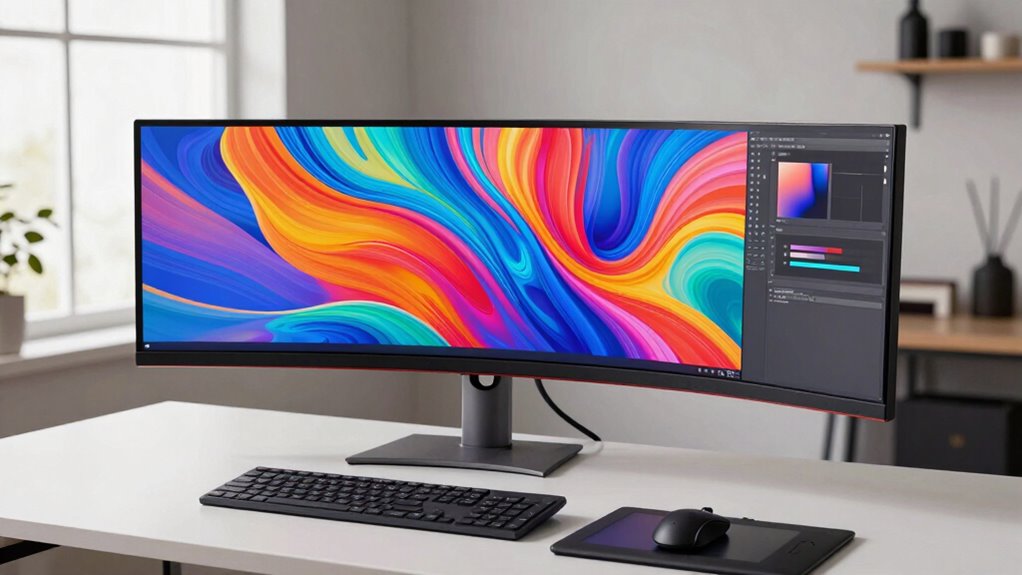

When choosing a 4K monitor for creative work, focus on color accuracy and calibration features, as these guarantee your visuals stay true across devices. High resolution alone isn’t enough—display quality and accurate color reproduction are key for professional results. Look for models with built-in calibration tools or compatibility with external calibrators to maintain consistency over time. To discover how to select the best monitor for your creative projects, keep exploring what’s important for your workflow.
Key Takeaways
- Prioritize monitors with high color accuracy and support for industry-standard color spaces like Adobe RGB or DCI-P3.
- Ensure the display offers hardware calibration capabilities or compatibility with external calibration tools.
- Look for high resolution (4K) combined with excellent display quality for sharp, detailed visuals.
- Consider color consistency and stability over time to maintain project fidelity.
- Choose models designed for creative professionals, emphasizing precision, reliability, and long-term calibration support.

Are you looking to elevate your creative projects with sharper, more detailed visuals? 4K monitors offer the high resolution and color accuracy that artists, designers, and video editors need to work efficiently and produce stunning results. But beyond the obvious pixel count, what truly matters when choosing a 4K monitor for creative work is its ability to display colors accurately and maintain consistency through hardware calibration. Color accuracy ensures that the hues you see on your screen match the final output, whether it’s print, web, or video. When your monitor delivers precise colors, you can trust that your edits will translate well across different devices and mediums, reducing the need for guesswork or extensive adjustments later.
Prioritize color accuracy and hardware calibration for precise, consistent visuals in your creative projects.
Hardware calibration is crucial because it allows you to fine-tune your monitor’s display settings to achieve ideal color precision. Unlike software calibration, which adjusts how images are processed, hardware calibration modifies the monitor’s internal components, ensuring long-term accuracy. This process is critical for professional work, where even slight deviations in color can compromise the integrity of your projects. By regularly calibrating your monitor with a dedicated device, you keep your display aligned with industry standards, such as Adobe RGB or DCI-P3, which are essential for color-critical tasks. Additionally, understanding the importance of color gamut can help you select a monitor that supports a wider range of colors for more vibrant and accurate visuals.
Choosing a monitor with good hardware calibration support means you can maintain consistent performance over time. Some 4K monitors come with built-in calibration tools or compatibility with external calibrators, making it easier to keep your display accurate without needing specialized software or technical expertise. It’s worth investing in monitors that offer these features because they help you avoid the frustrations of color shifts or inaccuracies that can develop as the monitor ages. Also, hardware calibration support often indicates a higher-quality display with better overall color management capabilities, which is especially important for photo editing and digital art. Moreover, a monitor that supports hardware calibration typically offers better control over color consistency across its lifespan.
In the end, if you want your creative work to stand out, prioritize a 4K monitor that emphasizes color accuracy and supports hardware calibration. These features ensure your visuals are precise and consistent, giving you confidence that your creative vision is faithfully represented on screen. When you invest in a display built with these principles, you’re setting yourself up for success, whether you’re designing, editing videos, or creating digital artwork. The right monitor doesn’t just show you a sharper picture—it becomes a crucial tool that enhances your entire creative process.
4K monitor with hardware calibration
As an affiliate, we earn on qualifying purchases.
As an affiliate, we earn on qualifying purchases.
Frequently Asked Questions
How Do 4K Monitors Affect Computer Performance and System Requirements?
A 4K monitor impacts your computer’s performance by demanding higher processing power, especially in resolution scaling and hardware compatibility. You’ll need a more powerful GPU to handle the increased pixel count smoothly, and your system must support higher data transfer rates. Without upgrading hardware, you might experience lag or reduced performance. Ensuring your system meets these requirements lets you enjoy crisp visuals without sacrificing speed or stability.
Are 4K Monitors Suitable for Gaming Alongside Creative Work?
You can enjoy gaming performance and creative workflows on a 4K monitor, but balance is key. While 4K offers stunning visuals for both, high-end gaming demands powerful GPUs, and some creative tasks may slow down on lower-end systems. If you prioritize smooth gameplay alongside detailed creative work, make sure your hardware can handle the resolution. A well-equipped setup lets you switch seamlessly between immersive gaming and precise creative projects.
What Is the Typical Price Range for High-Quality 4K Creative Monitors?
High-quality 4K creative monitors typically cost between $500 and $2,000. You’ll want to look for features like precise color calibration and an ergonomic design to guarantee comfort during long editing sessions. These monitors often include wide color gamuts, factory calibration, and adjustable stands, making them ideal for detailed work. While the price varies, investing in a monitor with these features guarantees you better accuracy and a more comfortable workspace.
Do 4K Monitors Require Special Calibration for Color Accuracy?
Yes, 4K monitors often need special calibration for excellent color accuracy. Think of it like tuning a symphony—without proper color calibration, your monitor’s colors can be wildly off-key. You’ll want to adjust monitor settings carefully, ensuring your display shows true, consistent colors. This process might seem intense, but it’s essential for professional creative work, helping you achieve perfect accuracy in every project.
How Long Do 4K Monitors Generally Last Before Needing Replacement?
A 4K monitor typically lasts around 5 to 8 years before needing replacement, depending on usage and build quality. Factors like refresh rate and panel technology impact longevity; higher refresh rates may cause faster wear, while IPS panels often last longer than TN. Proper calibration and avoiding static images can extend lifespan. Keep an eye on performance, and replace it when you notice significant color or display issues.
Conclusion
Choosing a 4K monitor for your creative work is like selecting the right paintbrush—you want precision, clarity, and reliability to bring your ideas to life. I once switched to a high-resolution screen, and suddenly, every detail felt sharper, more vibrant, almost like adding color to a black-and-white sketch. Remember, investing in the right display isn’t just about pixels; it’s about revealing your full creative potential. Your masterpiece awaits—make sure your tools are up to the task.