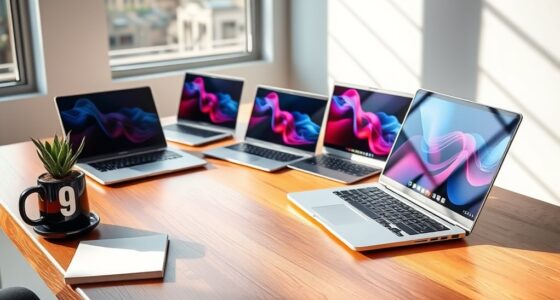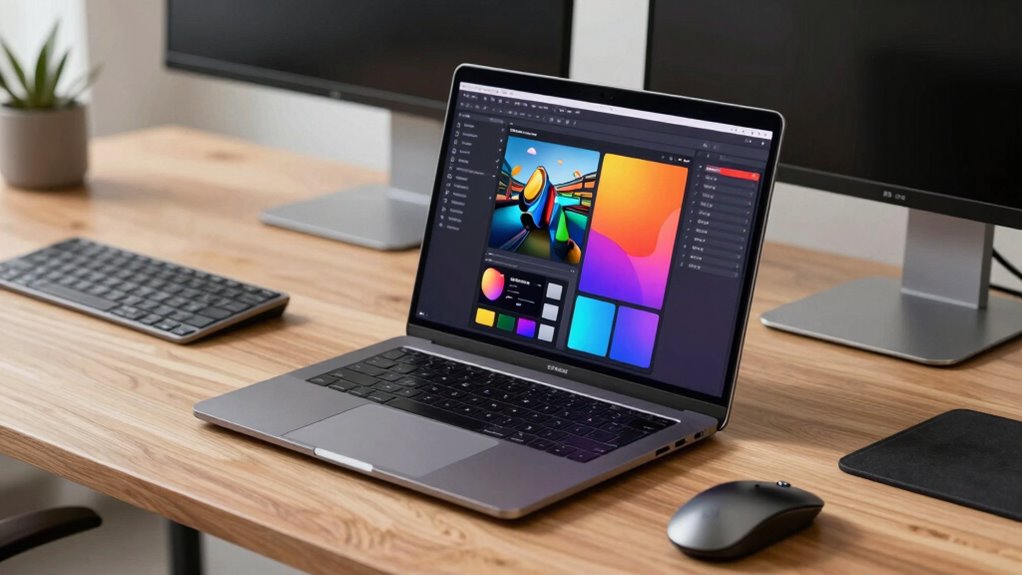

Choosing the right 16 inch workstation laptop requires balancing raw processing power with portability and thermal management. My top recommendation for most professionals is the HP ZBook Fury 16 G11, which offers exceptional expandability and a balanced configuration of Intel Core i7 processors and professional-grade graphics. For those prioritizing visual fidelity and color accuracy, the Dell Precision 5690 OLED stands out, though it trades some upgradeability for a sleeker chassis. Meanwhile, the Lenovo ThinkPad P16 Gen 3 provides a robust alternative for users who prefer the classic ThinkPad keyboard and durability. This roundup breaks down the specific tradeoffs between these models to help you decide which machine fits your workflow.

Get the latest gadgets delivered free with Prime
- Fast, free delivery on millions of items
- Prime Video, Amazon Music and more included
- Member-only deals all year
Complete the kit



Key Takeaways
- The HP ZBook Fury 16 G11 offers superior internal expandability (RAM/Storage) compared to the soldered or limited-upgrade options in the Dell Precision 5000 series.
- Dell‘s Precision 7680 remains the volume leader for enterprise fleets due to standardized parts and widespread IT support, whereas HP and Lenovo offer more unique feature sets.
- OLED panels in the Dell Precision 5690 provide unmatched contrast for media work but introduce potential burn-in risks and higher power consumption compared to IPS panels.
- The Lenovo ThinkPad P16 Gen 3 utilizes newer Core Ultra architecture, offering better power efficiency and AI acceleration compared to the 13th Gen Intel chips in older Dell and HP models.
- Buying renewed Dell Precision 7670 models offers significant value for students or freelancers who need workstation certification without paying for the latest silicon.
| HP ZBook Fury 16 G11 Mobile Workstation, 16-inch WUXGA, Intel Core i7-13850HX, 64GB DDR5 RAM, 4TB NVMe SSD, Windows 11 Pro |  | Best for Large Local Workloads | Processor: Intel Core i7-13850HX, 20 cores, 28 threads, up to 5.3 GHz | Memory: 64GB DDR5 | Storage: 4TB PCIe NVMe SSD | VIEW ON AMAZON | See Our Full Breakdown |
| HP ZBook Fury 16 G11 | 16-inch WUXGA Professional Workstation Laptop | Intel Core i7-13850HX | 32GB DDR5 | 1TB PCIe SSD | Windows 11 Pro |  | Best for CPU-Focused Work on a Tighter Configuration | Processor: Intel Core i7-13850HX, 20 cores, 28 threads, up to 5.3 GHz | Memory: 32GB DDR5 | Storage: 1TB PCIe NVMe SSD | VIEW ON AMAZON | See Our Full Breakdown |
| Dell Precision 7680 Laptop, 16-inch FHD+, Intel Core i9-13950HX, 32GB DDR5, 2TB SSD |  | Best for CPU-Intensive Engineering | Processor: Intel Core i9-13950HX vPro, up to 5.5 GHz | Memory: 32GB DDR5 CAMM | Storage: 2TB PCIe NVMe M.2 SSD | VIEW ON AMAZON | See Our Full Breakdown |
| Dell Precision 5690 16-inch OLED Touch Mobile Workstation |  | Best for Color-Critical GPU Work | Processor: Intel Core Ultra 7-165H, 16 cores, up to 5.0 GHz | Memory: 32GB | Storage: 2TB NVMe SSD | VIEW ON AMAZON | See Our Full Breakdown |
| Dell Precision 7680 Mobile Workstation Laptop |  | Best for Entry-Level Discrete Workstation Graphics | Processor: Intel Core i7-13850HX vPro, 20 cores, 28 threads, up to 5.3 GHz | Graphics: NVIDIA RTX 2000 Ada Generation, 8GB GDDR6 | Memory: 32GB CAMM DDR5 | VIEW ON AMAZON | See Our Full Breakdown |
| Lenovo ThinkPad P16s Gen 4 Laptop |  | Best for Mobility and Everyday Workflows | Processor: Intel Core Ultra 7 255H | Graphics: Integrated Intel Graphics | Memory: 32GB DDR5 | VIEW ON AMAZON | See Our Full Breakdown |
| Dell Precision 7680 16-Inch Laptop (RTX 1000 Ada) |  | Best Value Workstation | Processor: Intel Core i7-13850HX vPro | Graphics: NVIDIA RTX 1000 Ada, 6GB GDDR6 | Memory: 64GB DDR5 CAMM | VIEW ON AMAZON | See Our Full Breakdown |
| Dell Precision 7680 16-Inch Workstation (RTX 2000 Ada) |  | Best for Professional CAD and Simulation | Processor: Intel Core i7-13850HX vPro | Graphics: NVIDIA RTX 2000 Ada, 8GB GDDR6 | Memory: 64GB DDR5 CAMM | VIEW ON AMAZON | See Our Full Breakdown |
| Lenovo ThinkPad P16 Gen 3 Mobile Workstation |  | Best Premium Performance | Processor: Intel Core Ultra 7 255HX | Graphics: NVIDIA RTX PRO 3000 Blackwell, 12GB GDDR7 | Memory: 64GB DDR5-4400 | VIEW ON AMAZON | See Our Full Breakdown |
| Lenovo ThinkPad P1 Gen 7 |  | Best Premium Portability | Processor: Intel Core Ultra 7 165H vPro | Graphics: NVIDIA RTX 3000 Ada, 8GB GDDR6 | Memory: 32GB LPDDR5x | VIEW ON AMAZON | See Our Full Breakdown |
| Dell Precision 7670 16-Inch Workstation Laptop (Renewed) |  | Best Value for Professional Multitasking | Processor: Intel Core i7-12850HX, 16 cores, up to 4.8 GHz | Memory: 32GB DDR5 CAMM, up to 4800 MHz | Storage: 512GB PCIe NVMe M.2 SSD | VIEW ON AMAZON | See Our Full Breakdown |
| HP ZBook 8 G1i 16-Inch Mobile Workstation |  | Best for Mobility and Modern Connectivity | Processor: Intel Core Ultra 7 255H, 16 cores | Memory: 32 GB | Storage: 1 TB SSD | VIEW ON AMAZON | See Our Full Breakdown |
| Dell Precision 7680 16-Inch FHD+ Mobile Workstation |  | Best for Multi-Monitor Workflows | Processor: Intel Core i9-13950HX vPro, up to 5.5GHz | Memory: 32GB DDR5 CAMM | Storage: 1TB PCIe NVMe M.2 SSD | VIEW ON AMAZON | See Our Full Breakdown |
| inch workstation laptop | Processor | Memory | Storage | Display |
|---|---|---|---|---|
| HP ZBook Fury 16 G11 Mobile Wo | Intel Core i7-13850HX, 20 cores, 28 threads, up to 5.3 GHz | 64GB DDR5 | 4TB PCIe NVMe SSD | 16-inch WUXGA (1920 x 1200), anti-glare, 16:10 |
| HP ZBook Fury 16 G11 | 16-inch | Intel Core i7-13850HX, 20 cores, 28 threads, up to 5.3 GHz | 32GB DDR5 | 1TB PCIe NVMe SSD | 16-inch WUXGA (1920 x 1200), anti-glare, 16:10 |
| Dell Precision 7680 Laptop | Intel Core i9-13950HX vPro, up to 5.5 GHz | 32GB DDR5 CAMM | 2TB PCIe NVMe M.2 SSD | 16-inch FHD+ (1920 x 1200), anti-glare, 16:10 |
| Dell Precision 5690 16-inch OL | Intel Core Ultra 7-165H, 16 cores, up to 5.0 GHz | 32GB | 2TB NVMe SSD | 16-inch UHD+ OLED touchscreen, 3840 x 2400, 60 Hz, 100% DCI-P3 |
| Dell Precision 7680 Mobile Wor | Intel Core i7-13850HX vPro, 20 cores, 28 threads, up to 5.3 GHz | 32GB CAMM DDR5 | 1TB PCIe NVMe M.2 SSD | 16-inch FHD+ (1920 x 1200), anti-glare, 250 nits, 45% NTSC |
| Lenovo ThinkPad P16s Gen 4 Lap | Intel Core Ultra 7 255H | 32GB DDR5 | 1TB PCIe SSD | 16" WUXGA (1920×1200), 400 nits |
| Dell Precision 7680 16-Inch La | Intel Core i7-13850HX vPro | 64GB DDR5 CAMM | 1TB PCIe NVMe SSD | 16" FHD+ IPS, 250 nits |
| Dell Precision 7680 16-Inch Wo | Intel Core i7-13850HX vPro | 64GB DDR5 CAMM | 1TB PCIe NVMe SSD | 16" FHD+ LCD, 45% NTSC |
| Lenovo ThinkPad P16 Gen 3 Mobi | Intel Core Ultra 7 255HX | 64GB DDR5-4400 | 2TB PCIe Gen5 SSD | 16" WQUXGA (3840×2400), 800 nits, HDR 400 |
| Lenovo ThinkPad P1 Gen 7 | Intel Core Ultra 7 165H vPro | 32GB LPDDR5x | 1TB PCIe Gen4 SSD | 16" WQXGA (2560×1600), 165Hz, 500 nits |
| Dell Precision 7670 16-Inch Wo | Intel Core i7-12850HX, 16 cores, up to 4.8 GHz | 32GB DDR5 CAMM, up to 4800 MHz | 512GB PCIe NVMe M.2 SSD | 16-inch non-touch LCD, 1920 × 1200, matte |
| HP ZBook 8 G1i 16-Inch Mobile | Intel Core Ultra 7 255H, 16 cores | 32 GB | 1 TB SSD | 16-inch IPS LCD, 1920 × 1200, 300 nits |
| Dell Precision 7680 16-Inch FH | Intel Core i9-13950HX vPro, up to 5.5GHz | 32GB DDR5 CAMM | 1TB PCIe NVMe M.2 SSD | 16-inch FHD+ (1920 x 1200), anti-glare |
More Details on Our Top Picks
HP ZBook Fury 16 G11 Mobile Workstation, 16-inch WUXGA, Intel Core i7-13850HX, 64GB DDR5 RAM, 4TB NVMe SSD, Windows 11 Pro
I’d put this ZBook Fury first for buyers who need memory and storage headroom more than workstation-class graphics. Its 20-core Core i7, 64GB of DDR5, and 4TB SSD make it well suited to large project files, virtual machines, and busy multitasking without relying as heavily on external storage. Compared with the 32GB, 1TB ZBook Fury configuration, this version gives you substantially more room for active projects; the Dell Precision 7680 with RTX 2000 Ada is the stronger fit when GPU acceleration matters more.
The tradeoff is significant: this configuration uses integrated Intel UHD Graphics, so it is a poor match for heavy 3D rendering or GPU-driven CAD. At about 5.17 pounds, it is also a substantial carry. I’d choose it for CPU-led work and local capacity, not graphics performance or frequent travel.
Pros:- 20-core processor supports demanding CPU-heavy work and multitasking.
- 64GB DDR5 memory provides room for large projects and multiple applications.
- 4TB NVMe SSD offers substantial local project and dataset capacity.
- Broad ports include Thunderbolt 4, HDMI 2.1, Mini DisplayPort, and Ethernet.
Cons:- Integrated graphics are a poor fit for GPU-intensive rendering and advanced 3D work.
- Approximately 5.17-pound starting weight makes frequent carrying less convenient.
Best for: Engineers, analysts, and developers who keep large datasets, virtual machines, or project libraries on their laptop and need 64GB of memory.
Not ideal for: 3D artists and CAD users who depend on a discrete GPU, or commuters who prioritize a lighter 16-inch workstation.
- Processor:Intel Core i7-13850HX, 20 cores, 28 threads, up to 5.3 GHz
- Memory:64GB DDR5
- Storage:4TB PCIe NVMe SSD
- Display:16-inch WUXGA (1920 x 1200), anti-glare, 16:10
- Graphics:Integrated Intel UHD Graphics
- Operating system:Windows 11 Pro
- Ports:2 x Thunderbolt 4/USB4 Type-C, 2 x USB-A, HDMI 2.1, Mini DisplayPort, RJ-45 Ethernet, audio combo jack
- Weight and battery:Approximately 5.17 lb; 95 Wh battery
Our verdict“Choose this ZBook Fury when CPU performance, 64GB of RAM, and 4TB of local storage matter more than discrete graphics or portability.”
HP ZBook Fury 16 G11 | 16-inch WUXGA Professional Workstation Laptop | Intel Core i7-13850HX | 32GB DDR5 | 1TB PCIe SSD | Windows 11 Pro
This ZBook Fury keeps the same 20-core Core i7 platform as the 64GB, 4TB configuration, but pares memory and storage back to 32GB and 1TB. That makes it a more restrained setup for programming, data analysis, and office workloads that benefit from a strong processor but don’t need a deep local archive. Like the larger-capacity ZBook, it has a 16:10 anti-glare screen and useful workstation connectivity, including dual Thunderbolt 4 and Ethernet.
The main limitation is graphics: Intel UHD integrated graphics will not match the dedicated RTX 2000 Ada in the Dell Precision 7680 for GPU-accelerated CAD or rendering. The 1TB drive also leaves less room for large working files than the 4TB HP configuration. I’d pick this version for CPU-led work and upgrade flexibility, but skip it if a discrete GPU or abundant out-of-box storage is a requirement.
Pros:- 20-core processor handles demanding multitasking and CPU-heavy applications.
- 16:10 anti-glare display gives spreadsheets, code, and documents more vertical room.
- Dual Thunderbolt 4, Ethernet, HDMI, Mini DisplayPort, and an SD card reader support varied setups.
- Full-size backlit keyboard includes a numeric keypad.
Cons:- Integrated Intel UHD graphics limit suitability for demanding 3D and GPU-accelerated workflows.
- 32GB RAM and 1TB SSD offer less headroom than the other ZBook Fury configuration.
- At approximately 5.29 pounds, it is not a light daily-carry laptop.
Best for: Developers, business analysts, and technical users who want an HX-class processor, Windows 11 Pro, and workstation ports without needing a dedicated GPU.
Not ideal for: 3D professionals needing GPU acceleration or users who want 64GB of memory and several terabytes of storage from the start.
- Processor:Intel Core i7-13850HX, 20 cores, 28 threads, up to 5.3 GHz
- Memory:32GB DDR5
- Storage:1TB PCIe NVMe SSD
- Display:16-inch WUXGA (1920 x 1200), anti-glare, 16:10
- Graphics:Integrated Intel UHD Graphics
- Operating system:Windows 11 Pro
- Ports:2 x Thunderbolt 4, 2 x USB-A, HDMI 2.1, Mini DisplayPort 1.4, RJ-45 Ethernet, SD card reader, audio combo jack
- Weight:Approximately 5.29 lb
Our verdict“Pick this ZBook Fury for CPU-heavy professional work and broad connectivity, but choose an RTX-equipped Precision if graphics acceleration is part of the job.”
Dell Precision 7680 Laptop, 16-inch FHD+, Intel Core i9-13950HX, 32GB DDR5, 2TB SSD
The Precision 7680 is the CPU-first choice here: its Core i9-13950HX reaches up to 5.5 GHz and pairs with 32GB of DDR5 CAMM memory and a 2TB SSD. That combination favors compilation, data-heavy analysis, and other workloads that lean hard on the processor. Against the HP ZBook Fury with the Core i7-13850HX, the i9 model offers a higher-tier processor and twice the storage of the 1TB HP configuration, while retaining a similar 16:10 WUXGA resolution.
Its key caveat is the integrated Intel UHD graphics: despite the workstation name and CAD-oriented positioning, demanding 3D work may benefit more from the Dell Precision 5690 with RTX 5000 Ada. The listing also describes the unit as resealed for an SSD upgrade, with separate SSD warranty details, so buyers should check those terms. I’d favor this Precision for CPU throughput and a ruggedized chassis, not GPU rendering or a higher-resolution panel.
Pros:- Core i9-13950HX offers strong CPU capability for intensive professional tasks.
- 32GB DDR5 CAMM memory and a 2TB NVMe SSD support substantial workloads and project files.
- MIL-STD-810H testing suits work across office and field settings.
- Dual Thunderbolt 4, Ethernet, and multiple display connections support workstation setups.
Cons:- Integrated Intel UHD graphics constrain demanding rendering and GPU-accelerated CAD.
- 1920 x 1200 resolution is less detailed than the OLED panel on the Dell Precision 5690.
- Resealed SSD-upgrade condition and split warranty details warrant careful verification.
Best for: Engineers, developers, and data professionals whose applications are primarily CPU-bound and who value a 2TB drive and tested durability.
Not ideal for: GPU-rendering specialists or buyers who want a high-resolution display and an unmodified factory configuration.
- Processor:Intel Core i9-13950HX vPro, up to 5.5 GHz
- Memory:32GB DDR5 CAMM
- Storage:2TB PCIe NVMe M.2 SSD
- Display:16-inch FHD+ (1920 x 1200), anti-glare, 16:10
- Graphics:Integrated Intel UHD Graphics
- Operating system:Windows 11 Pro 64-bit
- Connectivity:2 x Thunderbolt 4, USB-C, 2 x USB-A, HDMI, Ethernet, audio combo jack, Wi-Fi 6E, Bluetooth
- Durability and condition:MIL-STD-810H tested; resealed for SSD upgrade
Our verdict“Choose this Precision 7680 for CPU-heavy work and durable 2TB storage, but look to an RTX-equipped model for graphics-led workflows.”
Dell Precision 5690 16-inch OLED Touch Mobile Workstation
This Precision 5690 is the clear pick for buyers who need a dedicated professional GPU and a high-detail display in one 16-inch workstation. Its RTX 5000 Ada with 16GB of GDDR6 is a substantial step beyond the integrated graphics in both HP ZBook Fury configurations and the CPU-focused Precision 7680 listing. The 3840 x 2400 OLED touchscreen and 100% DCI-P3 coverage also make visual review and color-conscious work more suitable than on those WUXGA panels.
The tradeoff is that its Core Ultra 7-165H is a different, less HX-oriented processor tier than the Core i9-13950HX in the Precision 7680; CPU-heavy users may prefer the latter. The 60 Hz screen and 4.4-pound weight are also worth weighing against its strong display and graphics combination. I’d choose this model for visual workflows, but not if raw CPU throughput or frequent travel is the leading priority.
Pros:- NVIDIA RTX 5000 Ada with 16GB GDDR6 targets demanding GPU-accelerated professional applications.
- UHD+ OLED touchscreen offers high resolution and 100% DCI-P3 color coverage.
- Wi-Fi 7 and Thunderbolt 4 support modern office and external-device setups.
- Listed Dell ProSupport coverage runs through July 2029.
Cons:- Core Ultra 7-165H may be a less suitable fit than the Precision 7680’s HX-class Core i9 for heavily CPU-bound tasks.
- The 60 Hz display and OLED panel may not suit buyers prioritizing higher refresh rates or battery efficiency.
- At 4.4 pounds, it remains a substantial 16-inch system for frequent travel.
Best for: Visual effects, design, and engineering professionals who need powerful discrete graphics and a color-rich OLED touchscreen for reviewing work.
Not ideal for: CPU-bound users who favor the Precision 7680’s Core i9, or frequent travelers seeking a lighter laptop with a less power-hungry display.
- Processor:Intel Core Ultra 7-165H, 16 cores, up to 5.0 GHz
- Memory:32GB
- Storage:2TB NVMe SSD
- Graphics:NVIDIA RTX 5000 Ada, 16GB GDDR6
- Display:16-inch UHD+ OLED touchscreen, 3840 x 2400, 60 Hz, 100% DCI-P3
- Operating system:Windows 11 Pro
- Connectivity:Wi-Fi 7, Bluetooth 5.3, 2 x Thunderbolt 4, USB-C, HDMI, SD card slot
- Weight and battery:4.4 lb; 99.5 Wh battery
Our verdict“Choose the Precision 5690 when GPU power and a color-accurate OLED matter more than HX-class CPU performance or a lighter travel setup.”
Dell Precision 7680 Mobile Workstation Laptop
This Precision 7680 fills a different role from the i9-equipped Precision 7680: it pairs a Core i7-13850HX with RTX 2000 Ada graphics, giving CAD and 3D applications a dedicated GPU while keeping the processor in the same 20-core class as the HP ZBook Fury models. The 32GB CAMM memory and ISV certification add a professional-workflow focus, and its broad ports can anchor a desk setup without a dock. Compared with the Dell Precision 5690’s RTX 5000 Ada, though, the RTX 2000 Ada is a more modest graphics tier.
The screen is a notable compromise: its 16-inch WUXGA panel is rated at just 250 nits and 45% NTSC, so it is a weak choice for color-sensitive visual work. At 5.9 pounds, it is also the heaviest option in this group. The listing describes a refurbished or resealed configuration with split warranty coverage, another point to verify before choosing it over a factory-new system.
Pros:- RTX 2000 Ada with 8GB GDDR6 provides dedicated graphics for professional applications.
- 20-core Core i7-13850HX and 32GB CAMM memory support demanding multitasking.
- ISV certification and MIL-STD-810H testing suit professional and field workflows.
- Dual Thunderbolt 4, USB-A, HDMI, and Ethernet offer flexible connectivity.
Cons:- The 250-nit, 45% NTSC display is dim and limited for color-sensitive work.
- At 5.9 pounds, it is heavier than the Precision 5690 and both ZBook Fury configurations.
- Refurbished or resealed status and split warranty coverage require extra verification.
Best for: CAD users and technical professionals who need a discrete RTX workstation GPU, ISV-certified software support, and extensive wired connectivity.
Not ideal for: Color-focused creators, frequent travelers, or buyers who want a factory-new configuration with straightforward warranty coverage.
- Processor:Intel Core i7-13850HX vPro, 20 cores, 28 threads, up to 5.3 GHz
- Graphics:NVIDIA RTX 2000 Ada Generation, 8GB GDDR6
- Memory:32GB CAMM DDR5
- Storage:1TB PCIe NVMe M.2 SSD
- Display:16-inch FHD+ (1920 x 1200), anti-glare, 250 nits, 45% NTSC
- Operating system:Windows 11 Pro 64-bit
- Connectivity:Wi-Fi 6E, Bluetooth 5.2, 2 x Thunderbolt 4, 2 x USB-A, HDMI, RJ-45
- Weight and battery:5.9 lb; 83 Wh battery
Our verdict“Pick this Precision 7680 for a dedicated RTX GPU and workstation software compatibility, but skip it if display quality, portability, or simple warranty terms lead your decision.”
Lenovo ThinkPad P16s Gen 4 Laptop
This model stands out for professionals who prioritize portability over raw graphical horsepower. Unlike the heavier Dell Precision 7680, which demands a dedicated GPU for every task, the ThinkPad P16s Gen 4 relies on integrated Intel Graphics, making it significantly lighter at just four pounds. It is ideal for engineers and analysts who spend most of their time in spreadsheets, code editors, or web-based tools rather than rendering 3D models. The Intel Core Ultra 7 255H provides sufficient power for multitasking, while the WUXGA anti-glare screen reduces eye strain during long office days. However, users requiring heavy GPU acceleration for CAD or video editing should skip this in favor of dedicated graphics options, as the integrated solution will bottleneck complex visual workflows.
Pros:- Lightweight at 4 pounds for easy travel
- Enterprise-grade durability with MIL-STD-810H testing
- Excellent battery efficiency due to integrated graphics
- Comprehensive port selection including Ethernet and Thunderbolt 4
Cons:- Lacks dedicated GPU for heavy creative workloads
- Base display resolution is limited to 1920×1200
- Color accuracy is lower than premium display options
Best for: Software developers, financial analysts, and office professionals who need a durable, light laptop for coding and data analysis.
Not ideal for: 3D artists and video editors who require dedicated GPU power for rendering and timeline playback.
- Processor:Intel Core Ultra 7 255H
- Graphics:Integrated Intel Graphics
- Memory:32GB DDR5
- Storage:1TB PCIe SSD
- Display:16″ WUXGA (1920×1200), 400 nits
- Weight:4 pounds
- Operating System:Windows 11 Pro
Our verdict“This is the go-to choice for mobile professionals who need reliability and speed without the bulk of a dedicated graphics card.”
Dell Precision 7680 16-Inch Laptop (RTX 1000 Ada)
This configuration offers a compelling entry point into professional workstations by pairing a powerful CPU with entry-level dedicated graphics. Compared to the ThinkPad P16s, the addition of the NVIDIA RTX 1000 Ada allows for hardware-accelerated CAD and moderate 3D tasks, which the integrated graphics cannot handle. However, it lacks the high-end GPU power of the ThinkPad P16 Gen 3, making it unsuitable for heavy rendering. The standout feature here is the massive 64GB DDR5 CAMM memory, which future-proofs the machine for large datasets and virtualization tasks. While the 5.9-pound chassis is heavier than the P16s, the tradeoff buys you certified workstation stability and ISV certifications that IT departments prefer.
Pros:- Dedicated NVIDIA RTX 1000 Ada graphics for accelerated workflows
- Massive 64GB RAM capacity for multitasking and VMs
- ISV certifications ensure software compatibility
- Robust connectivity with Thunderbolt 4 and Ethernet
Cons:- Heavier chassis at 5.9 pounds reduces portability
- Display brightness is modest at 250 nits
- RTX 1000 Ada may struggle with very complex scenes
Best for: Engineering students and junior CAD professionals who need certified graphics performance without paying for top-tier GPUs.
Not ideal for: High-end content creators and 3D animators who need more VRAM and raw rendering speed.
- Processor:Intel Core i7-13850HX vPro
- Graphics:NVIDIA RTX 1000 Ada, 6GB GDDR6
- Memory:64GB DDR5 CAMM
- Storage:1TB PCIe NVMe SSD
- Display:16″ FHD+ IPS, 250 nits
- Weight:5.9 pounds
- Warranty:Dell ProSupport until Jan 2029
Our verdict“A smart balance of memory capacity and entry-level dedicated graphics for users who need more than integrated solutions.”
Dell Precision 7680 16-Inch Workstation (RTX 2000 Ada)
Upgrading from the RTX 1000 model in this lineup, this Dell Precision 7680 features the NVIDIA RTX 2000 Ada, offering a noticeable boost in VRAM and processing power for mid-range professional tasks. It bridges the gap between entry-level workstations and high-end powerhouses like the ThinkPad P16 Gen 3. The 8GB of GDDR6 memory allows for smoother handling of larger assemblies and complex simulations that would choke the RTX 1000. While it shares the same heavy 5.9-pound chassis and limited color gamut display as its sibling, the performance gain in graphics-intensive applications justifies the switch for architects and engineers who work with moderately complex models daily.
Pros:- RTX 2000 Ada GPU provides strong mid-range graphics performance
- 8GB VRAM handles larger 3D models than entry-level GPUs
- MIL-STD-810H durability testing for field work
- Supports up to four external 4K monitors
Cons:- Display covers only 45% NTSC, poor for color grading
- Heavy at 5.9 pounds for frequent travel
- Thermals may throttle under sustained heavy loads
Best for: Architects and mechanical engineers working with mid-sized CAD assemblies and simulations.
Not ideal for: Mobile users who prioritize light weight, as it shares the bulky chassis of the standard Precision 7680.
- Processor:Intel Core i7-13850HX vPro
- Graphics:NVIDIA RTX 2000 Ada, 8GB GDDR6
- Memory:64GB DDR5 CAMM
- Storage:1TB PCIe NVMe SSD
- Display:16″ FHD+ LCD, 45% NTSC
- Weight:5.9 pounds
- Connectivity:Wi-Fi 6E, Bluetooth 5.2
Our verdict“The ideal choice for professionals who need certified graphics power for CAD but do not require top-tier rendering speeds.”
Lenovo ThinkPad P16 Gen 3 Mobile Workstation
This machine represents the upper tier of mobile workstations, featuring the NVIDIA RTX PRO 3000 Blackwell and a stunning 4K display with 100% DCI-P3 coverage. Unlike the Dell Precision 7680 models, which often compromise on display quality with lower color gamuts, the P16 Gen 3 is built for color-critical work such as video editing and high-end 3D rendering. The 2TB PCIe Gen5 SSD and 64GB RAM ensure that large project files load instantly, while the Thunderbolt 5 ports offer future-proof connectivity. The tradeoff is significant weight and heat; at six pounds, it is a desktop replacement rather than a true portable laptop, and the 60Hz refresh rate may feel sluggish for gamers or animators accustomed to higher frame rates.
Pros:- Exceptional 4K display with 100% DCI-P3 color accuracy
- Powerful RTX PRO 3000 Blackwell GPU with 12GB VRAM
- Fast PCIe Gen5 storage and Thunderbolt 5 connectivity
- High-capacity 64GB RAM for heavy multitasking
Cons:- Very heavy at 6 pounds
- Display limited to 60Hz refresh rate
- Premium price point for the configuration
Best for: Video editors, 3D animators, and data scientists who need color accuracy and massive processing power.
Not ideal for: Travelers and students who need a lightweight machine for note-taking and light multitasking.
- Processor:Intel Core Ultra 7 255HX
- Graphics:NVIDIA RTX PRO 3000 Blackwell, 12GB GDDR7
- Memory:64GB DDR5-4400
- Storage:2TB PCIe Gen5 SSD
- Display:16″ WQUXGA (3840×2400), 800 nits, HDR 400
- Weight:6 lbs
- Ports:2x Thunderbolt 5, 1x Thunderbolt 4
Our verdict“A powerhouse for creative professionals who demand color accuracy and raw power, regardless of weight.”
Lenovo ThinkPad P1 Gen 7
The ThinkPad P1 Gen 7 defies the typical workstation stereotype by delivering dedicated GPU performance in a chassis that rivals ultrabooks for portability. Weighing just over four pounds, it is significantly lighter than the Dell Precision 7680 and the ThinkPad P16 Gen 3. It features a 165Hz WQXGA display, which offers much smoother motion than the 60Hz panels found in many competitors, making it excellent for scrolling through long codebases or video timelines. The NVIDIA RTX 3000 Ada provides solid professional graphics, though it lacks the massive VRAM of the top-tier P16. This is the best choice for executives and creative directors who need workstation credentials but refuse to carry a brick-like laptop to meetings.
Pros:- Extremely lightweight at 4.03 pounds for a dedicated GPU workstation
- High-refresh 165Hz display for smooth visual fluidity
- Premium build quality with thin, sleek design
- Fast LPDDR5x memory and PCIe Gen4 SSD
Cons:- Only 32GB RAM out of the box
- RTX 3000 Ada has less VRAM than higher-end options
- Thinner chassis may run hotter under sustained load
Best for: Creative directors and executives who need dedicated graphics and a premium, lightweight design for meetings and travel.
Not ideal for: Users with extremely large 3D projects that require more than 8GB of video memory.
- Processor:Intel Core Ultra 7 165H vPro
- Graphics:NVIDIA RTX 3000 Ada, 8GB GDDR6
- Memory:32GB LPDDR5x
- Storage:1TB PCIe Gen4 SSD
- Display:16″ WQXGA (2560×1600), 165Hz, 500 nits
- Weight:4.03 pounds
- Battery:90Wh with Rapid Charge
Our verdict“The perfect blend of style, speed, and portability for professionals who cannot afford to carry heavy equipment.”
Dell Precision 7670 16-Inch Workstation Laptop (Renewed)
This renewed Dell Precision 7670 stands out as a high-value entry for professionals needing raw processing power without the premium price tag of newer models. The Intel Core i7-12850HX with 16 cores handles heavy multitasking efficiently, while the NVIDIA RTX A2000 provides dedicated graphics acceleration that integrated solutions lack. Unlike the HP ZBook 8 G1i, which relies on Intel Arc graphics, this Dell offers certified pro-grade GPU performance for CAD and rendering tasks. However, the 512GB SSD is a significant limitation for large datasets, requiring immediate upgrades. The lack of a webcam is a critical omission for remote workers, making this unit better suited for desk-bound users who use external peripherals.Pros:- 16-core i7-12850HX delivers strong multi-threaded performance
- NVIDIA RTX A2000 offers dedicated graphics for professional applications
- 32GB DDR5 RAM supports demanding multitasking workloads
- Renewed condition offers significant savings over new units
Cons:- No built-in webcam limits video conferencing capability
- 512GB SSD is too small for professional project files
- Renewed status implies potential battery wear or cosmetic imperfections
Best for: Engineers and designers who need certified workstation drivers and dedicated GPU power but plan to use external webcams and upgrade storage themselves.
Not ideal for: Remote professionals or content creators who need a built-in webcam and ample out-of-the-box storage for large media files.
- Processor:Intel Core i7-12850HX, 16 cores, up to 4.8 GHz
- Memory:32GB DDR5 CAMM, up to 4800 MHz
- Storage:512GB PCIe NVMe M.2 SSD
- Graphics:NVIDIA RTX A2000, 4GB GDDR6
- Display:16-inch non-touch LCD, 1920 × 1200, matte
- Weight:5.8 pounds
- Webcam:Not included
Our verdict“Choose this if you prioritize certified pro graphics and CPU power over convenience features like webcams and storage.”
HP ZBook 8 G1i 16-Inch Mobile Workstation
The HP ZBook 8 G1i excels in portability, weighing just 3.8 pounds, which makes it significantly lighter than the 5.8-pound Dell Precision 7670. This Intel Core Ultra 7 255H based system is designed for professionals who commute daily, offering a sleek Meteor Silver chassis and Thunderbolt ports. While the Intel Arc 140T graphics handle basic visual tasks, they lag behind dedicated RTX cards for heavy 3D rendering. The 1TB SSD provides more breathing room than the Dell’s 512GB drive, but the 300-nit display brightness struggles in well-lit environments. It is a refined, modern package that trades raw GPU horsepower for battery efficiency and travel-friendly design.Pros:- Exceptionally lightweight at 3.8 pounds for a 16-inch workstation
- Includes Thunderbolt and Ethernet for versatile connectivity
- 1TB SSD offers ample storage for professional documents
- Modern Intel Core Ultra processor improves battery efficiency
Cons:- Intel Arc graphics are insufficient for heavy GPU-accelerated tasks
- 300-nit screen brightness is low for outdoor or bright office use
- Integrated graphics share system memory, potentially slowing down RAM
Best for: Architects or managers who travel frequently and need a lightweight, modern workstation for office productivity and light CAD work.
Not ideal for: 3D artists or video editors who require high GPU performance for rendering complex scenes.
- Processor:Intel Core Ultra 7 255H, 16 cores
- Memory:32 GB
- Storage:1 TB SSD
- Graphics:Intel Arc 140T, 4 GB graphics memory
- Display:16-inch IPS LCD, 1920 × 1200, 300 nits
- Weight:3.8 pounds
- Connectivity:Thunderbolt, HDMI, USB, Ethernet
Our verdict“Ideal for mobile professionals who value weight and battery life over dedicated graphics performance.”
Dell Precision 7680 16-Inch FHD+ Mobile Workstation
This Dell Precision 7680 is tailored for users who live in a multi-monitor setup, supporting up to three external 4K displays without a docking station. The Intel Core i9-13950HX is a powerhouse, outperforming the i7 in the Dell Precision 7670 for single-threaded tasks. However, its reliance on Integrated Intel UHD Graphics is a major drawback for creative professionals; it cannot compete with the dedicated RTX cards found in other workstations. The unit has been resealed for an SSD upgrade, which raises questions about warranty clarity for the chassis. Despite this, the MIL-STD-810H testing and robust port selection make it a durable hub for data-intensive, non-graphical work.Pros:- Intel Core i9-13950HX offers top-tier CPU performance
- Supports up to three external 4K monitors simultaneously
- Broad connectivity including dual Thunderbolt 4 and Ethernet
- MIL-STD-810H durability testing ensures ruggedness
Cons:- Integrated graphics lack the power for 3D rendering or gaming
- Resealed condition may complicate hardware warranty claims
- Heavier chassis compared to ultrabook-style workstations
Best for: Data analysts, programmers, and financial professionals who need extreme CPU power and multi-monitor support but do not use GPU-heavy software.
Not ideal for: Graphic designers or 3D modelers who need dedicated graphics hardware for rendering and visual effects.
- Processor:Intel Core i9-13950HX vPro, up to 5.5GHz
- Memory:32GB DDR5 CAMM
- Storage:1TB PCIe NVMe M.2 SSD
- Graphics:Integrated Intel UHD Graphics
- Display:16-inch FHD+ (1920 x 1200), anti-glare
- External Display Support:Up to 3 monitors at 4K@60Hz
- Durability:MIL-STD-810H tested
Our verdict“Pick this for its unmatched multi-monitor capabilities and CPU strength, provided you do not need dedicated graphics.”

How We Picked
I evaluated these machines based on three primary pillars: compute performance per watt, upgradeability, and display quality. I prioritized models featuring professional-grade NVIDIA RTX Ada Generation or A-Series GPUs over consumer GeForce cards, as certified drivers are critical for stability in CAD and engineering applications. I also scrutinized the physical design, favoring chassis that allow user-accessible RAM and storage slots, which extend the laptop’s usable lifespan.
Ranking was determined by how well each laptop balanced these specs with build quality and thermal handling. I excluded models with outdated connectivity standards or those lacking ISV (Independent Software Vendor) certifications, as these are non-negotiable for professional environments. The final list reflects a mix of current-generation flagships and high-value previous-generation units that still hold relevance for specific budgets.
Factors to Consider When Choosing 16 Inch Workstation Laptop
Selecting a workstation is not just about picking the highest number on a spec sheet; it is about matching hardware capabilities to your specific software demands and workflow constraints. This guide addresses the hidden costs and performance bottlenecks that often surprise buyers.
GPU Selection: Ada Generation vs. A Series
The shift from NVIDIA’s Ampere (A-Series) to Ada Lovelace (RTX Ada) architecture represents a meaningful leap in ray tracing and power efficiency. If you work in 3D rendering or complex simulations, the RTX Ada cards found in the HP ZBook Fury and newer Dell Precision models offer better performance-per-watt than the older A2000 or A3000 cards. However, for standard CAD or video editing, the older A-Series cards are still competent and often available at lower price points. Buyers should verify that their specific software is certified for the newer driver stack before committing to the more expensive Ada options, as some legacy engineering tools may not yet be optimized for them.
The Upgradeability Factor
One of the most overlooked aspects of buying a workstation is whether you can actually open it up later. The HP ZBook Fury and Dell Precision 7680 typically feature user-replaceable RAM and SSDs, allowing you to start with a modest configuration and upgrade as your projects grow. In contrast, thinner models like the Dell Precision 5690 or ThinkPad P1 often have soldered memory or restricted storage slots to save space. If you plan to keep this laptop for more than three years, prioritizing a chassis with accessible internals will save you money and extend the device’s life significantly.
Display Technology: IPS vs. OLED
While OLED panels deliver perfect blacks and vibrant colors ideal for video grading, they come with tradeoffs that workstation users must accept. The Dell Precision 5690 and similar OLED models consume more power when displaying bright white interfaces, which drains battery life faster during day-to-day office work. Additionally, static elements like toolbars can cause image retention over time if brightness is left high for extended periods. For data analysts, coders, or engineers who stare at static dashboards for hours, a high-quality IPS panel with high resolution and color accuracy is often a safer, more durable choice.
Thermal Management and Sustained Performance
Workstation laptops are prone to thermal throttling, where the CPU and GPU slow down to prevent overheating during long render sessions. Thicker chassis like the ThinkPad P16 and ZBook Fury have larger vapor chambers and multiple fans, allowing them to sustain high clock speeds for longer periods. Thinner 16-inch models often sacrifice sustained performance for portability, resulting in louder fan noise and lower peak performance after 10-15 minutes of heavy load. If your work involves rendering overnight or running complex simulations, prioritize the bulkier models with robust cooling solutions over the slim alternatives.
Port Selection and Connectivity
Modern workstations are increasingly stripping out legacy ports in favor of USB-C and Thunderbolt. However, professionals often still need RJ-45 Ethernet for secure, wired networks and HDMI for conference room presentations. The HP ZBook and Dell Precision 7680 generally retain these ports, whereas the ThinkPad P1 and Precision 5690 may require dongles. Assessing your daily connectivity needs is vital; relying on adapters adds friction to your workflow and can be a point of failure during critical presentations or data transfers.
Frequently Asked Questions
Is a 16-inch workstation laptop too heavy for daily commuting?
It depends on the specific model and your tolerance for weight. Models like the Dell Precision 5690 and ThinkPad P1 are designed to be relatively portable, weighing under 4.5 pounds, making them manageable for daily travel. However, high-performance units like the HP ZBook Fury or Dell Precision 7680 can weigh over 5.5 pounds, plus the weight of a large power brick. If you commute frequently via public transport or walk long distances, I recommend choosing the thinner chassis options, even if it means accepting slightly less raw power or upgradeability.Do I need ISV certification for my specific software?
If you use professional applications like AutoCAD, SolidWorks, CATIA, or Adobe Premiere Pro for commercial work, ISV certification is highly recommended. It guarantees that the hardware drivers have been tested by the software vendor for stability and performance. While consumer laptops can run this software, they lack these certifications, which can lead to crashes or graphical glitches during complex tasks. For students or hobbyists, certification is less critical, but for anyone billing clients or working in a corporate environment, stick to certified models like those from Dell, HP, and Lenovo to avoid workflow interruptions.Should I buy a renewed Dell Precision 7670 instead of a new model?
A renewed Dell Precision 7670 can be a smart financial move if you need workstation-grade reliability on a tighter budget. These machines are built to enterprise standards and often come with remaining warranty coverage from refurbishers. However, you will be using 12th Gen Intel processors and older Ampere graphics, which lack the efficiency and AI features of the newer Core Ultra or 13th/14th Gen chips. I advise this route only if your software does not require the latest instruction sets or if you are performing less intensive tasks like 2D CAD or basic video editing, where the performance gap is negligible.How much RAM do I actually need for a 16-inch workstation?
For most professional workflows, 32GB of DDR5 RAM is the current baseline. This amount comfortably handles multitasking with heavy browser tabs, virtual machines, and standard engineering projects. If you work with large datasets, run multiple virtual environments, or edit 4K/8K video timelines, 64GB is the safer choice to prevent swapping to the SSD. While 16GB is sufficient for light administrative tasks, it is rarely enough for a true workstation experience. Since RAM is often user-upgradable in models like the ZBook and Precision 7680, you can start with 32GB and add more later if needed.Is the OLED screen worth it for general productivity?
For general productivity, an OLED screen is often overkill and can even be a downside. The Dell Precision 5690‘s OLED panel excels at media consumption and color-critical design work, but it consumes more battery power when displaying bright, white-heavy interfaces like Word documents or spreadsheets. Furthermore, static taskbars and windows can lead to burn-in over time. Unless your work specifically requires perfect contrast ratios and deep blacks for video or photo editing, I suggest opting for a high-quality IPS panel. It offers better battery life, no burn-in risk, and sufficient color accuracy for most professional tasks.Conclusion
Choosing the right 16 inch workstation laptop comes down to identifying your primary bottleneck: raw power, portability, or display quality. For the best all-around performance and upgradeability, the HP ZBook Fury 16 G11 is my top overall pick, offering a balanced configuration that scales with your needs. If you prioritize a sleek design and stunning visuals for media work, the Dell Precision 5690 is the superior choice, provided you accept the limitations of a thinner chassis. For enterprise users who value standardization and support, the Dell Precision 7680 remains the reliable industry standard. Finally, for those seeking the best value without compromising on build quality, the Lenovo ThinkPad P16 Gen 3 offers modern efficiency and the legendary ThinkPad keyboard experience.
Halloween Picks

Pumpkin Halloween Fog Machine with 12-Color LED Lights, Bluetooth Speaker, and Remote

8.5 Foot Halloween Inflatable Haunted House Castle with Skeleton, Ghost & Skulls

15-Foot Halloween Pumpkin Inflatable with LED Lights and Air Blower
As an affiliate, we earn on qualifying purchases.