
Choosing the best smart home hubs in 2026 means balancing compatibility, ease of use, and future-proof features. The Amazon Echo Show 15 stands out as the best overall due to its large display and seamless Alexa integration. For those prioritizing broad device compatibility, the Hubitat Elevation C-8 Pro offers extensive Z-Wave, Zigbee, and Matter support. Meanwhile, the Home Assistant Green provides advanced automation for tech-savvy users willing to customize extensively. With many options available, the main tradeoffs often involve balancing affordability, capabilities, and ease of setup. Continue reading for a detailed breakdown of each choice and which best suits your needs.

Get the latest gadgets delivered free with Prime
- Fast, free delivery on millions of items
- Prime Video, Amazon Music and more included
- Member-only deals all year
Complete the kit



Key Takeaways
- Compatibility with multiple protocols like Z-Wave, Zigbee, and Matter is vital for future-proofing your smart home.
- Displays and control panels enhance user interaction, but can add significant cost and complexity.
- Ease of setup and user interface quality often outweigh raw device support for beginners.
- Premium hubs tend to offer more automation options, but at a higher price point.
- Choosing the right hub depends heavily on your existing device ecosystem and technical comfort level.
| Amazon Echo Show 15 (Newest Model) – 15.6″ Full HD Smart Display with Fire TV and Alexa |  | Best Overall Smart Home Hub with Visual and Entertainment Capabilities | Display: 15.6-inch Full HD (1080p) | Camera: Centered, auto-framing, wide field of view, 3.3x zoom | Connectivity: Wi-Fi, Bluetooth | VIEW LATEST PRICE | See Our Full Breakdown |
| Hubitat Elevation C-8 Pro Smart Home Hub – Z-Wave, Zigbee, Matter |  | Best Local-Processing Hub for Advanced, Privacy-Focused Automation | Protocols Supported: Matter 1.5, Z-Wave 800 Series, Zigbee 3.0, Bluetooth | External Antennas: 2 (Z-Wave and Zigbee) | Dimensions: 3.23 x 2.95 x 0.67 inches | VIEW LATEST PRICE | See Our Full Breakdown |
| MOES Smart Home Control Panel with Alexa Built-in and Zigbee Hub |  | Best All-in-One Zigbee Control Panel for Easy Smart Home Management | Compatibility: Smart Life devices, switches, bulbs, locks | Voice Assistant: Alexa built-in | Connectivity: Zigbee hub, Wi-Fi, wired (Type-C) | VIEW LATEST PRICE | See Our Full Breakdown |
| Aqara Smart Hub M100 for Home Automation, Matter Controller, Wi-Fi |  | Best Compact, Protocol-Supporting Hub with Local Automation | Protocols: Zigbee, Thread | Device Support: Up to 20 Zigbee and 20 Thread devices | Connectivity: Wi-Fi 6, 2.4GHz | VIEW LATEST PRICE | See Our Full Breakdown |
| Aqara Smart Home Hub M3 with Matter Support, Zigbee, Thread, IR Blaster, Wi-Fi, PoE |  | Best Versatile Hub with IR Control and PoE for Advanced Automation | Protocols Supported: Zigbee, Thread, Matter, Bluetooth, Wi-Fi | Device Capacity: 127 Zigbee, 127 Thread devices | Connectivity: WPA3 Wi-Fi, PoE, USB-C | VIEW LATEST PRICE | See Our Full Breakdown |
| Aeotec Smart Home Hub 2 – V4, Zigbee & Matter Gateway, Compatible with Alexa & Google Assistant |  | Best Overall for Future-Proof Compatibility | Compatibility: Zigbee, Matter | Supports: Lighting, sensors, plugs, switches, thermostats | Connectivity: Wi-Fi, Ethernet | VIEW LATEST PRICE | See Our Full Breakdown |
| Amazon Echo Hub (newest model), 8-inch Smart Home Control Panel with Alexa+ |  | Best for Customizable, User-Friendly Control | Display Size: 8 inches | Compatibility: Alexa+, Ring, WiFi, Bluetooth, Zigbee, Matter, Sidewalk, Thread | Control Features: Device management, camera viewing, routines, security | VIEW LATEST PRICE | See Our Full Breakdown |
| Home Assistant Green Smart Home Hub with Advanced Automation |  | Best for Tech-Savvy Users Wanting Customization | RAM: 4 GB | Storage Capacity: 32 GB | Connectivity Technology: Ethernet, USB | VIEW LATEST PRICE | See Our Full Breakdown |
| eufy Security eufy Smart Display E10, 8-inch Control Panel |  | Best for Visual Security Monitoring | Manufacturer: eufy | Model Number: T87A0 | Item Weight: 2.46 pounds | VIEW LATEST PRICE | See Our Full Breakdown |
| smart home hub | Connectivity |
|---|---|
| Amazon Echo Show 15 | Wi-Fi, Bluetooth |
| Hubitat Elevation C-8 Pro Smar | — |
| MOES Smart Home Control Panel | Zigbee hub, Wi-Fi, wired (Type-C) |
| Aqara Smart Hub M100 for Home | Wi-Fi 6, 2.4GHz |
| Aqara Smart Home Hub M3 with M | WPA3 Wi-Fi, PoE, USB-C |
| Aeotec Smart Home Hub 2 | Wi-Fi, Ethernet |
| Amazon Echo Hub | — |
| Home Assistant Green Smart Hom | — |
| eufy Security eufy Smart Displ | — |
More Details on Our Top Picks
Amazon Echo Show 15 (Newest Model) – 15.6″ Full HD Smart Display with Fire TV and Alexa
The Amazon Echo Show 15 combines a large, vibrant 15.6-inch Full HD display with integrated Fire TV, making it an excellent centerpiece for busy kitchens or family rooms. Its customizable widgets and comprehensive smart home dashboard streamline device management, while built-in video calling and photo slideshows enhance family interaction. Compared to smaller screens like the Eufy Smart Display E10, the Echo Show 15 offers a more immersive experience but at a higher cost and larger footprint, which may be less suitable for compact spaces. Privacy features such as a physical shutter and mic/camera off button address user concerns about constant monitoring. However, streaming services might require subscriptions, and its size could be overwhelming for small rooms.
Pros:- Large, vibrant display ideal for kitchen or common areas
- Built-in Fire TV offers access to a wide range of streaming apps
- All-in-one smart home control panel with customizable widgets
- Strong privacy controls including camera shutter
Cons:- Relatively high price point for the feature set
- Large size may not fit small or cluttered spaces
- Subscription may be needed for some streaming services
Best for: Homeowners who want a versatile, visually engaging hub that doubles as an entertainment and family organizer
Not ideal for: Those with limited space or seeking a discreet, minimalist device for simple voice commands only
- Display:15.6-inch Full HD (1080p)
- Camera:Centered, auto-framing, wide field of view, 3.3x zoom
- Connectivity:Wi-Fi, Bluetooth
- Built-in Features:Fire TV, smart home dashboard, video calling, photo slideshow
- Privacy Features:Mic/camera-off button, built-in shutter
Our verdict“This pick suits users who want an all-in-one, visually rich hub with entertainment and family features in a spacious setting.”
Hubitat Elevation C-8 Pro Smart Home Hub – Z-Wave, Zigbee, Matter
The Hubitat Elevation C-8 Pro stands out for its commitment to local control, supporting Z-Wave, Zigbee, and Matter protocols, which ensures fast responses and reliable automation even when internet access is unreliable. Compared to the Aqara M3, which emphasizes broad protocol support and device compatibility, the Hubitat is more suited to users comfortable with a touch of technical setup and customization. Its AI-assisted automations and extended wireless range make it a powerful choice for tech-savvy homeowners aiming for privacy and speed. However, setup can be complex for beginners, and its device support is limited to supported protocols, possibly excluding some brands.
Pros:- Supports multiple protocols including Z-Wave, Zigbee, and Matter
- Local processing guarantees fast, reliable automation without cloud dependency
- Compatible with Alexa, Google, and Apple HomeKit for flexible voice control
- AI-assisted automation simplifies routine creation
Cons:- Setup may require technical knowledge and configuration
- Limited to supported protocols and devices, not universally compatible
- No built-in subscription or cloud service fees, but advanced features depend on community support
Best for: Enthusiasts who want a highly customizable, privacy-conscious hub with local automation capabilities
Not ideal for: Beginners or those seeking a simple, plug-and-play solution with broad third-party ecosystem support
- Protocols Supported:Matter 1.5, Z-Wave 800 Series, Zigbee 3.0, Bluetooth
- External Antennas:2 (Z-Wave and Zigbee)
- Dimensions:3.23 x 2.95 x 0.67 inches
- Weight:0.16 lbs
Our verdict“Ideal for tech-savvy users who prioritize privacy, speed, and complex automation over ease of use.”
MOES Smart Home Control Panel with Alexa Built-in and Zigbee Hub
The MOES Smart Home Control Panel offers a compact 5-inch touchscreen combined with built-in Alexa and Zigbee hub functionality, making it a strong choice for those seeking straightforward device management. Its wide compatibility with Smart Life devices, switches, bulbs, and locks means you can control many popular smart products from a single interface. Compared with larger hubs like the Aqara M3, this device’s smaller size may limit its display capabilities but enhances its suitability for wall mounting in various rooms. Setup involves some effort, especially for non-technical users, and it’s limited to Zigbee-compatible devices. Nonetheless, its all-in-one approach simplifies many smart home routines for everyday use.
Pros:- Wide compatibility with Smart Life and Zigbee devices
- Built-in Alexa for voice commands
- All-in-one Zigbee gateway simplifies device control
- Compact, wall-mountable design
Cons:- Requires installation and setup, which may be challenging for some
- Limited to Zigbee-compatible devices
- No battery backup or portable use option
Best for: Homeowners who want a dedicated, wall-mounted control panel with voice and Zigbee integration for day-to-day device management
Not ideal for: Users aiming for a highly expandable or multi-protocol hub, or those with complex automation needs beyond Zigbee devices
- Compatibility:Smart Life devices, switches, bulbs, locks
- Voice Assistant:Alexa built-in
- Connectivity:Zigbee hub, Wi-Fi, wired (Type-C)
- Display:5-inch full touch screen
Our verdict“This hub suits users seeking a simple, wall-mounted device control with voice assistance and Zigbee support in a compact form.”
Aqara Smart Hub M100 for Home Automation, Matter Controller, Wi-Fi
The Aqara M100 excels as a compact, versatile hub supporting Zigbee and Thread, acting as a Matter bridge that streamlines device integration across ecosystems. Its Wi-Fi 6 support ensures fast, secure connections, making it ideal for users who want seamless local automation without reliance on cloud services. Compared with the Aqara M3, the M100’s smaller size and support for Thread provide a more streamlined, low-profile option for tech enthusiasts. Its automation capabilities depend on specific app support, but its local execution enhances privacy and responsiveness. However, it requires a 5V⎓0.5A power adapter (not included), and some automations may need cloud connectivity.
Pros:- Supports Zigbee, Thread, and Matter for broad device compatibility
- Enables local automation for reliability and privacy
- Supports up to 20 Zigbee and 20 Thread devices
- Compact size with flexible placement options
Cons:- Power adapter not included, additional purchase needed
- Limited to Aqara Zigbee devices, not third-party Zigbee devices
- Some automations depend on cloud connectivity
Best for: Smart home tech enthusiasts who want a small, flexible hub supporting multiple protocols with local automation
Not ideal for: Users without technical experience or those needing broad third-party device compatibility beyond Aqara products
- Protocols:Zigbee, Thread
- Device Support:Up to 20 Zigbee and 20 Thread devices
- Connectivity:Wi-Fi 6, 2.4GHz
- Power:USB-A port (power adapter not included)
- Range:Placement within 6 to 19 feet from router
Our verdict“Perfect for users seeking a small, multi-protocol hub that emphasizes local automation and privacy in a compact form.”
Aqara Smart Home Hub M3 with Matter Support, Zigbee, Thread, IR Blaster, Wi-Fi, PoE
The Aqara M3 combines Zigbee, Thread, and Matter support with an IR blaster, making it a standout for users wanting a multi-functional, reliable hub. Its PoE capability simplifies wiring and ensures stable power, while encrypted local storage enhances privacy. Compared with the simpler Aqara M100, the M3’s IR blaster adds a new layer of control for devices like air conditioners, making it more suitable for comprehensive home automation. Its flexible placement options include wall and ceiling mounts. The main tradeoff is the need for an additional power supply via PoE, and some features depend on specific app integrations. Nonetheless, it offers a robust mix of protocols and automation features for tech-savvy users.
Pros:- Supports Zigbee, Thread, and Matter for extensive device compatibility
- Features an IR blaster with feedback and learning capabilities
- PoE support provides stable, flexible power options
- Encrypted local storage enhances privacy
Cons:- Requires a PoE-capable network setup and additional power supply
- Placement is constrained between 6 to 19 feet from router
- Some functionalities depend on app and device compatibility
Best for: Home automation enthusiasts wanting a multi-protocol hub with IR control and PoE for reliable, extended coverage
Not ideal for: Casual users seeking a simple, plug-and-play device with minimal setup or those without a PoE setup
- Protocols Supported:Zigbee, Thread, Matter, Bluetooth, Wi-Fi
- Device Capacity:127 Zigbee, 127 Thread devices
- Connectivity:WPA3 Wi-Fi, PoE, USB-C
- IR Blaster:360° IR with feedback and learning
- Storage:8GB encrypted local storage
Our verdict“This hub is best suited for users who want a flexible, protocol-rich smart home center with IR control and reliable power options.”
Aeotec Smart Home Hub 2 – V4, Zigbee & Matter Gateway, Compatible with Alexa & Google Assistant
This hub excels for users seeking a central device that supports the latest standards, especially Matter, which promises broad device compatibility in the future. Compared with the Home Assistant Green, it offers a more straightforward setup and a familiar ecosystem for casual users, but it omits Z-Wave support, limiting device options for those reliant on older or Z-Wave-specific devices. Its local processing ensures automation remains reliable without internet, a key advantage over cloud-dependent solutions. However, the lack of Z-Wave support may be a dealbreaker for advanced smart homes relying on that protocol.
Pros:- Supports the latest Matter standard for broad device compatibility
- Local processing ensures automation works during internet outages
- Easy setup via Wi-Fi or Ethernet
Cons:- Does not support Z-Wave devices, limiting device options
- Limited to Zigbee and Matter compatible devices
Best for: Homeowners who want a future-ready hub with broad device compatibility and reliable local automation.
Not ideal for: Users heavily invested in Z-Wave devices or seeking a hub with built-in Wi-Fi for more flexible connectivity options.
- Compatibility:Zigbee, Matter
- Supports:Lighting, sensors, plugs, switches, thermostats
- Connectivity:Wi-Fi, Ethernet
- Z-Wave:Not supported
- Automation:Local and cloud automations
Our verdict“This pick is ideal for those prioritizing future-proofing and local automation over protocol diversity.”
Amazon Echo Hub (newest model), 8-inch Smart Home Control Panel with Alexa+
This hub stands out for its highly customizable dashboard and seamless integration with Alexa and a wide range of devices, making it perfect for users who want a centralized control panel that doubles as a smart display. It surpasses the eufy Smart Display E10 in flexibility and control options, especially with its ability to manage routines and security systems directly from the display. However, some features like Ring integrations and certain accessories are sold separately, which can increase total costs. Installation flexibility is high, but may require additional accessories for full setup.
Pros:- Customizable dashboard for personalized control
- Supports thousands of smart home devices via Alexa
- Privacy-focused with mic off button
- Supports security and camera management
Cons:- Ring subscription and some accessories sold separately
- Installation may need additional accessories
Best for: Smart home enthusiasts who desire a visually intuitive interface and integration with Alexa ecosystem.
Not ideal for: People seeking a simple, plug-and-play device or those wary of additional costs for accessories and subscriptions.
- Display Size:8 inches
- Compatibility:Alexa+, Ring, WiFi, Bluetooth, Zigbee, Matter, Sidewalk, Thread
- Control Features:Device management, camera viewing, routines, security
- Installation:Wall mount, stand, in-wall pass-through, PoE (sold separately)
- Privacy Features:Mic off button, privacy controls
- Materials:27% recycled materials
Our verdict“This device is perfect for users who want a flexible, visually engaging control panel with deep Alexa integration.”
Home Assistant Green Smart Home Hub with Advanced Automation
The Home Assistant Green is tailored for those who prefer a DIY approach combined with advanced automation capabilities. Its fanless, compact design and pre-installed Home Assistant OS make setup straightforward for users familiar with open-source platforms. It supports Z-Wave, Zigbee, and Thread via USB, offering a level of connectivity that surpasses most consumer hubs, including the Aeotec. However, its reliance on Ethernet and limited internal storage means it may not suit those seeking a plug-and-play experience or extensive onboard data storage. This hub demands a slightly more hands-on approach but rewards with extensive customization.
Pros:- Supports Z-Wave, Zigbee, and Thread via USB for versatile device integration
- Pre-installed Home Assistant OS simplifies setup
- Fanless, energy-efficient, compact design
- Centralized control with extensive customization options
Cons:- Limited internal storage for large setups
- Requires Ethernet for optimal performance
- No built-in Wi-Fi, limiting wireless flexibility
Best for: Tech enthusiasts and experienced smart home builders seeking maximum control and protocol support.
Not ideal for: Casual users or those without Ethernet access who prefer a simple, out-of-the-box solution.
- RAM:4 GB
- Storage Capacity:32 GB
- Connectivity Technology:Ethernet, USB
- Operating System:Home Assistant OS
- Wireless Compatibility:Bluetooth
- Dimensions:4.41″L x 4.41″W x 1.26″H
Our verdict“This hub is best suited for technically inclined users wanting deep protocol support and customization capabilities.”
eufy Security eufy Smart Display E10, 8-inch Control Panel
The eufy Smart Display E10 excels as a dedicated security hub, combining a large, intuitive touchscreen with live feeds from four cameras. Its facial and package recognition elevate security monitoring to a more intelligent level, making it ideal for households prioritizing surveillance. Compared to the Amazon Echo Hub, it is more focused on security, with seamless local storage and instant alerts. However, it is limited to eufy’s ecosystem, which could be restrictive if you use devices from other brands. Setup can be complex for some, especially when integrating multiple cameras or configuring recognition features.
Pros:- Large 8-inch touchscreen with intuitive interface
- Supports four live camera feeds simultaneously
- Instant alerts with local storage for quick playback
- Facial and package recognition for smart security
Cons:- Requires power source and local storage setup
- Setup can be complex for some users
- Limited compatibility outside eufy devices
Best for: Homeowners seeking a dedicated, security-focused smart display with local storage and facial recognition.
Not ideal for: Users wanting a general-purpose smart hub with broad device compatibility or those not committed to the eufy ecosystem.
- Manufacturer:eufy
- Model Number:T87A0
- Item Weight:2.46 pounds
- Display Size:8 inches
- Storage:64GB
- Included Components:Adapter, Charging Station, Wall Mount
Our verdict“This display works best for security-conscious households prioritizing local monitoring and facial recognition features.”
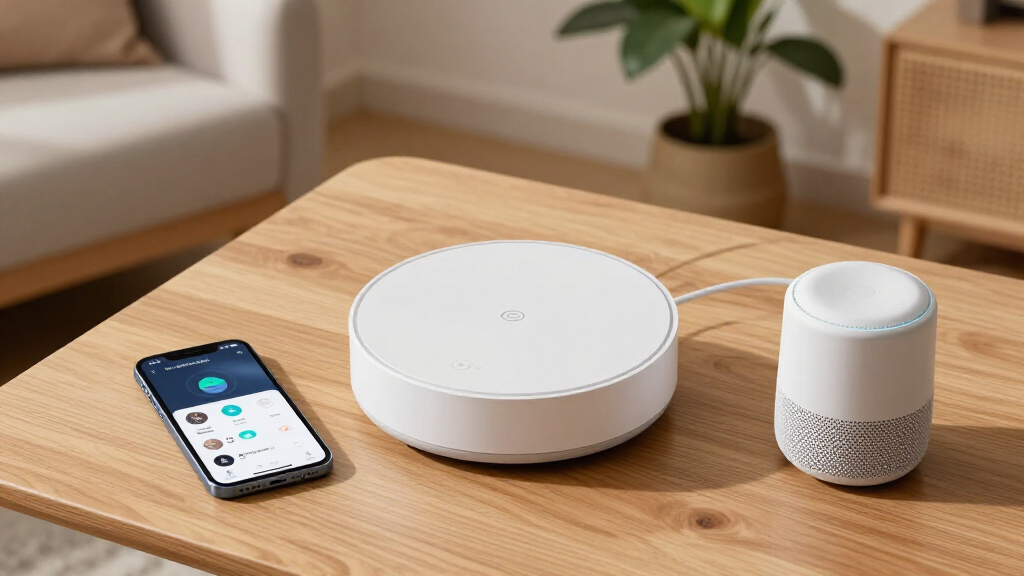
How We Picked
We evaluated each smart home hub based on compatibility with popular protocols such as Z-Wave, Zigbee, and Matter, since broad device support is key for flexibility. Ease of use was a priority, including setup process and user interface quality, to ensure both beginners and experienced users can operate them confidently. Build quality, responsiveness, and integration with voice assistants like Alexa and Google Assistant were also critical factors, along with future-proof features like support for new standards. Cost was considered, but not at the expense of essential capabilities. The ranking reflects a balance of performance, versatility, and value, with the top picks excelling across these areas while tradeoffs are acknowledged in less expensive or more specialized options.| smart home hub | Connectivity |
|---|---|
| Amazon Echo Show 15 | Wi-Fi, Bluetooth |
| Hubitat Elevation C-8 Pro Smar | — |
| MOES Smart Home Control Panel | Zigbee hub, Wi-Fi, wired (Type-C) |
| Aqara Smart Hub M100 for Home | Wi-Fi 6, 2.4GHz |
| Aqara Smart Home Hub M3 with M | WPA3 Wi-Fi, PoE, USB-C |
| Aeotec Smart Home Hub 2 | Wi-Fi, Ethernet |
| Amazon Echo Hub | — |
| Home Assistant Green Smart Hom | — |
| eufy Security eufy Smart Displ | — |
Factors to Consider When Choosing Best Smart Home Hubs
Selecting the best smart home hub involves understanding your specific needs and the broader smart home ecosystem. Compatibility with your existing devices can prevent frustration and additional costs. Ease of setup and user interface quality impact daily convenience, especially for non-technical users. Consider future-proofing features like support for emerging standards such as Matter, which promise broader device interoperability. Price differences often reflect added automation features, display capabilities, or premium support. By weighing these factors, you can choose a hub that grows with your smart home ambitions while fitting your budget.Compatibility and Protocol Support
Ensuring your hub supports multiple protocols like Z-Wave, Zigbee, and Matter is essential for integrating diverse devices. A hub with broad compatibility prevents the need for multiple controllers and reduces future upgrade costs. When selecting, check whether it supports the specific brands and devices you plan to use. Devices that support the latest standards help protect your investment as your smart ecosystem expands. Remember, a hub limited to one protocol can become a bottleneck as your device collection grows.
Ease of Use and User Interface
Intuitive setup and a clear, responsive interface make managing your smart home less stressful. Some hubs come with dedicated displays or control panels, which can streamline daily interactions but may increase complexity. Voice assistant integration is a big plus, offering hands-free control. For non-technical users, straightforward apps and guided setup processes matter more than raw device support. Investing in a hub with good usability reduces frustration and encourages regular automation use.
Automation and Customization Features
Advanced automation capabilities, like routines, scripting, and scene creation, define how powerful your smart home can be. Premium hubs often support more complex automations and integrations, but this can come with a steeper learning curve. Simpler hubs may suffice for basic control but limit future growth. Think about whether you want simple device management or sophisticated automation logic, and choose accordingly to avoid outgrowing your hub too quickly.
Price and Future-Proofing
Price varies widely, but investing in a slightly more expensive hub can provide better longevity and compatibility with upcoming standards. Devices supporting standards like Matter are more likely to be future-proof, ensuring your ecosystem remains relevant. Cheaper options often cut corners on features or compatibility, which can lead to additional costs later. Balance your budget with the need for a hub that can adapt as your smart home evolves over the next few years.
Display and Control Panel Options
Displays, whether tablets or dedicated panels, offer immediate access to controls and automation dashboards. They are especially useful for households with multiple users or in shared spaces. However, added hardware can increase costs and may require more setup. Consider whether a visual interface adds value for your household or if voice control and mobile apps suffice. The decision depends on your preferred interaction style and budget constraints.
Frequently Asked Questions
Can I use multiple smart home hubs in one house?
Yes, it is possible to operate multiple hubs simultaneously, especially if they support different protocols or serve different areas of your home. However, managing multiple hubs can add complexity, including potential device duplication and coordination issues. Some hubs can integrate with each other through apps or third-party services, simplifying control. For most users, a single, highly compatible hub is preferable to avoid fragmentation, but multiple hubs remain a valid option for large or highly specialized smart homes.
Is a display-based hub better than one without a screen?
Display-based hubs provide visual controls and automation dashboards, which can make managing complex routines easier. They’re particularly helpful in shared households or for users who prefer tactile interaction. However, they tend to cost more and can be overkill for simple setups. Hubs without screens rely on mobile apps and voice commands, offering a cleaner look and lower cost. Your choice depends on how much you value visual access versus simplicity and budget.
Should I prioritize a hub with built-in voice assistant or add one separately?
Having a hub with an integrated voice assistant like Alexa or Google Assistant can streamline voice control and reduce clutter. It often means better integration and fewer compatibility issues. On the other hand, standalone voice devices like Echo or Nest speakers can be added later, giving flexibility and possibly better voice quality. If voice control is central to your smart home experience, an integrated hub might save setup time and improve responsiveness.
How important is future-proofing in a smart home hub?
Future-proofing is vital because smart home technology evolves rapidly. Standards like Matter aim to unify device compatibility, so choosing a hub with support for upcoming protocols can extend its lifespan. Investing in a hub that supports the latest standards and has regular firmware updates helps protect your initial investment. It reduces the need to replace hardware as new devices and standards emerge, ensuring your smart home remains flexible and scalable.
Can I upgrade a basic hub to add more automation features later?
Many basic hubs have limited automation capabilities out of the box, and upgrades often mean replacing the entire device. However, some platforms like Home Assistant or Hubitat are designed to be expandable through software updates and integrations, allowing you to add more automation over time. Consider whether the hub you choose supports third-party plugins or custom scripts, which can significantly enhance automation features without needing a new purchase. Planning for future growth helps avoid obsolescence and adds value over time.
Conclusion
For most users, the Amazon Echo Show 15 offers the best combination of features, usability, and integration—making it ideal for those seeking a comprehensive smart home control point. The Hubitat Elevation C-8 Pro is a strong choice for homeowners with extensive device ecosystems who prioritize compatibility and automation depth. The Home Assistant Green caters to tech-savvy enthusiasts wanting advanced customization at a reasonable price. Beginners or those with simpler needs will find the eufy Security eufy Smart Display E10 a user-friendly and budget-friendly option. Ultimately, your choice hinges on your device ecosystem, automation ambitions, and comfort with technology.