A wireless microphone for a conference room can mean a portable speakerphone for a small team or a multi-microphone system for a large table, so the right choice depends on room size and how people meet. My best overall pick is the EMEET Luna Plus Kit, whose satellite microphone makes it more adaptable to spread-out seating than a compact all-in-one unit. The Yealink SP96 stands out for a polished Bluetooth speakerphone setup, while the Phenyx Pro PTC-8 is the better fit for buyers who need multiple UHF microphones and a dedicated receiver. The main tradeoffs are coverage versus simplicity, wireless flexibility versus setup demands, and portability versus the ability to capture people across a larger room. Read on for the full breakdown of all 15 options and guidance for matching a microphone system to your room.

Get the latest gadgets delivered free with Prime
- Fast, free delivery on millions of items
- Prime Video, Amazon Music and more included
- Member-only deals all year
Complete the kit


Key Takeaways
- Expandable pickup separates the strongest room-scale options: the EMEET Luna Plus Kit, RayBit POD4, and Synbit SPK400 add an extension microphone, while compact speakerphones rely on people sitting closer to the main unit.
- The Phenyx Pro PTC-8 serves a different purpose from USB and Bluetooth speakerphones: its eight-channel UHF system suits multi-microphone setups, but requires more setup and compatible audio equipment.
- Two 10-microphone models target unusually large or multi-speaker meetings: BALILA CM300 and ZHUOSHENG CS02 offer a different scale of pickup from the one-unit EMEET, Anker, and Yealink designs.
- USB simplicity and wireless freedom are not the same thing: the TONOR G11 and PolaTab Q95 Mini suit computer-centered rooms, while Bluetooth models such as the Anker PowerConf and Yealink SP96 favor flexible placement.
- Compact models trade room reach for easy placement: the EMEET M0 Plus, EMEET M1A, and Yealink SP92 are more appropriate when one tabletop unit can sit near the people speaking.
| EMEET Luna Conference Speakerphone with 360° Voice Pickup |  | Best for Flexible Small-to-Midsize Rooms | Microphones: 3 | Voice pickup: 360° | Connections: USB, Bluetooth, AUX, dongle | VIEW ON AMAZON | See Our Full Breakdown |
| EMEET Luna Plus Kit Conference Speakerphone with Satellite Microphone |  | Best for Larger Tables | Microphones: 9 total: eight-microphone array plus satellite microphone | Voice pickup: 360°; up to 14 participants | Speaker power: 5 W | VIEW ON AMAZON | See Our Full Breakdown |
| Anker PowerConf Bluetooth Speakerphone with 6 Microphones |  | Best for Long Meeting Days | Model: A3301 | Microphones: 6 | Voice pickup: 360° | VIEW ON AMAZON | See Our Full Breakdown |
| PolaTab Q95 Mini USB Conference Speakerphone with Microphone and USB Hub |  | Best Wired Pick for Desk Meetings | Connectivity: USB 2.0 | Microphone pattern: Omnidirectional | Voice pickup range: Up to 3 m radius | VIEW ON AMAZON | See Our Full Breakdown |
| EMEET M0 Plus Conference Speaker and Microphone, 4 Mics 360° Voice Pickup | 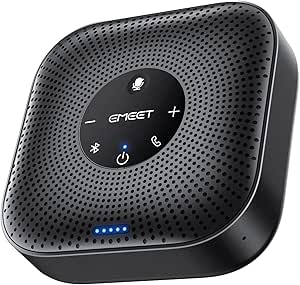 | Best Compact Expandable Pick | Microphones: 4 | Voice pickup: 360° | Connectivity: Bluetooth 5.0, USB-C, USB-C-to-A adapter | VIEW ON AMAZON | See Our Full Breakdown |
| SVN O1 Dual Conference Speaker with AI Noise Cancellation |  | Best for Flexible Room Coverage | Connectivity: USB, Bluetooth 5.0, dongle | Microphone type: Omnidirectional, beamforming | Speaker power: 5 W | VIEW ON AMAZON | See Our Full Breakdown |
| Phenyx Pro PTC-8 8-Channel UHF Wireless Conference Microphone System |  | Best for Panel Discussions | Wireless connectivity: UHF | Channels: 8 | Selectable frequencies: 25 per channel | VIEW ON AMAZON | See Our Full Breakdown |
| TONOR G11 USB Conference Microphone for PC and Mac |  | Best Simple USB Microphone | Connectivity: USB | Compatibility: Windows and macOS | Microphone type: Omnidirectional condenser | VIEW ON AMAZON | See Our Full Breakdown |
| RayBit POD4 Conference Speakerphone with Expansion Microphone |  | Best for Expandable Tabletop Meetings | Connectivity: Bluetooth, USB, wireless dongle, daisy chain | Microphone pickup: 360 degrees; 3–5 m radius | Expansion microphone cable: 1.8 m | VIEW ON AMAZON | See Our Full Breakdown |
| BALILA CM300 Conference Speakerphone with 10 Wireless Microphones |  | Best for Groups with Many Active Speakers | Connectivity: USB-A and USB-C | Wireless microphones: 10 omnidirectional microphones | Wireless range: Up to 65 ft (20 m) | VIEW ON AMAZON | See Our Full Breakdown |
| Yealink SP96 Bluetooth Speakerphone – 65 mm speaker, 6 microphones, AI noise-cancelling, 26-hour battery, Teams certified |  | Best for Long Meetings and Expandable Coverage | Microphones: 6 built-in microphones | Pickup: 360 degrees; up to 12 participants | Speaker: 65 mm driver | VIEW ON AMAZON | See Our Full Breakdown |
| ZHUOSHENG CS02 Conference Speakerphone with 10 Wireless Microphones |  | Best for Distributed Voice Pickup | Microphones: 10 wireless omnidirectional microphones | Microphone range: Up to 65 ft (20 m) | Pickup: 360 degrees | VIEW ON AMAZON | See Our Full Breakdown |
| Yealink SP92 Conference Speakerphone with Microphone |  | Best Compact Pick for Small Meetings | Microphone coverage: 13 ft (4 m) radius | Recommended group size: 4–8 people | Speaker: 50 mm | VIEW ON AMAZON | See Our Full Breakdown |
| EMEET M1A USB Conference Speakerphone with 360° Voice Pickup |  | Best Simple Wired Option | Connectivity: Wired USB-C; USB-C-to-USB-A adapter included | Microphones: 2 omnidirectional microphones | Voice pickup: 360 degrees | VIEW ON AMAZON | See Our Full Breakdown |
| Synbit SPK400 Bluetooth Conference Speakerphone with Extension Microphone |  | Best for Flexible Expansion | Voice pickup: 360-degree omnidirectional | Microphone pickup range: 3–5 m | Extension microphone cable: 1.8 m | VIEW ON AMAZON | See Our Full Breakdown |
| wireless microphone for conference room | Connectivity |
|---|---|
| EMEET Luna Conference Speakerp | — |
| EMEET Luna Plus Kit Conference | Bluetooth 5.3, USB 2.0, dongle |
| Anker PowerConf Bluetooth Spea | Bluetooth, USB-C |
| PolaTab Q95 Mini USB Conferenc | USB 2.0 |
| EMEET M0 Plus Conference Speak | Bluetooth 5.0, USB-C, USB-C-to-A adapter |
| SVN O1 Dual Conference Speaker | USB, Bluetooth 5.0, dongle |
| Phenyx Pro PTC-8 8-Channel UHF | — |
| TONOR G11 USB Conference Micro | USB |
| RayBit POD4 Conference Speaker | Bluetooth, USB, wireless dongle, daisy chain |
| BALILA CM300 Conference Speake | USB-A and USB-C |
| Yealink SP96 Bluetooth Speaker | Bluetooth 5.3, USB-C, USB-A adapter |
| ZHUOSHENG CS02 Conference Spea | USB Type-A and USB Type-C |
| Yealink SP92 Conference Speake | Bluetooth 5.3, USB-C |
| EMEET M1A USB Conference Speak | Wired USB-C; USB-C-to-USB-A adapter included |
| Synbit SPK400 Bluetooth Confer | Bluetooth, USB, wireless dongle, daisy chain |
More Details on Our Top Picks
EMEET Luna Conference Speakerphone with 360° Voice Pickup
The Luna suits teams that want a portable speakerphone with several ways to connect rather than a dedicated wireless microphone system. Its three microphones cover voices around the table, while noise reduction helps limit distracting room sounds. USB, Bluetooth, AUX, and a dongle give it more connection flexibility than the wired-only PolaTab Q95 Mini, which may matter when people switch between laptops and mobile devices.
For a larger group, two Luna units can be daisy-chained to serve meetings with up to 16 or more attendees. That expansion comes with an extra purchase: the cable is sold separately. The 85 dB maximum volume and one-hour inactivity shutoff are also worth weighing for room setup and unattended use. I’d choose it for a versatile meeting hub, not for a system with separate wireless mics at every seat.
Pros:- Three microphones provide 360° pickup around a conference table
- USB, Bluetooth, AUX, and dongle connections suit varied devices
- Noise reduction helps suppress background sounds
- Can be daisy-chained with a second unit for larger meetings
Cons:- Daisy-chain cable is sold separately
- Automatically shuts off after one hour of inactivity
- Two-unit expansion adds setup and equipment beyond a single speakerphone
Best for: Small and midsize teams that need a portable speakerphone with Bluetooth and wired connection options, plus a path to expand coverage.
Not ideal for: Teams needing individual wireless microphones for distant speakers or frequent large-room expansion without buying an extra daisy-chain cable.
- Microphones:3
- Voice pickup:360°
- Connections:USB, Bluetooth, AUX, dongle
- Maximum volume:85 dB
- Bluetooth range:10 meters
- Frequency response:16 kHz
- Signal-to-noise ratio:80 dB
- Meeting capacity:Up to 16 or more attendees with two units
Our verdict“Choose the Luna if you want flexible connections and expandable table coverage in one portable conference speakerphone.”
EMEET Luna Plus Kit Conference Speakerphone with Satellite Microphone
The Luna Plus Kit is the strongest fit here when one tabletop unit may not reach every speaker comfortably. Its eight-microphone array and included satellite microphone are designed for 360-degree pickup in rooms with up to 14 participants, giving it a more room-focused setup than the standard EMEET Luna. Noise reduction and echo cancellation also target the back-and-forth speech that can make conference calls hard to follow.
It trades some simplicity for that expanded coverage: the satellite adds another piece to position, and reaching up to 25 attendees with two units requires a separately sold daisy-chain cable. Bluetooth 5.3, USB, and a dongle offer more connection routes than the USB-only PolaTab Q95 Mini. Its battery is rated for up to 10 hours, so teams with longer sessions should plan around charging rather than assume uninterrupted multi-day use.
Pros:- Satellite microphone extends pickup across a larger table
- Eight-microphone array provides 360-degree voice coverage
- Noise reduction and echo cancellation support clearer calls
- Bluetooth 5.3, USB, and dongle connections cover multiple setups
Cons:- Daisy-chain cable for two-unit expansion is sold separately
- Up to 10 hours of call time may not cover extended sessions without recharging
- Satellite microphone adds equipment to position and manage
Best for: Teams with a larger conference table, up to 14 participants, that want a speakerphone plus a satellite microphone for broader voice coverage.
Not ideal for: Small teams seeking the simplest compact unit, or organizations that need a wireless microphone system with separate transmitters for individual speakers.
- Microphones:9 total: eight-microphone array plus satellite microphone
- Voice pickup:360°; up to 14 participants
- Speaker power:5 W
- Battery capacity:2,600 mAh
- Call time:Up to 10 hours
- Connectivity:Bluetooth 5.3, USB 2.0, dongle
- Bluetooth range:66 feet
- Daisy-chain capacity:Up to 25 attendees with two units; cable sold separately
- Compatibility:Windows, macOS, iOS, and Android
Our verdict“Pick the Luna Plus Kit when wider table coverage matters more than keeping the setup to a single compact speakerphone.”
Anker PowerConf Bluetooth Speakerphone with 6 Microphones
The Anker PowerConf stands out for teams that value long battery life over room-expansion accessories. Its six microphones provide 360-degree pickup, while AI noise reduction and echo cancellation are intended to make remote conversations easier to follow. The rated up to 24 hours of call time is a clear advantage over the EMEET Luna Plus Kit’s up to 10 hours, particularly for rooms where charging between sessions is inconvenient.
It connects by Bluetooth or USB-C, but it lacks the Luna’s AUX and dongle options and the Luna Plus Kit’s satellite microphone. That makes the PowerConf a more straightforward tabletop choice than an expandable room-coverage kit. Its plastic enclosure may feel less substantial than the metal-bodied Luna, and its tabletop design is not a substitute for a multi-microphone wireless system when participants need individual mics.
Pros:- Six microphones capture voices around the table
- Up to 24 hours of call time reduces charging interruptions
- AI noise reduction and echo cancellation address common call distractions
- Bluetooth and USB-C support wireless or wired use
Cons:- Plastic enclosure is less substantial than the metal EMEET Luna
- No satellite microphone is listed for extending pickup across a large table
- Connectivity is limited to Bluetooth and USB-C
Best for: Teams running back-to-back calls that want a tabletop speakerphone with long rated call time and 360-degree pickup.
Not ideal for: Rooms that need satellite-microphone placement, multiple connection types beyond Bluetooth and USB-C, or separate mics for each speaker.
- Model:A3301
- Microphones:6
- Voice pickup:360°
- Connectivity:Bluetooth, USB-C
- Bluetooth range:20 meters
- Battery capacity:5,200 mAh
- Call time:Up to 24 hours
- Mounting type:Tabletop
- Warranty:18 months
Our verdict“Choose the PowerConf if long call time and simple tabletop setup matter more than satellite coverage or a wider range of connections.”
PolaTab Q95 Mini USB Conference Speakerphone with Microphone and USB Hub
The Q95 Mini is the practical choice when a conference room setup stays near a computer and wireless operation is not a requirement. Its 3-meter USB cable gives placement flexibility across a desk, and the omnidirectional microphone is rated to pick up voices within a 3-meter radius. DSP echo cancellation and noise suppression target common meeting-room distractions, while the physical mute button makes it easy to cut microphone input without reaching for software controls.
Unlike the Bluetooth EMEET Luna or Anker PowerConf, the Q95 Mini requires a wired USB connection, so it is less suitable for mobile setups or a table far from the host computer. The built-in USB hub can help connect peripherals, but the mute button does not silence the speaker. For a fixed laptop-based room, it offers a simpler alternative to battery-powered units; for larger groups, its stated pickup radius is a limit to plan around.
Pros:- Omnidirectional microphone has a stated pickup radius of up to 3 meters
- Three-meter cable allows flexible placement near a computer
- DSP echo cancellation and noise suppression support clearer calls
- Built-in USB hub adds peripheral connectivity
Cons:- Requires a wired USB connection, unlike the EMEET Luna and Anker PowerConf
- Microphone mute button does not mute the speaker
- Plastic enclosure and corded design limit placement options
Best for: Small office teams using a fixed Windows or Mac computer who want a wired speakerphone, physical mic mute, and extra USB ports.
Not ideal for: Teams that need Bluetooth mobility, battery-powered use, or microphone coverage beyond the stated 3-meter radius.
- Connectivity:USB 2.0
- Microphone pattern:Omnidirectional
- Voice pickup range:Up to 3 m radius
- Cable length:3 m (9.8 ft)
- USB hub:Built-in
- Signal-to-noise ratio:70 dB
- Frequency range:20 Hz–20 kHz
- Power source:Corded electric
- Compatibility:Windows 7–10, macOS, and popular conferencing platforms
Our verdict“Choose the Q95 Mini for a fixed, computer-based meeting spot where wired reliability and a USB hub matter more than wireless freedom.”
EMEET M0 Plus Conference Speaker and Microphone, 4 Mics 360° Voice Pickup
The M0 Plus fits teams that want a small, battery-powered speakerphone they can move between meeting spaces. Four microphones deliver 360-degree pickup, and EMEET’s VoiceIA algorithm is designed to suppress background noise and echo. At 4.6 inches wide and 0.26 kg, it takes up less table space than the Luna Plus Kit, though that larger kit includes a satellite microphone for more deliberate coverage across a broad table.
The M0 Plus can be daisy-chained with another M0 Plus or compatible EMEET models for meetings of up to 16 participants, giving it room to grow beyond a compact single-unit setup. Its 10-hour battery life and 10-meter Bluetooth range set practical limits for long sessions or a host device farther away. USB-C is available when a wired connection is preferable, but this tabletop speakerphone is not a set of individual wireless microphones.
Pros:- Compact tabletop footprint is easy to move between rooms
- Four microphones provide 360° voice pickup
- VoiceIA processing targets background noise and echo
- Can be daisy-chained with compatible EMEET models for up to 16 participants
Cons:- Bluetooth range is limited to about 10 meters
- Battery life is rated for up to 10 hours
- Unlike the EMEET Luna Plus Kit, it does not include a satellite microphone
Best for: Small teams that need a portable tabletop speakerphone with Bluetooth, USB-C, and the option to expand coverage through a compatible second unit.
Not ideal for: Large rooms needing an included satellite mic, sessions that regularly exceed 10 hours, or buyers seeking separate wireless microphones for participants.
- Microphones:4
- Voice pickup:360°
- Connectivity:Bluetooth 5.0, USB-C, USB-C-to-A adapter
- Bluetooth range:10 meters
- Battery life:Up to 10 hours
- Dimensions:1.6 × 4.6 × 4.6 inches
- Weight:0.26 kg
- Speaker:3 W
- Meeting capacity:Up to 16 participants with daisy-chain expansion
Our verdict“Pick the M0 Plus for portable small-room meetings that may need expandable coverage, provided its 10-meter wireless range and battery life fit your setup.”
SVN O1 Dual Conference Speaker with AI Noise Cancellation
The SVN O1 is a fit for teams that need a portable speakerphone setup for 10–20 people, rather than a set of individual microphones. Its dual-unit design can spread coverage across a room, while USB, Bluetooth 5.0, and dongle connectivity give meeting hosts several ways to connect. AI noise cancellation targets distractions such as typing and traffic, a useful distinction from the simpler USB-only TONOR G11, which captures sound but does not provide a speakerphone. The tradeoff is pickup distance: the specified optimal range is only six feet, so speakers should stay near a unit. Large-room buyers also need both units for broader coverage, and the eight-hour battery life is more suited to a meeting day than extended use without charging.
Pros:- AI noise cancellation is designed to reduce background sounds such as typing and traffic.
- USB, Bluetooth 5.0, and dongle connectivity offer alternatives for connecting to meeting devices.
- Dual-unit design can extend coverage across a room more flexibly than a single tabletop unit.
- Eight-hour battery life supports portable meetings without constant access to power.
Cons:- Optimal microphone pickup distance is limited to six feet.
- Large-room coverage depends on using both separate units.
- Eight hours of battery life may not suit long events without a charging plan.
Best for: Teams holding meetings for 10–20 people who want a portable speakerphone with multiple connection options and two units to distribute around the room.
Not ideal for: Groups whose speakers sit more than six feet from the microphone units, or buyers seeking an individually worn or handheld wireless microphone.
- Connectivity:USB, Bluetooth 5.0, dongle
- Microphone type:Omnidirectional, beamforming
- Speaker power:5 W
- Battery life:8 hours
- Battery capacity:2400 mAh
- Room capacity:10–20 people
- Cascading range:32 ft
- Weight:480 g
Our verdict“Choose the SVN O1 if your group needs a portable, dual-unit speakerphone and can keep speakers near the microphones.”
Phenyx Pro PTC-8 8-Channel UHF Wireless Conference Microphone System
For a boardroom, lecture room, or formal panel where several people need their own microphone, the PTC-8 is the lineup’s most purpose-built multi-microphone system. Eight gooseneck microphones and a rackmount receiver suit fixed installations better than compact speakerphones such as the RayBit POD4, which uses a tabletop unit and an expansion microphone. Auto frequency scanning, IR synchronization, and selectable frequencies help with setup across multiple channels; the stated line-of-sight range reaches 328 feet. That range does not mean the system is a simple laptop plug-in: it uses UHF with four-pin XLR microphones and a 1U receiver, so buyers should plan for compatible audio equipment and installation. The microphones also use 16 AA batteries, adding upkeep that the USB-powered TONOR G11 avoids.
Pros:- Eight included gooseneck microphones give panelists individual microphone positions.
- Eight channels and selectable frequencies support multi-microphone operation.
- Auto frequency scanning and IR synchronization help simplify wireless setup.
- The 1U rackmount receiver suits installed room audio systems.
Cons:- The microphones require 16 AA batteries.
- The stated 328-foot operating range is line of sight.
- A rackmount receiver and four-pin XLR connections are less convenient for casual laptop meetings.
Best for: Conference organizers, schools, and houses of worship that need separate gooseneck microphones for up to eight speakers and have a rack or compatible audio setup.
Not ideal for: Small teams seeking a compact, plug-and-play USB speakerphone, or buyers who want to avoid battery changes and audio-system setup.
- Wireless connectivity:UHF
- Channels:8
- Selectable frequencies:25 per channel
- Operating range:Up to 328 ft, line of sight
- Microphone type:Gooseneck dynamic, unidirectional
- Microphones included:8
- Receiver:1U rackmount, metal enclosure
- Synchronization:IR
- Batteries included:16 AA
Our verdict“Pick the PTC-8 for a fixed conference or presentation room where multiple speakers need dedicated microphones and an installed audio system is available.”
TONOR G11 USB Conference Microphone for PC and Mac
The TONOR G11 makes sense when the goal is capturing voices at a computer, not replacing a conference-room speakerphone. Its USB plug-and-play connection and compatibility with Windows and macOS keep setup straightforward, while the 360-degree condenser pickup can capture people around a shared table from up to 11.5 feet away. A physical mute button and status indicator make it easier to control whether the room is being heard. Compared with the RayBit POD4, however, the G11 offers no built-in speaker, echo cancellation, or expansion setup; it is a microphone rather than an all-in-one call device. Its single audio channel is another limit for more demanding installations. Choose it for a modest desktop meeting where the computer handles playback, and skip it if your room needs amplified, two-way conference audio.
Pros:- Omnidirectional pickup captures voices from around the table.
- USB plug-and-play operation supports Windows and macOS.
- Mute button and blue status indicator provide direct microphone control.
- Anti-slip base and shielded cable help keep the tabletop setup in place.
Cons:- It is a microphone only, with no integrated speaker for two-way conference audio.
- Single-channel design limits more involved room audio setups.
- USB connection is less flexible than the Bluetooth and dongle options on the SVN O1.
Best for: Small teams or remote trainers who need a basic USB microphone for a Windows or Mac computer and already have a separate way to play meeting audio.
Not ideal for: Conference rooms that need an integrated speakerphone, echo cancellation, multiple audio channels, or a more expandable microphone setup.
- Connectivity:USB
- Compatibility:Windows and macOS
- Microphone type:Omnidirectional condenser
- Pickup distance:Up to 11.5 ft
- Mute function:Yes
- Cable length:1.8 m
- Signal-to-noise ratio:78 dB
- Weight:135 g
Our verdict“Choose the G11 for straightforward computer-based voice capture, but pick a speakerphone like the RayBit POD4 if you need playback and call-focused processing too.”
RayBit POD4 Conference Speakerphone with Expansion Microphone
The RayBit POD4 is a practical middle ground for teams that want speakerphone audio plus an extension microphone without moving to a rack-based system like the Phenyx Pro PTC-8. Bluetooth, USB, a wireless dongle, and daisy chaining give it more connection and room-sizing options than the USB-only TONOR G11. Its included expansion microphone uses a 1.8 m cable, while the listed pickup covers 360 degrees within a three-to-five-metre radius. Echo cancellation, noise reduction, and voice enhancement are aimed at clearer calls, though the product data does not specify battery operation: it is corded electric, so placement depends on access to power. The enclosure is plastic and not waterproof, making this a tabletop meeting device rather than a rugged portable option. It suits offices that want an adaptable wired-powered hub.
Pros:- Echo cancellation, noise reduction, and voice enhancement are designed for clearer calls.
- Bluetooth, USB, and wireless dongle provide several ways to connect.
- Daisy-chain support allows the setup to scale beyond a single tabletop unit.
- Included expansion microphone adds placement flexibility around the meeting table.
Cons:- Corded electric power limits placement away from an outlet.
- The plastic enclosure is not waterproof.
- It does not provide the separate gooseneck microphones included with the Phenyx Pro PTC-8.
Best for: Small and midsize office teams that want a tabletop speakerphone, an included extension microphone, and the option to daisy-chain units.
Not ideal for: Teams needing battery-powered portability, a large number of individual wireless microphones, or a device intended for wet or rough environments.
- Connectivity:Bluetooth, USB, wireless dongle, daisy chain
- Microphone pickup:360 degrees; 3–5 m radius
- Expansion microphone cable:1.8 m
- Daisy-chain cable:3 m
- Audio output mode:Stereo
- Power source:Corded electric
- Compatible devices:Desktop, laptop, smartphone, tablet
- Mounting type:Tabletop
Our verdict“Choose the POD4 if you want an expandable tabletop speakerphone with an extension mic and can keep the system near power.”
BALILA CM300 Conference Speakerphone with 10 Wireless Microphones
The BALILA CM300 stands apart from the other speakerphones here by supplying 10 separate wireless microphones, a useful arrangement when several people need to speak from different seats rather than gather around one pickup point. It supports up to 10 active speakers, with up to 65 feet of wireless range and up to 10 hours of microphone battery life. Full-duplex audio, noise reduction, and echo cancellation target the back-and-forth of live calls. Compared with the SVN O1, which uses two units for room coverage, the CM300 distributes microphones among participants; compared with the Phenyx Pro PTC-8, it connects to a computer over USB rather than relying on a rackmount UHF receiver. The tradeoff is upkeep: all 10 microphones need recharging, and listed compatibility covers computers and meeting platforms, not mobile devices.
Pros:- Ten omnidirectional wireless microphones support up to 10 active speakers.
- Up to 65 feet of wireless range allows microphones to be spread around a room.
- Noise reduction and echo cancellation are designed to improve call clarity.
- USB-A and USB-C connections support Windows and macOS computers.
Cons:- Microphones need recharging after up to 10 hours of use.
- Listed compatibility does not specify mobile devices.
- Managing 10 separate microphones is more involved than using the RayBit POD4’s tabletop and extension-mic setup.
Best for: Teams that regularly have many participants speaking from separate seats and want a USB-connected system with up to 10 wireless microphones.
Not ideal for: Mobile-device users, groups that prefer a single shared microphone, or organizers who do not want to manage recharging a set of 10 microphones.
- Connectivity:USB-A and USB-C
- Wireless microphones:10 omnidirectional microphones
- Wireless range:Up to 65 ft (20 m)
- Microphone battery life:Up to 10 hours
- Speaker power:5 W
- Audio features:Full duplex, noise reduction, echo cancellation
- Compatibility:Windows, macOS, Zoom, Microsoft Teams, Google Meet, Webex, Skype
- Dimensions:3.94 x 3.94 x 0.79 inches
- Warranty:2-year limited warranty
Our verdict“Choose the CM300 when many people need their own wireless microphone and your meetings run through a Windows or Mac computer.”
Yealink SP96 Bluetooth Speakerphone – 65 mm speaker, 6 microphones, AI noise-cancelling, 26-hour battery, Teams certified
The SP96 is the strongest fit here for teams that want a single tabletop unit now and room to expand later. Its six microphones provide 360-degree pickup for meetings of up to 12 people, while the 65 mm speaker and AI noise reduction support clear two-way conversation. Compared with the smaller Yealink SP92, it is better suited to a larger group and longer calls; the SP92 is the more compact choice for four to eight participants. The SP96’s 26-hour talk time also makes frequent charging less of a concern, and daisy-chain support can extend coverage. The tradeoff is that some PC setups need the optional BT51C dongle, which is not included. Buyers who need separate microphones placed around the table may prefer the ZHUOSHENG CS02’s 10 wireless mics.
Pros:- Six microphones provide 360-degree pickup for groups of up to 12 participants.
- Up to 26 hours of talk time suits long meeting days without frequent recharging.
- Daisy-chain support can extend coverage beyond a single tabletop unit.
- Bluetooth 5.3 and USB-C connectivity support flexible connection options.
Cons:- The BT51C Bluetooth dongle is not included and may be needed for some PC connections.
- A single tabletop pickup design offers less microphone placement flexibility than the ZHUOSHENG CS02 kit.
Best for: Teams of up to 12 who want a portable speakerphone, long battery life, and the option to expand coverage by daisy-chaining another unit.
Not ideal for: Groups that need individually placed wireless microphones or PC users who require a dedicated Bluetooth dongle included in the box.
- Microphones:6 built-in microphones
- Pickup:360 degrees; up to 12 participants
- Speaker:65 mm driver
- Battery life:Up to 26 hours talk time
- Connectivity:Bluetooth 5.3, USB-C, USB-A adapter
- Bluetooth range:Up to 30 m
- Expansion:Daisy-chain support
- Compatibility:Microsoft Teams, Zoom, Google Meet, Cisco Webex
Our verdict“Choose the SP96 for longer meetings and expandable coverage, but pick the ZHUOSHENG CS02 if your room needs many separately placed microphones.”
ZHUOSHENG CS02 Conference Speakerphone with 10 Wireless Microphones
The CS02 takes a different approach from tabletop speakerphones such as the Yealink SP96: instead of relying on microphones built into one central unit, it supplies 10 wireless omnidirectional microphones that can be distributed around a conference table. That layout suits rooms where participants sit far apart or speak from fixed positions. Its noise reduction, echo cancellation, and full-duplex audio are aimed at keeping conversation usable, while central mute control and LED status indicators help a group manage the microphones. USB-A and USB-C connections make it a computer-focused option for Zoom, Teams, and Meet. The tradeoff is that the microphones need battery power, and the system is designed around a USB-connected computer rather than direct Bluetooth pairing. Compared with the Synbit SPK400, it offers many more separate mics, but less emphasis on a compact, all-in-one speakerphone setup.
Pros:- Includes 10 wireless microphones for flexible placement around the room.
- Microphones support up to 65 ft (20 m) range and 360-degree pickup.
- Noise reduction, echo cancellation, and full-duplex audio support two-way discussion.
- USB-A and USB-C computer connections and a two-year limited warranty are included.
Cons:- The microphones are battery powered, adding charging and battery-management needs.
- Designed to connect to a computer via USB rather than operate as a standalone Bluetooth speakerphone.
- A multi-microphone kit requires more setup and coordination than the Yealink SP92.
Best for: Meeting organizers who need to place microphones near many participants around a large or spread-out conference table.
Not ideal for: People seeking a simple Bluetooth speakerphone or a setup that works without a connected Windows or macOS computer.
- Microphones:10 wireless omnidirectional microphones
- Microphone range:Up to 65 ft (20 m)
- Pickup:360 degrees
- Connectivity:USB Type-A and USB Type-C
- Audio features:Noise reduction, echo cancellation, full duplex
- Signal-to-noise ratio:78 dB
- Compatibility:Windows and macOS; Zoom, Microsoft Teams, Google Meet
- Warranty:2-year limited warranty
Our verdict“Choose the CS02 when separate microphone placement matters more than the simplicity of a single Bluetooth speakerphone.”
Yealink SP92 Conference Speakerphone with Microphone
For a four-to-eight-person meeting, the SP92 keeps the setup small without giving up the practical benefits of a speakerphone. Its omnidirectional microphone covers a 13 ft radius, while AI noise and echo cancellation help make voices easier to follow from a shared table. The unit’s compact footprint and 20-hour battery make it simpler to move between rooms than the larger Yealink SP96. That smaller scale is also the main limit: the SP96 is the better match for groups of up to 12 and offers longer talk time, while the SP92 is tailored to smaller discussions. Bluetooth 5.3 and USB-C cover common laptop and mobile setups, but the Bluetooth dongle is optional and not included. I’d skip it for a wide table that needs separately positioned microphones, where the ZHUOSHENG CS02 is more adaptable.
Pros:- Compact design with a carrying case suits room-to-room use.
- Omnidirectional microphone provides 360-degree pickup across a 13 ft radius.
- Up to 20 hours of battery life supports extended meeting use.
- Bluetooth 5.3 and USB-C work with computers and mobile devices.
Cons:- Designed for meetings of four to eight people rather than larger groups.
- Optional Bluetooth dongle is not included.
- Shorter battery life and smaller speaker than the Yealink SP96.
Best for: Small teams of four to eight who move between meeting rooms and want a compact speakerphone with wireless or USB-C connection.
Not ideal for: Larger groups or wide conference tables that need broader coverage or microphones placed near individual speakers.
- Microphone coverage:13 ft (4 m) radius
- Recommended group size:4–8 people
- Speaker:50 mm
- Connectivity:Bluetooth 5.3, USB-C
- Bluetooth range:Up to 30 m
- Battery life:Up to 20 hours
- Weight:0.28 kg
- Compatibility:Windows, macOS, Android, laptops, desktops, smartphones
Our verdict“Choose the SP92 for portable meetings of up to eight people, but move to the SP96 for larger groups or longer battery runtime.”
EMEET M1A USB Conference Speakerphone with 360° Voice Pickup
The M1A suits a conference room where a dependable USB connection matters more than wireless freedom. Its two omnidirectional microphones provide 360-degree pickup, and noise reduction, echo cancellation, and full-duplex audio help participants speak and listen at the same time. Touch controls for mute and speaker volume keep routine call adjustments within reach. Unlike the Yealink SP92, it has no battery or Bluetooth connection, so there is no need to manage wireless pairing or charging—but the cable ties it to the connected computer. The included USB-C-to-USB-A adapter helps it fit older ports. Compared with the CS02, the M1A is simpler and less demanding to set up, but it cannot place separate microphones around the table. This is a practical choice for a small, fixed workstation, not a large room with distributed speakers.
Pros:- Two omnidirectional microphones provide 360-degree voice pickup.
- Noise reduction, echo cancellation, and full-duplex audio support clearer exchanges.
- Included USB-C-to-USB-A adapter works with different computer ports.
- Touch controls provide quick access to mute and speaker volume.
Cons:- Wired USB connection limits placement and mobility.
- No wireless microphones or expansion capability for larger rooms.
Best for: Small conference rooms with a fixed computer setup where plug-in USB operation and simple touch controls are priorities.
Not ideal for: Teams that need a cordless tabletop device, room-to-room portability, or microphones positioned around a large table.
- Connectivity:Wired USB-C; USB-C-to-USB-A adapter included
- Microphones:2 omnidirectional microphones
- Voice pickup:360 degrees
- Audio features:Noise reduction, echo cancellation, voice amplification, full duplex
- Speaker volume:9 levels
- Controls:Touch mute and volume controls
- Wireless:No
- Mounting:Tabletop
Our verdict“Pick the M1A for a fixed, computer-connected meeting space, but choose a wireless model like the Yealink SP92 if you need freedom from cables.”
Synbit SPK400 Bluetooth Conference Speakerphone with Extension Microphone
The SPK400 is a middle ground between a self-contained speakerphone and a kit with many separate microphones. Its 360-degree pickup handles shared-table conversation, while the included 1.8 m extension microphone can bring pickup closer to participants who sit beyond the main unit’s reach. Bluetooth, USB, a wireless dongle, and daisy-chain support give it more connection choices than the wired EMEET M1A. It can link up to two speakerphones and two extension microphones, which gives a growing room a path to broader coverage. That flexibility comes with a setup tradeoff: larger spaces may need extra linked hardware, and the stated microphone pickup range is 3–5 m. Compared with the ZHUOSHENG CS02’s 10 wireless mics, the SPK400 is a less extensive kit but a simpler fit for teams that want one main speakerphone with targeted expansion.
Pros:- 360-degree pickup supports conversation around a shared table.
- Included 1.8 m extension microphone adds placement flexibility.
- Bluetooth, USB, wireless dongle, and daisy-chain connectivity offer several setup options.
- Supports linking up to two speakerphones and two extension microphones.
Cons:- Large-room coverage may require additional linked speakerphones and microphones.
- Microphone pickup range is specified as 3–5 m, limiting reach compared with the CS02’s wireless microphones.
- A multi-connection setup can take more planning than a compact unit such as the Yealink SP92.
Best for: Teams with a medium-sized meeting table that want a main speakerphone plus an extension mic and the option to link additional units.
Not ideal for: Large rooms that need extensive microphone coverage out of the box or buyers who want 10 independently placed wireless microphones.
- Voice pickup:360-degree omnidirectional
- Microphone pickup range:3–5 m
- Extension microphone cable:1.8 m
- Connectivity:Bluetooth, USB, wireless dongle, daisy chain
- Daisy-chain support:Up to 2 speakerphones and 2 extension microphones
- Weight:14.7 oz
- Dimensions:8.6 × 9.8 × 2 in
- Included accessories:Extension microphone, wireless dongle, 3 m daisy-chain cable, 1.5 m USB-C-to-USB-A cable
Our verdict“Choose the SPK400 if you want an adaptable speakerphone with an included extension mic, but choose the CS02 for a room that needs many separate microphones.”

How We Picked
I ranked these options by how well their stated design fits real conference-room needs: capturing voices across the table, connecting reliably to the meeting host, and staying manageable for whoever sets up the room. I gave weight to microphone coverage and expansion, connection options, portability, speakerphone capability, and features that support routine meeting use. A compact speakerphone can be a better choice for a small team than a larger system, but it ranks lower for a buyer who needs to cover a wide or crowded table.
The order reflects the balance between room flexibility and everyday simplicity, not a claim that every product suits every room. Expandable speakerphones rank well for buyers who need extra reach without building a more involved audio setup. Dedicated multi-microphone systems serve larger or more specialized meetings but ask more of the installer. I also distinguish USB conference microphones from speakerphones and UHF systems, since those product types solve different audio problems and should not be compared as interchangeable devices.
Factors to Consider When Choosing Wireless Microphone For Conference Room
Before choosing a model, match the microphone arrangement to the way your meetings actually run. Room dimensions, seating, connection habits, and who manages setup can matter more than a headline microphone count. These broader checks can help prevent buying a capable device that does not suit the room.
Match Pickup Coverage to the Seating Layout
Start with where people sit, not just the room’s square footage. A long table, a U-shaped layout, and a cluster around a laptop each place speakers at different distances and angles from a microphone. One tabletop speakerphone may work well when participants sit near its pickup area, while an extension mic or several wireless microphones can help when voices come from farther away. A common mistake is to buy for the largest possible room without checking whether the added microphones can be positioned where people actually speak. Also check whether the system supports the number of active speakers your meetings need, rather than assuming more microphone capsules always mean more usable coverage. Choose for the farthest regular speaker, not an occasional room arrangement.
Decide Whether You Need a Speakerphone or a Microphone System
A conference speakerphone combines a microphone and loudspeaker for two-way calls, while a microphone-only device depends on the computer or room audio system to play remote voices. Dedicated UHF systems can suit meetings with several presenters, but usually involve a receiver and more routing than a plug-in tabletop speakerphone. Check whether the product’s speaker output, computer connection, and meeting platform fit the room’s existing equipment. Buyers sometimes focus on microphone count and only later discover that the system does not provide the speakerphone function they expected. For a room that already has installed speakers, a microphone-focused setup may make sense; for a quick laptop meeting, an all-in-one speakerphone is often simpler. Buy for the complete audio path, from local voices to remote participants and back.
Check Connection and Compatibility Before Prioritizing Wireless
“Wireless” may describe Bluetooth between a speakerphone and computer, wireless microphones connecting to a receiver, or battery-powered portability—not necessarily every link in the setup. Confirm what connects to the meeting computer and whether the room also needs a USB cable, receiver, or hub. For managed conference rooms, verify compatibility with the computer operating system and the video-conferencing software used by the team. A Bluetooth model can simplify placement, but a wired USB connection may be easier to manage in a room where the device stays at the same table. Consider what happens when a laptop changes hands or a visitor joins; a setup that is easy to reconnect can save more time than a wireless feature that adds extra pairing steps. Trace each connection before buying so the setup works as a system.
Balance Expansion Against Setup and Maintenance
Extra microphones can improve access for distant speakers, but each additional component brings charging, placement, storage, and connection questions. Before choosing an expandable kit, find out whether its satellite microphone runs independently, needs a cable, or must be paired or charged between meetings. For a multi-microphone system, plan who will manage the receiver and keep microphones ready for use. A large kit may be excessive if most calls involve only a few people around one laptop. On the other hand, a compact unit can frustrate teams when participants routinely speak from the far end of a long table. Pay for expansion when the room uses it regularly, rather than keeping unused hardware in a drawer.
Prioritize the Right Kind of Portability
Portability matters differently in a shared meeting room than in a device carried between offices. A battery-powered Bluetooth speakerphone can be easy to reposition or use without a permanent cable, while a USB-oriented model may be simpler for a dedicated desk or room computer. Check the stated battery life against the length and frequency of meetings, and ask where charging will happen. A device that is moved between rooms also needs a clear storage and handoff routine so accessories do not go missing. Buyers often pay extra attention to battery claims but overlook whether the microphones, receiver, and cables travel together conveniently. Choose portability based on your room routine, not on mobility alone.
Spend More for a Specific Room Problem
A higher-end or more elaborate system makes sense when it solves a repeated problem: speakers spread across a large table, several people presenting, or a room that needs dependable expansion. If the main need is a straightforward call around a small table, extra channels or microphones may add complexity without improving the meeting. Look at what the added features change in practice: greater pickup reach, a more suitable connection, easier handoff, or a speakerphone setup that fits your platform. Do not treat a long feature list as proof of better room performance; room acoustics, placement, and participant habits still affect intelligibility. Spend for a defined requirement, and keep the setup as simple as your meetings allow.
Frequently Asked Questions
Will a Bluetooth conference speakerphone work with the meeting computer and the room’s existing speakers?
It can, but compatibility depends on how the computer and room audio are configured. Check whether the speakerphone is intended to act as both the meeting microphone and speaker, or whether the room’s installed speakers need a separate audio connection. Using multiple active playback devices can create echo or feedback if the conferencing setup is not configured correctly. For a fixed room, confirm the device can connect in the way the host computer will use each day. Test the full audio path with the meeting platform before relying on it for an important call.
Should I choose an extension microphone or a system with several wireless microphones?
An extension microphone usually suits a room where one central speakerphone handles calls but some participants sit farther away. A multi-microphone system is a better fit when many people need individual microphones or presenters move around the room. The larger system can bring more setup, charging, and storage work, so it is not automatically better for a small team. Consider how many people speak at once and whether microphones need to move between seats. Choose the simplest arrangement that reaches your regular speakers.
Is a USB conference microphone enough if it does not include a speaker?
It may be enough when the room already has suitable speakers or when remote audio will play through the host computer. A microphone-only device can reduce equipment overlap in a room with an installed audio system, but it will not replace a complete speakerphone on its own. Check that the conferencing software can use the microphone as its input while routing sound to the intended speakers. Pay attention to echo control, since the microphone may pick up the room’s playback. Choose a USB microphone only after confirming how remote voices will be heard.
What should I check before buying a multi-channel UHF conference system?
Confirm that the receiver has enough channels for the microphones you plan to use at the same time, then check its output connections against the room’s mixer, computer, or conferencing interface. Ask who will handle frequency setup and microphone charging or battery replacement. Wireless systems can add flexibility, but they also introduce more pieces that need to be stored and ready before a meeting. Check that the system fits the room’s equipment rather than assuming it will connect directly to a laptop. Plan the receiver and audio routing first, then select the microphone system.
How can I tell whether a compact speakerphone will cover our conference table?
Compare the device’s stated pickup design with the farthest seats where people regularly speak, and consider whether voices come from all sides or mainly one direction. Microphone count alone does not establish how well a unit will capture a particular room. A compact model is a reasonable fit when it can sit near the center of a small group; long tables and dispersed seating may call for an extension mic or a different system layout. Room noise and speaker placement also affect clarity. Map the seating and microphone position before choosing a compact unit.
Conclusion
For the broadest balance of everyday speakerphone use and added reach, I’d start with the EMEET Luna Plus Kit as the best overall choice. Buyers seeking value in a compact, computer-centered setup should compare the PolaTab Q95 Mini and TONOR G11, choosing based on whether they need a speakerphone-style unit or a USB microphone. The Yealink SP96 is my premium pick for those prioritizing a polished Bluetooth speakerphone feature set, while the EMEET M0 Plus is a more approachable starting point for a small room that needs one simple tabletop unit. For specific needs, choose the Phenyx Pro PTC-8 for an eight-channel UHF system, or look at the BALILA CM300 and ZHUOSHENG CS02 when a meeting calls for numerous wireless microphones. My final recommendation: measure the seating and settle the connection plan first, then choose the simplest model that serves the people who speak from the farthest seats.