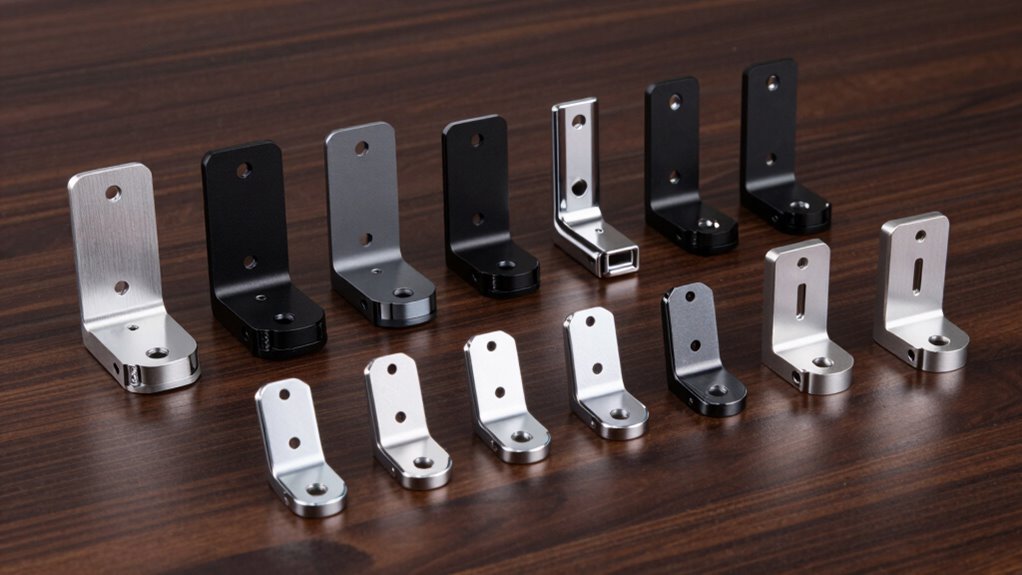

A VESA mount adapter kit can connect a display to a mount when the mounting holes do not match—or are missing—but the right kit depends on the screen and hole pattern. My best overall pick is the Suptek Universal Adapter Bracket for its straightforward role with 17–27-inch monitors, while the Mount-It! 75×75/100×100 to 200×100/200×200 kit stands out for changing between common VESA patterns. For larger TVs, the PUTORSEN extension adapter is a more relevant fit than a non-VESA monitor cage. The main tradeoffs are screen-size compatibility, adapter type, added bulk, and whether the hardware matches both sides of your setup. Read on for how the 15 options differ and which type fits your mounting problem.

Get the latest gadgets delivered free with Prime
- Fast, free delivery on millions of items
- Prime Video, Amazon Music and more included
- Member-only deals all year
Complete the kit



Key Takeaways
Adapter type matters more than the product name: several kits convert a non-VESA monitor into a VESA-style mount, while others extend or change an existing TV hole pattern.
The Suptek, HUANUO, NOBER, Mount-It! 13–27-inch, and MOUNT PRO options target non-VESA monitors; check the display’s rear shape and clamp support before choosing among them.
Pattern conversion is a distinct job: the Mount-It! 75×75/100×100 to 200×100/200×200 kit and its 200×200-to-larger-pattern counterpart serve different hole-spacing needs.
TV-focused kits are not interchangeable by screen size alone: the VIVO, PUTORSEN, KOPKIO, Demimy, monTEK, and Mount-It! TV adapters still need to match the TV’s VESA pattern and mount.
A larger hardware assortment does not automatically mean a better fit: the monTEK 52-piece kit may suit buyers who need more included parts, but simpler adapters can be easier when the required pattern is already known.
| Suptek Universal VESA Mount Adapter Bracket for 17–27-Inch Monitors |  | Best for Non-VESA Monitors | Compatible screen size: 17–27 inches | VESA compatibility: 75 mm or 100 mm | Maximum supported weight: 8 kg | VIEW ON AMAZON | See Our Full Breakdown |
| PUTORSEN VESA Extension Mount Adapter Bracket Kit for 32–55-Inch TVs |  | Best for Broad VESA Expansion | Model: FPT-201F | Compatible screen size: 32–55 inches | Maximum load: 66 lb (30 kg) | VIEW ON AMAZON | See Our Full Breakdown |
| HUANUO Universal VESA Mount Adapter Kit, Non-VESA Adapter for 17‑27 Inch Monitors to 75×75 VESA Mount |  | Best for a Simple 75 mm Setup | Model: HNMUA4 | Compatible screen size: 17–27 inches | VESA compatibility: 75 × 75 mm | VIEW ON AMAZON | See Our Full Breakdown |
| VIVO Black VESA TV Mount Adapter Plate for 32–55-Inch Screens (MOUNT-AD4X2) |  | Best for Listed Rectangular TV Patterns | Model: MOUNT-AD4X2 | Supported screen size: 32–55 inches | Maximum supported weight: 66 lbs | VIEW ON AMAZON | See Our Full Breakdown |
| Mount-It! VESA Mount Adapter Kit, 75×75/100×100 to 200×100/200x200mm |  | Best for Mid-Size Displays | Model: MI-788 | Compatible display size: 23–42 inches | VESA patterns: 75 × 75 mm and 100 × 100 mm to 200 × 100 mm and 200 × 200 mm | VIEW ON AMAZON | See Our Full Breakdown |
| VIVO Black VESA Monitor & TV Mount Adapter (23–42 in) – Model MOUNT-AD2X2 |  | Best for Compact VESA Conversions | Brand: VIVO | Model: MOUNT-AD2X2 | Material: Powder-coated alloy steel | VIEW ON AMAZON | See Our Full Breakdown |
| Demimy VESA Adapter Kit for TV Mounts, 4 Steel Extension Brackets |  | Best for Reusing a Existing Mount Across Multiple TV Patterns | Brand: Demimy | Model: DMM47104 | Adapter quantity: 4 steel bars | VIEW ON AMAZON | See Our Full Breakdown |
| VIVO Black VESA Extension Adapter for 32–55 Inch TVs (MOUNT-AD400B) |  | Best for Larger TV VESA Patterns | Brand: VIVO | Model: MOUNT-AD400B | Compatible screen size: 32–55 inches | VIEW ON AMAZON | See Our Full Breakdown |
| NOBER Non-VESA Monitor Mount Adapter Kit for 75 × 75 mm VESA Mounts |  | Best Adhesive Option for Non-VESA Monitors | Brand: NOBER | Model: nummak101 | VESA pattern: 75 × 75 mm | VIEW ON AMAZON | See Our Full Breakdown |
| Mount-It! Universal Non-VESA Monitor Mount Adapter Kit for 13–27-Inch Screens |  | Best Adjustable Steel Adapter for Flat Monitors | Brand and model: Mount-It! MI-780 | Compatible screen size: 13–27 inches | VESA patterns: 75 × 75 mm; 100 × 100 mm | VIEW ON AMAZON | See Our Full Breakdown |
| KOPKIO VESA Mount Adapter Kit for 32–55-Inch TVs |  | Best for Reusing a TV Stand | Brand: KOPKIO | Model: M47104 | Compatible screen size: 32–55 inches | VIEW ON AMAZON | See Our Full Breakdown |
| MOUNT PRO Universal Non-VESA Monitor Mount Adapter |  | Best for Height-Adjustable Non-VESA Monitors | Brand: MOUNT PRO | Model: MU0045 | Screen size: 19–32 inches | VIEW ON AMAZON | See Our Full Breakdown |
| Mount-It! VESA Mount Adapter Kit for 32–55-Inch TVs |  | Best for Wall-Mount Pattern Flexibility | Brand: Mount-It! | Model: MI-790 | Compatible screen size: 32–55 inches (per title) | VIEW ON AMAZON | See Our Full Breakdown |
| monTEK VESA Extension Bracket Kit for 32–55 Inch TVs and Monitors, 52-Piece |  | Best Hardware Bundle | Brand: monTEK | Model: US-DS-MA1000BK-AC2 | Compatible screen size: 32–55 inches | VIEW ON AMAZON | See Our Full Breakdown |
| Mount-It! VESA Mount Adapter Kit, 200x200mm to 300x300mm or 400x400mm |  | Best for Exact 200 × 200 mm Mount Plates | Brand: Mount-It! | Model: MI-791 | Compatible mount pattern: 200 × 200 mm | VIEW ON AMAZON | See Our Full Breakdown |
| vesa mount adapter kit | Model | Material | Compatible screen size | Brand |
|---|---|---|---|---|
| Suptek Universal VESA Mount Ad | — | Steel | 17–27 inches | — |
| PUTORSEN VESA Extension Mount | FPT-201F | Alloy steel | 32–55 inches | — |
| HUANUO Universal VESA Mount Ad | HNMUA4 | Powder-coated steel | 17–27 inches | — |
| VIVO Black VESA TV Mount Adapt | MOUNT-AD4X2 | Alloy steel | — | — |
| Mount-It! VESA Mount Adapter K | MI-788 | Heavy-gauge steel | — | — |
| VIVO Black VESA Monitor & TV M | MOUNT-AD2X2 | Powder-coated alloy steel | 23–42 inches | VIVO |
| Demimy VESA Adapter Kit for TV | DMM47104 | — | — | Demimy |
| VIVO Black VESA Extension Adap | MOUNT-AD400B | Alloy steel | 32–55 inches | VIVO |
| NOBER Non-VESA Monitor Mount A | nummak101 | — | — | NOBER |
| Mount-It! Universal Non-VESA M | — | Powder-coated steel | 13–27 inches | — |
| KOPKIO VESA Mount Adapter Kit | M47104 | Steel | 32–55 inches | KOPKIO |
| MOUNT PRO Universal Non-VESA M | MU0045 | — | — | MOUNT PRO |
| Mount-It! VESA Mount Adapter K | MI-790 | Heavy-gauge steel | 32–55 inches (per title) | Mount-It! |
| monTEK VESA Extension Bracket | US-DS-MA1000BK-AC2 | Steel | 32–55 inches | monTEK |
| Mount-It! VESA Mount Adapter K | MI-791 | Heavy-gauge steel | — | Mount-It! |
More Details on Our Top Picks
Suptek Universal VESA Mount Adapter Bracket for 17–27-Inch Monitors
The Suptek is the clearest fit for a monitor with no VESA holes: its padded brackets grip the screen edges and convert compatible 17–27-inch displays to either 75 mm or 100 mm mounting patterns. That gives it more pattern flexibility than the HUANUO HNMUA4, which converts to 75 × 75 mm only. The steel construction and 8 kg load limit suit typical smaller monitors, but fit depends on the display’s thickness and bezel height, so those measurements deserve a check before ordering. Unlike plate-style adapters for TVs, this design contacts the monitor itself; that can obstruct power or video ports on some models. The VESA mount or pole is also separate, making this a targeted adapter purchase rather than a complete mounting setup.
Pros:- Converts compatible non-VESA monitors to either 75 mm or 100 mm patterns
- Fits a stated 17–27-inch screen range
- Steel brackets include padded grips to help protect screen edges
- Mounting hardware is included
Cons:- The VESA mount or pole must be purchased separately
- Brackets may block power or video ports on some monitors
- Fit is limited by the specified screen thickness and bezel-height ranges
Best for: Owners of 17–27-inch monitors without VESA holes who need either a 75 mm or 100 mm pattern and have accessible screen edges.
Not ideal for: Buyers with port-heavy or unusually shaped monitor backs, or anyone expecting the adapter to include a stand, pole, or wall mount.
- Compatible screen size:17–27 inches
- VESA compatibility:75 mm or 100 mm
- Maximum supported weight:8 kg
- Compatible screen thickness:1–2.75 inches
- Compatible bezel height:266–412 mm
- Material:Steel
- Movement type:Fixed
- Included:Adapter bracket set, mounting hardware kit, user manual; VESA mount and pole not included
Our verdict“Choose the Suptek when a non-VESA monitor needs more pattern flexibility than the 75 mm-only HUANUO adapter provides.”
PUTORSEN VESA Extension Mount Adapter Bracket Kit for 32–55-Inch TVs
PUTORSEN earns this role by covering a particularly broad range of larger TV mounting patterns: it adapts 100 × 100 mm mounts for patterns up to 300 × 300 mm, and 200 × 200 mm mounts for patterns up to 400 × 400 mm. That makes it more adaptable across listed configurations than the VIVO MOUNT-AD4X2, whose largest listed pattern is 400 × 200 mm. The 66 lb capacity and 32–55-inch screen range suit many mid-size TVs, while the included hardware and five-year warranty add practical support. This is still an extension adapter, not a universal fit: buyers need to match both the TV’s hole pattern and the existing mount’s bolt requirements. Installation also calls for a Phillips screwdriver and open-end wrench, neither included.
Pros:- Supports listed TV patterns up to 400 × 400 mm
- Works with 100 × 100 mm and 200 × 200 mm mount patterns
- Rated for screens up to 66 lb and 55 inches
- Includes mounting hardware and a five-year warranty
Cons:- A Phillips screwdriver and open-end wrench are not included
- Bolt-size compatibility with the existing mount must be checked
- The stated screen-size and pattern ranges do not guarantee fit for every TV
Best for: TV owners with a 32–55-inch screen whose VESA pattern exceeds their existing mount’s pattern, especially when the TV uses a listed square configuration up to 400 × 400 mm.
Not ideal for: Buyers who have not checked their TV’s VESA pattern, need a tool-free installation, or have a mount that cannot accept the adapter’s bolt sizes.
- Model:FPT-201F
- Compatible screen size:32–55 inches
- Maximum load:66 lb (30 kg)
- VESA compatibility:100 × 100 mm to 300 × 300 mm; 200 × 200 mm to 400 × 400 mm
- Material:Alloy steel
- Mounting type:Wall mount
- Included:Adapter bracket kit, mounting hardware kit, user manual
- Warranty:5 years
Our verdict“Pick PUTORSEN over the VIVO MOUNT-AD4X2 when your measured TV pattern needs its broader support for larger square layouts.”
HUANUO Universal VESA Mount Adapter Kit, Non-VESA Adapter for 17‑27 Inch Monitors to 75×75 VESA Mount
The HUANUO is a straightforward choice when the goal is simply to turn a compatible 17–27-inch non-VESA monitor into a 75 × 75 mm display. Its adjustable bars accommodate different monitor thicknesses, while powder-coated steel provides a rigid frame. Compared with the Suptek Universal VESA Mount Adapter, it gives up the option of a 100 mm pattern, but its narrower specification makes sense for buyers who already have a 75 × 75 mm arm or wall mount. The included screws and manual reduce the need to source basic installation parts separately. The tradeoff is the added depth behind the monitor, which can bring the screen farther from the wall or arm, and its single VESA pattern makes it a poor match for mounts requiring 100 × 100 mm.
Pros:- Converts compatible 17–27-inch monitors to 75 × 75 mm VESA
- Adjustable bars accommodate varying monitor thicknesses
- Powder-coated steel construction
- Screws and a manual are included
Cons:- Supports only a 75 × 75 mm VESA pattern
- Adds depth behind the monitor
- The provided specifications do not state a maximum supported weight
Best for: Monitor owners with a 17–27-inch non-VESA display and an existing 75 × 75 mm mount who want an adjustable steel adapter with installation screws included.
Not ideal for: Buyers who need a 100 × 100 mm pattern, want the screen close to the wall, or have a monitor outside the stated size range.
- Model:HNMUA4
- Compatible screen size:17–27 inches
- VESA compatibility:75 × 75 mm
- Material:Powder-coated steel
- Movement type:Fixed
- Mounting type:Wall mount
- Color:Black, white
- Included:Screws and user manual
Our verdict“Choose HUANUO for a direct 75 × 75 mm conversion, but select the Suptek if you also need 100 mm compatibility.”
VIVO Black VESA TV Mount Adapter Plate for 32–55-Inch Screens (MOUNT-AD4X2)
VIVO’s MOUNT-AD4X2 is a focused fix for a 32–55-inch TV with a larger listed VESA pattern than its mount accepts. Its compatibility includes patterns up to 400 × 200 mm, so it covers several rectangular layouts that may not fit smaller adapter kits. Compared with the PUTORSEN FPT-201F, however, it does not list support for a 400 × 400 mm pattern; PUTORSEN is the better match for that larger square layout. The alloy-steel plate supports up to 66 lb and comes with a universal hardware pack and instructions, but the listed pattern and screen-size limits are firm boundaries rather than a promise of universal fit. Check the exact hole spacing and the mount’s capacity before installation.
Pros:- Supports a range of listed VESA patterns, including 400 × 200 mm
- Rated for screens up to 66 lb
- Alloy-steel construction
- Includes hardware and installation instructions
Cons:- Compatibility is limited to the listed VESA patterns
- Specified for screens from 32 to 55 inches
- Does not list the 400 × 400 mm pattern supported by PUTORSEN
Best for: TV owners with a 32–55-inch screen using one of the listed patterns through 400 × 200 mm who need an adapter plate for a smaller-pattern mount.
Not ideal for: Owners of TVs with 400 × 400 mm patterns, patterns outside the listed configurations, or screens above the stated size and weight limits.
- Model:MOUNT-AD4X2
- Supported screen size:32–55 inches
- Maximum supported weight:66 lbs
- Compatible VESA patterns:50 × 50, 75 × 75, 100 × 100, 200 × 100, 200 × 200, 200 × 300, 200 × 400, 300 × 200, 400 × 200 mm
- Material:Alloy steel
- Included:Universal hardware pack and instructions
- Warranty:3 years
Our verdict“Choose this VIVO plate for a listed rectangular pattern, but favor PUTORSEN if your TV uses a 400 × 400 mm layout.”
Mount-It! VESA Mount Adapter Kit, 75×75/100×100 to 200×100/200x200mm
Mount-It! serves buyers whose display has a 75 × 75 mm or 100 × 100 mm pattern but whose chosen mount is set up for 200 × 100 mm or 200 × 200 mm. Its 23–42-inch range places it between the small-monitor adapters and TV-focused options such as the PUTORSEN FPT-201F, which reaches larger patterns and screens but targets a different fit. Heavy-gauge steel, included spacers, and several bolt sizes help bridge common mounting differences without requiring a separate hardware search. The adapter is three inches deep, so it can push the display farther out than a low-profile mount alone. Its 66 lb rating is also subject to the existing mount’s lower limit, and it only applies to the stated input and output patterns.
Pros:- Converts two common smaller patterns to 200 × 100 mm or 200 × 200 mm
- Heavy-gauge steel construction
- Includes M5, M6, and M8 bolts plus two spacer sizes
- Fits a stated 23–42-inch display range
Cons:- Adds three inches of depth
- Actual load limit may be lower if the existing mount has a lower capacity
- Compatibility is restricted to the stated input and output patterns
Best for: Owners of 23–42-inch monitors or TVs with 75 × 75 mm or 100 × 100 mm holes who need to connect to a 200 × 100 mm or 200 × 200 mm mount pattern.
Not ideal for: Buyers whose display uses a pattern outside the listed conversions, or anyone prioritizing minimal distance from the wall.
- Model:MI-788
- Compatible display size:23–42 inches
- VESA patterns:75 × 75 mm and 100 × 100 mm to 200 × 100 mm and 200 × 200 mm
- Load capacity:66 lb, subject to the existing mount’s capacity
- Material:Heavy-gauge steel
- Item depth:3 inches
- Mounting type:Wall mount
- Included hardware:M5×12, M6×14, and M8×20 bolts; two sizes of spacers
Our verdict“Choose Mount-It! for a mid-size display that needs the specified 200 mm pattern conversion, provided the extra depth and mount capacity work for your setup.”
VIVO Black VESA Monitor & TV Mount Adapter (23–42 in) – Model MOUNT-AD2X2
The VIVO MOUNT-AD2X2 is a focused solution for screens whose 200 × 100 mm or 200 × 200 mm mounting pattern needs to connect to a smaller, standard VESA plate. It converts those patterns to 50 × 50, 75 × 75, or 100 × 100 mm, making it a better fit for this particular spacing problem than the VIVO MOUNT-AD400B, which reaches larger TV patterns but targets a different range of conversions. Its 66 lb capacity and powder-coated steel construction provide a sturdy connection for compatible 23–42-inch displays, while the included hardware kit simplifies setup. The tradeoff is limited reach: it does not cover the larger patterns supported by the MOUNT-AD400B, and its steel construction adds weight. Check both the TV’s pattern and the mount’s capacity before buying.
Pros:- Converts two larger VESA patterns to three common smaller patterns.
- Alloy-steel construction supports up to 66 lb.
- Low-profile black finish pairs discreetly with many mounts.
- Universal hardware kit is included.
Cons:- Conversion range stops at 200 × 200 mm, unlike the larger-pattern reach of the VIVO MOUNT-AD400B.
- Solid steel construction makes the adapter relatively heavy.
- Specified for screens from 23 to 42 inches.
Best for: Owners of 23–42-inch TVs or monitors with 200 × 100 mm or 200 × 200 mm holes who need to attach them to a 50 × 50, 75 × 75, or 100 × 100 mm mount.
Not ideal for: Buyers adapting patterns larger than 200 × 200 mm, or anyone whose display falls outside the stated 23–42-inch range.
- Brand:VIVO
- Model:MOUNT-AD2X2
- Material:Powder-coated alloy steel
- Compatible screen size:23–42 inches
- Supported VESA patterns:200 × 100 mm; 200 × 200 mm
- Converted VESA patterns:50 × 50 mm; 75 × 75 mm; 100 × 100 mm
- Weight capacity:66 lb
- Warranty:3 years
Our verdict“Choose the MOUNT-AD2X2 when your 23–42-inch screen has a 200 × 100 mm or 200 × 200 mm pattern and your mount uses one of its smaller supported patterns.”
Demimy VESA Adapter Kit for TV Mounts, 4 Steel Extension Brackets
The Demimy four-bar kit is aimed at buyers who want to keep a compatible wall mount while accommodating a TV with a wider hole pattern. Its listed conversions cover several combinations, from a 100 × 100 mm mount to patterns as large as 300 × 300 mm, and from a 200 × 200 mm mount to 400 × 400 mm. That range makes it more adaptable than the VIVO MOUNT-AD2X2, which handles fewer and smaller patterns. The four steel bars and varied hardware can help with different installations, but this is not a complete TV mount: the existing mount must match one of the specified pairs and have enough clearance. The 66 lb capacity applies to the complete kit, so the setup’s overall load limit and the TV’s screw requirements need checking before installation.
Pros:- Supports multiple specified conversions, including patterns up to 400 × 400 mm.
- Four steel bars can extend a compatible mount to a wider TV pattern.
- Includes spacers, nuts, washers, and several screw sizes.
- Black powder-coated finish.
Cons:- Works only with the listed mount-to-TV pattern combinations.
- The 66 lb limit applies to the complete kit and does not replace the mount’s own load limit.
- Included screws may not suit every TV.
Best for: TV owners replacing a display while keeping an existing mount, when the old mount and new TV match one of Demimy’s listed VESA conversion pairs.
Not ideal for: Buyers who need a complete wall mount, whose VESA pairing is not listed, or whose TV requires screws absent from the included selection.
- Brand:Demimy
- Model:DMM47104
- Adapter quantity:4 steel bars
- Material and finish:Black powder-coated steel
- Conversions from 100 × 100 mm:200 × 100 mm; 200 × 200 mm; 300 × 200 mm; 300 × 300 mm
- Conversions from 200 × 200 mm:300 × 200 mm; 300 × 300 mm; 400 × 300 mm; 400 × 400 mm
- Complete-kit load capacity:66 lb
- Warranty:2 years
Our verdict“Pick Demimy if you are reusing a compatible mount and need one of its listed extensions to a larger TV pattern; skip it if you need a complete mounting system.”
VIVO Black VESA Extension Adapter for 32–55 Inch TVs (MOUNT-AD400B)
For a larger TV that needs more mounting reach, the VIVO MOUNT-AD400B offers a broader conversion range than the MOUNT-AD2X2. It supports conversions involving patterns up to 400 × 400 mm, including selected pairings from 100 × 100 mm and 200 × 200 mm mounts. That makes it the more relevant VIVO choice when a 32–55-inch screen has a larger hole spacing; the MOUNT-AD2X2 instead suits smaller screens and ends at 200 × 200 mm. Both have a 66 lb capacity and steel construction, so the key distinction is fit, not load rating. The MOUNT-AD400B’s main limitation is that pattern compatibility depends on the exact TV and mount pairing. Confirm both measurements and check the full mount’s capacity before ordering.
Pros:- Supports selected conversions involving patterns up to 400 × 400 mm.
- Steel construction with a stated 66 lb maximum supported weight.
- Low-profile black finish.
- Useful for larger TVs than the MOUNT-AD2X2 is specified to fit.
Cons:- Compatibility depends on the exact VESA pattern pairing.
- The 32–55-inch screen range makes it unsuitable for smaller displays.
- The adapter’s capacity does not raise the limit of the existing mount.
Best for: People adapting a compatible 32–55-inch TV with a larger VESA pattern to a mount using one of the adapter’s supported patterns.
Not ideal for: Owners of smaller screens or anyone whose TV and mount use a VESA pairing outside the specified conversions.
- Brand:VIVO
- Model:MOUNT-AD400B
- Compatible screen size:32–55 inches
- Material:Alloy steel
- Supported conversions from 100 × 100 mm:300 × 200 mm; 200 × 300 mm; 300 × 300 mm
- Supported conversions from 200 × 200 mm:Patterns up to 400 × 400 mm
- Maximum supported weight:66 lb
- Item weight:0.39 kg
- Warranty:3 years
Our verdict“Choose the MOUNT-AD400B over the MOUNT-AD2X2 when your 32–55-inch TV needs one of its supported larger-pattern conversions.”
NOBER Non-VESA Monitor Mount Adapter Kit for 75 × 75 mm VESA Mounts
The NOBER nummak101 addresses a different gap from the steel extension kits: it gives a compatible monitor without mounting holes a way to attach to a 75 × 75 mm VESA mount. Unlike the Mount-It! MI-780, which uses adjustable steel arms around the screen, NOBER relies on adhesive and is intended for flat or curved monitors with smooth backs. That can avoid a clamp structure around the display, but it makes surface condition and application time central to the decision. The manufacturer recommends waiting 48 hours after applying it and keeping long-term load below 25 lb; the recommended monitor weight is 16 lb or less. It is a stationary mounting option, not a substitute for a conventional VESA plate when a monitor has mounting holes or an uneven back.
Pros:- Provides a VESA connection for compatible monitors without mounting holes.
- Designed for flat or curved displays with smooth backs.
- Includes installation screws and parts.
- Can be configured as a split or one-piece design.
Cons:- Adhesive is best suited to smooth, even surfaces.
- Requires a 48-hour wait after application before installation.
- Recommended monitor weight is 16 lb or less, with long-term load under 25 lb.
Best for: Owners of 13–27-inch monitors without VESA holes, weighing 16 lb or less, with smooth backs and a compatible 75 × 75 mm mount.
Not ideal for: People with textured or uneven monitor backs, those who need immediate installation, or buyers wanting a higher-weight setup than the stated guidance.
- Brand:NOBER
- Model:nummak101
- VESA pattern:75 × 75 mm
- Compatible monitor size:13–27 inches
- Recommended monitor weight:16 lb or less
- Maximum long-term load:25 lb
- Mounting type and movement:Wall or tabletop; stationary
- Maximum tilt angle:60 degrees
- Recommended installation wait:48 hours
Our verdict“Choose NOBER when a smooth-backed, hole-free monitor needs a stationary 75 × 75 mm connection and you can follow the adhesive’s wait and load guidance.”
Mount-It! Universal Non-VESA Monitor Mount Adapter Kit for 13–27-Inch Screens
The Mount-It! MI-780 suits buyers whose monitor lacks VESA holes but has a shape and size that fit its adjustable steel arms. Unlike the adhesive-based NOBER kit, this adapter holds a compatible screen with a physical bracket arrangement, so it avoids relying on a smooth rear surface or a 48-hour adhesive wait. In return, fit depends on the monitor’s thickness and bezel height, and the maximum load is 17.6 lb. It connects to either 75 × 75 mm or 100 × 100 mm mounts, giving it more mount-pattern flexibility than NOBER’s 75 × 75 mm-only interface. The stated warning against curved monitors narrows its usefulness, and screens outside the listed dimensions may not sit securely. Check measurements before choosing it.
Pros:- Connects compatible non-VESA monitors to 75 × 75 mm or 100 × 100 mm mounts.
- Adjustable arms accommodate a range of monitor sizes and shapes.
- Powder-coated steel construction supports up to 17.6 lb.
- Includes screws, spacers, and installation instructions.
Cons:- Not recommended for curved monitors, unlike the NOBER kit’s stated compatibility with suitable smooth-backed curved displays.
- Monitor thickness and bezel height must fall within the specified ranges.
- Weight capacity is limited to 17.6 lb.
Best for: Owners of flat 13–27-inch monitors without mounting holes that weigh no more than 17.6 lb and fit the specified thickness and bezel-height ranges.
Not ideal for: People with curved monitors, screens outside the supported measurements, or monitors heavier than 17.6 lb.
- Brand and model:Mount-It! MI-780
- Compatible screen size:13–27 inches
- VESA patterns:75 × 75 mm; 100 × 100 mm
- Maximum load capacity:17.6 lb
- Material:Powder-coated steel
- Maximum screen thickness:2.75 inches
- Bezel height fit:10.5–16.25 inches
- Warranty:Manufacturer lifetime warranty
Our verdict“Choose the MI-780 for a flat, hole-free monitor that fits its measurements and needs either a 75 × 75 mm or 100 × 100 mm mount connection.”
KOPKIO VESA Mount Adapter Kit for 32–55-Inch TVs
The KOPKIO M47104 is the best fit here when the problem is connecting a compatible larger-pattern TV to a standard TV stand, rather than extending a wall mount. Its steel adapter supports listed VESA patterns up to 400 × 400 mm and a maximum load of 66 lb, while the included hardware helps avoid sourcing basic installation parts separately. Compared with the Mount-It! MI-790, which is framed for wall-mount pattern conversion, KOPKIO’s standout use is adapting a TV to a stand. The tradeoff is that its fixed design gives no movement adjustment, and pattern support alone does not guarantee a match: check both the TV holes and the stand’s mounting layout before ordering. It is also less suited to buyers whose main need is a non-VESA monitor adapter.
Pros:- Supports multiple listed VESA patterns up to 400 × 400 mm
- Steel construction with a stated 66 lb load capacity
- Installation hardware is included
- Designed to connect a compatible TV to a standard stand
Cons:- Fixed design has no movement adjustment
- Fit depends on matching both the TV and stand mounting patterns
- Not intended for monitors without VESA holes
Best for: TV owners with a compatible 32–55-inch screen who want to reuse a standard stand instead of buying a replacement.
Not ideal for: Buyers who need tilt or swivel adjustment, or whose TV and stand do not match the adapter’s supported hole patterns.
- Brand:KOPKIO
- Model:M47104
- Compatible screen size:32–55 inches
- VESA compatibility:100 × 100 mm to 300 × 300 mm; 200 × 200 mm to 400 × 400 mm
- Maximum load capacity:66 lb
- Material:Steel
- Movement type:Fixed
- Warranty:15 months
Our verdict“Choose KOPKIO if your priority is adapting a compatible larger-pattern TV to a standard stand and you do not need motion adjustment.”
MOUNT PRO Universal Non-VESA Monitor Mount Adapter
The MOUNT PRO MU0045 addresses a different fit problem from TV extension kits: it grips a compatible monitor that has no VESA holes, then connects to a separately supplied VESA plate and mount. Its five height settings let buyers tune the screen position without replacing the monitor, while anti-slip pads add contact between the adapter and display. That makes it more adjustable than the fixed KOPKIO M47104, but it supports only 17.6 lb and 75 × 75 mm or 100 × 100 mm plates, so it is not a substitute for the larger TV-pattern adapters in this roundup. The VESA plate and monitor mount are not included, adding parts to source. Portrait orientation is also unsupported, which rules it out for workflows that depend on rotating the screen.
Pros:- Works with many monitors without VESA mounting holes
- Five height settings support different screen positions
- Anti-slip pads and alloy-steel construction help secure the screen
- Assembly hardware and a user manual are included
Cons:- VESA plate and monitor mount are sold separately
- Maximum supported screen weight is 17.6 lb
- Does not support portrait orientation
Best for: Desk users with a 19–32-inch monitor lacking VESA holes who want multiple height settings and already have, or plan to buy, a compatible VESA plate and mount.
Not ideal for: People who need portrait monitor positioning, have a screen above 17.6 lb, or expect the adapter to include the VESA plate and monitor mount.
- Brand:MOUNT PRO
- Model:MU0045
- Screen size:19–32 inches
- Maximum supported weight:17.6 lb
- VESA compatibility:75 × 75 mm and 100 × 100 mm
- Screen thickness:0.79–2.76 inches
- Height adjustment:5 settings
- Movement type:Tilt
Our verdict“Pick MOUNT PRO for a lighter non-VESA monitor when height choice matters and you can supply the separate plate and mount.”
Mount-It! VESA Mount Adapter Kit for 32–55-Inch TVs
The Mount-It! MI-790 is the most flexible choice in this group for converting a smaller mount pattern to several larger TV layouts. It lists conversions from 100 × 100 mm to 200 × 200 mm or 300 × 300 mm, and from 200 × 200 mm to 400 × 200 mm or 400 × 400 mm. That broader pattern coverage gives it an advantage over the more narrowly specified Mount-It! MI-791, which is limited to a 200 × 200 mm mount plate and symmetric 300 × 300 mm or 400 × 400 mm TV patterns. Heavy-gauge steel, a 66 lb capacity, hardware, spacers, and instructions make the kit a practical wall-mount adapter package. Its limit is the existing wall mount: the full setup cannot exceed that mount’s rating, and some TVs may need different screw lengths.
Pros:- Supports several conversions, including 400 × 200 mm and 400 × 400 mm patterns
- Heavy-gauge steel construction
- Includes bolts, nuts, spacers, and step-by-step instructions
- Stated weight capacity is 66 lb
Cons:- The existing wall mount may have a lower weight limit
- Some TV installations may require different screw lengths
- Compatibility still depends on the exact mount and TV hole patterns
Best for: TV owners with a 32–55-inch screen who need one of the listed larger VESA patterns adapted to an existing wall mount.
Not ideal for: Buyers who need a stand adapter, have an unsupported hole pattern, or cannot verify the existing wall mount’s capacity and screw fit.
- Brand:Mount-It!
- Model:MI-790
- Compatible screen size:32–55 inches (per title)
- VESA pattern conversions:100 × 100 mm to 200 × 200 mm or 300 × 300 mm; 200 × 200 mm to 400 × 200 mm or 400 × 400 mm
- Weight capacity:66 lb
- Material:Heavy-gauge steel
- Mounting type:Wall mount
- Included hardware:Bolts, nuts, and spacers
Our verdict“Choose the MI-790 when its broader listed pattern conversions match your TV and wall mount, after checking the mount’s own load limit.”
monTEK VESA Extension Bracket Kit for 32–55 Inch TVs and Monitors, 52-Piece
The monTEK US-DS-MA1000BK-AC2 stands out for the amount of installation hardware supplied: its 52-piece kit is useful for buyers who would rather have a range of parts on hand than source every fastener separately. Its listed conversions cover 100 × 100 mm to 300 × 300 mm and 200 × 200 mm to 400 × 400 mm, with steel construction and a stated 66 lb capacity. Compared with the Mount-It! MI-790, monTEK lists wall- and desk-mount use and a rotate movement type, while the MI-790 specifies a wider set of conversions including 400 × 200 mm. The main catch is that the VESA plate is not included, so this is an extension kit, not a complete mounting system. Buyers should also confirm their exact hole pattern before relying on the broader screen-size description.
Pros:- Includes 52 pieces of mounting hardware
- Supports listed conversions up to 400 × 400 mm
- Steel construction with a stated 66 lb capacity
- Listed for wall-mount and desk-mount use
Cons:- VESA plate is not included
- Listed conversions do not include 400 × 200 mm
- The exact fit still depends on matching the TV or monitor and mount patterns
Best for: TV and monitor owners who need one of monTEK’s listed VESA extensions and value a large assortment of included hardware.
Not ideal for: Buyers who need a complete VESA plate, need a listed 400 × 200 mm conversion, or have a screen outside the stated compatibility range.
- Brand:monTEK
- Model:US-DS-MA1000BK-AC2
- Compatible screen size:32–55 inches
- VESA pattern conversions:100 × 100 mm to 300 × 300 mm; 200 × 200 mm to 400 × 400 mm
- Maximum supported weight:66 lb
- Included hardware:52 pieces
- Material:Steel
- VESA plate:Not included
Our verdict“Choose monTEK if its listed pattern conversions fit your setup and you want a hardware-rich extension kit, not a complete VESA plate.”
Mount-It! VESA Mount Adapter Kit, 200x200mm to 300x300mm or 400x400mm
The Mount-It! MI-791 makes sense when the existing mount plate is exactly 200 × 200 mm and the TV has a symmetric 300 × 300 mm or 400 × 400 mm pattern. Its focused compatibility is easier to assess than the broader MI-790’s conversion list, but it also means fewer setups qualify: it does not support asymmetric patterns such as 400 × 200 mm. Heavy-gauge steel, included bolts and spacers, and a 66 lb stated capacity cover the basic adapter-kit needs; the lifetime warranty is another stated distinction from the KOPKIO kit’s 15-month warranty. As with the MI-790, the adapter’s rating does not override the capacity of the existing mount. Check the TV pattern and every component’s load limit before installation.
Pros:- Targets 200 × 200 mm mount plates and two specified symmetric TV patterns
- Heavy-gauge steel construction
- Includes bolts, spacers, flat bolts, nylon lock nuts, and instructions
- Includes a lifetime warranty
Cons:- Does not support asymmetric patterns such as 400 × 200 mm
- Limited to a 200 × 200 mm starting mount pattern
- The existing mount can impose a lower load limit than the adapter
Best for: TV owners whose existing mount plate is 200 × 200 mm and whose TV uses a symmetric 300 × 300 mm or 400 × 400 mm pattern.
Not ideal for: Buyers with a 400 × 200 mm asymmetric TV pattern, a different starting mount pattern, or an existing mount whose capacity is insufficient.
- Brand:Mount-It!
- Model:MI-791
- Compatible mount pattern:200 × 200 mm
- Compatible TV VESA patterns:300 × 300 mm or 400 × 400 mm; symmetric patterns only
- Load capacity:66 lb
- Material:Heavy-gauge steel
- Item weight:1.1 lb
- Warranty:Lifetime
Our verdict“Choose the MI-791 for a confirmed 200 × 200 mm mount-to-symmetric-pattern match, but pick the MI-790 if you need broader listed conversions.”

How We Picked
I ranked these kits by how clearly their stated use matches a common mounting problem: attaching a monitor without VESA holes, extending an existing TV pattern, or adapting one VESA spacing to another. I gave priority to fit clarity, the range of supported screen or pattern sizes stated in the product name, and how directly a buyer can tell whether the kit belongs in their setup. Since an adapter is only useful when it fits both the display and the mount, compatibility takes precedence over a long list of included parts.
The top positions favor broadly useful, clearly scoped options, while more specialized products rank lower for buyers who do not need their particular size or conversion. I also weighed likely setup complexity and versatility: a kit with a defined purpose can be a better choice than a broad assortment if it reduces guesswork. Product names alone do not establish weight limits, included hardware details, or fit for every display, so buyers should confirm those specifications with the manufacturer before installation.
| vesa mount adapter kit | Material |
|---|---|
| Suptek Universal VESA Mount Ad | Steel |
| PUTORSEN VESA Extension Mount | Alloy steel |
| HUANUO Universal VESA Mount Ad | Powder-coated steel |
| VIVO Black VESA TV Mount Adapt | Alloy steel |
| Mount-It! VESA Mount Adapter K | Heavy-gauge steel |
| VIVO Black VESA Monitor & TV M | Powder-coated alloy steel |
| Demimy VESA Adapter Kit for TV | — |
| VIVO Black VESA Extension Adap | Alloy steel |
| NOBER Non-VESA Monitor Mount A | — |
| Mount-It! Universal Non-VESA M | Powder-coated steel |
| KOPKIO VESA Mount Adapter Kit | Steel |
| MOUNT PRO Universal Non-VESA M | — |
| Mount-It! VESA Mount Adapter K | Heavy-gauge steel |
| monTEK VESA Extension Bracket | Steel |
| Mount-It! VESA Mount Adapter K | Heavy-gauge steel |
Factors to Consider When Choosing Vesa Mount Adapter Kit
Before choosing an adapter, identify exactly what is missing from your setup: VESA holes on the display, a matching hole pattern, or enough reach to line up the display with the mount. These checks help prevent the common mistake of buying a kit that fits the screen category but not the actual mounting geometry.
Identify the Adapter Job Before Shopping
Adapter kits generally solve different problems, even when their names all include VESA. A non-VESA monitor bracket grips or frames a display that lacks standard mounting holes; a pattern adapter connects existing holes with a different spacing; an extension kit increases the reach of the attachment points. Start by inspecting the back of the display and the mount, then describe the mismatch in plain terms. Buying a TV extension when the monitor has no mounting holes will not solve the problem. If the display already has threaded VESA holes, focus on pattern conversion rather than non-VESA clamp-style kits.
Measure the Hole Pattern, Not Just the Screen
Measure the horizontal and vertical distance between the centers of the mounting holes, in millimeters, and compare those figures with both the adapter and the mount. Screen size is a rough guide to product grouping, not a guarantee of compatible hole spacing. A 32–55-inch label does not tell you whether a kit supports your TV’s exact pattern. Check whether the adapter’s stated patterns are written as width by height, since 200×100 and 100×200 describe different orientations. When there are no holes, measure the monitor body and review the bracket’s supported dimensions instead.
Check Display Weight and Mount Capacity Separately
The full setup is limited by its weakest rated component: the display, adapter, or arm or wall mount. Do not assume that a bracket intended for a certain screen size can support every display within that range. Look up the manufacturer’s weight limit for the adapter and compare it with the display’s weight without its stand. Also confirm that the mount can carry the combined load and that its fasteners are suitable for the display. If weight or capacity details are unclear, contact the manufacturer rather than treating a matching hole pattern as proof of safe support.
Account for Added Depth, Width, and Clearance
An adapter adds material between the screen and its mount, which can affect how close a TV sits to a wall or how a monitor moves on an arm. Non-VESA monitor brackets may cover part of the rear casing or press against curved surfaces, so check the screen’s shape and any nearby ports or vents. Extension arms can shift the display outward and may change leverage on a wall mount. For a tight desk setup, compare the added depth with the arm’s available adjustment. A slim, direct pattern converter may be preferable when the display already has mounting holes.
Treat Included Hardware as a Fit Check
More screws and spacers can help with varied setups, but a large hardware count does not confirm that the right screw length or thread type is included for your display. Check the display manual for its required screw size and maximum insertion depth before installation. A screw that is too long can damage the screen; one that is too short may not hold securely. Spacers can help clear recessed holes or an uneven back, but they should not be used to compensate for an incompatible adapter. If your model needs unusual hardware, verify availability before choosing a kit.
Pay More Attention to Fit Than to Range
A broad compatibility claim is useful only when it covers your exact screen dimensions, hole spacing, and mounting method. A simpler kit can be the better buy when it directly supports a known pattern, while a more elaborate set may make sense for a less common configuration or several displays. For a first installation, favor clear diagrams, labeled hardware, and a mounting process you can verify against the display manual. Buyers setting up a larger TV should prioritize stated capacity and the mount’s own limits over convenience features. When specifications leave a gap, choosing a different adapter is safer than improvising with mismatched parts.
Frequently Asked Questions
How do I know whether I need a non-VESA adapter or a VESA pattern adapter?
Look at the back of the display first. If it has no threaded mounting holes, you need a non-VESA bracket designed to hold the screen body. If it has holes but their spacing differs from the mount, you need a pattern adapter or extension plate. Measure between hole centers and compare that measurement with both products’ supported patterns. Do not rely on screen size alone, since displays of similar size can use different mounting layouts.
Can I use a monitor adapter kit with a TV, or a TV kit with a monitor?
Only if the adapter’s supported dimensions, mounting method, and capacity match the display and mount. Monitor kits for non-VESA screens often grip the monitor body, while TV adapters usually connect through existing VESA holes and may extend the pattern. The product labels in this roundup point to different intended uses, so a similar screen size does not make two kits interchangeable. Check the manufacturer’s fit range, weight limit, and required hardware for your exact model before buying.
Will an adapter make my wall mount safe for a heavier or larger screen?
No; an adapter changes the connection, not the load rating of the rest of the setup. Confirm the display’s weight, the adapter’s rated capacity, and the wall mount’s supported load independently. The wall and the mount’s installation hardware also need to support the combined setup. A kit marked for a screen-size range is not a substitute for a stated weight limit. If any capacity is missing or unclear, ask the manufacturers before mounting the display.
What should I do if the VESA pattern fits but the screws do not?
Pause installation and check the display manual for the required screw thread and maximum insertion depth. A matching hole pattern does not mean that every included screw is appropriate for your screen. Do not force a screw that resists turning, and do not use a longer screw just to make it reach. The wrong length can damage internal components, while inadequate engagement can leave the display poorly secured. Contact the adapter or display maker if the correct hardware is not clear.
Should I choose a kit with many parts if I am unsure what my setup needs?
Not automatically. A larger assortment, such as a multi-piece extension kit, can help when you have confirmed that your setup needs several possible spacers or brackets, but extra parts cannot fix the wrong adapter type or unsupported pattern. First record the display’s hole spacing, weight, and rear shape, plus the mount’s pattern and capacity. Then choose the simplest kit that explicitly supports those details. If you cannot identify the mismatch, consult the display manual or manufacturer before ordering.
Conclusion
For most buyers seeking a non-VESA monitor solution, I would start with the Suptek Universal Adapter Bracket as the best overall pick in this lineup; the HUANUO is another focused option for 17–27-inch monitors. For value, I would compare the straightforward, size-matched options first, including the NOBER and Mount-It! 13–27-inch kits, then choose by confirmed fit rather than parts count. Beginners should favor a kit whose screen range and mounting method clearly match their display, and verify screw requirements before attaching anything. For larger TV installations, consider the PUTORSEN or relevant VIVO, KOPKIO, and Mount-It! TV adapters only after checking the exact VESA pattern and capacity; the monTEK assortment suits buyers who specifically need a wider selection of hardware. If your need is a precise pattern change, choose the Mount-It! kit that matches both the current and target spacing. The best choice is the one that solves your specific mismatch without asking the adapter to compensate for an incompatible screen or mount.